
Your apartment door lock is the only physical barrier between your personal space and the busy hallway just outside. A deadbolt that jams, gets stuck, or requires a bulky key ring undermines the convenience you moved in for. The right lock upgrades your daily routine with one-touch entry and remote access, all without drilling into landlord property or rewiring anything.
I’m Min — the co-founder and writer behind Gadgets Feed. I’ve spent countless hours analyzing the technical specifications, user reviews, and real-world performance data on the most popular smart locks for apartment use to find which ones actually deliver on security and convenience. My focus is on deadbolts that fit standard doors, offer easy DIY installation, and provide the essential features apartment dwellers need.
The list below starts with a quick comparison of the leading models, followed by in-depth reviews of each lock. This guide helps you find the best apartment door lock for your specific needs and budget.
How To Choose The Best Apartment Door Lock
Before you buy, focus on three core areas: the lock type that fits your lifestyle, the connectivity level you actually need, and the physical dimensions that determine whether it will even fit your door. Apartment dwellers also need to consider lease restrictions and the ability to restore the original lock when moving out.
Lock Type and Form Factor
You’ll find two primary form factors: smart deadbolts that replace your existing deadbolt only, and handle sets that integrate a deadbolt with a lever or knob. Handle sets look cleaner but require more door preparation and are usually more expensive. A simple deadbolt replacement is the easiest route for renters as it uses the same two holes as your current lock.
Connectivity and Remote Control
Basic keypad locks are offline and store codes locally. Mid-tier models add Bluetooth for app programming and a phone unlock range of about 30 feet. The most versatile option includes built-in WiFi for locking, unlocking, and checking status from anywhere, plus voice control via Alexa or Google Assistant. Keep in mind that WiFi drain requires 8 batteries instead of 4 to maintain reasonable battery life.
Access Methods and Security
The most reliable access methods are capacitive fingerprint sensors and backlit keypads. Fingerprint readers are fastest (under 0.5 seconds) and most convenient, but a good keypad with anti-peeping protection (random digits before and after the real code) is a close second. Always ensure the lock includes physical backup keys — electronic failure is real.
Installation and Door Requirements
Most smart locks fit standard U.S. doors with a 2-1/8″ bore hole and a 2-3/8″ or 2-3/4″ backset. Door thickness must be between 1-3/8″ and 2″. Check your door dimensions before buying. Installation is DIY-friendly — you only need a Phillips screwdriver and about 15-20 minutes. Sizing mismatches are the most common cause of returns.
Quick Comparison
On smaller screens, swipe sideways to see the full table.
| Model | Category | Best For | Key Spec | Amazon |
|---|---|---|---|---|
| Wyze Lock Bolt v2 | Smart Deadbolt | Smart home integration at a value | 0.5 sec fingerprint, AI learning, BHMA2 | Amazon |
| Philips WiFi Keypad Lock with Handle | Handle Set | Sleek all-in-one front door upgrade | 0.3 sec fingerprint, built-in WiFi, 6-month battery | Amazon |
| Veise VE012W | Smart Deadbolt | Full WiFi features without a hub | Built-in 2.4GHz WiFi, 100 PIN codes, IP55 | Amazon |
| Philips Wi-Fi Door Lock (DDL242X-1HW) | Smart Deadbolt | Fast scanning and remote app control | Built-in WiFi, fingerprint, 100 passcodes | Amazon |
| Veise VE017 | Smart Deadbolt | Biometric and app control without handles | FPC Swedish fingerprint, IP55, USB-C emergency | Amazon |
| TEEHO TE003 | Keypad Knob | Affordable keyless entry with handle | 20 user codes, IP54, ANSI Grade 3 | Amazon |
| TEEHO TE001 | Keypad Deadbolt | Simple and reliable keypad deadbolt | 20 user codes, 365-day battery life, IP54 | Amazon |
In‑Depth Reviews
1. Wyze Auto-Lock Bolt v2

The Wyze Lock Bolt v2 delivers a full suite of smart features at a price that undercuts most competitors. Its capacitive fingerprint scanner uses AI learning to improve accuracy over time, unlocking in just half a second. The scratch-resistant tempered glass face resists smudges and daily wear, keeping the exterior looking clean in a high-traffic apartment hallway. It includes a built-in Wi-Fi radio, so you don’t need a separate hub — just connect directly to the app for remote lock/unlock, notifications, and status checks.
Battery life is rated at 8 months from the included 8 AA batteries, which is generous for a WiFi-enabled lock. The USB-C emergency power port is a smart safety net: if the batteries die, you can power the lock temporarily with any common power bank. The lock also meets BHMA Grade 2 standards, offering higher durability and cycle testing than the budget-grade Grade 3 locks found on many competitors. The auto-lock timer is configurable in the app, and the lock integrates directly with the Wyze ecosystem — so you can unlock via a live video doorbell feed.
A few reviews note that the physical build is mostly plastic, though the locking mechanism itself feels robust. The lock body is slightly larger than a standard deadbolt, which may be a point to check if your door has tight clearance. Some users reported losing WiFi connection after several weeks, but Wyze customer service was responsive in resolving the issue. For the combination of speed, connectivity, and brand ecosystem, it’s the best all-around choice for an apartment.
Why it’s great
- Fast 0.5-second fingerprint with AI learning
- Built-in Wi-Fi, no hub needed
- USB-C emergency power port
- BHMA Grade 2 certification
Good to know
- Lock body is larger than a standard deadbolt
- Mostly plastic construction
- WiFi connection can drop after extended periods
2. Philips WiFi Keypad Door Lock with Handle

This Philips 4200 Series lock is an all-in-one handle set that replaces both your deadbolt and door lever, giving your apartment a clean, cohesive look. The fingerprint sensor is incredibly fast at 0.3 seconds and proven reliable in user reviews across multiple seasons. The built-in 2.4GHz Wi-Fi connects directly to your router — no bridge required — enabling remote lock/unlock via the app and voice control with Alexa or Google Assistant.
Code management is flexible: you can create permanent codes for family, one-time codes for deliveries, and scheduled recurring codes for weekly housekeeping. The anti-peeping keypad lets you enter random digits before and after your real PIN to obscure it from onlookers. Auto-lock can be set between 0 and 180 seconds through the app. Battery life is rated at 6 months from 8 AA batteries, with a low-battery indicator on the keypad. The package includes the handle set, so you don’t need to buy extra hardware.
Some installers noted that overtightening the screws can cause the deadbolt to bind, so follow the torque guidance carefully. The lock is designed for right-opening doors by default but can be reversed in the settings. A few users wished the app had more detailed scheduling options for temporary codes. For the price, it’s a premium-looking unit that delivers real convenience without breaking the bank for a handle-set design.
Why it’s great
- Very fast 0.3-second fingerprint unlock
- Complete handle set, no extra hardware needed
- Built-in WiFi with Alexa and Google Assistant support
- Versatile code types: permanent, one-time, recurring
Good to know
- Install requires careful screw torque to avoid binding
- Defaulted for right-opening doors, must be reconfigured
- App scheduling for codes could be more flexible
3. Veise VE012W Built-in WiFi Fingerprint Smart Lock
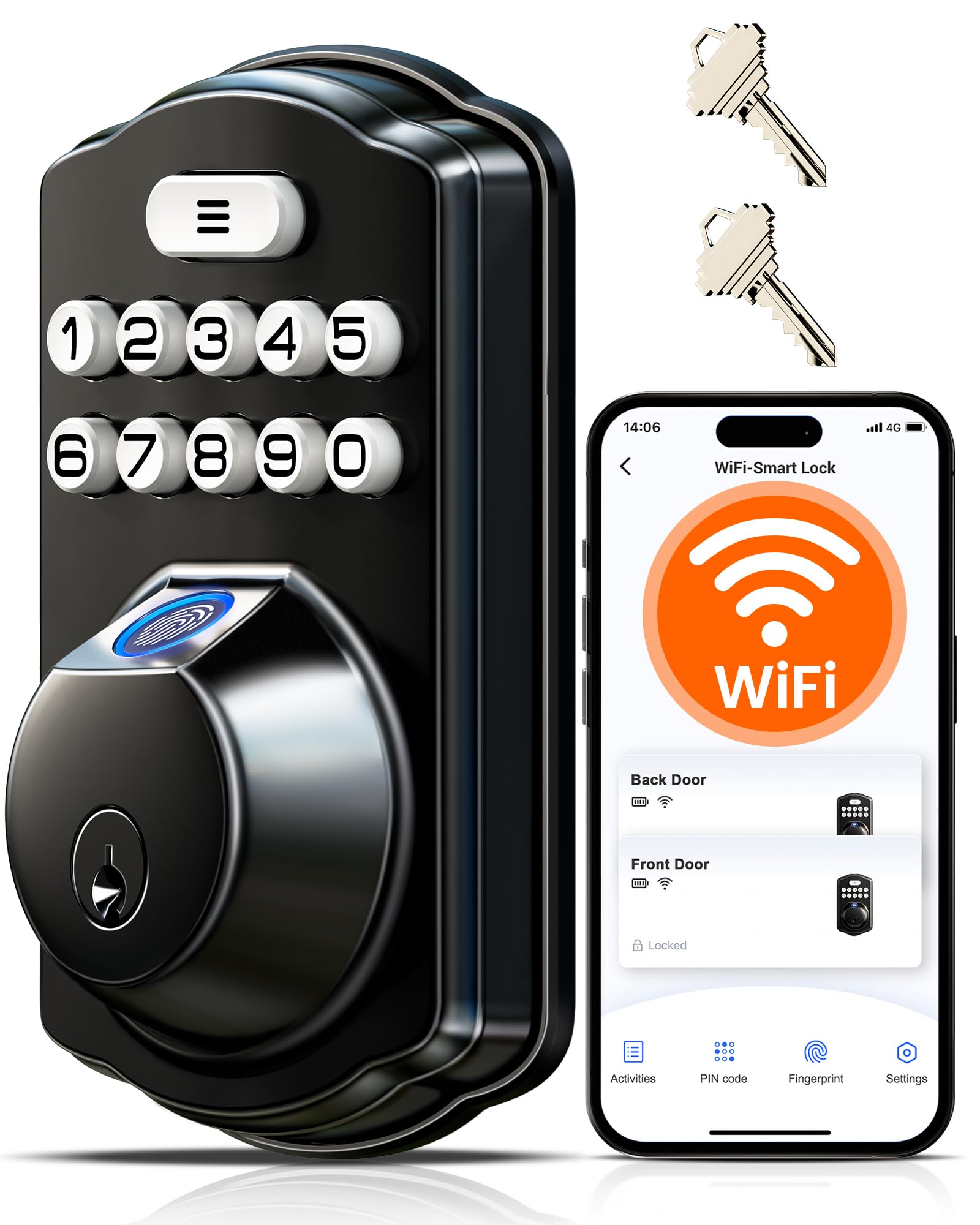
The Veise VE012W is one of the few budget-friendly smart locks that integrates built-in Wi-Fi without requiring a separate hub. The 6-in-1 unlock options include app, fingerprint, codes (permanent, recurring, one-time), and physical keys. The AI fingerprint chip claims a 0.2-second recognition speed and a 99.99% accuracy rate, learning from each use. Real-world reviews confirm the fingerprint reader works reliably even after several months of daily use.
This lock requires 8 AA batteries, which is typical for WiFi locks, and Veise reports up to 98% longer battery life than other WiFi locks thanks to a dual-battery design that ensures signal stability. The auto-lock timer is adjustable from 10 to 180 seconds directly in the app. The IP55 rating offers strong protection against rain and dust, making it suitable for a front door exposed to the elements. The lock also passes BHMA/ANSI Grade 3 testing.
The primary downside is that the majority of the lock’s exterior components are plastic, giving it a lighter feel than all-metal alternatives. A few users noted that the fingerprint sensor occasionally missed reads when fingers were wet or dirty, which is typical. Some reported losing WiFi connection after 6-8 weeks, but Veise customer support was responsive in helping resolve the issue. It’s a solid mid-range pick for tenants who want WiFi for under .
Why it’s great
- Built-in Wi-Fi, no hub required
- Wide range of code types: permanent, recurring, one-time
- Good IP55 weather resistance
- AI fingerprint learning improves accuracy
Good to know
- Mostly plastic construction
- Requires 8 AA batteries
- Fingerprint sensor can struggle with wet/dirty fingers
4. Philips Wi-Fi Door Lock (DDL242X-1HW)

This Philips deadbolt model focuses on delivering a premium fingerprint experience with a smart home backbone. The fingerprint sensor is housed in a raised, tactile area on the keypad and reads reliably in under one second. The hidden keyhole under the fingerprint reader keeps the face clean while offering a physical backup. Built-in 2.4GHz Wi-Fi enables full remote access through the Philips Home Access app without a hub. Users consistently rank this lock higher than alternative brands like Ultraloq for its app stability and lock performance.
The lock supports up to 100 custom passcodes with adjustable schedules, including one-time codes for deliveries and recurring codes for regular guests. The auto-lock timer is programmable from 10 to 180 seconds. The “Away Mode” disables all unlock methods except the master code for added security while traveling. The lock uses 8 AA batteries for WiFi duty, with a low-battery alert both in the app and on the keypad.
The app interface has some quirks — scrolling through time settings can be finicky, and setting end times past midnight is not supported. Installation is straightforward (20 minutes with a screwdriver) but may require minor filing of the bolt hole if your door frame is tight. Some users noted that the lock lacks an auto-unlock feature based on phone proximity. Overall, it’s a polished deadbolt for owners who want a reliable, app-connected lock without paying luxury prices.
Why it’s great
- Fast, reliable fingerprint sensor with hidden keyhole
- Strong app integration with remote access and notifications
- Flexible code scheduling with up to 100 codes
- Auto-lock timer and Away Mode
Good to know
- App time scrolling is finicky
- No proximity-based auto-unlock
- May require minor door frame adjustment for bolt clearance
5. Veise VE017 Fingerprint Smart Door Lock
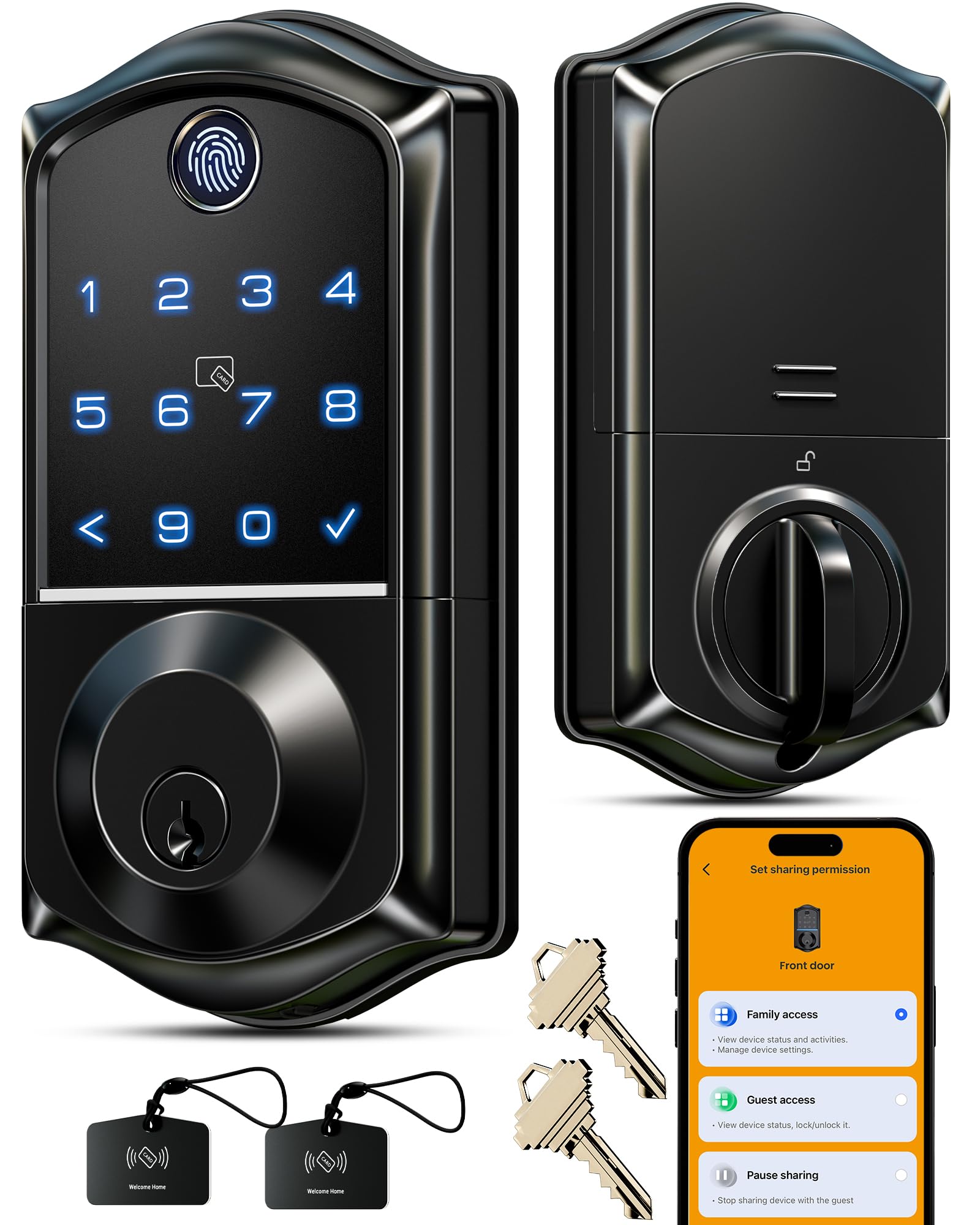
The Veise VE017 an 8-in-1 lock that combines a Swedish FPC fingerprint sensor with the option to add Wi-Fi via the sold-separately G1 Gateway. This approach keeps the base price low, giving you the option to upgrade later. The fingerprint sensor unlocks in under 0.2 seconds with a 99.99% accuracy rate, and the on-device AI chip learns and improves from each scan. It also includes two IC cards (fobs) for children or elderly family members who may struggle with fingerprints.
The lock has four password modes: permanent, one-time, duration-based, and recurring — all manageable through the app. The anti-peeping privacy code allows you to enter random digits before and after the real PIN. The lock stores all user data locally with AES-128 encryption, eliminating cloud leakage risks. It also has an IP55 rating for weather resistance and a USB-C emergency port in case of battery failure. The all-metal, zinc alloy construction feels premium in hand.
The main trade-off is that the VE017 does not come with a handle — it is a deadbolt-only unit. The app and code generation sometimes fail, requiring a second attempt. Some users reported that direct sunlight can cause occasional fingerprint read failures. For an apartment dweller who wants a combination of biometric flexibility and local data security, this lock delivers strong value without needing a full smart home setup.
Why it’s great
- Very fast and accurate FPC fingerprint sensor
- All-metal zinc alloy construction
- Local AES-128 encrypted storage for privacy
- Versatile PIN code types: permanent, one-time, recurring
Good to know
- Wi-Fi requires a separate G1 Gateway accessory
- No handle included, deadbolt-only
- Sunlight can interfere with fingerprint reads
6. TEEHO TE003 Keyless Entry Door Lock with Handle
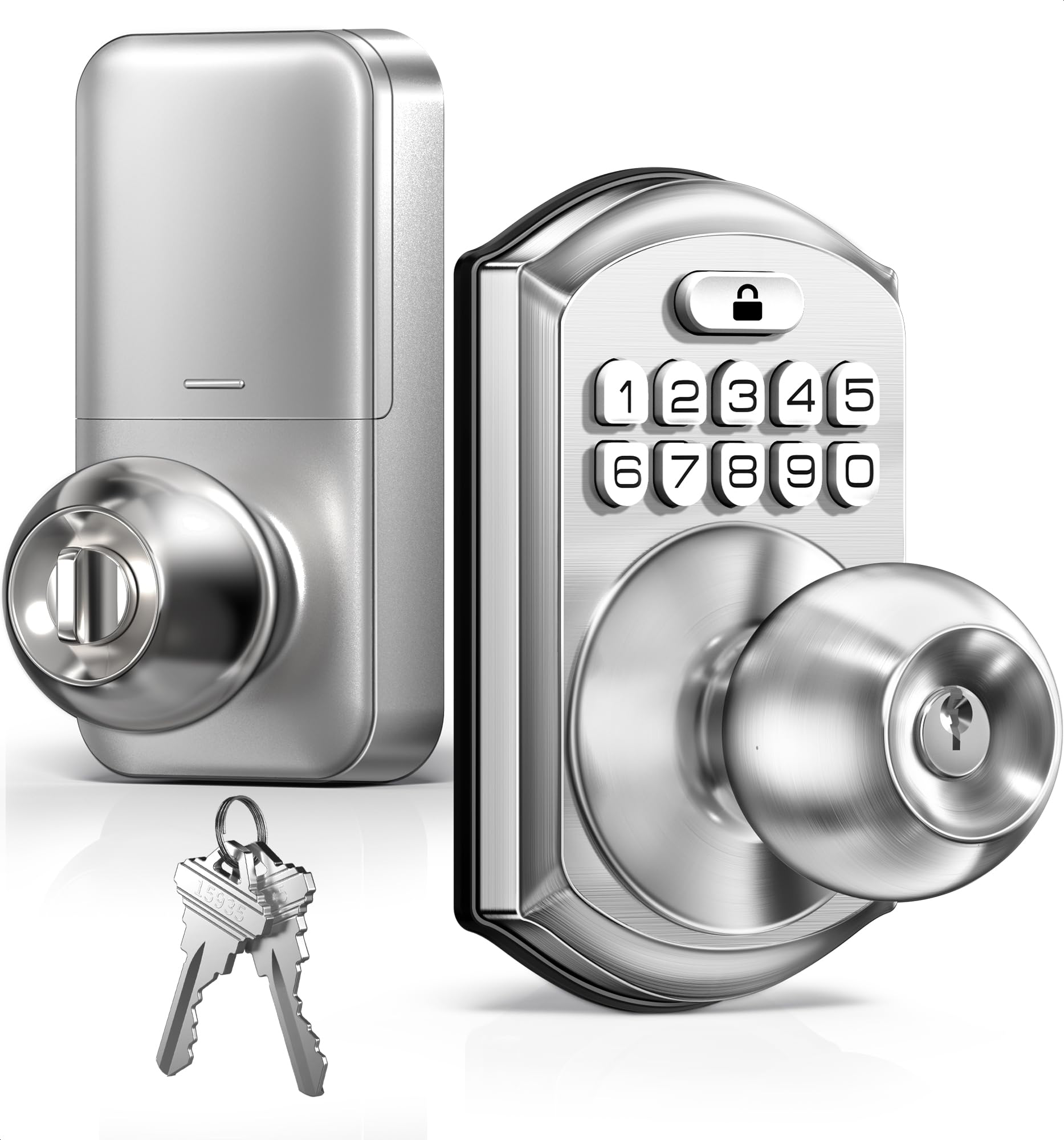
The TEEHO TE003 is a keypad door knob with an integrated deadbolt, making it a complete entry solution for an interior apartment door or a back door. It supports up to 20 user codes plus 2 physical backup keys. The one-time code feature works well for temporary guest access. The lock has a passage mode which keeps the door unlocked for continuous entry during parties or moving, then returns to normal keyed security with a quick button press.
Installation is straightforward — the lock comes with a clear video guide, and most users complete the swap in under 15 minutes. It fits standard U.S. wood and metal doors with a 2-1/8″ bore hole. The backlit keypad is easy to read in low light. The lock is IP54-rated for weather resistance, making it viable for front or side doors exposed to rain. The auto-lock timer can be set to activate between 10 and 99 seconds.
The main issues reported in reviews are related to the lock’s performance in very cold weather. Several users in northern climates experienced the lock sticking or the mechanism failing after a few weeks. The interior housing is bulky and may interfere with a deadbolt on a double-bore door setup. Some users found the warranty support unresponsive for cold-weather failures. For a warm-climate apartment or a primarily indoor bedroom/bathroom application, it’s a decent budget choice.
Why it’s great
- Complete handle set with integrated deadbolt
- Easy installation with video guide
- Passage mode for uninterrupted entry
- IP54 weather resistant
Good to know
- Can fail or stick in very cold weather
- Interior housing is bulky, may crowd other locks
- Customer support response for cold-weather issues is mixed
7. TEEHO TE001 Keyless Entry Door Lock

The TEEHO TE001 is the baseline keypad deadbolt for anyone who simply wants to ditch their keys without spending much. It’s a no-frills unit: no Wi-Fi, no fingerprint, no app. Just a backlit keypad, 20 user codes, and a pair of backup physical keys. The big appeal is battery life — rated at 365 days on 4 AA batteries, which is exceptional for a non-WiFi lock. The auto-lock feature can be programmed from 10 to 99 seconds.
Installation is reportedly one of the easiest on the market, taking about 10 minutes for most users. The aluminum alloy construction is lightweight but feels sturdy enough for daily use. The IP54 rating provides reliable weather protection. Users consistently praise its smooth motor and straightforward programming — the manual is clear, and there’s a video to follow. The anti-peeping feature (random digits before the real code) is a nice security bonus at this price level.
The lock is entirely offline, so there’s no way to issue time-limited codes remotely or check access logs. Some reviews mention that the lock cycles through the locking process 2-3 times before fully engaging, though this doesn’t seem to compromise security. A few users reported durability concerns after 6-12 months of heavy use. For a renter on a strict budget who just wants keyless convenience without smart features, this is the most affordable and reliable entry point.
Why it’s great
- Exceptional 365-day battery life
- Very easy 10-minute installation
- Water-resistant IP54 design
- Smooth motor and reliable keypad
Good to know
- No Wi-Fi, app, or fingerprint scanner
- Lock cycle can be delayed on some units
- Durability concerns after 6-12 months
FAQ
Can I install a smart lock on my apartment door without drilling?
Will my landlord allow me to change the door lock?
What happens if the smart lock battery dies and I don’t have a key?
Final Thoughts: The Verdict
For most users, the best apartment door lock winner is the Wyze Lock Bolt v2 because it delivers the fastest fingerprint unlock, built-in WiFi, and USB-C emergency power at a price that undercuts much of the competition. If you want a sleek all-in-one handle set, grab the Philips WiFi Keypad Door Lock with Handle. And for a budget-friendly, no-frills keypad that just works, nothing beats the TEEHO TE001.