
A 3D printer is only as good as the filament it feeds, and the worst thing you can do is pair a reliable machine with spools that clog, snap, or produce brittle parts. The difference between a trophy-grade print and a stringy mess often comes down to material selection and layer adhesion—two factors that define the real cost of entry into this hobby.
I’m Min — the co-founder and writer behind Gadgets Feed. I’ve analyzed hundreds of print samples, reviewed thermal data sheets, and sorted through thousands of customer print logs to separate the repeatable performers from the one-hit wonders in this market.
Whether you are prototyping functional parts or printing multi-color art pieces, finding the right balance of speed, precision, and material compatibility defines the best 3d printer and filament combination for your specific workflow.
How To Choose The Best 3D Printer And Filament
Three factors separate a great printing experience from a frustrating one: the motion system that governs speed and stability, the hotend that defines material range, and the quality of the filament itself. Beginners often prioritize build volume, but the real constraint is what the extruder can reliably melt and how the firmware compensates for resonance.
Motion Systems: Bowden vs Direct Drive vs CoreXY
Bowden setups separate the motor from the hotend, reducing head weight but increasing retraction complexity with flexible filaments. Direct drive systems, like the Sprite extruder on the Ender 3 V3 SE, mount the motor directly above the nozzle, giving reliable TPU and PETG feeding at the cost of slightly higher moving mass. CoreXY printers, such as the Flashforge AD5M Pro or the QIDI PLUS4, use a belt-driven gantry that keeps the heavy motors stationary, enabling accelerations of 20,000 mm/s² without artifacts.
Hotend Temperature: The Material Gateway
A standard PTFE-lined hotend tops out around 260°C—fine for PLA and PETG but incompatible with polycarbonate, Nylon, or PPS-CF. All-metal hotends rated to 280°C (Flashforge) or 370°C (QIDI PLUS4) open the door to engineering-grade filaments that require higher melt temperatures. If you plan to print functional parts for enclosures or mechanical jigs, target a printer with a 300°C+ capable hotend.
Filament Dimensional Accuracy and Drying
Cheap filament with ±0.05mm tolerance can cause inconsistent extrusion, under-extrusion, or jams when the spool diameter fluctuates mid-roll. Premium options like Kingroon Silk PLA hold ±0.02mm, ensuring predictable flow. Moisture is the silent killer: wet filament produces popping sounds, surface blisters, and brittle prints. An active drying system, like the ACE Pro on the Anycubic Kobra 3 V2, continuously circulates warm air at 35–55°C, removing moisture during printing.
Quick Comparison
On smaller screens, swipe sideways to see the full table.
| Model | Category | Best For | Key Spec | Amazon |
|---|---|---|---|---|
| Bambu Lab A1 Combo | FDM | Plug-and-play multi-color | 10,000 mm/s² acceleration | Amazon |
| Creality K2 Combo | FDM | 16-color production | 260mm³ build volume | Amazon |
| QIDI PLUS4 | FDM | High-temp engineering filaments | 370°C hotend | Amazon |
| ELEGOO Saturn 4 Ultra | Resin | Ultra-detailed miniatures | 16K LCD resolution | Amazon |
| Flashforge AD5M Pro | FDM | Silent CoreXY workhorse | 50 dB noise level | Amazon |
| Anycubic Kobra 3 V2 Combo | FDM | Multicolor with active drying | 600 mm/s max speed | Amazon |
| Creality Ender 3 V3 SE Bundle | FDM | Budget starter kit | 250 mm/s speed | Amazon |
| Kingroon 16KG Silk PLA Bundle | Filament | Bulk multi-color silk prints | ±0.02mm tolerance | Amazon |
| Prusa MK4S | FDM | Production-grade reliability | Input shaping motion control | Amazon |
In‑Depth Reviews
1. Bambu Lab A1 Combo + LED Lamp Kit

The Bambu Lab A1 Combo redefines what a consumer FDM printer can deliver out of the box. With a 10,000 mm/s² acceleration rating and active flow rate compensation that adjusts extrusion in real time, this machine produces consistent layer lines on prints ranging from functional gears to full-size cosplay swords. The included AMS Lite enables four-color filament swapping without manual intervention, and the 1-Clip quick-swap nozzle reduces downtime between material changes.
Users consistently report flawless operation across hundreds of hours—multiple reviews confirm non-stop printing for ten days straight with zero calibration adjustments. The built-in camera supports time-lapse capture and remote monitoring through the mobile app, and the ≤48 dB noise floor means it can run overnight in a shared space without disturbance. The LED Lamp Kit adds a practical dimension by enabling illuminated lamp designs directly from the print bed.
Bambu’s firmware handles the entire leveling sequence automatically, including Z-offset and bed mesh compensation, so the only manual step is loading filament. While the included sample spool is minimal, the printer’s compatibility with third-party PLA via spool adapters removes long-term material lock-in. This is the closest the segment comes to an appliance-grade experience.
Why it’s great
- Full-auto calibration with active flow rate compensation
- AMS Lite enables seamless multi-color printing
- Exceptionally quiet operation for overnight prints
Good to know
- Very little filament included in the box
- Large spools may need printed adapters for the AMS Lite
2. Creality K2 Combo (A)

The Creality K2 Combo scales multi-material printing beyond the typical four-spool limit. By chaining four CFS units together, you can access up to 16 colors without manually swapping filament spools—a feature previously reserved for industrial systems. The 260 x 260 x 260 mm build volume handles helmets, brackets, and large decorative pieces in a single print session, and the step-servo motors dynamically adjust torque to eliminate resonance artifacts at high speeds.
Print quality out of the box is striking: users describe smooth, vibrant layers with zero clogs or adhesion failures across dozens of prints. The auto-leveling system only probes the bed area relevant to the print, cutting leveling time by roughly 60 percent compared to full-mesh approaches. The included dry box with humidity display keeps hygroscopic materials like PETG and ABS ready for immediate use.
Be aware that the CFS filament feeder does not accept standard retail spools without printed adapters—each adapter takes four to five hours to print. The AI camera detects spaghetti failures and idling, though one user reported it missed an operator error. The K2 lacks 5 GHz Wi-Fi, which blocks app and camera connectivity in dual-band environments unless you drop to 2.4 GHz.
Why it’s great
- Up to 16-color automatic switching via CFS
- Large 260mm³ build volume for big prints
- Superior build plate adhesion out of the box
Good to know
- CFS needs printed spool adapters for standard filament
- No 5 GHz Wi-Fi support for app connectivity
3. QIDI PLUS4 3D Printer

The QIDI PLUS4 is the go-to choice for users who need to print advanced materials like PPS-CF, PPA-CF, and Polycarbonate without upgrading the hotend later. The 370°C all-metal direct extruder paired with a 400-watt active chamber heating system that holds 65°C reduces warping on large ABS and Nylon parts. The dual-motor Z-axis with 10 mm lead screws maintains flatness across the full 12 x 12 x 11 inch build area.
Real-world feedback shows this printer surpassing 4,000 hours of operation with zero maintenance beyond a single hotend swap. Users report excellent results with PC-CF and PA6-CF using default slicer profiles, and the open-source Fluidd UI gives full control over g-code and macros. The integrated filament cutter prepares the system for the upcoming QIDI BOX multi-material unit, making this a future-proof platform for those expanding into multi-color engineering prints.
Quality control issues exist—reports of jammed hotends out of the box and an early SSR board that caused chamber heater inconsistencies have been documented. QIDI support has sent replacement parts promptly in most cases, but the setup experience is best suited for users comfortable with troubleshooting. The camera resolution is basic, adequate for monitoring but not for detailed time-lapse work.
Why it’s great
- 370°C hotend prints the widest material range in this comparison
- 65°C active chamber eliminates warping on ASA/Nylon
- Proven 4,000+ hour reliability with minimal maintenance
Good to know
- Initial quality control can be inconsistent
- No multi-material unit available at launch
4. ELEGOO Saturn 4 Ultra 16K Resin Printer

For miniature painters, jewelry designers, and anyone needing micro-scale detail, the Saturn 4 Ultra’s 16K monochrome LCD delivers layer resolution that FDM printers cannot match. The tilt release mechanism peels each layer from the FEP film without a separate lift motion, enabling print speeds up to 150 mm/h while maintaining crisp edges on 0.01 mm layers. The built-in AI camera monitors for empty build plates and warped models, sending alerts through the companion app.
The smart tank heating system keeps resin at a stable 30°C, reducing viscosity shifts that cause layer separation in cold environments. Auto-leveling is truly one-click—users with zero resin experience report perfect first layers without manual shimming. The flip-up lid provides easy access for part removal and cleaning, and the VoxelPrint slicer supports network file transfers via Wi-Fi.
Resin pooling on the build plate after printing is a minor nuisance that a printed drip bracket solves. AI detection is not foolproof—results vary depending on lighting and model geometry. Post-processing requires washing and UV curing, which adds equipment cost and workspace requirements not needed with FDM printers.
Why it’s great
- 16K resolution captures sub-millimeter detail
- Tilt release technology enables fast 150 mm/h print speeds
- Self-heating resin tank eliminates cold-room failures
Good to know
- Requires washing and UV curing post-processing
- Resin fumes need proper ventilation
5. FLASHFORGE AD5M Pro 3D Printer
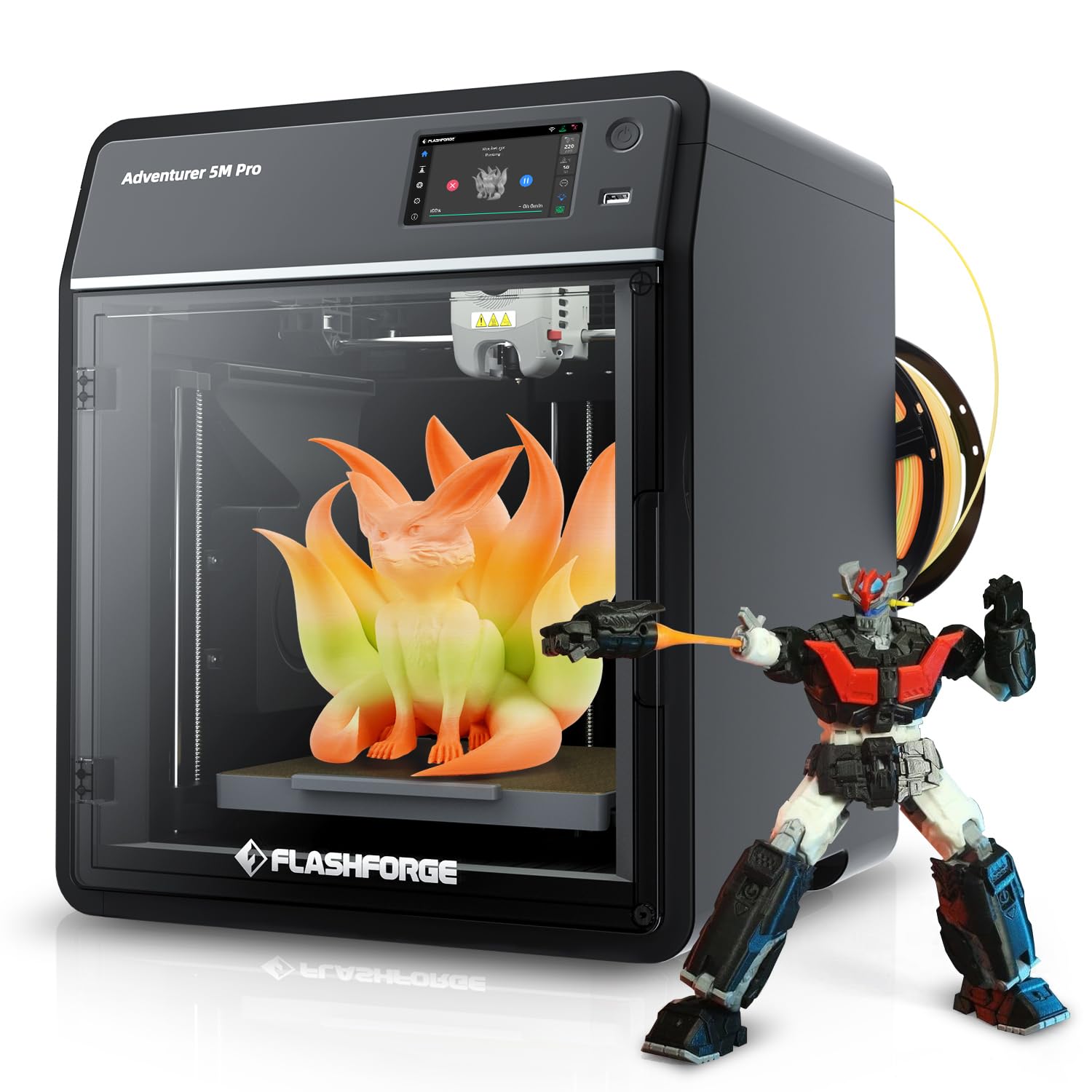
Flashforge positions the AD5M Pro as a silent CoreXY option for office or bedroom environments, and the 50 dB claimed noise level holds up in practice. The 600 mm/s travel speed combined with a quick-swap hotend supporting both 0.4 mm and 0.6 mm nozzles lets you switch between detailed prototypes and faster infill-heavy parts in under a minute. The fully enclosed design keeps drafts away from ABS and PETG prints while filtering particulates through the included carbon filter.
Users upgrading from the Adventurer 4 report dramatic improvements in adhesion and print speed—the strain sensor auto-leveling adjusts Z-offset on every print without manual input. The built-in 720p camera streams to the FlashPrint slicer, and the machine comes 95 percent pre-assembled so setup takes under 20 minutes. The 220 mm³ build volume is standard for this class but feels restrictive compared to the K2 or QIDI options.
The Orca-Flashforge firmware update path has caused connectivity issues for some users—rolling back to stock FlashPrint resolved the problem. Manual filament changes are required unless you buy the optional conversion kit for the automatic system. A small subset of units exhibited filament feed failures within the first week, pointing to extruder assembly variance.
Why it’s great
- Silent 50 dB operation suits shared spaces
- Quick-swap hotend with 0.4/0.6mm nozzles
- Strain sensor auto-leveling for hands-free Z-offset
Good to know
- Firmware updates can interfere with Wi-Fi connectivity
- Manual filament changes without optional upgrade kit
6. Anycubic Kobra 3 V2 Combo
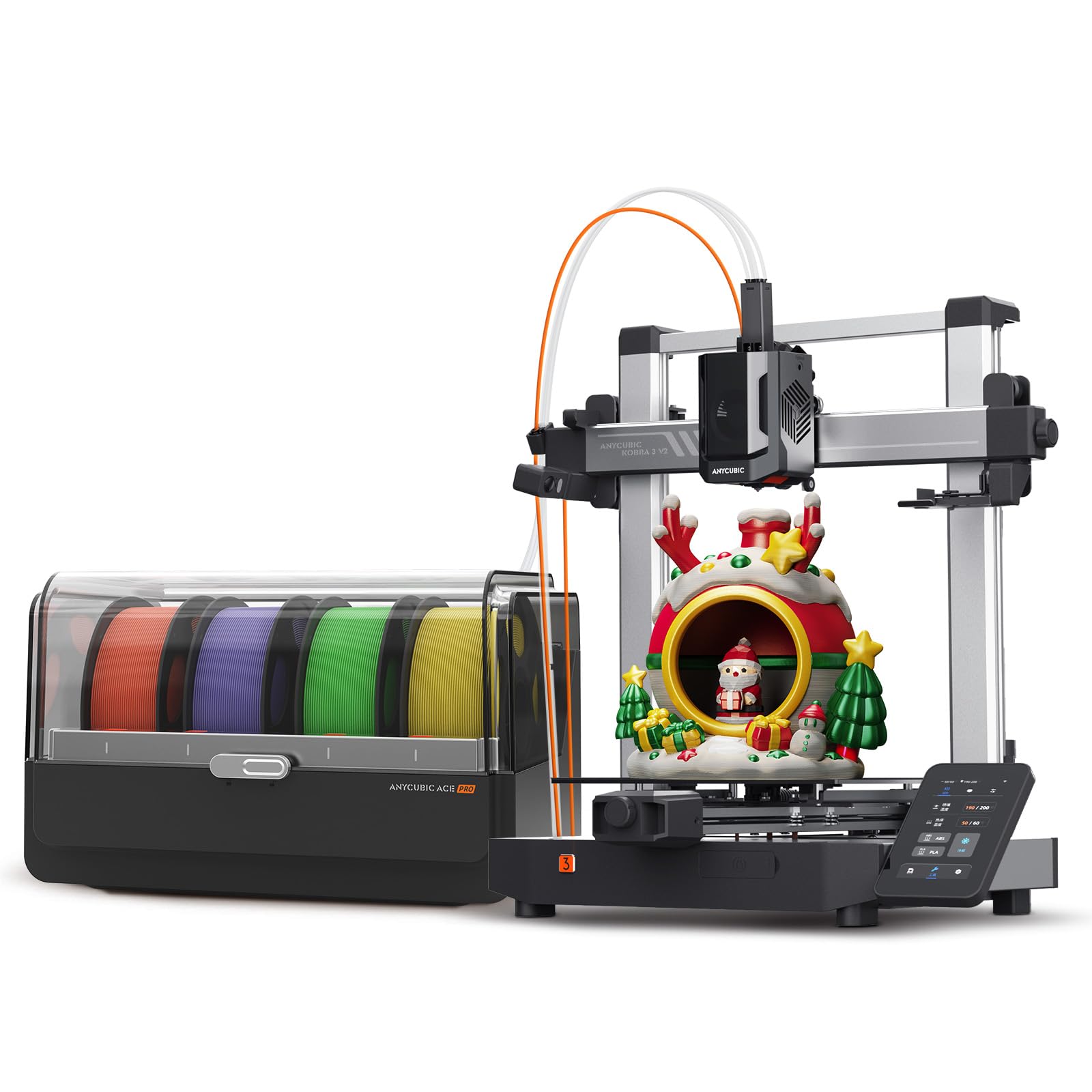
The Kobra 3 V2 Combo delivers multicolor printing at a price point that undercuts most competitors by integrating the ACE Pro system directly in the box. The ACE Pro acts as both a 4-color filament changer and an active dryer, maintaining 35–55°C to keep PLA and PETG moisture-free during extended multi-day prints. The 600 mm/s maximum speed with 20,000 mm/s² acceleration means a calibration boat prints in 11 minutes and 30 seconds.
The self-leveling LeviQ system requires zero user intervention—new users report excellent first-layer results without any calibration prints. The NFR tags on Anycubic spools are recognized by the ACE Pro, which then applies pre-tuned feed and temperature profiles. The 720p camera provides real-time monitoring and automatic time-lapse generation, and the 8-color hub upgrade path doubles the material palette to eight spools.
A serious red flag has been reported: the included USB drive carries malware that can compromise connected computers. Anycubic and Amazon initially deflected responsibility, though exchanges were eventually honored. The purge block waste from multi-color switching is higher than Bambu’s solution, and cardboard spools may require printed adapters to fit the ACE Pro rollers.
Why it’s great
- ACE Pro integrates filament drying and multi-color switching
- Fast 600 mm/s print speed with excellent out-of-box quality
- NFR tag auto-tuning for Anycubic spools
Good to know
- USB drive included may contain malware—do not use
- Multi-color filament waste is higher than some competitors
7. Creality Ender 3 V3 SE Bundle with PLA Filament
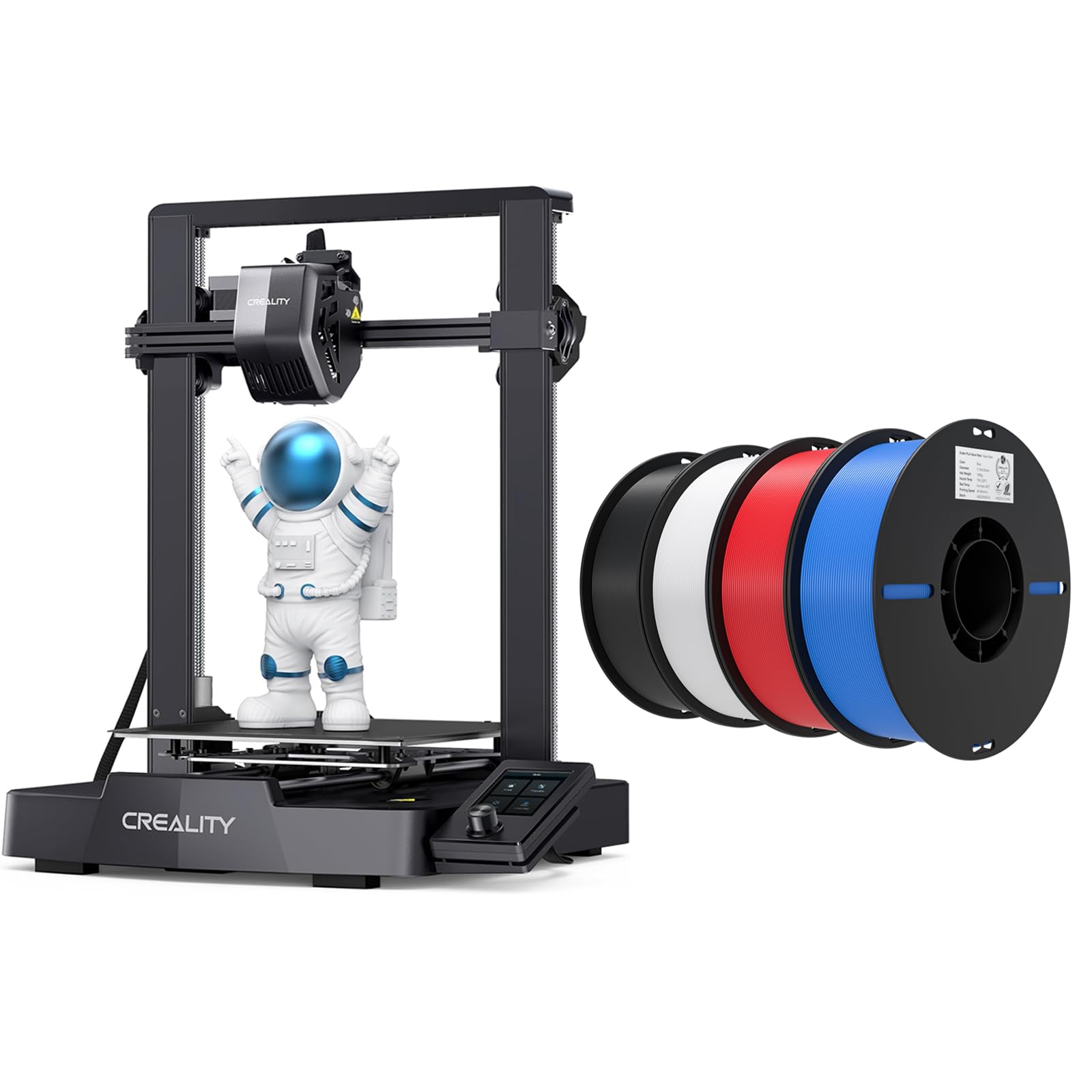
The Ender 3 V3 SE bundle pairs a proven entry-level FDM printer with four spools of PLA filament (black, white, red, blue), giving beginners everything needed for the first dozen projects. The Sprite full-metal direct extruder handles PLA, TPU, and PETG without slipping, and the dual Z-axis lead screws minimize wobble on tall models. At 250 mm/s maximum speed with 2,500 mm/s² acceleration, this machine is roughly 73 percent faster than the original Ender 3 while maintaining acceptable quality.
The CR Touch auto-leveling sensor and strain sensor for Z-offset remove the most frustrating aspect of budget 3D printing—manual bed leveling. Users report six weeks of non-stop operation without issues, and the included 8 mm Y-axis linear shafts resist wear over time. The open-frame design makes maintenance and upgrades simple, and the Creality ecosystem offers hundreds of printable upgrades.
The build volume of 220 x 220 x 250 mm is adequate for most hobbyist projects but limits larger functional prints. The included PLA spools are basic and lack the silk finish or dimensional consistency of premium filaments. The Bowden tube can wear over time with abrasive materials, requiring periodic replacement.
Why it’s great
- Bundle includes printer and four filament spools for one-box setup
- Sprite direct extruder handles flexible filaments reliably
- CR Touch auto-leveling removes manual calibration
Good to know
- Open frame means less stable chamber temperature
- Basic PLA included lacks premium surface finish
8. Kingroon 16KG Silk PLA Filament Bundle
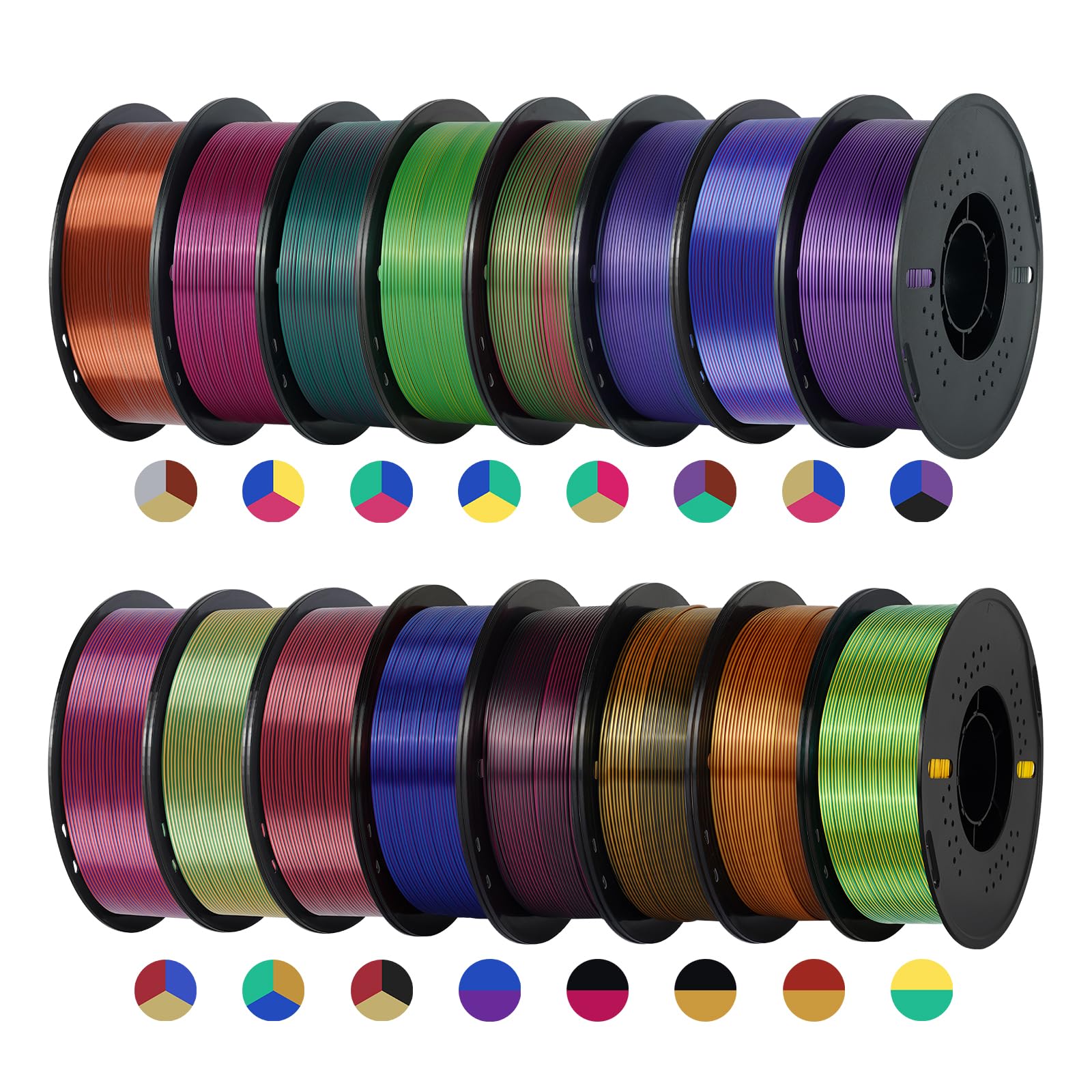
The Kingroon 16KG bundle is not a printer but a filament stock that defines the material half of the best 3D printer and filament equation. With 11 tri-color and 5 dual-color silk PLA spools, this set provides 16 kilograms of filament with a consistent ±0.02 mm diameter tolerance that keeps extrusion stable through long prints. The silk metallic finish produces distinct color shifts depending on viewing angle, making it ideal for display models, cosplay props, and decorative items.
Each spool arrives vacuum-sealed with desiccant, and machine winding prevents tangles during feeding. Users report excellent layer adhesion with auto flow calibration at 230°C nozzle and 40 mm/s print speed. The silk gold gradient shows UV-reactive behavior, glowing under black light for nightclub or event pieces. The material works across FDM printers including Bambu Labs A1 and P1S without clogging or stringing.
Several users noted that the end of the filament roll is clipped tightly into the spool hole, making the final meter unusable unless you manually cut the anchor. The sheer volume of 16 spools requires significant storage space, and each spool should be kept sealed when not in use to prevent moisture absorption that dulls the silk finish.
Why it’s great
- 16-kilogram assortment covers 11 tri-color and 5 dual-color options
- ±0.02mm precision tolerance prevents jams and under-extrusion
- UV-reactive gold gradient adds unique visual effect
Good to know
- Filament end is clipped into spool—last meter may be lost
- Silk PLA absorbs moisture faster than standard PLA
9. Original Prusa MK4S High-Speed 3D Printer

The Prusa MK4S represents the production-grade end of the consumer FDM spectrum, built for reliability over raw speed. Input shaping compensates for resonance to produce clean edges at higher accelerations, and the 9.84 x 8.3 x 8.6 inch build volume is compact but sufficient for functional prototypes and end-use parts. Every unit undergoes a full test print before shipping, and the included 1 kg spool of Prusament PLA Galaxy Black provides a known baseline for first prints.
The open-source ecosystem is Prusa’s core differentiator. Firmware updates arrive regularly through automatic channels, and the community has produced thousands of printable upgrades, from filament runout sensors to camera mounts. Users report flawless operation across dozens of materials including PETG, ASA, and PC-Blend using stock PrusaSlicer profiles. The self-cleaning nozzle and automatic first-layer calibration reduce operator intervention to zero for most prints.
The price positions the MK4S firmly as a premium investment—roughly two to three times the cost of comparable-speed competitors. The assembly process, while interactive and educational, takes two to three days for first-time builders. Some users note mid-print warping on tall PLA parts, possibly related to the open-frame design’s lack of an enclosed chamber.
Why it’s great
- Lifetime technical support and continuous firmware updates
- Open-source design with huge community upgrade ecosystem
- Tested before shipment with included Prusament spool
Good to know
- Premium price compared to feature-equivalent Chinese options
- Open-frame design can cause warping on tall prints without enclosure
FAQ
What is the difference between PLA and Silk PLA filament?
Do I need an enclosed printer for ABS or Nylon filament?
Can any FDM printer print flexible TPU filament?
Final Thoughts: The Verdict
For most users, the best 3d printer and filament winner is the Bambu Lab A1 Combo because it delivers multi-color printing, auto-calibration, and quiet operation at a price that outperforms every direct competitor. If you need to print engineering-grade materials like PPS-CF or Polycarbonate, grab the QIDI PLUS4 for its 370°C hotend and active chamber heating. And for bulk decorative prints with stunning color transitions, nothing beats the Kingroon 16KG Silk PLA Bundle paired with any of the recommended printers.