
The RTX 4060 laptop GPU has become the goldilocks choice for gamers who want reliable 1080p ray tracing and high frame rates without stepping into the inflated 4070 tax bracket. But not every 4060 laptop is created equal — thermal throttling, plastic chassis, and low-wattage GPUs hide behind the same spec sheet sticker. This guide cuts past the marketing to find machines where the 4060 actually breathes.
I’m Min — the co-founder and writer behind Gadgets Feed. I’ve analyzed over 500 gaming laptop configurations across a dozen brands, cross-referencing TGP limits, cooling solution architecture, real-world benchmark deltas, and user-reported thermal behavior so you don’t have to guess which 4060 laptop sustains its boost clock.
For serious gamers and professionals on the go, choosing the right 4060 laptop comes down to understanding power delivery, display quality, and thermals rather than just comparing core counts.
How To Choose The Best 4060 Laptop
The RTX 4060 sits in a sweet spot where performance per watt is excellent, but its real-world potential is heavily dictated by the laptop’s design decisions. You can’t just look at the GPU name — you have to examine the power delivery, cooling capacity, and display pairing that the manufacturer chose to wrap around it.
TGP and Power Limits
The RTX 4060 can be configured anywhere from 35W to 115W, plus Dynamic Boost pushing it to 140W max. A 140W 4060 delivers roughly 20–30% more FPS in GPU-bound titles compared to a 75W variant. Always check the TGP in the laptop’s technical specs — the full-power 4060 is the one worth buying for gaming.
Display Compatibility
A 4060 is ideally paired with a 1080p or 1440p panel running 144Hz–165Hz. Higher refresh rates like 240Hz are wasted on a 4060 for most AAA titles unless you’re playing esports at low settings. Look for IPS panels with at least 100% sRGB or DCI-P3 coverage for accurate colors, and avoid 45% NTSC panels that look washed out.
Cooling and Build
Thin gaming laptops with 4060 GPUs often throttle under sustained load because the heat pipes and fans can’t keep up. Look for dual-fan designs with at least four heat pipes, liquid metal thermal compound on the CPU, and adequate intake vents on the bottom. A heavier, bulkier chassis usually means better sustained performance.
Quick Comparison
On smaller screens, swipe sideways to see the full table.
| Model | Category | Best For | Key Spec | Amazon |
|---|---|---|---|---|
| ASUS ROG Strix G16 (64GB) | Premium Strix | Max performance & huge storage | 64 GB DDR5 / 4 TB SSD | Amazon |
| ASUS ROG Strix G16 (i9-14900HX) | Premium Gamer | High-refresh & color accuracy | QHD 240Hz / 100% DCI-P3 | Amazon |
| Lenovo LOQ i7 Premium | High-End Value | Work & gaming balance | i7-13650HX / 32GB DDR5 | Amazon |
| Lenovo LOQ Gaming | Mid-Range Workhorse | Reliable performance & build | i7-13700H / 32GB DDR5 | Amazon |
| HP Victus 15 | Budget Premium | Casual gaming & media | Ryzen 7 8845HS / 144Hz | Amazon |
| ASUS TUF Gaming A15 | Durable Premium | Long-term reliability | Ryzen 7 7735HS / 144Hz | Amazon |
| MSI Katana A15 AI | AI-Enhanced | Large RAM & VR ready | 32GB DDR5 / Ryzen 7 8845HS | Amazon |
| ASUS TUF Gaming A16 | AMD Alternative | AMD-focused gaming | Ryzen 7 7735HS / 32GB RAM | Amazon |
| GIGABYTE Gaming A16 | Thin Performer | Portability & gaming | i7-13620H / 165Hz display | Amazon |
| Alienware 16 Aurora | Premium Brand | Brand confidence & service | WQXGA display / Cryo-Tech | Amazon |
| Acer Nitro V | Mid-Range Gamer | Strong CPU pairing | i9-13900H / 165Hz display | Amazon |
| Acer Nitro 16 | Value All-Rounder | Best mid-range features | Ryzen 7 7840HS / 165Hz | Amazon |
| MSI Thin 15 | Budget Entry | Most affordable 4060 | i5-13420H / 144Hz | Amazon |
In‑Depth Reviews
1. ASUS ROG Strix G16 (64GB/4TB Edition)
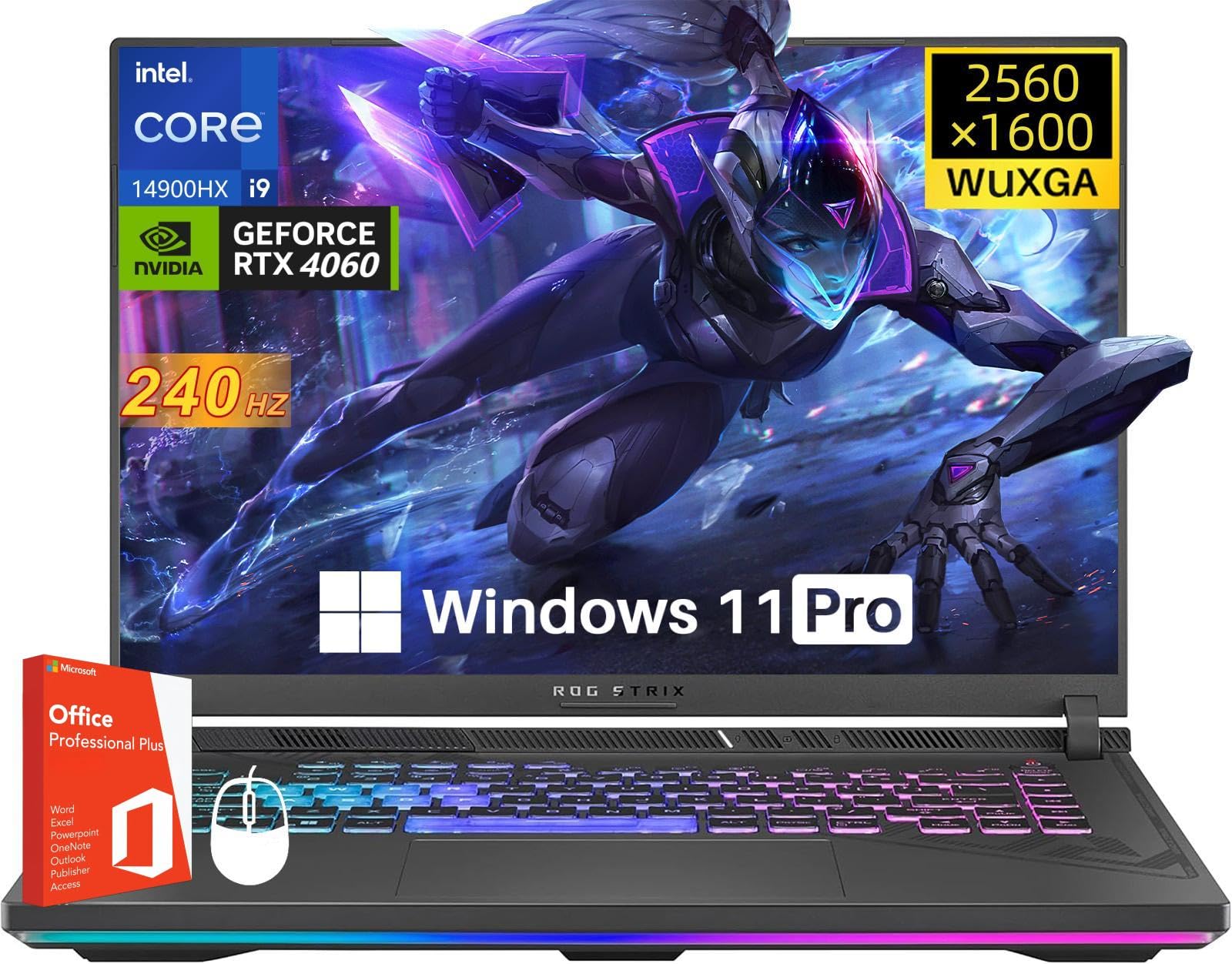
The ASUS ROG Strix G16 with 64GB DDR5 and a 4TB SSD is the ultimate expression of what a 4060 laptop can be when paired with absolutely no compromises on memory and storage. The 14th Gen i9-14900HX clocks up to 5.8 GHz and works with the 4060 at 140W Max TGP, ensuring that GPU-bound games see full performance without CPU bottlenecks. The 16-inch QHD+ 240Hz display is Pantone Validated with 100% DCI-P3, making this equally viable for color-critical creative work.
The ROG Intelligent Cooling system uses liquid metal thermal compound on the CPU and a third intake fan, which allows sustained boost clocks during marathon sessions without aggressive fan noise. Users report that the laptop stays cool even under extended loads, and the build quality feels premium with a sturdy chassis that doesn’t flex. The included Windows 11 Pro and Microsoft Office lifetime license add genuine value for professionals who need these tools out of the box.
The main consideration here is the price — this configuration sits at the top of the 4060 market, and many users may find that 32GB RAM and a 2TB SSD are sufficient for their needs. However, for those who want a machine that will handle heavy multitasking, virtual machines, and a massive game library without ever thinking about storage, this Strix G16 is the definitive choice.
Why it’s great
- Massive 64GB DDR5 and 4TB SSD out of the box
- QHD 240Hz display with 100% DCI-P3 for creators
- Full 140W TGP 4060 with excellent thermals
Good to know
- Premium price point for top-tier configuration
- Heavy for frequent travel
2. ASUS ROG Strix G16 (i9-14900HX / 16GB)

The standard ROG Strix G16 configuration swaps the gigantic storage for a more reasonable 16GB DDR5-5600 and 1TB SSD, while retaining the exact same i9-14900HX and full-power 4060 at 140W. The 16-inch Nebula Display is the star here — QHD resolution at 240Hz with a 3ms response time and 100% DCI-P3 coverage. This panel is genuinely among the best you can get on a 4060 laptop, making motion clarity in fast-paced shooters exceptional while also serving color-accurate work for video editing.
Thermally, the Strix G16 uses Thermal Grizzly Conductonaut Extreme liquid metal on the CPU, which is a premium solution usually reserved for desktop-class cooling. The third intake fan design allows the system to maintain high clock speeds even when gaming on a soft surface like a bed or couch, something most gaming laptops struggle with. Users report that the laptop handles AAA titles like Cyberpunk 2077 smoothly with ray tracing enabled via DLSS 3 frame generation.
Potential downsides include occasional coil whine in silent mode and sleep function quirks reported by some users. The 16:10 aspect ratio also introduces black bars in some older games like Elden Ring, which may annoy purists. That said, the extra vertical space is a genuine advantage for productivity tasks like coding and document editing.
Why it’s great
- Exceptional QHD 240Hz display with high color accuracy
- Liquid metal cooling maintains sustained performance
- Full 140W 4060 with MUX Switch for maximum FPS
Good to know
- Some users report coil whine in low-power mode
- 16:10 aspect ratio causes black bars in some games
3. Lenovo LOQ i7 Premium (i7-13650HX)

The Lenovo LOQ i7 Premium version brings a strong i7-13650HX processor that beats the i9-12900H in multi-threaded workloads, paired with a full-power RTX 4060 featuring a boost clock of 2370MHz. The 15.6-inch FHD 144Hz IPS display includes a MUX switch and G-SYNC support, which eliminates screen tearing and provides smoother gameplay. With 32GB of DDR5 RAM and a 1TB SSD, this configuration offers serious headroom for multitasking and storing a large game library without immediate upgrades.
The build quality on the LOQ series is notably solid for its price tier, with a professional gray finish that doesn’t scream “gamer.” The cooling system uses dual fans with upgraded thermal technology, and users confirm that temperatures remain in check even during extended gaming sessions. The keyboard is comfortable for both gaming and typing, with a full-size layout that includes a number pad. The inclusion of a free mousepad is a nice bonus for those who don’t already have one.
One area where the LOQ compromises is speaker quality — the audio is serviceable but lacks the punch and clarity of higher-end ASUS or Alienware offerings. Bluetooth connectivity issues have been reported by some users with certain wireless headphones, though this seems to be unit-specific rather than a widespread defect. The power brick is also quite large, contributing to the overall travel weight.
Why it’s great
- 32GB DDR5 RAM for heavy multitasking
- MUX switch with G-SYNC for tear-free gaming
- Strong i7-13650HX CPU performance
Good to know
- Speakers are weak and lack bass
- Bluetooth can be unreliable with some devices
4. Lenovo LOQ Gaming (i7-13700H / 32GB)

The standard Lenovo LOQ Gaming laptop pairs the capable i7-13700H (14 cores, 20 threads) with an RTX 4060 and 32GB of DDR5 RAM, delivering a well-balanced configuration for both gaming and productivity. The 15.6-inch FHD 144Hz IPS display hits 350 nits brightness and 100% sRGB coverage, which is respectable for the price range. The inclusion of USB Type-C with DisplayPort 1.4 and 140W Power Delivery means you can charge the laptop through a single USB-C cable if you have a compatible GaN charger.
What sets this Lenovo apart is its reputation for long-term reliability. Users report that the laptop maintains its performance over years of use, with no significant degradation in battery life or thermal performance. The keyboard is spill-resistant and the chassis feels durable despite not having the flashy exterior of more expensive machines. The cooling system keeps the laptop running cool during most gaming sessions, though it does become audible under heavy load.
The main trade-off here is that you’re paying for a no-frills design — the aesthetics are understated, the keyboard backlighting is basic white rather than RGB, and there are no premium extras like a 240Hz display or liquid metal cooling. However, for buyers who prioritize reliability and raw performance over flashy features, this LOQ configuration represents excellent value.
Why it’s great
- 32GB DDR5 and 1TB SSD at a competitive price
- USB-C with 140W PD for versatile charging
- Proven long-term reliability from Lenovo
Good to know
- Basic design without premium aesthetic touches
- Standard white keyboard backlight only
5. HP Victus 15 (Ryzen 7 8845HS)

The HP Victus 15 brings the powerful AMD Ryzen 7 8845HS processor — an 8-core, 16-thread chip that clocks up to 5.1 GHz — alongside the RTX 4060 with 8GB of GDDR6 VRAM. With 16GB of DDR5-5600 RAM and a 1TB NVMe SSD, this configuration is ready for gaming and multitasking out of the box. The 15.6-inch FHD IPS display runs at 144Hz, which is a good match for the 4060’s performance in most titles.
HP has focused on build quality with the Victus series, offering a solid chassis that doesn’t feel cheap despite its price positioning relative to the ROG and Alienware lines. The anti-glare screen is a practical touch for gaming in brightly lit rooms, and users report that the laptop doesn’t overheat even during extended sessions. The inclusion of a multi-format SD card reader is a bonus for photographers and content creators who need to offload files quickly.
Where the Victus falls short is in its audio output — the downward-firing speakers are adequate for casual use but lack the volume and clarity needed for immersive gaming without headphones. The battery life is also average, rated at 7.1 hours but realistically delivering closer to 4–5 hours during mixed use. Still, for users who primarily game plugged in, these are minor compromises for the overall package.
Why it’s great
- Strong Ryzen 7 8845HS CPU with 5.1 GHz boost
- Anti-glare 144Hz display for bright environments
- Solid build quality for the price
Good to know
- Downward-firing speakers lack volume
- Battery life is average for the category
6. ASUS TUF Gaming A15 (2023)

The ASUS TUF Gaming A15 is built around the idea that a gaming laptop should survive real-world abuse. It features a military-grade chassis that has been tested against drops, vibrations, and extreme temperatures, and one user even reported theirs surviving a lemonade spill while running. The AMD Ryzen 7 7735HS paired with the RTX 4060 at 140W Max TGP delivers strong 1080p gaming performance, and the MUX Switch with Advanced Optimus automatically handles GPU switching to save battery during light tasks.
The display is a 15.6-inch FHD 144Hz panel with 100% sRGB coverage, which ensures games look vibrant and accurate. The dual 84-blade Arc Flow Fans are designed to maximize airflow while minimizing noise, and users confirm that the laptop stays relatively quiet during light use. The keyboard is comfortable for both gaming and typing, with key travel that feels satisfying for a thin gaming laptop.
Potential drawbacks include the weight — the TUF series is deliberately heavier to accommodate its rugged build, making it less ideal for frequent travelers. Some users have reported screen spot issues after extended use, though this appears to be isolated rather than endemic. The 16GB of DDR5 RAM is standard for this price tier, but power users may find themselves wanting more for heavy multitasking.
Why it’s great
- Military-grade durability tested for real-world abuse
- Full 140W 4060 with MUX Switch and Advanced Optimus
- 100% sRGB display for accurate colors
Good to know
- Heavier than competing 4060 laptops
- Some isolated screen spot issues reported
7. MSI Katana A15 AI (Ryzen 7 8845HS)

The MSI Katana A15 AI features the Ryzen 7 8845HS, a CPU specifically designed with an integrated NPU for AI-accelerated tasks, alongside the RTX 4060 for gaming. With 32GB of DDR5 RAM and a 1TB SSD, this laptop offers generous headroom for multitasking, VR gaming, and even light 3D modeling work in applications like Maya. The 15.6-inch FHD 144Hz display provides smooth motion for fast-paced games, and the Cooler Boost 5 dual-fan thermal design helps maintain consistent performance during longer sessions.
The AI capabilities of the 8845HS processor can be leveraged for real-time noise cancellation, background blur in video calls, and accelerating specific workflows in supported creative applications. Users report that the laptop handles Steam VR titles smoothly and handles game development workloads like Unreal Engine without major hiccups. The keyboard includes a dedicated number pad, which is helpful for productivity work.
The most consistent complaint across user reviews is the AC adapter — several users have reported that the power plug doesn’t stay securely connected and disconnects with the slightest movement. This is a hardware defect that has required warranty repairs for some users. Battery life is also poor when unplugged, with most users reporting 2–4 hours of mixed use. A cooling pad is strongly recommended to keep thermals in check during gaming.
Why it’s great
- 32GB DDR5 RAM and 1TB SSD out of the box
- AI NPU for noise cancellation and workflow acceleration
- Capable of VR gaming and 3D modeling
Good to know
- AC adapter plug has reported disconnection issues
- Battery life is below average
8. ASUS TUF Gaming A16 (Ryzen 7 7735HS / 32GB)

This particular ASUS TUF Gaming A16 configuration uses an AMD Radeon RX 7600S 8GB GPU rather than the RTX 4060, offering an alternative for users who prioritize AMD’s ecosystem benefits like Smart Access Graphics and FreeSync Premium. The Ryzen 7 7735HS paired with 32GB of DDR5 RAM provides strong overall system performance, and the 16-inch FHD+ 165Hz display has a 7ms response time with 100% sRGB coverage. The USB4 port with DisplayPort support adds future-proofing for external displays.
The main advantage here is the 32GB of RAM at a price point where most 4060 laptops only offer 16GB. For users who run multiple virtual machines, edit large video files, or keep dozens of browser tabs open while gaming, this extra memory makes a tangible difference. The FreeSync Premium display eliminates screen tearing without the battery penalty of G-SYNC, which is a nice benefit for AMD GPU owners.
However, the Radeon RX 7600S generally trails the RTX 4060 in raw rasterization performance and is significantly behind in ray tracing capabilities. DLSS 3 frame generation is not available here, which matters for AAA titles that rely on upscaling. Some users have also reported touchpad sensitivity issues and a defective screen within the first 24 hours, suggesting quality control can be inconsistent.
Why it’s great
- 32GB DDR5 RAM for heavy multitasking workflows
- FreeSync Premium display for tear-free gaming
- USB4 port with DisplayPort for external monitors
Good to know
- Radeon RX 7600S trails RTX 4060 in ray tracing
- Some quality control inconsistencies reported
9. GIGABYTE Gaming A16

The GIGABYTE Gaming A16 focuses on portability without sacrificing too much performance, featuring a 19.45mm slim chassis with a 180-degree hinge that lies completely flat. The Intel Core i7-13620H paired with the RTX 4060 (via RTX 5060 series branding in the product name) delivers solid gaming performance, and the 16-inch WUXGA 165Hz display provides a crisp 1920×1200 resolution with a taller aspect ratio. The 16GB of DDR5 RAM and 1TB SSD are standard for this class.
GIGABYTE’s GiMATE AI software aims to optimize system performance and power management automatically, though user feedback is mixed — some report it works well while others say it limits performance regardless of power settings. The 180-degree hinge is genuinely useful for collaborative work or presentations, allowing the laptop to be laid flat on a table. Users praise the excellent speaker sound quality and the high refresh rate screen for gaming and media consumption.
The thin chassis comes with thermal trade-offs — the laptop can run hot under sustained load, and fans become audible during gaming. Some international users have reported difficulties with Gigabyte’s customer support, which primarily covers USA and Canada. Random shutdowns and GPU disconnection issues have been reported by a minority of users, suggesting some quality variation across units.
Why it’s great
- Thin 19.45mm chassis with 180-degree hinge
- 165Hz WUXGA display with good speakers
- Portable design for frequent travelers
Good to know
- GiMATE AI software can limit performance
- Thermal management is challenging in thin chassis
10. Alienware 16 Aurora

The Alienware 16 Aurora brings the iconic brand’s design philosophy to the RTX 4060 class, featuring a newly designed Cryo-Chamber cooling structure that focuses airflow on core components. The 16-inch 16:10 WQXGA display (2560×1600) with 300 nits brightness offers sharp visuals and extra vertical workspace for productivity. The Intel Core 7-240H Series 2 processor and 16GB of DDR5 RAM provide solid system performance, and the 1TB SSD ensures fast boot times.
The standout feature here is Dell’s 1-Year Onsite Service — if an issue covered by the warranty cannot be resolved remotely, a technician will come to your home, office, or preferred location. This is a significant advantage for users who rely on their laptop for work and cannot afford extended downtime. The Alienware Command Center provides extensive customization for performance profiles, lighting, and fan curves.
The main trade-off is that you’re paying a premium for the Alienware brand and service rather than raw specifications. The display, while good, doesn’t match the color accuracy or refresh rate of the ROG Nebula Display. Some users have reported frequent crashes with the “Your Device Has Ran Into a Problem” error, which suggests driver or firmware issues that may require troubleshooting. The laptop is also heavy and the battery life is short when gaming unplugged.
Why it’s great
- 1-Year Dell Onsite Service for peace of mind
- 16:10 WQXGA display for productivity and gaming
- Premium Alienware build and cooling design
Good to know
- Premium pricing for the Alienware brand
- Some users report frequent system crashes
11. Acer Nitro V (i9-13900H)

The Acer Nitro V features a surprising pairing — an Intel Core i9-13900H processor (14 cores, 20 threads, up to 5.4 GHz) with the RTX 4060 GPU. This CPU is usually found in much more expensive laptops, making this an excellent choice for users who need strong CPU performance for tasks like video editing, 3D rendering, or streaming while gaming. The 15.6-inch FHD IPS 165Hz display provides smooth motion with a 82.64% screen-to-body ratio for an immersive experience.
The cooling system uses dual fans with a quad-exhaust design, and the laptop weighs 4.66 lbs which is reasonable for its class. The inclusion of Thunderbolt 4 is a welcome addition for fast data transfer and external GPU support, and the HDMI 2.1 port allows for 4K 120Hz output to compatible displays. The NitroSense software provides real-time performance monitoring and fan control customization.
There are significant concerns with Acer’s support and firmware quality. Several users have reported that an official BIOS update bricked their machine, with Acer’s support refusing to cover the repair under warranty. The DDR4 memory (rather than DDR5) is a notable downgrade — this limits memory bandwidth and future upgrade potential compared to competitors. Battery life is average, around 4–5 hours of mixed use.
Why it’s great
- Powerful i9-13900H CPU at a competitive price
- Thunderbolt 4 and HDMI 2.1 connectivity
- 165Hz display with high screen-to-body ratio
Good to know
- DDR4 memory instead of faster DDR5
- Reported BIOS update issues with poor support
12. Acer Nitro 16 (Ryzen 7 7840HS)

The Acer Nitro 16 strikes an excellent balance between price and features, pairing the AMD Ryzen 7 7840HS Octa-Core processor (up to 5.1 GHz) with the RTX 4060 and a 16-inch WUXGA 165Hz IPS display. The laptop includes 16GB of DDR5 memory and a 1TB Gen 4 SSD, which is a solid foundation for gaming and productivity. The cooling system features dual fans with dual intakes and quad-exhaust ports, plus liquid metal thermal grease on the CPU for more efficient heat transfer.
Connectivity is comprehensive with two USB-C ports (one supporting USB4 at 40 Gbps with 65W PD), HDMI 2.1, Killer Ethernet E2600, Wi-Fi 6E, and a MicroSD card reader. The 4-zone RGB keyboard provides customizable lighting, and the NitroSense software gives granular control over fan speeds and performance profiles. Users report that the laptop runs Cyberpunk 2077 with ray tracing and DLSS well at 1080p, maintaining 60-80 FPS in demanding titles even after a year of use.
The main concerns are around long-term reliability — one user reported that after a year, the laptop refused to boot with a black screen issue, and Acer’s repair service was unhelpful. The downward-firing speakers are mediocre, and battery life is limited to 2-3 hours when gaming on battery power. The 1TB SSD fills up quickly with modern games, so budget for external storage or a second drive.
Why it’s great
- USB4 support at 40 Gbps with 65W PD
- Liquid metal thermal compound on CPU
- Great 1080p gaming performance with DLSS 3
Good to know
- Some long-term reliability concerns reported
- Downward-firing speakers lack quality
13. MSI Thin 15 (i5-13420H)

The MSI Thin 15 is the most affordable entry point into the RTX 4060 laptop market, featuring a 13th Gen Intel Core i5-13420H processor, 16GB of DDR4 memory, and a 512GB NVMe SSD. The 15.6-inch FHD 144Hz display provides a smooth gaming experience, and the Cooler Boost 5 thermal system attempts to keep temperatures manageable in the thin chassis. The laptop weighs relatively little for a gaming laptop, making it genuinely portable.
For the price, the Thin 15 delivers surprisingly capable 1080p gaming performance. Users report that it runs “just about every game out there” without major issues, and the 144Hz display makes motion feel fluid. The lightweight design is a genuine advantage for students or professionals who need to carry their laptop to class or meetings. The included 120W AC adapter is smaller than what most gaming laptops require, adding to the portability.
The compromises are significant. The 512GB SSD fills up very quickly — modern games like Call of Duty: Modern Warfare can consume over 200GB alone, and an external drive is essentially mandatory. The laptop runs hot due to the thin design, and most users strongly recommend a cooling pad to maintain performance. The battery life is very short, typically 2–3 hours at most, making this a laptop that needs to be plugged in for any serious use. The i5-13420H is also a step down from the i7 and i9 processors found in other 4060 laptops, which may bottleneck CPU-intensive games.
Why it’s great
- Most affordable RTX 4060 laptop on the market
- Lightweight and portable design
- 144Hz display for smooth gaming
Good to know
- 512GB SSD fills up very quickly with modern games
- Thin chassis leads to high temperatures under load
FAQ
Can the RTX 4060 handle 1440p gaming?
Is the 4060 a significant upgrade over the RTX 3060 laptop GPU?
Why do some 4060 laptops perform worse than others?
Final Thoughts: The Verdict
For most users, the 4060 laptop winner is the ASUS ROG Strix G16 (i9-14900HX) because it combines a full-power 140W 4060, exceptional QHD 240Hz display, and liquid metal cooling in a well-balanced package. If you want massive RAM and storage out of the box, grab the ASUS ROG Strix G16 (64GB/4TB). And for the best value in a reliable all-rounder, nothing beats the Lenovo LOQ i7 Premium with 32GB DDR5 and a strong CPU.