
Choosing a new display for your desk shouldn’t mean settling for a blurry, washed-out image just to stay within a reasonable budget. The market for budget-friendly screens has shifted dramatically, with 100Hz and 120Hz refresh rates, IPS panels offering vibrant colors, and features like Adaptive-Sync becoming standard at price points that once only delivered basic 60Hz office panels.
I’m Min — the co-founder and writer behind Gadgets Feed. I’ve spent countless hours analyzing panel specifications, refresh rate performance, connectivity options, and real-world user feedback across dozens of models to find the screens that genuinely deliver on their promises without inflating the bill.
After sorting through the data, one thing is clear: the right choice depends on your specific workflow or gaming needs. This guide breaks down the top contenders for the best affordable hdmi monitor, focusing on what actually matters for your daily use and long-term satisfaction.
How To Choose The Best Affordable HDMI Monitor
Finding a great value screen is about balancing the right panel technology, connectivity, and ergonomics for your specific setup. Here are the key factors that separate a smart purchase from a regrettable one.
Panel Technology: IPS vs. VA
In this price bracket, you’ll typically choose between IPS (In-Plane Switching) and VA (Vertical Alignment) panels. IPS monitors offer superior viewing angles and consistent color accuracy, making them ideal for photo editing, design work, and sharing your screen. VA panels deliver higher contrast ratios, producing deeper blacks and richer colors in a dark room. For most users, an IPS monitor is the safer, more versatile choice.
Refresh Rate: Smoothing Out Your Experience
The refresh rate, measured in Hertz (Hz), dictates how many times your screen updates per second. While 60Hz is the baseline, 75Hz offers a noticeable improvement for daily use. A 100Hz or 120Hz monitor is the sweet spot for this category, making cursor movement feel snappy, scrolling appear fluid, and casual gaming much more enjoyable without the premium cost of 144Hz or 165Hz panels.
Connectivity & Ergonomics: Beyond the HDMI Port
While the focus is on HDMI, a monitor’s versatility also depends on its other connections. A DisplayPort input is valuable for higher bandwidth, and VGA remains relevant for legacy systems. Look for a monitor that supports VESA mounting (typically 100x100mm) if you plan to use an arm or wall mount. An adjustable stand with tilt, height, swivel, and pivot options transforms the screen from a simple display into a proper workstation tool.
Quick Comparison
On smaller screens, swipe sideways to see the full table.
| Model | Category | Best For | Key Spec | Amazon |
|---|---|---|---|---|
| Dell S2425HSM | Premium | All-in-one Performance | 144Hz / 1ms MPRT / 2x3W Speakers | Amazon |
| Samsung S36GD | Premium | Immersive Curved Viewing | 27″ Curved VA / 100Hz / 1800R | Amazon |
| BenQ GW2490 | Mid-Range | Eye Care & Color Accuracy | 100Hz / 99% sRGB / Dual HDMI | Amazon |
| ASUS VA24EHF | Mid-Range | Frameless Design & Gaming | 100Hz / 1ms MPRT / Frameless IPS | Amazon |
| LG 24U411A-B | Mid-Range | High Refresh Value | 120Hz / 1ms MBR / IPS Panel | Amazon |
| ViewSonic VS2447M | Mid-Range | Office & Eye Comfort | 100Hz / 3000:1 Contrast / VRR | Amazon |
| Amazon Basics 24-inch | Value | All-around Value with Speakers | 75Hz / IPS / Built-in Speakers | Amazon |
| AOC 24B35H3 | Value | Ultra-Budget Fluid Gaming | 120Hz / 100% sRGB / Adaptive Sync | Amazon |
| MSI PRO MP225V | Entry | Coding & Productivity | 100Hz / VA Panel / Eye-Q Check | Amazon |
In‑Depth Reviews
1. Dell 24 Plus Monitor – S2425HSM

The Dell S2425HSM sets a high bar for an affordable monitor by packing a 144Hz refresh rate and a 1ms MPRT response time into a fully ergonomic package. This is a significant step up from the 100Hz and 120Hz panels common in this price tier, offering noticeably smoother motion for competitive gaming and general desktop fluidity. The Full HD resolution on a 23.8-inch IPS panel, combined with a 1500:1 contrast ratio, delivers sharp text and vibrant imagery ideal for both work and entertainment.
What truly distinguishes this model is its professional-grade adjustability and audio performance. The stand offers height, tilt, swivel, and pivot adjustments, allowing you to set the screen in a perfect portrait or landscape orientation without needing an aftermarket VESA arm. The integrated dual 3W speakers are a standout feature, providing clear, full-range sound that easily outperforms the thin, tinny audio typical of built-in monitor speakers.
This is the complete package for anyone who refuses to compromise on smoothness, ergonomics, or audio quality. It’s the obvious choice for a primary display that handles everything from spreadsheet work to fast-paced gaming with equal composure. The Ash White finish also adds a clean, modern aesthetic to any desk setup.
Why it’s great
- 144Hz refresh rate with 1ms MPRT for superior motion clarity
- Full ergonomic stand with height, tilt, swivel, and pivot
- Exceptional built-in dual 3W speakers
- 4-star TÜV-certified for reduced blue light
Good to know
- Lacks a DisplayPort input, relying solely on HDMI
- Premium price tag within the budget category
2. Samsung 27″ Essential S3 (S36GD) Series

The Samsung S36GD brings the immersive feel of a curved display to the affordable monitor space without a massive price hike. Its 27-inch VA panel features an 1800R curvature, which wraps around your peripheral vision to enhance depth perception and reduce distortion at the edges. This makes it a fantastic option for immersive single-player gaming, movie watching, or any task where you want to be drawn into the content. The 100Hz refresh rate is a solid upgrade over standard 60Hz panels, ensuring smooth motion.
The VA panel technology here delivers a strong 3000:1 contrast ratio, resulting in deep, inky blacks that IPS panels at this price simply cannot match. This makes dark scenes in games and movies look significantly more detailed and cinematic. The Game Mode feature intelligently adjusts color and contrast to help you spot details in dark areas, while the Advanced Eye Comfort technology, certified by TÜV, minimizes blue light and flicker for longer sessions.
If you value contrast and an enveloping viewing experience over the wider viewing angles of an IPS panel, this Samsung is an exceptional choice. It offers a distinct aesthetic upgrade from flat monitors, making your desk feel more modern and specialized. The stable, non-adjustable stand is a trade-off, but for the price, the curved immersion is hard to beat.
Why it’s great
- 1800R curvature provides an immersive, wrap-around feel
- VA panel offers excellent 3000:1 contrast for deep blacks
- 100Hz refresh rate with Game Mode for enhanced gaming
- TÜV-certified Advanced Eye Comfort reduces strain
Good to know
- Stand is not height or tilt adjustable
- Color accuracy out of the box may need calibration for professional work
3. BenQ GW2490

The BenQ GW2490 is a masterclass in focusing on what matters most for everyday computing: visual comfort and color fidelity. This 24-inch IPS monitor delivers a 99% sRGB color gamut, ensuring that photos, websites, and videos appear with accurate and vibrant colors right out of the box. The 100Hz refresh rate provides a noticeable smoothness upgrade from standard 60Hz panels, making cursor movements and window dragging feel more responsive and fluid.
BenQ’s legendary Eye-Care technology is the main event here. The Low Blue Light Plus filter is more sophisticated than simple filters, doing a better job of removing harmful blue-violet light without washing the image in a yellow tint. This, combined with Flicker-Free technology and Adaptive Brightness, makes this monitor one of the easiest on the eyes for extended reading or coding sessions. The inclusion of dual HDMI ports and a DisplayPort offers excellent connectivity flexibility, allowing you to switch between a work laptop and a desktop with the press of a button.
This is the ideal choice for students, programmers, and office workers who spend long hours in front of a screen and prioritize eye health. While the built-in speakers are functional but not impressive for music, the monitor’s stunning image quality and peerless eye care features make it an outstanding value for knowledge workers.
Why it’s great
- 99% sRGB color gamut for accurate, vivid colors
- Exceptional Low Blue Light Plus and Flicker-Free technology
- Versatile connectivity with dual HDMI and DisplayPort
- 100Hz refresh rate for smoother everyday use
Good to know
- Built-in speakers are thin and lack bass
- Stand only offers tilt adjustment
4. ASUS VA24EHF

The ASUS VA24EHF offers a compelling blend of modern aesthetics and high-speed performance for the budget-conscious gamer. Its 23.8-inch frameless IPS panel with 178° viewing angles makes it look more premium than its price suggests and is perfect for multi-monitor setups where thin bezels minimize distractions. The 100Hz refresh rate paired with a 1ms MPRT response time and Adaptive-Sync support ensures fast-paced games remain tear-free and responsive.
ASUS Eye Care technology is TÜV Rheinland-certified, providing Flicker-Free and Low Blue Light features that significantly reduce eye strain during long gaming sessions or work hours. The monitor is VESA mountable, allowing you to free up desk space and find the perfect viewing angle. The single HDMI input is a limitation, but for a dedicated secondary gaming screen or a primary display for a single source, this is rarely a problem.
The VA24EHF is a focused performer that delivers where it counts: speed and image quality. The combination of a 100Hz refresh rate, a rapid 1ms response time, and a stunning frameless design makes it a fantastic value for casual gamers and anyone who wants a clean, modern desktop setup.
Why it’s great
- Frameless design looks premium and great for multi-monitor
- 1ms MPRT and Adaptive-Sync for smooth, tear-free gaming
- TÜV-certified eye care reduces strain
- VESA mountable for flexible setups
Good to know
- Only one HDMI input, no DisplayPort or VGA
- Stand is basic and non-adjustable
5. LG 24U411A-B

The LG 24U411A-B punches well above its class by offering a 120Hz refresh rate on an IPS panel, a spec combination that was rare at this price point until recently. This delivers a noticeably smoother experience than 100Hz monitors, making everything from web browsing to competitive gaming feel incredibly fluid. The 1ms Motion Blur Reduction (MBR) keeps fast-paced action sharp, while HDR10 support and 99% sRGB coverage ensure colors are rich and vibrant.
LG has packed this monitor with gamer-friendly features. Dynamic Action Sync minimizes input lag for faster reactions, and the Black Stabilizer brightens dark scenes to help you spot enemies more easily. The practical features include a modern slim stand base and a 3-side virtually borderless design that looks great on any desk. The OnScreen Control app is a nice bonus, allowing you to split your screen into multiple work zones easily.
This is arguably the best value proposition in the group for the gamer on a tight budget. You are getting a 120Hz IPS panel with a suite of gaming features that directly impact performance. The tilt-adjustable stand and VESA compatibility offer decent ergonomics, making this a well-rounded monitor that excels in both work and play scenarios.
Why it’s great
- Superior 120Hz refresh rate on an IPS panel
- 1ms MBR and Dynamic Action Sync for competitive gaming
- 99% sRGB wide color gamut for vibrant visuals
- Tilt-adjustable stand and VESA mount compatible
Good to know
- HDR performance is basic and does not meet high-end standards
- Stand is sturdy but offers no height adjustment
6. ViewSonic VS2447M

The ViewSonic VS2447M is a solid, reliable performer specifically tailored for the home and office environment. Its 24-inch VA panel delivers a high 3000:1 contrast ratio, meaning blacks are deep and text appears crisp and easy to read against dark backgrounds, which is a real boon for document work and web browsing. The 100Hz refresh rate, enhanced by Variable Refresh Rate (VRR) technology, ensures that motion is smooth and free from screen tearing, whether you are scrolling through spreadsheets or watching a video.
ViewSonic has prioritized viewing comfort with a suite of Eye Care technologies, including Flicker-Free and a Blue Light Filter. This makes it a legitimate choice for users who spend eight-hour days in front of a screen. The monitor offers flexible connectivity with both HDMI and VGA inputs, ensuring compatibility with modern laptops and older desktop PCs alike. The thin bezels give it a clean, modern look that won’t look out of place in a professional setting.
This screen is the best choice for a dedicated productivity setup where comfort and clarity are the top priorities. The lack of a DisplayPort and the VA panel’s narrower viewing angles compared to IPS are minor trade-offs for the excellent contrast and overall value it provides in a standard office workflow.
Why it’s great
- High 3000:1 contrast ratio for deep blacks and crisp text
- 100Hz with VRR for smooth, tear-free motion
- TÜV Flicker-Free and Blue Light Filter for eye care
- Slim bezels with HDMI and VGA connectivity
Good to know
- VA panel has narrower viewing angles than IPS
- No DisplayPort input is available
7. Amazon Basics 24-inch IPS Monitor

The Amazon Basics 24-inch Monitor is the quintessential no-frills, high-value workhorse. It uses AOC technology, delivering a reliable 1920×1080 resolution IPS panel at a 75Hz refresh rate. While 75Hz is a modest step up from 60Hz, it makes the desktop feel noticeably snappier. The IPS panel ensures that colors remain vibrant and consistent from any angle, which is invaluable for group work or collaborative viewing. The inclusion of HDMI, DisplayPort, and VGA inputs makes it incredibly versatile for connecting to any system, old or new.
What sets this monitor apart in the budget tier is its practicality. Onboard speakers are present, providing functional audio for system sounds and conference calls without the need for external speakers. The stand offers a good tilt range, and the VESA 100x100mm compatibility means it can easily be mounted on an arm. Its Energy Star certification is a nice bonus for eco-conscious users.
This is the perfect screen for a home office, a student dorm room, or as a reliable secondary display. It doesn’t aim to be the fastest or the most feature-rich, but it delivers a sharp, bright, and stable image with all the essential connections. For pure, dependable plug-and-play functionality at a very accessible price, this monitor is hard to beat.
Why it’s great
- Full connectivity with HDMI, DisplayPort, and VGA
- IPS panel delivers excellent viewing angles and color
- Built-in speakers for clear audio and conferencing
- VESA mountable and Energy Star certified
Good to know
- 75Hz refresh rate is basic for gaming
- Built-in speakers lack the quality for music
8. AOC 24B35H3
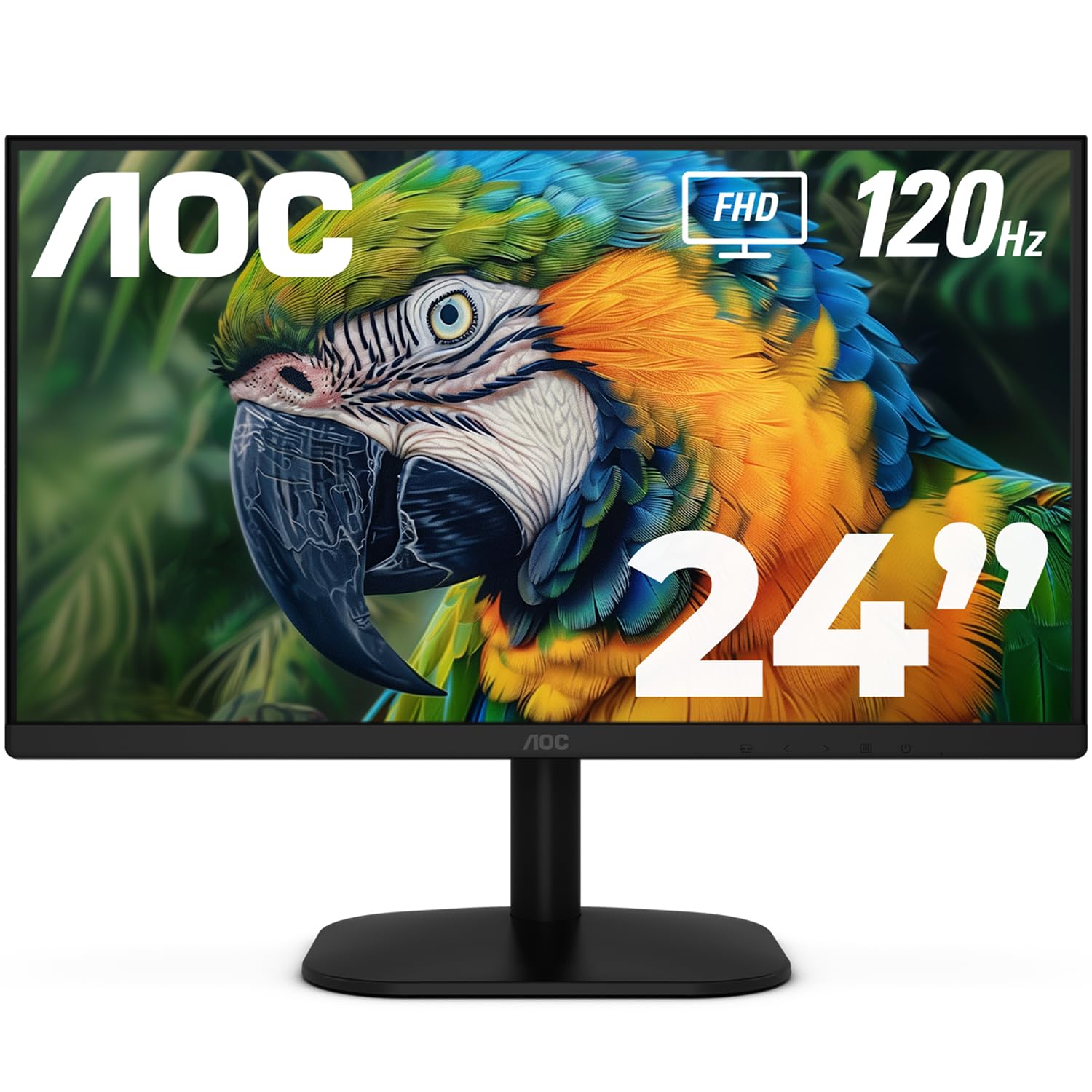
The AOC 24B35H3 is a budget-friendly monitor that refuses to compromise on screen smoothness. By offering a 120Hz refresh rate on a 24-inch IPS panel, it provides a level of fluidity usually found in more expensive gaming monitors. This makes a huge difference in everyday computing, from smooth scrolling through long documents to a more responsive feel in casual games. The Adaptive Sync technology ensures that screen tearing and stuttering are a thing of the past, delivering a clean, tear-free image.
Despite its low cost, this monitor doesn’t skimp on color quality. With 100% sRGB and 84% NTSC coverage, the images are vibrant and life-like, suitable for editing photos and watching video content. It also features comprehensive eye care with Flicker-Free and Low Blue Light modes, making it viable for long hours of use. The VGA and HDMI port selection ensures it can connect to both modern and legacy devices.
This is the ultimate choice for the user who needs a second monitor for a gaming rig or a primary display for a home setup on a very tight budget. The combination of a 120Hz refresh rate, an IPS panel for color, and Adaptive Sync is a trifecta of features that usually command a higher price. It delivers exceptional smoothness where it counts the most.
Why it’s great
- 120Hz IPS panel with Adaptive Sync for extreme smoothness
- Wide 100% sRGB color gamut for vibrant images
- Flicker-Free and Low Blue Light for eye comfort
- Excellent value for a high-refresh rate monitor
Good to know
- No DisplayPort or built-in speakers
- Stand is basic with no height adjustment
9. MSI PRO MP225V

The MSI PRO MP225V is a compact 22-inch monitor built with a specific focus on productivity and developer workflows. Its 21.45-inch screen size is a perfect fit for small desks, tight office corners, or as a dedicated coding screen where you need sharp text without a large footprint. The 100Hz refresh rate on a VA panel provides a much smoother experience than a standard 60Hz office monitor, with the VA panel delivering a strong 4000:1 static contrast ratio for excellent black levels.
MSI has included its EyesErgo technology, which combines a TÜV-certified display with Anti-Flicker and Low Blue Light features. A unique addition is the MSI Eye-Q Check software, which helps you self-check your eyes and reminds you to take breaks during long work sessions. The monitor is VESA mountable, freeing up desk space, and the tilt-adjustable stand allows for some fine-tuning of the viewing angle.
This is an excellent entry-level monitor for the budget-conscious professional or student who spends long hours coding or reading. The smaller screen size is a feature, not a flaw, as it fits neatly into compact spaces. Its high contrast ratio makes text exceptionally sharp, and the eye-care features are a genuine benefit for all-day use.
Why it’s great
- Compact 22-inch size fits perfectly in small spaces
- Excellent 4000:1 contrast ratio for sharp text
- TÜV-certified with Eye-Q Check for eye health
- 100Hz refresh rate for a smooth, flicker-free experience
Good to know
- 22-inch screen may be small for some users
- VA panel viewing angles are narrower than IPS
FAQ
Is a 120Hz monitor worth it over a 75Hz monitor for everyday use?
What does Adaptive-Sync do, and do I need it for the monitor to work?
Can I use a simple surge protector for my monitor, or do I need a specific one?
Does an HDMI cable affect the performance of a 100Hz or 120Hz monitor?
Final Thoughts: The Verdict
For most users, the best affordable hdmi monitor winner is the Dell S2425HSM because its combination of a 144Hz refresh rate, a fully adjustable ergonomic stand, and impressive built-in speakers sets it in a tier of its own. If you want a curved screen for immersive gaming and deep contrast, grab the Samsung S36GD. And for exceptional value on a high-refresh IPS panel, nothing beats the LG 24U411A-B.