
The 2K curved monitor segment sits in a sweet spot where pixel density meets field-of-view immersion — 2560×1440 on a 31.5-inch 1500R panel packs roughly 93 PPI, delivering sharper text than 1080p at the same size while the curve wraps the edges into your peripheral vision. The challenge is that refresh rate, panel type, and curvature radius all fight for priority in your decision, and picking the wrong mix leaves you with either motion blur you can see or a curve that feels like a gimmick.
I’m Min — the co-founder and writer behind Gadgets Feed. I’ve spent hundreds of hours dissecting monitor specifications, scanning real verified buyer experiences, and cross-referencing panel technologies like VA, IPS, OLED, and QD-OLED to find which configurations actually deliver on the 1440p curved promise without hidden trade-offs like underpowered cables or unusable HDR modes.
This guide ranks the nine most worthwhile models you can buy right now, from ultrawide productivity beasts to high‑refresh gaming rigs, so you can confidently choose the best 2k curved monitor for your desk and your budget.
How To Choose The Best 2K Curved Monitor
A 2K curved monitor isn’t a one-size-fits-all purchase — the 2560×1440 resolution stays constant, but everything else from panel chemistry to curvature radius meaningfully changes your daily experience. Here are the decision points that matter most.
Curvature Radius: 1500R vs 1800R
1500R means the circle the curve would complete has a 1500mm radius, pulling the edges closer to your face for stronger peripheral wrap. This works best at typical 60-70cm viewing distances on 31.5-inch and larger panels. An 1800R curve is gentler and suits ultrawide 34-inch screens better because the longer horizontal span benefits from a slightly flatter arc that doesn’t distort straight lines at the far edges.
Panel Type: VA, IPS, OLED, and QD-OLED
VA panels dominate the curved 2K space because they naturally bend without backlight bleed and deliver 3000:1 native contrast for deep blacks. IPS curved monitors are rarer due to the glass substrate but offer wider viewing angles. OLED and QD-OLED change the game entirely with pixel-level black levels and 0.03ms response times, but they cost more and carry burn-in risk if you leave static elements on screen for hours daily.
Refresh Rate vs GPU Bottleneck
A 180Hz or 240Hz 2K curved monitor demands significant GPU power to push frames at 1440p. A mid-range card like an RTX 3060 Ti will struggle to hit 180fps in modern titles, making the extra refresh effectively unused. Match the monitor’s refresh ceiling to what your graphics card can realistically deliver in the games you play most.
Quick Comparison
On smaller screens, swipe sideways to see the full table.
| Model | Category | Best For | Key Spec | Amazon |
|---|---|---|---|---|
| Acer Nitro XZ320QU S3 | Mid-Range | Value gaming with solid ergonomics | 180Hz, 1ms VRB, 1500R | Amazon |
| ViewSonic VX3228C-2K | Mid-Range | Budget-conscious entry-level 2K | 180Hz, 1ms MPRT, AMD FreeSync | Amazon |
| ASUS TUF Gaming VG32WQ3B | Mid-Range | Fast 0.5ms response and Shadow Boost | 180Hz, 0.5ms GTG, 120% sRGB | Amazon |
| LG 34WR55QK-B | Mid-Range | Productivity with USB-C 65W PD | 34″ 3440×1440, 100Hz, USB-C 65W | Amazon |
| Alienware AW3425DWM | Premium | Immersive ultrawide gaming at 180Hz | 34″ 3440×1440, 180Hz, DCI-P3 95% | Amazon |
| LG 34G630A-B UltraGear | Premium | High-refresh ultrawide with 240Hz | 34″ 3440×1440, 240Hz, DisplayHDR 400 | Amazon |
| Samsung Odyssey OLED G5 | Premium | OLED blacks at a competitive price | 27″ 2560×1440, 180Hz, 0.03ms GTG | Amazon |
| Dell 34 Plus S3425DW | Premium | Office productivity with great speakers | 34″ 3440×1440, 120Hz, USB-C 65W PD | Amazon |
| Alienware 34 AW3425DW QD-OLED | Premium | Elite QD-OLED ultrawide with 240Hz | 34″ 3440×1440, 240Hz, DCI-P3 99.3% | Amazon |
In‑Depth Reviews
1. Alienware 34 Curved Gaming Monitor – AW3425DWM

The Alienware AW3425DWM hits a rare balance — a 34-inch 3440×1440 ultrawide with a 180Hz refresh rate, 1ms GTG response, and VESA DisplayHDR 400 certification, all without jumping to OLED pricing. The 1500R curvature wraps the tall 21:9 aspect ratio naturally, and the 3000:1 contrast ratio from the VA panel gives dark scenes genuine depth that IPS panels at this price simply can’t match.
Real buyers highlight its smooth textures in games like Cyberpunk 2077 and Elden Ring, and the ergonomic stand with height, tilt, and swivel adjustments saves desk space compared to the wide-foot designs of competitors. The DCI-P3 95% color coverage makes it viable for creative work alongside its gaming chops.
What holds it back is the absence of built-in speakers and rear RGB lighting, and the blacks aren’t OLED-inky — side-by-side with QD-OLED the contrast gap is obvious. But at its price tier, the combination of ultrawide immersion, high refresh, and robust build quality makes it the most complete 2K curved monitor for mixed use.
Why it’s great
- 180Hz refresh with FreeSync Premium and VESA AdaptiveSync
- 3440×1440 ultrawide gives 30% more horizontal space than 16:9 1440p
- Excellent ergonomic stand with height, tilt, and swivel
Good to know
- No built-in speakers
- Bloom and gray blacks visible next to OLED panels
2. Alienware 34 240Hz QD-OLED Curved Gaming Monitor – AW3425DW

The AW3425DW is the flagship of this list, packing a 34.2-inch QD-OLED panel at 3440×1440 with a 240Hz refresh rate, 0.03ms GTG response, and VESA DisplayHDR TrueBlack 400 certification. The 1800R curvature is gentler than the 1500R on the AW3425DWM, which actually suits the longer ultrawide aspect ratio better — straight lines at the far edges stay true without distortion.
Real buyers consistently describe the jump from IPS or VA to QD-OLED as “jaw-dropping” — infinite contrast ratio means blacks are truly black, and peak HDR brightness hits 1000 nits for highlights. The DCI-P3 99.3% coverage and Delta E<2 color accuracy out of the box make it a legitimate professional-grade display for color-critical work.
The trade-offs are real: text clarity at 1440p on a 34-inch panel isn’t as sharp as a 4K 27-inch monitor, the glossy screen picks up smudges easily, and OLED burn-in remains a concern if you run it for 40+ hour weeks with static toolbars. It’s the ultimate gaming and media monitor, but productivity purists should consider the Dell S3425DW below.
Why it’s great
- QD-OLED delivers infinite contrast and 1000-nit peak HDR brightness
- 240Hz with 0.03ms response for buttery-smooth gameplay
- FreeSync Premium Pro, G-Sync Compatible, and VESA AdaptiveSync
Good to know
- Text clarity at 3440×1440 is not as crisp as 4K for coding
- Glossy screen smudges easily; OLED burn-in risk with static UI
3. LG 34G630A-B 34-Inch Ultragear WQHD Curved Gaming Monitor

The LG 34G630A-B pushes the refresh ceiling to 240Hz on a 3440×1440 VA panel with a 1ms GTG response time, making it the fastest ultrawide in this lineup. The 21:9 1500R curve wraps the action aggressively, and the 95% DCI-P3 color gamut with VESA DisplayHDR 400 delivers punchy, cinematic color in supported titles.
Buyers report the picture quality is stunning for both FPS and racing games, with Dynamic Action Sync reducing input lag to near-negligible levels. The stand offers height, tilt, and swivel adjustments, and the slim bezel design keeps the focus on the screen. The inclusion of USB Type-C with 15W power delivery is handy for laptop connectivity, though 15W won’t charge a MacBook Pro under load.
The built-in speakers are functional but mediocre — adequate for YouTube and system sounds but not for gaming immersion. The VA panel’s 3000:1 contrast ratio is solid, but it’s not OLED-level black depth. If your GPU can push 240fps at 3440×1440, this is the responsive ultrawide to buy.
Why it’s great
- 240Hz refresh rate is the highest in this guide for an ultrawide
- 1ms GTG response eliminates noticeable motion blur
- Height, tilt, and swivel stand with a compact footprint
Good to know
- Built-in speakers are weak and lack bass
- USB-C only delivers 15W — insufficient for high-wattage laptops
4. Samsung 27” Odyssey OLED G5 (G50SF)

The Odyssey OLED G5 brings QD-OLED technology to a more accessible price without cutting corners on the core panel experience. The 27-inch 2560×1440 resolution delivers a pixel density of 109 PPI — noticeably sharper than 31.5-inch 1440p panels — and the 180Hz refresh rate with 0.03ms GTG response makes motion clarity almost instantaneous.
Buyers rave about the color depth and black levels — true blacks with zero backlight bleed transform games like Resident Evil and Cyberpunk into completely different experiences compared to IPS or VA. The Glare Free matte coating reduces reflections effectively, and Samsung’s OLED Safeguard with a Thermal Modulation System actively helps prevent burn-in through pixel shifting and temperature monitoring.
The downsides: the stand is non-adjustable (no height or tilt), there are no built-in speakers, and the 280-nit peak brightness is on the lower side for HDR — you lose highlight punch compared to the Alienware QD-OLED above. Competitive FPS players also report that the deep black levels make dark enemies harder to spot. But as an entry into OLED gaming, it’s unmatched at this price.
Why it’s great
- QD-OLED panel with 1,000,000:1 contrast and 0.03ms response
- 109 PPI delivers crisp text and sharp image detail
- OLED Safeguard mitigates burn-in risk with pixel shift
Good to know
- Non-adjustable stand — no height or tilt adjustment
- 280 nits peak brightness limits HDR impact
5. Dell 34 Plus USB-C Curved Monitor – S3425DW

The Dell S3425DW is the productivity-first 2K curved monitor in this lineup. It uses a 34-inch VA panel at 3440×1440 with a 120Hz refresh rate — not as high as gaming-focused models, but enough to make desktop navigation feel fluid. The USB-C port delivers 65W power delivery, letting you charge a laptop and drive the display with a single cable, keeping desks clutter-free.
Buyers who spend 40+ hours a week on graphic design praise the 99% sRGB and 95% DCI-P3 coverage for accurate color reproduction, and the improved ComfortView Plus reduces blue light below 35% without washing out hues. The built-in speakers are noticeably better than previous Dell monitors — more output power and deeper frequency response — making them genuinely usable for video calls and background music.
The catch is the port selection: only HDMI, USB-C, and USB-A — no DisplayPort input. The 0.03ms response time is listed but refers to MPRT, not GTG, meaning it’s not truly a competitive gaming monitor. The VESA mount is recessed about a quarter-inch, requiring specific bracket screws. It’s the right choice for MacBook users and office professionals, not esports athletes.
Why it’s great
- USB-C with 65W PD simplifies laptop docking
- 3000:1 VA contrast with 99% sRGB for accurate color work
- Built-in speakers are above average for a monitor
Good to know
- No DisplayPort input — limited to HDMI and USB-C
- VESA mount is recessed, complicating aftermarket arm installation
6. ASUS TUF Gaming 31.5” 1440P Curved HDR (VG32WQ3B)

The ASUS VG32WQ3B distinguishes itself with a 0.5ms GTG response time — the fastest measured gray-to-gray spec on a non-OLED monitor in this guide. The 31.5-inch 2560×1440 panel uses a 1500R VA curve with 180Hz refresh rate and ASUS Extreme Low Motion Blur (ELMB) technology to further eliminate ghosting during fast-paced gaming.
Buyers consistently note the image quality is sharp and colors look accurate out of the box with no calibration needed. Shadow Boost enhances dark-area detail without blowing out bright zones, which is particularly useful in games like Escape from Tarkov. The included DisplayPort cable supports the full 180Hz bandwidth, though a few users report needing a higher-quality DP 2.1 cable for absolutely stable HDR at 180Hz.
The stand legs are relatively short, which might not accommodate large desk setups with monitor arms. The 1000:1 contrast ratio is lower than typical VA panels — more in line with IPS — so deep blacks aren’t as impactful as the Dell or LG VA offerings. For the price, though, it’s a responsive, well-built 2K curved monitor for competitive gamers on a budget.
Why it’s great
- 0.5ms GTG response is best-in-class for this price tier
- ELMB reduces motion blur for competitive gaming
- Shadow Boost improves visibility in dark game scenes
Good to know
- 1000:1 contrast ratio is low for VA — blacks aren’t deep
- Stand legs are short; may not fit wider desks well
7. LG 34WR55QK-B 34-inch UltraWide WQHD Curved Monitor

The LG 34WR55QK-B is the budget-friendly gateway into 3440×1440 ultrawide territory, with a 100Hz refresh rate and 5ms response time that prioritizes productivity over twitch gaming. The 21:9 aspect ratio with 99% sRGB coverage and HDR10 support provides an excellent canvas for multitasking — you can snap two full-width browser windows side by side at native scale.
Buyers appreciate the USB Type-C port with 65W power delivery, allowing true single-cable laptop connectivity. The OnScreen Control software enables Picture-by-Picture mode from two separate input sources, making it easy to work from a desktop and a laptop simultaneously. The stand offers height and tilt adjustment, though not swivel.
The VA panel’s 3000:1 contrast ratio delivers good blacks for movie watching, but the 100Hz refresh rate and 5ms response make it less suitable for fast-paced competitive FPS games compared to the 180Hz options above. There are no built-in speakers, so you’ll need external audio. It’s a solid workhorse ultrawide for professionals who want extra screen real estate without the gaming premium.
Why it’s great
- USB-C with 65W PD enables single-cable laptop connectivity
- 21:9 ultrawide fits two full-width windows at native scale
- 3000:1 VA contrast for good black levels in media
Good to know
- 100Hz refresh and 5ms response limit competitive gaming use
- No built-in speakers and no swivel adjustment
8. Acer Nitro 31.5 Inch WQHD 1500R Curved (XZ320QU S3)
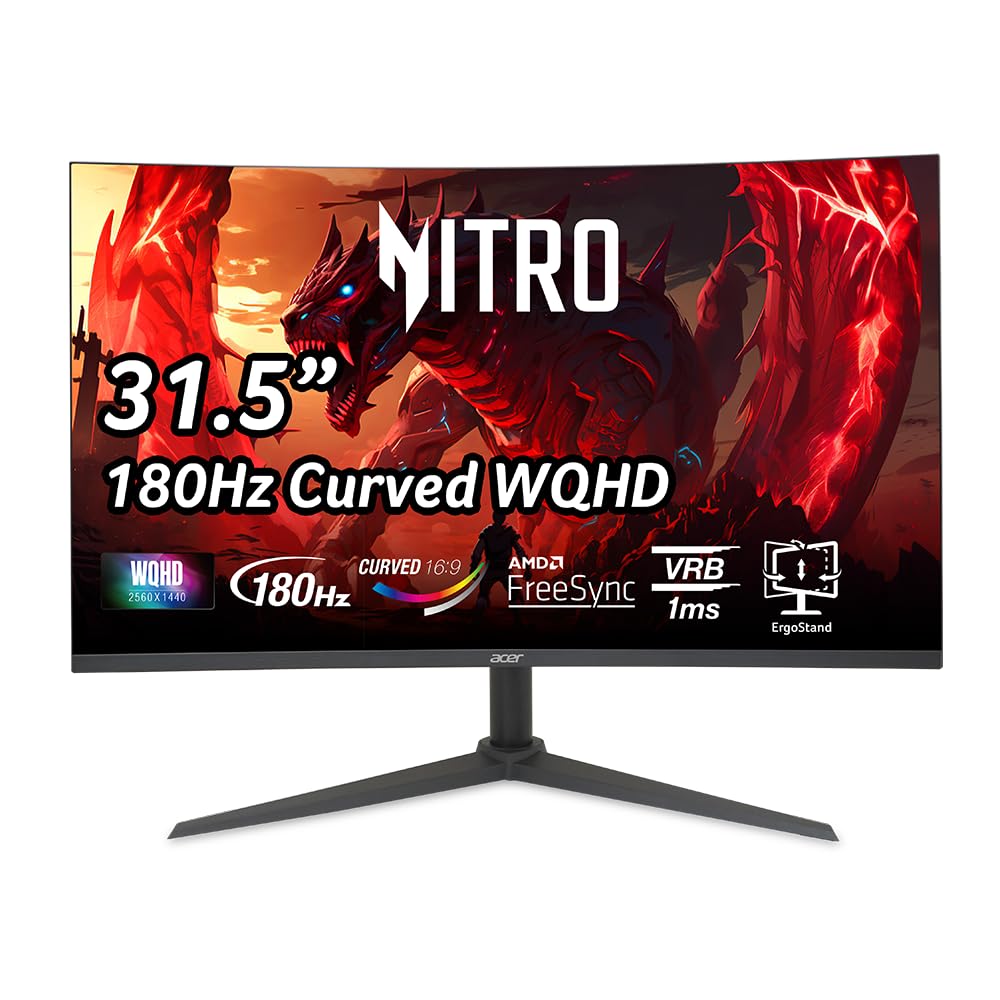
The Acer Nitro XZ320QU S3 is a 31.5-inch 2560×1440 VA monitor with a 1500R curve, 180Hz refresh rate, and 1ms VRB response time at a price that undercuts most of the competition. It includes built-in 2-watt speakers — a rarity in this price bracket — and a fully ergonomic stand with 3.94 inches of height adjustment, tilt (-5° to 20°), and swivel (+/-15°).
Buyers consistently report excellent color quality, crisp pixels, no dead pixels, and smooth FreeSync performance that complements PS5 and Xbox Series X gaming. The three-sided zero-frame design makes it look more premium than its price suggests, and the 100,000,000:1 dynamic contrast ratio gives decent pop in supported content.
The known issue is the bundled DisplayPort 1.4 cable — multiple user reviews report flickering, screen tearing, and horizontal lines when running at 180Hz with HDR10 enabled. Upgrading to a VESA-certified DP 2.1 cable fixes the problem, but it’s an extra expense and frustration out of the box. For the price, it’s the best budget option here if you factor in the cable upgrade.
Why it’s great
- 180Hz with FreeSync for smooth gaming at an entry price
- Full ergonomic stand with height, tilt, and swivel
- Built-in 2W speakers for basic audio output
Good to know
- Included DP 1.4 cable causes signal issues at 180Hz HDR
- Needs a DP 2.1 VESA certified cable for stable 40Gbps HDR10
9. ViewSonic VX3228C-2K 32 Inch 1440p Curved Gaming Monitor
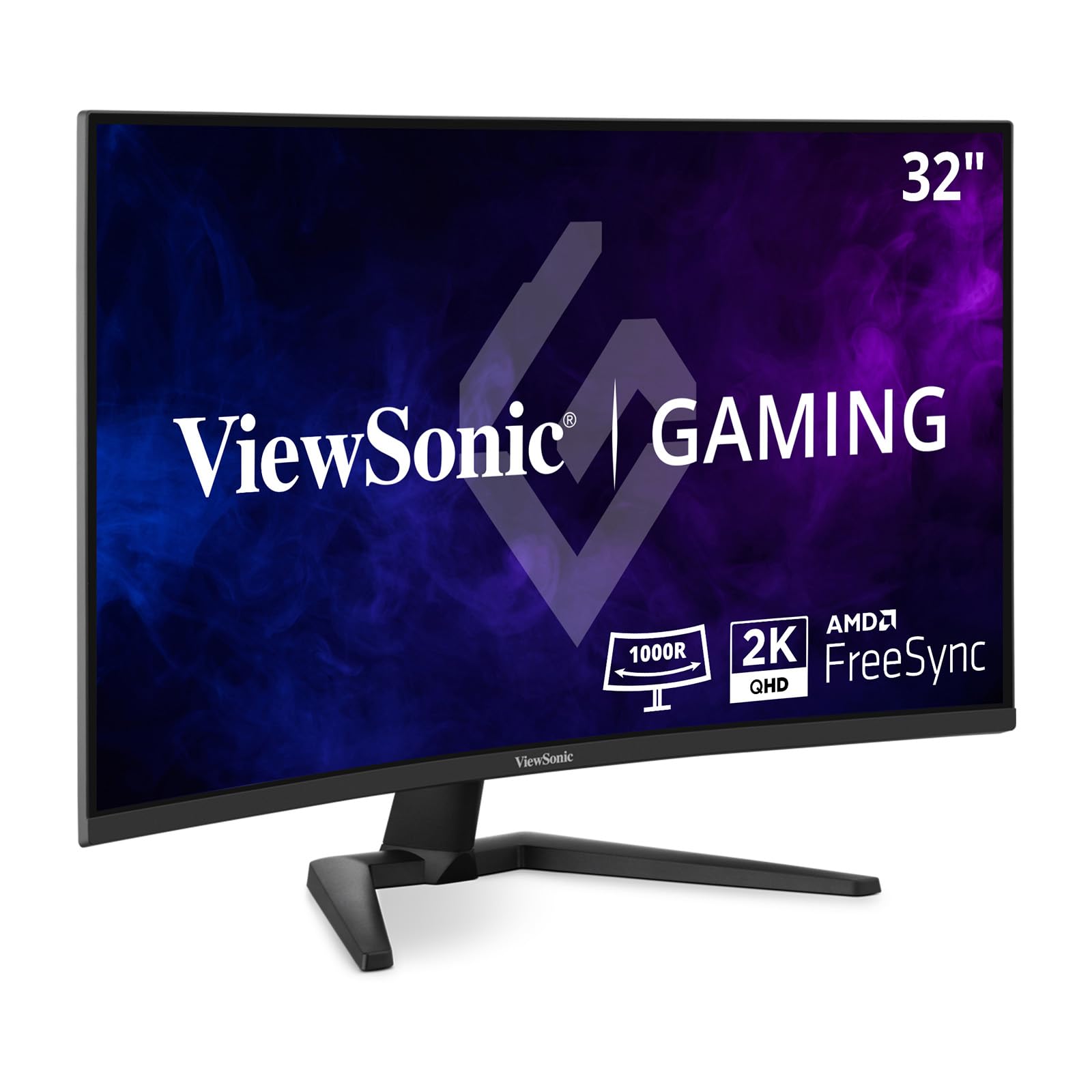
The ViewSonic VX3228C-2K is a 32-inch QHD curved gaming monitor that uses an IPS panel — unusual for the curved space, where VA dominates. The 180Hz refresh rate and 1ms MPRT response time deliver smooth gameplay, and the 300-nit brightness with 99% sRGB coverage provides vibrant, accurate colors that IPS is known for. The 3000:1 static contrast ratio is higher than typical IPS thanks to ViewSonic’s VA-IPS hybrid approach.
Buyers note the thin bezels and clean aesthetic, and the monitor includes both HDMI and DisplayPort inputs for flexible connectivity. The AMD FreeSync implementation is effective at eliminating screen tearing within its VRR range, and the anti-glare coating helps maintain visibility in brightly lit rooms.
The reliability reports are concerning — one verified business buyer reported that all 12 units purchased failed within a year with vertical lines and eventual black screens. While individual buyers report positive experiences, the longer-term durability appears inconsistent. The stand offers only tilt adjustment, no height or swivel. For the price, it’s a viable entry-level 2K curved monitor if you prioritize color accuracy over deep blacks, but the OLED and premium VA options above offer better longevity.
Why it’s great
- IPS panel with 3000:1 contrast and 99% sRGB
- 180Hz and FreeSync for tear-free gaming
- Thin bezels and anti-glare screen finish
Good to know
- Multiple reports of units failing within a year
- Stand only offers tilt — no height or swivel adjustment
FAQ
Is a 1500R curve too aggressive for productivity work like spreadsheets and coding?
Can I use a 2K curved monitor for console gaming on PS5 or Xbox Series X?
Does 2K curved mean the same thing as 1440p curved?
Should I worry about OLED burn-in on a 2K curved monitor used for work 8 hours a day?
Will a 2K curved monitor work with a MacBook Pro or MacBook Air over USB-C?
Final Thoughts: The Verdict
For most users, the best 2k curved monitor winner is the Alienware AW3425DWM because it combines a 34-inch 3440×1440 ultrawide with 180Hz, robust ergonomics, and VA-level contrast at a price that doesn’t require an OLED budget. If you want the absolute best in visual fidelity with true blacks and 240Hz motion clarity, grab the Alienware AW3425DW QD-OLED. And for productivity-focused users who prioritize single-cable USB-C docking and accurate color over refresh rate, nothing beats the Dell 34 Plus S3425DW.