
Reviving an old internal hard drive or adding bulk storage to your rig shouldn’t feel like a gamble. The enclosure you choose directly impacts data transfer speeds, drive longevity, and how much your workspace heats up. A poorly built housing can choke airflow, introduce vibration, or drop connections at the worst possible moment.
I’m Min — the co-founder and writer behind Gadgets Feed. I’ve spent countless hours analyzing chipset controllers, thermal characteristics of aluminum versus ABS plastics, and real-world data rates across dozens of 3.5-inch enclosure models on the market.
Whether you’re salvaging data from a retired desktop or adding a DVR buffer, the best 3.5 inch sata hdd enclosure balances heat management, connector durability, and tool-free assembly for a seamless upgrade.
How To Choose The Best 3.5 Inch SATA HDD Enclosure
A 3.5-inch drive demands stable power and a solid physical home. Focus on these three pillars before clicking buy.
Build Material and Thermal Management
Plastic enclosures are lighter and cheaper, but they trap heat. Aluminum or metal-shelled housings act as a passive heatsink, pulling heat away from the spinning platters and the bridge chip. For 7200RPM or enterprise drives, prioritize metal over ABS to keep internal temps in the low 40°C range during long transfers.
Interface and UASP Support
USB 3.0 caps at 5Gbps, but UASP (USB Attached SCSI Protocol) can more than double real-world read/write speeds by reducing latency. A chip like the ASM1153e or similar controller is the backbone of a responsive enclosure. Models offering eSATA (6Gbps native) are ideal for DVRs and NAS devices that lack USB 3.0 ports.
Power Delivery and Capacity Ceiling
The 12V/2A adapter is standard for 3.5-inch drives — never rely on bus power. Check the spec sheet for the maximum supported capacity; many enclosures now support up to 20TB or even 30TB. An independent power switch prevents the drive from spinning up every time the host device is turned on.
Quick Comparison
On smaller screens, swipe sideways to see the full table.
| Model | Category | Best For | Key Spec | Amazon |
|---|---|---|---|---|
| Vantec NexStar HX | Premium | Active Cooling | 60mm Fan, Aluminum | Amazon |
| StarTech.com S351BMU33ET | Pro-Grade | IT Professionals | eSATA + USB 3.0, Metal | Amazon |
| Vantec NexStar JX | Versatile | DVR/NAS Usage | eSATA + USB 3.2 Gen1 | Amazon |
| ACASIS EC-7351Pro | High Capacity | Content Creators | 6Gbps, 30TB Support | Amazon |
| UGREEN External Enclosure | Budget Friendly | Standard Backup | 5Gbps, UASP Support | Amazon |
| ORICO USB-C Enclosure | Value Pick | Tool-Free Setup | USB 3.1 Type-C, 20TB | Amazon |
| RSHTECH Docking Station | Entry Level | Quick Drive Access | UASP, ASM1153e Chip | Amazon |
In‑Depth Reviews
1. Vantec NexStar HX (NST-387S3-BK)

The Vantec NexStar HX stands alone as the only enclosure in this lineup with a dedicated 60mm cooling fan. This is a critical detail if you plan to run high-capacity 7200RPM drives or enterprise-grade HDDs that generate significant heat. The fan uses an on/off/variable switch, letting you dial in airflow versus noise. The aluminum casing further aids heat dissipation, and the tool-free slide assembly means you can swap drives in under a minute.
Transfer speeds hit up to 5Gbps via USB 3.0, and backward compatibility with SATA II/I ensures it works with older drives you might have in a drawer. Users consistently report stable performance with 6TB and 8TB drives, which is reassuring for those building a media server or backup vault. The included shielded USB cable helps maintain signal integrity over longer runs.
Build quality is stellar, though a small number of units have had bent fan grills out of the box. The front LED is very dim, which is actually a plus for a bedroom or office setup. If you need active cooling for sustained transfers, this is the enclosure that keeps your drive’s internals in a safe thermal zone.
Why it’s great
- Integrated variable-speed fan prevents thermal throttling
- Solid aluminum construction with tool-free slide design
- USB 3.0 with UASP support for faster transfers
Good to know
- Occasional build inconsistencies on the fan grill
- LED barely visible, may need a mod for status indication
2. StarTech.com S351BMU33ET

StarTech.com builds enclosures for IT pros, and the S351BMU33ET reflects that philosophy. The trayless metal chassis allows you to slide in a 3.5-inch SATA drive without mounting screws, while the dual interface (eSATA at 6Gbps and USB 3.0 at 5Gbps with UASP) gives you flexibility across different hosts. The fanless design keeps absolute silence, which is a massive benefit for recording studios or quiet home offices.
The build quality is industrial-grade, with a solid metal shell that acts as a passive heatsink. Many reviews confirm flawless operation with 8TB drives on both eSATA and USB connections. The enclosure includes an eSATA cable, a USB 3.0 cable, and an external power adapter — everything you need is in the box. The compact footprint (8.3 x 5.3 x 1.5 inches) sits neatly beside a workstation or DVR.
The one trade-off is thermal performance under heavy loads. The fanless design means 7200RPM drives can climb above 50°C during sustained writes. Some users have installed a small 30mm fan inside to solve this, but it’s a modification, not an out-of-box feature. If your drive runs cool (5400 RPM) or transfers are bursty, the silence is worth the trade.
Why it’s great
- Dual eSATA and USB 3.0 interface with UASP support
- Trayless tool-free design for quick drive swaps
- All-metal construction with 2-year warranty and lifetime support
Good to know
- No active cooling — temps can rise under heavy load
- Drive sits in an air gap, reducing passive heat transfer
3. Vantec NexStar JX (NST-358SU3-BK)

The NexStar JX brings dual-interface connectivity (USB 3.2 Gen1x1 and eSATA) to a more accessible price point. The aluminum casing with venting channels keeps drives cooler than fully sealed ABS enclosures, and the included stand provides stable vertical placement. The tool-free design supports both 3.5-inch and 2.5-inch SATA drives, making it a flexible option for mixed drive inventories.
Real-world testing with a 14TB WD Purple drive over eSATA showed consistent temperatures around 41°C — well within safe operating range. Users connecting this to Synology NAS and Reolink NVR units via eSATA report instant recognition and stable operation. The bright blue power LED is a common complaint, but electrical tape solves it in seconds. The external power adapter includes an on/off switch, preventing the drive from spinning up every time the host boots.
Transfer speeds over USB 3.2 Gen1x1 max out at 5Gbps, while the eSATA port delivers the full 6Gbps SATA III bandwidth. The shielded eSATA cable included in the box is a nice touch. If you need a single enclosure that can hop between a modern laptop (USB-C adapter required) and a legacy DVR (eSATA), this is the most practical choice.
Why it’s great
- Dual USB 3.2 Gen1 and eSATA interfaces
- Works with both 2.5-inch and 3.5-inch SATA drives
- Aluminum shell with ventilation and included stand
Good to know
- Very bright front LED can be distracting
- Requires USB-C adapter for modern laptops
4. ACASIS EC-7351Pro
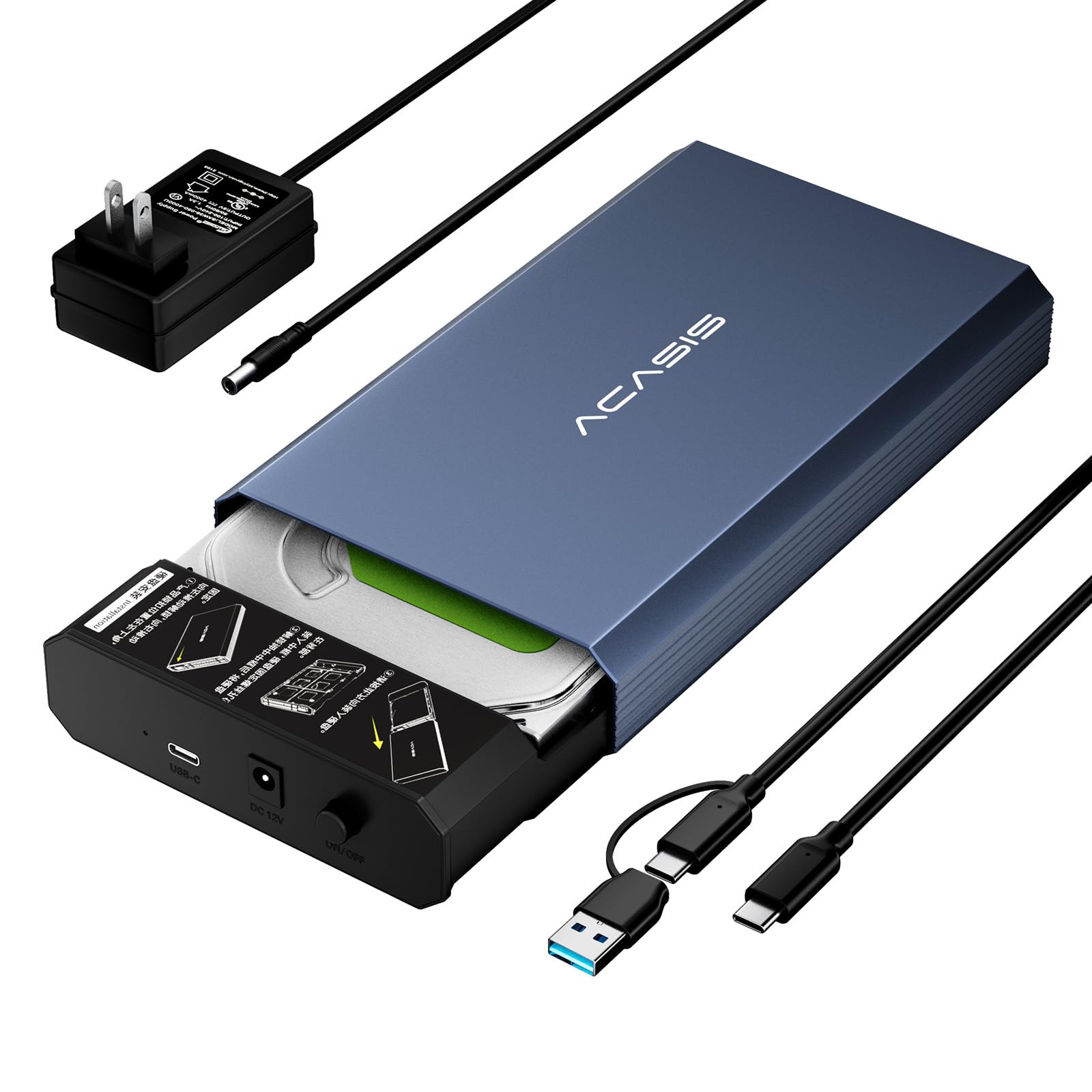
ACASIS pushes the capacity ceiling with the EC-7351Pro, supporting up to 30TB drives. The aerospace-grade aluminum shell with a hollow inner tray design maximizes surface area for heat dissipation. The USB 3.2 Gen 2 interface delivers a true 6Gbps transfer rate, and UASP support cuts large file transfer times by roughly 50% compared to older USB 3.0 bridges. Independent power switch and a 10-minute smart sleep mode round out the feature set.
Assembly requires four screws (included) but the sliding tray design makes alignment straightforward. The included USB-C to C/A cable adds future-proofing for modern laptops. Users report cool running temperatures during extended use, though one reviewer experienced a data corruption event due to a disconnect during transfer. This seems to be an isolated issue, as the majority of feedback is positive, with many praising the build and reliability.
The biggest edge here is capacity planning. If you’re storing years of footage, media libraries, or large-scale backup images, a 30TB ceiling means you won’t outgrow this enclosure anytime soon. The smart sleep mode also protects the drive’s health during idle periods, cutting wasted spin time.
Why it’s great
- Supports drives up to 30TB — highest capacity here
- USB 3.2 Gen 2 interface with true 6Gbps throughput
- Aerospace aluminum with hollow tray for heat dissipation
Good to know
- Plastic inner tray reduces direct thermal coupling
- Isolated reports of data corruption on disconnect
5. UGREEN External Hard Drive Enclosure

UGREEN delivers a balanced enclosure with USB 3.0 and UASP support, hitting 5Gbps transfer speeds while maintaining broad compatibility. The ABS plastic body is lightweight (just under a pound) and features pre-set heat emission holes plus soft rubber anti-shock strips to dampen vibration. The smart chip controller ensures stable data flow, and the included 12V/2A power adapter guarantees reliable power delivery.
Setup is truly tool-free — slide the drive in, connect the USB Type-B cable, and you’re ready. Users report instant recognition on Windows 11, Linux, and macOS without needing drivers. One reviewer specifically praised it for enabling SMART tests on a drive that the stock Seagate enclosure had blocked, making this a great upgrade from factory caddies. The 20TB capacity ceiling covers the vast majority of home and office needs.
The plastic construction does feel less premium than metal alternatives, and some users report a 5-minute idle spin-down that causes a brief stutter on access. This behavior isn’t adjustable. If you need a budget-friendly enclosure for occasional backups or media storage, the UGREEN delivers dependable performance without breaking the bank.
Why it’s great
- UASP support for up to 70% faster transfers over USB 3.0
- Tool-free installation with anti-shock rubber strips
- Broad compatibility across Windows, Linux, and macOS
Good to know
- Plastic body feels less durable than metal
- Idle spin-down behavior not adjustable, causes stutter
6. ORICO USB-C Enclosure
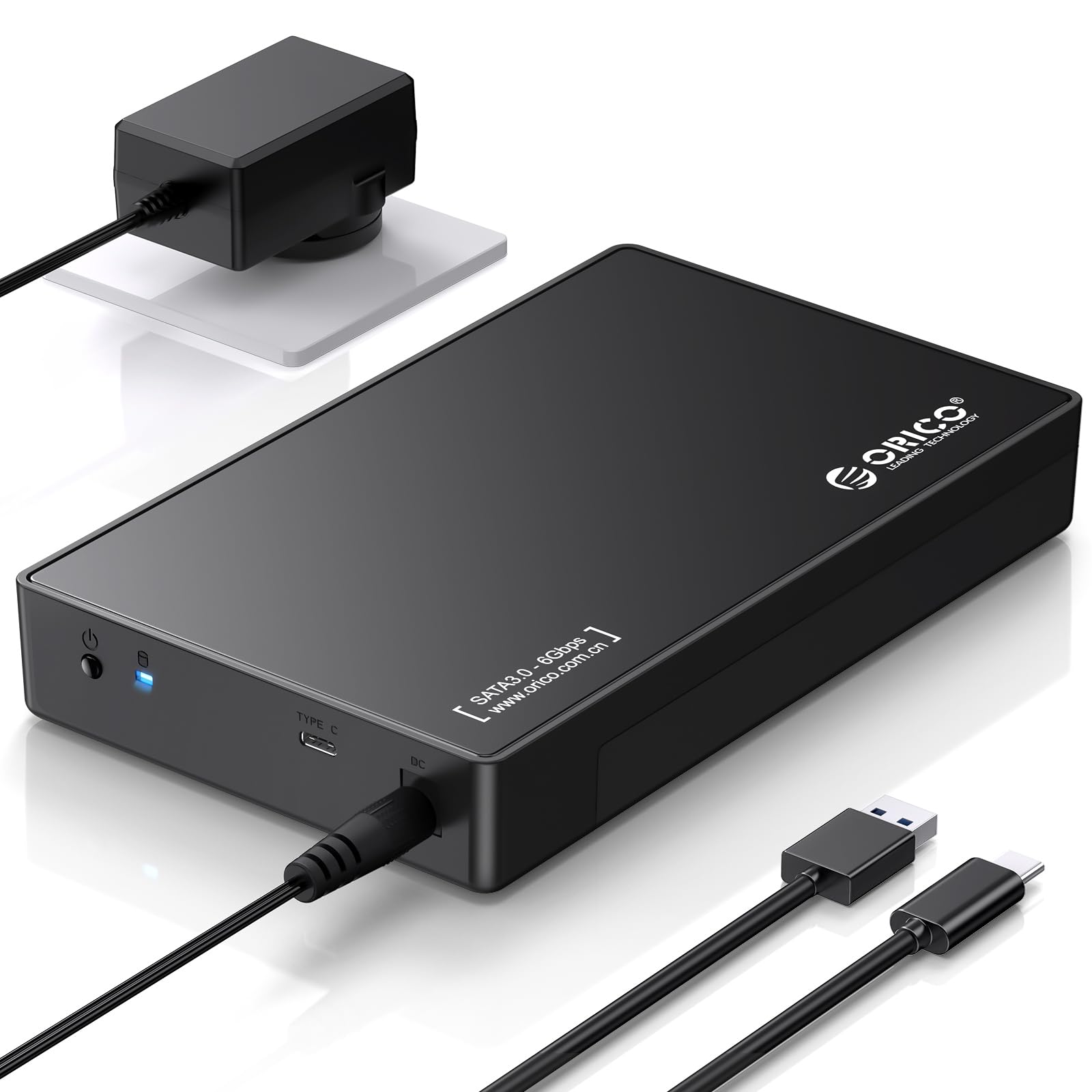
The ORICO enclosure modernizes the connection with a USB 3.1 Type-C interface, bundling an A-to-C cable for maximum compatibility. The drive slides in completely tool-free in under ten seconds — no screws, no brackets. The ABS and metal hybrid construction provides a better heat path than full plastic, and the shock-proof sponge insert adds drop protection. The 20TB capacity support handles all but the most extreme storage needs.
Real-world transfer speeds hover around 150 MB/s over USB 3.0, which is standard for the 5Gbps interface. The external 12V power adapter includes a physical on/off switch, a welcome feature that prevents the drive from automatically spinning up when the host boots. Users praise the positive-click feel of the power button and the clear red/blue LED status indicators. The tool-free design makes it ideal for swapping drives between work and personal setups.
Minor downsides include a slightly loose top cover on some units, though this doesn’t affect functionality. There’s no active cooling, so prolonged writes to 7200RPM drives may cause elevated temperatures. For casual backups, media libraries, or reviving old drives, the ORICO is a simple, well-packaged solution that just works.
Why it’s great
- True tool-free installation — drive slides in instantly
- USB 3.1 Type-C interface with included A-to-C cable
- On/off power switch prevents unwanted spin-ups
Good to know
- No active cooling for sustained transfers
- Top cover fit can be slightly loose on some units
7. RSHTECH USB 3.0 Docking Station

RSHTECH offers the most cost-effective entry point into 3.5-inch SATA enclosures without sacrificing the core chipset. The ASM1153e controller supports UASP for better burst performance compared to older enclosures, and the included 12V/2A power supply ensures stable communication. The plastic body is lightweight, and installation takes about three minutes with the included screwdriver and screws.
Compatibility extends beyond PCs to Xbox, PS4, PS5, and smart TVs, making it a versatile tool for expanding console storage. Users report easy setup and reliable performance with drives up to 8TB, though the manufacturer claims support for 16TB. The USB Type-B connector feels durable, though the internal SATA connector lacks a vertical support brace, so careful alignment is needed when inserting the drive.
The plastic build means heat management is less effective than metal enclosures, and some users have noted that a poor-quality USB cable can cause system freezes. Stick with the included cable or a known-good replacement. If you need a simple, working enclosure for occasional data recovery or casual expansion on a tight budget, the RSHTECH gets the job done.
Why it’s great
- ASM1153e chipset with UASP for faster burst speeds
- Wide compatibility with PCs, consoles, and smart TVs
- Very accessible entry price for a basic enclosure
Good to know
- Plastic body limits heat dissipation
- Quality of USB cable matters for stable operation
FAQ
Can I use a 2.5-inch SSD in a 3.5-inch enclosure?
Why does my 3.5-inch enclosure need an external power supply?
How do I check if UASP is working on my system?
Final Thoughts: The Verdict
For most users, the best 3.5 inch sata hdd enclosure winner is the Vantec NexStar HX because it integrates active cooling with a robust aluminum body and tool-free design, keeping high-capacity drives in their safe operating zone during long transfers. If you need eSATA connectivity for a DVR or NAS, grab the Vantec NexStar JX for its dual-interface flexibility. And for IT professionals who value silence and durability above all, nothing beats the StarTech.com S351BMU33ET with its all-metal trayless chassis and dual USB/eSATA support.