
When your media archive, 4K project library, or server backup exceeds 20TB, single-drive solutions hit a wall in both capacity and data safety. Reaching a true 100 TB of usable external storage demands a strategic mix of high-capacity enterprise drives, multi-bay enclosures, and a clear RAID approach that balances speed against redundancy.
I’m Min — the co-founder and writer behind Gadgets Feed. I’ve spent hundreds of hours dissecting enterprise-class storage specs, comparing HDD reliability metrics, and analyzing real-world transfer benchmarks to build buying guides that focus on what genuinely matters for professionals and serious creators.
Whether you need a single massive drive for archiving or a RAID tower for active video editing, this guide to the 100 tb external hard drive breaks down the top candidates by build quality, transfer speed, and data protection features.
How To Choose The Best 100 TB External Hard Drive
Aggregating 100 TB of external storage is not a single-product decision. You must decide between a single high-capacity HDD (currently maxing at 24–36 TB per unit) and a multi-bay RAID enclosure filled with smaller drives. Your choice directly affects transfer speed, data safety, noise, and total cost per terabyte.
Single Drive vs. Multi-Bay RAID
A single 24TB or 30TB drive, like the WD Elements or Oyen Digital HDX Pro, is the simplest path to high capacity. You plug it in, and you get one large volume. However, a single point of failure exists — if the drive dies, all data is lost. A multi-bay RAID array, such as the SanDisk Professional G-RAID 2, allows you to combine two or more drives. In RAID 1 (mirroring), you get data redundancy but lose half the raw capacity. In RAID 0 (striping), you gain maximum speed and capacity, but a single drive failure kills the entire array. For a 100 TB target, a 4-bay or 8-bay enclosure with JBOD or RAID 5 is often the most practical approach.
Interface Speed and Workflow Fit
For archiving photos and documents, a standard USB 3.0 (5Gbps) or USB 3.2 Gen 1 interface on a 7200RPM HDD will deliver around 180–270 MB/s — perfectly adequate for sequential reads and writes. If you edit 4K or 8K video directly off the drive, you need Thunderbolt 3 (40Gbps) or USB 3.2 Gen 2 (10Gbps) to sustain multiple high-bandwidth streams without stuttering. The SanDisk G-RAID supports Thunderbolt 3, making it ideal for professional video workflows, while the Oyen Digital HDX Pro and Glyph BlackBox Pro use USB 3.2 Gen 2 for fast file access at a lower cost.
Drive Reliability and Operating Conditions
Enterprise-class drives like the WD Ultrastar or Seagate Exos are rated for 24/7 operation with higher workload limits (550 TB/year) and longer MTBF ratings. Consumer drives are fine for regular backup or archival use but may fail faster under continuous read/write stress. Always check the rotational speed (7200RPM preferred for sustained performance over 5400RPM) and consider active cooling — drives inside a well-ventilated enclosure with a fan will run cooler and last longer than a passively cooled unit sitting on a shelf.
Quick Comparison
On smaller screens, swipe sideways to see the full table.
| Model | Category | Best For | Key Spec | Amazon |
|---|---|---|---|---|
| SanDisk G-RAID 2 36TB | Desktop RAID | Video editing, RAID 1 safety | Thunderbolt 3 (40Gbps) | Amazon |
| Oyen Digital HDX Pro 30TB | Enterprise Enclosure | Daisy-chaining, server workflows | USB-C (10Gbps) daisy chain | Amazon |
| WD 24TB Elements | Single Desktop HDD | Quiet archival, plug-and-play | USB 3.2 Gen 1 (5Gbps) | Amazon |
| Glyph BlackBox Pro 20TB | Prosumer Desktop HDD | Media archiving, rugged build | USB-C 3.2 Gen 2 (260MB/s) | Amazon |
| WD 22TB My Book | Consumer Desktop HDD | Password protection, backups | 256-bit AES hardware encryption | Amazon |
| WD 20TB Elements | Single Desktop HDD | Budget-friendly archival storage | USB 3.0 (180MB/s transfers) | Amazon |
| Crucial X10 8TB SSD | Portable SSD | Fast file transfers, travel | Read up to 2100MB/s | Amazon |
In‑Depth Reviews
1. SanDisk Professional 36TB G-RAID 2

This 2-bay desktop RAID arrives pre-configured in RAID 0 (striped) for maximum speed, giving you the full 36TB capacity and sequential transfer rates that can exceed 400 MB/s over Thunderbolt 3. Inside are two 7200RPM WD Ultrastar enterprise drives, which are rated for high workload environments and come with a 5-year limited warranty. For a 100 TB target, you could pair two of these units or combine one with smaller drives.
The dual Thunderbolt 3 ports allow daisy-chaining up to five additional devices, making it a central hub for a video editor’s desk. You can reconfigure the array to RAID 1 (mirroring) for automatic data duplication, which reduces usable capacity to 18TB but protects against a single drive failure. The USB-C port offers additional flexibility for connecting to systems without Thunderbolt.
Media professionals consistently report that this drive never misses a beat even when left running for years. It is heavier and noisier than a single desktop HDD due to the dual drives and cooling fan, but the build quality and data safety features justify the premium cost. The bright front logo light is a minor nuisance that some users cover with a magnetic plate.
Why it’s great
- Thunderbolt 3 delivers 40Gbps bandwidth for demanding video workflows
- RAID configurable to mirror for automatic data redundancy
- Enterprise Ultrastar drives and 5-year warranty for long-term reliability
Good to know
- Heavier and noisier than single desktop drives
- RAID 1 halves usable capacity
2. Oyen Digital HDX Pro C 30TB
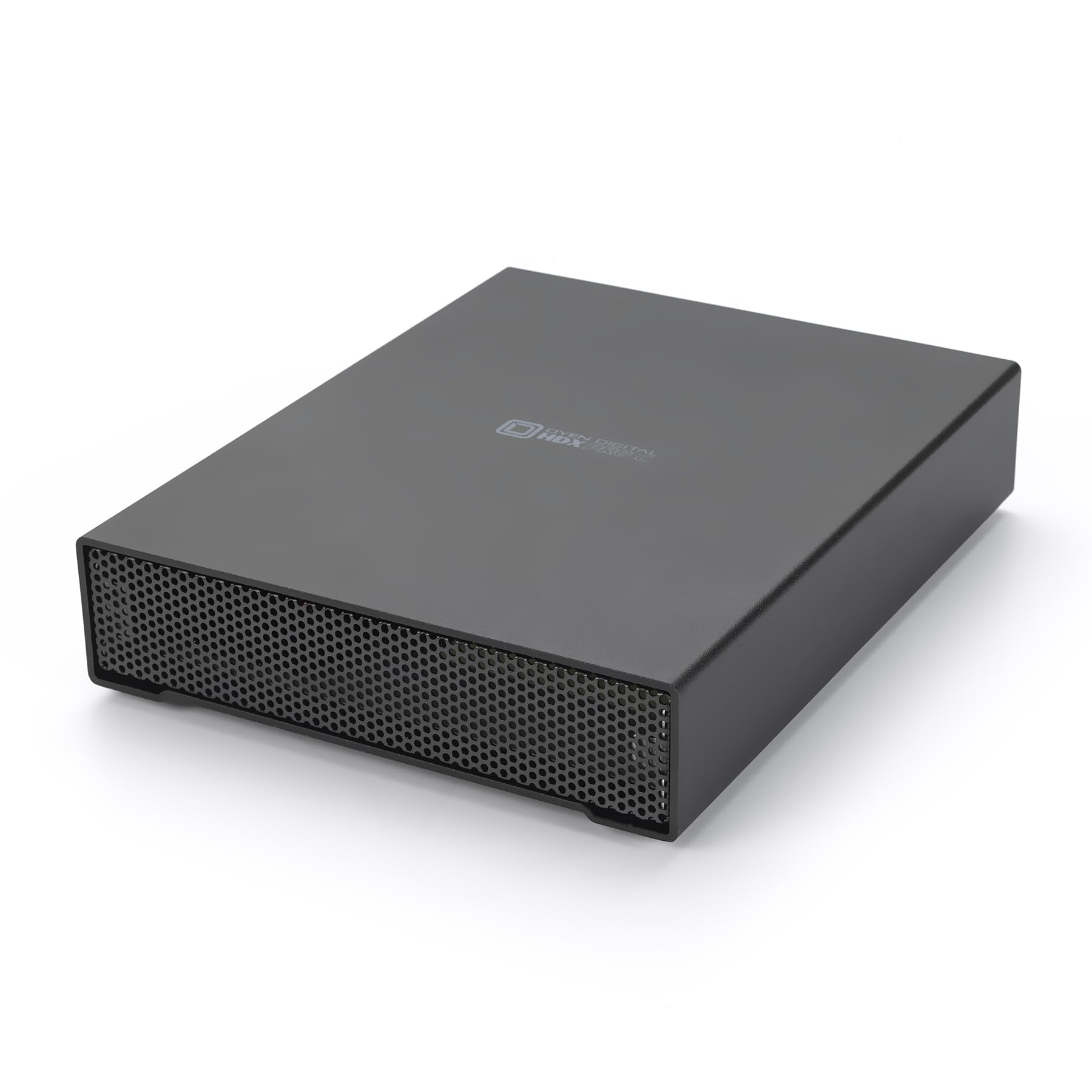
Aimed at professionals who need a single massive volume with enterprise-grade build quality, the HDX Pro C packs a 30TB 7200RPM drive into a thick all-aluminum enclosure. The standout feature is a secondary USB-C port (10Gbps) for daisy-chaining additional drives or peripherals, which is uncommon in single-drive enclosures and ideal for building a compact server stack.
The internal power supply and quiet fan keep temperatures stable during 24/7 operation, and users report sustained transfer speeds around 270 MB/s over USB 3.2 Gen 2. The drive works with Linux, Windows, and macOS after reformatting, and the barebones design means no bloatware or backup software — just pure, reliable hardware. Some users note that it runs warm under heavy load and recommend a dedicated outlet to avoid power strip issues.
For a 100 TB configuration, you could use one HDX Pro C as your primary working drive and pair it with a large RAID enclosure for backups. The build quality is repeatedly described as “exceptional” by users who compare it favorably to consumer desktop drives, and the all-metal construction provides excellent heat dissipation and physical protection.
Why it’s great
- Daisy-chain USB-C port sets it apart from single-drive competitors
- All-aluminum enclosure with internal PSU for 24/7 enterprise reliability
- Sustained transfers of ~270 MB/s from a 7200RPM drive
Good to know
- Runs warm under sustained load; may need dedicated power
- Barebones — no included backup software or encryption
3. Western Digital 24TB Elements Desktop

The latest 24TB revision of WD’s Elements line offers the highest single-drive capacity in this roundup. It is a straightforward plug-and-play desktop HDD using SuperSpeed USB 3.2 Gen 1 (5Gbps), delivering typical sequential reads of around 180 MB/s. With four of these units, you could build a 96 TB JBOD or RAID array, making them cost-effective building blocks for a large storage pool.
Users consistently praise the WD Elements for quiet operation and stable performance. The vertical stand design is compact and doesn’t tip over easily. At 24TB, actual usable capacity after formatting is around 21.8 TB, which is standard for this form factor. The drive comes with a USB-A cable and AC adapter — no software required for basic operation.
The main limitation is interface speed: USB 3.2 Gen 1 caps out at 5Gbps, which is fine for archival backups but not ideal for directly editing large 4K video files. The drive does not include hardware encryption or backup software out of the box. For pure capacity per slot at a reasonable cost per terabyte, the 24TB Elements remains a strong contender.
Why it’s great
- Highest single-drive capacity at 24TB for simple capacity scaling
- Quiet, compact vertical design with good stability
- Plug-and-play simplicity with reliable WD mechanics
Good to know
- Interface limited to USB 3.2 Gen 1 (5Gbps)
- No hardware encryption or RAID capability
4. Glyph BlackBox Pro 20TB

Glyph targets professional media environments with the BlackBox Pro series, and the 20TB model is built around a 7200RPM enterprise drive inside a rugged aluminum shell with active fan cooling. It ships with both USB-C and USB-A cables, and supports USB 3.2 Gen 2 for sustained read speeds up to 260 MB/s — fast enough for most single-stream 4K editing.
The drive is Mac-ready out of the box (HFS+) and can be reformatted for Windows or Linux. Glyph’s 3-2-1 warranty is a differentiator: three years full hardware coverage, two years of Level-1 data recovery service, and one year of advanced replacement. This data recovery guarantee provides real peace of mind for studios handling irreplaceable footage.
User reviews highlight the excellent build quality and transfer speeds that exceed the advertised 250 MB/s. However, there are isolated reports of drives failing within a year, and some users were disappointed that data recovery attempts did not succeed. The drive is also noticeably heavy for travel due to the all-metal chassis and integrated power supply.
Why it’s great
- Includes Level-1 data recovery service for two years
- Sustained writes of 255-260 MB/s for demanding media files
- Rugged aluminum construction with active fan cooling
Good to know
- Heavy and not ideal for frequent travel
- A small number of users report early drive failure
5. WD 22TB My Book Desktop

The WD My Book is a step up from the Elements line in terms of features, adding 256-bit AES hardware encryption and a software suite for device management and automated backups. The 22TB capacity makes it a strong candidate for archiving sensitive data that requires password protection at the hardware level without slowing down transfers.
The drive uses a standard USB 3.0 interface (5Gbps) and is reliable for routine backups. Users note that the WD backup software can sometimes cause issues on macOS, and reformatting the drive may erase the included utility. The physical design is a bit bulkier than the Elements, but it also provides more physical protection due to its thicker casing.
A recurring user complaint is that the drive spins down after a period of inactivity, causing a 5-10 second delay when you next access it. This is a common power-saving behavior among WD desktop drives. For consistent access, you may need to disable the spin-down feature or keep a file open on the drive. Overall, the My Book offers excellent value for users who need encryption but don’t require Thunderbolt speeds.
Why it’s great
- 256-bit AES hardware encryption for sensitive data protection
- Includes backup and device management software
- Reliable WD build with strong protective casing
Good to know
- Automatic spin-down causes access delays after idle periods
- USB 3.0 interface limits raw transfer speed for video editing
6. WD 20TB Elements Desktop

The 20TB Elements is the budget entry point for massive external capacity among consumer drives. It uses a standard USB 3.0 interface and delivers around 180 MB/s in sequential transfers, which is adequate for nightly backups and media archiving. Five of these drives would give you 100 TB of raw storage when combined in a JBOD enclosure or software RAID.
Users consistently describe it as a reliable, quiet, and stable drive. The vertical tower design saves desk space and doesn’t tip over easily. Like its larger sibling, it is NTFS-formatted for Windows and requires reformatting for use with macOS or Linux. The hard disk inside is a mechanical 7200RPM unit, though some earlier batches may have shipped with 5400RPM drives.
The main drawbacks are the lack of hardware encryption and the relatively slow USB 3.0 interface compared to USB 3.2 Gen 2 or Thunderbolt options. Customer reviews note that actual usable capacity is around 18.19 TB, and the drive can run warm to the touch during extended transfers. For pure capacity at the lowest cost per terabyte, this drive is hard to beat.
Why it’s great
- Excellent value for raw capacity at lowest cost per TB in this lineup
- Quiet operation and stable vertical design
- Reliable WD mechanics trusted by millions of users
Good to know
- USB 3.0 interface limits transfers to ~180 MB/s
- No hardware encryption or backup software included
7. Crucial X10 8TB Portable SSD
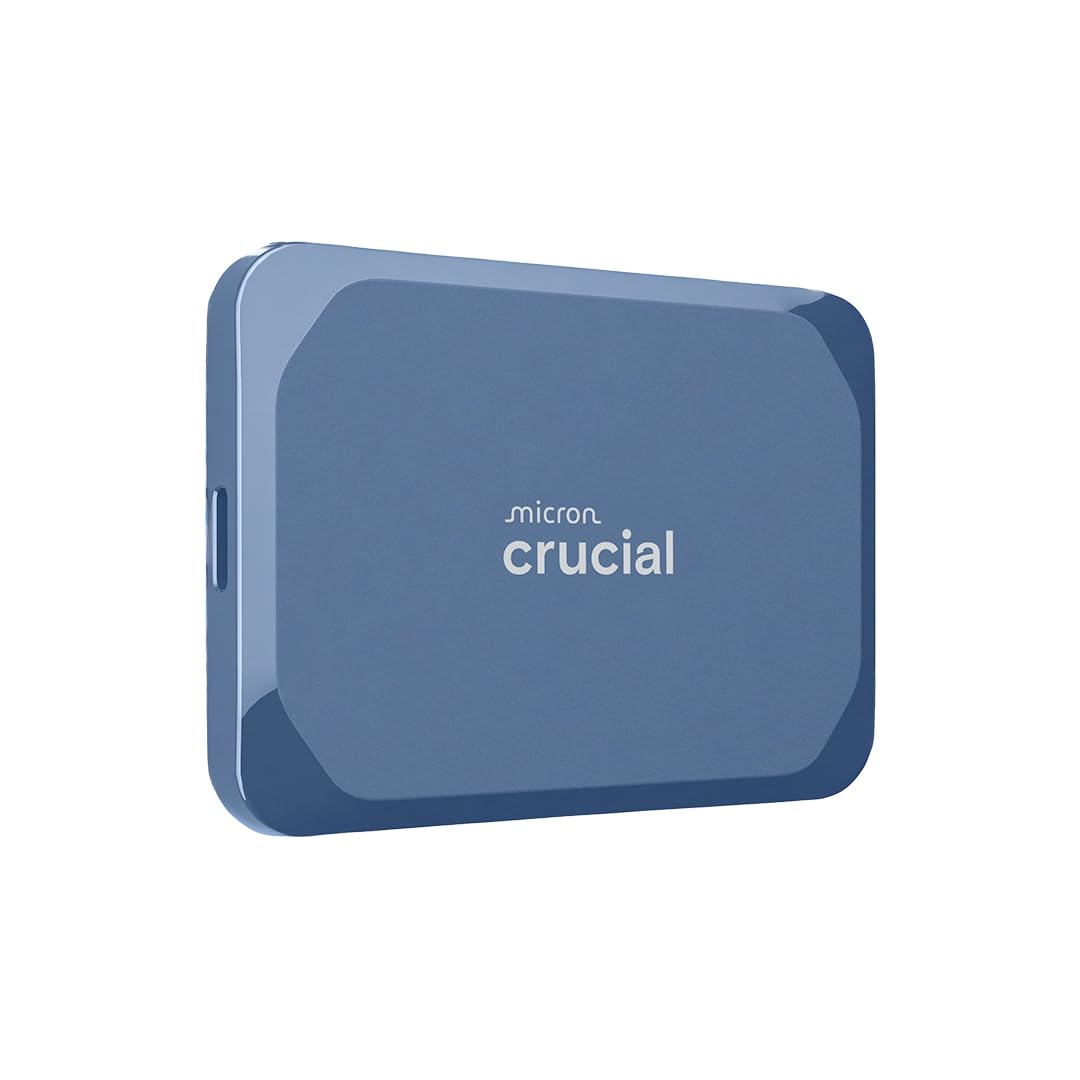
While it cannot reach anywhere near 100 TB on its own, the Crucial X10 8TB SSD is an essential companion in a 100 TB ecosystem. Use it as a high-speed working drive for active projects, then offload finished files to your massive HDD array. With read speeds up to 2100 MB/s over USB 3.2 Gen 2×2, the X10 can handle ProRes 4K, Premiere Pro, and After Effects timelines without stuttering.
The drive is IP65 dust and water resistant and drop-rated up to 3 meters, making it rugged enough for field shoots and travel. It is nearly weightless and compact enough to fit in a wallet. Multiple user reviews confirm sustained real-world transfers of 1.4–1.8 GB/s on Gen 2×2 ports, with fallback to ~1 GB/s on older USB-C ports. It runs silently and stays cool even during extended transfers.
The main caveat is that peak speeds require both the host device and cable to support USB 3.2 Gen 2×2 — not all laptops have this. There is no activity LED, which some users miss. For anyone building a 100 TB storage pipeline, the X10 is the ideal scratch disk for fast editing before moving data to long-term HDD storage.
Why it’s great
- Blazing read speeds up to 2100 MB/s for video editing
- IP65 rated and drop-proof up to 3 meters
- Extremely compact and lightweight for travel
Good to know
- Peak speeds require USB 3.2 Gen 2×2 support on host device
- No activity LED indicator
FAQ
Can a single external hard drive reach 100 TB today?
Should I use RAID 0 or RAID 1 for my 100 TB setup?
Is a 7200RPM hard drive fast enough for 4K video editing?
How does hardware encryption affect performance in external drives?
Final Thoughts: The Verdict
For most professionals building a 100 TB storage pipeline, the 100 tb external hard drive champion is the SanDisk Professional G-RAID 2 36TB because it combines Thunderbolt 3 speed with configurable RAID for both active editing and redundant archiving. If you need the largest single-drive capacity for simple scaling, grab the WD 24TB Elements Desktop. And for a rugged daisy-chainable enclosure built for 24/7 enterprise operation, nothing beats the Oyen Digital HDX Pro C 30TB.