
Every musician, podcaster, or streamer eventually hits the wall where a computer’s built-in sound chip introduces latency and noise that kills a performance. A dedicated 2-in/2-out USB audio interface solves this by providing pristine preamps, high-resolution conversion, and direct monitoring so you hear yourself in real time without that hollow, delayed echo that makes timing impossible.
I’m Min — the co-founder and writer behind Gadgets Feed. For this guide, I spent dozens of hours cross-referencing published loop-back latency measurements, preamp EIN (Equivalent Input Noise) figures, and dynamic range specs across the widest selection of interfaces to find the models that deliver the cleanest path from your instrument or microphone into your DAW.
Whether you are laying down your first guitar track or producing a professional broadcast, nailing this purchase is the single biggest upgrade for your studio setup. This review of the best 2-in/2-out usb audio interface breaks down every critical spec so you can choose with confidence.
How To Choose The Best 2-In/2-Out USB Audio Interface
With dozens of interfaces on the market, the difference between a usable recording and a frustrating one comes down to three areas: the quality of the mic preamps, the reliability of the driver for low-latency operation, and the type of monitoring control offered. Prioritize these before fixating on bundled software or looks.
Preamps and Gain Headroom
The mic preamps are the heart of any interface. Look for models that offer at least 56 dB of gain — more if you plan to use passive dynamic microphones like the Shure SM7B or Electro-Voice RE20. A preamp with lower noise (measured in EIN, ideally below -129 dBu) gives you a cleaner signal before any digital processing occurs. Also, check whether the preamps can handle +48V phantom power for condenser mics.
Driver Stability and Latency Performance
A well-written driver is what separates professional gear from frustrating budget options. Class-compliant interfaces work without extra software on Mac and iPad, while Windows users need manufacturer ASIO drivers or ASIO4ALL to achieve low round-trip latency (ideally under 10ms at 64 samples). Check community forums for reports of buffer underruns or blue screens with specific DAWs before buying.
Direct Monitoring and Routing Flexibility
Zero-latency direct monitoring is non-negotiable for tracking — it lets you hear your input signal blended with playback from your DAW without any delay. Some interfaces offer a simple mono/stereo blend knob, while others include a DSP-powered mixer with a smartphone app for more flexible routing. For streamers or podcasters, ensure the interface has a dedicated loopback feature that routes your computer audio back into your streaming software.
Quick Comparison
On smaller screens, swipe sideways to see the full table.
| Model | Category | Best For | Key Spec | Amazon |
|---|---|---|---|---|
| Motu M2 | Premium | Critical listening & latency | ESS Sabre32 Ultra DAC (120 dB) | Amazon |
| SSL 2 MKII | Premium | Vocal presence & build quality | 32-Bit / 192 kHz Converters | Amazon |
| Focusrite Scarlett 2i2 4th Gen | Premium | Auto Gain & Clip Safe features | 120 dB Dynamic Range | Amazon |
| Universal Audio Volt 2 | Mid-Range | Vintage analog tone | UA 610 Tube Emulation Circuit | Amazon |
| Focusrite Scarlett Solo 3rd Gen | Mid-Range | Reliable all-rounder for one mic/DI | Switchable Air Mode | Amazon |
| Audient EVO 4 | Mid-Range | Automatic gain setup | JFET Instrument Input | Amazon |
| Roland Rubix22 | Mid-Range | Noise rejection in live venues | Ground Lift Switches | Amazon |
| Mackie Onyx Producer 2-2 | Budget | Rugged mobile recording | MIDI I/O Included | Amazon |
| Solid State Logic SSL2 | Premium | Class-leading preamp gain (62 dB) | 130.5 dB EIN Preamps | Amazon |
In‑Depth Reviews
1. Motu M2

The Motu M2 sits in a class of its own at this price point because it incorporates ESS Sabre32 Ultra DAC technology — the same converters found in high-end mastering converters. This translates to a measured 120 dB dynamic range on the outputs and an EIN of -129 dBu on the mic inputs, giving you a black-noise floor and exceptional headroom for both recording and monitoring. The headphone output is powerful enough to drive 250-ohm Beyerdynamic DT 990 Pro headphones, a rare feat for a bus-powered interface.
Round-trip latency is among the lowest in this category, thanks to Motu’s efficient ASIO drivers, making it ideal for real-time monitoring of software instruments and guitar amp sims. The full-color LCD screen provides precise metering for both inputs and outputs, a feature usually reserved for units costing twice as much. Users report stable performance with Ableton Live, Cubase, and Reaper on both Windows and macOS.
The only trade-off with the M2 is that its build quality, while solid, uses a mix of metal and plastic that doesn’t feel as premium as the all-metal chassis of SSL or Roland units. The bundled software includes Ableton Live Lite and MOTU Performer Lite, which is generous but not as comprehensive as the Hitmaker Expansion from Focusrite. If raw converter performance and headphone amplification are your priority, the M2 is the benchmark.
Why it’s great
- ESS Sabre32 Ultra DAC delivers studio-grade sound quality.
- Lowest measured round-trip latency in its price bracket.
- High-current headphone amp handles high-impedance cans.
Good to know
- Mixed materials chassis — not fully metal.
- Software bundle is rather limited compared to competitors.
2. Solid State Logic SSL 2 MKII

SSL brings its legendary mixing console heritage to the desktop with the 2 MKII, featuring 32-bit / 192 kHz AD/DA converters that push the theoretical noise floor far below what a 24-bit converter can achieve. The Legacy 4K analog enhancement button adds a subtle harmonic saturation and presence boost to your signal path, emulating the SSL 4000 series console — a genuinely musical effect that makes vocals and acoustic guitars sit forward in a mix without added plugin latency.
The preamps themselves are class-leading, with Neutrik connectors and Alps potentiometers that feel smooth and durable. A high-pass filter on each channel is a fantastic tool for voice-over artists and podcasters who struggle with low-frequency rumble from HVAC systems or desk vibrations. The headphone amp is noticeably powerful, delivering clean, clear monitoring even at high volumes with no audible noise floor.
On the connectivity side, the MKII adds MIDI I/O on 5-pin DIN jacks, a stereo loopback channel for streaming, and two headphone outputs with independent mixes. The included SSL Production Pack software bundle is valuable, but the interface requires an external power supply (included) for full phantom power operation with both channels driven. This is a premium-feeling, performance-first interface for those who take their recordings seriously.
Why it’s great
- 32-bit converters provide extreme headroom and low noise.
- Legacy 4K button adds console-style analog warmth.
- High-pass filters and MIDI I/O for versatile pro workflows.
Good to know
- Requires AC adapter for full phantom power on both channels.
- Software bundle installation is time-consuming.
3. Focusrite Scarlett 2i2 4th Gen
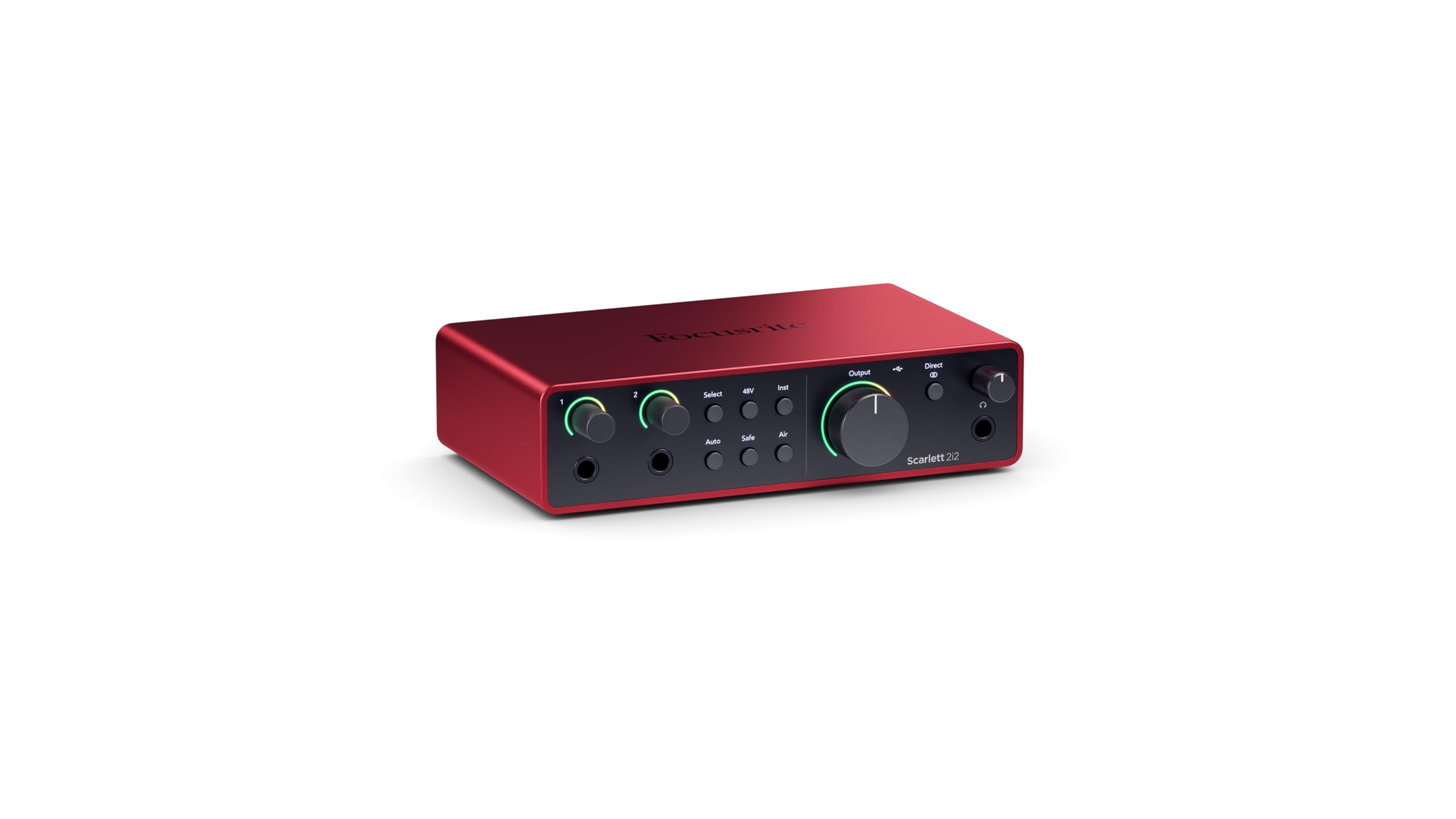
Focusrite’s 4th Gen Scarlett 2i2 is the most polished iteration of the best-selling interface line, largely due to two new intelligent features: Auto Gain and Clip Safe. Auto Gain plays a short tone through your mic or instrument and automatically sets the optimal recording level, eliminating the hunt-and-peck routine of adjusting gain knobs mid-performance. Clip Safe then acts as a digital safety net, catching transient peaks and attenuating them before they hit the converter, so you never lose a great take to digital distortion.
Sound quality has been elevated to match the flagship range, with 120 dB of dynamic range on the outputs and a clean preamp spec. The Air mode has been updated to add both presence and harmonic drive, available independently on each channel. The loopback feature is enabled through the Focusrite Control 2 software, which is essential for podcasters and streamers who need to mix their computer audio with their mic input.
The build is more compact than the previous generation, with a sleek, rounded metal chassis that feels robust in the hand. Some users report that the utility driver installation process is less intuitive than plug-and-play operation, requiring a separate download for the best ASIO performance. The 4th Gen ships with Pro Tools Intro+, Ableton Live Lite, and the Hitmaker Expansion bundle, giving you a full production toolkit out of the box.
Why it’s great
- Auto Gain and Clip Safe prevent common recording errors.
- Updated Air mode adds harmonic richness to vocals.
- Generous software bundle with industry-standard DAWs.
Good to know
- Driver installation is not fully plug-and-play on Windows.
- No MIDI I/O — requires separate adapter if needed.
4. Solid State Logic SSL2

The original SSL2 established a new benchmark for preamp performance in the 2×2 category, offering 62 dB of gain with an EIN of -130.5 dBu. This combination is rare at any price point and means you can drive a passive ribbon mic or a low-output dynamic like the SM7B to a usable recording level without an external booster, and with vanishingly little self-noise. The Legacy 4K analogue enhancement is the same circuitry you get in SSL’s big consoles, adding a touch of high-frequency sheen and subtle saturation.
The unit uses Neutrik connectors and Alps pots throughout, giving it a tactile, professional feel that inspires confidence. The headphone amp is high-current, capable of delivering clean levels to high-impedance headphones. The loopback feature is straightforward, allowing you to route your computer audio to your DAW or streaming software without extra patching. Users consistently praise the rock-solid driver stability, even on Windows 11 with Ryzen processors.
The primary downsides are the physical layout — the inputs are on the rear panel, which can make plugging and unplugging cables inconvenient compared to front-panel designs. The unit is also fairly large for a 2×2 interface, and there is no dedicated power switch, requiring you to unplug the USB cable to fully power it down. For pure preamp performance and that SSL console voicing, however, it remains a top-tier recommendation.
Why it’s great
- 62 dB gain with sub-130 dBu noise floor handles any mic.
- Legacy 4K button adds genuine analog console color.
- Industry-leading driver stability across Windows and Mac.
Good to know
- Inputs on the rear panel — inconvenient for frequent changes.
- Large footprint; no power switch for shutdown.
5. Roland Rubix22

Roland designed the Rubix22 with a focus on live-stage and mobile reliability, and it shows in the construction. The chassis is a thick, all-metal shell that feels nearly indestructible, and the unit features unique ground lift switches on each channel — a practical tool for eliminating the 60-cycle hum that plagues laptop-based performances in venues with questionable power. The large, bright LED meters are easy to read in dim lighting conditions.
The preamps are low-noise and handle phantom power cleanly, with XLR/TRS combo inputs and a dedicated Hi-Z input for guitar. The inclusion of MIDI I/O on 5-pin DIN jacks is a welcome addition for those controlling hardware synthesizers or drum machines from their DAW. The unit is class-compliant, meaning it works out of the box with Mac, PC, and iPad without driver installations, though better latency is achieved with Roland’s dedicated ASIO drivers on Windows.
Some early units reported a fragile USB port that could fail if the cable is jostled, though newer revisions seem to have addressed this. The input/DAW mix knob is also absent, so blending your input with playback is done entirely from the monitoring section rather than a dedicated control. The six-month Roland Cloud Pro membership is a nice bonus for those interested in virtual instruments and sample packs.
Why it’s great
- All-metal chassis with ground lifts for silent operation.
- MIDI I/O built in for hardware synth integration.
- Class-compliant for easy iPad and Mac connectivity.
Good to know
- USB port durability concerns reported by some users.
- No dedicated input/DAW blend knob for monitoring.
6. Universal Audio Volt 2

Universal Audio’s Volt 2 distinguishes itself with an analog circuit that emulates the vintage UA 610 tube preamp. Engaging Vintage mode adds a warm, harmonically rich character to your recordings that mimics the classic console sound used on countless hit records. This is not a software plugin — it’s a physical circuit baked into the signal path before the converter, so the effect is captured regardless of your DAW.
The converter quality is excellent, supporting up to 24-bit / 192 kHz, and the preamps are clean and quiet in their standard mode. The Volt 2 also ships with the LUNA DAW, which integrates tightly with UA hardware to provide a tape-style workflow with real-time monitoring effects. The build is compact and stylish, with a metal chassis and retro-knob aesthetic that looks great on any desk.
The unit requires an external power supply when using the Vintage circuit with phantom power, as USB power alone is insufficient. The included LUNA DAW is macOS-only, so Windows users will need to look elsewhere for their DAW. The bundled UAD plugins are a curated selection, but they require an internet connection to authorize. For those seeking analog color in their input chain, the Volt 2 is a compelling choice.
Why it’s great
- Vintage mode adds real analog tube-like warmth to recordings.
- Compact, stylish metal design with retro aesthetic.
- Includes LUNA DAW for integrated Mac workflow.
Good to know
- Requires external power for Vintage mode with phantom power.
- LUNA DAW is macOS-only; Windows users lose the bundled DAW.
7. Focusrite Scarlett Solo 3rd Gen

The Scarlett Solo 3rd Gen remains a reference point in the 2×2 category for good reason: it delivers reliable, clean preamps with a distinctive Air mode that lifts the high-frequency presence of a vocal or acoustic guitar track. The design is bus-powered and lightweight, making it exceptionally portable for mobile recording rigs. The metal chassis has a satisfying heft and has proven durable for years of use in home and mobile studios.
Connectivity covers the essentials: one XLR/TRS combo input with phantom power, one dedicated Hi-Z instrument input, and balanced TRS outputs for studio monitors. The device also includes two high-headroom instrument inputs that handle hot active pickups without clipping. The included Hitmaker Expansion suite provides a wide range of plugins and virtual instruments from Softube, Native Instruments, and others, giving beginners a rich starting palette.
The Solo only has one mic preamp input, which limits you to recording a single XLR source at a time — if you need two simultaneous mic recordings, stepping up to the 2i2 is necessary. Some users note that the latency performance is average compared to newer competitors, and the 3rd Gen lacks loopback functionality without third-party software. As a proven, no-fuss entry point for solo singers or guitarists, it remains a solid choice.
Why it’s great
- Proven reliability with a massive user community for support.
- Air mode adds clarity and presence to vocals.
- Bus-powered and highly portable for mobile use.
Good to know
- Only one XLR input — cannot record two mics simultaneously.
- No built-in loopback for streaming without extra software.
8. Audient EVO 4

The Audient EVO 4 takes a minimalist, touch-sensitive approach to interface control that sets it apart from the knob-and-switch crowd. The Smartgain feature automatically sets input levels for both channels with a single press, analyzing your signal and adjusting gain to prevent clipping. This is remarkably effective for podcasts or quick voiceovers where you don’t want to fuss with levels. The unit also features a discrete JFET instrument input that emulates the input stage of a classic valve amp, delivering a rich, warm DI sound for guitar and bass.
The AKM converters employed by Audient are known for their clarity and low jitter, providing a flat, uncolored response that captures your source accurately. Split phantom power lets you route 48V to each channel independently, which is a flexible feature for mixing dynamic and condenser mics in the same session. The LED ring around the rotary encoder is visually intuitive, showing gain levels and playback status at a glance.
The primary compromise is the plastic housing, which is sturdy enough for desktop use but doesn’t inspire the same confidence as the all-metal competitors. Additionally, the Smartgain system works best with consistent input levels and may not capture the dynamic range of a live performance. The EVO 4 is a clever, streamlined interface that prioritizes ease of use and clean sonics over ruggedness.
Why it’s great
- Smartgain sets levels automatically for quick setup.
- JFET input provides warm, amp-like DI sound for guitar.
- Split phantom power adds channel-level flexibility.
Good to know
- Plastic chassis is less durable than metal alternatives.
- Smartgain works best with predictable, consistent signals.
9. Mackie Onyx Producer 2-2

Mackie’s Onyx Producer 2-2 offers a robust feature set at an entry-level price point, anchored by the same Onyx mic preamps found in their professional mixers. These preamps deliver a clean, open sound with up to 60 dB of gain, sufficient for most dynamic microphones. The unit supports 24-bit / 192 kHz recording and includes MIDI I/O, a rarity in this price bracket, allowing you to connect a keyboard controller or drum machine without an extra adapter.
The built-like-a-tank construction is genuinely reassuring — the metal chassis feels like it could survive a drop or two without issue. It is bus-powered, so no wall wart is required, and the zero-latency direct monitoring switch lets you blend your input signal with playback. The bundled Musician Collection offers 23 plugins and virtual instruments, providing a solid starting point for beginners.
The preamps, while clean, lack the headroom of more expensive units — you may need to pad hot sources to avoid clipping. The layout is functional but the gain knobs are small and close together, making fine adjustments fiddly. The bundled software is dated compared to the Hitmaker Expansion or SSL Production Pack. For budget-conscious users who need MIDI connectivity and solid preamp performance, the Onyx Producer 2-2 delivers excellent value.
Why it’s great
- Onyx preamps offer clean, usable gain for the price.
- MIDI I/O included for connecting keyboards and controllers.
- Rugged metal chassis designed for mobile abuse.
Good to know
- Limited preamp headroom compared to premium units.
- Small, closely spaced knobs reduce ergonomics.
FAQ
What does EIN mean and why is it important for my microphone?
Can I use a 2-in/2-out interface for stereo recording of an acoustic guitar?
Why does my interface disconnect when my computer goes to sleep?
Do I need an interface with 192 kHz sample rate for better quality?
What is the difference between ASIO and Core Audio drivers?
Final Thoughts: The Verdict
For most users, the best 2-In/2-Out USB Audio Interface winner is the Motu M2 because its ESS Sabre32 DAC and sub-10ms latency deliver a level of audio fidelity and responsiveness that rivals interfaces costing three times as much. If you want the legendary analog console voicing and top-tier preamp headroom, grab the Solid State Logic SSL2. And for a fully automated, beginner-friendly experience with intelligent level setting, nothing beats the Focusrite Scarlett 2i2 4th Gen.