
Our readers keep the lights on and my morning glass full of iced black tea. As an Amazon Associate, I earn from qualifying purchases.
Running three displays simultaneously pushes a graphics card to its limits in ways gaming benchmarks never show. The real test isn’t raw frames per second; it’s memory bandwidth, port configuration, and the card’s ability to maintain stable clock speeds across multiple high-resolution outputs without introducing stutter or artifacting.
I’m Min — the co-founder and writer behind Gadgets Feed. I’ve spent countless hours dissecting technical specifications and user reports to isolate exactly which GPU architectures handle multi-monitor workloads without dropping frames or overheating.
This guide focuses on the specific criteria that matter when you need a 3 monitor graphics card that can drive productivity apps, trading platforms, or immersive sim racing setups with reliable, artifact-free performance across every panel.
How To Choose The Best 3 Monitor Graphics Card
Selecting the right GPU for a triple-monitor rig requires understanding how your monitors will be used. A card that excels at driving three 1080p productivity panels may choke on three 4K gaming displays. The decision hinges on VRAM capacity, memory bandwidth, and port configuration.
VRAM Capacity and Multi-Monitor Memory Pressure
Each additional monitor increases the video memory required to hold frame buffers and textures. Running three 4K displays at 60Hz can consume over 8GB of VRAM before any 3D application loads. Cards with 12GB or more provide headroom for demanding workflows, while 8GB cards may force resolution compromises on higher-end setups.
Memory Bus and Bandwidth
The memory bus width determines how much data can move between the GPU core and VRAM per clock cycle. A 256-bit bus with GDDR6 delivers significantly more bandwidth than a 128-bit bus, directly impacting how smoothly the card feeds pixel data to multiple high-resolution screens during gaming or video playback.
Port Configuration and Monitor Compatibility
Not all graphics cards support three simultaneous outputs from the same port type. Some cards require a mix of DisplayPort and HDMI connections. DisplayPort 2.1 and HDMI 2.1b are essential for driving three monitors at high resolutions and refresh rates without bandwidth bottlenecks.
Quick Comparison
On smaller screens, swipe sideways to see the full table.
| Model | Category | Best For | Key Spec | Amazon |
|---|---|---|---|---|
| ASRock RX 9070 Challenger | Premium Mid-Range | 1440p Multi-Monitor Gaming | 16GB GDDR6, 256-bit Bus | Amazon |
| Sapphire Pulse RX 9070 XT | Premium High-End | 4K Tri-Monitor Gaming | 16GB GDDR6, 2970MHz Boost | Amazon |
| ASUS Prime RX 9070 XT | Premium High-End | High Performance 4K | 16GB GDDR6, Dual BIOS | Amazon |
| GIGABYTE RTX 5080 Gaming OC | Enthusiast | Ultimate 4K Multi-Monitor | 16GB GDDR7, 256-bit Bus | Amazon |
| ASUS TUF RTX 5070 | Premium Mid-Range | 1440p Triple Display Gaming | 12GB GDDR7, DP 2.1 | Amazon |
| MSI RTX 5070 Ventus 3X | Mid-Range | 1440p Gaming with DLSS 4 | 12GB GDDR7, 2557MHz Boost | Amazon |
| PNY RTX 5070 OC | Mid-Range | Quiet Triple Monitor Build | 12GB GDDR7, SFF-Ready | Amazon |
| XFX Speedster RX 7600 | Budget-Friendly | 1080p Triple Monitor Setup | 8GB GDDR6, 2655MHz Boost | Amazon |
| Maxsun RX 580 8GB | Entry-Level | Multi-Monitor Productivity | 8GB GDDR5, 6x HDMI | Amazon |
In-Depth Reviews
1. ASRock Radeon RX 9070 Challenger 16GB

The ASRock RX 9070 Challenger hits a sweet spot for triple-monitor users who need 16GB of VRAM and a 256-bit memory bus without jumping to flagship pricing. Based on AMD’s RDNA 4 architecture, this card packs 56 compute units and 3584 stream processors, delivering smooth 1440p and capable 4K multi-monitor gaming. The factory OC boost of 2520MHz provides immediate performance gains out of the box, and PCIe 5.0 support future-proofs bandwidth for upcoming motherboards.
Multi-display connectivity is handled by three DisplayPort 2.1a ports and one HDMI 2.1b output, supporting up to four screens with resolutions up to 8K. The triple-fan cooling system with 0dB Silent mode keeps noise levels low during productivity tasks, while the metal backplate adds structural rigidity. Customer reviews confirm strong 4K gaming performance, with one user averaging over 152 FPS at 4K Extreme settings in Call of Duty, though a BIOS PCIe Gen4 adjustment and a robust power supply are recommended.
The 2.5-slot form factor requires 290mm of chassis clearance and two 8-pin power connectors, so case compatibility should be verified before purchase. The 16GB VRAM buffer provides ample headroom for three high-resolution displays, making this a versatile choice for both productivity and gaming workloads. The utilitarian LED indicator can be disabled entirely for a clean, professional look.
Why it’s great
- 16GB GDDR6 on a 256-bit bus handles triple 4K displays effortlessly
- 0dB Silent mode keeps fan noise at zero during desktop use
- PCIe 5.0 interface provides maximum bandwidth for future builds
Good to know
- Requires 700W+ power supply and BIOS tweaks for some systems
- 2.5-slot design may not fit compact cases
2. Sapphire Pulse AMD Radeon RX 9070 XT 16GB

The Sapphire Pulse RX 9070 XT elevates multi-monitor performance with a boost clock reaching up to 2970MHz and 16GB of GDDR6 on a 256-bit memory interface. This RDNA 4-based card delivers exceptional raw rasterization performance that rivals higher-priced Nvidia options, making it a compelling choice for triple 4K displays where frame rates matter. Users report stable 3100MHz clock speeds at temperatures below 50°C during gaming sessions, demonstrating excellent thermal headroom.
Output configuration includes two HDMI 2.1b and two DisplayPort 2.1a ports, providing flexibility for mixed monitor connections. The card maintains silent operation under load, with one customer noting it as the quietest GPU they have owned over four months of daily use. Gaming at 120 FPS keeps the chip under 56°C, while pushing 180 FPS raises temperatures to 64°C, well within safe operating ranges.
This card is larger than expected for a Micro ATX build, measuring in at 1.86 kilograms with a substantial heatsink. The memory interface and clock speeds make it particularly well-suited for driving three high-resolution panels simultaneously in demanding titles like Forza Horizon or Cyberpunk 2077, though users should ensure sufficient case clearance and a quality power supply.
Why it’s great
- Nearly 3GHz boost clock provides elite performance for triple 4K gaming
- Two HDMI ports simplify connecting mixed monitor setups
- Exceptional thermal performance under sustained multi-monitor loads
Good to know
- Larger than typical dual-fan cards, verify chassis compatibility
- Requires careful driver setup for Linux or specific hardware configurations
3. ASUS Prime AMD Radeon RX 9070 XT 16GB OC Edition

The ASUS Prime RX 9070 XT OC Edition stands out with its Dual BIOS feature, allowing users to switch between a performance profile for demanding multi-monitor gaming and a quiet profile for productivity workloads. The axial-tech fans feature a smaller hub that enables longer blades and a barrier ring for increased downward air pressure, keeping the 16GB GDDR6 memory and 256-bit bus cool even when driving three displays at 4K resolution.
Phase-change GPU thermal pads replace traditional thermal paste, ensuring long-term thermal stability that doesn’t degrade over years of use. Customer feedback highlights excellent performance on Linux systems, with one user reporting idle temperatures of 28-32°C and stressed temperatures of 55-59°C. The card’s 2.5-slot design (311mm length) provides build compatibility while maintaining effective cooling, and the 0dB technology allows silent operation during light gaming.
Power draw sits around 180-190W under stress, making it efficient enough for a 750W power supply. The card excels at 4K gaming without ray tracing at maximum settings and handles 4K with ray tracing well, though max ray tracing performance is best at 1080p. The 16GB VRAM and memory bandwidth provide sufficient resources for three high-resolution displays in demanding productivity or gaming scenarios.
Why it’s great
- Dual BIOS lets you optimize for performance or acoustic preference
- Phase-change thermal pad ensures consistent cooling over years
- Efficient power draw compatible with 750W power supplies
Good to know
- Large 311mm length may not fit smaller mid-tower cases
- ASUS warranty support has received mixed customer feedback
4. GIGABYTE GeForce RTX 5080 Gaming OC 16G

The GIGABYTE RTX 5080 Gaming OC represents the pinnacle of multi-monitor performance, pairing 16GB of GDDR7 memory on a 256-bit bus with NVIDIA’s Blackwell architecture and DLSS 4. The WINDFORCE cooling system handles the thermal demands of driving three 4K displays at high refresh rates, with users reporting stable temperatures of 60-65°C under full load even in warm ambient conditions. The PCIe 5.0 interface ensures maximum bandwidth for data-intensive multi-monitor workloads.
Four years of customer reviews confirm this card delivers 60 FPS at 4K maxed out without relying on DLSS or frame generation. With DLSS 4 and frame gen, the card pushes much higher frame rates across three monitors in demanding titles. The 16GB GDDR7 memory buffer provides exceptional bandwidth for triple-panel gaming, and the card overclocks well, with users reaching 3150MHz on the GPU core and 3000MHz on memory without instability.
The sheer physical size of this card demands careful planning. At 13.46 inches in length and 5.59 inches in width, it requires a full-size case with excellent airflow. The included versatile VGA holder prevents GPU sag. While the RTX 5080 is overkill for single-monitor productivity, it is the definitive choice for users running three 4K panels at high refresh rates in demanding games or professional visualization workloads.
Why it’s great
- 16GB GDDR7 delivers the highest bandwidth for triple 4K gaming
- DLSS 4 multi-frame generation pushes frame rates across three monitors
- Exceptional overclocking headroom with stable results
Good to know
- Massive 13.5-inch length requires a full tower case
- Premium pricing reflects flagship-level performance
5. ASUS TUF Gaming RTX 5070 12GB OC Edition

The ASUS TUF Gaming RTX 5070 brings military-grade components and a protective PCB coating to the triple-monitor segment, offering durability against moisture, dust, and debris. The 12GB GDDR7 memory handles three 1440p displays comfortably, while the 3.125-slot design with a massive fin array and three axial-tech fans keeps temperatures around 65°C under sustained load. The DP 2.1 outputs support high refresh rates across multiple panels simultaneously.
Phase-change GPU thermal pads ensure optimal heat transfer over the card’s lifespan, outlasting traditional thermal paste in demanding multi-monitor environments. Users praise the included anti-sag stand, which doubles as a screwdriver, and note the card runs quietly even under heavy gaming loads. Reviews from customers running triple 2560×1440 displays confirm max settings with ray tracing are achievable, with one user remarking on the easy installation and excellent build quality.
The 12GB VRAM may become a bottleneck for future titles at 4K with maximum texture settings across three monitors, but for current 1440p triple-display gaming and productivity, it offers a strong balance of price and performance. The card requires significant chassis space, measuring 13 inches in length, and benefits from a 750W or better power supply. The protective PCB coating adds peace of mind for systems in less-than-pristine environments.
Why it’s great
- Military-grade components and PCB coating for long-term reliability
- Included anti-sag stand prevents GPU droop in vertical mounts
- Phase-change thermal pads maintain performance over years
Good to know
- 12GB VRAM may limit 4K triple-monitor gaming at max textures
- Large 13-inch card requires ample case clearance
6. MSI Gaming RTX 5070 Ventus 3X OC 12GB
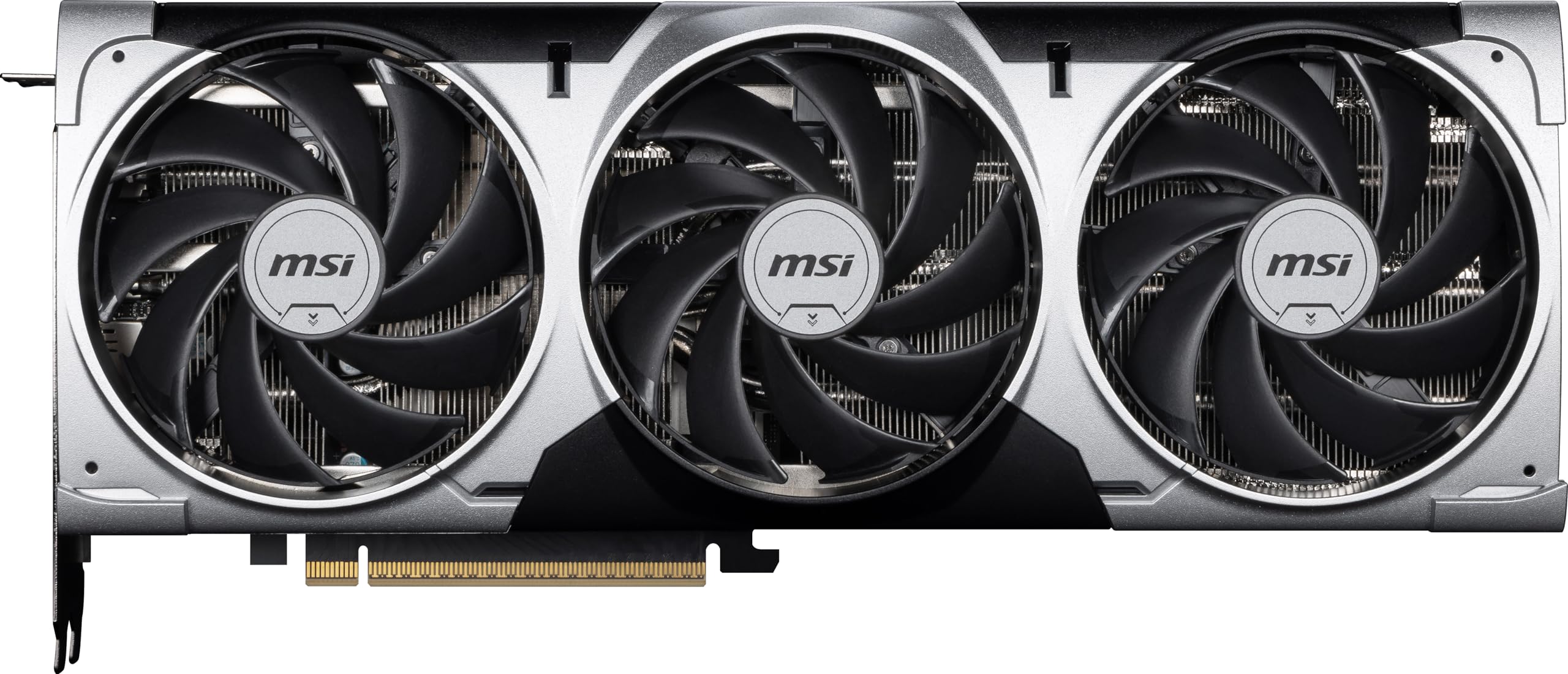
The MSI RTX 5070 Ventus 3X OC delivers strong triple-monitor performance through NVIDIA’s Blackwell architecture, featuring 12GB of GDDR7 memory and a boost clock of 2557MHz. The TORX Fan 5.0 design uses linked fan blades with ring arcs to stabilize and maintain high-pressure airflow, keeping the card cool under the sustained load of three displays. The nickel-plated copper baseplate captures heat from both the GPU and memory efficiently.
Customers confirm excellent 1440p performance across multiple monitors, with one user noting the card runs 4K with DLSS 4 multi-frame generation and that the latency is unnoticeable in most games. The card is described as super quiet even during heavy gaming sessions, and the silver-and-black design is aesthetically pleasing. The core pipe features a square design to maximize contact with the GPU baseplate for optimal thermal management.
Some users report coil whine under load and that the card runs hot with loud fans at stock settings, recommending undervolting for improved acoustics. The 12GB VRAM is sufficient for triple 1440p gaming at high settings, but may require texture compromises for the most demanding recent titles. The card’s 11.9-inch length fits most mid-tower cases, and the metal backplate includes an airflow vent to reduce excess heat accumulation.
Why it’s great
- TORX Fan 5.0 provides excellent airflow for triple-monitor loads
- Nickel-plated copper baseplate efficiently manages heat from memory
- DLSS 4 delivers impressive 4K multi-monitor performance
Good to know
- Coil whine reported by some users under heavy load
- Undervolting recommended for optimal acoustic performance
7. PNY NVIDIA GeForce RTX 5070 OC Triple Fan 12GB
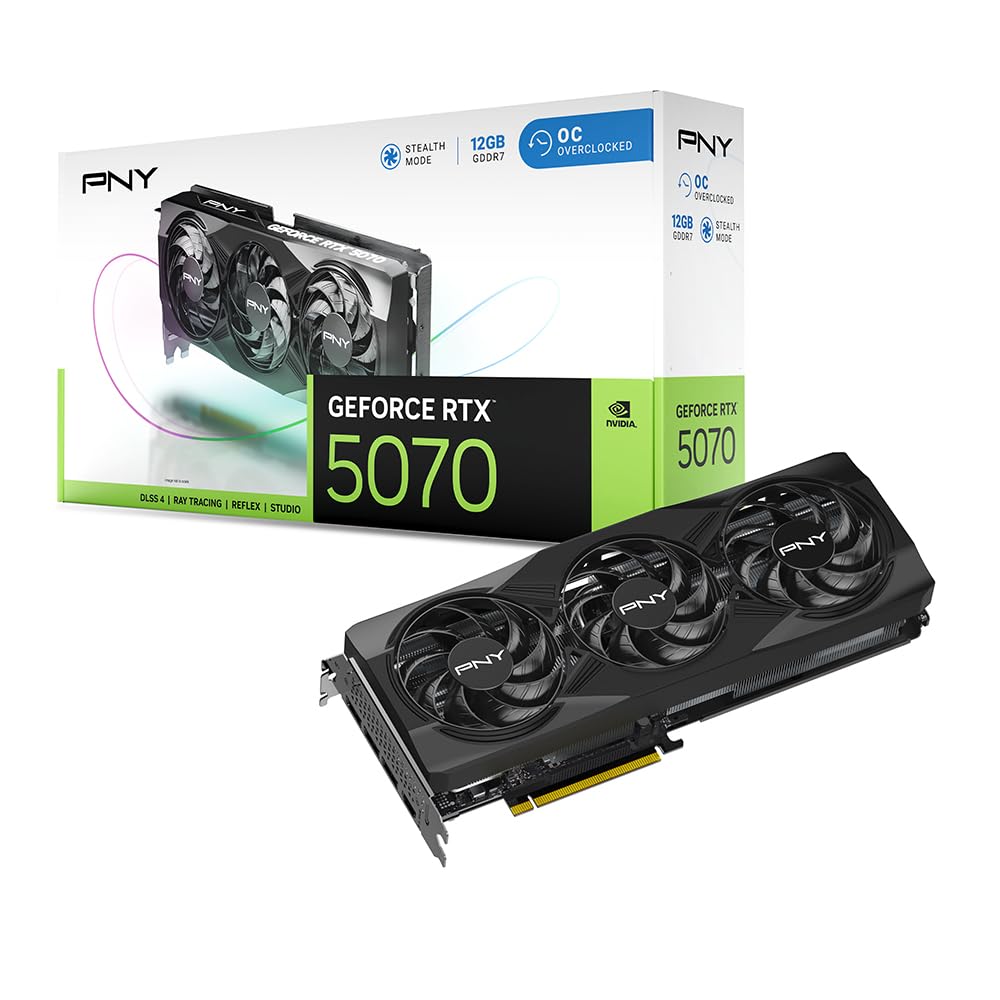
The PNY RTX 5070 OC Triple Fan is designed with small form factor (SFF) compatibility in mind, making it one of the more manageable RTX 5070 options for triple-monitor builds in compact cases. The 12GB GDDR7 memory runs at 17.5GHz, providing ample bandwidth for three 1440p or two 4K displays, while the triple-fan cooler keeps noise levels low during extended productivity sessions. The boost clock of 2587MHz offers a factory overclock for immediate performance gains.
Customer reviews highlight excellent 1440p gaming performance across monitors, with users noting the fans are very quiet and the cooling is phenomenal, actually lowering case temperatures in some builds. The card includes a 12-pin to dual 8-pin power adapter, making it compatible with standard 750W fully modular power supplies. One user running a B650 board with a 5700X reported perfect compatibility and a 8% factory overclock with extra headroom for manual tuning.
The SFF-ready designation means this card is easier to fit in smaller cases than many competitors, though users should still verify dimensions. NVIDIA’s fifth-gen Tensor Cores and fourth-gen Ray Tracing Cores provide DLSS 4 support, which significantly boosts frame rates in supported titles across multiple monitors. The 12GB VRAM is sufficient for current-generation triple-monitor gaming, but the card’s compact cooling solution may run warmer in poorly ventilated cases than larger alternatives.
Why it’s great
- SFF-ready design fits smaller cases ideal for multi-monitor desks
- Factory OC reduces temperature in some builds due to efficient cooling
- Comes with 12-pin to dual 8-pin adapter for standard PSUs
Good to know
- Compact form factor may have limited overclocking headroom
- 12GB VRAM sufficient for 1440p but tight for triple 4K gaming
8. XFX Speedster SWFT210 Radeon RX 7600 8GB

The XFX Speedster SWFT210 RX 7600 offers a budget-friendly entry point into triple-monitor computing with 8GB of GDDR6 memory and a boost clock of up to 2655MHz. Based on AMD’s RDNA 3 architecture, this card excels at driving three 1080p displays for productivity, CAD work, and mid-range gaming. The dual-fan SWFT cooling solution keeps the compact card cool, and the boost clock provides snappy performance for everyday multi-monitor tasks.
Customer reviews confirm the card works well for VR setups and 1080p/1440p gaming at 60 FPS, with one user praising its easy installation on Linux and compatibility with multiple displays. Another reviewer noted the card is small, low power, and quiet, making it ideal for office environments where three monitors are used for spreadsheets, trading platforms, or development work. The HDMI and three DisplayPort outputs provide flexibility for connecting various monitor types.
The 8GB VRAM is the primary limitation for triple-monitor use. While sufficient for three 1080p panels in productivity applications, users looking to game across three monitors at higher resolutions may encounter memory limitations. The card performs well in emulators, indie games, and less demanding titles across multiple screens. Initial driver updates are recommended to resolve potential high-temperature issues, as some users reported crashes before updating.
Why it’s great
- Excellent value for three 1080p productivity monitors
- Low power draw and quiet operation ideal for office builds
- Compact form factor fits easily in most cases
Good to know
- 8GB VRAM limits triple-monitor gaming at higher resolutions
- Driver update required out of box for optimal temperatures
9. Maxsun AMD Radeon RX 580 8GB 2048SP 6x HDMI
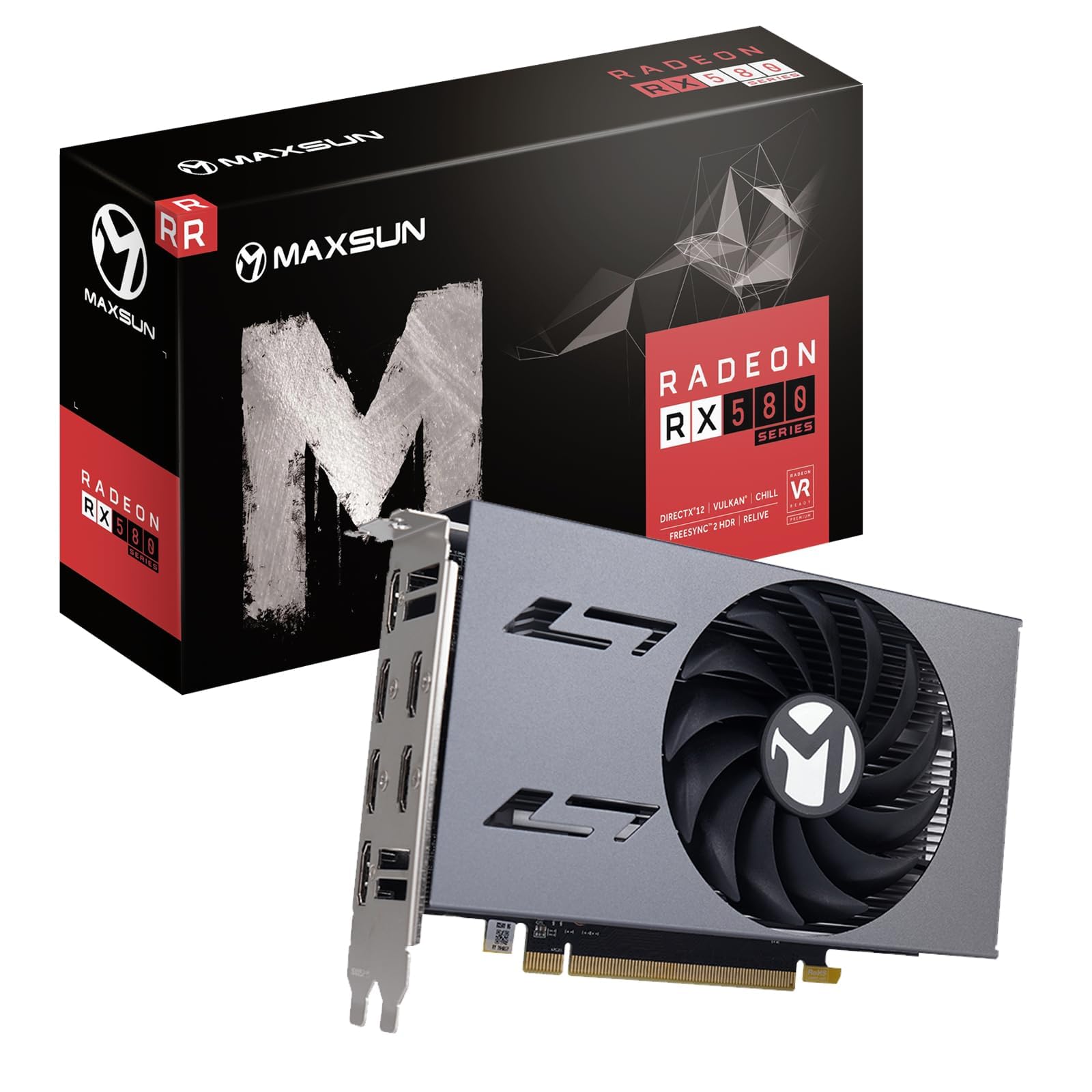
The Maxsun RX 580 8GB 2048SP stands out as the only card in this lineup with six HDMI ports, making it uniquely suited for users who need to connect multiple monitors without adapter cables. Based on AMD’s Polaris architecture with 8GB of GDDR5 memory on a 256-bit bus, this entry-level card can drive up to six 4K displays for productivity tasks, digital signage, stock trading, or security camera monitoring. The 1206MHz GPU clock and DirectX 12 support ensure compatibility with modern operating systems.
Customer feedback reveals mixed experiences, with one user noting initial display issues that were ultimately traced to a failing hard drive, after which the card worked flawlessly in an HP Victus desktop. Another reviewer confirmed the card provides decent 60 FPS gaming value for its tier but warned of lower performance than standard RX 580 models and noted the plastic dual-fan cooler feels cheap. The card requires a 750W power supply for stable operation, as one customer discovered after their system failed to boot with a 620W unit.
The RX 580’s age shows in its power efficiency and raw performance compared to modern cards. The 8GB GDDR5 memory is sufficient for three 1080p or two 4K productivity displays, but gaming across three monitors at modern resolutions will be severely limited. The metal backplate provides structural rigidity, and the card supports DirectX 12, Vulkan, and 4K video decode. This is a practical choice for budget-focused multi-monitor productivity builds where gaming performance is secondary.
Why it’s great
- Six HDMI ports eliminate adapter needs for multi-monitor setups
- 8GB GDDR5 on a 256-bit bus handles multiple 4K productivity displays
- Metal backplate adds durability for long-term use
Good to know
- Requires a 750W power supply for stable multi-monitor operation
- Performance significantly lower than modern budget GPUs
FAQ
Can any graphics card run three monitors simultaneously?
Will a 8GB graphics card support three 4K monitors?
Do I need DisplayPort 2.1 for three 4K 144Hz monitors?
Final Thoughts: The Verdict
For most users, the 3 monitor graphics card winner is the ASRock RX 9070 Challenger 16GB because its 16GB VRAM, 256-bit bus, and 0dB Silent mode deliver the best balance of triple-monitor gaming performance and productivity efficiency. If you need raw horsepower for triple 4K gaming with DLSS 4, grab the Sapphire Pulse RX 9070 XT 16GB. And for a budget three-1080p productivity setup, nothing beats the XFX Speedster RX 7600 8GB for its low power draw and quiet operation.