
Our readers keep the lights on and my morning glass full of iced black tea. As an Amazon Associate, I earn from qualifying purchases.
Looking at a 57-inch monitor is less about buying a screen and more about claiming a territory on your desk. Desktop ultrawide monitors this size are not just large displays—they are the equivalent of having two 32-inch 4K monitors side-by-side without the bezel gap, creating a panoramic workspace that completely changes how you interact with content. But the price of entry is steep, and the hardware needed to drive these massive panels requires careful consideration.
I’m Min — the co-founder and writer behind Gadgets Feed. This guide is the result of hundreds of hours spent analyzing display technologies, pixel densities, connectivity standards, and real-world GPU requirements to find the 57-inch monitors that actually deliver on their promise without becoming a desk-dominating headache.
The best 57 inch monitor delivers a dual 4K resolution that replaces your multi-monitor setup with a single seamless canvas for gaming, productivity, and creative work.
How To Choose The Best 57 Inch Monitor
A 57-inch monitor is a major investment in your computing experience. Choosing wisely requires understanding how resolution, refresh rate, panel technology, and connectivity interact to create the experience you want. Here are the critical factors to evaluate before buying.
Resolution: Dual 4K UHD vs. Standard Ultra-Wide Resolutions
The defining spec of a true 57-inch monitor is Dual 4K UHD resolution, or 7680 x 2160 pixels. This gives you the pixel density of two 4K monitors in one curved panel. Some monitors labeled as 49 inches use Dual QHD (5120 x 1440), which is significantly less sharp. For a 57-inch display, aim for the full 7680×2160 resolution to avoid a grainy, low-PPI appearance that makes text look soft and pixelated on the expansive screen.
Connectivity: Why DisplayPort 2.1 Is Non-Negotiable
Running 7680×2160 at 240Hz requires enormous bandwidth. DisplayPort 1.4 cannot handle this resolution at the full refresh rate without using Display Stream Compression (DSC), which can introduce occasional visual artifacts and complicate GPU compatibility. DisplayPort 2.1 provides the raw bandwidth needed to drive the monitor at its native resolution and refresh rate simultaneously. HDMI 2.1 is a good fallback for consoles but maxes out at 120Hz on most 57-inch models.
Panel Technology: Mini-LED vs. Standard VA vs. OLED
Most high-end 57-inch monitors use Mini-LED backlighting with thousands of local dimming zones. This provides deep black levels and high brightness (1000+ nits peak) for excellent HDR performance. Standard VA panels struggle with blooming and have lower brightness caps. OLED offers perfect blacks but is rare at this size, and burn-in risk remains a concern for static productivity elements like taskbars and spreadsheets. For a versatile 57-inch monitor, Mini-LED delivers the best balance of brightness, contrast, and longevity.
GPU Requirements: You Need Serious Hardware
Driving 7680×2160 pixels is roughly equivalent to powering two 4K monitors simultaneously. For gaming, an RTX 4080 or RX 7900 XTX is the minimum viable starting point, and even then, frame rates will vary heavily by title. For productivity, any modern GPU with DisplayPort 2.1 output can handle desktop tasks smoothly, but integrated graphics on older laptops will struggle to push the full resolution at 60Hz. Always check your GPU’s spec sheet for DisplayPort 2.1 support.
Quick Comparison
On smaller screens, swipe sideways to see the full table.
| Model | Category | Best For | Key Spec | Amazon |
|---|---|---|---|---|
| Samsung 57″ Odyssey Neo G9 (G95NC) | Premium | Dual 4K Gaming & Work | 7680×2160, 240Hz, Mini-LED, 1000R | Amazon |
| Acer Predator Z57 | Premium | Mini-LED with 2304 Zones | 7680×2160, 120Hz, Mini-LED, KVM | Amazon |
| Samsung 57″ Odyssey Neo G9 Bundle | Premium | Bundle with Extended Warranty | 7680×2160, 240Hz, Quantum Mini-LED | Amazon |
| INNOCN 49″ 49Q1S OLED | Mid-Range | OLED with 240Hz | 5120×1440, 240Hz, OLED, 0.03ms | Amazon |
| LG 45GS95QE Ultragear OLED | Mid-Range | 21:9 OLED Gaming | 3440×1440, 240Hz, OLED, 800R | Amazon |
| Samsung 49″ Business Curved Ultrawide | Mid-Range | Productivity with 90W USB-C | 5120×1440, 120Hz, VA, 1000R | Amazon |
| ASUS ROG Strix XG49VQ | Mid-Range | Budget Ultra-Wide Gaming | 3840×1080, 144Hz, VA, 1800R | Amazon |
| Dell UltraSharp U4025QW (40″) | Premium | 5K2K Productivity Hub | 5120×2160, 120Hz, IPS Black | Amazon |
| Dell UltraSharp U4025QW (40″) Alt | Premium | 5K2K with Thunderbolt Hub | 5120×2160, 120Hz, IPS Black | Amazon |
| INNOCN 27″ GA27W1Q OLED | Mid-Range | 4K OLED Gaming Value | 3840×2160, 240Hz, QD-OLED, 0.03ms | Amazon |
| LG 32U990A-S 6K Professional | Premium | 6K Creative Professional | 6144×3456, 60Hz, IPS Black, Thunderbolt 5 | Amazon |
| Kuycon G32P 6K Monitor | Premium | 6K Glossy Mac Alternative | 6144×3456, 60Hz, IPS, 223PPI | Amazon |
In‑Depth Reviews
1. Samsung 57″ Odyssey Neo G9 (G95NC) Series

The Samsung 57″ Odyssey Neo G9 is the benchmark for what a 57-inch monitor should be. Its 7680 x 2160 Dual UHD resolution delivers a pixel count that matches two 32-inch 4K monitors side-by-side, but in a seamless 1000R curved package. The Quantum Mini-LED backlighting with 2392 local dimming zones produces deep blacks and a peak brightness of 1000 nits, making HDR content in games like Forza Horizon 5 or Cyberpunk 2077 genuinely stunning.
At 240Hz with a 1ms response time and DisplayPort 2.1 input, this monitor is built for flagship GPUs. The RTX 4090 or RX 7900 XTX can push 7680×2160 at high frame rates in competitive titles, while the FreeSync Premium Pro keeps everything tear-free. The included CoreSync lighting and ergonomic stand with tilt, swivel, and height adjustment complete a package that defines the premium category.
Potential downsides include the 40-pound weight that requires a sturdy desk and a heavy-duty monitor arm for optimal positioning. Some users report firmware quirks with wake-from-sleep behavior, and the single DP 2.1 port means you’ll need to choose your primary connection carefully. For those building the ultimate workstation or gaming rig, this is the standard to beat.
Why it’s great
- World’s first Dual UHD monitor at 57 inches
- 240Hz refresh rate with DisplayPort 2.1
- 2392-zone Mini-LED delivers exceptional HDR
- 1000R curvature matches human field of view
Good to know
- Weighs 40 pounds without stand
- Firmware sleep/wake issues reported
- Requires premium GPU for full 240Hz
- Only one DisplayPort 2.1 port
2. Acer Predator Z57

The Acer Predator Z57 goes head-to-head with Samsung’s flagship, offering the same 57-inch 7680×2160 Dual UHD resolution with a 2304-zone Mini-LED backlight. The 1000R curvature and VESA DisplayHDR 1000 certification ensure deep blacks and bright highlights, while the 98% DCI-P3 color gamut delivers rich, accurate colors out of the box for both gaming and content creation.
Where the Predator Z57 differentiates itself is in connectivity and ergonomics. The integrated KVM switch lets you control two devices with a single keyboard and mouse—a killer feature for users who split time between a gaming PC and a work laptop. The USB-C port provides 90W power delivery, and dual HDMI 2.1 inputs support next-gen consoles at 4K 120Hz. The dual 10W speakers are also a welcome addition for desk setups without external audio.
The refresh rate caps at 120Hz rather than 240Hz, which is a notable trade-off for competitive gamers. Some users have reported quality control issues with dead pixels and ghosting, so purchasing from a retailer with a good return policy is wise. For creative professionals and console gamers who value connectivity over max refresh rate, the Predator Z57 is a compelling alternative.
Why it’s great
- 2304 Mini-LED zones for excellent HDR
- Built-in KVM switch for dual-PC setups
- USB-C 90W power delivery included
- Dual 10W speakers for desk audio
Good to know
- 120Hz refresh rate max
- QC issues reported by some users
- Bulky stand takes significant desk space
- Dual 10W speakers lack bass
3. Samsung 57″ Odyssey Neo G9 Bundle

This bundle version of the Samsung Odyssey Neo G9 pairs the same excellent 57-inch 7680×2160 panel and 240Hz Quantum Mini-LED display with a 2-year CPS enhanced protection pack. For a premium investment like a 57-inch monitor, the extended warranty provides peace of mind against defects and performance issues that can emerge after the first year of use.
The core monitor performance is identical to the standard G95NC—same 1000R curve, same 2392 local dimming zones, same DisplayPort 2.1 input, and same 1ms response time. The bundle also includes a Tech Smart USA Elite Suite 18 software bundle with office and photo editing tools, though some user reports indicate the software redemption process has been inconsistent. Buy this bundle primarily for the extended warranty, treating the software as a potential bonus.
The main drawback is the price premium over the standalone unit, which amounts to roughly extra. If you already have a solid warranty path through your credit card or retailer, the standalone version may be the better financial choice. For those who prefer all-in-one protection and don’t mind the bundle software, this is a hassle-free way to secure your investment.
Why it’s great
- Same premium 57″ Dual UHD 240Hz panel
- 2-year extended CPS protection included
- Includes software bundle for office tasks
- Quantum Mini-LED with 2392 zones
Good to know
- Premium price over standalone unit
- Software bundle redemption issues reported
- Requires HDMI 2.1 or DP 2.0 for best experience
- Large packaging, heavy to handle
4. Dell UltraSharp U4025QW (40 Inch)

The Dell UltraSharp U4025QW is the productivity king for professionals who need color accuracy and text clarity above all else. Its 40-inch 5120 x 2160 WUHD resolution (5K2K) offers 140 PPI, making text razor-sharp and spreadsheets readable without scaling headaches. The IPS Black technology delivers a 2000:1 contrast ratio, which is double that of standard IPS panels, giving deeper blacks while maintaining wide viewing angles.
Connectivity is where this monitor truly shines as a hub. The Thunderbolt 4 port delivers 140W of power delivery to a laptop, while HDMI 2.1, DP 1.4, and a built-in KVM switch allow seamless transitions between a work laptop and a desktop PC. The 120Hz refresh rate is a welcome upgrade from the usual 60Hz productivity monitors, making scrolling through code or documents feel fluid without the power draw of gaming monitors.
The 8ms response time and 300 cd/m2 typical brightness mean this is not a gaming monitor, though casual titles look fine at 120Hz. The price point is premium, reflecting the Dell UltraSharp brand’s reputation for color calibration and build quality. For developers, video editors, and financial analysts who spend eight hours a day staring at text, this monitor justifies its cost through reduced eye strain and increased productivity.
Why it’s great
- 5K2K resolution at 140 PPI for sharp text
- IPS Black panel with 2000:1 contrast
- Thunderbolt 4 with 140W power delivery
- 120Hz refresh rate for fluid scrolling
Good to know
- Expensive for a productivity monitor
- 8ms response time not for competitive gaming
- Built-in speakers are mediocre
- Confusing initial setup instructions
5. Dell UltraSharp U4025QW (Alt Listing)

This alternative listing for the Dell UltraSharp U4025QW offers the same 40-inch 5120×2160 IPS Black panel with a 120Hz refresh rate but emphasizes its 600-nit brightness rating and robust connectivity hub. The Thunderbolt 4 interface with 140W charging makes it an ideal single-cable solution for MacBook Pro and Dell XPS users who want a clean desk setup without dongles.
The 5K2K aspect ratio at 21:9 is perfectly suited for professional workflows. Video editors can see a full 4K timeline with toolbars on the sides, developers can fit three code windows side-by-side, and spreadsheet users can view 50+ columns without horizontal scrolling. The Dell Display Manager software allows easy window snapping without third-party tools, and the built-in KVM lets you control two PCs with one keyboard and mouse.
Some users report that the downward-facing ports make cable management tricky, and the 5ms response time means this is not a gaming-focused display. The price is identical to the primary listing, so choose whichever has better stock. For creative professionals who prioritize color accuracy, text clarity, and a clean hub setup, this is the definitive productivity monitor in its class.
Why it’s great
- 600-nit peak brightness for bright rooms
- Thunderbolt 4 with 140W laptop charging
- Built-in KVM for dual-PC control
- Dell Display Manager for window management
Good to know
- Downward-facing ports complicate cabling
- 5ms response time, not for gaming
- Large power brick takes outlet space
- Requires Thunderbolt for full 120Hz
6. INNOCN 49″ 49Q1S OLED Curved Gaming Monitor

The INNOCN 49Q1S brings OLED technology to the ultra-wide space at a more accessible price than Samsung’s premium offerings. The 49-inch 5120×1440 resolution delivers a 32:9 aspect ratio with a 1800R curve, and the OLED panel offers infinite contrast ratio with perfect blacks. The 0.03ms response time and 240Hz refresh rate make this one of the fastest screens in its class for competitive gaming.
Connectivity is generous for the mid-range tier: dual DP 1.4 ports, HDMI 2.1, USB-C with 90W power delivery, and even an RJ45 Ethernet port for wired networking. The picture-in-picture and picture-by-picture modes let you connect two sources simultaneously, showing content from a gaming PC and a work laptop on the same screen. The glossy OLED finish produces vibrant colors that pop, though it can reflect light in bright rooms.
Some users report that certain applications don’t scale well at 5120×1440, resulting in tiny text or misaligned UI elements. The built-in speakers are basic, and the back LED lighting is not customizable. For gamers who want OLED blacks and 240Hz performance in an ultra-wide format without paying Dual UHD prices, the 49Q1S delivers outstanding motion clarity and color.
Why it’s great
- OLED panel with infinite contrast ratio
- 240Hz refresh rate with 0.03ms response
- USB-C 90W power delivery included
- PIP/PBP for dual-source viewing
Good to know
- Some apps don’t scale at 5120×1440
- Glossy screen reflects ambient light
- Basic built-in speakers
- Non-customizable back LED lighting
7. LG 45GS95QE Ultragear OLED Curved Gaming Monitor
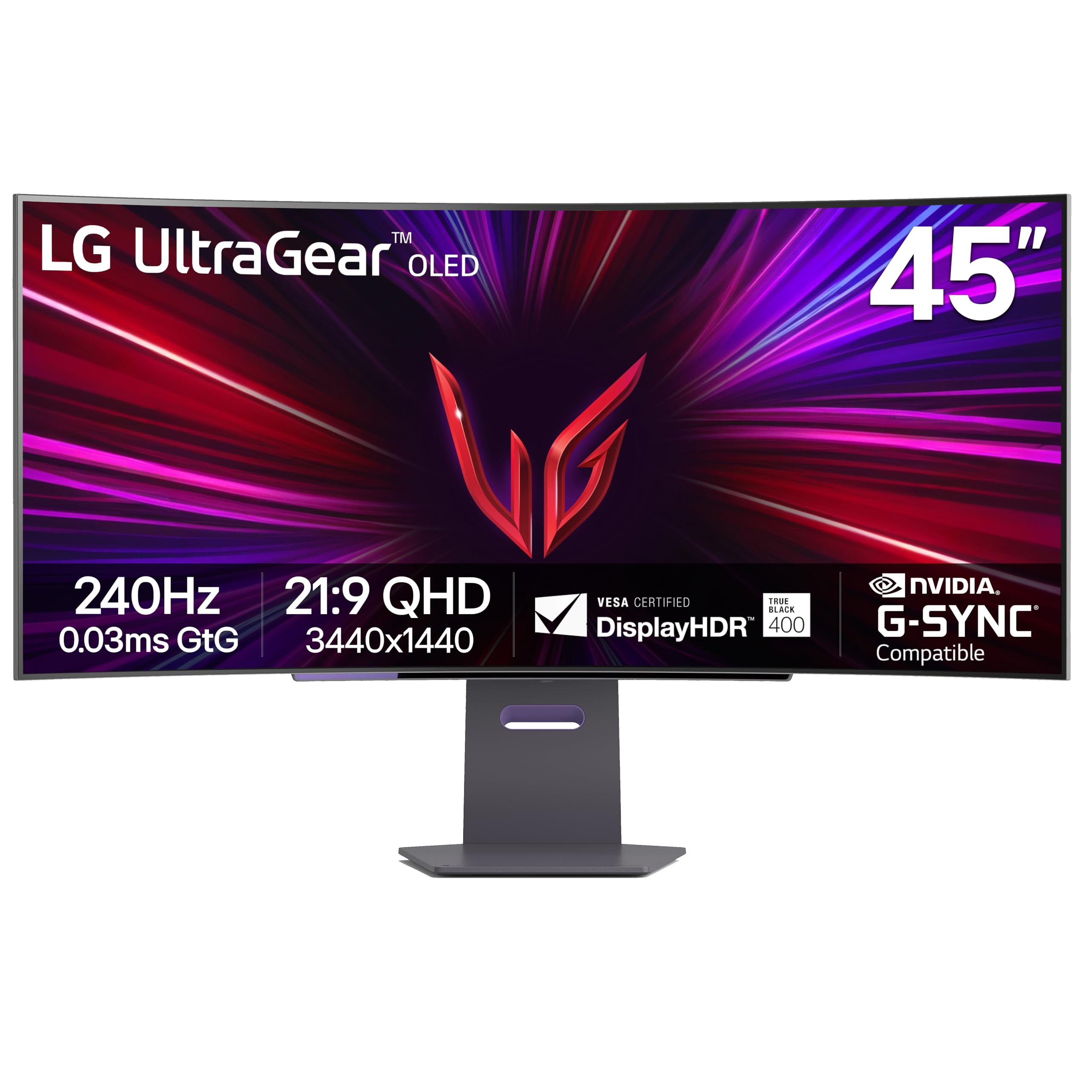
The LG 45GS95QE takes a different approach to immersive gaming with its 45-inch 21:9 aspect ratio and an aggressive 800R curve. This steep curvature wraps the display around your peripheral vision, making it feel like you’re inside the game world rather than looking through a window. The OLED panel produces perfect blacks and 275 nits of typical brightness, with DisplayHDR True Black 400 certification for excellent contrast in dark scenes.
At 3440×1440 resolution, this monitor is actually easier to drive than true Dual UHD panels, making it a better match for mid-range GPUs like the RTX 4070 or RX 7800 XT. The 240Hz refresh rate and 0.03ms response time eliminate ghosting completely, and the NVIDIA G-Sync Compatible certification ensures tear-free gameplay. The anti-glare low reflection coating minimizes distractions in well-lit rooms, a practical advantage over glossy OLED alternatives.
The pixel density at 45 inches and 3440×1440 is lower than 4K options, measuring around 83 PPI. This makes text slightly less sharp for productivity work compared to 32-inch 4K monitors. The built-in speakers are functional but lack bass, and the menu system requires button navigation rather than a remote. For sim racing, flight sims, and open-world RPGs where peripheral immersion matters more than pixel density, this LG delivers a uniquely enveloping experience.
Why it’s great
- 800R curve for maximum immersion
- OLED with DisplayHDR True Black 400
- 240Hz with G-Sync Compatible
- Anti-glare coating for bright rooms
Good to know
- 83 PPI makes text less sharp
- No remote control included
- Built-in speakers lack bass
- Requires tweaking for optimal HDR
8. ASUS ROG Strix XG49VQ

The ASUS ROG Strix XG49VQ offers a 49-inch 3840×1080 resolution at a significantly lower price point than Dual UHD alternatives. This DFHD (Dual Full HD) resolution gives you the screen real estate of two 27-inch 1080p monitors without the bezel, and the 144Hz refresh rate with FreeSync 2 HDR keeps gameplay smooth. The 1800R curvature is gentle enough for productivity but provides some immersion for gaming.
The VA panel delivers a 3000:1 contrast ratio, which is solid for the price range, and the 90% DCI-P3 coverage provides decent color accuracy for editing tasks. The stand offers swivel, tilt, and height adjustment, and VESA mounting is supported for custom setups. The monitor includes GamePlus overlays and GameVisual color modes to optimize different game genres without diving into the OSD menu.
The 3840×1080 resolution at 49 inches results in a low pixel density of roughly 82 PPI, making text appear pixelated compared to higher-resolution panels. Some users report FreeSync flicker when using Nvidia GPUs, and the HDR 400 certification offers minimal real-world improvement over SDR. For budget-conscious users who want the ultra-wide form factor for productivity and casual gaming, the XG49VQ provides the experience without the premium price tag.
Why it’s great
- Budget-friendly entry to ultra-wide computing
- 144Hz refresh rate for smooth gaming
- Height-adjustable stand with VESA support
- VA panel with 3000:1 contrast ratio
Good to know
- Low PPI makes text look pixelated
- HDR 400 provides minimal improvement
- FreeSync flicker with Nvidia GPUs
- Plastic build feels less premium
9. Samsung 49″ Business Curved Ultrawide

The Samsung 49-inch Business Curved Ultrawide is built for productivity first, gaming second. Its 5120×1440 Dual QHD resolution in a 32:9 format gives you enough screen real estate to run three full-size windows side-by-side without overlapping. The 1000R curve matches the natural curvature of the human eye, reducing eye strain during long work sessions, and the VESA DisplayHDR 400 certification provides acceptable dynamic range for video and design work.
The connectivity suite turns this monitor into a productivity hub. USB-C with 90W power delivery lets you charge a laptop while transmitting video data through a single cable, eliminating the need for a separate docking station. The 120Hz refresh rate is a bonus for fluid scrolling through documents and spreadsheets, and the built-in speakers free up desk space by removing the need for external audio.
The VA panel’s 3000:1 contrast ratio delivers deep blacks for an LCD panel, but viewing angles are narrower than IPS, which can cause color shifting at the edges of the wide screen. The included stand is height-adjustable but takes significant desk depth. For professionals who want a single-monitor solution for coding, data analysis, or design work, this Samsung delivers a clean, productive setup at a mid-range price.
Why it’s great
- 5120×1440 resolution for three-window multitasking
- USB-C 90W power delivery for laptop charging
- 1000R curve reduces eye strain
- 120Hz refresh rate for fluid scrolling
Good to know
- VA panel has narrower viewing angles
- Stand takes significant desk depth
- Built-in speakers are adequate at best
- HDR 400 is entry-level HDR
10. INNOCN 27″ GA27W1Q OLED Gaming Monitor

The INNOCN GA27W1Q brings QD-OLED technology to a 27-inch 4K format at a price that undercuts major brands by hundreds of dollars. The 3840×2160 resolution with 240Hz refresh rate and 0.03ms response time makes it a powerhouse for competitive gaming where every millisecond counts. The 99% DCI-P3 color gamut and HDR 400 certification deliver vibrant, accurate colors for both gaming and content creation.
The monitor includes dual HDMI 2.1 ports and dual DP 1.4 ports, making it compatible with PS5 and Xbox Series X at 4K 120Hz. The VRR support and G-Sync compatibility provide tear-free gameplay across supported GPUs. The 10-bit color depth with 1.07 billion color support ensures smooth gradients without color banding in HDR content. The white color scheme and LED atmosphere lighting give it a distinct aesthetic that stands out on any desk.
Some users report cheap build quality with flimsy stand materials and a poorly designed OSD menu. The external power brick has short cables that complicate cable management. For gamers who want QD-OLED motion clarity and 4K resolution without paying LG or ASUS prices, the GA27W1Q offers flagship panel performance with some sacrifices in build quality and user experience.
Why it’s great
- QD-OLED with 4K 240Hz at a low price
- 99% DCI-P3 for accurate color reproduction
- HDMI 2.1 for next-gen console support
- 0.03ms response time for competitive gaming
Good to know
- Cheap build quality and flimsy stand
- External power brick with short cables
- Confusing OSD with no manual
- Poor speaker quality
11. LG 32U990A-S 6K Professional Monitor

The LG 32U990A-S is the world’s first 6K monitor with Thunderbolt 5 connectivity. Its 6144×3456 resolution at 224 PPI provides 156% more pixels than standard 4K, making it the definitive monitor for creative professionals who need to edit 6K video without scaling or pixel-peep in photo retouching. The Nano IPS Black panel delivers a 2000:1 contrast ratio with 98% DCI-P3 and 99.5% Adobe RGB coverage, meeting the demands of professional color grading workflows.
Thunderbolt 5 provides 80Gbps bidirectional bandwidth, allowing daisy-chaining multiple 6K monitors over a single cable. The 96W power delivery charges professional laptops like the MacBook Pro 16-inch even under heavy load. DisplayPort 2.1 and HDMI 2.1 provide additional connectivity, and the TÜV Rheinland Eye Comfort certification ensures comfortable viewing during all-day editing sessions.
The 60Hz refresh rate limits fluidity for anyone accustomed to high-refresh gaming monitors, and the response time is not suited for fast-paced titles. Some users report wake-from-sleep issues that require power cycling the monitor. For creative professionals who prioritize pixel density, color accuracy, and Thunderbolt 5 connectivity over gaming performance, the LG UltraFine evo sets a new standard in professional displays.
Why it’s great
- 6K resolution at 224 PPI for extreme sharpness
- Thunderbolt 5 with 80Gbps bandwidth
- 98% DCI-P3 and 99.5% Adobe RGB coverage
- Nano IPS Black with 2000:1 contrast
Good to know
- 60Hz refresh rate, not for gaming
- Expensive compared to 5K alternatives
- Wake-from-sleep issues reported
- Large power brick included
12. Kuycon G32P 6K Glossy Monitor
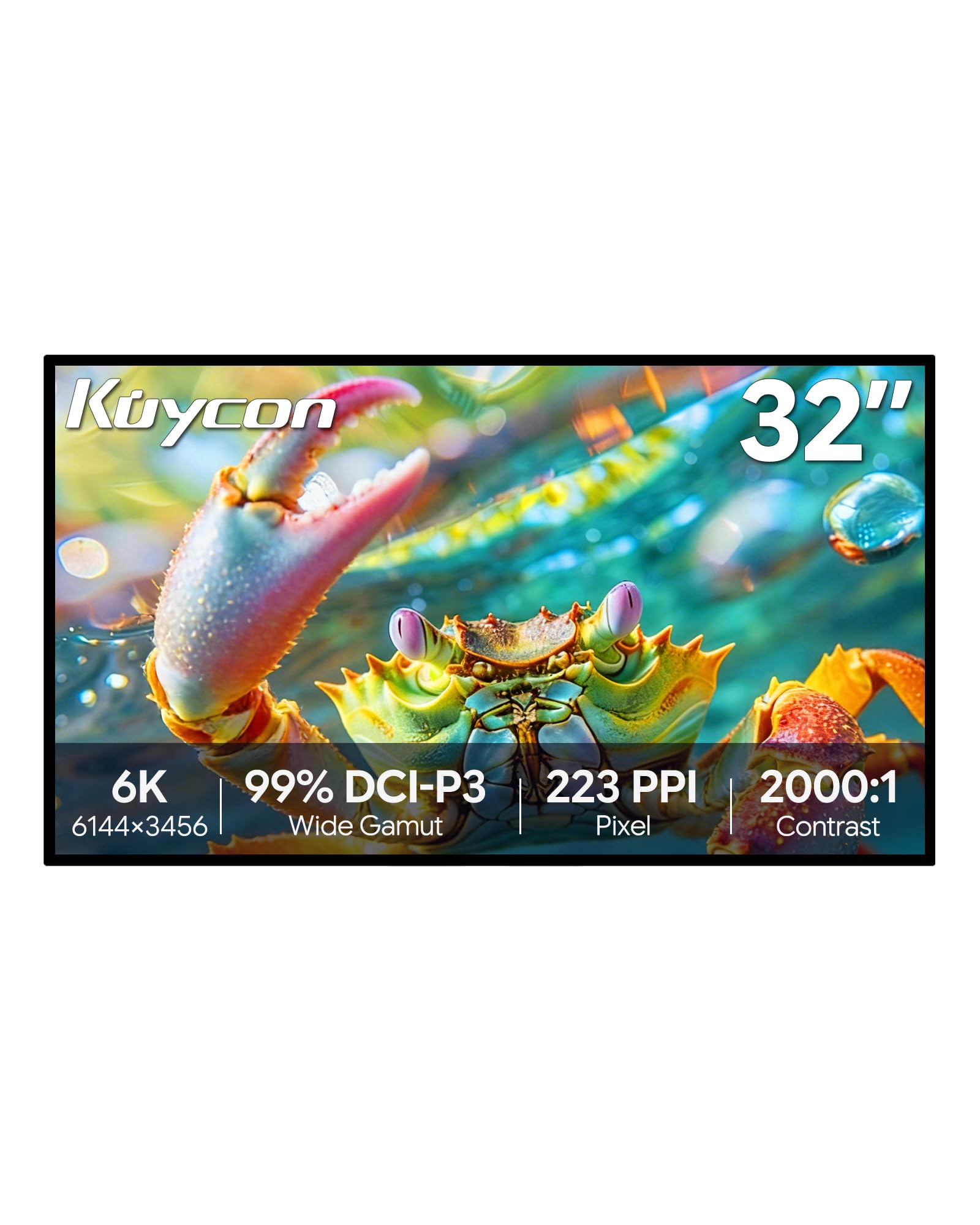
The Kuycon G32P 6K monitor is the closest alternative to Apple’s Pro Display XDR for users who prefer a glossy panel without the price tag. The 32-inch 6144×3456 resolution delivers 223 PPI, matching the sharpness of Apple’s Retina displays. The IPS panel with 99% sRGB and 99% DCI-P3 coverage provides accurate colors out of the box, and the 2000:1 contrast ratio delivers deeper blacks than typical IPS displays.
The all-aluminum chassis with honeycomb cooling gives it a premium build quality that rivals far more expensive monitors. Connectivity includes HDMI, DisplayPort, and USB-C with 100W power delivery, making it a viable single-cable solution for MacBook Pro users. The 500-nit peak brightness ensures visibility in well-lit environments, and the 178-degree viewing angles maintain color consistency across the wide screen.
Some users report that the remote control is required to power on the monitor, and the glossy screen reflects ambient light significantly—making it unsuitable for rooms with windows behind the user. Quality control issues have been noted, with some units arriving DOA or developing signal issues after OS updates. For Mac users who want 6K Retina-quality sharpness and glossy colors without paying Apple’s premium, the Kuycon G32P offers a compelling if slightly risky alternative.
Why it’s great
- 6K 223 PPI matches Apple Retina sharpness
- Glossy screen for vibrant, high-contrast colors
- Aluminum build with premium feel
- 100W USB-C power delivery included
Good to know
- Glossy screen reflects ambient light
- Remote required for power-on
- Quality control can be inconsistent
- No built-in speakers
FAQ
Can my GPU actually run a 57-inch Dual UHD monitor at 240Hz?
Should I get a 57-inch monitor or two separate 32-inch 4K monitors?
Is Mini-LED better than OLED for a 57-inch monitor?
Will a 57-inch monitor fit on my desk?
Final Thoughts: The Verdict
For most users, the best 57 inch monitor winner is the Samsung 57″ Odyssey Neo G9 (G95NC) because it delivers the full Dual UHD 7680×2160 resolution at 240Hz with Mini-LED backlighting, setting the standard for the category. If you want a 57-inch panel with a built-in KVM switch and dual 10W speakers for a more versatile workstation, grab the Acer Predator Z57. And for immersive sim racing with a steep 800R curve and OLED motion clarity that’s easier on your GPU, nothing beats the LG 45GS95QE Ultragear OLED.