
Our readers keep the lights on and my morning glass full of iced black tea. As an Amazon Associate, I earn from qualifying purchases.
The line between laptop and tablet has blurred, but the price gap between premium hybrids and traditional clamshells remains stubbornly wide. A budget hybrid shouldn’t mean sacrificing the core experience of touch navigation and flexible modes—it should deliver the essential laptop and tablet functionality without the premium markup.
I’m Min — the co-founder and writer behind Gadgets Feed. I focus on dissecting product specifications and real-world performance trade-offs in the value-focused laptop segment, analyzing which components and build choices actually matter when the budget is constrained.
After evaluating dozens of models across Windows, ChromeOS, and macOS, I’ve narrowed the field to the options that genuinely deliver convertible versatility without breaking the bank. This guide covers the best budget 2 in 1 laptops that balance touchscreen flexibility with solid everyday performance.
How To Choose The Best Budget 2 In 1 Laptops
A hybrid design adds complexity—hinges, touch digitizers, and detachable keyboards all need to work reliably. For a budget 2-in-1, you are trading raw processor speed for form factor flexibility. The key is knowing which corners can be cut without breaking the convertible experience.
Hinge Mechanism: 360-Degree vs Detachable
360-degree hinges (like the Lenovo Yoga or Acer Spin series) keep the keyboard attached at all times and offer four distinct modes: laptop, tent, stand, and tablet. Detachable designs (like the QAZIPO or BNCF) let you leave the keyboard behind entirely, making the tablet mode thinner and lighter. A 360-degree hinge is sturdier for typing on your lap, while a detachable is better for pure media consumption. Your choice depends on whether you type more than you swipe.
Processor and Memory Floor
For a budget 2-in-1, the processor determines whether the touch interface feels responsive or sluggish. An Intel N100, Celeron N4500, or MediaTek Kompanio chip handles basic web browsing, office documents, and streaming adequately. For light multitasking with multiple browser tabs and apps, aim for at least 8GB of RAM. Anything less than 8GB will cause noticeable stuttering when switching between apps or using the touchscreen to multitask. The processor also affects battery life—chips like the Snapdragon X or Intel Core Ultra offer much better efficiency than older Pentium Gold models.
Display Quality and Touch Responsiveness
Touch responsiveness is the single most important usability factor for a 2-in-1. A cheap digitizer that registers touches with a noticeable delay ruins the tablet experience. Focus on models with IPS panels for better viewing angles—essential when the screen is flipped into tent or stand mode. Resolution matters less than color accuracy and brightness; a 1920×1080 IPS panel is the sweet spot for budget hybrids. Also check whether the screen supports active stylus input if you plan to draw or take handwritten notes.
Battery Capacity and Charging
A hybrid device that dies before the end of a school day or work shift defeats the purpose of a portable convertible. Look for a battery capacity around 40Wh or higher. Models with efficient processors (like the Snapdragon X or Core Ultra) can reach 10+ hours. Type-C fast charging is a major convenience—many budget models still use barrel chargers. A USB-C port that supports Power Delivery lets you charge with the same cable as your phone or tablet.
Quick Comparison
On smaller screens, swipe sideways to see the full table.
| Model | Category | Best For | Key Spec | Amazon |
|---|---|---|---|---|
| Lenovo Yoga 7i | Premium | Heavy multitasking and media | Intel Ultra 7 155U / 16GB RAM | Amazon |
| HP OmniBook 3 | Premium | All-day battery and AI tasks | Snapdragon X X1-26-100 / 16GB RAM | Amazon |
| Lenovo IdeaPad 5 Flex | Premium | Versatile convertible with premium feel | Intel Ultra 5 225U / 512GB SSD | Amazon |
| Apple MacBook Neo | Mid-Range | Ecosystem integration and performance | A18 Pro chip / 8GB Unified Memory | Amazon |
| Acer Aspire Go 15 | Mid-Range | Raw performance for productivity | AMD Ryzen 7 7730U / 16GB RAM | Amazon |
| Dell Latitude 5320 | Mid-Range | Business-grade build (renewed) | Intel i7-1185G7 / 32GB RAM | Amazon |
| Acer Chromebook Plus 515 | Mid-Range | Security and Google ecosystem | Intel Core i3-1305U / 8GB RAM | Amazon |
| ASUS Chromebook Flip CX1 | Value | Durable Chromebook with long battery | Intel Celeron N4500 / 8GB RAM | Amazon |
| Tylvx 15.6″ Flip | Value | Large screen convertible at low cost | Intel m3-8100Y / 16GB RAM | Amazon |
| BNCF NewBook 11 | Budget | Ultra-portable detachable tablet | Intel N150 / 12GB RAM | Amazon |
| QAZIPO 10.1″ Tablet | Budget | Entry-level hybrid for students | Intel 6500Y / 8GB RAM | Amazon |
In‑Depth Reviews
1. Lenovo Yoga 7i 2-in-1 Business Laptop (16″ FHD+ Touchscreen)
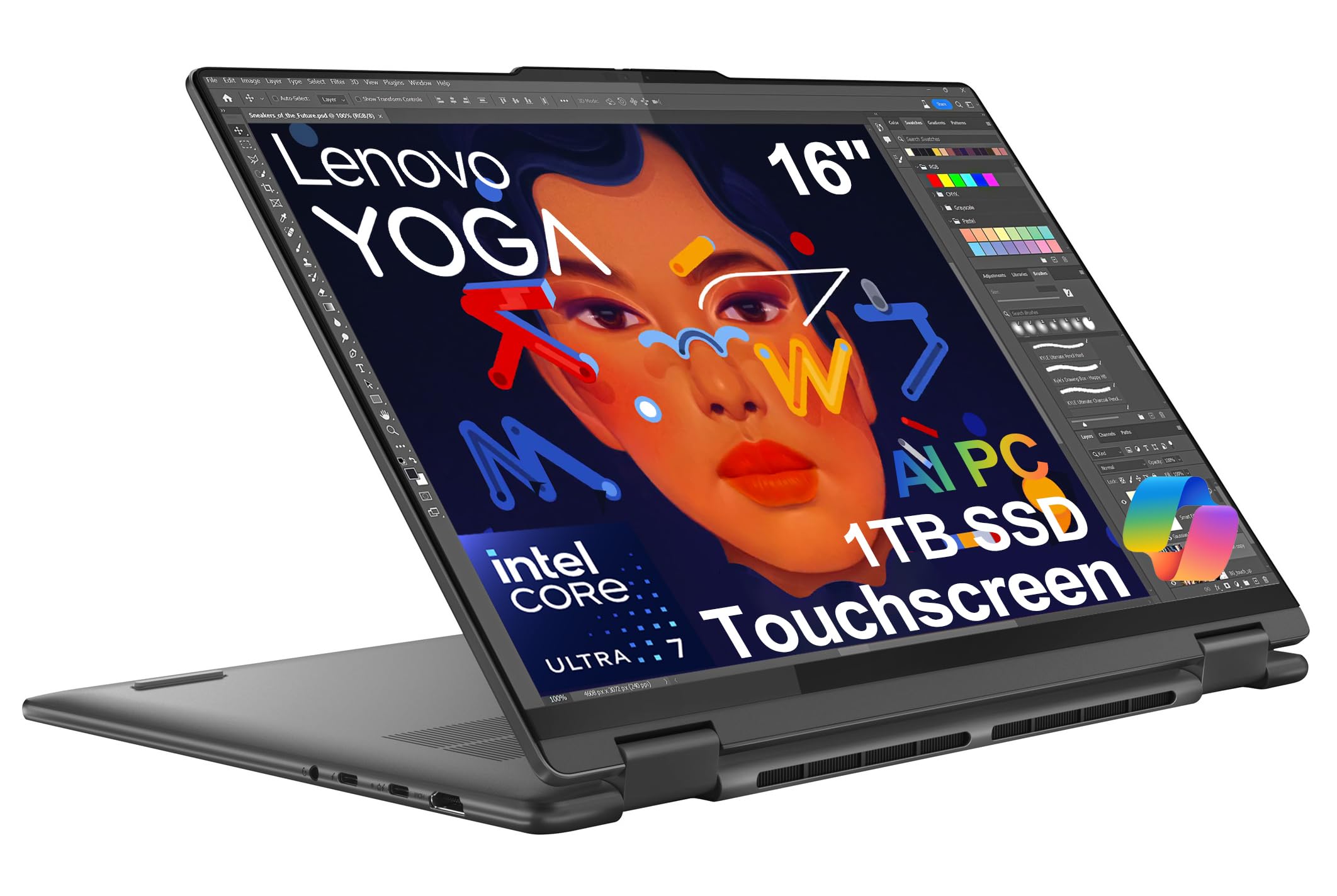
The Lenovo Yoga 7i represents the pinnacle of what a budget-conscious buyer can expect from a 2-in-1. Its 16-inch WUXGA touchscreen with 10-point multi-touch delivers a responsive and spacious canvas for note-taking, design work, or media consumption. The 360-degree hinge feels robust, allowing smooth transitions between laptop, tent, stand, and tablet modes without wobble.
Under the hood, the Intel Core Ultra 7 155U processor with 12 cores and a dedicated NPU accelerates AI workloads and handles demanding multitasking with ease. The 16GB of soldered LPDDR5x memory ensures that even with dozens of browser tabs, office suites, and creative apps open, the system remains fluid. The 1TB PCIe NVMe SSD provides ample storage and blistering read/write speeds for quick file access.
Connectivity is a standout feature here: dual Thunderbolt 4 ports, HDMI 2.1, USB-A ports, and a microSD card reader cover virtually every peripheral need. Wi-Fi 6E and Bluetooth 5.3 keep wireless connections future-proof. The backlit keyboard and fingerprint reader add daily convenience, while MIL-STD-810H certification means this hybrid can survive drops and environmental stress. The only trade-off is the 3-hour rapid charge claim—real-world battery life under heavy use is closer to 6-8 hours, still respectable for a powerful 16-inch device.
Why it’s great
- Thunderbolt 4 ports enable high-speed data transfer and external GPU support
- MIL-STD-810H durability ensures the hinge and chassis withstand daily abuse
- Dedicated NPU accelerates Copilot and AI features without taxing the CPU
Good to know
- RAM is soldered and cannot be upgraded after purchase
- Battery life under heavy load is shorter than advertised rapid charge claims
2. HP OmniBook 3 14 inch Next Gen AI PC

The HP OmniBook 3 is a radical departure from traditional x86 hybrids, powered by Qualcomm’s Snapdragon X X1-26-100 ARM processor. This chip delivers exceptional power efficiency, translating to a real-world battery life that can stretch beyond 12 hours of mixed productivity use—far exceeding any Intel or AMD competitor in this price bracket. The 2K IPS display (1920×1200) offers crisp detail and wide viewing angles, though it lacks touch input, which is a notable omission for a modern hybrid.
The 16GB of LPDDR5x RAM and 512GB PCIe Gen4 NVMe SSD provide snappy responsiveness for everyday tasks. The Qualcomm Adreno GPU handles casual gaming and graphics acceleration without breaking a sweat. The 1080p FHD IR camera with HDR auto-switch ensures you look professional in video calls, while the integrated Otter.ai assistant adds AI-powered transcription and note-taking capabilities directly into the workflow.
Build quality is excellent with a sturdy metal chassis and HP Fast Charge that refills the battery from 0 to 50% in about 45 minutes. However, the ARM architecture introduces compatibility quirks—some legacy x86 apps may run slower or require emulation. The lack of a touchscreen on a device marketed as a “Next Gen AI PC” feels like a missed opportunity for true hybrid functionality. If battery life is your highest priority and you rarely use touch input, this is a compelling choice.
Why it’s great
- Over 12 hours of real-world battery life for all-day productivity
- Fast charging reaches 50% in under 45 minutes with USB-C PD
- Integrated NPU enables on-device AI tasks without cloud dependency
Good to know
- No touchscreen limits the 2-in-1 versatility
- ARM architecture may cause compatibility issues with some legacy Windows apps
3. Lenovo IdeaPad 5 Flex 2-in-1 14″ Touchscreen Laptop

The Lenovo IdeaPad 5 Flex strikes an excellent balance between price and performance, powered by the Intel Core Ultra 5 225U with 12 cores (2P + 8E + 2LPE). This 14-inch convertible delivers snappy responsiveness for office work, web browsing, and media streaming. The 1920×1200 IPS touchscreen provides extra vertical screen real estate compared to standard 16:9 panels, which is beneficial for reading documents and browsing websites.
The 8GB of soldered LPDDR5x-8000 RAM is sufficient for moderate multitasking, but power users may find it limiting with many browser tabs or virtual desktops. The 512GB PCIe 4.0 NVMe SSD is fast and user-upgradable—a rare feature in budget hybrids. The integrated Intel Graphics handles basic photo editing and 4K video playback smoothly, but don’t expect to run modern games at playable frame rates.
The 360-degree hinge is sturdy and allows smooth transitions between modes. The backlit keyboard offers a comfortable typing experience, and Dolby Audio provides clear sound for a laptop of this size. Wi-Fi 6 ensures fast wireless connectivity. The main drawback is the 8GB RAM ceiling, which may feel tight in a couple of years as applications demand more memory. If you can live with 8GB or plan to use cloud-based workflows, this is a fantastic value proposition.
Why it’s great
- User-upgradable M.2 SSD for future storage expansion
- 16:10 aspect ratio provides more vertical screen space for productivity
- Premium aluminum build quality at a mid-range price point
Good to know
- 8GB RAM is soldered and not upgradeable
- No SD card reader included for photographers
4. Apple 2026 MacBook Neo 13-inch Laptop with A18 Pro chip

The Apple MacBook Neo is a fascinating entry into the budget 2-in-1 conversation—though it is technically a traditional clamshell, not a convertible. Its A18 Pro chip delivers exceptional performance for everyday tasks, with unified memory that allows the system to feel faster than its 8GB specification suggests. The 13-inch Liquid Retina display at 2408×1506 resolution offers stunning clarity and color accuracy that rivals premium laptops.
The 1080p FaceTime HD camera and dual-mic array provide excellent video call quality, making it a strong choice for remote work and online classes. The up to 16 hours of battery life is among the best in class, easily lasting through a full day of classes or work. The aluminum chassis feels premium, and the Citrus color option adds a refreshing pop of personality.
However, the MacBook Neo lacks true 2-in-1 functionality—there is no touchscreen and no 360-degree hinge. It relies on macOS touch alternatives like the trackpad gestures and iPhone Mirroring for tablet-like interactions. The 256GB SSD is limited for media-heavy users, and the single USB-C port configuration (with a USB 2.0 port) requires dongles for most peripherals. For users deeply embedded in the Apple ecosystem who prioritize performance and battery over touch input, the MacBook Neo is a powerful, albeit non-convertible, alternative.
Why it’s great
- 16-hour battery life sets the benchmark for all-day use
- A18 Pro chip delivers desktop-class performance in a fanless design
- Liquid Retina display with 500 nits brightness and P3 color gamut
Good to know
- No touchscreen or 360-degree hinge—this is not a true convertible
- Only 256GB SSD storage with no upgrade option
5. Acer Aspire Go 15 AI Ready Laptop

The Acer Aspire Go 15 is a traditional laptop that brings serious processing power to the table, powered by an AMD Ryzen 7 7730U with 8 cores and 16 threads. While it lacks the 360-degree hinge of true convertibles, its 15.6-inch Full HD IPS display offers excellent clarity and Acer BluelightShield for reduced eye strain during long sessions. The 16GB of DDR4 RAM and 512GB PCIe Gen4 SSD ensure smooth multitasking across demanding applications.
The Copilot key provides one-touch access to Microsoft’s AI assistant, and the AcerSense app delivers intuitive system management for battery, storage, and performance profiles. The Acer TNR solution and PurifiedVoice technology enhance video call quality with noise reduction and improved low-light camera performance. The full-function USB Type-C port supports charging and display output, adding to the device’s versatility.
The Ryzen 7 processor handles productivity tasks like video editing, data analysis, and virtual machines with ease—far outperforming the Celeron and Pentium chips found in cheaper hybrids. However, the lack of a touchscreen and convertible hinge means you cannot use it as a tablet or tent mode for presentations. The 4.5 GHz boost clock ensures snappy performance under load, but the fan can become audible during sustained workloads. This is the best choice if you need raw CPU performance over touch flexibility.
Why it’s great
- 8-core Ryzen 7 7730U outperforms most Intel i5 and i7 chips in multi-threaded tasks
- 16GB RAM and 512GB SSD provide ample resources for heavy workloads
- USB-C with Power Delivery simplifies charging and peripheral connectivity
Good to know
- No touchscreen or 2-in-1 hinge—strictly a clamshell design
- Fan noise can be audible under sustained CPU load
6. Dell Latitude 5320 2-in-1 Touchscreen (Renewed)
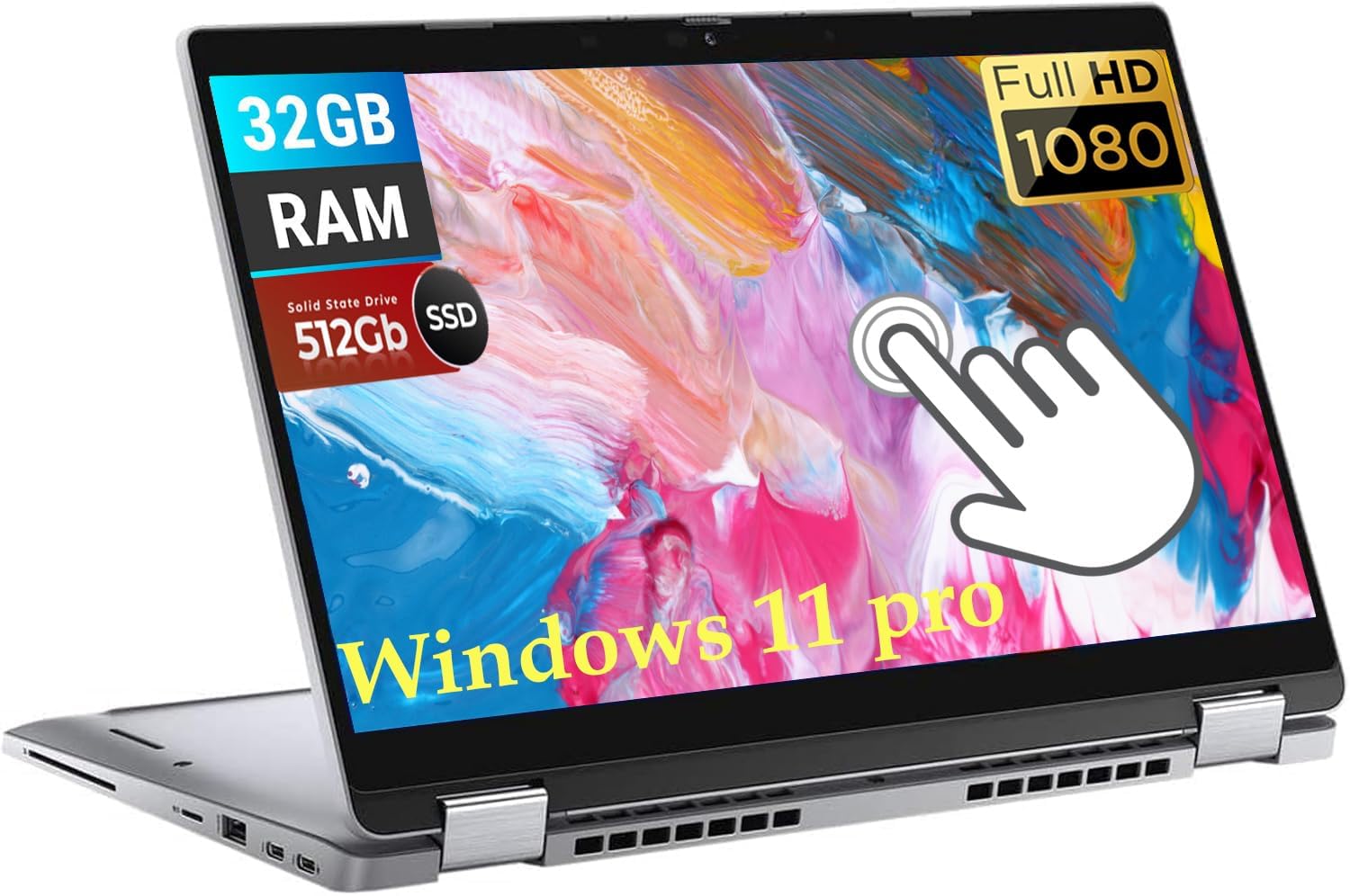
The Dell Latitude 5320 is a renewed business-class convertible that offers exceptional value for those willing to buy refurbished. Its 13.3-inch FHD touchscreen with a 360-degree hinge provides true convertible functionality at a fraction of the original retail price. The 32GB of RAM is an outlier at this price point, allowing you to run virtual machines, large datasets, and dozens of browser tabs without hitting memory limits.
The Intel i7-1185G7 processor with 4 cores and 8 threads (boosting to 4.8 GHz) delivers solid performance for productivity tasks, though it is a generation older than current Ultra chips. The 512GB SSD ensures fast boot times and ample storage. The backlit keyboard is comfortable for extended typing sessions, and the Windows 11 Pro installation provides advanced security and management features for business users.
The renewed status means the unit may show minor cosmetic wear, and the warranty is typically shorter than a new device. The 1185G7’s integrated Xe Graphics handles light photo editing but struggles with modern gaming or heavy creative workloads. Battery life is also a step down from newer models—expect around 5-7 hours depending on usage. However, for pure memory capacity and business-grade build quality at a budget price, the Latitude 5320 is hard to beat.
Why it’s great
- 32GB RAM is rare at this price and enables heavy multitasking and VMs
- Business-grade build quality with MIL-STD tested durability
- Windows 11 Pro offers BitLocker encryption and group policy management
Good to know
- Renewed unit may have cosmetic wear and limited warranty
- Older 11th-gen processor with shorter battery life than modern chips
7. Acer Chromebook Plus 515 with Google AI

The Acer Chromebook Plus 515 brings Google’s AI-powered ChromeOS to the budget convertible space with a 15.6-inch Full HD IPS touchscreen. The Intel Core i3-1305U processor delivers 2x faster performance compared to typical budget Chromebooks, handling web apps, Google Workspace, and Android apps with ease. The 8GB of LPDDR5X RAM and 256GB PCIe Gen4 SSD provide smooth multitasking and fast storage.
The Chromebook Plus designation unlocks Google AI features including Gemini integration, AI-powered photo editing in Google Photos, and the built-in Titan C2 security chip for hardware-level protection. The 1080p webcam with temporal noise reduction ensures clear video calls. Wi-Fi 6E support provides fast, low-latency wireless connectivity for cloud-based workflows.
The 10-hour battery life is competitive, and the lightweight chassis makes it easy to carry between classes or meetings. However, ChromeOS has limitations—it cannot run native Windows applications, and some productivity apps have fewer features than their Windows counterparts. The lack of a backlit keyboard is a common complaint. For users already invested in Google’s ecosystem who prioritize security and simplicity, this is an excellent, affordable convertible Chromebook.
Why it’s great
- Google AI Pro subscription included for 12 months with 2TB cloud storage
- Wi-Fi 6E provides fast, future-proof wireless connectivity
- Titan C2 security chip offers enterprise-grade hardware protection
Good to know
- ChromeOS cannot run native Windows software
- No backlit keyboard for typing in low-light conditions
8. ASUS Chromebook Flip CX1 Convertible Laptop

The ASUS Chromebook Flip CX1 is built to survive the rigors of student life and daily commutes, with MIL-STD-810H military-grade durability and a 14-inch FHD NanoEdge touchscreen with 360-degree hinge. The Intel Celeron N4500 processor is modest, but ChromeOS is lightweight enough to deliver a smooth experience for web browsing, Google Workspace, and Android apps. The 8GB of RAM ensures basic multitasking without stuttering.
The 11-hour battery life is excellent for a full day of classes or work without needing to recharge. The convertible design allows versatile use in laptop, tent, stand, and tablet modes. Wi-Fi 6 and Bluetooth 5.2 provide modern wireless connectivity, and the comprehensive port selection includes USB-C with Power Delivery, USB-A, and a microSD card reader.
The Celeron N4500 is not designed for heavy workloads—video editing, complex spreadsheets, or multiple virtual desktops will cause slowdowns. The 128GB eMMC storage is limited and slower than SSD-based alternatives. The free Google One AI Premium Plan (3 months) is a nice bonus for new users. This is a reliable, durable convertible for basic computing tasks, offering peace of mind through its rugged construction.
Why it’s great
- MIL-STD-810H certified for drops, shocks, and extreme temperatures
- 11-hour battery life comfortably lasts a full school day
- Includes 3-month Google One AI Premium Plan with Gemini Advanced
Good to know
- Celeron N4500 processor has limited performance for demanding apps
- 128GB eMMC storage is slower and smaller than SSD alternatives
9. Tylvx 15.6″ 2-in-1 Laptop/Tablet, 360° Flip FHD Touchscreen
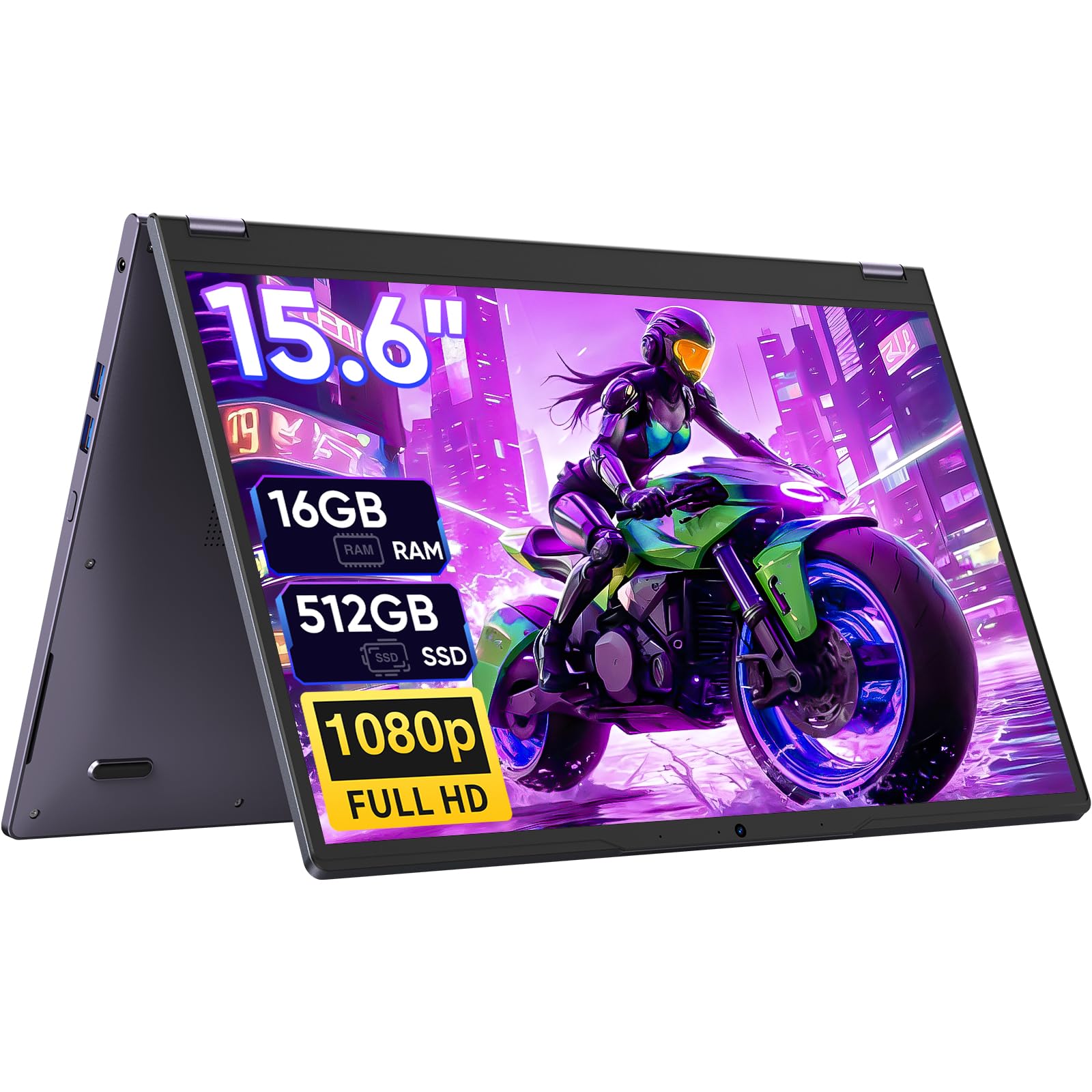
The Tylvx 15.6-inch 2-in-1 offers a massive touchscreen at an incredibly low entry price, making it one of the most affordable large-screen convertibles available. The 360-degree hinge allows switching between laptop, tablet, tent, and stand modes on a 15.6-inch Full HD display. The 16GB of RAM is generous at this price point and provides ample headroom for multitasking across multiple apps and browser tabs.
The Intel m3-8100Y processor is a dual-core chip with a boost clock of up to 3.4 GHz. It handles web browsing, document editing, and streaming without major issues, but it will struggle with heavy multitasking or demanding applications. The 512GB SSD provides decent storage capacity and faster load times than eMMC alternatives. The Deep Purple color option adds a distinctive aesthetic that stands out from the typical silver and gray laptops.
The 38Wh battery offers around 5 hours of real-world usage, which is below average for the category. The m3-8100Y is also a few generations old and lacks the efficiency of modern chips. The build quality is acceptable for the price, with a plastic chassis that feels less premium than metal alternatives. For budget-conscious users who prioritize a large touchscreen and ample RAM, this is a functional option, but expect to make compromises on processor performance and battery life.
Why it’s great
- 15.6-inch FHD touchscreen offers the largest display in this price bracket
- 16GB RAM provides generous memory for multitasking
- 512GB SSD offers ample storage at a budget price
Good to know
- Dual-core m3-8100Y processor is underpowered for demanding tasks
- Battery life averages only 5 hours under typical use
10. BNCF 11 inch 2-in-1 Laptop, Win 11 Touchscreen PC

The BNCF NewBook 11 is a detachable 2-in-1 that prioritizes portability above all else. Weighing just 635g as a tablet and 1106g with the keyboard attached, it is one of the lightest Windows hybrids available. The 11-inch FHD IPS In-Cell touchscreen offers responsive touch input and sharp visuals at 1920×1200 resolution. The Intel Twin Lake N150 processor with UHD Graphics handles basic productivity tasks, HD video playback, and light gaming reasonably well.
The 12GB of DDR5 RAM is generous for an entry-level hybrid and helps the Windows 11 Pro experience feel more fluid than the N150 processor would suggest. The 512GB NVMe SSD ensures fast boot times and file transfers. The dual-camera setup (5MP front, 8MP rear) covers video calls and document scanning. The 34.2Wh battery provides adequate runtime for a few hours of work or media consumption.
The detachable keyboard included uses a magnetic pogo-pin connection, which is convenient but less stable than a hinge mechanism—typing on a lap is awkward. The build quality is decent with a rugged aluminum chassis, but some users have reported keyboard ghosting issues. Wi-Fi 6 ensures fast wireless performance, and the Type-C ports support charging and display output. This is a solid choice for users who want the lightest possible Windows device for note-taking and on-the-go productivity.
Why it’s great
- Weighs only 635g as a tablet—one of the lightest Windows hybrids
- 12GB DDR5 RAM provides better multitasking than typical budget models
- Windows 11 Pro offers advanced security and management features
Good to know
- Detachable keyboard is unstable for lap typing
- Some users report keyboard ghosting or connection issues
11. QAZIPO 2-in-1 Laptop/Tablet with Magnetic Keyboard

The QAZIPO 2-in-1 is the most affordable entry point into the Windows hybrid ecosystem. Its 10.1-inch FHD IPS touchscreen offers sharp visuals, and the detachable magnetic leather case keyboard allows quick switching between laptop and tablet modes. The included 1-year Office 365 subscription adds significant value for students and office workers who need Word, Excel, and PowerPoint without additional cost.
The Intel Pentium Gold 6500Y processor (boosting to 3.4 GHz) is adequate for basic computing tasks—web browsing, document editing, email, and video streaming. The 8GB of RAM ensures the system can handle a few browser tabs and Office apps simultaneously without major slowdowns. The 256GB SSD provides enough storage for documents, photos, and a media library. The 1TB OneDrive cloud storage integration is a welcome addition for backing up files.
The 10.1-inch screen is noticeably smaller than standard 2-in-1s, which makes split-screen multitasking cramped. The 1280×800 resolution is lower than Full HD, resulting in less sharp text and images. Some users have reported random freezes with 100% disk usage, suggesting potential software optimization issues. The build quality is acceptable for the price, with a lightweight aluminum alloy chassis that weighs just 1.3 lbs as a tablet. For the absolute lowest cost of entry into a Windows 2-in-1, this is a functional choice with clear compromises.
Why it’s great
- Includes 1-year Office 365 subscription and 1TB OneDrive storage
- Ultra-lightweight at 1.3 lbs as a tablet—extremely portable
- USB-C with Power Delivery for convenient charging
Good to know
- 10.1-inch screen and 1280×800 resolution feel cramped for multitasking
- Some users report random freezes and software optimization issues
FAQ
Can a budget 2-in-1 replace a laptop for college?
Is ChromeOS or Windows better for a budget 2-in-1?
Can I use a stylus with budget 2-in-1 laptops?
How important is the 360-degree hinge vs a detachable keyboard?
Final Thoughts: The Verdict
For most users, the best budget 2 in 1 laptops winner is the Lenovo Yoga 7i because it delivers a premium convertible experience with a powerful Intel Ultra 7 processor, 16GB of RAM, Thunderbolt 4 connectivity, and military-grade durability—all at a price that undercuts most competitors. If you want exceptional battery life and AI features, grab the HP OmniBook 3 with its Snapdragon X chip and all-day endurance. And for a true budget-friendly entry into the Windows hybrid world, nothing beats the portability and value of the QAZIPO 10.1-inch detachable.