
That $500 budget for a gaming PC hits a specific wall: you want to run Fortnite, Valorant, and GTA V at 1080p without stuttering, but the pre-built market is a minefield of outdated Xeon server pulls and anonymous power supplies. The difference between a smooth 60 FPS experience and a frustrating paperweight often comes down to knowing which 8-year-old CPU architecture to avoid and which dedicated graphics card actually delivers playable frame rates.
I’m Min — the co-founder and writer behind Gadgets Feed. After spending countless hours dissecting the technical specifications, reading through thousands of real customer experiences, and comparing what actually ships inside these sub- towers against what the marketing claims, I built this guide to cut through the noise and identify the few machines that genuinely respect your budget.
Whether you need a machine for competitive shooters, schoolwork, or creative projects, this guide helps you find the absolute best $500 gaming pc that balances raw gaming performance with long-term reliability and upgrade potential.
How To Choose The Best $500 Gaming PC
Finding a genuinely capable gaming machine at this price point means navigating a landscape of refurbished office PCs with RGB slapped on them. The key is understanding which specific components define the experience and knowing exactly where corners can be cut safely.
The Dedicated GPU Isn’t Optional
The single most important component for gaming is the graphics card. Integrated graphics on a Core i5 or i7 from a decade ago will not run modern games at a playable frame rate. At this budget, you need a dedicated GPU with at least 4GB of VRAM. Cards like the AMD Radeon RX 550 or RX 560 are entry-level, while the RX 590 or a GTX 1050 Ti offer significantly better performance. The RX 590, with its 8GB of VRAM, is the standout find in this price range if you can get it.
CPU Generations Are a Trap
Many budget pre-builts advertise an “Intel Core i7” without telling you it’s a 12-year-old i7-3770 or a server-grade Xeon E5. These CPUs lack the security features and performance cores needed for modern games and Windows 11 compatibility. A modern Core i5-12400F, even at a slightly higher price, will massively outperform any decade-old i7. The generation matters far more than the “i7” moniker.
RAM and Storage: Speed vs. Capacity
16GB of RAM is the sweet spot for gaming, but the type matters. DDR4 is standard and sufficient, but many budget builds use older, slower DDR3, which reduces overall system responsiveness. For storage, an NVMe SSD is non-negotiable. A 512GB NVMe drive provides fast boot times and quick level loads. Avoid any system that still uses a mechanical hard drive as the primary boot drive.
Quick Comparison
On smaller screens, swipe sideways to see the full table.
| Model | Category | Best For | Key Spec | Amazon |
|---|---|---|---|---|
| abytespark i7 + RX 590 | Mid-Range | 1080p AAA Gaming | 8GB GDDR5 VRAM | Amazon |
| STGAubron i5 + RX 550 | Mid-Range | Competitive Shooters | WiFi 6 & BT 5.0 | Amazon |
| ZER-LON i5 + RX 550 | Mid-Range | Complete Bundle Value | 5 RGB Fans Included | Amazon |
| Kroteaup i5 + RX 560 | Mid-Range | Casual Gaming & Streaming | 16GB DDR3 RAM | Amazon |
| Dell OptiPlex i7 + GT 1030 | Entry-Level | Family Bundle with Monitor | Includes 24″ Monitor | Amazon |
| STGAubron Xeon E5 + RX 550 | Entry-Level | Basic Daily Tasks | Xeon Server CPU | Amazon |
In‑Depth Reviews
1. abytespark i7 + RX 590 Gaming PC

This is the rare budget build that gets the most critical component right: the GPU. The AMD Radeon RX 590 with 8GB of GDDR5 VRAM is a massive step up from the RX 550 and GT 1030 found in other machines at this price. It can handle GTA V, Fortnite, and even VR titles like BONEWORKS at playable frame rates, which is exceptional for a sub-$500 pre-built. The inclusion of four RGB fans and a mouse pad adds cosmetic value without inflating the core gaming performance.
The trade-off is the aging Intel Core i7-4770 processor. This is a 2013 chip that lacks TPM 2.0 and Secure Boot support, meaning it technically doesn’t meet Microsoft’s hardware requirements for Windows 11. The system runs Windows 11 anyway, but this is a clear area where the seller bypasses standard compatibility checks. For a pure gaming machine where GPU load is the primary bottleneck, this compromise works, but it limits future OS support and security updates.
Owners report smooth gameplay on modern titles at 1080p medium settings, with the system running reliably cool thanks to the multiple fans. The chassis is a white sea-view tower with ample room for future upgrades like a better power supply or a larger SSD. If you can accept the older platform and focus on the raw graphical horsepower, this PC delivers the best gaming performance per dollar in this list.
Why it’s great
- RX 590 8GB GPU delivers real 1080p gaming performance
- Capable of running VR titles on a budget
- Easy to upgrade case with plenty of cooling
Good to know
- i7-4770 is unsupported for official Windows 11 requirements
- Lacks Bluetooth; requires a separate adapter
- CPU is a significant bottleneck for CPU-heavy games
2. STGAubron i5 + RX 550 Gaming PC

The STGAubron strikes a careful balance between modern connectivity and cost. It comes with Wi-Fi 6 and Bluetooth 5.0, which is rare at this price point and eliminates the need for dongles. The Intel Core i5, while not the latest generation, is a standard desktop chip that is more reliable for general use than the server-grade Xeons found elsewhere. The 16GB of RAM and 512GB SSD are the baseline specs you should not settle for less than.
The AMD Radeon RX 550 4GB is the obvious compromise. It will run Fortnite and Valorant smoothly at 1080p low-medium settings, but it struggles with more demanding titles like Warzone or Elden Ring. This is not a 1080p high-settings machine. The included RGB keyboard and mouse are functional but cheap, and customers report that the power supply is a generic, no-name unit that is the most common failure point across these budget brands.
Customer support from STGAubron appears responsive, with several reviews noting successful replacements for faulty units after the return window. This after-sales service is a genuine advantage in the budget pre-built space, where warranty support is often non-existent. For a starter PC for a child or a secondary machine for esports titles, this is a solid, low-hassle entry point.
Why it’s great
- Built-in Wi-Fi 6 and Bluetooth 5.0 for clean connectivity
- Responsive customer service with replacement options
- Adequate 16GB RAM and 512GB SSD configuration
Good to know
- RX 550 4GB is weak for modern AAA titles
- Generic power supply is a common failure point
- Core i5 is an older generation chip
3. ZER-LON i5 + RX 550 Gaming PC
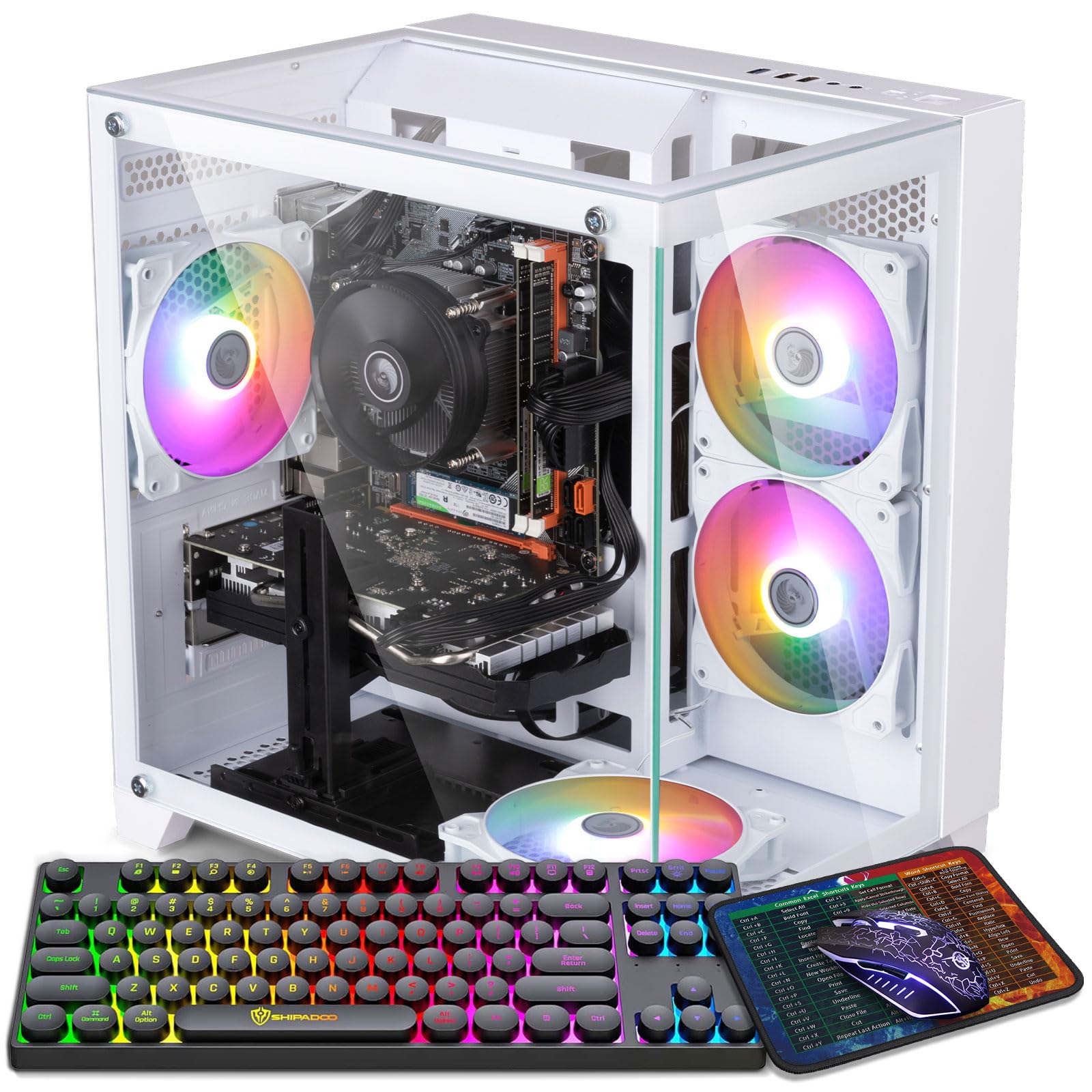
The ZER-LON focuses on creating a complete out-of-box experience. You get five RGB fans, a dedicated graphics card holder, a gaming keyboard, a gaming mouse, and a mouse pad all included in the box. The case is a striking black and white design that appeals to younger gamers. It is the best option if you want to avoid buying peripherals separately and want a visually exciting setup immediately.
Under the surface, the specs mirror the STGAubron: a Core i5-3470 CPU paired with an RX 550 4GB GPU, 16GB of RAM, and a 512GB SSD. The CPU is another older generation part, but a verified computer technician with 40 years of experience left a review confirming the build is reliable and that the parts are upgradable. The system runs Steam games well and handles multitasking for homework and streaming.
The biggest risk is the same as others in this tier: hardware failure out of the box. A small number of buyers report the system arriving with no video output or dying within weeks. However, those who get a working unit are overwhelmingly positive about the value. For the price, it offers the most complete accessory package and a case that won’t look out of place in a dedicated gaming room.
Why it’s great
- Comprehensive bundle with keyboard, mouse, and mouse pad
- Five RGB fans create excellent airflow and aesthetics
- Includes a graphics card holder to prevent sag
Good to know
- Some units arrive DOA with no video output
- Core i5-3470 is a decade-old processor
- Included peripherals are basic quality
4. Kroteaup i5 + RX 560 Gaming PC
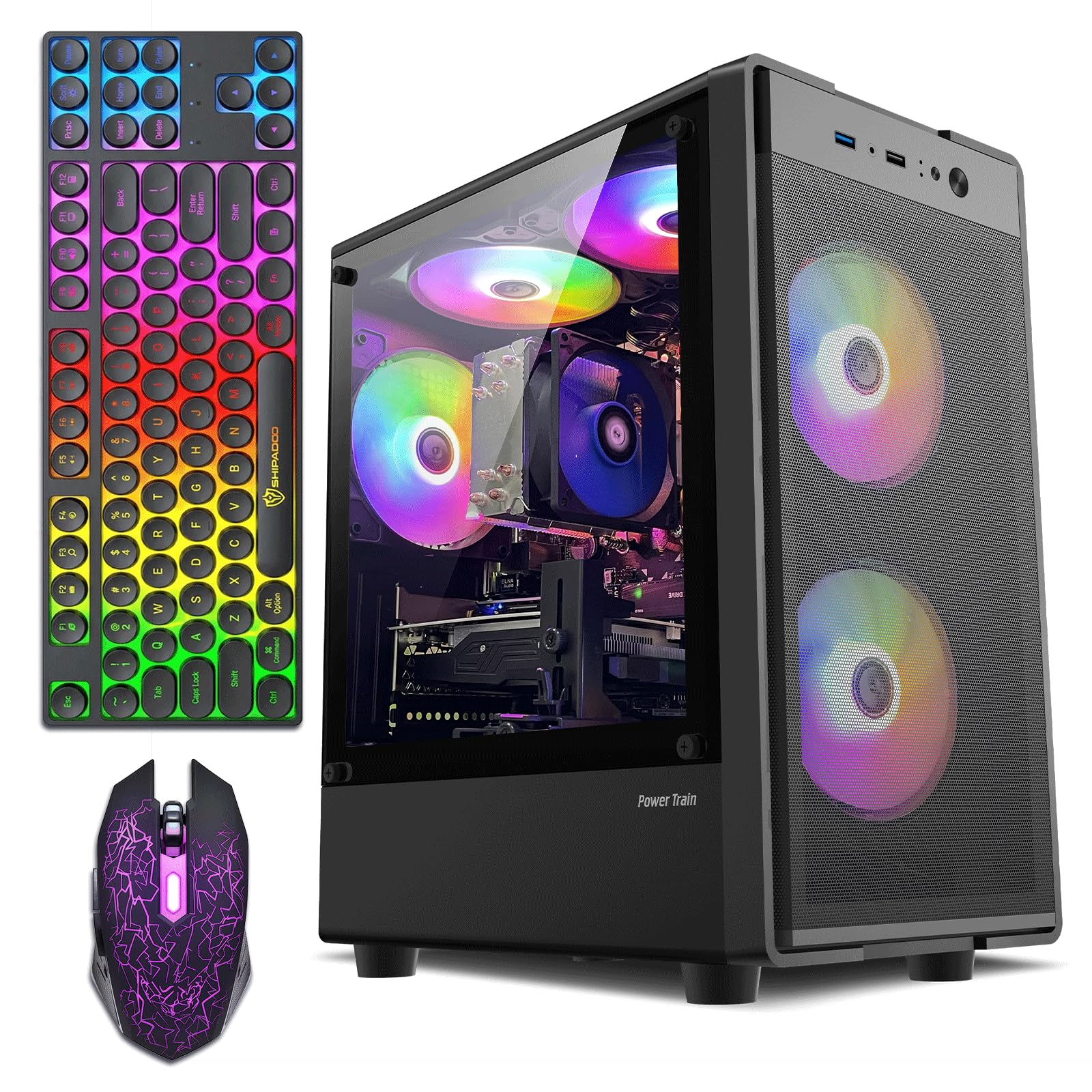
The Kroteaup distinguishes itself by equipping the slightly more capable Radeon RX 560 4GB GPU. This card offers a meaningful bump in performance over the RX 550, allowing smoother gameplay in titles like Overwatch and CSGO at higher settings. The emphasis here is on a quiet, energy-efficient experience, making it ideal for a living room or bedroom where fan noise is a concern. The compact tower design fits easily on a desk without dominating the space.
It uses 16GB of DDR3 RAM and a 512GB NVMe SSD. The DDR3 RAM is a notable step back in memory bandwidth, which can affect performance in more recent, memory-sensitive games. The Core i5-3470 is again the limiting factor for processing power. This is a machine built for light gaming, HD streaming, and daily productivity, not for competitive gaming at high refresh rates or AAA titles on ultra settings.
The pre-installed Windows 11 Pro is a nice touch for a budget build, and the system is reported to run quietly and coolly under load. It is a cost-effective desktop for a home office that also needs to handle casual gaming sessions. The 1-year warranty provides some peace of mind, though the customer reviews show the usual split between excellent experiences and problematic arrivals.
Why it’s great
- RX 560 4GB offers better value than the RX 550
- Quiet and energy-efficient operation
- Compact size fits well in smaller spaces
Good to know
- Uses older DDR3 memory
- Core i5-3470 is a significant bottleneck
- Some units have hardware incompatibility issues
5. Dell OptiPlex i7 + GT 1030 Gaming PC (Renewed)

This is a refurbished Dell OptiPlex office PC that has been fitted with a GeForce GT 1030 2GB graphics card and RGB lighting. The unique selling point is that it ships with a 24-inch HDMI monitor, keyboard, mouse, and headset, making it a true all-in-one kit for a kid’s first gaming setup. The Nvidia GT 1030 is a low-profile card that can run Fortnite and Roblox at 1080p medium settings, which is precisely what this machine is designed to do.
The Core i7-3770 processor and 16GB of RAM are standard for this era of OptiPlex, but the case is a small form factor design that limits GPU upgrades. You cannot fit a full-height, double-slot graphics card inside. The included monitor is a basic 1080p unit, and the peripheral quality is low. The power supply is also proprietary to Dell, which adds complexity to any future upgrade.
The main advantage is the convenience and the known brand name. Dell’s refurbishment process includes functionality testing, and many parents find this an easy, reliable solution. The system runs quietly and handles web browsing and light gaming perfectly. Just don’t expect to play Elden Ring or Cyberpunk 2077 on it. It is a focused, purpose-built package for families with younger children.
Why it’s great
- Complete bundle with monitor, keyboard, mouse, and headset
- Trusted Dell brand with refurbishment testing
- Plug-and-play simplicity for parents
Good to know
- GT 1030 2GB is very weak for modern gaming
- Small form factor case severely limits upgrade options
- Proprietary Dell power supply
6. STGAubron Xeon E5 + RX 550 Gaming PC

This STGAubron model swaps the Core i5 for a server-grade Intel Xeon E5 processor. The marketing often labels this a “Server Grade i7,” but in reality, these are old server chips that are slow for single-threaded gaming performance. The RX 550 4GB is the same entry-level gaming card found in the cheaper models. This combination results in a machine that works fine for Roblox, web browsing, and office tasks, but it will struggle with any modern shooter or open-world game.
The build includes three RGB fans, a keyboard, a mouse, and Bluetooth 5.0. The case is a standard tower with some airflow, but customer reports consistently mention the power supply as the number one failure point, often dying within the first two months. The replacement units have also been reported to come with loose cables and improperly seated RAM, indicating inconsistent quality control during packing.
The Xeon E5 does offer a high core count for very specific workstation tasks like video transcoding in Handbrake, but for 99% of gamers, the older architecture will result in lower FPS compared to a modern Core i3. This is a machine best suited for someone who needs a cheap PC for basic home use and might play a light game occasionally. It is not a gaming PC in the modern sense.
Why it’s great
- Very affordable entry point into a desktop PC
- Includes Bluetooth 5.0 for wireless peripherals
- High core count for multi-threaded work
Good to know
- Xeon CPU is poor for gaming single-thread performance
- Power supply is a common failure point
- Quality control is inconsistent
FAQ
Is an RX 550 good enough for 1080p gaming?
Why do these budget PCs use outdated Xeon processors?
Can I upgrade the GPU on a budget pre-built gaming PC?
What is the most important component for a $500 gaming PC?
Final Thoughts: The Verdict
For most users, the best $500 gaming pc winner is the abytespark i7 + RX 590 Gaming PC because it prioritizes the GPU with its powerful 8GB RX 590, giving you the best 1080p gaming performance in this price range. If you want the most complete out-of-box bundle with all the RGB extras and a mouse pad, grab the ZER-LON Gaming PC. And for a family looking for a turnkey solution that includes a monitor, nothing beats the convenience of the Dell OptiPlex Bundle.