
The 11th Gen CPU family represents a unique inflection point for desktop builders: it’s the generation that finally brought PCIe 4.0 lanes to the mainstream, effectively doubling storage bandwidth and GPU data throughput over its predecessors. For anyone assembling a system around an LGA 1200 socket, these processors deliver a mature, battle-tested architecture that balances clock speeds and core counts without the platform instability drama that plagued later generations.
I’m Min — the co-founder and writer behind Gadgets Feed. I’ve spent countless hours cross-referencing benchmark data, customer-verified real-world performance reports, and compatibility matrices across dozens of 11th Gen and adjacent CPU SKUs to isolate what actually matters for a smart build in this socket generation.
Whether you are upgrading a Z490 board or building fresh on a Z590 platform, identifying the right 11th gen cpu hinges on matching core topology to your workload without overspending on thermal overhead you may never use.
How To Choose The Best 11Th Gen CPU
Selecting the right 11th Gen processor is less about chasing the highest clock speed and more about understanding core count versus platform longevity. The LGA 1200 socket supports both 10th and 11th Gen CPUs, but only the 11th Gen unlocks PCIe 4.0 and the improved UHD Graphics 750 integrated GPU. You also need to decide whether you want an unlocked K-series chip for overclocking or a locked variant for stable, lower-power operation on budget motherboards.
Core Count vs. Single-Thread Performance
Most 11th Gen i5, i7, and i9 SKUs top out at 8 cores — a deliberate choice by Intel to prioritize frequency and thermal headroom rather than raw core count. For gaming and light productivity, 6 to 8 cores running at 4.9 to 5.3 GHz deliver better frame timing than a 10-core part running at lower sustained clocks. If your workload uses every thread (video encoding or 3D rendering), the i9’s hyper-threading advantage still pulls ahead, but the i7 is often the smarter buy for mixed-use rigs.
Socket and Chipset Compatibility
11th Gen CPUs require an LGA 1200 motherboard with a 500-series chipset (Z590, B560, H570) to use PCIe 4.0. Select 400-series boards can run these chips with a BIOS update, but the PCIe 4.0 lanes are disabled. If you want Gen4 NVMe storage or a Gen4 GPU, a Z590 board is non-negotiable. Conversely, pairing an 11th Gen CPU with a Z490 board gives you full CPU support but locks storage to PCIe 3.0 speeds.
Thermal Considerations and Cooler Requirements
11th Gen i7 and i9 processors run notably hotter than their 10th Gen equivalents due to the higher core density under the same 14nm process. An i7-11700K can pull over 200W under sustained AVX-512 loads, so a dual-tower air cooler or a 240mm AIO is the baseline recommendation. The KF variants (no integrated GPU) run at identical power levels, so do not assume they run cooler — they simply omit the GPU die.
Quick Comparison
On smaller screens, swipe sideways to see the full table.
| Model | Category | Best For | Key Spec | Amazon |
|---|---|---|---|---|
| Intel Core i5-14600KF | Mid-Range | High-FPS Gaming | 14 cores (6P+8E), 5.3 GHz | Amazon |
| Intel Core i7-14700KF | Premium | Workstation & Gaming Hybrid | 20 cores (8P+12E), 5.6 GHz | Amazon |
| Intel Core i9-14900KF | Premium | Enthusiast Content Creation | 24 cores (8P+16E), 6.0 GHz | Amazon |
| Intel Core i9-14900K | Premium | Max Single-Thread Frequency | 24 cores (8P+16E), 6.0 GHz w/ iGPU | Amazon |
| Intel Core i5-14400F | Mid-Range | Budget Gaming & Productivity | 10 cores (6P+4E), 4.7 GHz | Amazon |
| Intel Core i5-11600K | Mid-Range | LGA 1200 Value Gaming | 6 cores, 4.9 GHz, UHD 750 | Amazon |
| Intel Core i9-10850K | Mid-Range | 10-Core Productivity (Renewed) | 10 cores, 3.6 GHz base, LGA 1200 | Amazon |
| Intel Core i9-11900K | Premium | 8-Core 11th Gen Flagship (Renewed) | 8 cores, 5.3 GHz, UHD 750 | Amazon |
| Intel Core i7-11700KF | Premium | Overclocked LGA 1200 Builds | 8 cores, 5.0 GHz, no iGPU | Amazon |
In‑Depth Reviews
1. Intel Core i5-14600KF

The i5-14600KF strikes an exceptional balance between core count and clock speed, offering six Performance-cores and eight Efficient-cores that turbo up to 5.3 GHz. This 14-core configuration delivers frame rates in CPU-bound titles that rival the previous generation i7, yet it runs cooler and draws less power under sustained loads — typically staying between 60-75°C with a capable air tower cooler.
Because this is a KF variant, there is no integrated graphics chip, so a dedicated GPU is mandatory. However, that omission keeps the price lower than the K version, and builders already planning to use a discrete card will never miss the iGPU. The processor also supports PCIe 5.0 and DDR5 memory when paired with a 700-series motherboard, giving your build headroom for future storage and RAM upgrades without a platform swap.
Customer reports confirm stable operation in everything from 1080p competitive shooters to QHD max-settings gaming with an RTX 3080, often hitting over 60 fps even at ultra preset. The 24 MB L3 cache helps reduce latency in memory-sensitive workloads, and the unlocked multiplier allows moderate overclocking for those who want to squeeze another 200-300 MHz.
Why it’s great
- 14 cores (6P+8E) provide excellent multi-threaded performance for gaming and productivity.
- Runs cool on budget air coolers, rarely exceeding 75°C under gaming loads.
- Full PCIe 5.0 and DDR5 support makes this build future-proof for years.
Good to know
- No integrated graphics — requires a discrete GPU for any video output.
- Compatible with 600-series boards only after a BIOS update, which can be a hassle without a spare CPU.
2. Intel Core i7-14700KF

The i7-14700KF is the sleeper hit of the 14th Gen lineup, packing 20 cores (8 P-cores plus 12 E-cores) and 28 threads into the same LGA 1700 socket. With a single-core turbo of 5.6 GHz delivered through Intel Turbo Boost Max 3.0, this processor handles heavy database workloads, multi-instance virtual machines, and high-resolution video rendering without breaking a sweat.
Reviews from users running AI generation models and CPU-intensive simulation games like Battlefield 6 report zero stuttering and seamless multitasking even while streaming. The 33 MB L3 cache helps feed the cores efficiently, and the DDR5 memory controller allows support for high-frequency kits that reduce latency in real-time workloads. The chip does require a discrete GPU, so factor in the cost of a dedicated card when budgeting.
Thermal management is critical here — users consistently recommend a 360mm AIO cooler to keep temperatures under 85°C during all-core loads. The K-series chip also demands a motherboard with a robust VRM design, ideally a Z790 board with at least 12-phase power delivery. If you are building a hybrid workstation-gaming rig that needs to chew through both 4K encodes and competitive shooters, this is the sweet spot.
Why it’s great
- 20-core hybrid architecture excels in multi-threaded professional applications.
- 5.6 GHz single-core boost delivers elite single-threaded gaming performance.
- Large 33 MB L3 cache improves memory-bound workload responsiveness.
Good to know
- Runs hot under sustained all-core load — a 360mm AIO is strongly advised.
- No integrated graphics; requires a discrete GPU for any display output.
3. Intel Core i9-14900KF
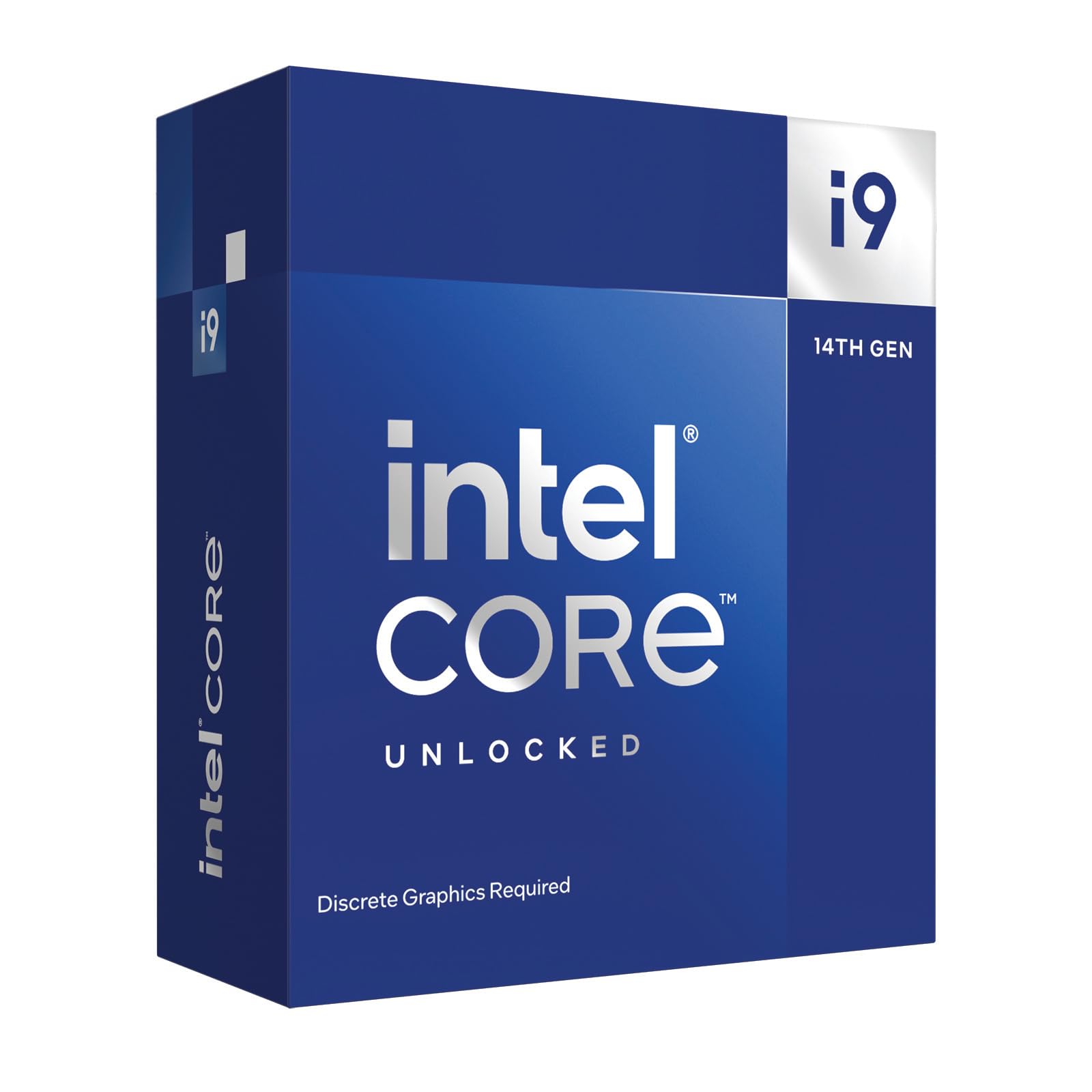
The i9-14900KF represents the absolute peak of the 14th Gen Desktop family, leveraging 24 cores (8 P-cores and 16 E-cores) with a maximum turbo frequency of 6.0 GHz via Intel Thermal Velocity Boost. This is the processor for enthusiasts who want the fastest possible single-threaded performance and are willing to invest in serious cooling to maintain those speeds under load.
User feedback indicates that while the chip crushes every game at 4K with 50-70% CPU usage, temperatures can climb to 90°C on a 240mm AIO — reviewers strongly recommend a 360mm liquid cooler from a reputable brand like Corsair or NZXT to keep thermal throttling at bay. The chip supports PCIe 5.0 and DDR5 memory, and its 36 MB L3 cache ensures data-hungry applications see minimal latency.
One critical note: multiple users reported instability issues that were ultimately traced to the motherboard rather than the CPU itself. Choosing a high-quality Z790 board with robust VRM tuning (like Gigabyte’s Z690I or Asus ROG Strix boards) and keeping the BIOS updated with the latest microcode patches is essential for stable operation at these clock speeds.
Why it’s great
- 24 cores and 6.0 GHz boost deliver unmatched single and multi-threaded performance.
- Large 36 MB L3 cache reduces latency in professional content creation.
- Supports PCIe 5.0 and DDR5 for maximum platform bandwidth.
Good to know
- Extremely high thermal output — requires a 360mm AIO at minimum.
- No integrated graphics; a dedicated GPU is mandatory for any display.
4. Intel Core i9-14900K

The i9-14900K is identical to the KF variant in core configuration and clock speeds — 24 cores, 6.0 GHz turbo — but includes Intel UHD Graphics 770 integrated GPU. This makes it the ideal choice for users who need display output for troubleshooting, media transcoding, or light productivity tasks without a discrete card installed.
Despite the integrated graphics, the thermal characteristics are identical to the KF version: sustained AVX loads can push the chip well past 200W, and a high-end 360mm AIO is the baseline recommendation. The integrated GPU is powerful enough for 4K video playback and Quick Sync accelerated encoding, making this a strong pick for home lab environments or Proxmox nodes that need occasional GPU pass-through.
Customer experiences highlight the importance of motherboard selection — some users encountered ring collapse and memory controller failures on Asus Z790 boards, but switching to a Gigabyte Z690I or MSI Z790 resolved those issues. Intel’s RMA process was described as responsive for confirmed faulty units, so buy from a reputable seller with a solid return policy.
Why it’s great
- Includes UHD Graphics 770 for display output, media encoding, and troubleshooting.
- Same 24-core, 6.0 GHz architecture as the KF with no performance penalty.
- Excellent for home lab, Proxmox, and workstation builds that need a fallback GPU.
Good to know
- Runs just as hot as the KF variant — a 360mm AIO is still required.
- Compatibility and stability are heavily motherboard-dependent; choose VRMs carefully.
5. Intel Core i5-14400F

The i5-14400F is the budget champion of the 14th Gen product stack, pairing 10 cores (6 P-cores plus 4 E-cores) with a 4.7 GHz turbo frequency. Despite the lower core count, real-world gaming performance is impressive — users upgrading from an i7-9700F reported a roughly 25 fps improvement in competitive titles, and the chip runs surprisingly cool at around 67°C under gaming loads with a basic air cooler.
Because this is an F-variant, there is no integrated graphics, so a discrete GPU is mandatory. However, the 14400F supports both DDR4 and DDR5 memory as well as PCIe 5.0, giving budget builders flexibility to use older, cheaper DDR4 kits or invest in faster DDR5 for future upgrade paths. The 20 MB L3 cache is adequate for gaming and light productivity, though heavy rendering workloads will benefit from stepping up to the i5-14600KF.
Customer reviews consistently highlight the CPU’s stability in hybrid server builds and daily gaming rigs. For pure gaming value on a tight budget, this is the most balanced 14th Gen entry point.
Why it’s great
- Excellent price-to-performance ratio for budget gaming and light productivity.
- Runs cool at 67°C gaming load with a basic air cooler.
- Supports DDR4 and DDR5 memory for flexible build options.
Good to know
- No integrated graphics — requires a dedicated GPU for any video output.
- E-cores are limited; heavy multi-threaded work benefits from upgrading to 14600KF.
6. Intel Core i5-11600K

The i5-11600K is the definitive mid-range 11th Gen processor for LGA 1200 builders, offering six hyper-threaded cores that turbo to 4.9 GHz. It includes Intel UHD Graphics 750, which supports Quick Sync and provides a functional display output for troubleshooting or light GPU-less use. The 12 MB L3 cache is smaller than later generations, but the single-core performance still holds up well in older titles and productivity apps that rely on clock speed over core count.
This chip runs notably hot — reviewers warn that it needs a decent aftermarket cooler to stay under 80°C under load, and a cheap stock cooler will not cut it. The LGA 1200 platform means you can drop this into a Z490 or Z590 board with a BIOS update, but you will be limited to PCIe 3.0 on 400-series chipsets. If you already own a Z490 board and want the benefits of 11th Gen’s improved memory controller and UHD 750, this is a cost-effective upgrade.
As a first-generation 11th Gen product, it lacks the hybrid core architecture of newer chips, which means all six cores are identical and threads are handled symmetrically. This makes overclocking straightforward but limits efficiency under mixed workloads. If you are building a dedicated gaming rig and don’t care about E-cores, the 11600K remains a solid, budget-friendly option.
Why it’s great
- Includes UHD Graphics 750 for display output and Quick Sync encoding.
- 4.9 GHz single-core turbo provides strong gaming performance in CPU-bound titles.
- Compatible with Z490 boards after BIOS update for budget platform upgrades.
Good to know
- Runs hot — an aftermarket air cooler or 240mm AIO is necessary.
- No hybrid architecture; lower multi-threaded efficiency vs. newer 14th Gen i5s.
7. Intel Core i9-10850K

The i9-10850K is a 10th Gen i9 processor that offers ten cores and 20 threads on the LGA 1200 platform, making it a compelling choice for users who need maximum core density on a budget. The 3.6 GHz base clock can turbo up to 5.2 GHz, and the 20 MB L3 cache helps keep data flowing. This unit is sold as Amazon Renewed, meaning it has been professionally inspected and tested to work like new.
Since this is a 10th Gen chip, it lacks PCIe 4.0 support — storage and GPU bandwidth are capped at PCIe 3.0. However, for users building a high-core-count workstation for rendering, video encoding, or virtualization, the ten physical cores still trade blows with mid-range 11th and 12th Gen parts in well-threaded applications. The included UHD Graphics 630 offers basic display output and Quick Sync support for media transcoding.
Reviews are mixed on the used condition — some users report flawless operation, while others note odd shipping and no manufacturer warranty. The Amazon Renewed guarantee offers replacement or refund within 90 days, which provides some peace of mind for a used CPU purchase. This is a product best suited for experienced builders who can troubleshoot potential stability issues and value core count over platform features.
Why it’s great
- 10 cores and 20 threads provide strong multi-threaded performance for the price.
- Amazon Renewed guarantee provides replacement or refund within 90 days.
- Includes UHD Graphics 630 for basic display output and Quick Sync.
Good to know
- PCIe 3.0 only — no Gen4 NVMe or GPU bandwidth.
- Used/refurbished product with no manufacturer warranty after 90 days.
8. Intel Core i9-11900K

The i9-11900K is the flagship 11th Gen desktop processor, featuring eight cores and 16 threads with a maximum turbo frequency of 5.3 GHz. It includes Intel UHD Graphics 750 and supports PCIe 4.0, making it the ultimate CPU for users who want to maximize the LGA 1200 platform without moving to a newer socket that requires a new motherboard.
This chip is sold as Amazon Renewed, typically priced well below its original MSRP. Users upgrading from an i5-11400F report a substantial performance uplift in modern games like MW3, noting that the CPU eliminates bottleneck issues even with high-end RTX-class GPUs. The 16 MB L3 cache is smaller than newer i9 parts, but the high single-core clock speed keeps it competitive in gaming scenarios.
Be aware that some units may arrive with stability issues — several reviews mention constant BSODs, system freezes, and failed Windows installs. The Renewed guarantee provides a replacement route, but the risk is higher than buying brand new. This is a processor for the experienced builder who knows how to diagnose motherboard BIOS compatibility and voltage settings, and who wants the absolute highest clock speeds available on the LGA 1200 platform.
Why it’s great
- 5.3 GHz single-core turbo delivers elite gaming performance for LGA 1200.
- Includes UHD Graphics 750 and PCIe 4.0 support for platform features.
- Renewed pricing offers significant savings over original MSRP.
Good to know
- Some Renewed units may arrive with stability issues; Amazon guarantee is essential.
- 8-core limit means lower multi-threaded throughput vs. 10th Gen i9 or 14th Gen parts.
9. Intel Core i7-11700KF

The i7-11700KF is the unlocked 11th Gen i7 processor without integrated graphics, offering eight cores and 16 threads with a turbo frequency of 5.0 GHz. This is the processor for builders who already have a discrete GPU and want the best possible overclocking headroom on the LGA 1200 platform without paying the i9 premium.
Users report excellent stability under extended stress tests, with temperatures rarely exceeding 67°C when paired with a quality air cooler like the Noctua NH-U12S. The PCIe 4.0 support means you can run the fastest NVMe SSDs and modern GPUs at maximum bandwidth, while the 16 MB L3 cache helps reduce latency in memory-sensitive games. The unlocked multiplier allows experienced users to push all-core clocks beyond 5.0 GHz with adequate cooling.
One caveat: this chip supports Intel Optane Memory for advanced caching scenarios, but Optane has been discontinued and is increasingly difficult to find. Most users ignore this feature entirely. The 11700KF is a pure performance play for the LGA 1200 platform — no iGPU, no frills, just raw clock speed and solid overclocking potential for the enthusiast who wants to max out their Z590 motherboard.
Why it’s great
- 5.0 GHz turbo and unlocked multiplier for excellent overclocking potential.
- Supports PCIe 4.0 for maximum storage and GPU bandwidth on Z590 boards.
- Runs cool under load with a quality air cooler — noiGPU keeps power lower.
Good to know
- No integrated graphics — requires a dedicated GPU for any display output.
- Intel Optane Memory support is largely obsolete and not relevant to modern builds.
FAQ
Does an 11th Gen CPU support PCIe 4.0?
What is the difference between K, KF, and F suffix on Intel CPUs?
Can I use a 14th Gen CPU on a 600-series motherboard?
How much cooling do I need for the i9-14900KF?
Final Thoughts: The Verdict
For most users, the best 11th gen cpu overall is the Intel Core i5-14600KF because it delivers 14 cores of hybrid architecture with PCIe 5.0 and DDR5 support at a price point that undercuts the i7 while rivaling its gaming performance. If you need the absolute fastest single-threaded speed for professional content creation, grab the Intel Core i9-14900KF. And for the best value on the LGA 1200 platform, nothing beats the Intel Core i5-11600K for upgrading an existing Z590 or Z490 board.