
Moving massive project files, expanding a console library, or archiving a decade of photography demands a drive that doesn’t just store data, but delivers it on demand without stuttering. A true 6 TB solid-state drive bridges the gap between capacity and responsive throughput, eliminating the mechanical delays of spinning platters while offering enough room for entire workflows that would choke a typical 2 TB or 4 TB drive.
I’m Min — the co-founder and writer behind Gadgets Feed. I’ve spent hundreds of hours cross-referencing real-world performance benchmarks, controller architectures, thermal throttling thresholds, and NAND flash types to separate the high-latency disappointments from the genuinely fast, reliable drives in the high-capacity SSD market.
This guide analyzes the best options across form factors and interfaces, from portable USB-C powerhouses to internal Gen5 monsters, to help you pinpoint the best 6 tb ssd for your specific workload and hardware configuration.
How To Choose The Best 6 TB SSD
A 6 TB purchase is a significant investment. The wrong spec mismatch means either leaving performance on the table or overpaying for speed your system can’t use. Here are the critical filters that narrow the field from dozens of SKUs to the handful that actually fit your build.
Interface and Bandwidth Ceiling
The interface determines the maximum transfer rate your drive can achieve. A SATA III SSD tops out around 560 MB/s, which is ample for media storage or a secondary game library on a legacy laptop. An NVMe PCIe Gen3 drive jumps to ~3,500 MB/s, while Gen4 reaches ~7,000 MB/s. The new Gen5 standard pushes past 10,000 MB/s. Check your motherboard’s M.2 slot specification — if your system lacks Gen5 lanes, buying a Gen5 drive is a wasted premium. For external drives, USB 3.2 Gen 2×2 delivers 2,000 MB/s, but only if your host device natively supports the 20 Gbps protocol.
NAND Type and Endurance (TBW)
Terabytes Written (TBW) is the manufacturer’s warranty limit for total write traffic. For a 6 TB capacity drive, a TBW of 1,200 to 4,800 is typical. TLC (Triple-Level Cell) NAND offers higher endurance and sustained write speeds, making it ideal for video editing or frequent large-file transfers. QLC (Quad-Level Cell) packs more density per die, reducing cost, but endurance is lower — fine for cold storage, game installs, or archival use where write cycles are infrequent. Check the TBW rating against your expected annual write volume.
Form Factor: Internal vs. External
Internal M.2 NVMe SSDs deliver the fastest possible speeds for a desktop or laptop but require an available slot and may need a heatsink for Gen4/Gen5 thermal management. 2.5-inch SATA SSDs are universally compatible with older PCs and consoles like the PS4. External portable SSDs offer plug-and-play between devices — look for IP65/IP66 ratings and drop resistance if the drive leaves your desk. Desktop external SSDs with their own power supply sacrifice portability for sustained performance and larger capacity.
Quick Comparison
On smaller screens, swipe sideways to see the full table.
| Model | Category | Best For | Key Spec | Amazon |
|---|---|---|---|---|
| Crucial X10 6TB | Portable External | Creative field work & gaming | 2,100 MB/s read via USB 3.2 | Amazon |
| WD_Black SN8100 8TB | Internal Gen5 | High-end PC & AI workloads | 14,900 MB/s read PCIe 5.0 | Amazon |
| Corsair MP600 PRO LPX 8TB | Internal Gen4 | PS5 expansion & PC gaming | 7,000 MB/s read Gen4 | Amazon |
| SanDisk Desk Drive 8TB | Desktop External | Studio backup & media archive | 1,000 MB/s read USB 3.2 | Amazon |
| Samsung T5 EVO 8TB | Portable External | Large game libraries on-the-go | 460 MB/s read USB 3.2 | Amazon |
| Glyph Blackbox Plus 8TB | Rugged External | Film set & field production | 560 MB/s read USB-C | Amazon |
| Lexar Armor 700 8TB | Rugged External | Outdoor shooting & 4K ProRes | 2,000 MB/s read USB 3.2 Gen 2×2 | Amazon |
| SSK 8TB Portable SSD | Portable External | Cross-platform file transfers | 2,000 MB/s read USB 3.2 Gen 2×2 | Amazon |
| TEAMGROUP QX 4TB | Internal SATA | Budget-friendly laptop upgrade | 500/460 MB/s R/W SATA III | Amazon |
| fanxiang S101 4TB | Internal SATA | Value bulk storage | 500 MB/s read SATA III | Amazon |
| SP Silicon Power A55 4TB | Internal SATA | Ultra-slim laptop upgrade | 500 MB/s read SATA III | Amazon |
In‑Depth Reviews
1. Crucial X10 6TB
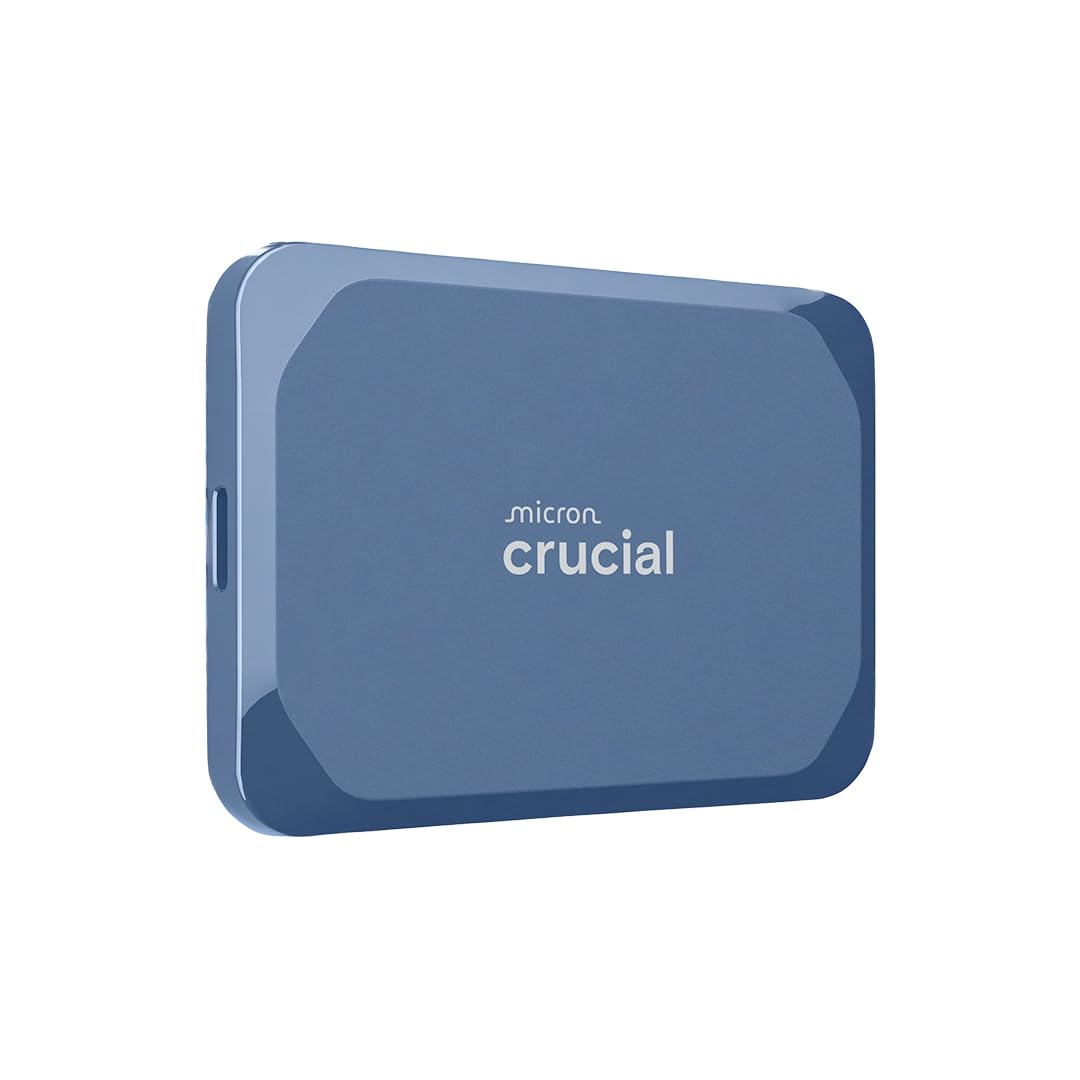
The Crucial X10 hits the sweet spot at a true 6 TB capacity with USB 3.2 Gen 2×2 speeds up to 2,100 MB/s read. That bandwidth makes it feasible to edit 4K ProRes footage directly off the drive or load a large game library without waiting, while the IP65 dust and water resistance and 9.8-foot drop rating mean you can actually take it to a shoot or a LAN party without anxiety.
Real-world throughput on a Gen 2×2 port reaches around 1,400–1,800 MB/s sustained, enough to saturate a Thunderbolt 3 display workflow or serve as a bootable external OS drive. Fallback to 1,000 MB/s on standard USB-C ports still beats any external HDD by a wide margin, and the compact form factor fits in a coin pocket.
The drive stays cool under continuous write loads — minimal thermal throttling even during long transfers. It comes with Acronis True Image and Mylio Photos+ for backup and media management, adding software value that offsets the premium price of this capacity tier.
Why it’s great
- True 6 TB in a pocketable, portable chassis
- IP65 rating provides real protection for on-location work
- Sustained writes remain fast without excessive heat buildup
Good to know
- Requires USB 3.2 Gen 2×2 host for full 2,100 MB/s speeds
- No activity LED for visual transfer confirmation
2. WD_Black SN8100 8TB

The WD_Black SN8100 represents the current peak of consumer NVMe performance, pushing sequential reads past 14,900 MB/s on a PCIe Gen5 x4 interface. For anyone working with massive AI model datasets, 8K video timelines, or uncompressed photo libraries, this drive eliminates the storage bottleneck entirely, cutting file transfer times by more than half compared to the fastest Gen4 drives.
It uses TLC 3D CBA NAND with an endurance rating of up to 4,800 TBW on the 8 TB model, which is exceptionally high — suitable for daily write-heavy workloads that would degrade a QLC drive within a few years. Real benchmarks from users report sustained writes in the 10,000–11,000 MB/s range on Ryzen 9 Gen5 platforms, with thermals staying at safe levels thanks to efficient controller power draw under 7.5 W.
Compatibility requires a motherboard with a PCIe Gen5 M.2 slot. Dropping it into a Gen4 slot caps speeds at around 7,000 MB/s, still fast but obviously not using the full potential. The Sandisk Dashboard Software provides health monitoring and firmware updates.
Why it’s great
- Industry-leading sequential read speed of 14,900 MB/s
- Massive 4,800 TBW endurance for heavy write workloads
- Excellent power efficiency for a Gen5 drive at under 7.5 W average
Good to know
- Requires a PCIe Gen5 motherboard to unlock full speed
- Premium cost per gigabyte, justified only for top-tier builds
3. Corsair MP600 PRO LPX 8TB
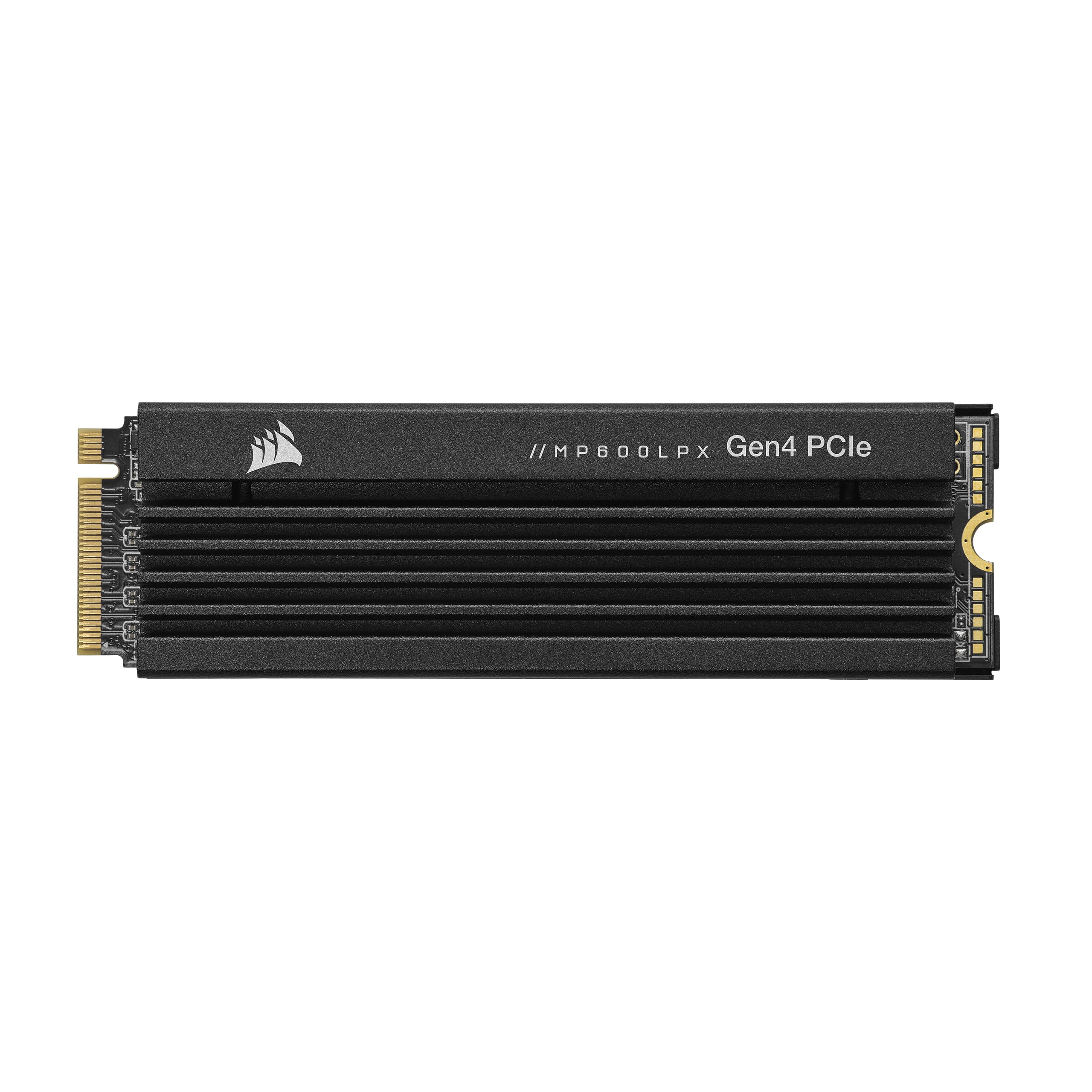
The Corsair MP600 PRO LPX is specifically engineered to exceed Sony’s PS5 M.2 requirements, delivering up to 7,100 MB/s sequential read and 6,800 MB/s sequential write speeds. Users report that 200 GB game downloads complete in under 90 seconds, and once installed, game loading times are effectively eliminated — no stutter, no texture pop-in, just instant level transitions.
The pre-installed low-profile aluminum heatsink fits inside the PS5’s expansion bay without clearance issues. It effectively dissipates heat during extended gaming sessions, preventing the thermal throttling that can plague other Gen4 drives in the console’s confined airflow. The drive uses TLC NAND and maintains consistent writes even when the drive approaches full capacity.
In a PC environment, the MP600 PRO LPX rivals the fastest Gen4 drives on the market. Installation is simple: remove the console faceplate, insert the drive at the 80 mm mounting position, and format via the PS5 system menu. Corsair backs it with a 5-year warranty for peace of mind on a premium storage investment.
Why it’s great
- Exceeds PS5 requirements for seamless compatibility
- Pre-installed low-profile heatsink prevents thermal throttling
- Sustained write speeds remain high, even near full capacity
Good to know
- 8 TB capacity may exceed the needs of most console users
- Premium price reflects the large NAND density
4. SanDisk Desk Drive 8TB

The SanDisk Desk Drive trades portability for pure capacity and sustained desktop performance. It’s an external SSD with its own power adapter, meaning it doesn’t rely on bus power from a laptop or hub. The 1,000 MB/s read speed is four times faster than a typical external HDD, making it a strong fit for Time Machine backups on a Mac or for editing large RAW photo libraries directly from the drive.
Users report seamless plug-and-play with the latest Mac mini and Windows PCs, with the exFAT format working out of the box across both platforms. The compact footprint — roughly the size of a thick hardcover book — fits neatly on a desk without taking up much real estate. It runs silently, an important detail for studio or office environments where fan noise is already an issue.
The main trade-off is that the drive requires a wall outlet, so it isn’t suited for travel. A small number of users have reported disconnection issues under heavy sustained loads, so pairing it with a high-quality USB-C cable and ensuring adequate ventilation is recommended.
Why it’s great
- 8 TB in a compact desktop form factor with its own power supply
- Four times faster than external HDDs for backups and media editing
- Plug-and-play with Windows and Mac via exFAT
Good to know
- Requires a power outlet — not designed for portable use
- Some reports of disconnections under sustained heavy loads
5. Samsung T5 EVO 8TB

The Samsung T5 EVO packs 8 TB into a chassis that is barely larger than a deck of cards. With sequential read speeds up to 460 MB/s over USB 3.2 Gen 1, it’s not the fastest external SSD, but it’s more than sufficient for storing and playing back large game libraries, video archives, or music collections. The Intelligent TurboWrite buffer provides a burst performance window for smaller file transfers that feels noticeably snappier than the sustained spec suggests.
This drive is optimized for capacity per dollar rather than maximum speed. Users consistently praise its ultra-compact design and the fact it runs cool even during extended file transfers — no heat sink required. The 2-meter drop resistance and shock-resistant internal construction add a layer of durability for tossing it into a camera bag or backpack.
A small number of users have reported slowdowns when the drive approaches full capacity, and the USB 3.2 Gen 1 interface means it will not saturate a modern Thunderbolt or Gen 2×2 port. However, for someone who needs 8 TB of portable, silent storage without breaking the bank, the T5 EVO remains a compelling choice.
Why it’s great
- Incredibly compact 8 TB form factor, easily pocketable
- Intelligent TurboWrite provides a speed boost for smaller transfers
- 2-meter drop resistance for on-the-go durability
Good to know
- 460 MB/s read speed is slower than Gen 2×2 alternatives
- Performance can degrade when the drive is nearly full
6. Glyph Blackbox Plus SSD 8TB

The Glyph Blackbox Plus is built for the field — a rugged aluminum core wrapped in a padded silicone shell designed to survive film sets, photo shoots, and daily travel. It uses a SATA SSD internally with 560 MB/s read and write speeds over USB 3.2 Gen 2 Type-C. The performance meets the needs of Pro Tools sessions and 4K video proxies, though it won’t keep pace with NVMe-based external drives for raw 8K editing.
Glyph backs the Blackbox Plus with a 3-2-1 warranty: 3 years of hardware coverage, 2 years of Level-1 data recovery, and 1 year of advanced replacement. That level of support is rare in the consumer SSD space and provides genuine peace of mind for professionals storing irreplaceable project files. Users report it runs cool and quiet, even during continuous write sessions.
The SATA interface inside the rugged shell is a double-edged sword: it keeps power draw low and thermals manageable, but it limits maximum throughput to 560 MB/s regardless of the host port. For pure archival or playback duties this is fine, but users who need to move multi-hundred-gigabyte files daily should consider a faster external SSD.
Why it’s great
- Exceptional 3-2-1 warranty includes data recovery service
- Rugged aluminum and silicone shell built for field use
- Runs cool and quiet even under sustained write loads
Good to know
- SATA interface limits speed to 560 MB/s, regardless of host
- Premium price reflects the build quality and warranty package
7. Lexar Armor 700 8TB

The Lexar Armor 700 combines the ruggedness of an IP66-rated, 3-meter drop-resistant chassis with USB 3.2 Gen 2×2 speeds up to 2,000 MB/s. This makes it a rare hybrid that can survive a tripod tumble while still delivering the bandwidth needed for direct-to-drive Apple ProRes recording at 4K 60 FPS from an iPhone 15 Pro. The dark blue design with a textured silicone wrap feels substantial in hand without being heavy.
Real-world performance on a Gen 2×2 port reaches around 1,800 MB/s sustained, and users report uploading a 25 GB file in just over a minute. The drive includes a USB-C cable plus a USB-C to USB-A adapter, ensuring compatibility with legacy ports. Lexar DataShield software provides 256-bit AES encryption for sensitive project files.
The unique Thermal Control Design keeps the drive from throttling during long write sessions, a common issue with compact external SSDs. The IP66 rating means it’s dust-tight and can withstand powerful water jets, making it suitable for outdoor shoots where sand, rain, or splashes are a real risk.
Why it’s great
- IP66 water and dust resistance for extreme outdoor reliability
- 2,000 MB/s Gen 2×2 speeds support direct 4K ProRes recording
- Solid thermal management prevents throttling during long writes
Good to know
- Full speed requires a USB 3.2 Gen 2×2 host port
- Premium pricing but competitive within the rugged high-speed niche
8. SSK 8TB Portable SSD

The SSK 8TB Portable SSD delivers competitive Gen 2×2 performance at a price point that often undercuts the major brands. Sequential read speeds reach up to 2,000 MB/s in CrystalDiskMark, with real-world transfers remaining fast enough for 4K video editing and large game installations. The drive comes with two cables: a 20 Gbps USB-C cable for peak speeds and a 10 Gbps USB-A cable for backward compatibility with older devices.
Built-in S.M.A.R.T. health diagnostics and adaptive TRIM optimization help maintain peak write performance over time. The blue LED indicator provides real-time activity monitoring, reducing the risk of pulling the drive during an active transfer. The zinc alloy and plastic enclosure feels sturdy, though it runs warm to the touch during sustained writes — typical for compact high-speed SSDs in this class.
Users report it works seamlessly with Windows, Mac, iPhone 15/16 series via OTG, and Android devices. The main caveat is that the drive requires a USB 3.2 Gen 2×2 port to hit its full rated speed; plugging it into a Thunderbolt port will cap it at 10 Gbps, still a respectable 1,000 MB/s.
Why it’s great
- High 2,000 MB/s Gen 2×2 speed at a value price
- Dual USB-C and USB-A cables included for broad compatibility
- S.M.A.R.T. and TRIM support for ongoing performance maintenance
Good to know
- Gets warm during sustained high-speed writes
- Full speed requires USB 3.2 Gen 2×2 host hardware
9. TEAMGROUP QX 4TB

The TEAMGROUP QX 4TB offers a massive capacity at a price that makes upgrading an old laptop or desktop HDD painless. This SATA III 2.5-inch SSD uses QLC 3D NAND with SLC caching to deliver read/write speeds of 500/460 MB/s — enough to transform a sluggish system into a responsive daily driver. The 800 TBW endurance rating is reasonable for a 4 TB QLC drive, suitable for OS drives and game storage where write frequency is moderate.
CrystalDiskMark benchmarks confirm it hits full SATA saturation at around 560 MB/s read and 460 MB/s write. Users report Windows 10 installs completing in roughly 10 minutes, and cold boot times dropping from over a minute on a spinner to under 15 seconds. It’s widely compatible with desktops, laptops, and even PS4 consoles when installed internally.
The 3-year or TBW-limited warranty is standard for the SATA market. The drive runs cool and silent, with no moving parts. While it won’t compete with NVMe speeds, for anyone with a SATA-only system who needs 4 TB of reliable flash storage, the QX delivers excellent value.
Why it’s great
- 4 TB capacity at a very accessible price point
- SLC caching boosts burst performance for everyday tasks
- Compatible with virtually any SATA-capable system
Good to know
- QLC NAND means lower endurance than TLC alternatives
- Speed is capped by the SATA III interface
10. fanxiang S101 4TB

The fanxiang S101 is a no-frills 4 TB SATA III SSD aimed at users who need bulk storage without spending extra. Read speeds reach up to 500 MB/s, powered by TLC 3D NAND and an SLC cache that gives a noticeable burst performance for smaller file operations. Compared to the QLC inside the TEAMGROUP QX, the TLC NAND here offers higher write endurance, though fanxiang doesn’t publish a specific TBW rating in the spec sheet.
User reports are mixed but largely positive: most find the drive works well for several months in a laptop or desktop, providing a day-and-night difference from an old HDD. The S101 includes support for garbage collection, wear-leveling, TRIM, and ECC, all of which contribute to long-term stability. Boot times are reported under 10 seconds for a clean Windows install.
The main risk is quality control variability. A minority of users experienced drive corruption after a few months, possibly due to the environment or a marginal unit. The 3-year service and lifetime technical support offer some recourse, but buyers should ensure they have a separate backup for critical data.
Why it’s great
- Low price for 4 TB of TLC NAND flash storage
- SLC cache provides a meaningful speed boost for everyday use
- Full suite of reliability features: TRIM, ECC, wear-leveling
Good to know
- No published TBW rating, making endurance comparison difficult
- Some user reports of drive failure after a few months of use
11. SP Silicon Power A55 4TB

The SP Silicon Power A55 is a straightforward 4 TB SATA SSD built around 3D NAND flash with an SLC cache. It offers sequential read speeds up to 500 MB/s, enough to make an older laptop feel brand new. The 7 mm slim enclosure fits Ultrabooks and thin notebooks that reject thicker drives, and the shock-resistant design provides basic protection against accidental bumps.
Users consistently report a massive improvement over spinning hard drives, with cold boot times dropping to around 10 seconds and Windows 10 installs completing in about 10 minutes. The drive is silent, runs cool, and requires no special drivers. The 3-year limited warranty requires product registration via the SP website for full coverage.
The A55 doesn’t include any caching DRAM, which can result in slower performance during sustained writes compared to DRAM-based SSDs. It’s best used as a boot drive or game library for a SATA-only system, rather than for professional video editing workloads that involve continuous heavy writing. The price is appealing for such a large capacity.
Why it’s great
- 4 TB capacity at one of the lowest price points in the SATA SSD market
- Ultra-slim 7 mm profile fits thin laptops and Ultrabooks
- Noticeable real-world speed improvement over HDDs for boot and apps
Good to know
- No DRAM cache may reduce sustained write performance
- Warranty needs to be registered online for full coverage
FAQ
How do I know if my motherboard supports a PCIe Gen5 NVMe SSD like the WD_Black SN8100?
Can I use an external SSD like the Crucial X10 as a boot drive for my Mac or PC?
What is the real-world speed difference between SATA and NVMe for gaming?
How do I properly install a PS5-compatible M.2 SSD like the Corsair MP600 PRO LPX?
Final Thoughts: The Verdict
For most users, the best 6 tb ssd winner is the Crucial X10 6TB because it delivers a rare combination of true 6 TB capacity, high 2,100 MB/s USB 3.2 Gen 2×2 speeds, and genuine IP65 ruggedness in a pocketable design — making it equally suited for creative field work, console game libraries, and everyday backup. If you need the absolute fastest internal drive for a high-end PC, grab the WD_Black SN8100 8TB. And for expanding a PS5 with massive capacity and zero load times, nothing beats the Corsair MP600 PRO LPX 8TB.