
Seventeen inches of gaming real estate changes everything. The extra width transforms a cramped window into a true battlefield view, giving you peripheral awareness that 15-inch panels simply cannot deliver. Every detail, from enemy movement in the corner to subtle texture shifts, becomes more readable on a large, high-refresh screen. The trade-off used to be brutal weight and poor portability, but modern chassis engineering has closed that gap significantly while thermal solutions have matured to handle top-tier hardware.
I’m Min — the co-founder and writer behind Gadgets Feed. I’ve spent countless hours analyzing performance benchmarks, thermal designs, and display quality across the current 17-inch gaming laptop landscape to separate genuine upgrades from spec-sheet hype.
Whether you prioritize raw frame rates or balanced multitasking, this guide to the best 17 gaming laptop for your needs will help you invest in a machine that stays relevant for years of demanding titles and creative workloads.
How To Choose The Best 17 Gaming Laptop
The 17-inch gaming laptop market has split into two distinct tiers: performance-first machines that prioritize maximum GPU wattage and cooling, and more balanced designs that blend portability with respectable frame rates. Understanding where a particular model sits on this spectrum is more important than raw spec comparisons, because thermal limits often prevent high-end components from reaching their full potential in thinner chassis. Your decision should start with how much weight and fan noise you can tolerate, then work backward to the GPU and display combination that fits your gaming habits.
GPU TGP and Real-World Frame Rates
The same RTX 5060 or RTX 5070 chip can perform dramatically differently depending on its Total Graphics Power (TGP) allocation. A 140W RTX 4070 will beat a 100W version of the same card in sustained gaming sessions, yet both carry the same marketing name. Look for laptops that advertise their GPU TGP openly, and cross-reference with reviews that measure sustained frame rates rather than peak numbers. The 17-inch form factor typically allows for higher TGP targets than 15-inch models because there is more internal volume for cooling hardware.
Display Resolution and Refresh Rate Trade-Offs
A 17-inch panel at 1080p offers roughly the same pixel density as a 15-inch panel at the same resolution, but the larger size makes individual pixels more visible. QHD (2560×1440) at 165Hz or 240Hz is the sweet spot for this screen size, providing enough sharpness for desktop use and creative work while remaining easy to drive in modern games. Avoid spending extra on a 4K 17-inch gaming laptop unless you plan to use an external monitor for competitive play, because running native 4K in AAA titles will force resolution scaling on all but the most expensive GPUs.
Cooling System Complexity and Sustained Performance
Most 17-inch gaming laptops use a combination of heat pipes, multiple fans, and occasionally liquid metal thermal compound on the CPU. The most effective designs use vapor chamber cooling or rear-exhaust vents that prevent hot air from recycling into the intake. Check whether the laptop has dedicated cooling for the VRM and VRAM, because memory temperatures can throttle performance in extended sessions. A cooling pad remains a worthwhile investment for any 17-inch gaming laptop, but a well-designed internal system reduces the need for one.
Quick Comparison
On smaller screens, swipe sideways to see the full table.
| Model | Category | Best For | Key Spec | Amazon |
|---|---|---|---|---|
| ASUS ROG Strix G17 | Premium | QHD 240Hz gaming | RTX 4070 at 140W TGP | Amazon |
| Thunderobot Storm 17 | Mid-Range | QHD 165Hz value | RTX 5060 + 32GB RAM | Amazon |
| MSI Cyborg 17 | Mid-Range | Thin and light 17-inch | Intel Core 7-240H | Amazon |
| Acer Nitro V 17 AI | Mid-Range | AI-enhanced gaming | RTX 5070 + 32GB DDR5 | Amazon |
| GIGABYTE Gaming A16 | Mid-Range | Intel i7 + RTX 5060 | 165Hz WUXGA display | Amazon |
| NIMO Ryzen 7 8745HS #2 | Mid-Range | Integrated 780M graphics | 32GB RAM + 1TB SSD | Amazon |
| NIMO Ryzen 5 6600H | Budget-Friendly | Entry-level gaming | Radeon 660M + 32GB | Amazon |
| ASUS TUF Gaming F17 | Budget-Friendly | Durable MIL-STD build | GTX 1650 Ti + 144Hz | Amazon |
| NIMO Ryzen 7 8745HS #1 | Mid-Range | USB4 + eGPU support | Radeon 780M + 32GB | Amazon |
| LG gram Pro 17 | Premium | Ultra-light 17-inch | RTX 5050, 3.3 lbs | Amazon |
| Alienware Area-51 18 RTX 5070 | Premium | High-end 18-inch gaming | 300Hz display | Amazon |
| Alienware Area-51 18 RTX 5090 | Premium | Flagship performance | RTX 5090 + 64GB RAM | Amazon |
| Lenovo Legion Pro 7i Gen 10 | Premium | OLED 240Hz gaming | RTX 5090 + 64GB RAM | Amazon |
In‑Depth Reviews
1. ASUS ROG Strix G17 (2023) G713PI-DS94

The ROG Strix G17 combines AMD’s Ryzen 9 7945HX and an RTX 4070 running at the full 140W TGP, which is the critical detail that separates it from lower-wattage implementations. The QHD 240Hz panel covers 100% DCI-P3, making it equally suited for competitive shooters and color-sensitive creative work. Thermal Grizzly Conductonaut Extreme liquid metal on the CPU keeps clock speeds stable during extended sessions, and the MUX Switch with Advanced Optimus automatically routes frames through the dGPU for maximum performance when plugged in.
The 16GB of DDR5-4800MHz is adequate for most current titles, though you will want to upgrade to 32GB for heavy multitasking or future-proofing. The lack of any biometric authentication is a notable omission at this price tier, and the battery life is short enough that you will consider this a desktop replacement rather than an all-day portable. The 17-inch chassis with its four-speaker Dolby Atmos array delivers surprisingly good audio for a gaming laptop.
Owners report consistent frame rates in Battlefield 2042 and Call of Duty at high settings with the 240Hz refresh rate fully utilized, and the machine has proven durable through a year of travel in hot climates. The single accessible M.2 slot for storage expansion means you should plan your SSD purchase carefully from the start.
Why it’s great
- Full 140W RTX 4070 TGP for sustained gaming
- QHD 240Hz panel with 100% DCI-P3
- Liquid metal thermal compound on CPU
- MUX Switch with Advanced Optimus
Good to know
- No Windows Hello or biometric login
- Short battery life under gaming load
- Average speaker volume
- Only one accessible M.2 slot
2. Thunderobot Storm 17 5060
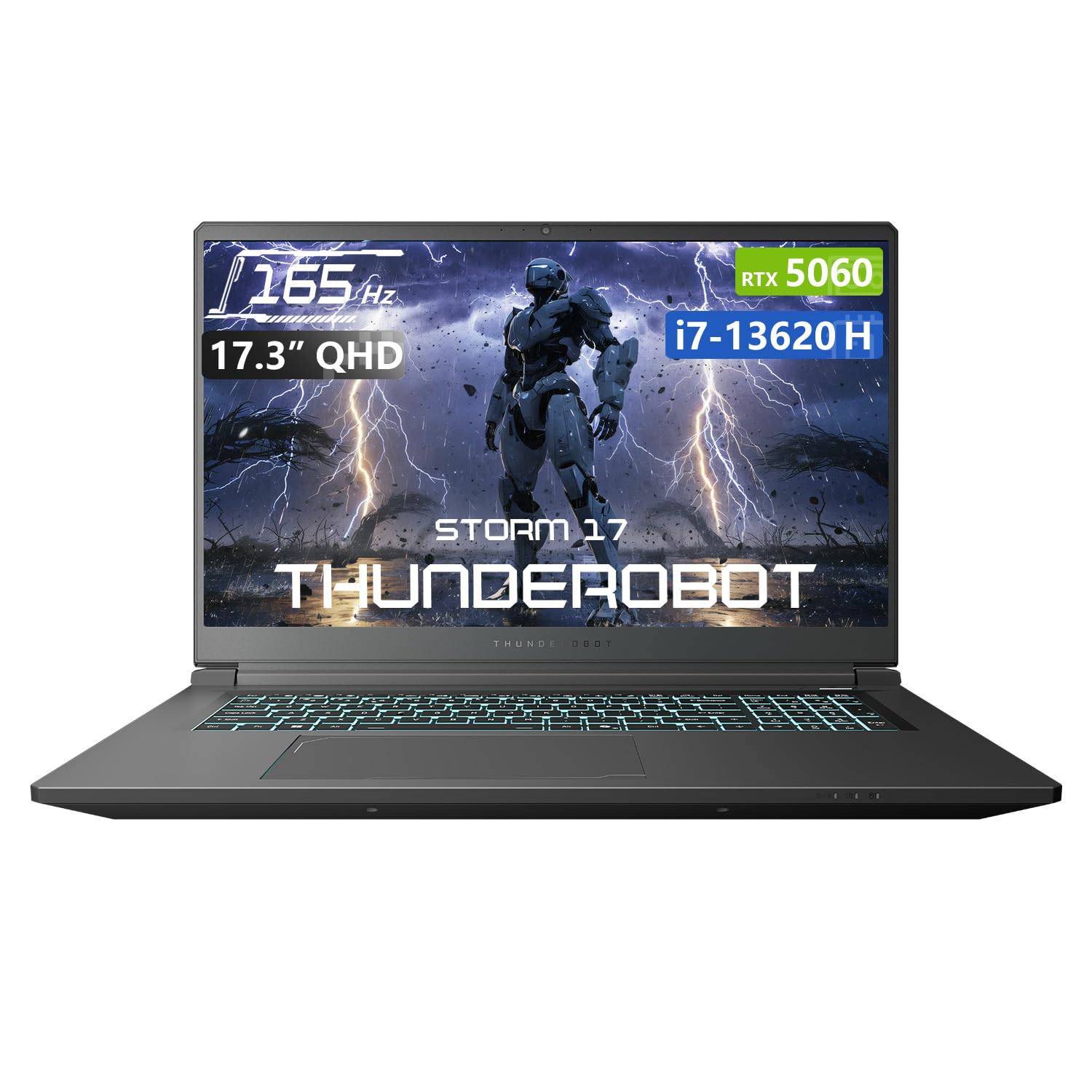
The Thunderobot Storm 17 delivers a remarkably balanced package with its Core i7-13620H, RTX 5060, and 32GB of DDR5 RAM at a price point that undercuts many competitors with similar specs. The 17.3-inch QHD 165Hz display provides sharp visuals with professional-grade color accuracy, and the 1TB SSD offers ample initial storage. The thermal solution uses dual 12V turbofans with 164 LCP blades and a massive array of 0.2mm copper fins to keep temperatures controlled during sustained loads.
The 53Wh battery is small for a 17-inch machine, which means you will be tethered to an outlet for any serious gaming session. The BIOS interface is described as wonky by some owners, and the control center software is functional rather than polished. However, the internal layout supports up to four SSDs across PCIe Gen 3, Gen 4, and Gen 5 slots, giving you enormous expansion flexibility that few laptops at this level offer.
User reports confirm smooth performance in Starfield and The Witcher 3 at ultimate settings, with the 5070 variant (some units ship with this) handling 1440p gaming comfortably. The fans are audible under heavy loads but quieter than a Razer Blade 15, and the chassis feels solid without excessive flex.
Why it’s great
- 32GB DDR5 RAM out of the box
- QHD 165Hz high-color-accuracy display
- Exceptional storage expansion (4 SSD slots)
- Competitive price-to-performance ratio
Good to know
- Small 53Wh battery limits unplugged gaming
- BIOS interface is basic and quirky
- Control Center software is functional but not premium
3. Acer Nitro V 17 AI ANV17-41-R75F
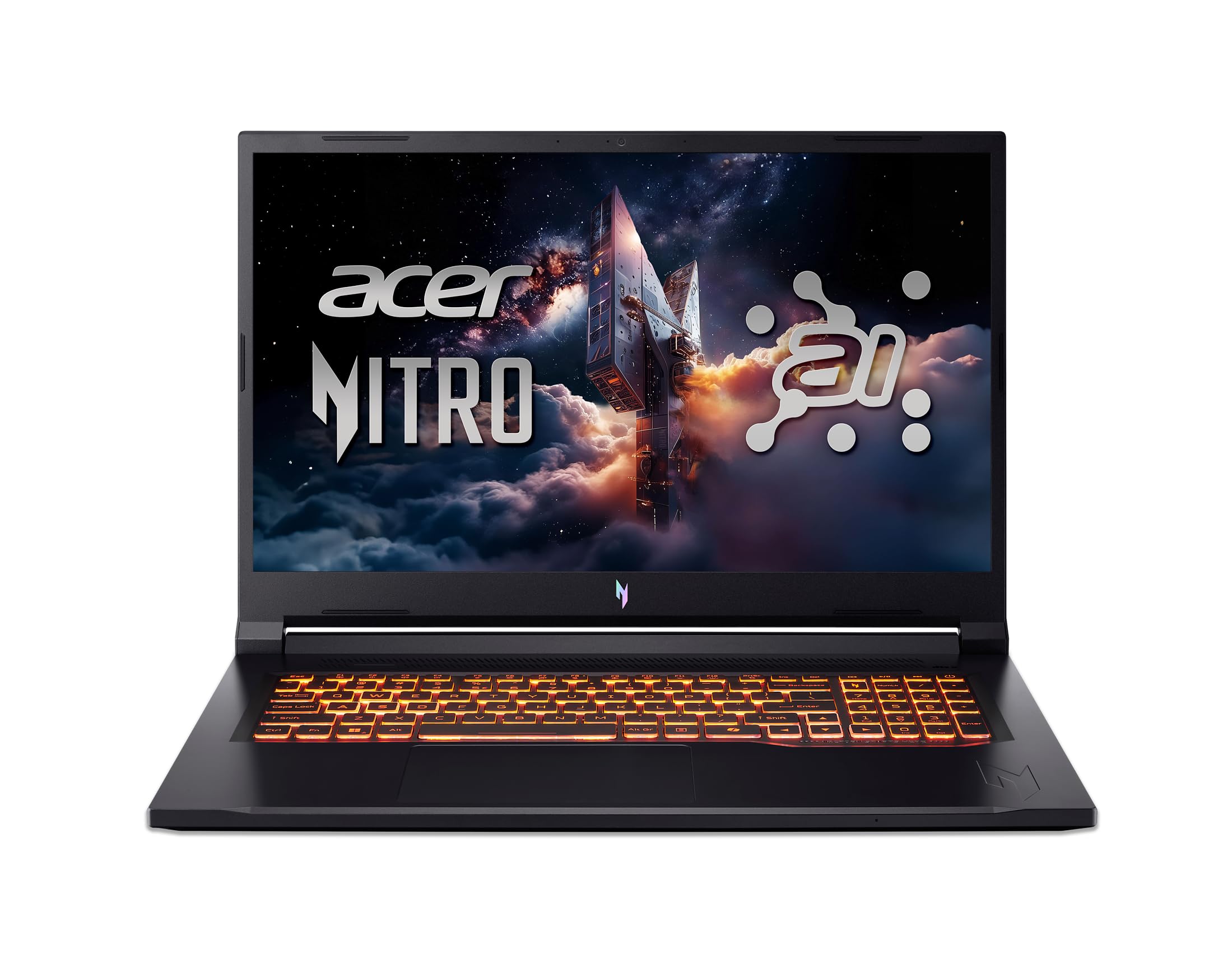
The Acer Nitro V 17 AI brings NVIDIA’s RTX 5070 with 798 AI TOPS into a surprisingly quiet chassis that users describe as virtually silent during operation. The AMD Ryzen 7 260 processor provides up to 38 AI TOPS of its own, creating a platform that supports DLSS 4 Multi Frame Generation and ray reconstruction without breaking a sweat. The 17.3-inch FHD 144Hz display is adequate for competitive gaming but falls short in brightness and color vibrancy compared to QHD alternatives in this price range.
The 32GB of DDR5 5600MHz memory is generous for this tier, and the 1TB PCIe Gen 4 SSD leaves one M.2 slot free for expansion. The build quality reminds some users of the original Xbox — functional and sturdy but not particularly refined, with a noticeable screen wobble in the middle of the chassis. The keyboard layout uses a slim TKL design with smaller number keys, which may take adjustment if you use the numpad frequently.
Reports indicate that the RTX 5070 is only active when the laptop is plugged in, with the Radeon 780M integrated graphics handling battery tasks. The system runs super quiet even under load, making it an excellent choice for shared living spaces or late-night sessions where fan noise is a concern.
Why it’s great
- Very quiet operation under load
- 32GB DDR5 5600MHz RAM
- DLSS 4 support with RTX 5070
- Dual M.2 slots (one free)
Good to know
- Screen is dim and bland compared to QHD panels
- Screen wobble in the center of the chassis
- GPU only active when plugged in
- Keyboard layout with small numpad keys
4. GIGABYTE Gaming A16 CVHI3US894SH

GIGABYTE’s Gaming A16 packs an Intel Core i7-13620H and NVIDIA GeForce RTX 5060 into a chassis that measures just 19.45mm thin, making it one of the slimmer 17-inch gaming options available. The 180-degree hinge allows the laptop to lay completely flat for sharing screens or using in tight spaces. The 1920×1200 WUXGA display offers a slightly taller aspect ratio than standard 1080p, providing extra vertical space for productivity tasks alongside gaming.
The 16GB of DDR5 RAM is sufficient for most current games, but the single 1TB SSD may fill quickly if you install multiple modern titles. The GiMATE AI software that manages power settings and system profiles has drawn mixed reactions, with some users reporting that it overrides manual power configurations and causes instability in creative applications. International buyers should note that warranty support is limited to the US and Canada.
Users praise the laptop’s build quality, high-refresh-rate screen, and overall gaming performance, with the 5060 handling modern titles smoothly at the native resolution. The fan noise is noticeable under load but not excessive, and the speakers are rated above average for a gaming laptop.
Why it’s great
- Ultra-slim 19.45mm chassis
- 180-degree hinge for flexible positioning
- WUXGA 1200p display for extra vertical space
- Strong gaming performance with RTX 5060
Good to know
- GiMATE software can override power settings
- Warranty limited to US and Canada
- 16GB RAM may need upgrade for heavy multitasking
5. MSI Cyborg 17 B2RWFKG-074US
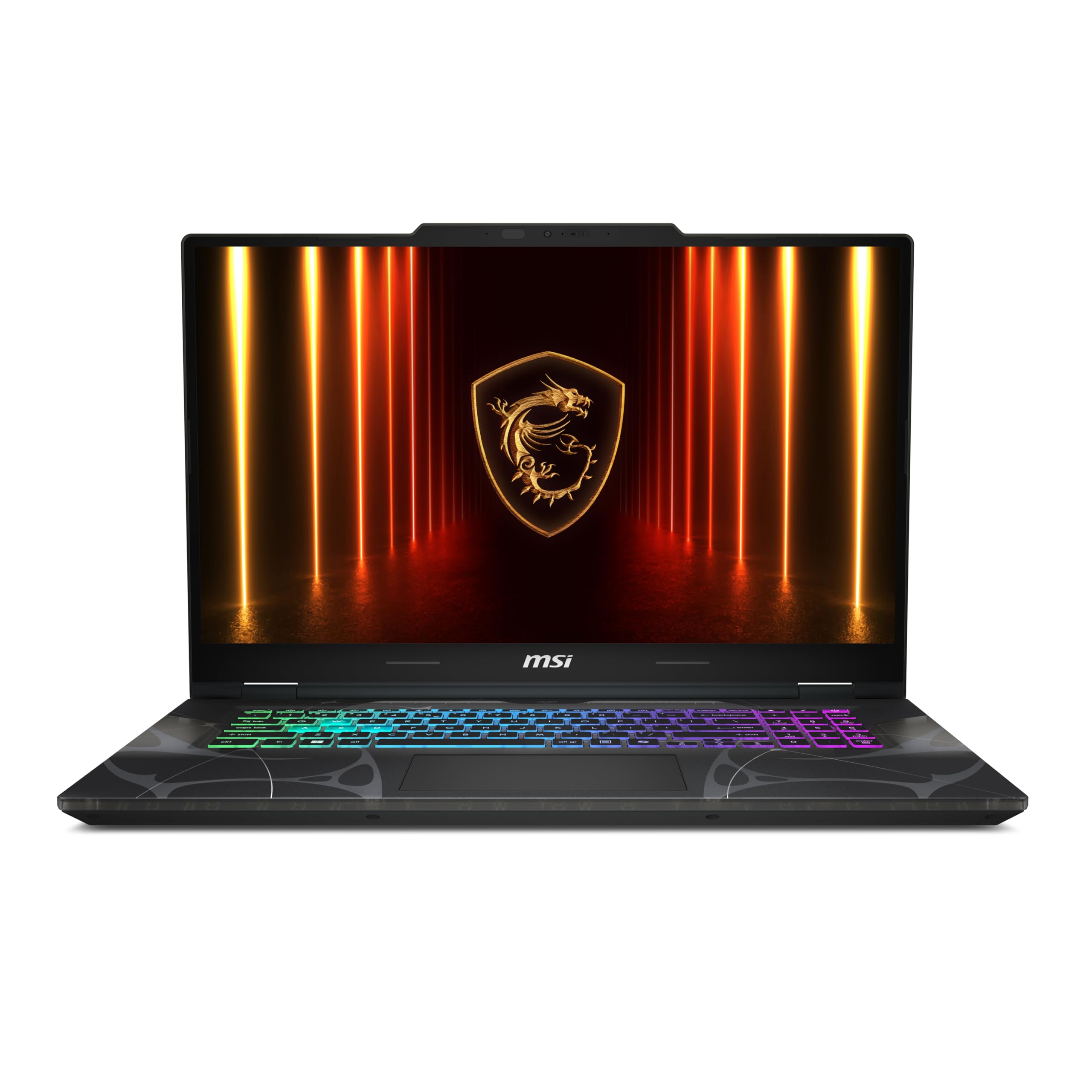
The MSI Cyborg 17 stands out visually with its translucent black chassis that reveals internal components, giving it a unique aesthetic in a market full of matte black slabs. Under the hood, the Intel Core 7-240H and RTX 5060 combination delivers smooth 1080p gaming at the 144Hz refresh rate. The laptop measures just 0.83 inches thin and weighs 5.5 pounds, making it one of the more portable 17-inch gaming machines without resorting to lower-tier hardware.
The port selection is a mixed bag: you get one USB-C, two USB-A, HDMI, and RJ45, but all the ports are clustered on the right side, which interferes with mouse movement for right-handed gamers. The single SSD slot supports Gen5 NVMe, but installing a clean Windows version requires the Intel IRST driver to recognize the drive. Some units have shipped with incorrect chargers, which is a quality control issue worth checking immediately upon arrival.
Users who have upgraded the RAM to 32GB and swapped the Wi-Fi card to an Intel BE200 report excellent performance, with the 144Hz screen providing smooth visuals in fast-paced titles. The keyboard-backlit RGB is present, but the lid itself has no lighting, keeping the design understated when closed.
Why it’s great
- Unique translucent black chassis design
- Thin and relatively light for 17-inch
- Supports Gen5 NVMe SSD
- Wi-Fi 6E standard
Good to know
- All ports on right side hinder mouse use
- Single SSD slot limits expansion
- Some units ship with incorrect charger
- Clean Windows install requires IRST driver
6. NIMO 17.3″ Ryzen 7 8745HS (32GB/1TB)

The NIMO 17.3-inch laptop with the AMD Ryzen 7 8745HS and Radeon 780M integrated graphics targets a specific niche: users who need strong CPU performance and 32GB of RAM for creative work, light gaming, and AI tasks, without paying for a dedicated GPU they may not fully utilize. The 780M based on RDNA 3 architecture delivers discrete-level performance at 1080p in esports and older titles, while the 32GB DDR5 RAM handles heavy multitasking and large datasets effortlessly.
The 17.3-inch FHD IPS anti-glare display with an 85% screen-to-body ratio provides a spacious workspace, and the 75Wh battery with 100W Type-C PD charging supports up to 15.5 hours of active work. The USB4 port offers 40Gbps throughput and supports eGPU docking for future upgrades. The laptop weighs under 1.7kg, which is remarkably light for a 17-inch chassis.
Business users running Photoshop, Illustrator, and Premiere Pro report smooth performance, and the 2-year warranty plus US-based assembly adds confidence. Note that this is not a dedicated gaming machine for AAA titles at high settings — the 780M is best suited for esports, indie games, and creative workflows.
Why it’s great
- 32GB DDR5 RAM and 1TB SSD for heavy multitasking
- USB4 port with eGPU support for future upgrades
- Lightweight 1.7kg for a 17-inch laptop
- 2-year warranty with US assembly
Good to know
- Integrated GPU limits AAA gaming at high settings
- Not suitable for heavy ray tracing
- Cooling may throttle under sustained CPU load
7. NIMO 17.3″ Ryzen 7 8745HS (USB4 Edition)

This NIMO configuration emphasizes the 54W TDP of the Ryzen 7 8745HS and the USB4 port for external GPU connectivity, making it a forward-looking choice for creators who want integrated efficiency today with desktop-level graphics expansion tomorrow. The Radeon 780M handles Valorant and 1080p streaming smoothly, while the USB4 40Gbps port allows direct connection to an external GPU dock for heavier rendering workloads. The 32GB DDR5 RAM and 1TB PCIe 4.0 SSD are both upgradeable, with support for up to 64GB and dual SSDs.
The 17.3-inch FHD display with 100W PD fast charging and a 58Wh battery keeps the system running through long work sessions. The backlit US keyboard and fingerprint scanner add convenience for late-night work and public security. The 180-degree hinge allows the laptop to lie flat for easy sharing in meeting rooms, and the weight under 2.1kg keeps it travel-friendly.
STEM researchers and content creators running AI tools, 4K video editing, and data models will appreciate the desktop-class CPU performance and expansion options. The lack of a high-refresh-rate display means competitive gamers should look elsewhere, but for blended creative-and-gaming workflows, this is a compelling package.
Why it’s great
- 54W CPU TDP for sustained performance
- USB4 with eGPU support for future GPU upgrades
- Upgradeable RAM and dual SSD support
- Lightweight with 180-degree hinge
Good to know
- Standard 60Hz display, no high refresh rate
- Integrated GPU limits AAA gaming
- eGPU setup adds cost and complexity
8. NIMO 17.3″ Ryzen 5 6600H
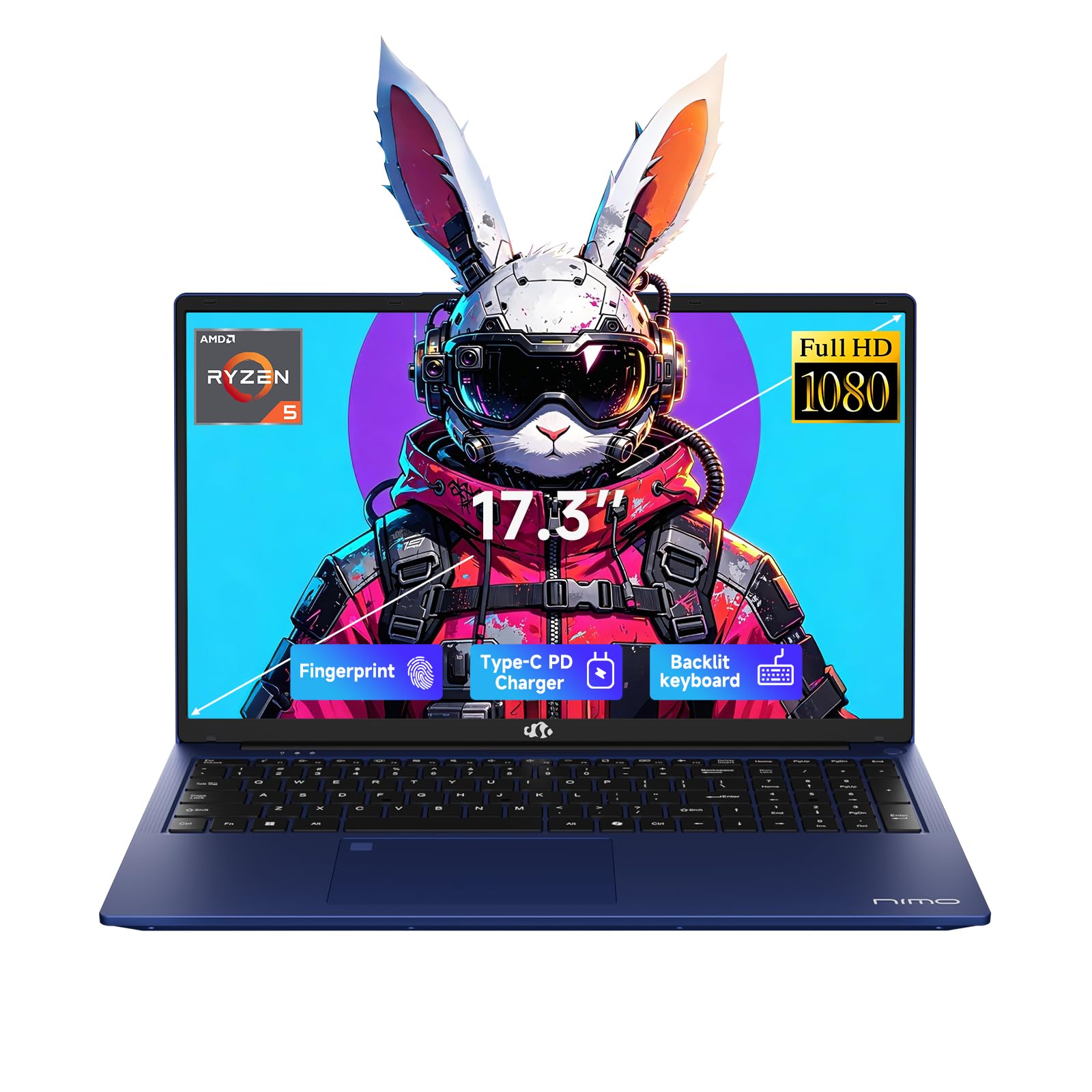
This NIMO model with the AMD Ryzen 5 6600H and Radeon 660M graphics targets the entry-level segment with a generous 32GB of DDR5 RAM and a 1TB SSD at a budget-friendly price point. The 6-core, 12-thread CPU reaches 4.5GHz boost, providing solid CPU performance for productivity and light gaming. The Radeon 660M with 6 cores at 1900MHz handles esports titles and older games at modest settings, making this suitable for students and casual gamers.
The 17.3-inch FHD IPS display with an 85% screen-to-body ratio and anti-glare coating is excellent for its tier, and the 100W USB-C PD fast charger can provide two hours of standby time after just 15 minutes of charging. The backlit keyboard and fingerprint reader add convenience that is rare at this price level. The plastic chassis feels sturdy enough, though it lacks the premium weight of metal builds.
Some users have reported units arriving bricked or requiring repairs shortly after purchase, which raises concerns about quality control consistency. The keyboard layout features cramped alphabet keys due to a large numeric keypad, which may affect typing accuracy if you rely on the number row extensively.
Why it’s great
- 32GB DDR5 RAM is excessive for the price tier
- 100W PD fast charging with compact charger
- Fingerprint reader and backlit keyboard included
- Vibrant IPS FHD display for the category
Good to know
- Cramped alphabet keys due to large numpad
- Some quality control issues reported
- Radeon 660M is entry-level graphics performance
9. ASUS TUF Gaming F17 FX706LI-ES53

The ASUS TUF Gaming F17 is a proven entry-level workhorse with MIL-STD-810H military-grade construction that can survive drops and bumps that would destroy thinner laptops. The 10th-gen Intel Core i5-10300H and GTX 1650 Ti are dated by modern standards, but they still handle CS:GO, Valorant, and Fortnite at competitive settings on the 144Hz 17.3-inch IPS display. The 8GB of DDR4 RAM is the biggest limitation — you will want to upgrade to 16GB immediately, which is thankfully simple thanks to the easily accessible RAM and SSD slots.
The chassis features a rugged DC power input, stout hinge, and durable plastic that resists fingerprints well. The 512GB PCIe SSD boots Windows in about five seconds, and there is a free M.2 slot for additional storage. The battery life is limited to about 3.5–4 hours for web browsing and roughly one hour for gaming, which is typical for this generation of hardware. The fans get loud under load, and the power brick runs hot.
CS:GO players report excellent performance at High settings, and Fallout 4 runs smoothly on Ultimate settings. The screen blacks out briefly when plugging or unplugging the charger, which some users find annoying but not deal-breaking. This is a budget option that prioritizes durability and upgradeability over cutting-edge performance.
Why it’s great
- MIL-STD-810H military-grade durability
- Easy access to RAM and SSD for upgrades
- 144Hz IPS display at entry-level price
- Reliable for esports and older titles
Good to know
- 8GB RAM needs immediate upgrade
- GTX 1650 Ti is outdated for AAA games
- Fans are loud and power brick gets hot
- Short battery life
10. LG gram Pro 17 (Intel Core Ultra 9 285H)

The LG gram Pro 17 redefines what a 17-inch laptop can weigh — just 3.3 pounds with a 0.6-inch profile — while still including an Intel Core Ultra 9 285H (Series 2) processor and NVIDIA RTX 5050 GPU. This is a machine built for professionals who need gaming-capable graphics for occasional play and CUDA acceleration for creative work, not for competitive esports at maximum frame rates. The 90Wh battery delivers up to 25 hours of video playback, making it the longest-lasting 17-inch gaming laptop on this list by a significant margin.
The 144Hz variable refresh rate display (31Hz–144Hz) balances smooth visuals with power efficiency, and the AI-powered gram Chat features handle local file searches and generative AI tasks without cloud dependency. The dual cooling system keeps the thin chassis from throttling under sustained loads, though the RTX 5050 is not designed for ray tracing at native resolution. The lack of an Ethernet port is a compromise for the thin design, but the Wi-Fi 6E and Bluetooth 5.4 connectivity compensate well.
Users praise the premium fit and finish, calling it a worthy competitor to the MacBook Pro for Windows users who need GPU acceleration. The 32GB of DDR5 RAM and 2TB SSD provide plenty of headroom for video editing and large datasets, and the MIL-STD-810G certification adds durability confidence despite the light weight.
Why it’s great
- Incredibly light 3.3 lbs for a 17-inch laptop
- 90Wh battery with up to 25 hours video playback
- Intel Core Ultra 9 with dedicated NPU for AI tasks
- Premium build quality with MIL-STD-810G
Good to know
- RTX 5050 is entry-level for gaming
- No Ethernet port
- Premium price point
- Not designed for hardcore competitive gaming
11. Alienware 18 Area-51 (RTX 5070)
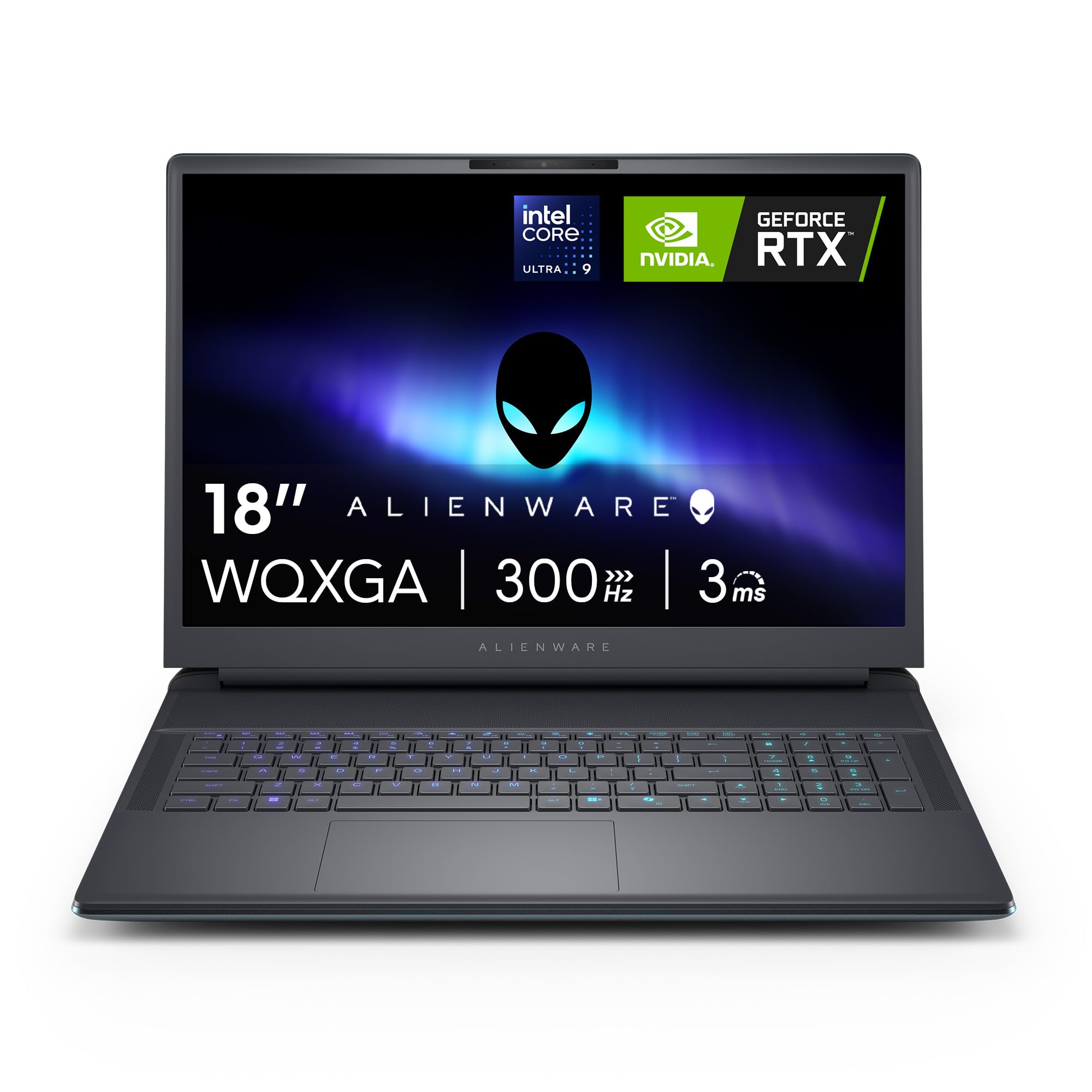
The Alienware 18 Area-51 with RTX 5070 is designed for users who prioritize maximum GPU power and are willing to carry a 9-pound chassis to get it. The new Cryo-Chamber cooling structure at the bottom of the laptop focuses airflow directly on the core components, allowing the Intel Core Ultra 9-275HX and RTX 5070 to maintain high clock speeds without thermal throttling. The QHD+ 300Hz display with 3ms response time is among the fastest available on a large-format gaming laptop, ideal for competitive play.
The 32GB of DDR5 RAM and 1TB SSD are standard for this tier, and the 1-year onsite service from Dell provides peace of mind for such a significant investment. The Liquid Teal color with soft-touch surfaces and fluid contours gives the laptop a distinctive alien aesthetic that fans of the brand will appreciate. The battery life is acceptable for a performance laptop but nowhere near all-day use.
Owners report that the laptop is almost as good as a built PC for gaming, with insanely fast performance and premium build quality. However, the weight makes it uncomfortable to use on a lap, and the medium sound quality from the speakers is a minor letdown at this price. The lack of a fingerprint reader is also notable.
Why it’s great
- 300Hz QHD+ display with 3ms response
- Cryo-Chamber cooling for sustained performance
- 1-year onsite Dell service included
- Premium build with distinctive design
Good to know
- Very heavy at over 9 lbs
- Uncomfortable for lap use
- Medium sound quality
- No fingerprint reader
12. Dell Alienware 18 Area-51 (RTX 5090, 64GB)

This top-tier Alienware configuration pairs the NVIDIA RTX 5090 with 64GB of DDR5 RAM and a 2TB PCIe SSD, creating a system that rivals most desktop builds in raw graphics performance. The 18-inch WQXGA anti-glare display runs at 2560×1600, and the RTX 5090 with DLSS 4 Multi Frame Generation can drive modern titles at maximum settings with ray tracing enabled. The Intel Core Ultra 9-275HX processor provides the CPU horsepower to match, and the Wi-Fi 7 connectivity ensures future-proof wireless networking.
The 360-watt power adapter is massive and keeps the system fed during sustained gaming sessions. Some users report screen bleed on the display, though this varies between units. M.2 NVMe drives with pre-installed heat shields may not fit due to clearance issues, so check your SSD dimensions before upgrading. The laptop runs faster and quieter than the previous generation MSI Titan with the RTX 4090, which is a significant generational leap.
Video editors working in Premiere Pro 2026 Beta note that the M4 Max MacBook Pro still edges ahead in specific AI tasks, but the Alienware is excellent for gaming-first users who also need rendering capability. The 1-year onsite service from Dell covers hardware issues, though international buyers should verify regional support availability.
Why it’s great
- RTX 5090 with DLSS 4 for top-tier gaming
- 64GB DDR5 RAM for heavy multitasking
- Wi-Fi 7 and Thunderbolt connectivity
- Quieter than previous flagship laptops
Good to know
- Very heavy with massive power adapter
- Some screen bleed reported
- M.2 clearance issues with heat shield drives
- Premium price point
13. Lenovo Legion Pro 7i Gen 10 (RTX 5090)

The Lenovo Legion Pro 7i Gen 10 sets a new benchmark for gaming laptop displays with its 16-inch WQXGA OLED panel running at 240Hz with DisplayHDR True Black 1000 certification and Dolby Vision support. The OLED’s per-pixel lighting delivers infinite contrast ratio and true blacks that no IPS or VA panel can match, making this the best choice for immersive single-player games and HDR content. Under the hood, the Intel Core Ultra 9 275HX and RTX 5090 with 24GB GDDR7 VRAM at 175W TGP provide maximum frame rates in any title at the native 2560×1600 resolution.
The 64GB of DDR5-6400MHz CSODIMM memory and dual 1TB PCIe Gen 4 SSDs ensure zero storage or memory bottlenecks. The Legion Ultimate Support includes a one-year warranty, and the 400W slim-tip power adapter keeps everything fed. The per-key RGB backlit keyboard is comfortable for long typing sessions, and the 5MP webcam with e-shutter is a welcome upgrade for streamers and remote workers.
Some users report that the RTX 5090 has early compatibility issues with certain AI frameworks, requiring nightly builds of Python Torch and CUDA 13.1+ for full functionality. The OLED display includes burn-in prevention settings that dim the taskbar and screen after periods of inactivity. The laptop runs heavier and hotter than previous Legion models, but the cooling system is unrivaled among 16-inch gaming laptops.
Why it’s great
- Stunning OLED 240Hz display with HDR True Black 1000
- RTX 5090 at 175W TGP
- 64GB DDR5-6400 and dual SSDs included
- Excellent cooling performance
Good to know
- RTX 5090 has early AI framework compatibility issues
- Heavier and hotter than previous generation
- OLED burn-in requires proactive settings
- Premium price point
FAQ
What GPU do I need for 1440p gaming at 165Hz on a 17-inch laptop?
Is 16GB of RAM enough for gaming in 2025 on a 17-inch laptop?
How important is a MUX Switch for a 17-inch gaming laptop?
Should I choose QHD or FHD for a 17-inch gaming laptop?
Can I use a 17-inch gaming laptop for professional work and video editing?
Final Thoughts: The Verdict
For most users, the best 17 gaming laptop winner is the ASUS ROG Strix G17 because it delivers the ideal combination of QHD 240Hz display quality, full 140W RTX 4070 performance, and robust liquid metal cooling in a package that justifies its premium without crossing into luxury pricing. If you want maximum value with 32GB of RAM out of the box, grab the Thunderobot Storm 17 5060. And for silent operation with the latest RTX 5070 AI features, nothing beats the Acer Nitro V 17 AI.