
A 49-inch curved gaming monitor isn’t just a screen; it’s a cockpit for your digital life. The 32:9 super ultrawide aspect ratio replaces a dual-monitor setup with a single, seamless pane of glass, wrapping your peripheral vision in a 1800R or tighter curve that pulls you into the action. But choosing the wrong panel tech or refresh rate — settling for a slower VA panel when your GPU craves OLED, or a low pixel density that makes text look blurry — turns that immersive dream into a regret.
I’m Min — the co-founder and writer behind Gadgets Feed. I’ve spent countless hours analyzing the technical specifications, real-world performance data, and user experiences across every major 49-inch curved gaming monitor to separate the genuine upgrades from the marketing fluff.
Whether you prioritize blistering 240Hz OLED motion clarity or the raw pixel count of a Dual 4K Mini-LED behemoth, this guide cuts through the noise to help you find the best 49 inch curved gaming monitor for your specific setup and budget.
How To Choose The Best 49 Inch Curved Gaming Monitor
A 49-inch super ultrawide is a big investment in desk real estate. Before you click buy, you need to match the panel technology and resolution to your gaming habits and your PC’s horsepower. Getting this wrong means either leaving performance on the table or paying for pixels your GPU can’t push.
Panel Technology: OLED vs. Mini-LED vs. VA
The panel type is the single biggest factor in image quality. QD-OLED panels deliver per-pixel lighting, infinite contrast ratios, and near-instant 0.03ms response times, making HDR gaming look truly spectacular. Mini-LED (like the Samsung Neo G9) uses thousands of local dimming zones to achieve high brightness (1000+ nits) and deep blacks without the burn-in risk of OLED. Standard VA panels offer a more budget-friendly entry point with decent contrast but suffer from slower pixel response and noticeable black smearing in dark scenes.
Resolution and Pixel Density
You’ll encounter three main resolutions: Dual FHD (3840×1080), Dual QHD (5120×1440), and Dual 4K UHD (7680×2160). DFHD is easier to drive but looks pixelated with a 49-inch screen size. DQHD (often called DQHD) is the sweet spot for both gaming and productivity — sharp text and a manageable load for a high-end GPU like an RTX 4080. DUHD requires the absolute best hardware, including a DisplayPort 2.1 connection (as seen on the Samsung 57-inch Neo G9), to run at its full 240Hz.
Refresh Rate and Adaptive Sync
144Hz is the baseline for smooth competitive gaming, but 240Hz provides a tangible advantage in fast-paced shooters and racing sims, reducing motion blur further. Both AMD FreeSync Premium Pro and NVIDIA G-Sync Compatible certifications are common, but ensure your GPU brand matches to avoid flickering issues that some users report with mismatched setups.
Quick Comparison
On smaller screens, swipe sideways to see the full table.
| Model | Category | Best For | Key Spec | Amazon |
|---|---|---|---|---|
| INNOCN 49Q1S OLED | OLED | 240Hz Gaming & Immersion | 5120×1440, 240Hz, 0.03ms | Amazon |
| Samsung Odyssey OLED G9 G91SD | QD-OLED | Pro-Grade HDR Gaming | 5120×1440, 144Hz, 0.03ms | Amazon |
| MSI MPG 491CQP QD-OLED | QD-OLED | Work & Play Balance | 5120×1440, 144Hz, 0.03ms | Amazon |
| Deco Gear 49″ QD-OLED | QD-OLED | High FPS & Productivity | 5120×1440, 240Hz, 0.03ms | Amazon |
| LG 45GS95QE Ultragear OLED | OLED | Deep Curvature Immersion | 3440×1440, 240Hz, 0.03ms | Amazon |
| Philips Evnia 49M2C8900L | QD-OLED | Built-in Audio & Ambience | 5120×1440, 144Hz, 0.03ms | Amazon |
| GIGABYTE AORUS CO49DQ OLED | OLED | Sim Racing & FPS | 5120×1440, 144Hz, 0.03ms | Amazon |
| Samsung 57″ Odyssey Neo G9 G95NC | Mini-LED | Dual 4K & Peak Brightness | 7680×2160, 240Hz, 1ms | Amazon |
| Acer Predator Z57 | Mini-LED | Dual 4K & Color Accuracy | 7680×2160, 120Hz, 1ms | Amazon |
| LG 49WQ95C-W Nano IPS | IPS | Color-Critical Productivity | 5120×1440, 144Hz, 5ms | Amazon |
| Dell UltraSharp U4025QW | IPS Black | 5K2K Professional Use | 5120×2160, 120Hz, 5ms | Amazon |
| ASUS ROG Strix XG49VQ | VA | Budget Ultrawide Gaming | 3840×1080, 144Hz, FreeSync 2 | Amazon |
| INNOCN 49C1G VA | VA | Budget WFH & Casual Gaming | 3840×1080, 144Hz, HDR400 | Amazon |
In‑Depth Reviews
1. INNOCN 49Q1S OLED Curved Gaming Monitor

The INNOCN 49Q1S punches well above its mid-range price point by delivering a true 5120×1440 OLED panel with a 240Hz refresh rate and a 0.03ms response time. This directly competes with panels from Samsung and MSI but adds a 90W USB-C port for single-cable laptop charging and a built-in KVM switch for managing two PCs. The 1800R curve wraps the DQHD resolution naturally around your field of view, making games like Forza Horizon and Call of Duty feel genuinely immersive.
HDR performance is certified to VESA DisplayHDR True Black 400, which means deep blacks and specular highlights that punch well above the 400-nit rating thanks to OLED’s infinite contrast. The glossy screen finish enhances perceived clarity and color pop, though some users note it can reflect ambient light in bright rooms. The on-screen display menu is easy to navigate via a rear joystick, and the included stand offers full tilt, swivel, and height adjustment.
Customer feedback is overwhelmingly positive for its gaming clarity and build quality. A small number of users reported units failing after a few months, which is a known risk with early OLED production runs. However, INNOCN’s customer service has been responsive in replacing defective units. For the price, this is the most feature-dense 49-inch curved gaming monitor available, offering 240Hz OLED that often costs hundreds more from bigger brands.
Why it’s great
- Stunning OLED contrast and 240Hz smoothness
- 90W USB-C power delivery reduces cable clutter
- Built-in KVM for easy multi-device workflow
Good to know
- Rear LED lighting cannot be customized
- OLED burn-in risk without pixel refresh routines
2. Samsung 49″ Odyssey OLED G9 G91SD

Samsung’s Odyssey OLED G9 (G91SD) brings their latest QD-OLED panel to the 49-inch format with a 5120×1440 resolution and a 144Hz refresh rate. The key differentiator here is the Quantum Dot layer, which pushes color volume to 99% DCI-P3 and delivers a wider color spectrum than standard OLED panels. This makes games like Cyberpunk 2077’s neon-lit streets look incredibly vivid, with pure blacks that have zero light bleed.
The monitor includes a Thermal Modulation System to prevent heat buildup in the panel, alongside Logo and Taskbar Detection that automatically dims static elements to prevent burn-in. It ships with an ergonomic stand offering tilt, swivel, and height adjustment, and the included 3-year warranty covers burn-in — a critical safety net for any OLED buyer. Picture-in-Picture mode lets you run a small sub-screen alongside your main game, perfect for keeping Discord or streaming guides visible.
User reviews frequently praise the out-of-box picture quality and the on-site warranty repair that Samsung provides if issues arise. Some customers experienced early panel failures, but the responsive in-home service ultimately restored trust. A few noted the power cable is shorter than ideal and that pixel shifting — an OLED burn-in prevention feature — can be slightly distracting on desktop. For buyers who want the most color-accurate and reliable 49-inch OLED on the market, this G9 is the standard-setter.
Why it’s great
- Superb QD-OLED color volume and infinite contrast
- 3-year burn-in warranty for long-term confidence
- Auto-dimming static elements prevents burn-in
Good to know
- Only one DisplayPort input; HDMI limited to 60Hz at full res
- Pixel shifting can be noticeable on desktop text
3. MSI MPG 491CQP QD-OLED

The MSI MPG 491CQP delivers a QD-OLED panel with a 144Hz refresh rate and a 0.03ms response time at a price that often undercuts Samsung’s comparable models. It uses the same Samsung QD-OLED panel found in the G9, meaning you get the same 99% DCI-P3 color gamut and VESA DisplayHDR True Black 400 certification. MSI adds their Gaming Intelligence software, which lets you adjust crosshairs, timer overlays, and picture presets directly from a desktop app instead of fumbling with the OSD joystick.
A key feature is the built-in KVM switch, allowing you to control two PCs with a single keyboard and mouse — a huge productivity win for users who game on one desktop and work on a laptop. The 90W USB-C port handles video, data, and charging over a single cable. MSI’s OLED Care 2.0 also includes pixel shift and panel refresh routines to minimize burn-in risk over the monitor’s lifespan.
Customer reviews highlight the monitor’s excellent color accuracy out of the box and its ability to replace a dual-monitor setup for both gaming and professional photo editing. Some users reported a flickering issue after a few months that required an RMA, with MSI’s warranty service involving a shipping fee for a refurbished replacement. For budget-conscious buyers who want genuine QD-OLED quality, this is the best value option, but the warranty experience is worth noting.
Why it’s great
- Same QD-OLED panel as Samsung G9 at a lower price
- KVM switch simplifies multi-device control
- Excellent out-of-box color accuracy (Delta E≤2)
Good to know
- RMA may require shipping fees for replacement
- No built-in speakers
4. Deco Gear 49″ QD-OLED 240Hz
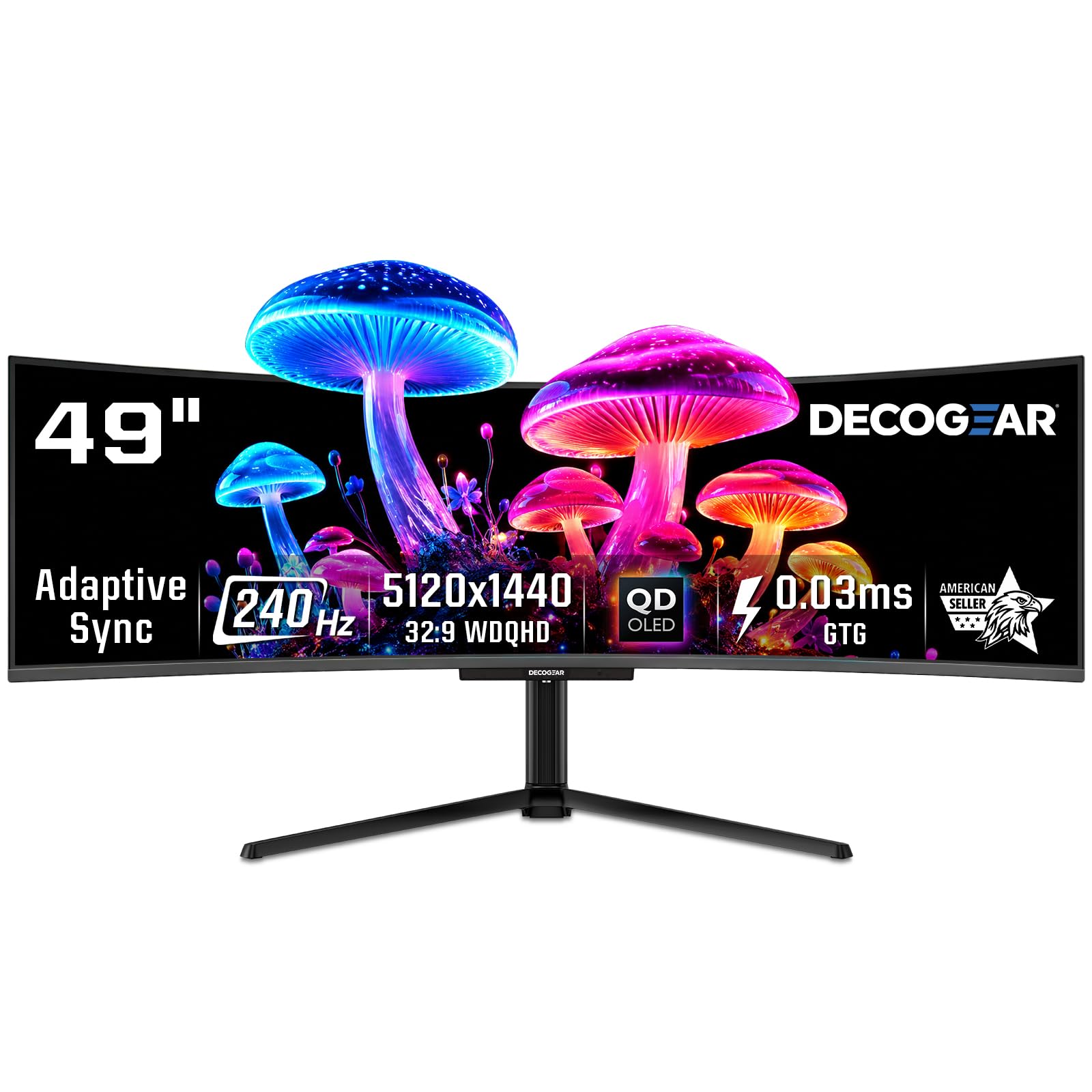
The Deco Gear 49-inch QD-OLED pushes the refresh rate to 240Hz while maintaining the 5120×1440 resolution and 0.03ms response time that serious competitive gamers demand. It uses the same Samsung-made QD-OLED panel seen in the INNOCN 49Q1S, meaning you get 1.07 billion colors and a 1,500,000:1 contrast ratio. The 1800R curvature helps your peripheral vision catch fast-moving targets in shooters like Overwatch 2 or Apex Legends.
Connectivity is robust with HDMI 2.1 and DisplayPort 1.4 running at full bandwidth, plus a USB-C port that delivers 90W of power delivery — enough to charge a 16-inch MacBook Pro while driving the display. The built-in KVM switch lets you toggle between a gaming rig and a work laptop without swapping cables. RGB lighting on the rear adds a subtle glow to your gaming setup, though it cannot be synchronized with other peripherals out of the box.
Buyers report the picture quality being identical to monitors costing nearly twice as much, citing “gorgeous colors” and “super fluid motion.” A small number of refurbished unit buyers had failures within months and were left without warranty support. New units, however, have been reliable. If you want 240Hz OLED performance without paying a premium for a big brand name, the Deco Gear is a compelling option.
Why it’s great
- 240Hz refresh rate for ultra-smooth gameplay
- Excellent color accuracy and deep blacks
- 90W USB-C and KVM for productivity
Good to know
- Refurbished units have poor warranty coverage
- Power cable may be fragile in some units
5. LG 45GS95QE Ultragear OLED
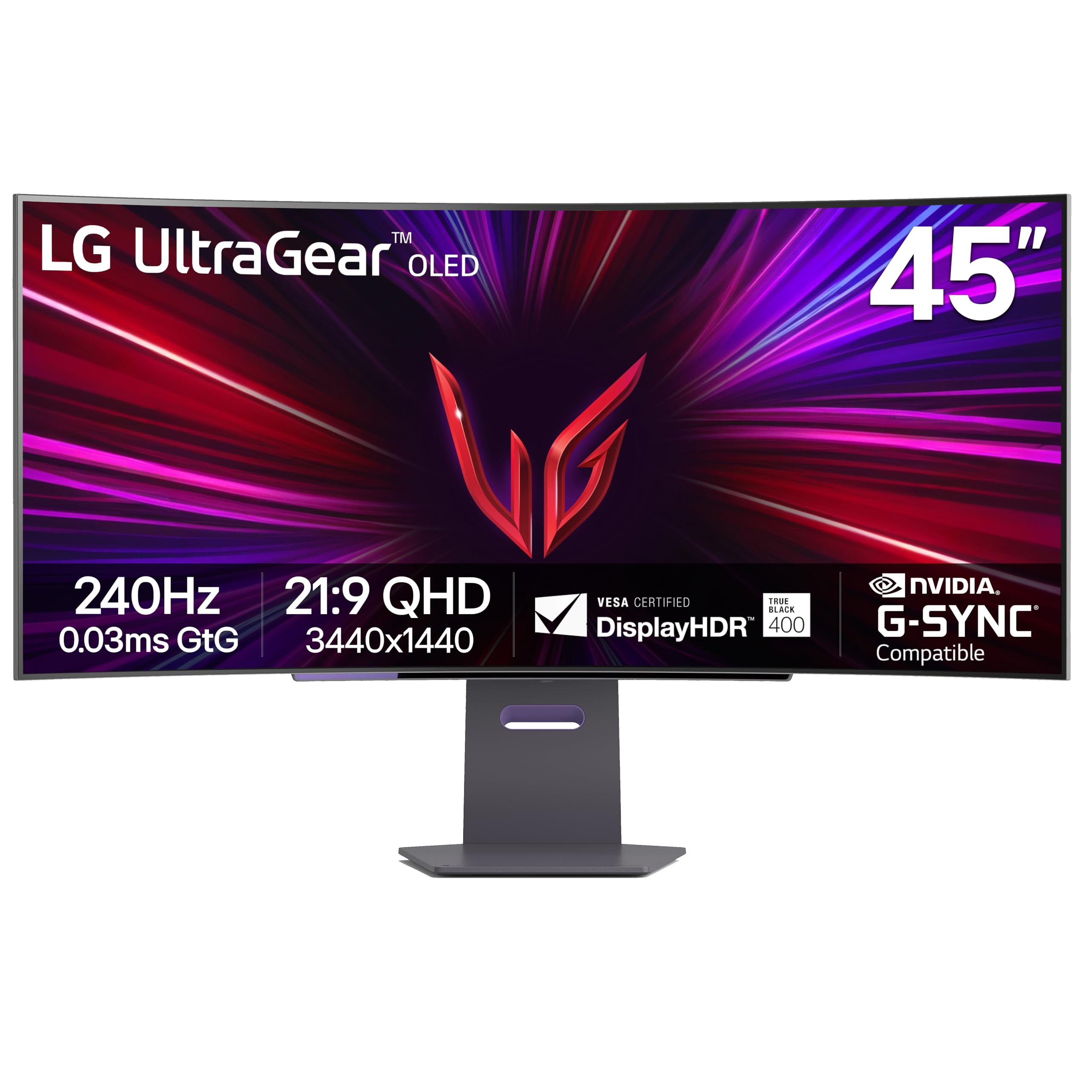
The LG 45GS95QE takes a different approach from the 32:9 segment, offering a 45-inch 21:9 OLED with a dramatic 800R curve. Despite being slightly narrower in aspect ratio, the 800R radius creates an unprecedented sense of enclosure that many sim racers and flight sim fans prefer over the standard 1800R curve. The 3440×1440 WQHD resolution is easier to drive at high frame rates, meaning a mid-range GPU like an RTX 4070 can still hit 240 FPS in competitive titles.
LG uses its Micro Lens Array (MLA+) technology to push typical brightness to 275 nits, a meaningful bump over standard OLED panels. The anti-glare, low-reflection coating is excellent for bright rooms. Both G-Sync Compatible and FreeSync Premium Pro are certified, eliminating screen tearing. The stand is a solid aluminum slab with a compact square base that saves desk depth compared to the wide feet of most 49-inch models.
Users upgrading from 27-inch or 34-inch monitors report the 45-inch size paired with the tight curve being “the most immersive monitor ever owned.” Some were initially concerned about text clarity at this PPI, but most found it perfectly readable after adjusting sharpness and ClearType settings. The lack of a remote control and the rear-mounted joystick are minor ergonomic gripes. This is the best choice for gamers who prioritize immersion over raw horizontal screen width.
Why it’s great
- Dramatic 800R curve for total immersion
- 240Hz OLED with MLA+ for higher brightness
- Easier to drive than 5120×1440 panels
Good to know
- PPI lower than 27-inch 1440p; some see text fuzziness
- Only one DisplayPort and two HDMI inputs
6. Philips Evnia 49M2C8900L
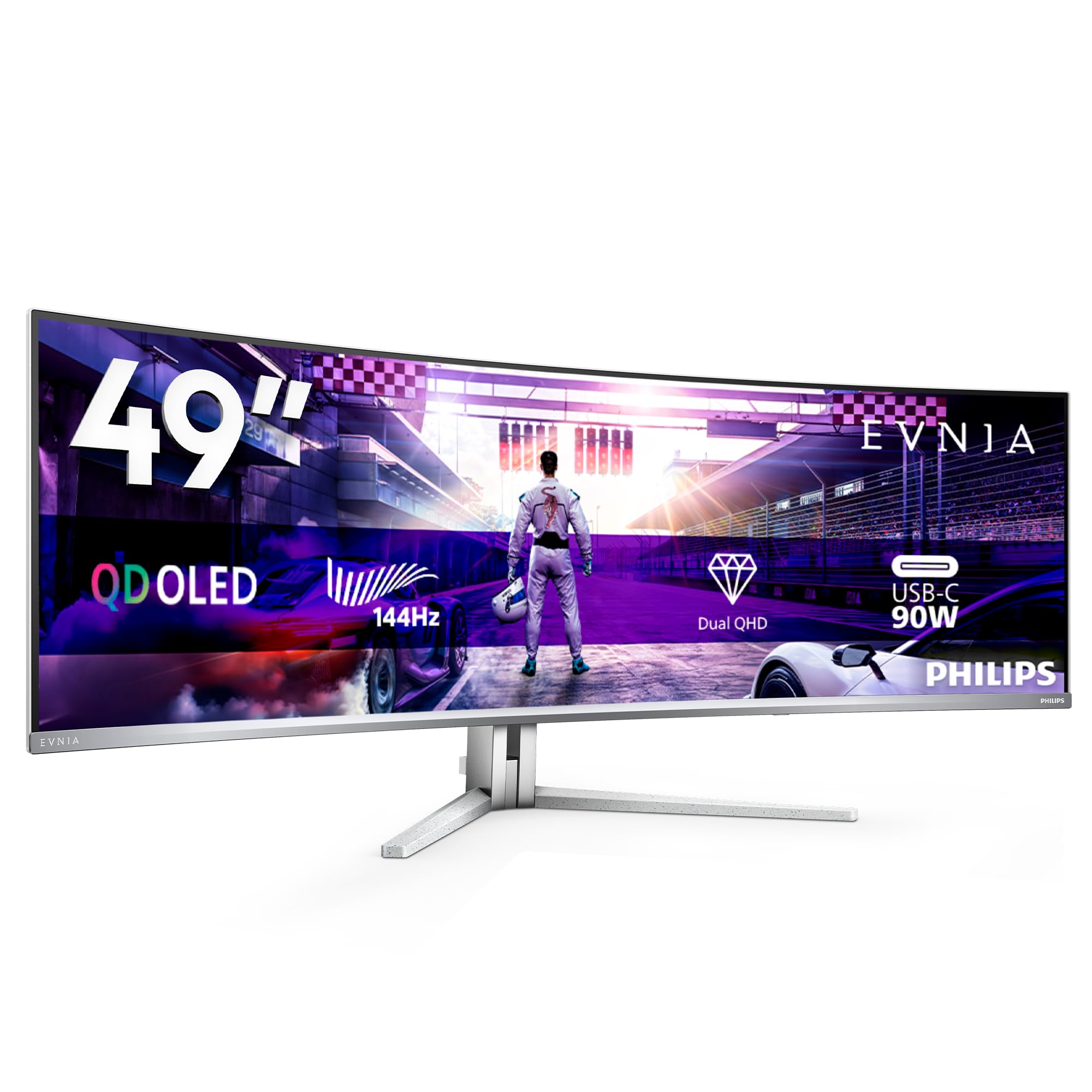
The Philips Evnia 49M2C8900L combines a 49-inch QD-OLED panel with 144Hz refresh rate and an integrated DTS Sound system. The 4x 7.5-watt speakers deliver a rich, virtual surround sound experience that eliminates the need for separate desktop speakers for casual gaming and media consumption. The Ambiglow lighting system projects on-screen colors onto the wall behind the monitor, further enhancing the sense of immersion.
The 1800R curvature is paired with a 5120×1440 DQHD resolution and VESA DisplayHDR True Black 400 certification. Connectivity includes two HDMI 2.1 ports, one DisplayPort 1.4, and a USB-C port with 90W power delivery. The built-in KVM switch allows seamless control of two devices. Philips includes a full set of cables — DisplayPort, HDMI, and USB-C — in the box, saving you from needing to buy extras.
European buyers particularly praised the competitive pricing relative to the feature set, calling it “the best value QD-OLED” in its class. A few users mentioned that the Ambiglow implementation is less effective than on Philips TVs due to the monitor’s narrower chassis. The manual pixel refresh every 16 hours of uptime is required to maintain the panel’s health, which some find inconvenient. If built-in audio quality and ambient lighting matter to you, this is the standout 49-inch curved gaming monitor.
Why it’s great
- Excellent built-in DTS speakers for a monitor
- Ambiglow adds real visual immersion
- Strong value for QD-OLED with KVM and USB-C
Good to know
- Pixel refresh required every 16 hours
- Ambiglow less impactful on narrow display
7. GIGABYTE AORUS CO49DQ OLED

GIGABYTE’s AORUS CO49DQ is a 49-inch OLED monitor with 5120×1440 DQHD resolution and a 144Hz refresh rate. The 0.03ms response time is instantaneous, and the panel supports both AMD FreeSync Premium Pro and is G-Sync Compatible, covering the full range of GPU brands. The wide color gamut ensures that racing sims like Assetto Corsa Competizione and iRacing look brutally realistic with accurate track-side colors and deep, shadow-rich cockpits.
The monitor can be split into two virtual 27-inch 1440p screens via the KVM function, making it easy to run a sim dashboard on one half and a race telemetry app on the other. The included GIGABYTE Control Center software allows you to adjust OSD settings from your desktop. The stand is height-adjustable but does not swivel or tilt significantly. Most users will want to mount it on a VESA 100×100 arm for optimal positioning.
Reviews highlight the clarity and color accuracy as “superb” and the 49-inch width as “perfect for sim racing and flight sims.” Some users noted the absence of a mounting plate in the box and that the peak brightness meters at around 967 nits in HDR highlights, slightly below official spec. The price has dropped significantly since launch, making it one of the best-value OLED 49-inch monitors available today. It is a no-compromise choice for simulation enthusiasts.
Why it’s great
- Excellent OLED picture for sim racing immersion
- KVM support for dual-PC setups
- G-Sync and FreeSync compatible
Good to know
- VESA mount plate not included
- Stand lacks swivel and tilt range
8. Samsung 57″ Odyssey Neo G9 G95NC

The Samsung 57-inch Odyssey Neo G9 is the most technically ambitious consumer monitor on this list. It features a Dual 4K UHD resolution (7680×2160) — effectively two 32-inch 4K monitors side by side — on a massive 1000R curved VA panel with Quantum Mini-LED backlighting. This gives it 2,392 local dimming zones and VESA DisplayHDR 1000 certification, meaning it can hit 1,000 nits peak brightness while maintaining deep black levels.
The 240Hz refresh rate combined with a 1ms response time is unprecedented at this resolution, but it requires a DisplayPort 2.1 connection to run at full speed. This is a future-proofing feature that current top-tier GPUs like the RTX 5090 can leverage. The 1000R curve is the tightest of any 57-inch panel, wrapping the display around your head for maximum peripheral immersion. The stand is heavy and wide, so a sturdy desk and VESA arm are strongly recommended.
Users describe the sheer screen real estate as “transformative” for both gaming and day trading, enabling four full browser windows to sit comfortably side by side. Some report firmware issues with wake-from-sleep functionality and note that the included cables are too short to route cleanly. The high price demands a premium investment, but for raw pixel count, brightness, and refresh rate, the Neo G9 G95NC is the undisputed flagship.
Why it’s great
- World’s first Dual 4K with 240Hz and DP 2.1
- 2,392 local dimming zones for stellar HDR
- 1000R curve offers extreme immersion
Good to know
- Requires a massive desk and a powerful GPU
- Firmware bugs with wake-from-sleep
9. Acer Predator Z57 Mini LED

The Acer Predator Z57 goes head-to-head with the Samsung Neo G9, offering a 57-inch DUHD (7680×2160) Mini-LED display with 2,304 local dimming zones. VESA DisplayHDR 1000 certification and DCI-P3 98% coverage ensure exceptional brightness and color saturation. The 1000R curvature matches Samsung’s flagship, providing an equally immersive field of view for cinematic single-player experiences.
Where the Predator Z57 differs is in its 120Hz refresh rate, which is half the Neo G9’s 240Hz. This reduces the GPU burden slightly but also limits motion clarity for competitive gamers. It uses standard DisplayPort 1.4 and HDMI 2.1 inputs, which is less demanding than DP 2.1 but caps your bandwidth. Dual 10W speakers are integrated into the chassis, a major plus for users who don’t want dedicated speakers cluttering their desk.
User reviews praise the “incredible colors” and the “crisp clarity of the 57-inch screen.” Some buyers received units with dead pixels or ghosting, and Acer’s customer support was described as unhelpful in those cases. The monitor’s thick bezels and inconvenient bottom-facing inputs are minor design complaints. For a slightly lower price than Samsung’s equivalent, the Predator Z57 is a strong alternative for gamers who value build quality and brightness over ultra-high refresh rates.
Why it’s great
- Impressive dual 4K Mini-LED HDR performance
- Built-in 10W speakers for all-in-one setup
- 1000R curve matches premium immersion
Good to know
- 120Hz refresh rate, not 240Hz
- Quality control and support are inconsistent
10. LG 49WQ95C-W Nano IPS

The LG 49WQ95C-W takes a different path from the OLED-heavy competition, using a 49-inch Nano IPS panel with 5120×1440 DQHD resolution and a 144Hz refresh rate. IPS technology ensures wide 178-degree viewing angles and color accuracy out of the box, covering 98% of the DCI-P3 color space. This makes it a favorite among photo editors and video producers who need consistent color across the entire screen width.
VESA DisplayHDR 400 certification means HDR content is usable but not as impactful as OLED or Mini-LED solutions. The monitor supports both G-Sync Compatible and FreeSync Premium Pro. The USB-C port provides 90W power delivery, and the built-in KVM switch makes it easy to toggle between a MacBook and a gaming PC. The 2500R curve is gentle, intended more for ergonomic comfort than deep immersion.
Long-term users report the monitor lasting over three years without issues, praising its build quality and the sharpness of the Nano IPS panel. A few noted that the low curvature can make the far edges of the screen difficult to see when using two computers in Picture-by-Picture mode. This is the ultrawide to buy if your primary workflow is professional content creation, but you still want 144Hz for casual gaming after hours.
Why it’s great
- Excellent out-of-box color accuracy for creative work
- Built-in KVM and 90W USB-C for productivity
- G-Sync and FreeSync compatible
Good to know
- 2500R curve is subtle; may not feel immersive
- HDR performance is mediocre compared to OLED
11. Dell UltraSharp U4025QW 40

The Dell UltraSharp U4025QW is a 40-inch 21:9 ultrawide with a 5120×2160 (5K2K) resolution — a step up in pixel density from standard 49-inch 32:9 monitors. This gives it the vertical real estate of a 27-inch 4K display, which is incredible for coding, video editing timelines, and reading spreadsheets without constant zooming. The IPS Black technology improves contrast to 2,000:1, delivering deeper blacks than standard IPS panels.
At 120Hz, it’s fast enough for smooth desktop scrolling and light gaming, but it’s not designed for competitive esports. The 600-nit peak brightness and DisplayHDR 600 certification make it bright enough for well-lit offices. The Thunderbolt 4 hub with 140W PD can charge a high-end workstation laptop at full speed. The array of ports includes DisplayPort, HDMI, Ethernet, and multiple USB-A and USB-C ports, turning the monitor into a docking station.
Professional users describe it as “the best monitor for productivity,” noting the flawless 5K2K sharpness and the seamless KVM switching between PCs. The price point is the highest on this list, reflecting its pro-grade features, color fidelity, and Thunderbolt ecosystem. This is not a pure gaming monitor — its true home is on the desk of a creator or developer who needs maximum resolution and connectivity.
Why it’s great
- Class-leading 5K2K resolution for pixel-perfect work
- IPS Black panel with excellent contrast
- Thunderbolt 4 hub with 140W charging
Good to know
- 120Hz is fine for productivity, not competitive gaming
- Very expensive, and overkill for casual use
12. ASUS ROG Strix XG49VQ

The ASUS ROG Strix XG49VQ is a veteran of the 49-inch curved gaming monitor space, featuring a 3840×1080 DFHD resolution on a VA panel with a 144Hz refresh rate. The 1800R curve and FreeSync 2 HDR support made it a trailblazer when it launched, and it still offers solid value for gamers on a tight budget. The 3840×1080 resolution is relatively easy for mid-range GPUs to drive at high frame rates, making it a good match for an RTX 3060 or RX 6700 XT.
ASUS includes GamePlus overlays (crosshairs, timer, FPS counter) and GameVisual color presets that are genuinely useful. The monitor’s VESA mount compatibility and swivel/tilt/height-adjustable stand are welcome features at this price point. The VA panel handles contrast reasonably well, but its 4ms response time can produce visible black smearing in dark scenes, and the 90% DCI-P3 color gamut is good but not great for HDR.
User feedback is mixed. Some love it as a “beautiful, immersive monitor that works great with mid-range hardware” for racing and strategy games. Others dislike its low pixel density, noting that text and UI elements look soft at 49 inches. The FreeSync 2 HDR implementation has also been reported to flicker when used with NVIDIA cards. It remains a viable entry point into super ultrawide gaming, but its age shows against modern OLED alternatives.
Why it’s great
- Low pixel count makes it easy to drive at high FPS
- Good build quality with full ergonomic stand
- Competitive price for a 49-inch screen
Good to know
- 3840×1080 resolution looks pixelated on 49 inches
- FreeSync 2 can flicker with NVIDIA GPUs
13. INNOCN 49C1G VA

The INNOCN 49C1G is a VA-based 49-inch curved monitor with 3840×1080 DFHD resolution and a 144Hz refresh rate. It’s clearly positioned for the budget-conscious user who wants the super ultrawide form factor for work-from-home productivity and casual gaming. The 1800R curve and 99% sRGB coverage make it a decent choice for office tasks, and the 3000:1 contrast ratio of the VA panel provides punchy colors for movies and TV shows.
Connectivity is surprisingly robust at this price point: HDMI 2.1, DisplayPort 1.4, USB-C with 65W power delivery, and even an RJ45 Ethernet port. The built-in speakers are adequate for video calls. The stand offers tilt, swivel, and height adjustment, and the monitor supports VESA wall mounting. PIP/PBP mode allows you to connect two devices at once — a feature typically reserved for more expensive models.
Buyers praise the “great price point” and the ability to replace three separate monitors with one screen for multitasking. Some warn that the 3840×1080 resolution is “not great for console gaming” because the image will be stretched, and the 1080p vertical count means less vertical space for documents. The display is also shorter (15 inches tall) than dual 27-inch monitors, which may look sparse on a wide desk. It is a functional, budget-friendly entry into the super ultrawide world.
Why it’s great
- Lowest price point for a 49-inch curved monitor
- Includes USB-C 65W, Ethernet, and PIP/PBP
- Great for replacing multiple monitors at work
Good to know
- DFHD resolution means lower pixel density
- Not ideal for console gaming (stretched image)
FAQ
Does a 49-inch curved 32:9 monitor require a special GPU?
Is a 49-inch curved monitor good for console gaming like PS5 or Xbox?
Can a 49-inch curved monitor replace a dual monitor setup?
Final Thoughts: The Verdict
For most users, the best 49 inch curved gaming monitor winner is the INNOCN 49Q1S OLED because it delivers a stunning 240Hz OLED experience with a KVM switch and 90W USB-C at a price that undercuts the competition. If you want the absolute best color volume and a 3-year burn-in warranty, grab the Samsung Odyssey OLED G9 G91SD. And for the highest possible pixel count and brute HDR brightness, nothing beats the Samsung 57″ Odyssey Neo G9 G95NC.