
The RTX 4070 Ti is a 4K-capable card with enough horsepower to push high frame rates in modern titles, but only if paired with a monitor that doesn’t bottleneck its output. A 60Hz office panel leaves performance on the table, while a proper 4K high-refresh display with HDMI 2.1 unlocks the smooth, detailed experience this GPU was built to deliver. The challenge is finding a monitor that balances resolution, refresh rate, and color fidelity without exceeding a restrictive budget.
I’m Min — the co-founder and writer behind Gadgets Feed. I’ve spent countless hours researching, comparing technical specifications, and analyzing real-world performance data to find the monitors that genuinely complement the 4070 Ti’s capabilities within this specific price constraint. This guide focuses exclusively on the intersection of value and feature density for this exact GPU pairing.
Whether you prioritize competitive frame rates with dual-mode switching or color-accurate IPS panels for creative work, this roundup of the 4k monitor under $300 for 4070 ti will help you choose the right display for your setup and budget.
How To Choose The Best 4K Monitor Under $300 For 4070 Ti
The RTX 4070 Ti sits in a sweet spot: it can run most games at 4K with high settings at 60-100 FPS, and lighter titles can push past 120 FPS. A monitor that locks you to 60Hz wastes this potential. Focus on connectivity bandwidth, refresh rate flexibility, and panel type to get the most out of your GPU without paying for features you cannot use.
HDMI 2.1 and DisplayPort 1.4 Bandwidth
The 4070 Ti includes both HDMI 2.1 and DisplayPort 1.4 interfaces. To drive 4K at 144Hz or higher without chroma subsampling, the monitor must support HDMI 2.1 at full 48Gbps bandwidth. DisplayPort 1.4 with DSC can also deliver 4K 160Hz, but HDMI 2.1 is the cleaner, universal standard for console and PC use. Monitors with only HDMI 2.0 will be stuck at 4K 60Hz, defeating the purpose of pairing with a 4070 Ti.
Refresh Rate Targets: 120Hz vs 160Hz vs Dual-Mode
A 4K 120Hz monitor is the minimum worthwhile upgrade from 60Hz for the 4070 Ti. 144Hz and 160Hz panels provide additional headroom for less demanding titles. Dual-mode monitors offer a unique advantage: they can switch to 1080p at 240-320Hz, giving you a competitive edge in esports titles while keeping a single monitor on your desk. This flexibility is especially useful when GPU load varies significantly between games.
Panel Type: IPS Color vs VA Contrast
IPS panels dominate the sub-$300 4K market because they offer wide viewing angles, consistent brightness, and strong color accuracy suitable for both gaming and productivity. VA panels deliver deeper blacks and higher contrast ratios (4000:1 vs 1000:1 for IPS), which improves immersion in dark scenes, but they typically have slower response times and narrower viewing angles. For a mixed-use setup with the 4070 Ti, an IPS panel with good color gamut coverage is usually the better all-rounder.
Quick Comparison
On smaller screens, swipe sideways to see the full table.
| Model | Category | Best For | Key Spec | Amazon |
|---|---|---|---|---|
| Acer Nitro VG270K V4 | Premium | Best Overall Value | 4K 160Hz / FHD 320Hz DFR | Amazon |
| KOORUI G2741L | Premium | Dual-Mode Gaming | 4K 160Hz / FHD 320Hz IPS | Amazon |
| KTC U27T6 | Premium | Color Accuracy | 140% sRGB, ΔE<2 | Amazon |
| ViewSonic VX2730D-4K | Premium | Pro Esports Mode | 4K 144Hz / FHD 288Hz | Amazon |
| Dell S2725QS Plus | Mid-Range | Productivity & Light Gaming | 4K 120Hz, 1500:1 Contrast | Amazon |
| LG 27UP850K-W | Mid-Range | MacBook Connectivity | USB-C 90W PD, 95% DCI-P3 | Amazon |
| INNOCN 27C1U-D | Mid-Range | Creative Work on a Budget | USB-C, ΔE<2, Built-in Speakers | Amazon |
| ZZA 32 Inch Curved | Budget | Immersive 32-Inch Gaming | 32″ 4K 160Hz, VA 1500R | Amazon |
| GIGABYTE M27UP | Premium | Feature-Rich Top Pick | 4K 160Hz / FHD 320Hz, KVM | Amazon |
In‑Depth Reviews
1. Acer Nitro VG270K V4

The Acer Nitro VG270K V4 is the most balanced option for RTX 4070 Ti owners. Its Dynamic Frequency Resolution (DFR) technology lets you toggle between 4K UHD at 160Hz and 1080p at 320Hz, matching the GPU’s output to the game type — high-fidelity visuals for story-rich titles or blistering speeds for competitive esports. The IPS panel with 90% DCI-P3 coverage delivers punchy, accurate colors out of the box, and the dual HDMI 2.1 ports provide the full bandwidth needed for 4K 160Hz signal without compression.
The near bezel-less ZeroFrame design makes multi-monitor setups straightforward, and the included stand offers tilt adjustment. Response times hit up to 0.5ms GTG, which keeps motion clarity sharp in fast scenes. The built-in speakers are adequate for casual use but not for critical audio work.
For the price, the combination of 4K 160Hz, HDMI 2.1, DFR, and IPS color quality is hard to beat. It is the safest recommendation for a 4070 Ti pairing within this budget tier.
Why it’s great
- Dual-mode DFR (4K 160Hz / FHD 320Hz) gives flexibility across game genres
- Full-bandwidth HDMI 2.1 ports support uncompressed 4K high-refresh input
- Strong 90% DCI-P3 color gamut for an IPS panel at this price
Good to know
- Built-in speakers are weak and tinny
- Stand only offers tilt, no height or pivot adjustment
2. GIGABYTE M27UP
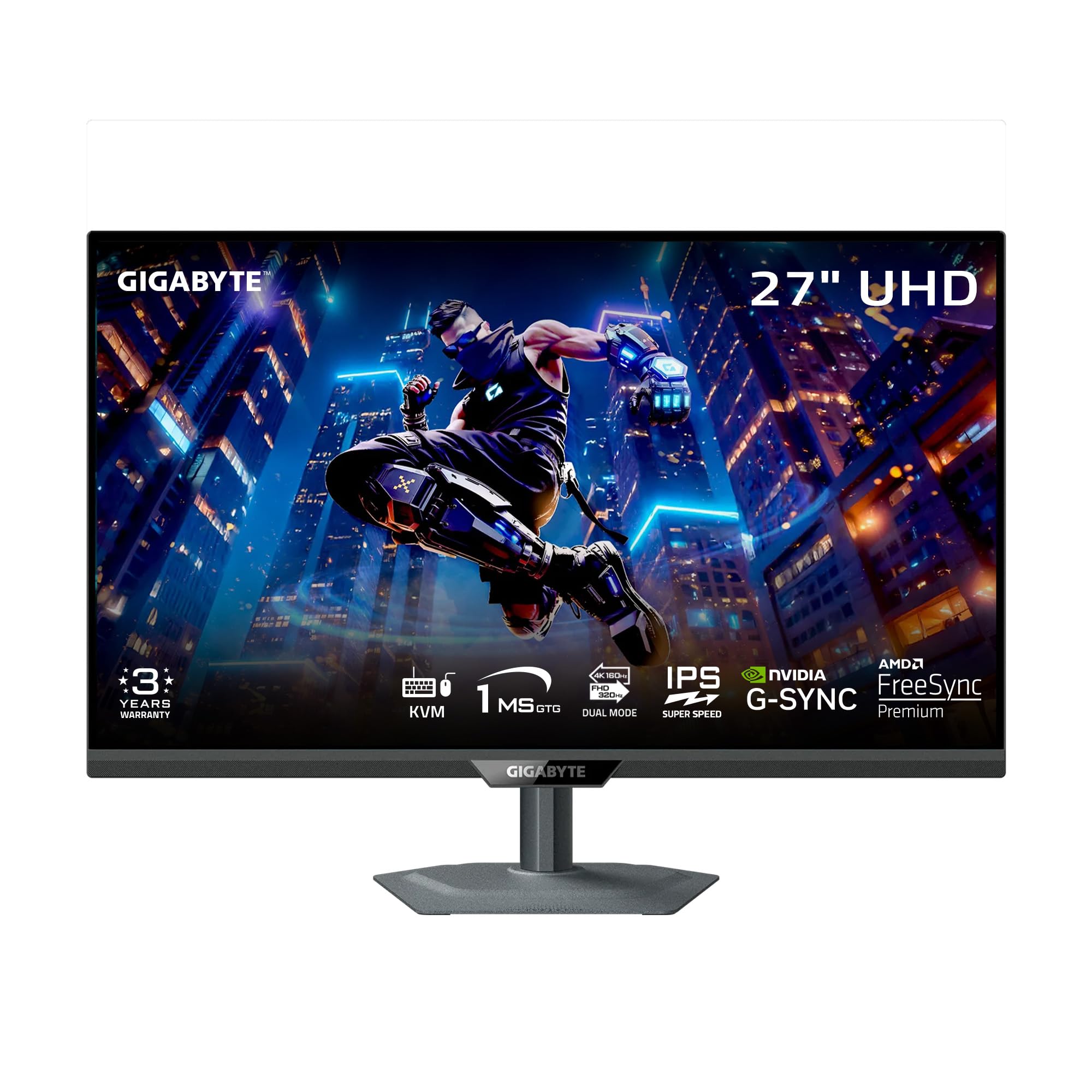
The GIGABYTE M27UP pushes beyond the typical sub-$300 feature set by including a built-in KVM switch, allowing you to share the monitor, keyboard, and mouse between two systems — ideal if you game on a desktop and work on a laptop. Its SuperSpeed IPS panel runs 4K at 160Hz natively and can dual-mode to 1080p at 320Hz, matching the Acer’s DFR capability with the added benefit of G-Sync compatibility alongside FreeSync Premium.
Color performance hits 125% sRGB coverage with 8-bit depth, and VESA DisplayHDR 400 certification provides acceptable brightness for HDR content. The ergonomic stand supports height (130mm), tilt, swivel, and pivot adjustments, making it one of the most adjustable monitors in this roundup. The Tactical Switch 2.0 feature lets you change refresh rates and aspect ratios with a single click, which is particularly useful when switching between work and gaming modes.
The KVM functionality and full ergonomic stand make the M27UP the most versatile monitor on this list, justifying the slight premium over other models. It is the best choice for users who need workstation flexibility alongside gaming performance.
Why it’s great
- Built-in KVM switch with USB-C support for dual-system setups
- Full height, tilt, swivel, and pivot ergonomic adjustments
- Dual-mode 4K 160Hz / FHD 320Hz with G-Sync compatibility
Good to know
- Vignette effect (darker corners) noticeable on uniform backgrounds
- Control joystick is sensitive and can be annoying to use
3. KOORUI G2741L

The KOORUI G2741L delivers dual-mode versatility — 4K UHD at 160Hz and 1080p at 320Hz — with a Fast IPS panel that maintains 1ms response times in both modes. This is particularly valuable for 4070 Ti users who want to run demanding open-world games at native 4K resolution while also playing competitive shooters at ultra-high frame rates without buying a second monitor. The 95% DCI-P3 color coverage provides vibrant visuals that work well for both gaming and content consumption.
Connectivity includes HDMI 2.1 and DisplayPort 1.4, both of which support the full 4K 160Hz bandwidth. The stand offers height, tilt, and pivot adjustments, making it easy to find a comfortable viewing position. The anti-glare coating reduces reflections in brightly lit rooms, and the eye-care features help reduce strain during long sessions.
At this price point, the KOORUI balances gaming performance and ergonomic comfort effectively. It is a strong alternative to the Acer Nitro if you prioritize a fully adjustable stand and a Fast IPS panel for lower input lag.
Why it’s great
- Fast IPS panel with 1ms response time for minimal ghosting
- Fully adjustable stand (height, tilt, pivot) included in the box
- Dual-mode with 95% DCI-P3 color coverage
Good to know
- Some users report flickering with FreeSync enabled; disabling it resolves the issue
- Long-term reliability data is limited for this newer model
4. KTC U27T6
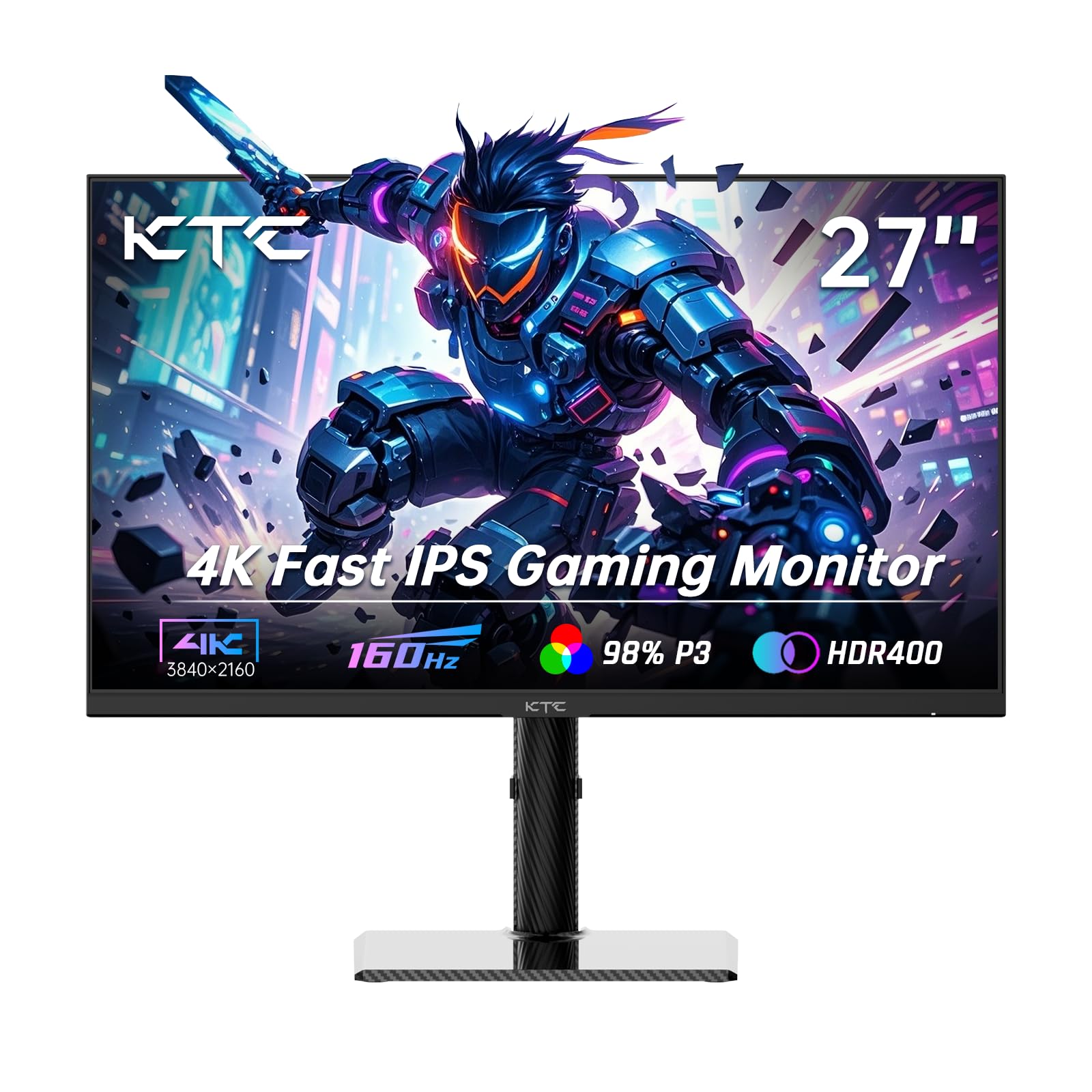
The KTC U27T6 targets users who need both gaming performance and color accuracy. Its Fast IPS panel covers 140% sRGB and 1.07 billion colors with a factory-calibrated Delta E of less than 2, making it suitable for photo editing, design work, and video color grading alongside gaming. The 160Hz refresh rate and Adaptive Sync (FreeSync and G-Sync compatible) ensure gameplay remains smooth when the 4070 Ti is pushing high frame rates.
Brightness reaches 400 nits, which pairs well with the HDR400 certification for acceptable highlight detail in HDR content. The ergonomic stand supports height, tilt, swivel, and pivot adjustments, and the carbon fiber backplate keeps the monitor lightweight despite the full-featured stand. Port selection includes dual HDMI 2.1 and dual DisplayPort 1.4 connections, plus a USB 2.0 port for firmware updates.
If you split your time between gaming and creative work, the KTC U27T6 offers the best color accuracy in this price range without sacrificing the 160Hz refresh rate that makes the 4070 Ti pairing worthwhile.
Why it’s great
- Factory-calibrated ΔE<2 for professional-grade color accuracy
- 140% sRGB coverage with 1.07 billion color support
- Full ergonomic stand with height, pivot, and swivel adjustments
Good to know
- Only includes DisplayPort cable in the box, no HDMI cable
- On-screen display menu navigation can be sluggish after monitor wakes from sleep
5. ViewSonic VX2730D-4K
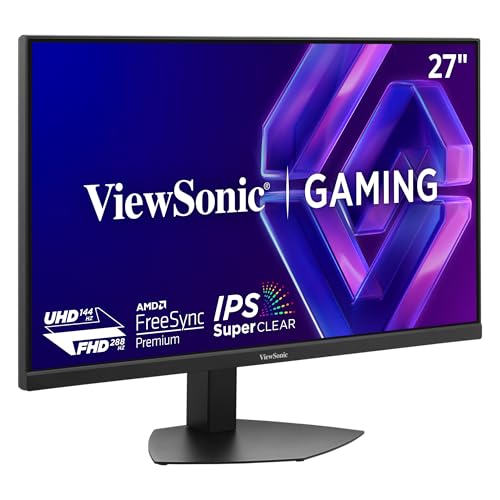
The ViewSonic VX2730D-4K focuses on competitive gaming with a dedicated 24.5-inch esports OSD mode that scales the viewable area to the standard preferred by professional players. The switchable refresh rate technology lets you choose between 144Hz at 4K resolution for immersive titles and 288Hz at 1080p for competitive play, with a 0.5ms MPRT response time that virtually eliminates motion blur. This dual-mode approach aligns well with the 4070 Ti’s ability to deliver high frame rates in esports titles at reduced resolutions.
The IPS panel delivers 99% sRGB coverage and 10-bit color depth (8-bit + FRC), providing professional-grade color accuracy for a gaming-oriented monitor. FreeSync Premium and G-Sync compatibility ensure tear-free gameplay across both refresh rate modes. The ergonomic stand supports height, tilt, swivel, and pivot adjustments, making it comfortable for long sessions.
The esports scaling feature sets this monitor apart from other dual-mode options. If you play competitive shooters and want a monitor that can replicate tournament-style viewing conditions, the VX2730D-4K is the most purpose-built choice.
Why it’s great
- Dedicated 24.5-inch esports OSD scaling for competitive play
- Switchable 4K 144Hz / FHD 288Hz with 0.5ms MPRT response
- Full ergonomic stand with height, swivel, tilt, and pivot
Good to know
- No intermediate resolutions (1440p) supported between 1080p and 4K
- Brightness is limited to 250 nits, best used in a light-controlled room
6. Dell S2725QS Plus

Dell’s S2725QS Plus targets users who want a premium aesthetic with genuine productivity features. The 4K 120Hz refresh rate is perfectly matched to the 4070 Ti’s typical output in demanding games, and the 1500:1 contrast ratio — higher than the standard 1000:1 for IPS panels — delivers deeper blacks and better perceived detail in dark scenes. The ComfortView Plus feature reduces blue light emissions to 35% or less without washing out colors, making it suitable for all-day use.
AMD FreeSync Premium support ensures tear-free gameplay, though the response time is less aggressive than gaming-focused monitors. The ash white finish and ultra-thin bezels create a clean, modern desktop appearance, and the included stand offers height, pivot, swivel, and tilt adjustments. The integrated speakers have been upgraded over previous Dell models, providing better frequency response and volume for casual use without external speakers.
This monitor is best suited for users who prioritize aesthetics, a high contrast ratio, and comfortable long-duration use over the highest possible refresh rates. It is an excellent match for the 4070 Ti if you play mostly AAA titles at 60-100 FPS.
Why it’s great
- 1500:1 contrast ratio provides superior black levels for an IPS panel
- ComfortView Plus reduces blue light without color degradation
- Upgraded speakers with better frequency range and output volume
Good to know
- Noticeable ghosting in fast-paced FPS games; not ideal for competitive play
- Some units report color calibration issues with a persistent yellow tint
7. LG 27UP850K-W

The LG 27UP850K-W stands out for its USB-C connectivity with 90W power delivery, allowing a single cable to charge a laptop and transmit 4K video simultaneously. This makes it the ideal secondary or primary monitor for MacBook users who also game on a 4070 Ti desktop. The 27-inch IPS panel covers 95% DCI-P3 with DisplayHDR 400 certification, delivering vivid colors and good brightness for creative work and HDR content.
The refresh rate is limited to 60Hz, which means the 4070 Ti’s higher frame output in less demanding titles will be capped. However, for story-driven games, video editing, and productivity tasks, the image quality is excellent. The ergonomic stand supports height, tilt, and pivot adjustments, and the built-in speakers with Waves MaxxAudio provide surprisingly decent audio for a monitor.
If you need a monitor that seamlessly bridges a MacBook workflow with occasional gaming on a 4070 Ti, the LG 27UP850K-W offers the best USB-C integration at this price. Be aware that 60Hz is a limitation for competitive gaming but acceptable for most single-player experiences.
Why it’s great
- USB-C with 90W power delivery for single-cable laptop charging and video
- 95% DCI-P3 color gamut with DisplayHDR 400 certification
- Sturdy ergonomic stand with height, tilt, and pivot adjustments
Good to know
- Limited to 60Hz refresh rate, capping 4070 Ti output in lighter games
- Some MacBook users report wake-from-sleep issues requiring cable reconnection
8. INNOCN 27C1U-D

The INNOCN 27C1U-D is a productivity-first monitor that delivers strong value for creative professionals on a budget. The 4K IPS panel covers 1.07 billion colors with a Delta E of less than 2, providing accurate color reproduction for photo editing, design, and video work. The USB-C port supports video input and power delivery, though at a lower wattage than the LG model, making it compatible with laptops and tablets.
Refresh rate is limited to 60Hz, which is sufficient for productivity workflows but means the 4070 Ti will not reach its full gaming potential. The ergonomic stand supports height, pivot, swivel, and tilt adjustments, and VESA 75×75 compatibility allows for arm mounting. HDR400 support provides acceptable brightness for HDR content, though the 1000:1 contrast ratio is standard for IPS panels.
This monitor is best for users who need color-accurate 4K resolution for work and game only occasionally. The built-in speakers are functional for system sounds but not suitable for immersive gaming audio.
Why it’s great
- Delta E<2 factory calibration for accurate color reproduction
- USB-C connectivity for laptops and tablets with single-cable convenience
- Full ergonomic stand with height, pivot, swivel, and tilt
Good to know
- 60Hz refresh rate limits 4070 Ti gaming performance in high-FPS titles
- Built-in speakers are weak and tinny
9. ZZA 32 Inch Curved Gaming Monitor
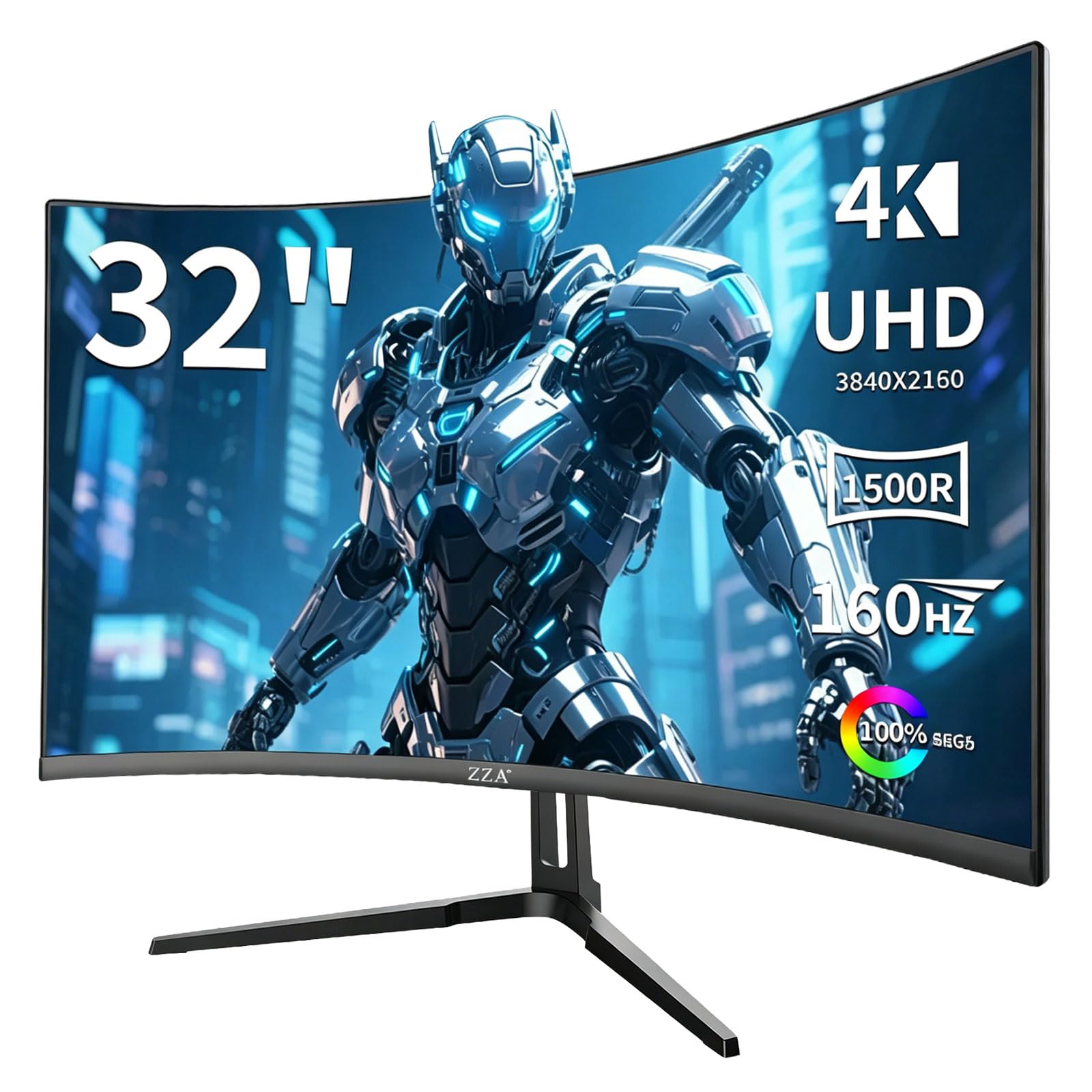
The ZZA 32 Inch Curved monitor offers the largest screen size in this roundup with a 1500R curve that wraps around your peripheral vision for immersive gaming. The VA panel delivers a 4000:1 contrast ratio, which is significantly higher than IPS alternatives, resulting in deeper blacks and better shadow detail in dark game scenes. The 4K 160Hz refresh rate is supported via HDMI 2.1, making it a good match for the 4070 Ti’s output in both demanding and less demanding titles.
Color coverage reaches 120% sRGB with 320 nits of brightness, which is adequate for gaming but less accurate than the IPS options on this list. The VA panel also means narrower viewing angles, so image quality degrades when viewed off-center. The included stand offers basic tilt but no height, swivel, or pivot adjustments, and the monitor is VESA 100×100 compatible for arm mounting.
This monitor is the best choice if you want a large, immersive screen for cinematic gaming experiences and are willing to accept the VA panel’s viewing angle limitations and less flexible stand. The 32-inch size and curved format provide a distinctly different visual experience from the 27-inch flat panels.
Why it’s great
- 32-inch 1500R curved VA panel provides deep immersion and 4000:1 contrast ratio
- 4K 160Hz with HDMI 2.1 support for full-bandwidth 4070 Ti output
- Large screen real estate is excellent for cinematic single-player games
Good to know
- VA panel has narrow viewing angles compared to IPS alternatives
- Stand only offers tilt adjustment; no height, swivel, or pivot
FAQ
Can a 4070 Ti reliably drive 4K at 160Hz?
Is a 60Hz 4K monitor a waste with a 4070 Ti?
What cable do I need for 4K 144Hz on a 4070 Ti?
Final Thoughts: The Verdict
For most users, the 4k monitor under $300 for 4070 ti winner is the Acer Nitro VG270K V4 because it combines 4K 160Hz performance, dual HDMI 2.1 ports, and DFR flexibility at a very competitive price with excellent IPS color quality. If you need a built-in KVM switch and the fullest ergonomic adjustment range, grab the GIGABYTE M27UP. And for color-critical creative work alongside gaming, nothing beats the KTC U27T6 with its 140% sRGB coverage and Delta E under 2.