
Choosing a 3.5-inch SATA hard drive in 2025 isn’t about finding any drive — it’s about finding the one that matches your specific workload without wasting money on cache sizes you don’t need or speeds your system can’t use. Whether you are expanding a desktop, building a media server, or resurrecting an older rig, the internal drive you pick dictates everything from game load times to backup reliability.
I’m Min — the co-founder and writer behind Gadgets Feed. I have spent hundreds of hours analyzing datasheets, scanning real buyer feedback across capacity tiers, and cross-referencing spindle speeds, cache buffers, and transfer rates to separate marketing noise from genuine performance in the 3.5-inch SATA hard drive category.
This guide evaluates seven competing models across budget, mid-range, and premium tiers to help you find the best 3.5 inch sata hard drive for your specific storage needs and workload intensity.
How To Choose The Best 3.5 Inch SATA Hard Drive
Three specs define a 3.5-inch SATA hard drive: spindle speed, cache size, and capacity. Understanding how they interact — and where they don’t — is the difference between a drive that feels snappy and one that drags your whole system down.
Spindle Speed: 7200 RPM vs 5400 RPM
7200 RPM drives deliver roughly 30–40% faster sequential read and write speeds compared to their 5400 RPM counterparts. This gap is immediately noticeable when loading large files, booting an OS, or running applications directly from the drive. The trade-off is slightly higher noise and power draw. For a desktop OS or gaming library, 7200 RPM is the baseline. For pure bulk media storage where file access is infrequent, 5400 RPM is acceptable and runs cooler.
Cache Buffer: How It Affects Real-World Performance
The cache memory stores frequently accessed data so the drive can serve it faster without physically moving the read/write head. A 64MB cache is standard for 1TB drives and handles everyday file transfers well. Jumping to 256MB or 512MB, as seen on higher-capacity models like the 2TB Seagate BarraCuda or the WD Black 10TB, improves random read/write performance and multi-user scenarios. Cache size matters most in repeated-access patterns — think databases or editing projects — not during a single large file copy.
Capacity and Recording Technology
Capacity dictates platter density and, indirectly, sequential speeds. Higher-capacity drives often use Shingled Magnetic Recording (SMR), which reduces rewrite speeds significantly after the cache fills. Most 1TB to 2TB consumer drives in this guide use Conventional Magnetic Recording (CMR), which offers consistent write performance over the drive’s lifetime. If you plan to use the drive in a RAID array or for frequent write-intensive tasks, confirm the drive uses CMR technology before purchasing.
Quick Comparison
On smaller screens, swipe sideways to see the full table.
| Model | Category | Best For | Key Spec | Amazon |
|---|---|---|---|---|
| WD Blue 1TB | Mid-Range | Everyday OS & Storage | 64MB Cache, 7200 RPM | Amazon |
| WD Black 10TB | Premium | Gaming & Creative Pro | 512MB Cache, 7200 RPM | Amazon |
| Seagate BarraCuda 2TB | Mid-Range | Large File Libraries | 256MB Cache, 7200 RPM | Amazon |
| Seagate BarraCuda 1TB | Mid-Range | Budget Desktop Builds | 64MB Cache, 7200 RPM | Amazon |
| WD Blue 4TB | Premium | Media Archives & NAS | 128MB Cache, 5400 RPM | Amazon |
| WB Blue 500GB | Budget | Light Backups | 32MB Cache, 7200 RPM | Amazon |
| Toshiba DT01ACA050 | Budget | Budget Replacement | 32MB Cache, 7200 RPM | Amazon |
In‑Depth Reviews
1. WD Blue 1TB (WD10EZEX)

The WD Blue 1TB (WD10EZEX) is the most balanced 3.5-inch SATA hard drive on the market for general desktop use. It spins at 7200 RPM and packs a 64MB cache, delivering sequential read speeds around 170–178 MB/s on the first 20GB of the platter. That makes it faster than WD Green drives (no intellipark head-parking delay) and matches the raw transfer rate of the 1TB WD Black without the premium markup.
Real-world reliability is well documented — buyers report using this model for years as an OS drive and backup target with zero failures. The single-platter design keeps acoustics reasonable, though random access latency averages around 15.7ms, which is expected for a 7200 RPM mechanical drive. The included Acronis True Image WD Edition cloning software simplifies migration from older drives.
The only catch is that Amazon no longer accepts returns on 1TB WD drives, so ensure you test the unit immediately upon arrival. The packaging can be minimal, so inspect the anti-static bag for damage before opening. For most users building or upgrading a desktop, this drive is the easy recommendation.
Why it’s great
- Single-platter 7200 RPM design offers consistent 170+ MB/s reads
- Free Acronis cloning software included for easy migration
- Proven long-term reliability across thousands of builds
Good to know
- Non-returnable on Amazon once shipped
- Packaging may be minimal with single bubble wrap layer
2. WD Black 10TB (WD102FZBX)
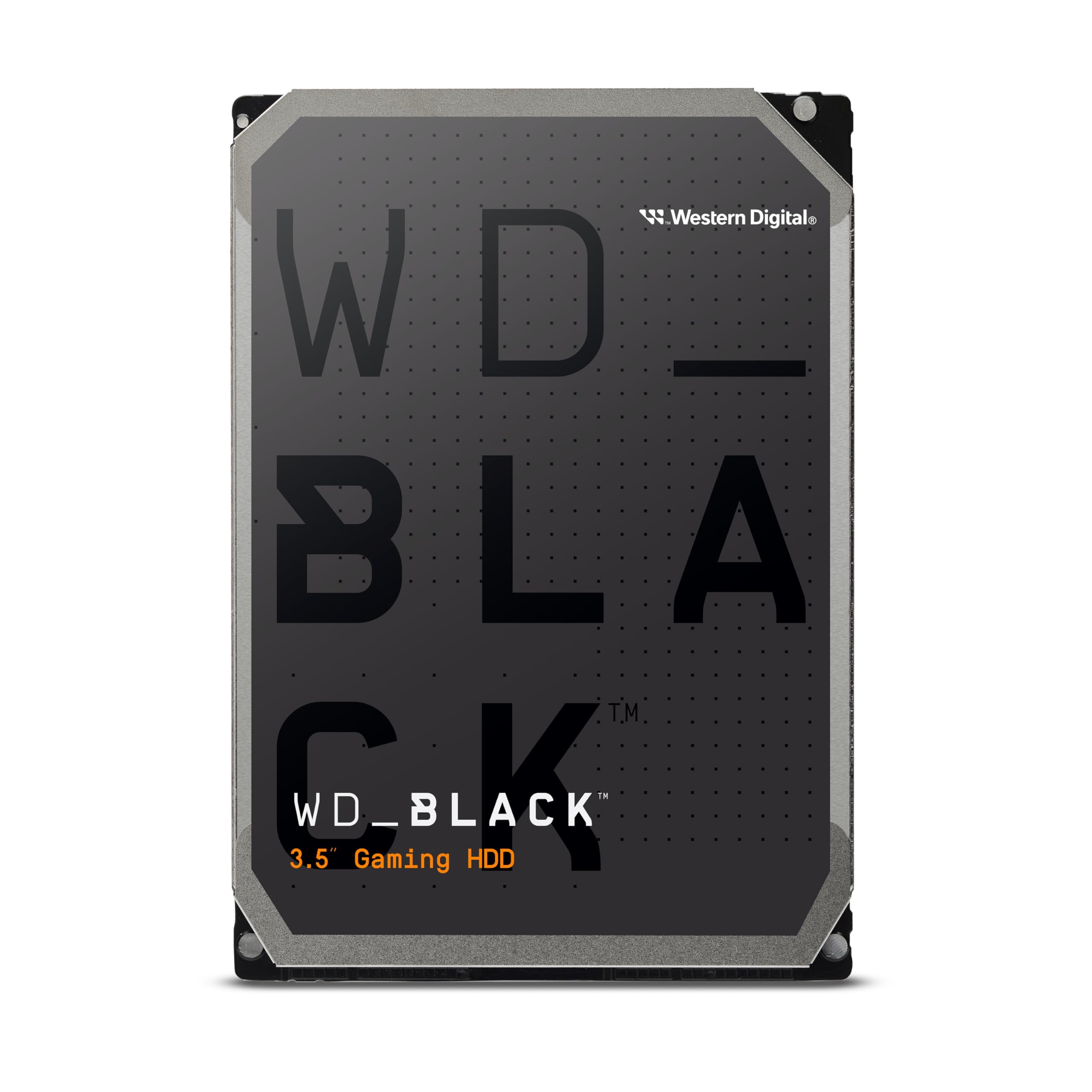
The WD Black 10TB sits at the apex of consumer 3.5-inch SATA hard drives, combining a massive 512MB cache with 7200 RPM spindle speed and 267 MB/s data transfer rate. This is the drive you choose when capacity and speed both matter — ideal for installing a large game library, editing high-resolution video projects, or running as a high-speed archival drive in a workstation.
Western Digital’s StableTrac technology secures both ends of the spindle motor to reduce vibration-induced tracking errors, while Dynamic Cache Technology optimizes read/write algorithms for mixed workloads. Buyers report transferring 4TB of data in roughly four hours, and the drive runs 7–8°C cooler than equivalent external enclosures. The five-year warranty backs the premium positioning.
The most significant drawback is noise. The 7200 RPM platters and 10TB density generate a distinct high-pitched whine during seeks, plus clicking during heavy writes. This is not a drive for silent PC builds. It also requires good airflow to stay within operating temperature ranges in a closed case.
Why it’s great
- 512MB cache and 7200 RPM deliver class-leading 267 MB/s transfer
- StableTrac reduces vibration for consistent performance under load
- Five-year warranty provides long-term confidence
Good to know
- Audible high-pitched whine and seek clicks during operation
- Requires active cooling to manage heat in sustained workloads
3. Seagate BarraCuda 2TB (ST2000DM008)

The Seagate BarraCuda 2TB (ST2000DM008) offers the best capacity-to-cache ratio in the mid-range tier. With 256MB of cache feeding a 7200 RPM platter, this drive delivers noticeably snappier random access compared to 64MB siblings, making it a strong choice for users who frequently access a rotating library of files or work with moderately large datasets. Real-world write speeds hit approximately 220 MB/s on sequential transfers.
Seagate includes DiscWizard software for free cloning and migration, and the drive carries a two-year limited warranty. Buyers consistently report that this model runs quiet and cool enough for desktop use, with one user noting it replaced a 12-year-old drive with a dramatic improvement in file access times. The 2TB capacity hits the sweet spot for storing a console game collection or media server library without stepping into the 4TB price tier.
Some packaging variations exist — units shipped in frustration-free packaging may arrive without mounting screws or SATA cables, so have those ready. The drive is also known to emit a low hum during sustained writes, though most users find it acceptable for a 7200 RPM drive.
Why it’s great
- 256MB cache improves random read/write responsiveness significantly
- Free DiscWizard cloning software for seamless migration
- Quiet and cool operation for a 7200 RPM 2TB drive
Good to know
- Frustration-free packaging may exclude screws and cables
- Low humming audible during sustained write operations
4. Seagate BarraCuda 1TB (ST1000DM010)

The Seagate BarraCuda 1TB (ST1000DM010) is a straightforward, no-surprises 7200 RPM drive with a 64MB cache that fits perfectly into budget-conscious desktop builds. Its sequential transfer rate reaches up to 750 Mb/s (roughly 190 MB/s in practice), which is competitive with other single-platter 1TB drives in this price band. The drive is designed for general computing — music, photos, video editing, and PC gaming — without the extras that inflate cost.
Buyers praise the drive for its ease of installation and reliable out-of-box experience, with one user doubling their system performance by replacing an aging 500GB BarraCuda. The two-year limited warranty is standard for the segment, and Seagate’s 20-year track record in hard drive manufacturing adds a layer of trust. The aluminum enclosure dissipates heat effectively during extended operation.
The primary limitation is speed relative to SSDs and larger-cache competitors. When used as a primary OS drive, the 64MB cache can fill quickly during multi-tasking scenarios, causing the drive to fall back to slower platter reads. This is best paired with a small SSD boot drive for optimal responsiveness.
Why it’s great
- Reliable 7200 RPM performance at an entry-level price point
- Two-year warranty backed by Seagate’s long HDD history
- Effective aluminum enclosure for heat management
Good to know
- 64MB cache is the minimum for modern multi-tasking workloads
- Not ideal as a primary OS drive without a companion SSD
5. WD Blue 4TB (WD40EZZX)
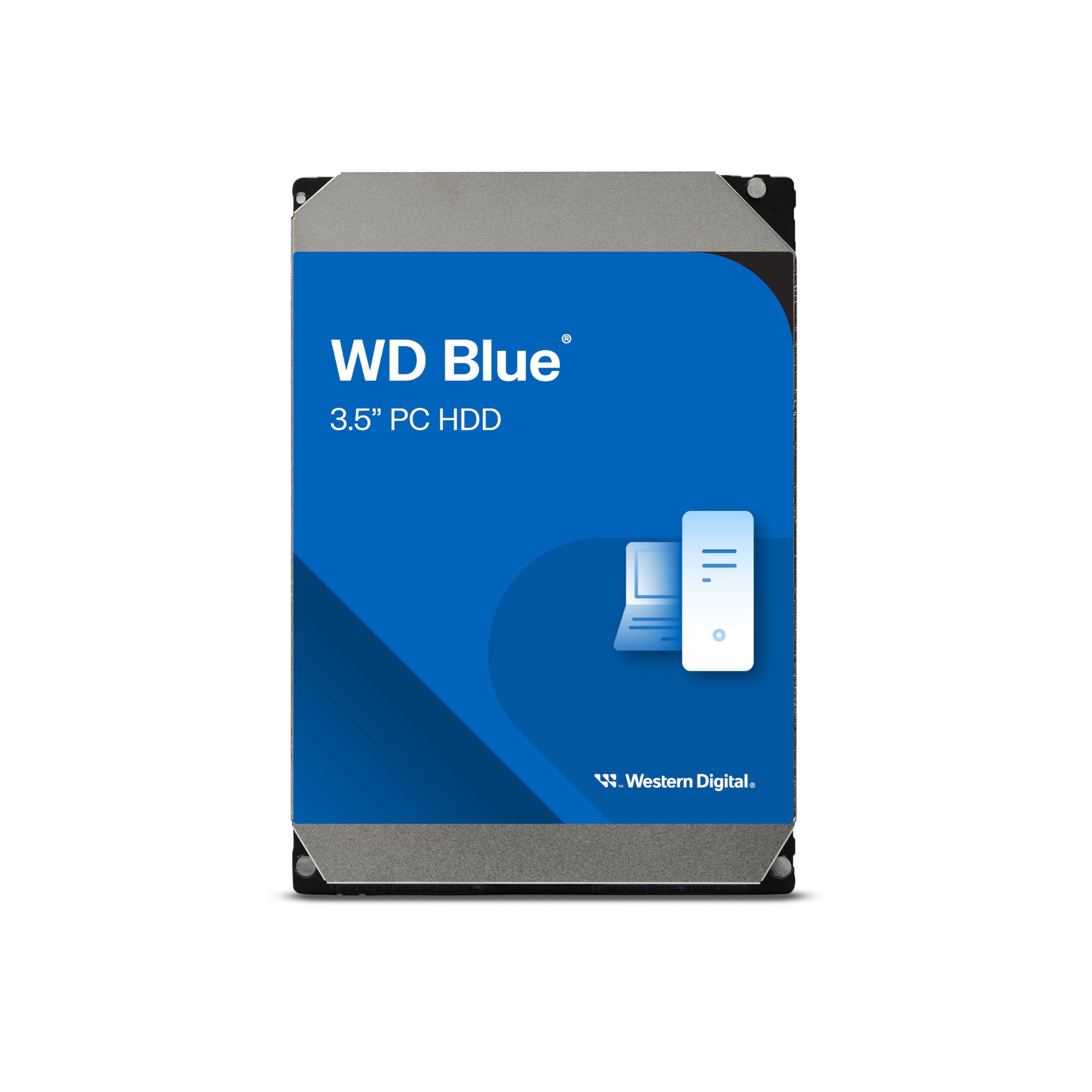
The WD Blue 4TB (WD40EZZX) prioritizes capacity over speed with its 5400 RPM spindle speed and 128MB cache. This drive is designed for bulk storage — media archives, security camera footage, infrequently accessed file libraries — where quiet operation and low heat output matter more than lightning-fast file transfers. The sequential read speed hovers around 180 MB/s, which is adequate for streaming 4K video files directly from the drive.
Western Digital includes NoTouch Ramp Load Technology to protect the heads during transit and reduce wear, and the drive is compatible with NAS devices for users building a home network storage solution. The 2-year limited warranty provides reasonable coverage for a capacity-focused drive. Users consistently mention the drive’s near-silent operation, making it a strong candidate for HTPC builds and media centers.
The trade-off is noticeable when writing large files — the 5400 RPM speed plus the inherent slower write characteristics of higher-density platters means large transfers take longer than a 7200 RPM alternative. Avoid using this drive as a primary OS drive or for applications that require frequent random writes.
Why it’s great
- 4TB capacity at a price per gigabyte that beats lower-capacity 7200 RPM drives
- Near-silent operation ideal for media center and HTPC builds
- NoTouch Ramp Load reduces head wear during transit and seeks
Good to know
- 5400 RPM spindle speed results in slower write performance
- Not suitable as an OS drive or for random-write-heavy workloads
6. WD Blue 500GB (WD5000AZLX)

The WD Blue 500GB (WD5000AZLX) is a 7200 RPM drive with a 32MB cache that serves as a reliable drop-in replacement for aging desktop drives or a secondary backup disk for users with modest storage needs. The SATA 6 Gb/s interface ensures compatibility with virtually any modern motherboard, and the drive’s maximum data transfer rate of 600 Mb/s keeps up with everyday file operations without bottlenecking.
Buyers report the drive works out of the box with Windows Vista through Windows 11, requiring only a format and partition assignment. The 500GB capacity makes it suitable for light archival duty — document backups, old photo libraries, or as a secondary drive in a dual-boot setup.
Some units have arrived with UltraDMA CRC Errors appearing within weeks of use, a symptom of cable or interface issues rather than the drive itself. Always check SMART data after installation. For the price, this drive offers reliable 7200 RPM speed, but the 32MB cache and 500GB ceiling limit its usefulness for anything beyond light duty.
Why it’s great
- 7200 RPM at a budget price point
- Wide OS compatibility from Vista to Windows 11
- Proven long-term brand reliability from WD
Good to know
- 32MB cache is small by modern standards
- Some units show SMART errors early — verify immediately after install
7. Toshiba DT01ACA050 500GB

The Toshiba DT01ACA050 is a 500GB 3.5-inch SATA III drive spinning at 7200 RPM with a 32MB cache. It is the most entry-level option in this lineup, built for straightforward tasks like replacing a failed drive in an older machine or providing a small capacity boost for a secondary system. The SATA III interface delivers up to 750 Mb/s transfer rate, which matches the theoretical ceiling of the interface.
Buyer feedback highlights the drive’s quiet operation and easy installation, with several users noting it arrived well-packaged and ready to use. The aluminum enclosure is lighter than some competitors, and the drive runs cool enough for use in tight cases without active airflow directed at the drive bay. The price-to-performance ratio is competitive if you specifically need a 500GB drive and nothing more.
The main drawbacks are noise-related. Some units produce a loud buzzing sound that owners describe as distracting, especially in quiet environments. The 500GB capacity also limits future-proofing — you will likely outgrow this drive quickly if you install modern games or accumulate a media library.
Why it’s great
- 7200 RPM performance at a very accessible price point
- Quiet operation reported by most users
- Lightweight aluminum enclosure for easy handling
Good to know
- Some units exhibit loud buzzing noise during idle or seek
- 500GB capacity fills quickly with modern games and media
FAQ
What is the difference between 5400 RPM and 7200 RPM in a 3.5-inch SATA hard drive?
Does cache size matter for a 3.5-inch SATA hard drive?
Can I use a 3.5-inch SATA hard drive for gaming?
What does SATA III mean for a hard drive?
Final Thoughts: The Verdict
For most users, the best 3.5 inch sata hard drive winner is the WD Blue 1TB because it delivers the ideal balance of 7200 RPM speed, 64MB cache, and proven reliability for everyday desktop storage without overspending. If you want maximum capacity and performance for gaming or creative work, grab the WD Black 10TB. And for a high-capacity media server where quiet operation matters, nothing beats the WD Blue 4TB.