
A quiet workspace shouldn’t be a fantasy. The constant clicking from a cheap mouse is a distraction that kills focus, and the last thing you want is a dongle hogging a USB port on your ultrabook. An affordable Bluetooth mouse solves both problems at once: it cuts the cord—both physically and audibly—while keeping the whole setup clean, simple, and wrinkle-free for travel.
I’m Min — the co-founder and writer behind Gadgets Feed. I’ve dug through hundreds of user reports and spec sheets on these budget-friendly Bluetooth mice to find the ones that actually deliver on battery life, tracking accuracy, and build quality without breaking the bank.
Ready to ditch the tangles and the noise without spending a fortune? This guide breaks down every metric that matters so you can confidently pick your next affordable bluetooth mouse for work, school, or home.
How To Choose The Best Affordable Bluetooth Mouse
Finding the right budget-friendly Bluetooth mouse means prioritizing which trade-offs you can live with. Battery type, sensor DPI, click noise, and hand fit are the four pillars that separate a daily driver from a drawer filler. Below are the key factors to evaluate before you hit buy.
Battery Life: Replaceable Vs. Rechargeable
Replaceable AA/AAA batteries offer years of life without hunting for a charging cable — great for a set-and-forget user. Rechargeable models need a USB-C cable every few weeks but eliminate recurring battery costs. The decision comes down to whether you prefer swapping cells or plugging in.
DPI Resolution and Sensor Type
DPI (dots per inch) determines how far the cursor moves per inch of physical mouse movement. Lower DPI (800-1200) suits precision work; higher DPI (2400-4800) fits fast browsing or larger screens. Optical sensors track on most surfaces, but an off-center laser can feel odd initially.
Silent Click Technology
A quiet mouse uses dampened switch mechanisms that reduce click noise by roughly 90%. This is critical for shared offices, late-night work, or anyone sensitive to repetitive clicking sounds. The trade-off is often a softer, less tactile click feel compared to traditional loud switches.
Quick Comparison
On smaller screens, swipe sideways to see the full table.
| Model | Category | Best For | Key Spec | Amazon |
|---|---|---|---|---|
| Logitech M240 | Premium | Brand reliability & silent use | 18-month battery (AAA) | Amazon |
| Kovess Dual Mode | Premium | Jiggler & dual receivers | 800mAh rechargeable | Amazon |
| Lenovo 350 | Mid-Range | Extreme battery longevity | 36-month battery (AA) | Amazon |
| Lenovo WL300 | Mid-Range | Sculpted grip on a budget | 6-month battery (AA) | Amazon |
| TECKNET Slim | Mid-Range | Ultra-thin travel companion | 60-day battery (USB-C) | Amazon |
| KYSONA Vertical | Budget | Ergonomic wrist relief | 12-month battery (2xAAA) | Amazon |
| TECKNET Dual Connection | Budget | Rechargeable & 4800 DPI | 3-month battery (USB-C) | Amazon |
In‑Depth Reviews
1. Logitech M240 Silent Bluetooth Mouse

Logitech’s M240 is the benchmark for affordable Bluetooth mice, pairing a 90% click noise reduction with a 18-month battery life from a single AAA. The ambidextrous shell guides both left and right hands into a natural arc that’s more comfortable than Apple’s Magic Mouse for extended sessions. Bluetooth pairing is instantaneous thanks to a long-range radio that holds connection up to 33 feet — no dongle required.
The 3-button layout is intentionally minimal, but the scroll wheel is stepped with good tactile feedback. Certified recycled plastic (37% post-consumer) makes this a greener entry-level pick without adding weight. The tracking sensor is smooth on wood, fabric, and desk surfaces, though the 1000 DPI fixed resolution may feel slow to users who prefer higher sensitivity.
Real-world feedback highlights the near-silent clicks as the standout feature — loud enough to hear but soft enough to never disturb a meeting. The auto-sleep energy management earns high marks for longevity, with many users reporting well over a year on the initial battery. If you want brand-tested reliability and zero pairing headaches, the M240 is the safest money you can spend.
Why it’s great
- Near-silent clicks with same tactile feel
- 18-month battery on a single AA battery
- Instant Bluetooth pairing across all major OS
Good to know
- Fixed 1000 DPI, no adjustable levels
- Very compact, may feel small for large hands
2. Kovess Wireless Bluetooth Mouse with Jiggler Mode

Kovess packs a ridiculous amount of connectivity into one shell: Bluetooth 5.2, Bluetooth 3.0, a 2.4GHz USB-A receiver, and a dedicated 2.4GHz USB-C receiver — all in the box. This means you can pair with a desktop via USB-A and a modern MacBook via USB-C without carrying an adapter. The 800mAh rechargeable battery delivers roughly 3-4 weeks of real-world use, with a full recharge taking about two hours over USB-C.
The standout feature is the built-in jiggler mode, activated by holding the DPI button for three seconds. This randomly moves the cursor to prevent your computer from sleeping during downloads, remote desktop sessions, or online classes. Three adjustable DPI levels (800/1200/1600) round out the functionality, though some users report needing a mousepad for best tracking on glass surfaces.
Customer reports consistently call out the low-latency, silent clicks and the sheer convenience of having both receiver types. The glossy plastic body is sleek but can show fingerprints quickly. It’s a bit small for XL glove sizes, but for average hands, the slim profile and 90-degree charging cable clearance make it a solid travel or office companion.
Why it’s great
- Includes both USB-A and USB-C receivers
- Jiggler mode keeps computer awake
- Silent clicks with low-latency tracking
Good to know
- Glossy finish shows fingerprints easily
- Rechargeable battery lasts weeks, not months
3. Lenovo 350 Wireless Bluetooth Mouse
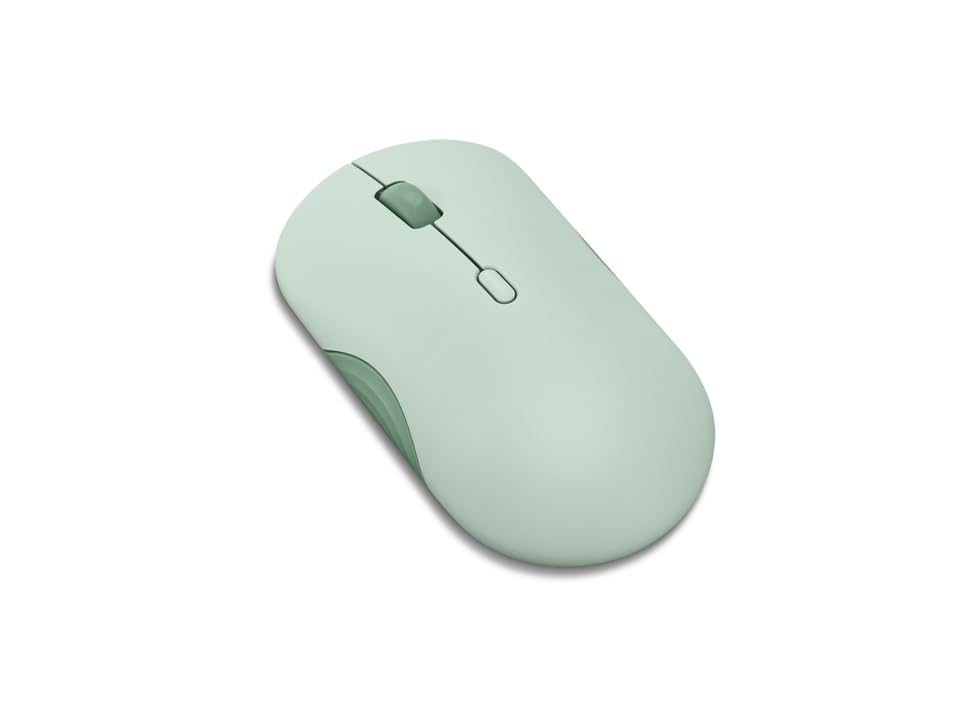
Lenovo’s 350 mouse redefines “set it and forget it” with a 36-month battery life from a single AA battery. That is three full years of no charging, no swapping, and no battery anxiety. The top cover acts as the battery door, making replacement tool-free, and the included battery is ready out of the box. Bluetooth 5.3 ensures a strong, secure link with low power draw across Windows, macOS, and ChromeOS.
The three-level DPI switch cycles through 1000, 1600, and 2400, giving you options for both precise spreadsheet work and faster screen swipes. Silent clicks are genuinely muted — reviewers with noise sensitivity consistently praise the lack of audible feedback. The ambidextrous body is comfortable for both left and right hands, and the six-button layout includes forward/back navigation buttons for browsers.
Build quality feels dense with no wobble, though the full-top battery door design has raised a few durability concerns about the hinge over years of use. The color options (Breeze Moss, Grape, Gray) add a fun personality that cheap mice usually lack. If battery swaps don’t bother you and you want the longest run possible, the Lenovo 350 is unmatched.
Why it’s great
- 36-month battery life from one AA battery
- Silent clicks with 3-level DPI
- Bluetooth 5.3 with dual-device pairing
Good to know
- Battery cover is the entire top shell
- Not rechargeable — requires AA replacement
4. Lenovo Bluetooth Silent Mouse (WL300)
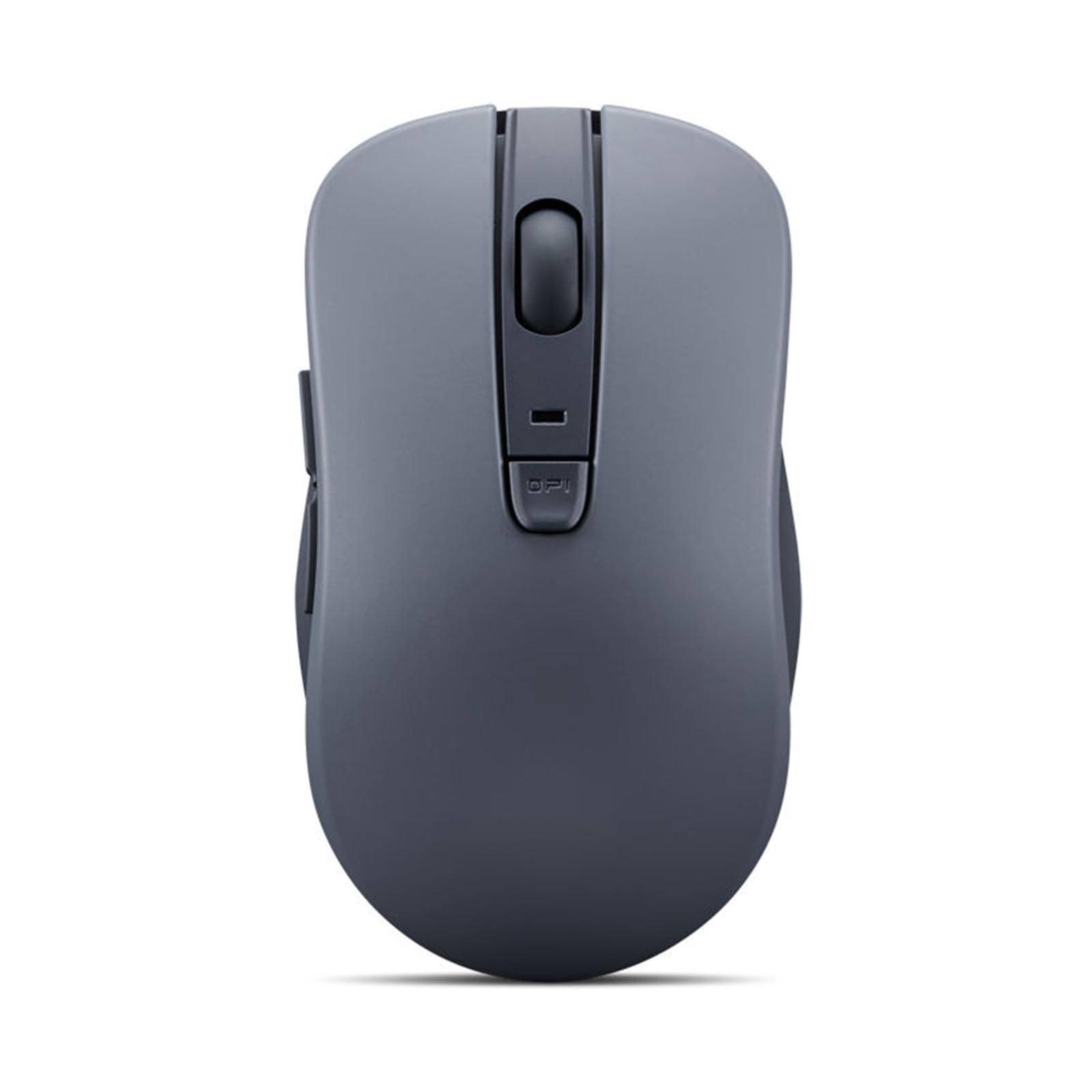
The WL300 stands out in the budget tier for its sculpted grip that conforms to the palm’s natural contours, reducing fatigue during long hours. Powered by a single AA battery with a manufacturer-rated 6-month lifespan, it strikes a reasonable balance between longevity and convenience. Microsoft Swift Pair technology enables instant Bluetooth 5.0 pairing with Windows devices — no menu digging required.
The optical sensor offers three DPI levels (800/1200/1600) toggled by a dedicated button, and the left/right buttons are rated for 3 million clicks. The laser sensor sits slightly off-center, which a handful of users initially found distracting, but the consensus is that adaptation takes only a couple of days. Silent switches on all three main buttons make it ideal for libraries and open-plan offices.
Forward and back navigation buttons improve workflow, and the anti-slip scroll wheel has distinct detents that prevent accidental scrolling. At 4.21 inches long, it fits standard male hands comfortably without protruding from a laptop bag. If you prioritize palm support over ultra-slim portability, the WL300 delivers a surprisingly premium hand feel at an entry-level price.
Why it’s great
- Sculpted grip reduces hand fatigue
- Microsoft Swift Pair for instant Windows connection
- 5-button layout with forward/back navigation
Good to know
- Off-center laser sensor takes adjustment
- Maximum DPI limited to 1600
5. TECKNET Bluetooth Wireless Mouse (Ultra-Thin)
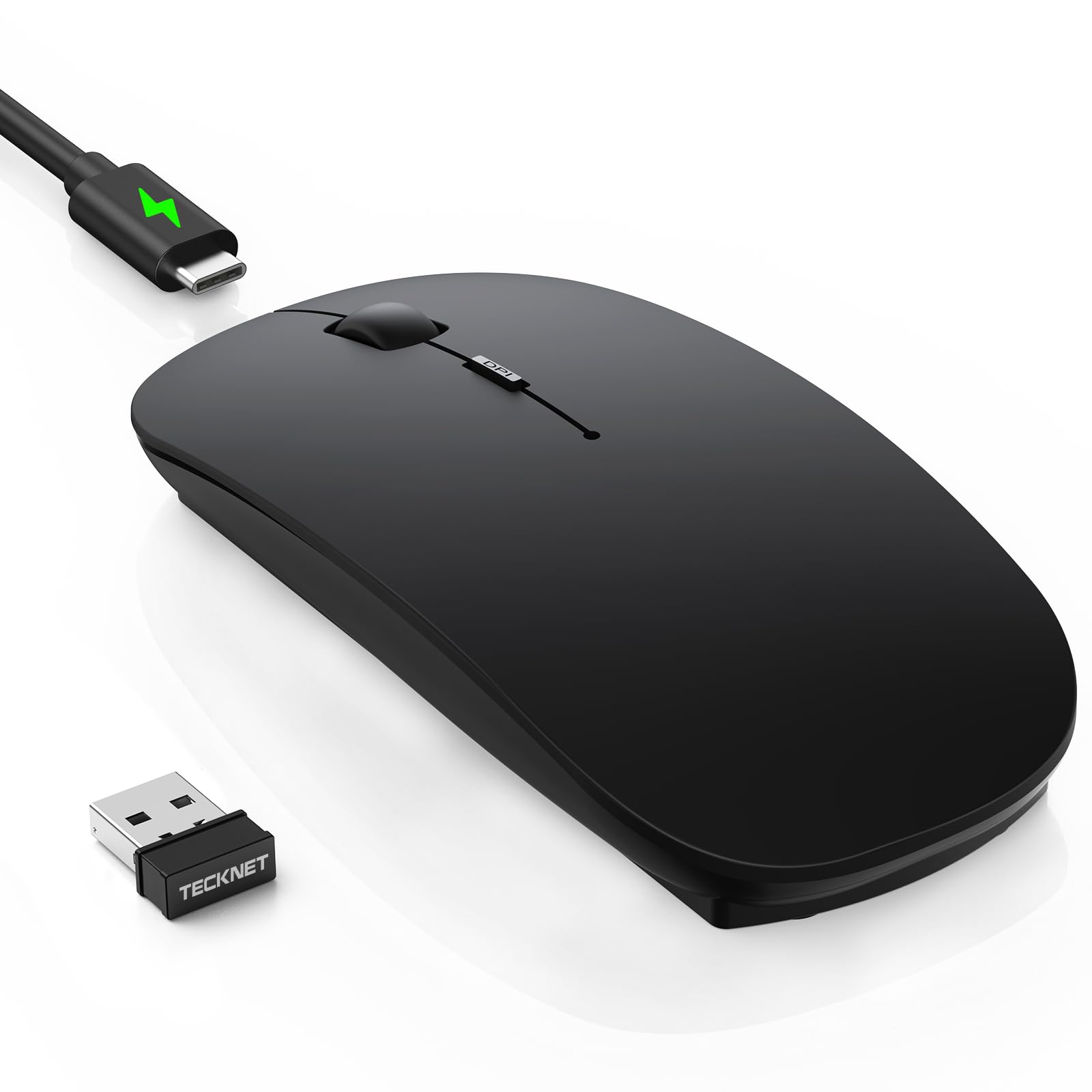
TECKNET’s ultra-thin model measures just 0.93 inches high, making it the most pocket-friendly option in this roundup without sacrificing connectivity. It supports three devices simultaneously — two via Bluetooth 5.2/3.0 and one via the included 2.4GHz USB receiver — with a one-click toggle switch. The rechargeable battery delivers up to 60 days of use on a 2.5-hour USB-C charge, supplemented by a 12-month standby mode.
DPI spans six levels from 800 to 4800, covering everything from pixel-precise photo editing to high-speed 4K monitor navigation. The matte black finish resists fingerprints and feels smooth rather than sticky, though sweaty hands may leave marks over time. Clicks are described as 90% quieter than standard mice, with a soft landing that doesn’t sacrifice responsiveness. The hidden USB dongle storage inside the battery compartment is a thoughtful travel touch.
Some early units showed intermittent tracking lag during the first two days of use, which resolved after a full charge cycle. The cable is charging-only, so wired operation is not possible. Overall, this is a stellar pick for minimalists who want a single mouse for a desktop, tablet, and laptop without carrying extra dongles.
Why it’s great
- Ultra-slim 0.93-inch profile for easy travel
- Tri-device pairing with 6-level DPI
- Hidden USB dongle storage
Good to know
- Initial ghost tracking reported by some users
- Charging cable cannot be used for wired operation
6. KYSONA Ergonomic Vertical Mouse

The KYSONA vertical mouse rotates your wrist into a 57° handshake position, alleviating the forearm strain caused by flat mice. This is a game-changer for users with existing wrist pain or carpal tunnel concerns. It supports dual-mode connection (Bluetooth 3.0/5.0 and 2.4GHz), giving you flexibility across desktop and laptop setups without signal interference. Two AAA batteries power the mouse for up to 12 months, though they aren’t included in the box.
Five DPI levels (800/1200/1600/2400/4000) let you fine-tune cursor speed, and the optical sensor tracks smoothly on most surfaces without requiring a mousepad. The silent switches produce a hushed click that won’t annoy coworkers, and the rubber scroll wheel provides good grip. At 10.7 x 7.4 x 7.1 centimeters, this mouse is designed specifically for small to medium hands — users with larger hands should verify fit before purchasing.
Customer reviews consistently emphasize the relief felt after switching from a traditional flat design, with many reporting reduced wrist fatigue during full workdays. The white glossy finish is sleek but may show wear over time. If ergonomics are your primary concern and you have smaller hands, the KYSONA vertical mouse delivers measurable comfort at a budget-friendly price.
Why it’s great
- 57° vertical design reduces wrist strain
- 5 adjustable DPI levels (up to 4000)
- Dual-mode Bluetooth + 2.4GHz connectivity
Good to know
- Best suited for small to medium hands
- Requires 2 AAA batteries (not included)
7. TECKNET Dual Connection Bluetooth Mouse

TECKNET’s dual-connection mouse offers both Bluetooth 5.0/3.0 and a 2.4GHz USB-A receiver, letting you toggle between two paired devices with a single slide. The 4800 DPI maximum is the highest in this roundup, with six adjustable levels (800/1200/1600/2400/3200/4800) that cater to both precise office work and faster-paced use. The rechargeable battery handles 1.5-2 hours for a full charge and provides roughly three months of moderate daily use.
The silent click mechanism is genuinely quiet, but some users reported an intermittent “wiggle mode” that moves the cursor even when the mouse is off — a quirk that can be useful for preventing sleep but cannot be disabled through software. The side buttons are positioned a bit too far forward for some grips, and macOS users should note that the side buttons are not natively compatible without third-party software.
At 4800 DPI, the sensor handles fast cursor sweeps across multi-monitor setups without jitter. The matte grey finish doesn’t attract fingerprints and the lightweight build makes it easy to toss in a bag. If you want the highest DPI ceiling in the budget tier and don’t mind a minor software workaround for Mac side buttons, this TECKNET delivers excellent ROI.
Why it’s great
- 4800 DPI max with 6 adjustable levels
- Dual-mode Bluetooth + 2.4GHz connectivity
- Rechargeable battery eliminates battery swaps
Good to know
- Side buttons not natively supported on macOS
- Small to medium hand fit only
FAQ
Can I use an affordable Bluetooth mouse with an iPad or iPhone?
What is mouse jiggler mode and why would I need it?
How important is Bluetooth version (5.0 vs 5.3) for a budget mouse?
Final Thoughts: The Verdict
For most users, the affordable bluetooth mouse winner is the Logitech M240 because it delivers silent, reliable performance with industry-leading battery life and instant pairing across every major OS. If you want a versatile, multi-device experience with a built-in jiggler, grab the Kovess Dual Mode. And for ultimate battery longevity that lasts for years, nothing beats the Lenovo 350.