
A 4K streaming device is the simplest way to turn any HDMI-equipped display into a smart entertainment hub, but not all sticks and boxes deliver the same Dolby Vision depth, Wi-Fi 6 throughput, or app-store breadth. Choosing the wrong one means settling for slow menus, compressed HDR, or a remote that fights you in the dark.
I’m Min — the co-founder and writer behind Gadgets Feed. I’ve spent dozens of hours analyzing streaming benchmarks, HDR format support, processor speed, and real-world app compatibility across price tiers to build this guide around actual performance data, not marketing sheets.
Whether you need a pure no-clutter interface or hands-free Alexa control, the right pick comes down to your TV’s HDMI standard and your Wi-Fi environment. This is the definitive breakdown of the best 4k streaming device for every type of viewer.
How To Choose The Best 4K Streaming Device
A 4K streaming device is only as good as its weakest link — the Wi-Fi radio, the HDMI port version, or the HDR format license. Before clicking buy, match these three variables to your TV and your internet connection.
HDR Format Support: Dolby Vision vs HDR10+ vs HLG
Not all 4K is equal. Dolby Vision uses dynamic metadata to adjust brightness and color scene-by-scene, while HDR10+ offers a similar benefit on Samsung and some Panasonic panels. If your TV supports Dolby Vision, prioritize a device with that license. If you own a Samsung set, HDR10+ is the format to chase.
Wi-Fi Generation: AC vs Wi-Fi 6 vs Wi-Fi 6E
Wi-Fi 5 (802.11ac) still works for most 4K streams at moderate bitrates, but if you live in a dense apartment or have multiple devices on your network, Wi-Fi 6 reduces packet loss and buffer bloat. Wi-Fi 6E adds a 6 GHz band for even less interference — useful if you stream high-bitrate remuxes or game via cloud services.
Storage Capacity and RAM
Entry-level sticks often pack just 8 GB of storage and 1 GB of RAM. After the operating system reserves space, you may only have 4–5 GB free — enough for Netflix, Prime Video, and a few smaller apps. If you plan to install many games or sideload Android APKs, look for 16 GB storage and at least 2 GB of RAM.
Quick Comparison
On smaller screens, swipe sideways to see the full table.
| Model | Category | Best For | Key Spec | Amazon |
|---|---|---|---|---|
| Xiaomi TV Stick 4K (2nd Gen) | Premium | Dolby Atmos immersion on projectors | 6nm quad-core CPU + Wi-Fi 6 | Amazon |
| Roku Ultra | Premium | Wired Ethernet reliability and private listening | Quad-core + Ethernet + USB | Amazon |
| Amazon Fire TV Cube | Premium | Hands-free voice control with Wi-Fi 6E | Octa-core + 16 GB + Wi-Fi 6E | Amazon |
| Apple TV 4K 64GB (2nd Gen) | Premium | Apple ecosystem integration and gaming | A12 Bionic + 64 GB + Dolby Vision | Amazon |
| Onn 4K Plus | Mid-Range | Budget-friendly Google TV with high storage | 2 GB RAM + 16 GB + Wi-Fi 6 | Amazon |
| Fire TV Stick 4K (Like-New) | Mid-Range | Alexa-powered searching on a budget | Wi-Fi 6 + Dolby Vision + Atmos | Amazon |
| Roku Express 4K+ | Budget | Dead-simple interface for non-tech users | 16 GB + voice remote + HDR | Amazon |
In‑Depth Reviews
1. Xiaomi TV Stick 4K (2nd Gen)

The Xiaomi TV Stick 4K 2nd Gen packs a 6nm quad-core CPU clocked at 2.5 GHz — the most efficient silicon in this roundup. That efficiency translates to lower heat and sustained 4K playback without thermal throttling, even during long movie sessions. It supports Dolby Vision, HDR10+, Dolby Atmos, and DTS:X, making it the most format-complete stick for home theater enthusiasts.
The Google TV interface organizes content across apps rather than forcing you into a single ecosystem, and the Bluetooth voice remote works reliably from across the room. Weighing just 28 grams, this is the lightest full-featured 4K streaming device on the list, ideal for travelers who want to turn hotel TVs into personal entertainment centers.
Storage sits at 8 GB, which is the only real compromise — after the OS and pre-installed apps, you have about 4.5 GB for downloads. That is tight if you plan to install multiple games or sideload heavy APKs. For pure streaming of Netflix, Prime Video, and Disney+, the Xiaomi delivers premium HDR fidelity at a mid-range price point.
Why it’s great
- Best HDR format support in this tier — Dolby Vision, HDR10+, and Atmos
- Ultra-compact design at 28 g makes it truly portable
- Wi-Fi 6 ensures stable streaming even with router congestion
Good to know
- Only 8 GB storage — limited room for apps beyond streaming services
- No Ethernet port — Wi-Fi only, though Wi-Fi 6 mitigates most issues
2. Roku Ultra
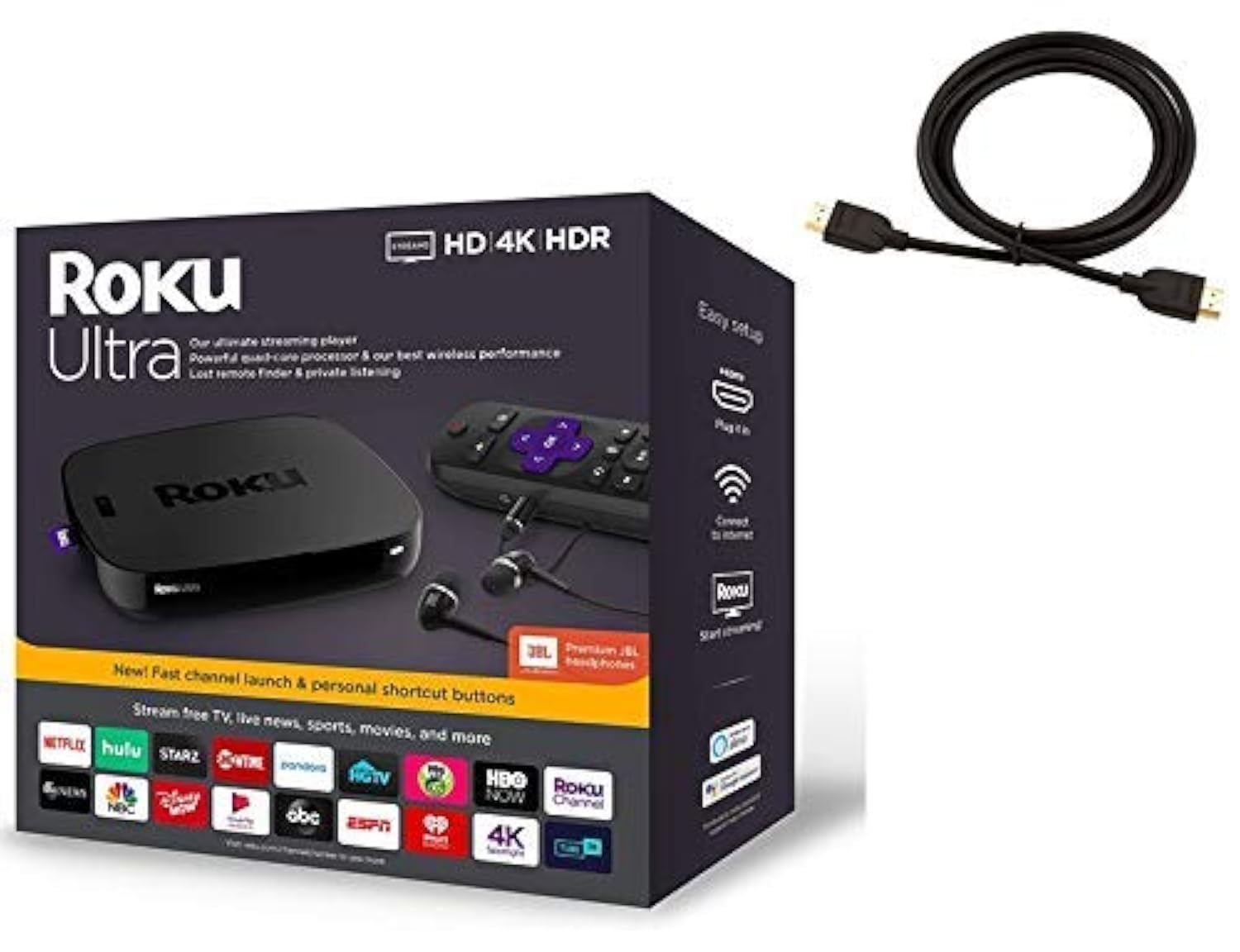
The Roku Ultra is the only box in this lineup with a wired Ethernet port, a USB port, and a microSD slot — a complete package for users who demand network stability or need to play local media files. The quad-core processor handles quick channel launches, and the included Premium JBL headphones enable private listening through the remote’s headphone jack, a feature no other streaming device matches.
Roku’s operating system remains the gold standard for simplicity: no algorithmic home screen clutter, no forced recommendations. The voice remote supports search across major apps, and the lost-remote finder button is a practical touch. The Ultra supports Dolby Vision, HDR10, and HLG, though it lacks HDR10+ compatibility, so Samsung TV owners might see slightly less dynamic highlights.
The bundle includes a 6-foot high-speed HDMI cable, saving a separate purchase. At 8 ounces with a 4.9-inch square footprint, it is heavier and larger than the stick form factors, but the wired connectivity and headphone jack justify the extra space. This device is built for heavy streamers who want zero buffering latency.
Why it’s great
- Wired Ethernet provides the most stable 4K streaming connection
- Private listening via JBL headphones included in the box
- Lost-remote finder and USB media playback add serious utility
Good to know
- No HDR10+ support — less ideal for Samsung TV owners
- Larger box form factor — not as travel-friendly as stick designs
3. Amazon Fire TV Cube
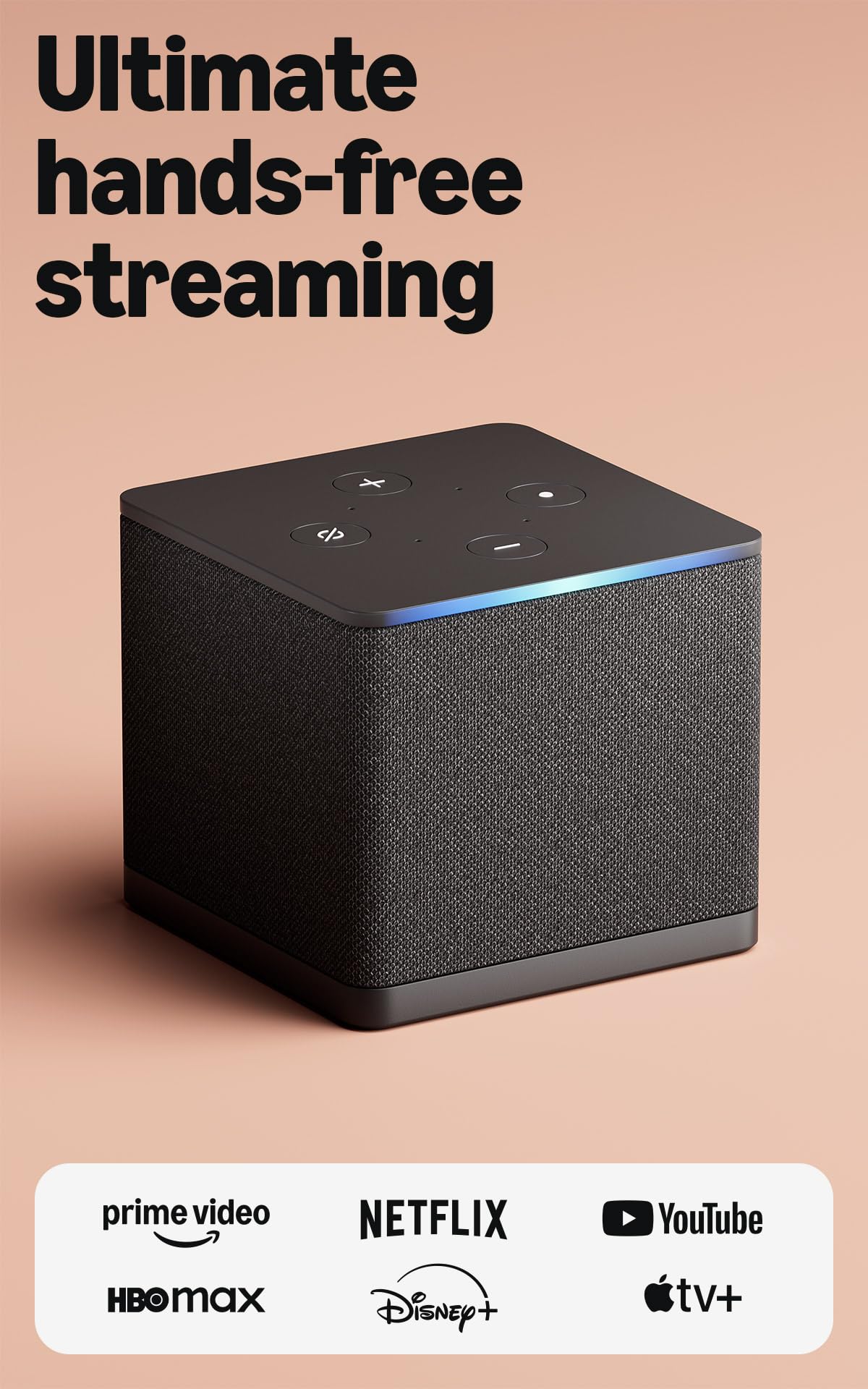
The Fire TV Cube is the only streaming device here with an octa-core processor and Wi-Fi 6E support, making it twice as powerful as the Fire TV Stick 4K Max. It is also the first device to feature a built-in microphone array and speakers, enabling hands-free Alexa control from across the room — you can start a show, dim the lights, or check the Ring doorbell without touching a remote.
The HDMI-in port lets you connect a cable box or game console and switch inputs with voice commands, effectively turning the Cube into a universal remote hub. Dolby Vision, HDR10+, and Dolby Atmos are all supported, delivering a full cinematic HDR experience. The included voice remote has preset buttons for Netflix, Prime Video, and other services, though the home screen does carry sponsored ads.
One notable limitation: the Ethernet port is capped at 100 Mbps, so if you need wired speeds above that, you will need a USB-to-Ethernet adapter. The lack of an included HDMI cable is also a minor annoyance at this price point. For deep Alexa integration and the fastest app launches, the Cube is unmatched in this lineup.
Why it’s great
- Hands-free Alexa with built-in microphones and speakers
- Wi-Fi 6E support for the least congested wireless streaming
- HDMI-in port for integrating legacy cable boxes
Good to know
- Ethernet port is limited to 100 Mbps
- No HDMI cable included despite premium price
4. Apple TV 4K 64GB (2nd Gen)
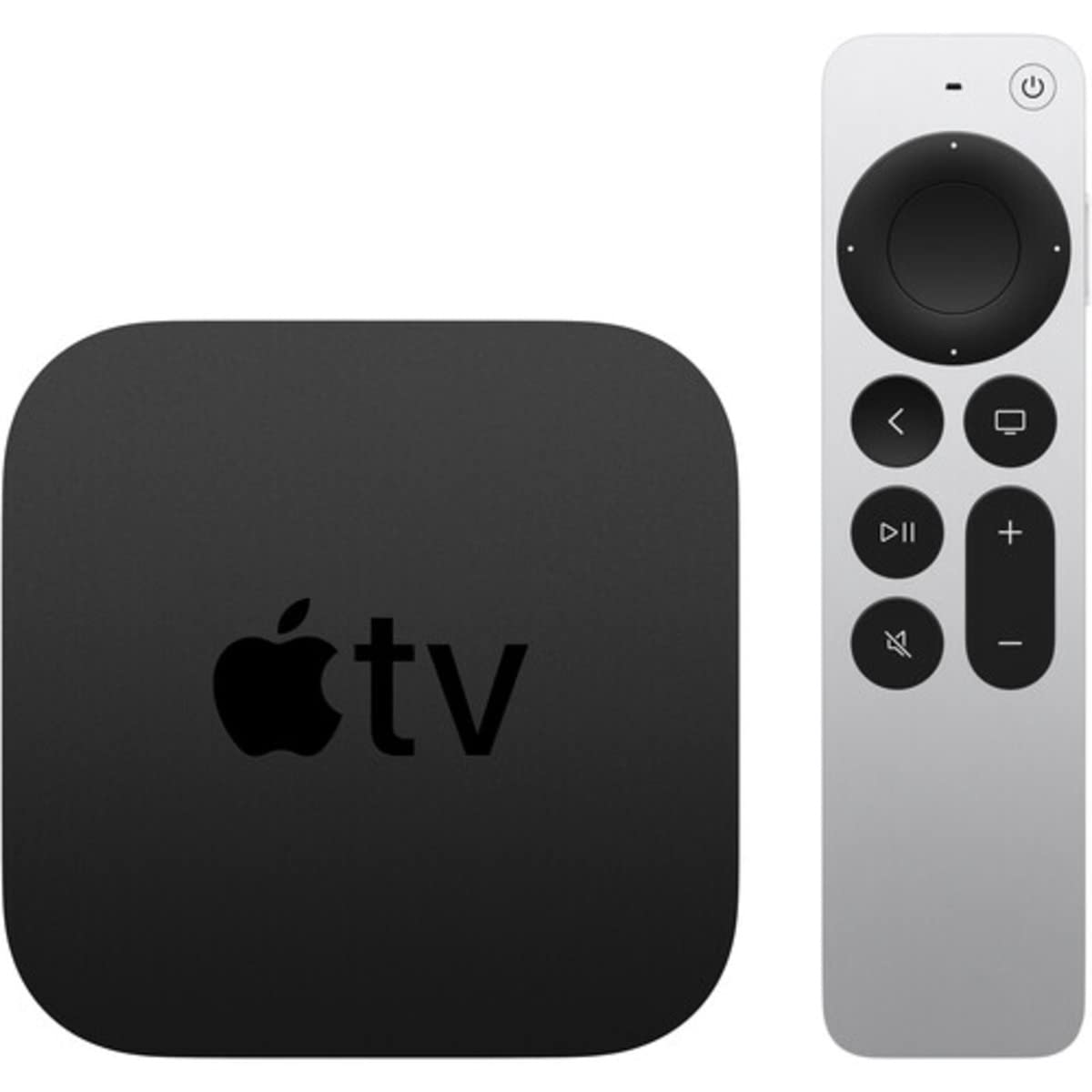
The Apple TV 4K (2nd Gen) runs on the A12 Bionic chip, the same processor found in the iPhone XS, giving it enough GPU power for smooth Apple Arcade gaming and fluid 4K HDR playback. The 64 GB of onboard storage is the largest in this roundup, giving you ample space for games, apps, and downloaded media. It supports Dolby Vision and Dolby Atmos for a full cinematic ecosystem.
The Siri Remote uses a touch-enabled clickpad for swipe navigation, and the device integrates seamlessly with the Apple ecosystem — AirPlay lets you beam photos and videos from any Apple device, and you can use up to two sets of AirPods for private listening simultaneously. This is also the only streaming device that natively supports Apple Fitness+ and Apple Music with lyrics display.
The main drawbacks are the high entry price and the fact that this is a renewed unit, which means it has been previously owned and refurbished. Some users report remote pairing issues that require a reset procedure. For users already deep in Apple’s walled garden, the integration benefits justify the premium, but for everyone else, the value proposition is harder to stomach.
Why it’s great
- A12 Bionic chip delivers console-quality gaming performance
- 64 GB storage — room for dozens of games and apps
- Seamless AirPlay 2 and dual AirPods private listening
Good to know
- Renewed unit — may come with cosmetic blemishes
- Highest price point with no Ethernet in the 64 GB model
5. Onn 4K Plus

The Onn 4K Plus punches well above its price tier with 2 GB of RAM and 16 GB of internal storage — matching the specs of the Fire TV Cube and exceeding every stick in the budget and mid-range categories. This means snappier app switching and room for over 11 GB of apps and games after the OS reservation. It supports Dolby Vision and Dolby Atmos, and the Wi-Fi 6 radio handles high-bitrate 4K streams reliably.
Google TV is the operating system here, giving you a clean content-first interface with universal watchlists and Google Assistant voice control. The included voice remote has a dedicated Google Assistant button and works well for search and smart home commands. The box form factor includes an HDMI cable and power adapter in the box, so setup is truly plug-and-play.
The catch: this device is region-locked to the US for full Google TV features, and some international users report difficulty during initial setup without a US-based Google account. The build quality feels slightly less premium than the Roku Ultra or Fire TV Cube, but the internal specs are competitive at a fraction of the cost. If you are in the US, this is the best bang-for-your-buck streaming device.
Why it’s great
- 2 GB RAM + 16 GB storage — class-leading for the price
- Dolby Vision, Dolby Atmos, and Wi-Fi 6 all included
- Google TV interface with universal watchlist feature
Good to know
- Region-locked to the US for full Google TV functionality
- Plastic build feels less premium than rivals
6. Fire TV Stick 4K (Like-New)
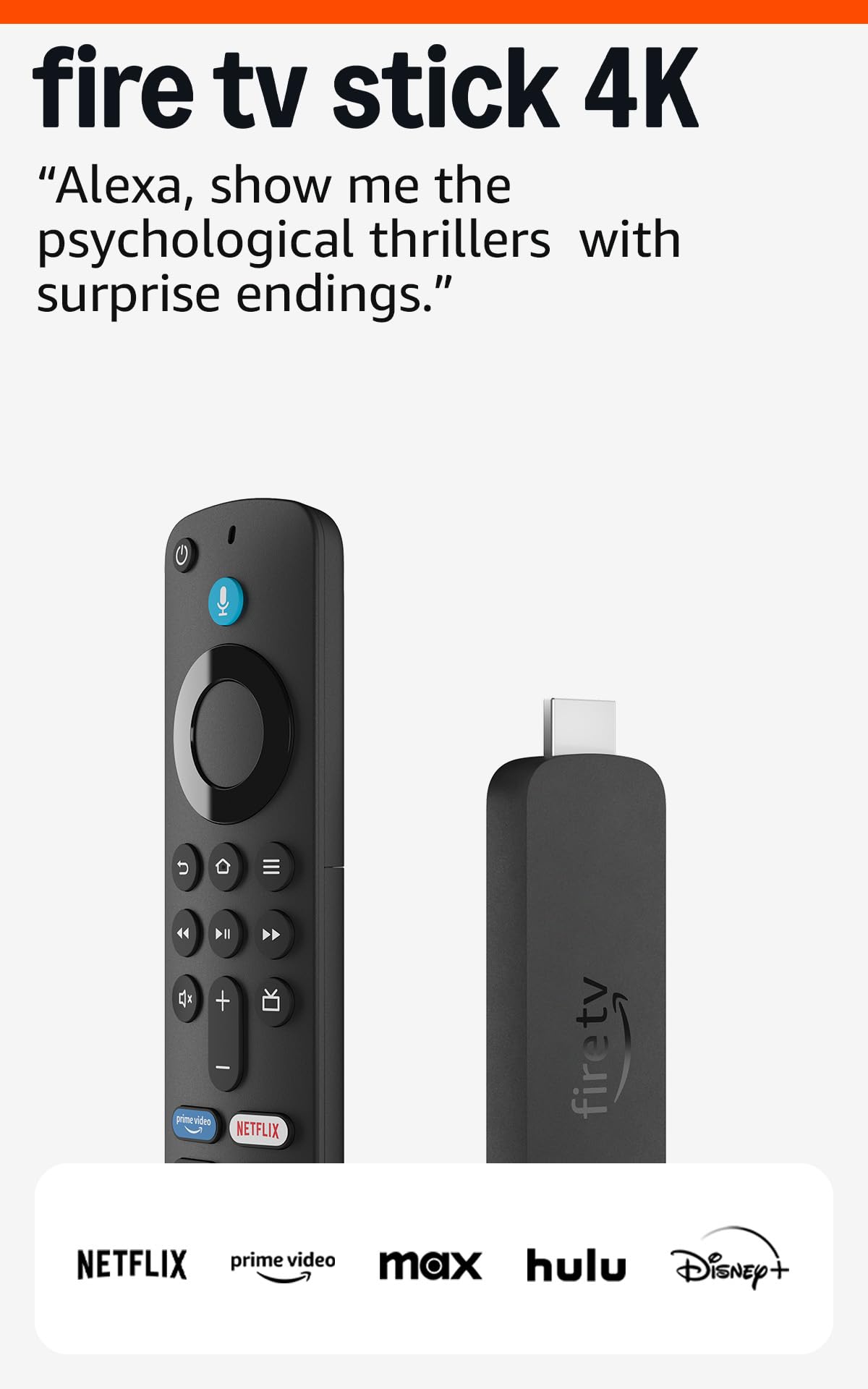
The Fire TV Stick 4K (newest model) brings Wi-Fi 6 support and AI-powered Fire TV Search to the stick form factor, allowing for smoother 4K streaming even when multiple devices are on your home network. The Alexa Voice Remote with preset buttons for Netflix, Prime Video, and Disney+ reduces the need to navigate menus. It supports Dolby Vision, HDR10+, and Dolby Atmos for a full HDR experience.
This is a Like-New refurbished unit, meaning it has been tested and certified to work like new and comes with the same limited warranty. The price makes it a compelling entry point into the Fire TV ecosystem. The device also supports Xbox Game Pass cloud gaming, letting you stream titles like Hogwarts Legacy without a console — a unique feature among streaming sticks.
The main trade-off is the Fire OS home screen, which prominently features sponsored rows and Amazon Prime Video recommendations. If you prefer a more neutral interface, the Roku or Google TV options may suit you better. Also, app subscriptions do not automatically transfer from an older Fire Stick — you will need to reauthorize each service manually.
Why it’s great
- Wi-Fi 6 support for stable multi-device streaming
- Xbox Game Pass cloud gaming without a console
- AI-powered Alexa search can find movies by plot and quotes
Good to know
- Refurbished unit — may not include original packaging
- Fire OS home screen shows prominent ads and sponsored content
7. Roku Express 4K+

The Roku Express 4K+ delivers the same clean, no-clutter interface that makes Roku the go-to choice for users who just want to watch content without algorithmic pushes. It supports 4K, HDR, and HDR10, though it lacks Dolby Vision. The voice remote works with Siri, Alexa, and Hey Google, giving you flexibility in smart assistant choice. With 16 GB of storage, you have plenty of room for all major streaming apps.
The included adhesive strip lets you mount the small puck behind the TV, keeping it out of sight. The setup process is famously simple — plug into HDMI, connect to Wi-Fi, and start streaming. The Roku Channel offers over 350 free live TV channels, which is a solid bonus for cord-cutters who want to reduce subscription costs.
The remote lacks a backlight, making it hard to use in a dark room, and the volume buttons are easy to accidentally brush. The Wi-Fi radio is Wi-Fi 5, which is adequate for most 4K streams but can struggle in congested networks. For the price, the Roku Express 4K+ is the most straightforward streaming device available, especially for older users or anyone overwhelmed by complex smart TV interfaces.
Why it’s great
- Cleanest, simplest interface — no ads or recommendations
- Works with Siri, Alexa, and Hey Google for voice control
- 350+ free live TV channels included at no extra cost
Good to know
- No Dolby Vision support — HDR10 only
- Remote is not backlit and volume buttons are easy to hit accidentally
FAQ
Does Dolby Vision make a visible difference on a mid-range 4K TV?
Can I use a streaming stick in a hotel room with captive Wi-Fi login?
Final Thoughts: The Verdict
For most users, the best 4k streaming device winner is the Xiaomi TV Stick 4K (2nd Gen) because it delivers the most complete HDR format support and a compact design backed by a powerful 6nm processor at a reasonable price. If you need wired Ethernet and private listening, grab the Roku Ultra. And for hands-free Alexa control and the fastest Wi-Fi available, nothing beats the Amazon Fire TV Cube.