
A 3×6 keyboard isn’t just a peripheral—it’s a commitment to efficiency. By removing the number row and traditional bottom row staggering, this layout forces your fingers into a columnar grid where every key is reachable without moving your wrists, a direct challenge to the diagonal finger travel ingrained by decades of typewriter design. The result is a typing rhythm that feels less like hunting and more like playing a well-rehearsed instrument, ideal for programmers, writers, and gamers who live in layers.
I’m Min — the co-founder and writer behind Gadgets Feed. I’ve spent hundreds of hours digging into the specs and real-world behavior of ergonomic layouts to separate keyboard hype from truly functional hardware.
Whether you’re transitioning from a full-size board or building your first minimal setup, this guide gives you a clear, spec-focused look at the best 3×6 keyboard options available right now, ranked by build quality and firmware support.
How To Choose The Best 3×6 Keyboard
Choosing a 3×6 keyboard requires rethinking how you interact with a computer. The layout abandons the physical number row and often the punctuation row, forcing you to rely on layers activated by thumb keys. Your comfort and productivity depend entirely on the build quality, firmware flexibility, and switch type.
Firmware and Programmability
QMK and VIA are not optional features here—they are the heart of the 3×6 experience. Without the ability to remap every key and create custom layers, a 36-key board is essentially useless for most tasks. Look for boards that support VIA software out of the box, as it offers a graphical interface for remapping without compiling code.
Split vs. Monoblock Design
A split 3×6 keyboard lets you position each half at shoulder width, opening your chest and relaxing your shoulders. Monoblock options exist, but the ergonomic benefit of a true split layout for reducing wrist ulnar deviation (bending sideways) is substantial for prolonged use.
Hot-Swappable Switches
Your preferred tactile feel may change over time. Hot-swappable switch sockets let you go from a silent linear switch for the office to a clicky switch for gaming without soldering. Ensure the board supports standard 3- or 5-pin mechanical switches (MX-style) to maximize compatibility.
Quick Comparison
On smaller screens, swipe sideways to see the full table.
| Model | Category | Best For | Key Spec | Amazon |
|---|---|---|---|---|
| YIVU CORNE V4 | Split 3×6 | Entry-level ortholinear | 3×6 column stagger + 3 thumb keys | Amazon |
| EPOMAKER Luma40 | Monoblock 40% | Portable metal build | CNC aluminum case, low-profile Kailh Choc | Amazon |
| Hardtochooseone Split 36-Key | Budget Split | Premier split under | 36-key QMK, 28 extra keycaps included | Amazon |
| YMDK ID75 | Ortholinear 75-key | DIY kit with number row | 5×15 grid, VIA, aluminum case kit | Amazon |
| ZORNHER ST68 | Split 65% | Wireless split + knob | 3000 mAh battery, PBT keycaps, gasket mount | Amazon |
| BAROCCOMiSTEL MD600 Alpha | Split 60% Alice | Curvy layout for typists | Bluetooth 5.0, 2000 mAh battery | Amazon |
| GravaStar Mercury V60 Pro | HE Gaming 60% | Competitive FPS speed | 8K Hz polling, 0.005mm actuation | Amazon |
| ASUS ROG Falchion Ace 75 HE | HE TKL 75% | Big-brand magnetic switch | ROG HFX V2X, 8K Hz, touch bar | Amazon |
| IQUNIX EV63 | HE 60% Premium | FPS rapid trigger specialist | 0.01mm Rapid Trigger, CNC aluminum | Amazon |
In‑Depth Reviews
1. YIVU CORNE V4 Wired Split Mechanical Keyboard
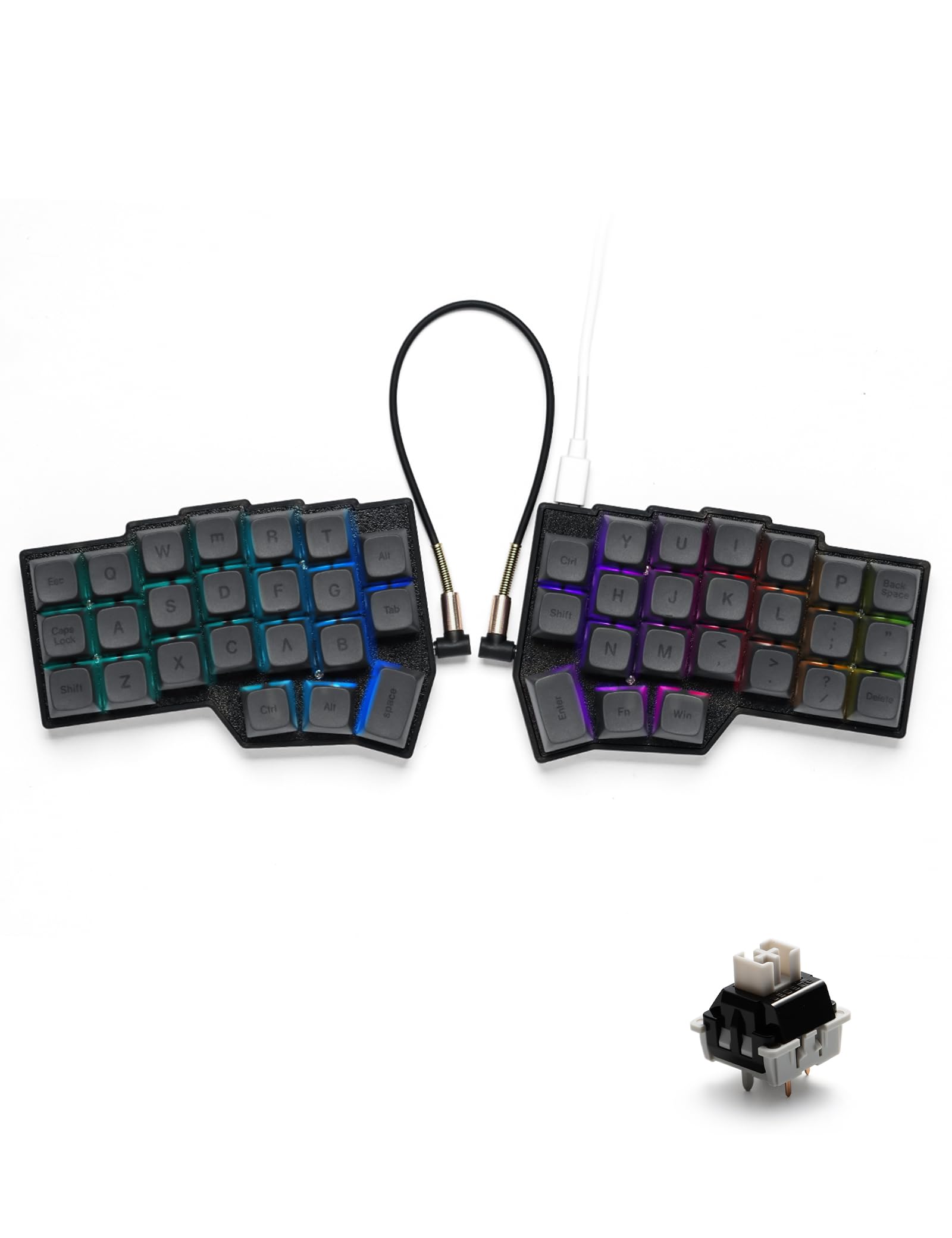
The YIVU CORNE V4 delivers a true 3×6 column-staggered split layout with three thumb keys per hand, exactly matching the standard Corne design that the ortholinear community has refined for years. Pre-lubricated linear switches with a 40g actuation force keep keystrokes light and fast, and the hot-swappable PCB accepts any standard MX-style 3- or 5-pin switch, letting you personalize the feel without a soldering iron.
VIA firmware support means you can remap every key in real time through a browser-based interface—no compiling required. The acrylic sandwich case is lightweight, though some users report a hollow sound that can be dampened with foam mods. The supplied 1.5-meter USB-C and 28-centimeter TRS cables are adequate for most desk setups.
A few owners have reported one side failing after months of use, so the build quality is not as bulletproof as premium kits. However, at this price point, the V4 offers the most authentic Corne experience available off the shelf, making it the go-to entry point for anyone serious about adopting a 3×6 workflow.
Why it’s great
- True 3×6 column stagger with dedicated thumb keys
- VIA-compatible for effortless remapping
- Hot-swappable sockets support all MX switches
Good to know
- Plastic/acrylic case can feel hollow
- Durability concerns reported after 4-6 months
- TRS cable not hot-swappable
2. IQUNIX EV63 Hall Effect Gaming Keyboard 60%
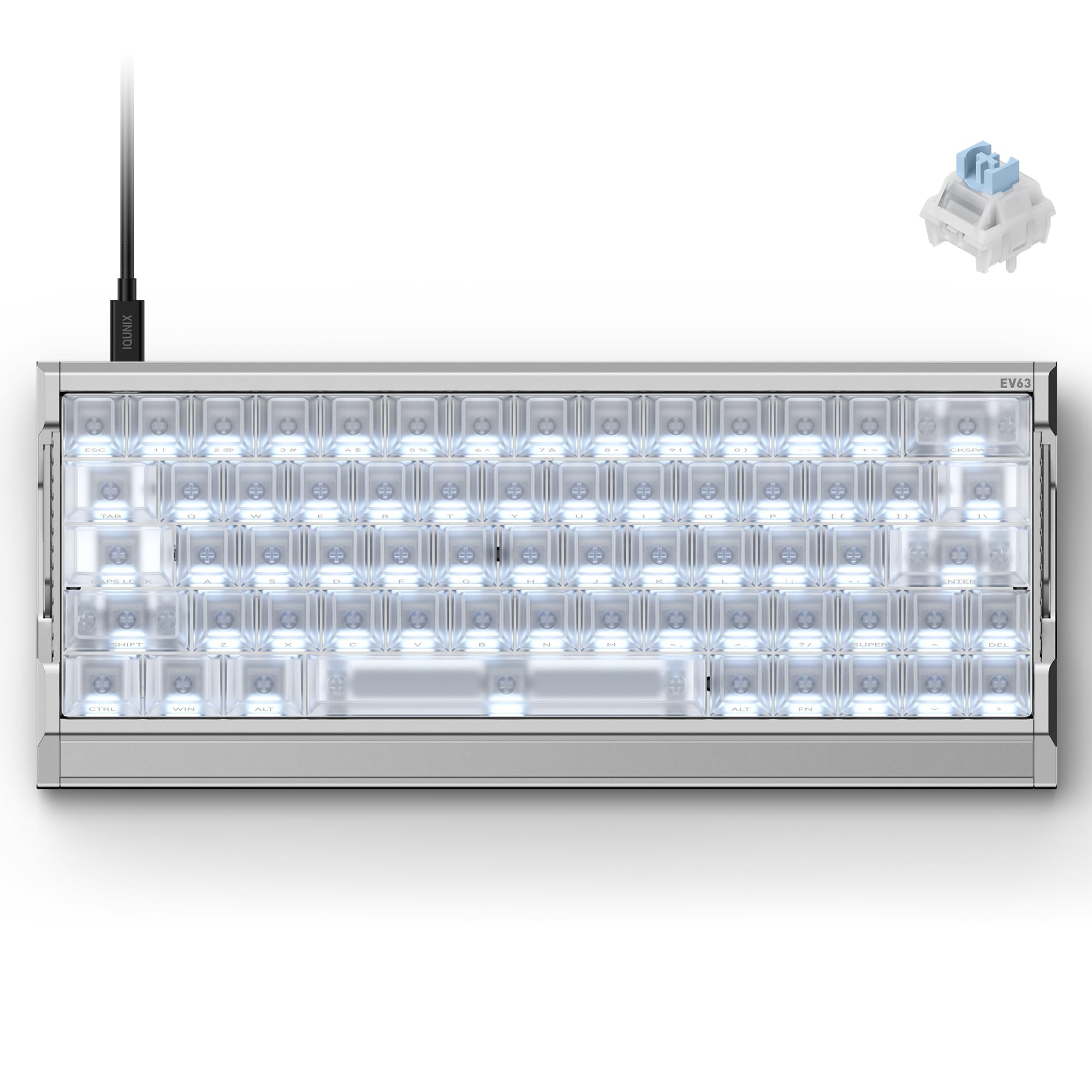
The IQUNIX EV63 is a Hall Effect (magnetic switch) keyboard designed for competitive FPS gaming, featuring a 0.01mm adjustable actuation point and a 0.125ms latency delivered through 8K Hz wired polling. The full CNC aluminum chassis weighs 1200 grams, providing rock-solid desk stability during intense strafing and counter-strafing in Valorant or CS2.
Its 64-key layout is a dense grid that strips the function row and navigation cluster, but retains arrow keys and a right Shift—bridging the gap between a hardcore 3×6 grid and mainstream gaming. The M.A.T. 2.0 algorithm performs real-time calibration on every key, reducing missed inputs caused by voltage fluctuation. The EV Driver 3.0 software includes pro-tuned FPS presets and supports SOCD, DKS, and Mod Tap functions for advanced players.
The switches are magnetic rather than mechanical, which means you cannot swap in standard MX keycaps for the stabilizers or change the feel without replacing the entire board. The thick coiled cable and included dust brush are nice touches, but the software setup can be finicky on first boot. For gamers who need absolute speed and a solid metal frame, the EV63 is a top-tier choice.
Why it’s great
- 0.01mm Rapid Trigger for instant key repeats
- Full CNC aluminum chassis eliminates flex
- M.A.T. 2.0 real-time calibration prevents drift
Good to know
- Magnetic switches are not mechanical-swap compatible
- Software setup can be buggy on first run
- Heavy wired design, no wireless option
3. ASUS ROG Falchion Ace 75 HE Wired Hall Effect Gaming Keyboard
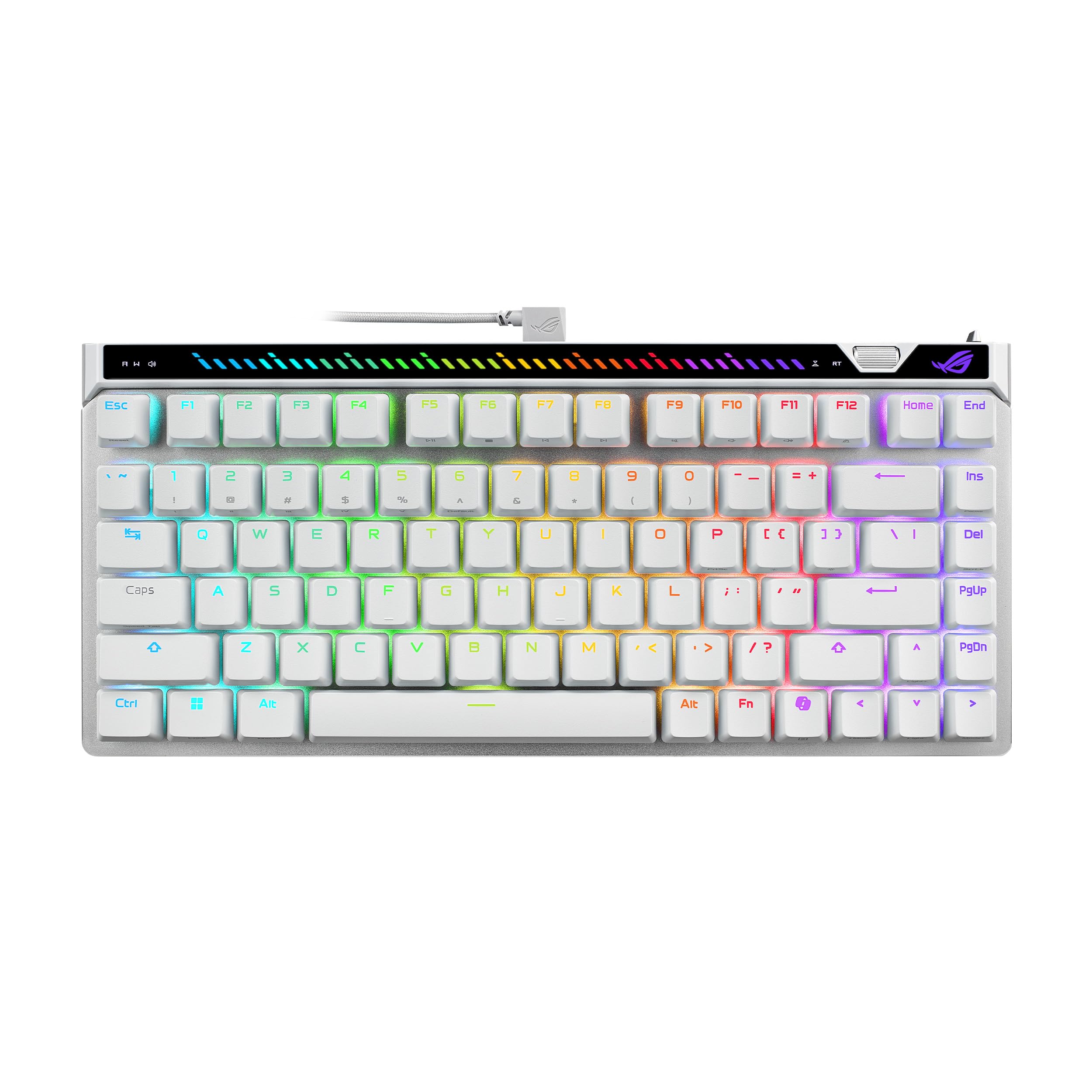
The ASUS ROG Falchion Ace 75 HE is a 75% TKL keyboard using the proprietary ROG HFX V2X magnetic switch, offering a 0.1–3.5mm adjustable actuation range in 0.01mm steps. The 8K Hz polling rate yields a 0.125ms response time, matching the fastest HE competitors, and the onboard adjustment wheel lets you tweak actuation and Rapid Trigger sensitivity without launching software.
A built-in interactive touch panel handles media playback, volume, and lighting—a rare convenience on a performance-oriented board. The white version ships with double-shot PBT keycaps that resist shine, and the five-layer internal dampening keeps the typing sound more subdued than typical metal-case keyboards. The included carry case is a practical addition for LAN events.
The web-based configuration tool avoids the dreaded Armory Crate bloat, but it does require Chrome and an internet connection to access. The plastic enclosure, while sturdy, lacks the premium weight of a full aluminum chassis. For gamers who want big-brand reliability with Hall Effect speed, the Falchion Ace 75 HE is a strong contender.
Why it’s great
- Onboard touch bar and wheel for quick adjustments
- Double-shot PBT keycaps resist wear
- Five-layer dampening for quiet typing
Good to know
- Plastic case feels less premium than aluminum rivals
- Web software limited to Chrome browsers
- No wireless connectivity
4. GravaStar Mercury V60 Pro 60% HE Magnetic Gaming Keyboard
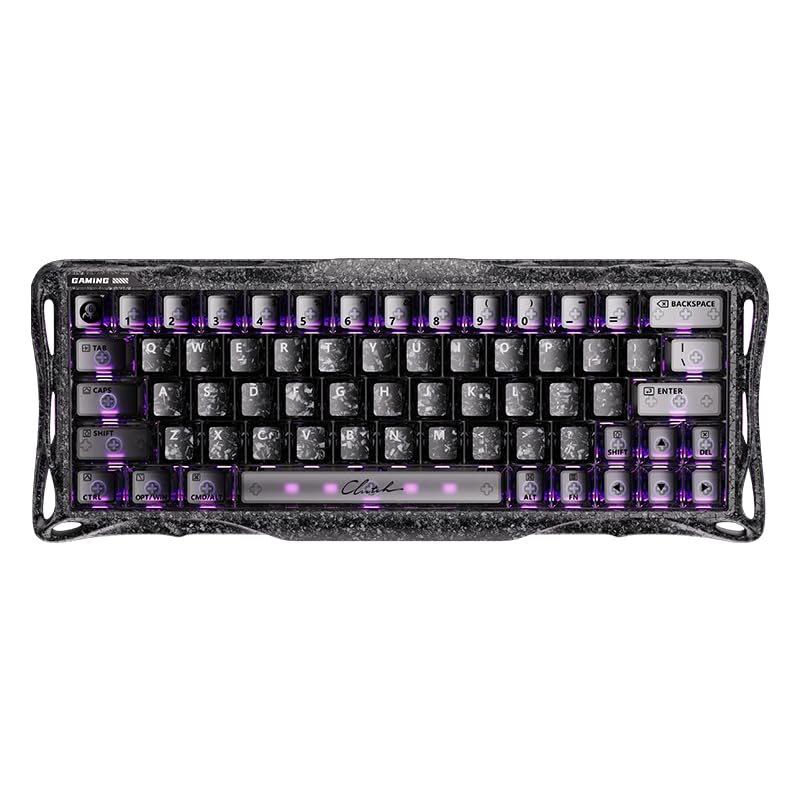
The GravaStar Mercury V60 Pro pushes magnetic switch performance to 8K Hz polling with 256kHz key-position scanning, resulting in 0.125ms latency and a 0.005mm actuation resolution—the finest step of any keyboard on this list. This allows for hyper-sensitive Rapid Trigger behavior where a finger barely lifting off a key is detected instantly.
The full aluminum frame and unique Cyber Frost Black design give it a distinctive look that stands out on any desk. The web-based software includes extensive customization for actuation curves, SOCD, and per-key RGB, though it lacks a desktop companion app. The UFO magnetic switches are pre-lubed and sound surprisingly deep for a metal chassis.
A wrist rest is not included, which is an oversight at this price point. The carbon fiber top plate material has been described as feeling less premium than the aluminum base. Early adopters have reported software download difficulties. For pure speed and the tightest actuation tolerance, the V60 Pro is a specialized tool that excels in competitive FPS scenarios.
Why it’s great
- Industry-leading 0.005mm actuation resolution
- 8K Hz polling with 256kHz scanning
- Deep, pleasant sound from aluminum chassis
Good to know
- Wrist rest not included
- Software is web-only, no native app
- Carbon fiber top feels cheaper than aluminum base
5. BAROCCOMiSTEL MD600 Alpha BT RGB Split Keyboard

The BAROCCOMiSTEL MD600 Alpha uses an Alice-style curvy split layout that angles each half to match the natural sweep of your fingers, with a 60% footprint that can be joined or separated. The PBT double-shot keycaps are durable and the OEM profile is familiar for typists transitioning from full-size boards. It offers both wired and Bluetooth 5.0 connectivity, with a 2000 mAh battery providing around 220 hours of use without RGB.
The magnetic rubber feet allow for adjustable typing angle, and the board supports macro programming through its onboard system—though it lacks full QMK/VIA support, which limits flexibility for power users. The Silent Red Cherry MX switches are factory-lubed and provide near-silent operation, making this an excellent choice for shared workspaces.
Some units have arrived missing parts or with packaging suggesting returns, so inspect upon arrival. The default layer cannot be reprogrammed, and the split layout includes a duplicate B key that some find confusing. For users prioritizing wireless convenience and a quiet, ergonomic Alice layout without a steep firmware learning curve, the MD600 Alpha is a solid mid-range pick.
Why it’s great
- Comfortable Alice split design with adjustable angle
- Long 220-hour battery life without RGB
- PBT keycaps resist shine and wear
Good to know
- No QMK/VIA support for deep remapping
- Duplicate B key can cause confusion
- Quality control issues with missing parts reported
6. Hardtochooseone 36-Key Split Ergonomic Mechanical Keyboard

This budget-oriented split keyboard leverages a 36-key layout with QMK firmware, giving users the core 3×6 grid plus three thumb keys per side—an essential setup for layer-based typing. It comes fully assembled with MX-style switch support and includes 28 extra keycaps and switch options for aesthetic customization right out of the box.
The hot-swappable PCB and USB-C connectivity make it easy to experiment with different switch types. Users have praised the VIAL firmware (a fork of QMK) for its intuitive configuration, noting that it works well as a gateway to compact ergonomic keyboards without spending over . The aluminum plate adds a touch of rigidity to the plastic case.
Build quality is inconsistent: missing screws and loose components have been reported in some units, and the black keycaps are difficult to read in low light. A few units have experienced random disconnections. For the price, however, it remains one of the few pre-built options that lets you experience a true 36-key split layout with full programmability.
Why it’s great
- True 36-key split grid with QMK/VIAL support
- 28 extra keycaps and switches included for customization
- Hot-swappable PCB for easy switch changes
Good to know
- Inconsistent QC with missing screws reported
- No USB cable included in the box
- Some units suffer random disconnections
7. EPOMAKER Luma40 Low Profile Mechanical Keyboard
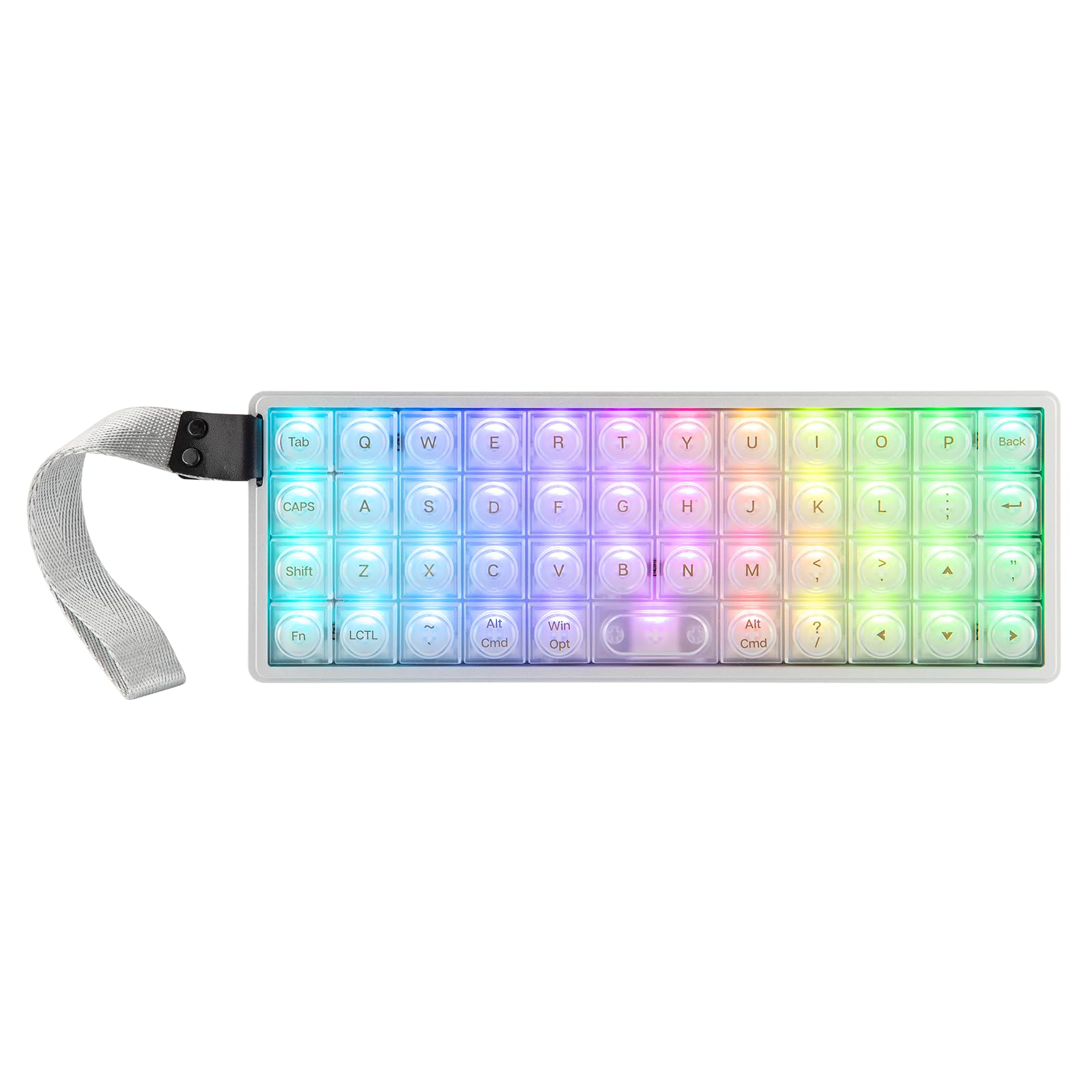
The EPOMAKER Luma40 is a monoblock 40% ortholinear keyboard housed in a CNC-cut aluminum case, making it one of the most portable premium options at just 9.45 inches wide. Its low-profile Kailh Choc V2 switches sit half the height of standard MX switches, reducing wrist strain during prolonged use. The frosted transparent PC keycaps diffuse per-key RGB evenly, creating a striking visual.
Powered by QMK/VIA firmware, the Luma40 supports full layer customization, macros, and mod-tap functions, all configurable through a graphical interface. Triple-mode connectivity (2.4GHz wireless, Bluetooth, USB-C) lets you pair up to five devices and switch effortlessly. The tray-mount design with foam dampening produces a creamy, thocky sound profile that is office-safe.
The spacebar lacks a stabilizer, making it wobbly and prone to jamming if pressed off-center—a notable design flaw. The low-profile Choc switches also limit aftermarket keycap compatibility. The aluminum body is heavy for its size (approximately 2 pounds), so while it’s compact, it’s not ultralight for travel. If you can tolerate the spacebar issue, the Luma40 is an elegant, full-featured ortholinear board.
Why it’s great
- Premium CNC aluminum case feels solid
- VIA-compatible for deep customization
- Triple-mode wireless with up to 5 devices
Good to know
- Spacebar has no stabilizer—wobbly and unreliable
- Low-profile Choc switches limit keycap compatibility
- Cherry MX users may miss standard profile feel
8. ZORNHER ST68 Ergonomic Split Keyboard 65%
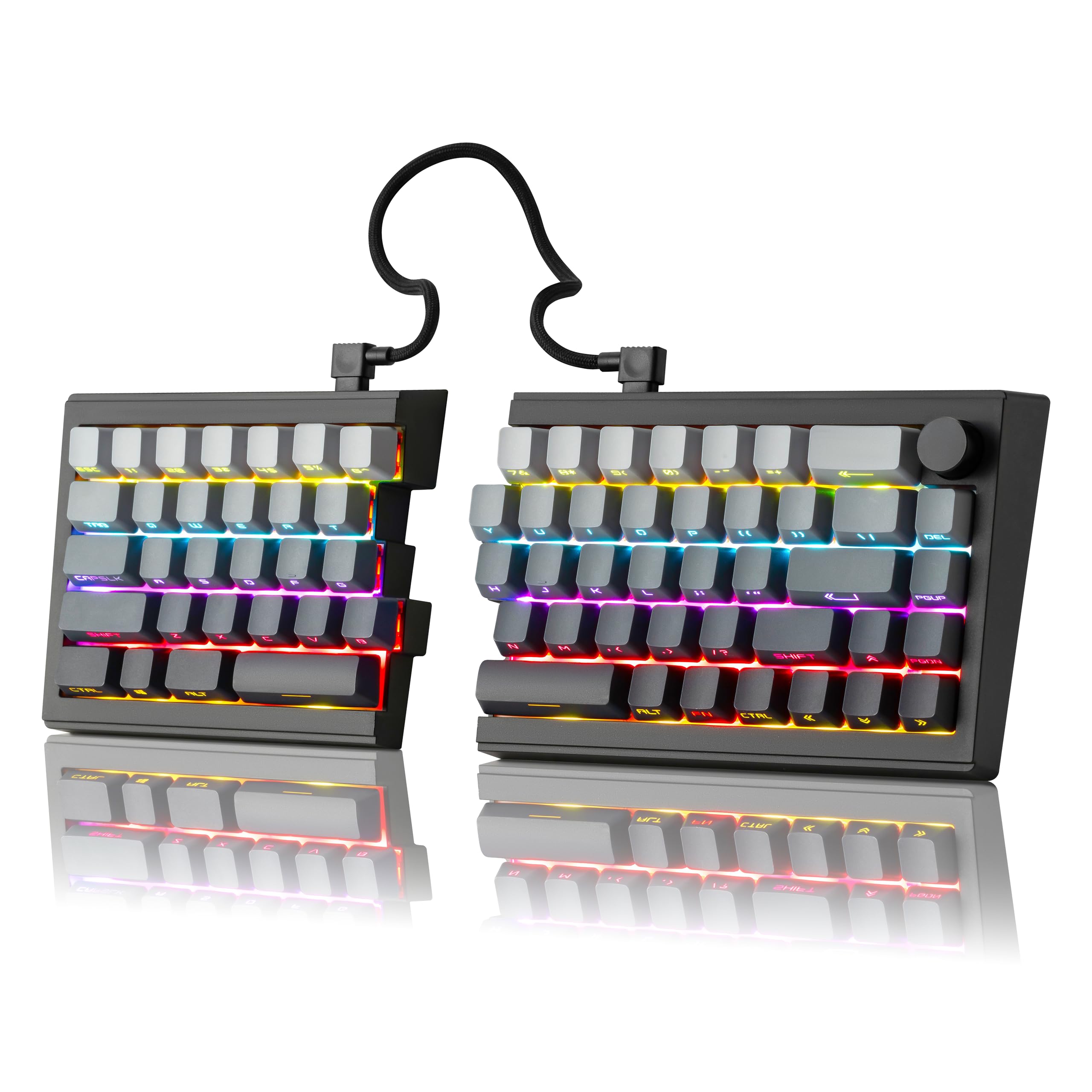
The ZORNHER ST68 is a 65% split keyboard that includes a Fn row and arrow cluster, making it more approachable for users not ready to dive into a pure 3×6 layer system. It uses factory-lubed creamy linear switches mounted on a gasket structure, producing a soft, thocky sound. The hot-swappable PCB supports both 3- and 5-pin switches, and the PBT keycaps with dipped legends resist shine and maintain clarity.
The standout feature is a 3000 mAh battery that delivers days of wireless use even with RGB enabled. Connectivity options include Bluetooth 5.0, 2.4GHz, and USB-C, with seamless switching between up to five devices. The provided coiled cable lets you combine the halves into a standard non-split layout if needed. The control knob is a practical addition for volume or zoom adjustments.
Some units arrive defective with only one half functioning, and the manual offers minimal troubleshooting help. The lack of F-keys will be frustrating for users who rely on muscle memory for shortcuts, though driver software can partially compensate. For the price, the ST68 offers the most features (wireless, battery, gasket mount, PBT caps) in a split form factor, making it a compelling mid-range option.
Why it’s great
- Generous 3000 mAh battery for wireless use
- Gasket mount and lubed switches for pleasant sound
- Hot-swappable with triple-mode connectivity
Good to know
- Occasional defective units with one half dead
- No F-keys—must use software remapping
- Manual is not helpful for troubleshooting
9. YMDK Idobao ID75 75 Keys Ortholinear Layout Kit

The YMDK ID75 is a 5×15 ortholinear grid keyboard kit (75 keys total) that retains the number row, making it a less intimidating entry into ortholinear layouts. It ships as a kit with a CNC aluminum case, hot-swappable PCB, acrylic diffuser layer for underglow, and all necessary hardware. The PCB supports VIA software for full key remapping and function assignment.
The build quality of the aluminum case is excellent for the price, providing a heavy, stable typing platform. The acrylic middle layer allows per-key and underglow LEDs to shine through effectively. Users report that the board works with both VIA and VIAL firmware out of the box, giving flexibility for custom configurations. The ortholinear grid makes it easy to create a dedicated numpad layer or symmetrical layout.
The USB-C port can be wobbly, so some users reinforce it with hot glue. There is no dedicated reset hole in the bottom case, requiring disassembly to flash firmware if needed. Ortholinear keycap compatibility is limited—many multi-switch keycaps won’t fit the grid. For DIY enthusiasts wanting to explore ortholinear layouts without sacrificing the number row, the ID75 is an affordable and rewarding kit.
Why it’s great
- Full 5×15 ortholinear grid with VIA support
- Heavy aluminum case at a budget-friendly kit price
- Acrylic diffuser for attractive underglow
Good to know
- USB-C port is wobbly—may need reinforcement
- No reset hole; requires disassembly to flash
- Ortholinear grid limits keycap compatibility
FAQ
What is the actual advantage of a 3×6 column-staggered keyboard over a traditional staggered board?
Do I need QMK/VIA firmware to use a 3×6 keyboard effectively?
Final Thoughts: The Verdict
For most users, the best 3×6 keyboard winner is the YIVU CORNE V4 because it delivers a true column-staggered split grid with three thumb keys per hand and full VIA support at an accessible price. If you want magnetic switch speed for competitive FPS gaming, grab the IQUNIX EV63. And for a premium low-profile ortholinear board with wireless convenience, nothing beats the EPOMAKER Luma40.