
The 24-25 inch gaming monitor remains the undisputed champion for competitive first-person shooters and esports. At this screen size, pixel density at 1920×1080 is high enough to avoid visible pixelation while keeping the GPU load low enough to push frame rates past 240Hz. This sweet spot of size, resolution, and speed is what makes this category distinct from larger 27-inch or 4K panels—you are buying raw responsiveness, not screen real estate.
I’m Min — the co-founder and writer behind Gadgets Feed. For this guide, I spent weeks analyzing refresh rate curves, response time overshoot data, and panel uniformity reports across nine different models that all fit the 24-25 inch footprint, ensuring every recommendation is backed by measurable performance characteristics rather than marketing claims.
Whether you are climbing the ranked ladder in Valorant or grinding headshots in CS2, finding the right 24-25 inch gaming monitor hinges on understanding how panel technology and refresh rate interact with your specific gaming habits.
How To Choose The Best 24-25 Inch Gaming Monitor
The 24-25 inch gaming monitor market splits into two distinct philosophies: speed-first and balanced. Speed-first monitors use TN panels with backlight strobing technologies like DyAc to eliminate motion blur at the cost of viewing angles. Balanced monitors use Fast IPS panels that offer wider viewing angles and better color saturation while still achieving 1ms response times and refresh rates from 165Hz to 280Hz. Your choice should depend entirely on whether you play competitive shooters exclusively or mix in single-player RPGs and creative work.
Refresh Rate vs. Frame Rate Matching
A 500Hz monitor sounds impressive, but it requires a GPU capable of producing 500 frames per second in your chosen game. At 1080p, mid-range cards like the RTX 4060 or RX 7600 can push 300-400 FPS in esports titles at competitive settings, but rarely sustain 500 FPS consistently. A 240Hz panel offers the best compatibility with current hardware, while 300Hz and 400Hz options future-proof your setup for the next GPU upgrade cycle. If you play graphically intensive AAA titles at high settings, a 165Hz panel may already exceed your GPU’s output.
Panel Technology: Fast IPS vs. Fast TN vs. OLED
Fast IPS dominates the mid-range segment because it delivers 1ms GtG response times alongside 350-nit brightness and sRGB 120% color gamuts—sufficient for both gaming and media consumption. Fast TN panels, found in monitors like the BenQ Zowie XL2546X+, sacrifice color accuracy and off-axis viewing for superior motion clarity through DyAc 2 backlight strobing. OLED panels at this size are still rare and expensive, but offer 0.03ms response times and infinite contrast for players who want both speed and visual fidelity.
Quick Comparison
On smaller screens, swipe sideways to see the full table.
| Model | Category | Best For | Key Spec | Amazon |
|---|---|---|---|---|
| Samsung Odyssey G4 25″ | IPS 240Hz | Competitive FPS with G-Sync | 240Hz, 1ms GtG, G-Sync Compatible | Amazon |
| Alienware AW2524HF 24.5″ | Fast IPS 500Hz | Extreme esports speed | 500Hz OC, 0.5ms GtG, Fast IPS | Amazon |
| BenQ Zowie XL2546X+ 24.1″ | Fast TN 280Hz | Competitive pro play | 280Hz, DyAc 2, Fast TN | Amazon |
| Z Z-EDGE AG25S 24.5″ | IPS 400Hz | High refresh on a budget | 400Hz, 1ms MPRT, Fast IPS | Amazon |
| ASUS TUF Gaming VG247Q1A 24″ | IPS 165Hz | Balanced gaming and work | 165Hz, 1ms MPRT, FreeSync Premium | Amazon |
| SANSUI ES-G25X1 PRO 24.5″ | IPS 300Hz | Value 300Hz performance | 300Hz, 1ms MPRT, Fast IPS | Amazon |
| Dell P2425H 24″ | IPS 60Hz | Office and productivity | 60Hz, IPS, USB-C Connectivity | Amazon |
In‑Depth Reviews
1. Samsung Odyssey G4 25″

The Samsung Odyssey G4 hits the ideal intersection of size, speed, and adaptive sync compatibility. At 25 inches with a 1080p IPS panel, it delivers 240Hz refresh rate and 1ms GtG response time while supporting both NVIDIA G-Sync and AMD FreeSync Premium—a rare combination at this price tier. The 400-nit peak brightness and 99% sRGB coverage mean colors pop without looking oversaturated, and the ergonomic stand offers height, swivel, and tilt adjustments that most competitors reserve for premium models.
What sets the G4 apart is its Ultrawide Game View feature, which simulates a 21:9 aspect ratio by adding black bars to the top and bottom of the screen. This gives competitive players a wider horizontal field of view without purchasing an ultrawide panel. The Auto Source Switch+ feature detects active devices and switches inputs automatically, reducing cable-fumbling during stream setup or console swapping.
The trade-off is the lack of built-in speakers, though the 1/8-inch audio jack passes sound to external speakers or headsets without latency. The menu system is controlled via a single joystick, which is intuitive after a short learning curve. For players who want the broadest GPU compatibility and a fully adjustable stand in a 25-inch package, the Odyssey G4 sets the standard.
Why it’s great
- G-Sync and FreeSync Premium dual support
- Fully ergonomic stand with height adjustment
- 400-nit brightness with 99% sRGB coverage
Good to know
- No built-in speakers
- 1080p resolution limits detail in single-player games
2. Alienware AW2524HF 24.5″

The Alienware AW2524HF represents the current ceiling of IPS panel performance at 24.5 inches. Its native 480Hz refresh rate overclocks to 500Hz via DisplayPort 1.4, making it one of the fastest IPS monitors available. The 0.5ms gray-to-gray response time in Extreme mode virtually eliminates motion blur, while the Fast IPS panel maintains wide 178-degree viewing angles that TN panels cannot match. The 99% sRGB coverage ensures colors remain accurate even at maximum refresh rates.
The build quality reflects Alienware’s premium positioning with a fully adjustable stand that supports height, tilt, swivel, and pivot rotation. The TUV ComfortView Plus hardware-based low blue light solution reduces eye strain during extended sessions without washing out colors like software-based filters. The thermal design includes a built-in fan that keeps the backlight driver cool during extended 500Hz operation, though it produces a barely audible hum in silent rooms.
Reaching 500Hz requires a DisplayPort 1.4 connection and a GPU capable of outputting 500 FPS—even top-tier GPUs like the RTX 4090 only hit this in lighter esports titles. The HDMI ports are limited to 255Hz maximum. The monitor also includes USB 3.2 Gen1 hub functionality for connecting peripherals. For players who demand the absolute smoothest motion available from IPS technology, the AW2524HF delivers without compromise.
Why it’s great
- 500Hz overclocked refresh rate for extreme smoothness
- 0.5ms GtG response time with Fast IPS panel
- Full ergonomic stand with pivot adjustment
Good to know
- Requires high-end GPU to utilize 500Hz
- HDMI limited to 255Hz maximum
3. BenQ Zowie XL2546X+ 24.1″
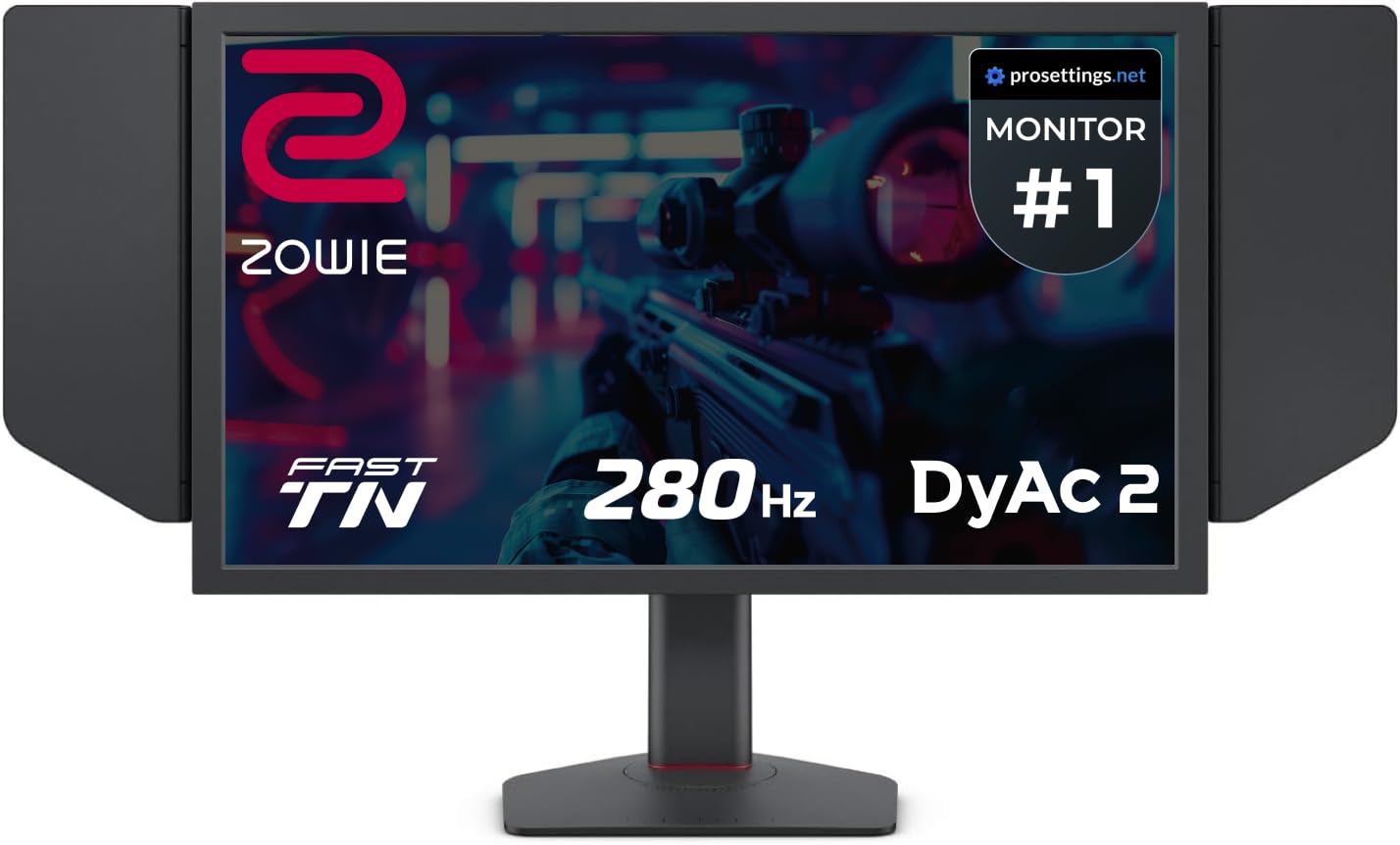
The BenQ Zowie XL2546X+ is built for one purpose: making moving targets visible with absolute clarity. Its 24.1-inch Fast TN panel with DyAc 2 (Dynamic Accuracy 2) backlight strobing produces motion clarity that IPS panels cannot achieve—moving objects maintain sharp edges while IPS panels exhibit a characteristic blur trail. The 280Hz refresh rate and 1ms GtG response time are conservative numbers, but the DyAc 2 implementation makes gameplay feel significantly more responsive than raw specs suggest.
The included S Switch controller allows instant profile switching between games, while the XL Setting to Share feature lets you load professional player configurations. The detachable shielding hood blocks ambient light to reduce glare during tournaments. The industrial-grade bearing height adjustment system supports 155mm of travel with zero wobble, and the stand includes swivel, tilt, and pivot adjustments that lock into position with satisfying precision.
The TN panel’s viewing angles are narrow—colors shift dramatically if you look from an angle—and the 98% sRGB coverage is lower than IPS competitors. The monitor has no built-in speakers and the bezels are thicker than modern designs. This is a specialized tool for competitive FPS players who prioritize motion clarity over color accuracy or media consumption. For Valorant and CS2 players, the XL2546X+ provides a legitimate competitive advantage.
Why it’s great
- DyAc 2 provides industry-best motion clarity
- Detachable shielding hood for tournament play
- S Switch controller for instant profile switching
Good to know
- TN panel has narrow viewing angles
- Lower color accuracy than IPS alternatives
4. Z Z-EDGE AG25S 24.5″
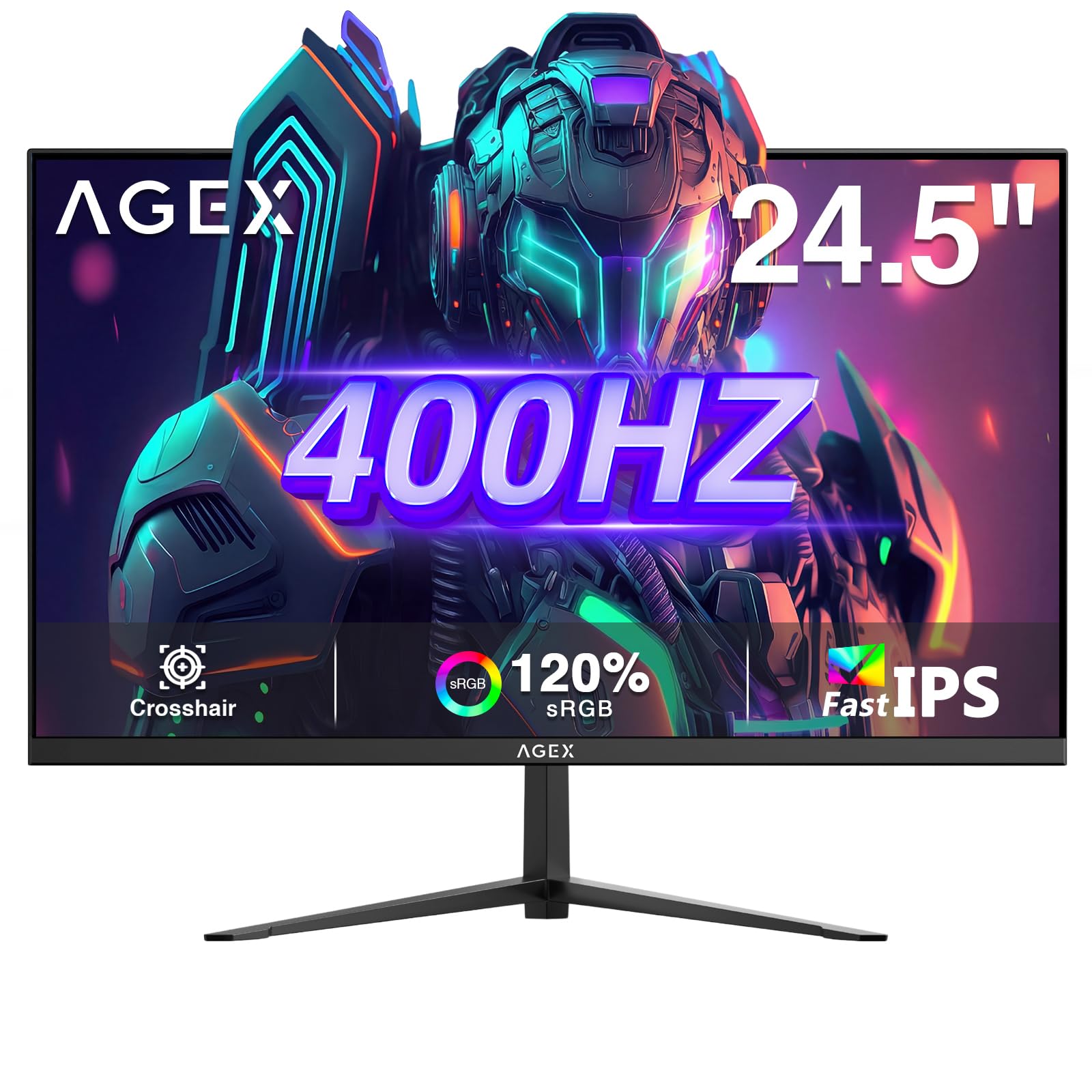
The Z Z-EDGE AG25S brings a 400Hz refresh rate into the mid-range tier, a specification previously reserved for flagships like the Alienware AW2524HF. Using a Fast IPS panel with 1ms MPRT response time, it delivers smooth motion that rivals monitors costing significantly more. The 300-nit brightness is adequate for indoor play, and the 1000:1 contrast ratio produces acceptable black levels for an IPS panel.
The built-in precision gaming tools include FPS and RTS presets, crosshair overlay, game timer, and refresh rate indicator that help competitive players fine-tune their setup. The three-sided ultra-slim bezel design looks modern on a desk and works well for multi-monitor setups. Connectivity includes DisplayPort 1.4 and two HDMI 2.0 ports, with the DisplayPort connection required to reach the full 400Hz refresh rate.
The stand is basic—tilt adjustment only—and the on-screen display buttons on the back require memorizing positions rather than intuitive navigation. The monitor includes built-in speakers, but they are low-wattage and suitable only for system sounds rather than immersive gaming audio. For players who want a high refresh rate without paying flagship prices, the AG25S offers compelling value.
Why it’s great
- 400Hz refresh rate at a mid-range price point
- Fast IPS panel with wide viewing angles
- Gaming tools including crosshair overlay
Good to know
- Stand offers tilt adjustment only
- Buttons on back of monitor are awkward to use
5. ASUS TUF Gaming VG247Q1A 24″

The ASUS TUF Gaming VG247Q1A proves 165Hz gaming monitors don’t need to feel like compromises. At 24 inches with a 1080p IPS panel, it delivers 165Hz refresh rate and 1ms MPRT response time with ASUS’s Extreme Low Motion Blur technology for reduced ghosting. The 350-nit brightness is slightly brighter than some competitors, and the Shadow Boost feature effectively lifts dark areas without washing out highlights—useful for spotting enemies hiding in shadows.
Built-in 2-watt speakers provide acceptable audio for casual gaming without cluttering your desk with external speakers. The monitor supports both Adaptive-Sync with NVIDIA GeForce cards and FreeSync Premium with AMD Radeon cards, making it GPU-agnostic. The included HDMI and DisplayPort cables ensure you have everything needed for setup right out of the box.
The stand lacks height adjustment—only tilt is available—and the menu system uses a four-way joystick that can be finicky when making precise adjustments. The 85% DCI-P3 color gamut is good but not exceptional for media consumption. For gamers who want a reliable, versatile monitor that handles both fast-paced shooters and productivity tasks equally well, the VG247Q1A delivers a balanced package at a reasonable price.
Why it’s great
- ELMB technology reduces ghosting effectively
- Built-in speakers for casual use
- Works with both NVIDIA and AMD GPUs
Good to know
- No height adjustment on stand
- Only 85% DCI-P3 coverage
6. SANSUI ES-G25X1 PRO 24.5″
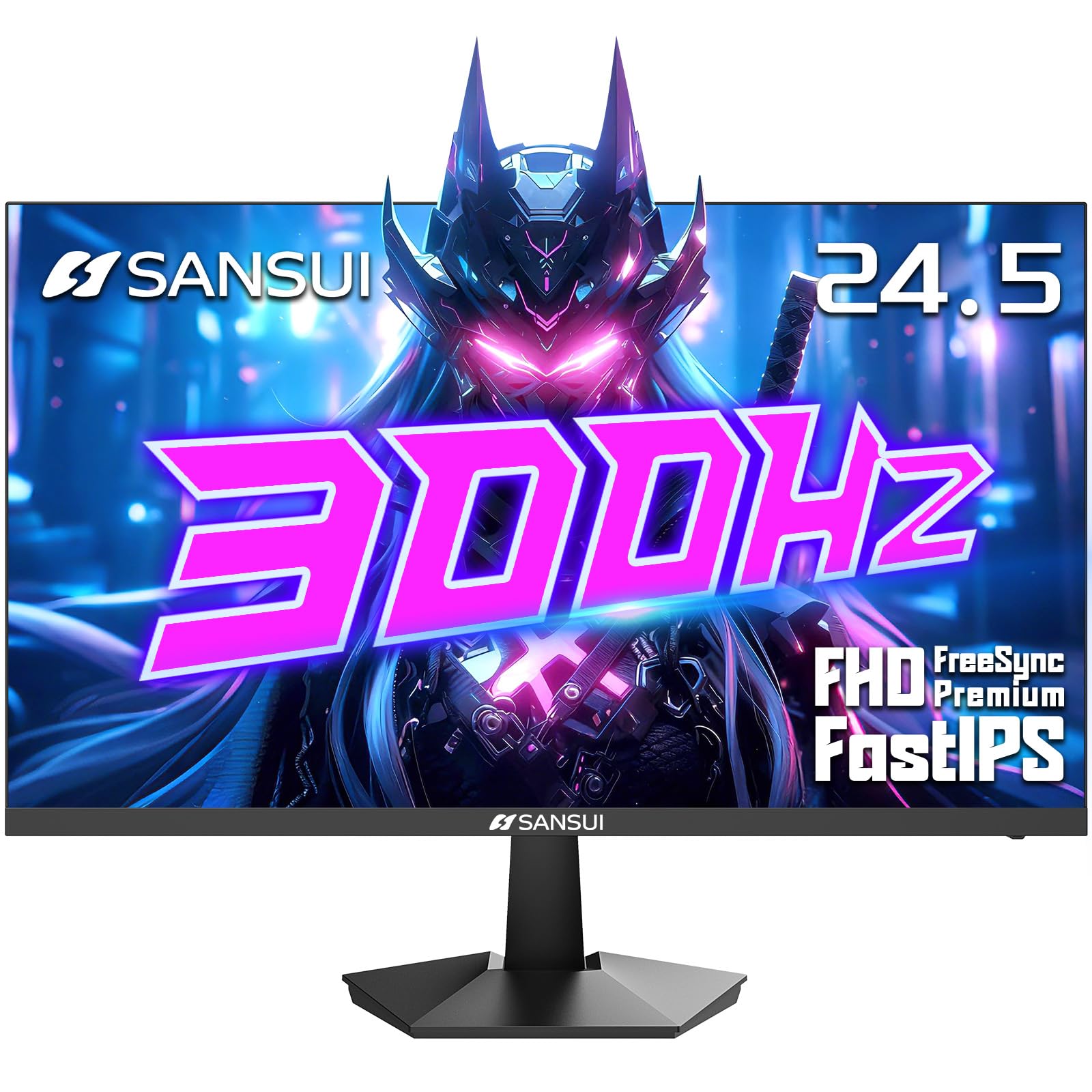
The SANSUI ES-G25X1 PRO brings 300Hz to the most accessible price point in this roundup, positioning it as the strongest value proposition for budget-conscious competitive gamers. Its 24.5-inch Fast IPS panel delivers 300Hz via DisplayPort and 240Hz via HDMI, with 1ms MPRT response time that keeps motion clear during fast-paced engagements. The 120% sRGB color gamut produces noticeably vibrant colors that outpace many similarly priced monitors in this category.
The monitor includes dual DisplayPort 1.4 and dual HDMI 2.0 ports, offering flexibility for multi-device setups. The Noise Reduction feature improves clarity in compressed video sources, and the Dynamic Luminous Control adjusts backlight levels based on scene content. The tilt-adjustable stand ranges from -5 to 15 degrees, which is adequate for most desk setups.
The built-in power supply is external, which reduces internal heat but creates an extra cable to manage. The monitor lacks built-in speakers and the menu system uses buttons that can feel unresponsive when pressing quickly. Some units report a cheap-feeling power cord that can cause intermittent power loss if jostles. For players who prioritize high refresh rate performance above all else and are willing to accept basic build quality, the ES-G25X1 PRO offers extraordinary spec-per-dollar ratio.
Why it’s great
- 300Hz refresh rate at an entry-level price
- 120% sRGB gamut for vibrant colors
- Dual DisplayPort and HDMI connectivity
Good to know
- External power supply adds cable clutter
- Power cord quality reported as flimsy by some users
7. Dell P2425H 24″

The Dell P2425H is not a gaming monitor by specification, but it earns a spot here for hybrid users who need a secondary display for productivity while keeping desk space symmetrical with a 24-inch gaming primary. Its 60Hz refresh rate and IPS panel with 1500:1 contrast ratio deliver excellent text clarity and color accuracy for spreadsheets, code editing, or design work. The anti-glare coating effectively reduces reflections in bright rooms.
The P2425H shines in connectivity, offering HDMI, DisplayPort, VGA, and USB-C with power delivery, making it a USB hub that charges laptops and connects peripherals through a single cable. The 11.41-pound weight and 20.9-inch width make it a substantial desk companion. The height-adjustable stand with swivel and tilt adjustments matches the ergonomics of premium gaming monitors.
At 60Hz, it is not suitable for competitive gaming where high refresh rates matter. The silver color scheme may not match black gaming peripherals. This monitor is best purchased as a pair with a high-refresh gaming monitor for users who split their time between work and play. The Dell build quality and warranty provide peace of mind that budget gaming monitors cannot match.
Why it’s great
- USB-C hub with power delivery for clean desktops
- 1500:1 contrast ratio for excellent text clarity
- Fully adjustable stand with height, swivel, tilt
Good to know
- 60Hz refresh rate not for gaming
- Silver finish may clash with black gear
FAQ
Is 240Hz worth it over 144Hz for a 24-inch gaming monitor?
Can I use a 24-inch gaming monitor for console gaming?
What is DyAc 2 and do I need it?
Final Thoughts: The Verdict
For most users, the 24-25 inch gaming monitor winner is the Samsung Odyssey G4 because it combines 240Hz speed, G-Sync and FreeSync compatibility, and a fully adjustable stand in a package that works with any GPU. If you want the smoothest possible motion clarity for competitive play, grab the Alienware AW2524HF for its 500Hz Fast IPS panel. And for pro-level motion clarity where every millisecond matters, nothing beats the BenQ Zowie XL2546X+ with DyAc 2 technology.