
Staring at a bezel gap between two monitors while a teammate flanks you is the kind of distraction that costs rounds. A single ultrawide panel running at 144Hz eliminates that split-screen divide and keeps your peripheral vision locked on the action without the stutter of a lower refresh rate. The real challenge isn’t deciding if you want an ultrawide—it’s picking the right combination of curvature, resolution, and panel technology that matches the games you play and the desk space you have.
I’m Min — the co-founder and writer behind Gadgets Feed. I analyze hundreds of hours of specification data, burn-in tests, color-gamut measurements, and real-user failure patterns to separate the panels that genuinely deliver from those that compromise on pixel response or build quality at the same advertised refresh rate.
The buyer’s journey through this category can be confusing, so I’ve focused this guide on verified performance and real-world durability to help you find the best 144hz ultrawide monitor for your specific setup and budget.
How To Choose The Best 144Hz Ultrawide Monitor
Three factors separate a great ultrawide from a regrettable one. Panel technology dictates black depth and response speed. Resolution determines whether your graphics card can sustain that 144Hz target. Curvature affects how much of the screen falls inside your natural field of view without head-turning. Get these right for your budget, and the monitor will feel like an upgrade for years rather than a purchase you second-guess after the first return window closes.
Panel Type: VA, QD-OLED, or Mini-LED
VA panels dominate the sub- zone because they offer good contrast ratios around 3000:1 without the burn-in risk of OLED. The trade-off is slower pixel transition in dark scenes, which can cause black smearing at 144Hz if the panel’s overdrive isn’t tuned well. QD-OLED panels hit sub-0.03ms response times and true black levels, but they require careful burn-in mitigation routines and usually cost above . Mini-LED, found on the Samsung Odyssey Neo G9, uses thousands of local dimming zones to rival OLED contrast while sustaining higher full-screen brightness for HDR—but the premium price starts around .
Resolution vs GPU Requirement
A 3440×1440 WQHD ultrawide demands about 30% less pixel-pushing than a standard 4K panel, making it the sweet spot for a mid-range card like an RTX 4070 or RX 7800 XT to hit 144Hz in competitive titles. Jumping to 5120×1440 DQHD effectively doubles the pixel count, requiring at least an RTX 4080 or equivalent to maintain high frame rates. The 57-inch Dual 4K (7680×2160) panel from Samsung requires DisplayPort 2.1 bandwidth and a top-tier GPU simply to drive the desktop at 240Hz—never mind gaming.
Curvature and Desk Depth
Curvature is measured in radius (R), where a smaller number means a tighter curve. An 1800R curve works well for 34-inch panels at typical arm’s length. The 1500R and 1000R curves on 49-inch panels wrap around your peripheral vision more aggressively, but they also require a desk at least 30 inches deep to maintain optimal viewing distance without eye strain. The new 800R curve from LG pulls the edges even closer, which is immersive for single-player games but can feel disorienting during fast-paced competitive titles if you sit too close.
Quick Comparison
On smaller screens, swipe sideways to see the full table.
| Model | Category | Best For | Key Spec | Amazon |
|---|---|---|---|---|
| Alienware AW3423DWF | QD-OLED | Competitive & Creative | 0.1ms / 165Hz / 21:9 | Amazon |
| Samsung Odyssey G9 G91SD | QD-OLED | Super Ultrawide Immersion | 5120×1440 / 144Hz / 0.03ms | Amazon |
| MSI MPG 491CQP QD-OLED | QD-OLED | Productivity & Gaming | 5120×1440 / 144Hz / 0.03ms | Amazon |
| LG 34GX90SA-W | OLED | Streaming & Gaming | 240Hz / 0.03ms / 800R Curve | Amazon |
| ASUS ROG Strix XG34WCDG | QD-OLED | High-End Gaming | 175Hz / 0.03ms / G-Sync | Amazon |
| Alienware AW3425DW | QD-OLED | Framerates & Color Fidelity | 240Hz / 0.03ms / 1800R | Amazon |
| Samsung Odyssey Neo G9 G95NC | Mini-LED | Ultimate HDR & Size | 7680×2160 / 240Hz / HDR1000 | Amazon |
| Gawfolk GF490D | VA | Budget 49-Inch | 5120×1440 / 240Hz / 1500R | Amazon |
| Deco Gear 49-Inch | VA | Workstation Replacement | 5120×1440 / 120Hz / 1500R | Amazon |
| INNOCN 49C1G | VA | Productivity Value | 3840×1080 / 144Hz / 1800R | Amazon |
| Dell S3425DW | VA | Office & Casual Gaming | 3440×1440 / 120Hz / USB-C 65W | Amazon |
In‑Depth Reviews
1. Alienware AW3423DWF

The Alienware AW3423DWF remains the benchmark for 34-inch QD-OLED ultrawides because it delivers genuine black levels that IPS panels can’t touch while maintaining a 0.1ms gray-to-gray response that eliminates motion blur at 165Hz. Its Creator Mode is a rare inclusion at this price tier, allowing you to toggle between DCI-P3 and sRGB gamut clamping for color-critical editing work without needing a hardware calibrator.
Users consistently report no burn-in after 18 months of heavy use, and the 3-year warranty explicitly covers OLED burn-in—removing the primary anxiety that holds buyers back from OLED. The 1800R curve is gentle enough for productivity but wraps the edges into your peripheral vision during racing and flight sim titles.
The main compromise is peak brightness; at 250 nits typical, it won’t fight a sunlit window as well as Mini-LED competitors. Text rendering on the non-standard subpixel layout can look slightly fringed at default scaling, though most users adjust with ClearType or macOS font smoothing and stop noticing after a week.
Why it’s great
- Infinite contrast and true blacks with zero backlight bleed
- Creator Mode offers native gamut switching for color work
- 3-year burn-in warranty removes the biggest OLED risk
Good to know
- Max brightness is modest at 250 nits for bright rooms
- Text clarity requires scaling adjustment for some users
2. Samsung 49″ Odyssey OLED G9 (G91SD)

This 49-inch QD-OLED panel gives you the equivalent of two 27-inch 1440p monitors with no bezel gap, running at 144Hz native with a 0.03ms response. Samsung’s Thermal Modulation System uses an algorithm to predict panel temperature and adjust brightness preemptively, which helps reduce the risk of permanent image retention during long static sessions like coding or spreadsheet work.
The 32:9 aspect ratio is excellent for flight simulators and racing games where the cockpit and side mirrors stay in your field of view without head movement. Samsung includes Logo and Taskbar Detection that automatically dims static UI elements, and the Screen Saver function kicks in after 10 minutes of idling to preserve the panel.
The primary drawback is the single DisplayPort input—if you want to run full resolution on a second source, you’ll need to use HDMI, which may not support full bandwidth depending on your GPU. Users also note that the power cable is quite short, and the external power brick placement can be awkward on deep desks.
Why it’s great
- Dual QHD resolution with 110 PPI for sharp details
- Logo detection and auto-dimming prevent static image burn-in
- G-Sync compatible and FreeSync Premium Pro certified
Good to know
- Only one DisplayPort input limits dual-source flexibility
- Power brick can be difficult to position under a desk
3. MSI MPG 491CQP QD-OLED

MSI’s 49-inch QD-OLED undercuts the Samsung G9 on price while delivering nearly identical specifications: 5120×1440 resolution, 144Hz refresh, 0.03ms response, and VESA DisplayHDR True Black 400. The built-in KVM switch is a genuine productivity bonus, letting you control a work laptop and a gaming PC with a single keyboard, mouse, and monitor without plugging or unplugging cables.
The MSI OLED Care 2.0 suite includes pixel shift, panel refresh, and a forced refresh cycle that can be extended to two days via firmware update for users who work long shifts. The panel covers 98% of Adobe RGB and 99% of DCI-P3, making it a legitimate candidate for photo editing alongside gaming duties.
Customer reports mention that the stand lacks integrated cable management, and the USB-C port requires a specific USB 4 cable to deliver full data bandwidth. Some users have also encountered quality control issues where a replacement unit was refurbished rather than new, though MSI’s 3-year burn-in warranty is competitive with Alienware and Samsung.
Why it’s great
- Superior color accuracy with 99% DCI-P3 and Delta E ≤ 2
- Integrated KVM for seamless multi-device control
- OLED Care 2.0 reduces burn-in risk with customizable refresh
Good to know
- Stand lacks cable routing for a clean desktop look
- Some units shipped as refurbs during warranty claims
4. LG 34GX90SA-W Ultragear OLED

LG takes a different approach with the steepest consumer-grade curve on the market at 800R. This curvature pulls the edges of the 34-inch WQHD panel so close to your periphery that the monitor feels like it’s wrapping around your head—ideal for cinematic single-player games but polarizing for desktop productivity where straight lines can appear distorted.
Beyond the aggressive curvature, this monitor runs at 240Hz with a 0.03ms response, which is overkill for most GPUs at 3440×1440 but ensures future-proofing through multiple graphics card generations. LG includes webOS 24 with built-in Netflix, Prime Video, and cloud gaming services, so you can stream or game without a PC connected at all—a rare feature in a high-refresh-rate monitor.
The white chassis and anti-glare surface are nicely executed, but the steep curve can cause vertical line distortion when viewing spreadsheets or code. Some users report sleep/wake issues with certain motherboards, and the USB-A ports only function when the USB-C input is active rather than automatically routing through the highest-priority source.
Why it’s great
- 800R curve provides the deepest wrap-around immersion available
- 240Hz panel with future-proofed motion clarity
- webOS built-in allows streaming without a PC
Good to know
- Steep curve distorts straight lines in productivity apps
- USB-A ports require active USB-C input to work
5. ASUS ROG Strix XG34WCDG

ASUS’s 34-inch QD-OLED pushes the refresh ceiling to 175Hz, a subtle but noticeable improvement over the 165Hz competition, especially in competitive shooters where every frame of motion clarity matters. The 0.03ms response time eliminates ghosting entirely, and the VESA DisplayHDR True Black 400 certification combined with a 1,500,000:1 contrast ratio means dark scenes in games like Diablo IV or Alan Wake 2 have zero backlight bloom.
The Neo Proximity Sensor is a genuinely useful differentiator: it detects when you leave your desk and automatically switches the screen to a black surface, reducing cumulative burn-in risk without any user intervention. The DisplayWidget Center software lets you adjust OLED Care settings and on-screen display options with a mouse rather than fiddling with the OSD joystick, which is more convenient during gaming sessions.
Despite the premium features, some users find HDR compatibility documentation ambiguous—ASUS lists HDR support on the product page but doesn’t clarify that the 10-bit color depth only works over DisplayPort, not HDMI. There are also anecdotal reports of color cycling issues every few days that require a panel refresh to resolve, though this is not universally reported.
Why it’s great
- 175Hz refresh rate is the fastest in the 34-inch QD-OLED class
- Neo Proximity Sensor automates burn-in prevention
- DisplayWidget Center enables mouse-controlled settings
Good to know
- 10-bit HDR color limited to DisplayPort input
- Some units require intermittent panel refresh cycle
6. Alienware AW3425DW

The AW3425DW is the 240Hz refresh rate upgrade over the widely praised AW3423DWF, targeting gamers who prioritize smoothness over maximum color volume. At 34 inches with WQHD resolution, the jump to 240Hz is most noticeable in fast-paced first-person shooters where the higher frame rate windows reduce motion blur perception during rapid camera swings.
The 1800R curve remains comfortable for all-day use, and the build quality is typical Alienware premium—a solid metal stand with height markers, 360-degree ventilation, and clean cable management routing through the neck. Color coverage hits 99.3% DCI-P3 with Delta E less than 2 out of the box, so creative professionals who can tolerate the glossy panel coating will find it viable for video editing work.
The glossy screen coating looks fantastic in controlled lighting but picks up smudges easily and reflects ambient light more aggressively than matte alternatives. Text clarity can appear slightly funky at default settings; most users fix this with Windows ClearType or macOS subpixel smoothing adjustments. The 250-nit sustained brightness is also a limitation for rooms with large windows.
Why it’s great
- 240Hz refresh rate for extreme motion clarity
- 99.3% DCI-P3 coverage with factory calibration
- Solid build with tool-free height and tilt adjustment
Good to know
- Glossy screen reflects ambient light and shows smudges
- Text rendering requires subpixel adjustment for some users
7. Samsung 57″ Odyssey Neo G9 G95NC

Samsung’s 57-inch Neo G9 is the only monitor on this list that uses Quantum Mini-LED backlighting with 2,392 local dimming zones, allowing it to push 1,000 nits peak brightness and maintain deep black levels without any burn-in risk. The Dual 4K resolution (7680×2160) effectively replaces three 27-inch monitors while running at 240Hz via DisplayPort 2.1, making it the ultimate desktop real-estate solution for day traders, video editors, and simulation gamers.
The 1000R curvature is tight enough that the left and right edges are equidistant from your eyes at typical arm’s length, reducing eye strain compared to flat multi-monitor setups where your gaze angle changes across the array. Picture-by-Picture mode lets you display two sources in their native resolution side by side, which is useful for running a work PC and a gaming PC on the same screen without software workarounds.
This is a heavy unit—around 40 pounds without the stand—so you need a sturdy desk or a heavy-duty monitor arm rated for at least 45 pounds. The included DisplayPort cable is only 3 feet long, which may be too short for tower-on-the-floor setups. Some users report wake-from-sleep issues that require firmware updates to resolve.
Why it’s great
- 2,392-zone Mini-LED backlight rivals OLED black levels
- 1000 nits HDR brightness for true high-dynamic-range content
- DisplayPort 2.1 supports full 240Hz at Dual 4K resolution
Good to know
- Very heavy at 40 pounds; requires strong desk or arm
- Short included DisplayPort cable may require extension
8. Gawfolk GF490D
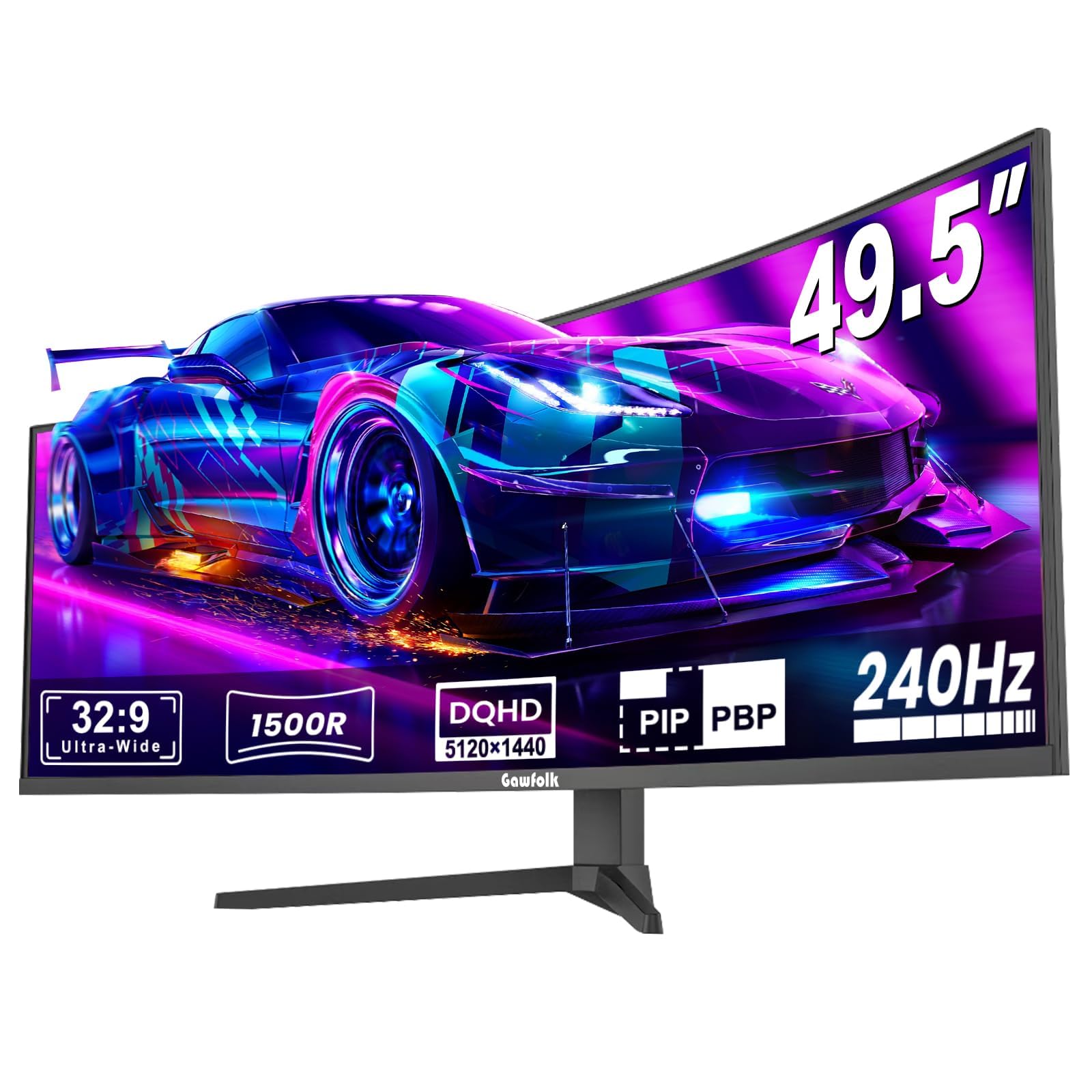
The Gawfolk GF490D brings a 49-inch DQHD (5120×1440) VA panel with a 240Hz refresh rate to a price point that undercuts almost every other super-ultrawide. For buyers who prioritize screen size and high frame rates over absolute color accuracy and HDR performance, this monitor delivers the core ultrawide experience—wide field of view in supported games and enough horizontal space for three browser windows in productivity mode.
The VA panel offers 3000:1 contrast ratio, which provides noticeably deeper blacks than IPS panels in a dark room, though the 300-nit brightness means HDR content looks flat compared to OLED or Mini-LED alternatives. The 1500R curvature helps with immersion, and the built-in crosshair overlay is a helpful addition for competitive shooters that don’t include customizable reticles.
The biggest risk is quality control consistency. Some users report the screen cutting to black for 1-4 seconds with ghosting upon recovery, while others have had the panel develop issues within days. The stand is functional but feels less sturdy than the premium competitors, and the lack of a USB-C port with power delivery limits its appeal as a single-cable workstation solution.
Why it’s great
- 49-inch DQHD at a fraction of the OLED price
- 240Hz refresh rate for smooth motion
- 3000:1 VA contrast provides decent black depth
Good to know
- Quality control issues reported in some early units
- No USB-C port limits single-cable desk setups
9. Deco Gear 49-Inch Curved Ultrawide
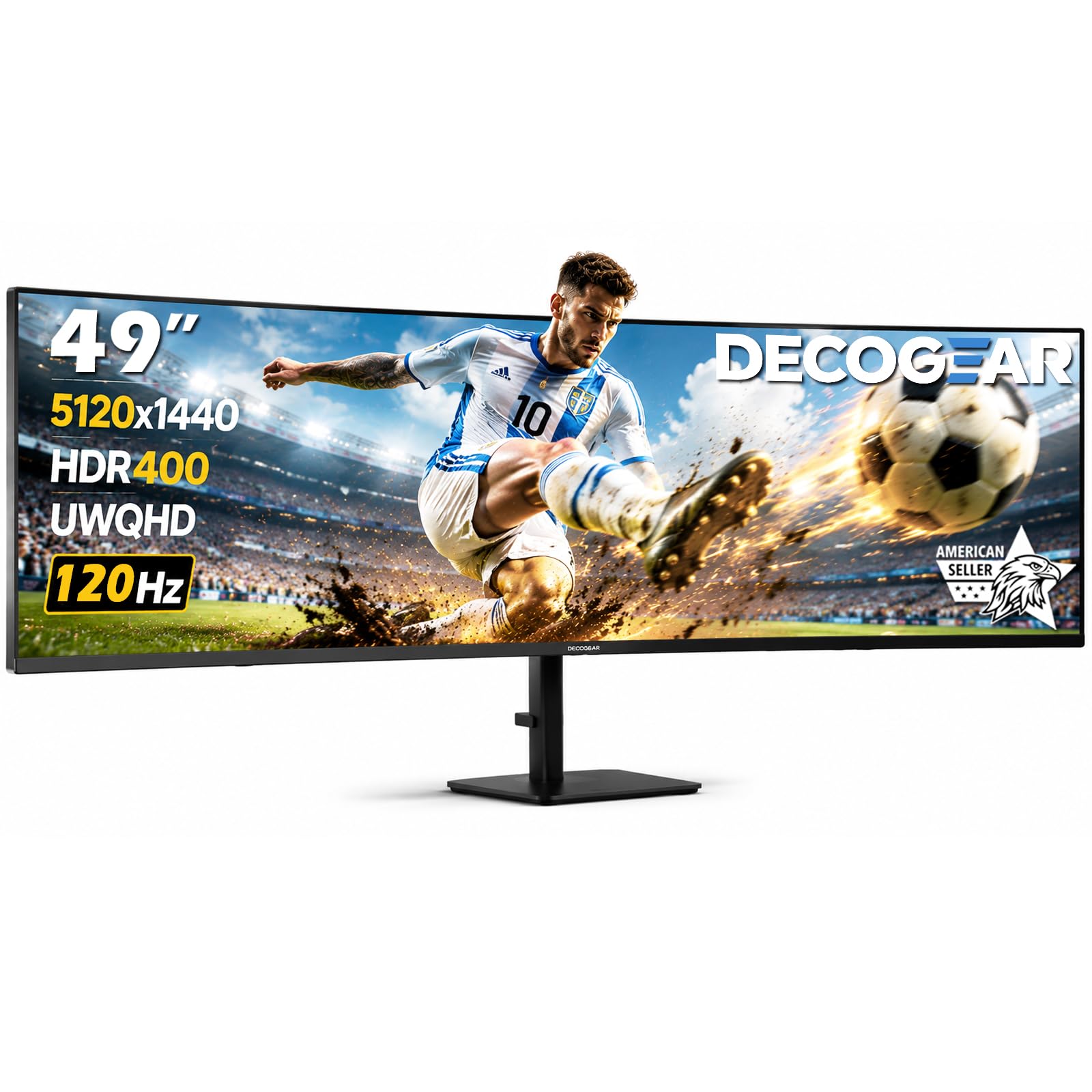
Deco Gear positions its 49-inch DQHD monitor as a workstation-first device with gaming ability, emphasizing the USB-C 65W power delivery and built-in KVM switch over raw gaming performance. The 120Hz panel is sufficient for casual gaming but won’t satisfy competitive players accustomed to 165Hz or 240Hz panels—the 1ms MPRT response is decent for a VA panel, but black smearing may be visible in very dark scenes.
The 5120×1440 resolution and 32:9 aspect ratio effectively replace two 27-inch monitors, and the PIP/PBP modes let you connect a work laptop and a gaming PC simultaneously, switching between them with the integrated KVM. The adjustable stand offers height, tilt, and swivel adjustments—a rare feature at this price point for a 49-inch panel.
The most concerning pattern in customer feedback is reliability: multiple reports describe the panel developing a green dot or a half-screen failure within three months, then going completely dead. While early adopters praised the value, the failure rate seems high enough that this should only be purchased if you are comfortable with the return policy and potential downtime.
Why it’s great
- USB-C 65W PD and KVM streamline multi-device setups
- Fully adjustable stand with height, tilt, and swivel
- PIP/PBP for simultaneous dual-source viewing
Good to know
- Multiple reports of complete failure within 3 months
- 120Hz refresh rate is lower than gaming-focused competitors
10. INNOCN 49C1G

The INNOCN 49C1G uses a 3840×1080 VA panel rather than the DQHD resolution most 49-inch monitors offer, which means lower pixel density and a wider pixel grid—but it also means you can drive this display at 144Hz with a less powerful graphics card. The 32:9 aspect ratio still gives you the equivalent of two 24-inch 1080p monitors side by side, which is adequate for office tasks and less GPU-intensive games like MOBAs and strategy titles.
Connectivity is genuinely generous for the price tier: HDMI 2.1, DisplayPort 1.4, USB-C with 65W power delivery, USB-A ports, an RJ45 Ethernet jack, and a 3.5mm audio jack. The 99% sRGB coverage is fine for general use, and the built-in speakers are functional for system sounds and conference calls, though they lack bass for media consumption.
The primary limitation is the 3840×1080 resolution—text and UI elements will appear larger and less sharp than on a 5120×1440 or 3440×1440 panel. Some users find the 49-inch width insufficiently tall compared to two 32-inch curved monitors, and the plastic build feels less premium than the ASUS or Samsung alternatives at a similar price.
Why it’s great
- Low resolution requirement means easy GPU driving at 144Hz
- Excellent port selection with USB-C PD and RJ45
- PIP/PBP supports dual-source multitasking
Good to know
- 1080p vertical resolution limits sharpness and workspace
- Plastic build quality not up to premium standards
11. Dell S3425DW

The Dell S3425DW is a 34-inch VA panel with a 3440×1440 resolution and a 120Hz refresh rate, making it an easy recommendation for office-centric buyers who want ultrawide multitasking without the aggressive curve or burn-in anxiety of OLED. The ComfortView Plus technology reduces blue light emissions to 35% without shifting the color temperature yellow, which is a genuine advantage for people who spend 8+ hours daily on spreadsheets or code editors.
The 99% sRGB and 95% DCI-P3 coverage is strong for a mid-range VA panel, and the 3000:1 contrast ratio provides good black depth for watching movies in a dim room. The built-in speakers have been re-engineered for this generation, offering higher output and better frequency response than the previous model, though they still won’t replace dedicated desktop speakers for gaming audio.
The main compromises are the limited port selection—no DisplayPort input, only HDMI, USB-C, and a single USB-A downstream—and a VESA mount design where the screw holes are recessed about a quarter-inch, requiring longer screws than standard for aftermarket arms. Some users report that color accuracy doesn’t match older Dell ultrawides, and the monitor is thicker and heavier than its predecessors.
Why it’s great
- Hardware-level blue light reduction without color shift
- USB-C 65W PD for single-cable laptop docking
- Better-than-average built-in speakers for an ultrawide
Good to know
- No DisplayPort input limits some GPU connections
- VESA mount requires longer screws than standard
FAQ
Does a 144Hz ultrawide monitor support console gaming at 120Hz?
Can I use a 144Hz ultrawide for professional photo editing?
What GPU do I need to run a 144Hz ultrawide at full resolution?
Is QD-OLED burn-in guaranteed on an ultrawide monitor?
How deep does my desk need to be for a 49-inch curved ultrawide?
Final Thoughts: The Verdict
For most users, the 144hz ultrawide monitor winner is the Alienware AW3423DWF because it balances true OLED black levels, 165Hz smoothness, and a 3-year burn-in warranty at a price that doesn’t require a second mortgage. If you want the ultimate HDR brightness and largest pixel count without burn-in risk, grab the Samsung 57” Odyssey Neo G9 G95NC. And for pure super-ultrawide immersion with QD-OLED color, nothing beats the MSI MPG 491CQP QD-OLED near the same price point as the 34-inch competition.