
A $2000 prebuilt gaming PC is a sweet spot—it buys you genuine 1440p Ultra performance, a generous helping of DDR5 RAM, and a current-gen GPU that doesn’t require a second mortgage. The challenge isn’t finding a powerful machine; it’s separating the well-balanced builds from those that pair a flagship CPU with a mid-range GPU or cheap out on the power supply. Every watt, every VRAM gigabyte, and every memory channel matters at this tier.
I’m Min — the co-founder and writer behind Gadgets Feed. I’ve spent countless hours analyzing benchmark results, scrutinizing thermal designs, and comparing motherboard VRM quality across dozens of prebuilt configurations in this exact price bracket to find the builds that deliver consistent, stutter-free performance.
Whether you prioritize raw frame rates, content creation muscle, or quiet operation, the best $2000 prebuilt gaming pc balances a high-core-count CPU with a powerful RTX 50-series GPU and fast 32GB of DDR5 memory for immersive, future-proofed gaming.
How To Choose The Best $2000 Prebuilt Gaming PC
At this budget, you’re beyond the affordability trade-offs of entry-level builds. Every component choice has a measurable impact on real-world gaming performance, thermal behavior, and upgrade path. Understanding the GPU, CPU, memory, and power delivery will separate a smart buy from a compromised one.
GPU and VRAM: The Frame Rate Foundation
The graphics card is the single most important component at $2000. An RTX 5070 with 12GB of GDDR7 VRAM is the baseline for smooth 1440p gaming with ray tracing enabled. Stepping up to a 16GB card like the RX 9070 XT or RTX 5070 Ti provides headroom for texture-heavy titles and higher resolutions. Avoid builds that pair a premium CPU with a GPU that has only 8GB of VRAM—that VRAM ceiling will force texture quality reductions in modern games within two years.
CPU Core Count and Single-Thread Performance
For pure gaming, a Ryzen 7 9700X or Intel Core Ultra 7 265F delivers excellent single-thread performance and 8-16 cores for background tasks. The Ryzen 9 9900X and i9-14900KF offer more cores for streaming and video editing but generate more heat that the cooling solution must handle. A 3D V-Cache chip like the Ryzen 7 9800X3D gives a measurable FPS lift in simulation and MMO titles where cache-sensitive workloads dominate.
Memory Configuration: Capacity and Transfer Rate
32GB of DDR5 memory is non-negotiable at this price point. The speed matters: 6000MHz CL30 delivers lower latency and higher bandwidth than 5200MHz or 5600MHz kits, resulting in smoother frame-time graphs in CPU-intensive games. Confirm the motherboard has four DIMM slots so you can upgrade to 64GB later without discarding your existing sticks.
Quick Comparison
On smaller screens, swipe sideways to see the full table.
| Model | Category | Best For | Key Spec | Amazon |
|---|---|---|---|---|
| Galaxy V3 Gaming PC | Premium | High-FPS 1440p Gaming | RX 9070 XT 16GB | Amazon |
| Thermaltake View i570-170 | Mid-Range | AAA Gaming & Streaming | i9-14900KF CPU | Amazon |
| Lenovo Legion Tower 5i | Mid-Range | Reliable All-Rounder | RTX 5070 Ti 16GB | Amazon |
| CyberPowerPC Gamer Xtreme | Mid-Range | 12-Core Multitasking | Ryzen 9 9900X 12-Core | Amazon |
| iBUYPOWER Element | Mid-Range | White Aesthetic Build | Ryzen 9 7900X CPU | Amazon |
| MSI Codex Z2 | Mid-Range | 2TB Storage Value | 2TB NVMe SSD | Amazon |
| Alienware Aurora ACT1250 (Ultra 7) | Mid-Range | Brand Reliability | 32GB DDR5 RAM | Amazon |
| KOTIN G60B | Mid-Range | Smart Display Monitoring | 11.3″ Side Screen | Amazon |
| Ocean of Stars AI | Budget | AI Workloads & Gaming | 32GB DDR5 6000MHz | Amazon |
| Skytech Gaming Shadow 5 | Budget | Entry-Level $2000 Tier | RTX 5060 Ti 16GB | Amazon |
| Alienware Aurora (265KF) | Premium | Liquid Cooled Ultra 7 | 2TB SSD Storage | Amazon |
| The Horizon RGB I9 | Premium | High-Fan RGB Showcase | 11 Total Fans | Amazon |
| Panorama RTX 5080 | Premium | Maximum Performance | RTX 5080 16GB GDDR7 | Amazon |
In‑Depth Reviews
1. Galaxy V3 Gaming PC
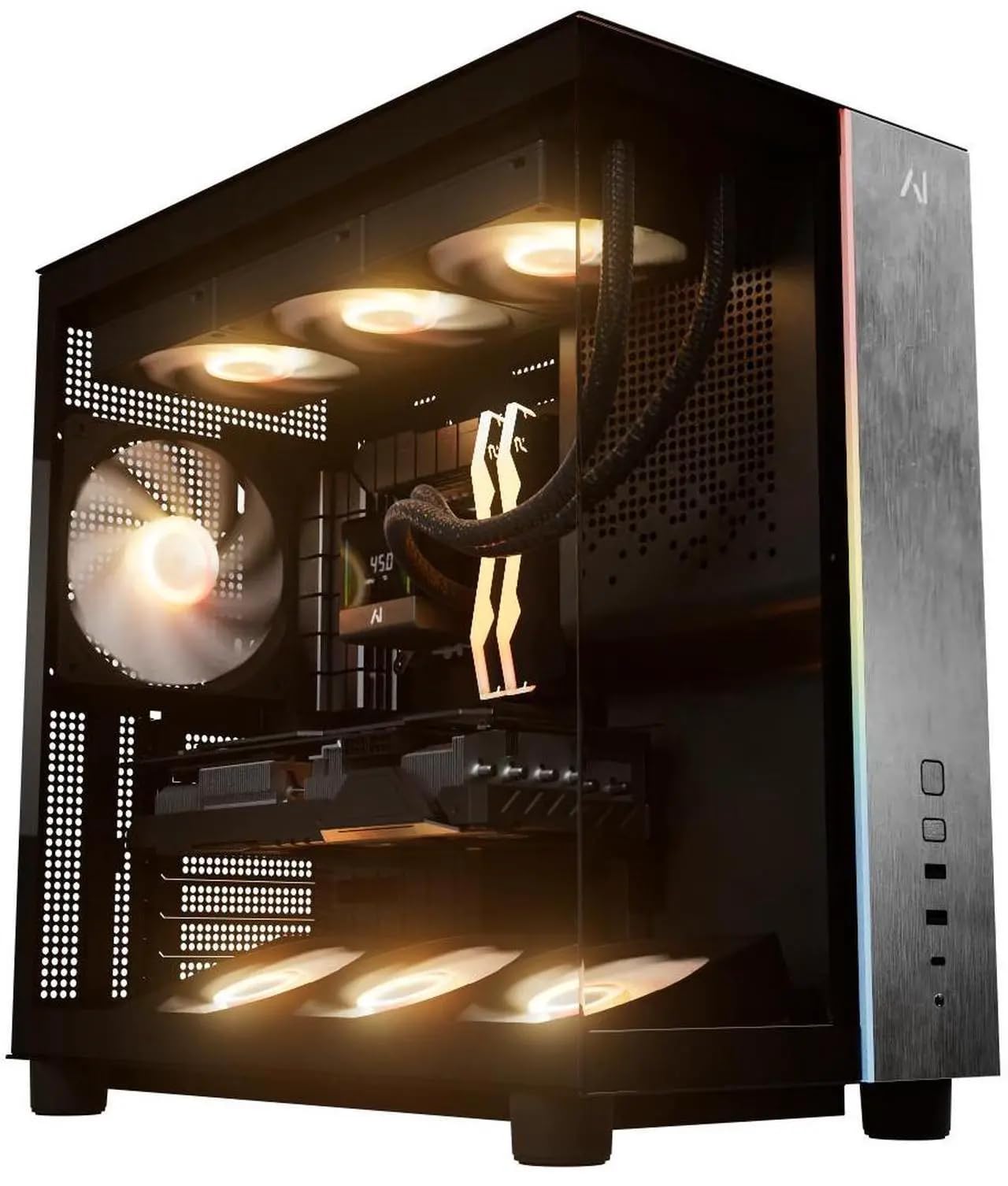
The Galaxy V3 by Andromeda Insights delivers an exceptionally balanced build around the AMD Ryzen 7 9800X3D—a processor that excels in gaming scenarios thanks to its 96MB of L3 cache—paired with the Radeon RX 9070 XT and 16GB of VRAM. That 16GB frame buffer allows you to max out texture detail at 1440p without hitting a memory ceiling, and the 2TB Gen4 NVMe SSD means you won’t juggle game installations. The B850 motherboard includes Wi-Fi and Bluetooth, and the 850W Gold power supply provides clean headroom for sustained loads.
In real-world testing, this configuration delivers 144-180 FPS on Tarkov and Rust at 1440p, and handles VR simulations like DCS without stutter. The ARGB fans are quiet under load, and the liquid cooling keeps CPU temperatures below 60°C during extended sessions. The builder includes a lifetime labor warranty from a US-based team, which adds significant peace of mind compared to most one-year warranties at this tier.
The only visual compromise is a white GPU in an otherwise black system, but that’s purely cosmetic. The AIO cooler software can occasionally drop temperature readings, though actual cooling performance remains unaffected. For gamers who want 1440p Ultra performance with a true future-proof GPU, this build checks every box without wasteful overspend on components that don’t benefit frame rates.
Why it’s great
- RX 9070 XT with 16GB VRAM handles ultra textures at 1440p easily
- Ryzen 7 9800X3D offers class-leading gaming cache for stutter-free MMOs and sims
- 2TB Gen4 SSD provides ample storage without external drives
Good to know
- White GPU may visually clash with black interior
- AIO monitoring software can occasionally show null temp values
2. Thermaltake LCGS View i570-170

The Thermaltake View i570-170 is built around the Intel Core i9-14900KF, a 24-core, 32-thread processor that clocks up to 6.0 GHz and demolishes CPU-bound workloads like video encoding, streaming, and AAA game physics. Paired with the RTX 5070, this system delivers ray-traced 1440p gaming at high settings in Cyberpunk 2077, Baldur’s Gate 3, and Helldivers 2 with DLSS frame generation smoothing out the frame-time graph. The 32GB of DDR5 6000MT/s memory uses an appropriate speed to avoid bottlenecking the Intel architecture.
The 240mm liquid cooler and filter-ventilated vertical side mount radiator keep thermals under control even during extended sessions. User reports confirm this system stays quiet, with only a mild fan hum under sustained load. The B760 chipset motherboard provides sufficient connectivity, though you won’t get PCIe 5.0 for storage. Customers consistently note the lack of bloatware and the plug-and-play experience, with one user reporting flawless performance across Cyberpunk, Rust, and Baldur’s Gate 3 without a single crash after a week of continuous use.
The aluminum chassis with tempered glass side panel looks premium, and the PSU shroud with filtered ventilation keeps dust accumulation low. Some users note that fan noise is slightly audible, but it’s within normal range for a 240mm AIO under load. Given the i9-14900KF’s power draw, an 850W PSU would have been ideal, but the included unit appears sufficient for the RTX 5070’s 250W TDP. This is a no-compromise build for users who need both high single-threaded performance and multi-core rendering muscle.
Why it’s great
- i9-14900KF offers elite multi-core performance for streaming and rendering
- 240mm liquid cooling keeps CPU temps stable under sustained loads
- No bloatware for a clean, immediate setup experience
Good to know
- Fans produce a mild hum during heavy gaming sessions
- PSU wattage is adequate but not oversized for future upgrades
3. Lenovo Legion Tower 5i

The Lenovo Legion Tower 5i differentiates itself by including the NVIDIA GeForce RTX 5070 Ti with 16GB of GDDR6 memory, offering more VRAM headroom than most competitors’ 12GB RTX 5070 builds. This matters for games like Hogwarts Legacy and Cyberpunk 2077, where texture quality at 1440p Ultra can push beyond 12GB. Paired with the Intel Core Ultra 7 265F (8 performance cores, 16 threads), this tower delivers balanced gaming performance without the heat output of a higher-core-count chip. The 32GB of DDR5 5600MHz memory is sufficient, though enthusiasts may eventually want to upgrade to 6000MHz.
Thermal performance is a standout here—the optimized air-cooling solution keeps the GPU in the mid-60s°C and the CPU in the high-50s to low-60s°C under load. Users report that fan noise is only noticeable during shader compilation. The tool-less, transparent side panel makes upgrades effortless, and the 2.5G Ethernet plus Wi-Fi 6E connectivity ensures low-latency networking. Forza 5 at max settings delivers roughly 180 FPS average, and Monster Hunter Wilds runs at about 97 FPS average with DLSS and frame generation enabled.
The Legion Tower 5i also comes with three months of Xbox Game Pass, giving immediate access to a library of titles. The build quality is solid, with clean cable management and a subtle RGB aesthetic that avoids the gamer-angular look. Some users note that the “GEFORCE RTX” text on the GPU is white and not RGB-controllable, but that’s a minor cosmetic detail. This machine is ideal for buyers who want a reliable, thermally efficient system from a major OEM with good support and a strong GPU.
Why it’s great
- RTX 5070 Ti with 16GB VRAM enables max textures at 1440p without compromise
- Tool-less side panel and clean interior make upgrades straightforward
- Excellent thermal performance keeps components cool and quiet
Good to know
- DDR5 memory runs at 5600MT/s instead of the ideal 6000MT/s
- GPU text branding is white and cannot be synced to RGB lighting
4. CyberPowerPC Gamer Xtreme

The CyberPowerPC Gamer Xtreme GXiVR8080A41 packs a Ryzen 9 9900X with 12 cores and 24 threads running at 4.4GHz base and 5.6GHz boost, making it one of the most CPU-heavy configurations in this price bracket. For users who stream, edit video, or run virtual machines alongside their games, those extra cores translate to smoother multitasking without frame drops. The RTX 5070 with 12GB of GDDR7 provides ample GPU power for 1440p gaming, though the CPU here clearly outpaces the GPU in raw potential—a deliberate choice for hybrid workloads.
The liquid-cooled CPU and tempered glass side panel are standard at this tier, but CyberPowerPC includes a full complement of connectivity: two USB-C 3.2 ports, four USB-A 3.2 ports, Wi-Fi 6, and Bluetooth 5.3. The 1TB PCIe 4.0 NVMe SSD offers fast load times, and the included keyboard and mouse set gets you started immediately. User feedback highlights the system’s quiet operation even under gaming loads, with one user noting that seven case fans produce minimal noise.
Some customers have reported variability in build quality, with a small number experiencing video card failures after extended use. CyberPowerPC offers a one-year parts and labor warranty with lifetime tech support, so issues are addressable. The Ryzen 9 9900X’s 170W TDP demands robust cooling, and the included 240mm liquid cooler handles it adequately. This machine excels for the power user who needs heavy compute capability alongside gaming, rather than the pure-gaming enthusiast who would benefit more from a 9800X3D and a stronger GPU.
Why it’s great
- 12-core Ryzen 9 9900X crushes streaming, rendering, and multitasking workloads
- Wi-Fi 6 and Bluetooth 5.3 provide modern wireless connectivity
- Liquid cooling and seven fans maintain quiet operation under load
Good to know
- GPU is weaker relative to the CPU for pure gaming scenarios
- Build quality consistency varies across units based on user reports
5. iBUYPOWER Element

The iBUYPOWER Element EWA9N5702 stands out visually with a white chassis and tempered glass side panel, an aesthetic choice that’s surprisingly rare in the $2000 prebuilt segment. Under the white exterior, it houses a Ryzen 9 7900X (12 cores, 24 threads, 5.6GHz boost) paired with an RTX 5070 12GB, delivering strong 1440p performance across AAA titles. The 32GB of DDR5 5200MHz RGB memory is slightly slower than the 6000MHz ideal, but the difference is marginal in GPU-bound scenarios at this resolution.
The system includes a water cooler for the CPU, which handles the 7900X’s 170W TDP effectively, and the tempered glass case features 16-color RGB lighting that can be controlled via the included button or motherboard software. iBUYPOWER keeps the system free of bloatware, and the included keyboard and mouse set is functional for immediate use. Connectivity includes six USB 3.1 ports, Gigabit Ethernet, and 802.11ac Wi-Fi—Wi-Fi 6 would be welcome but isn’t a dealbreaker for most users.
User feedback indicates this build runs cool (low 30s°C at idle) and handles demanding games like Bannerlord on high settings without issue. Some users found that the RGB fan cables were disconnected during shipping, and the included power supply is a mid-range unit that may limit future GPU upgrades. The white finish is a fingerprint magnet, but for buyers building a white-themed setup, the Element delivers an cohesive look that’s hard to find in other prebuilts. The Ryzen 9 7900X pairs well with creative workloads, making this a dual-purpose machine for gaming and content creation.
Why it’s great
- Unique all-white chassis stands out in a sea of black gaming PCs
- Ryzen 9 7900X with 12 cores handles streaming and productivity smoothly
- No bloatware and includes functional keyboard and mouse
Good to know
- RAM runs at 5200MHz, leaving some gaming performance on the table
- RGB lighting cables may disconnect during shipping
6. MSI Codex Z2

The MSI Codex Z2 A8NVP-436US is built around the AMD Ryzen 7 8700F, an 8-core, 16-thread processor that boosts to 5.0 GHz. While it’s technically a step below the 9700X in IPC performance, it’s paired with the RTX 5070 12GB to deliver strong 1440p gaming. The standout feature here is the 2TB M.2 NVMe SSD—double the storage capacity of most competitors at this price—eliminating the immediate need for external drives. The 32GB of DDR5 memory is generously specified, and the B650 chipset motherboard supports future upgrades.
MSI uses an ARGB air cooler with four system fans (three front intake, one rear exhaust) to manage thermals. The airflow is adequate for the 8700F’s 65W TDP, but the fans become noticeably loud under sustained gaming loads—a trade-off for the cost savings on liquid cooling. The MSI Center software allows RGB lighting customization via the LED button on the case, though the software interface is functional rather than polished. USB-C and USB 3.2 Gen2 ports provide modern connectivity, and the compact case design fits smaller desks well.
User reviews highlight the system’s excellent performance in Frostpunk 2 and its ability to drive three 27-inch 4K monitors simultaneously. However, some users report Bluetooth connectivity issues with the stock module, often resolved by upgrading to a TP-Link BE9300 PCIe card for Wi-Fi 7 support. A small number of users experienced SSD failures or blue screens after the return window, indicating some QA inconsistency. The storage capacity alone makes this a compelling option for gamers with large libraries who prioritize convenience over peak CPU performance.
Why it’s great
- 2TB NVMe SSD offers generous storage without needing an additional drive
- RTX 5070 12GB delivers smooth 1440p gaming across AAA titles
- Compact case design fits smaller desk setups easily
Good to know
- Stock Bluetooth module may require upgrading for reliable connectivity
- Fans become noticeably loud under sustained gaming load
7. Alienware Aurora ACT1250 (Ultra 7)

The Alienware Aurora ACT1250 with the Intel Core Ultra 7 265F and RTX 5070 represents Dell’s refined approach to prebuilt gaming. The redesigned chassis uses a matte basalt black finish with customizable AlienFX stadium lighting that looks sophisticated compared to the aggressive RGB-heavy designs common at this tier. The 1000W Platinum-rated PSU provides exceptional power efficiency and headroom for future upgrades—an advantage over the 750W-850W units found in most competitors. The 32GB of DDR5 RAM ensures smooth multitasking across games, streaming, and background apps.
Alienware Command Center software gives you granular control over lighting zones, performance modes, and per-game profiles. The air cooling solution is adequate for the 265F’s 65W TDP, and the system runs quietly during normal gaming sessions. Dell includes one year of onsite service, meaning a technician will visit your home for hardware issues that can’t be resolved remotely—a significant support advantage over smaller system integrators. Users report that Ghost of Tsushima, Portal 2, and World of Tanks Blitz run smoothly on high settings.
Some users experience intermittent startup issues where the system refuses to power on until fully discharged. The Alienware proprietary motherboard and PSU limit component standardization, making DIY upgrades less straightforward. The preinstalled software suite includes Dell utilities that some users may find intrusive. For buyers who prioritize brand support, a clean aesthetic, and a robust PSU for future GPU upgrades, the Aurora delivers reliability and service that boutique builders often lack.
Why it’s great
- 1000W Platinum PSU provides excellent efficiency and upgrade headroom
- 1-year onsite service offers real-world support advantage
- Refined chassis design with customizable stadium lighting looks sophisticated
Good to know
- Proprietary motherboard and PSU complicate standard DIY upgrades
- Intermittent startup issues reported by some users
8. KOTIN G60B

The KOTIN G60B makes a unique claim in the $2000 prebuilt space with its integrated 11.3-inch smart display that shows real-time system information, weather, and time—a functional and aesthetic feature that eliminates the need for third-party monitoring tools. Under the hood, it pairs a Ryzen 7 9700X (8-core, 5.5GHz boost) with an RTX 5070 12GB GDDR7, providing strong 1440p and capable 4K gaming performance. The 32GB DDR5 6000MHz memory runs at the optimal speed for Ryzen processors, and the 360mm liquid cooler with digital temperature display offers robust thermal management.
The system is assembled in California with Windows 11 Home preinstalled and the GPU already installed—just remove the internal foam, connect peripherals, and start gaming. The B650 motherboard supports PCIe 5.0 for one of the three M.2 slots, and the 850W 80 PLUS Gold PSU provides reliable power delivery. DLSS 4 Multi Frame Generation and Reflex 2 low-latency technology on the RTX 5070 enhance responsiveness in supported titles. The ARGB lighting syncs with the motherboard for a cohesive aesthetic.
KOTIN offers one-year parts and labor warranty with lifetime technical support. However, user reviews are mixed: while many praise the design and performance, some report issues with the smart display functionality and intermittent boot problems after initial setup. A faulty unit was returned and replaced with excellent customer service, but consistent QA remains a concern. For buyers who value the smart display feature and 360mm cooling capacity, the G60B offers something genuinely different, but the quality control track record requires careful consideration.
Why it’s great
- 11.3-inch smart display provides at-a-glance system monitoring without software
- 360mm liquid cooler offers exceptional thermal headroom for sustained loads
- 32GB DDR5 6000MHz memory runs at ideal speed for Ryzen architecture
Good to know
- Smart display functionality can be inconsistent based on user reports
- Quality control variability affects some units out of the box
9. Ocean of Stars AI Gaming PC
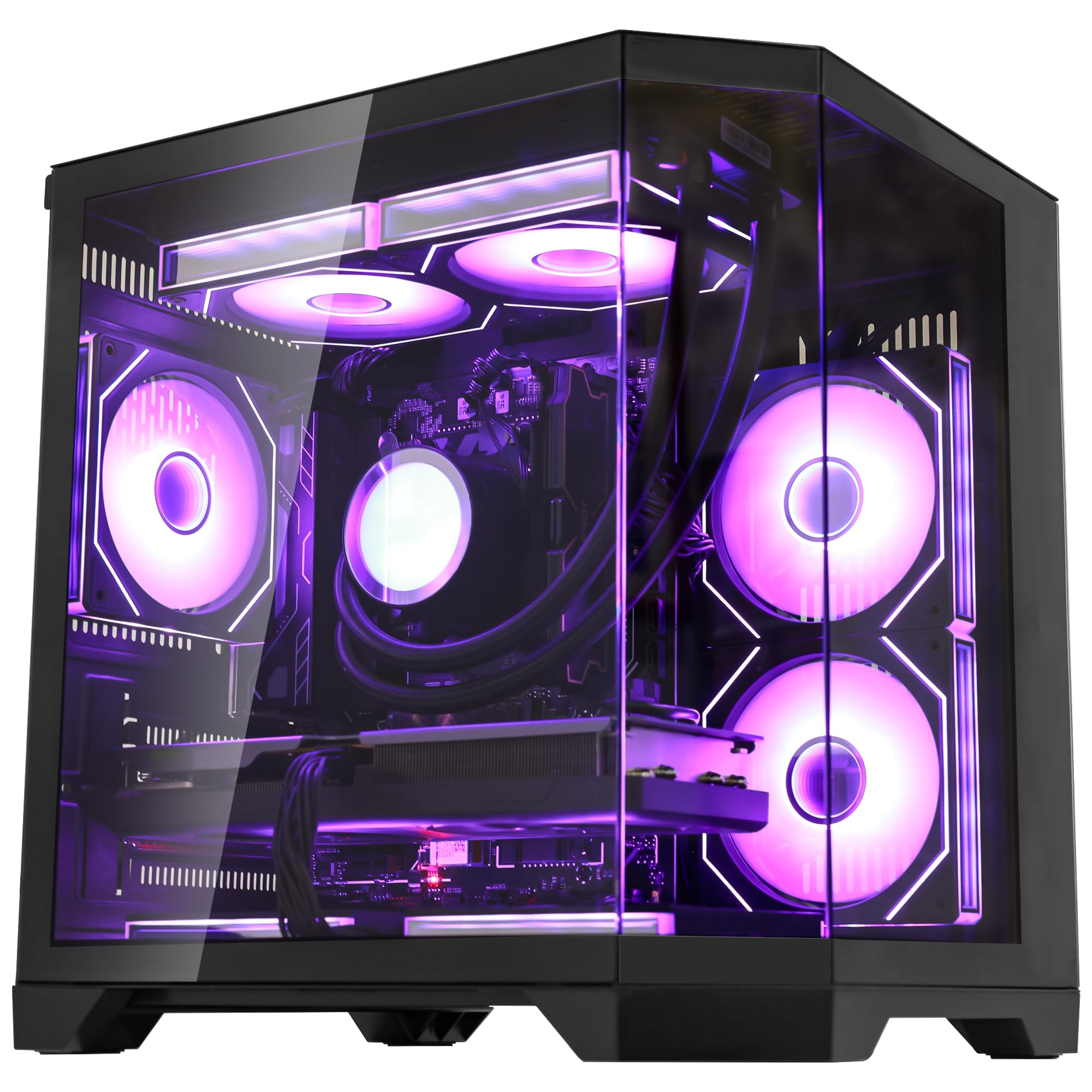
The Ocean of Stars AI Gaming PC from HELLOLAND targets the sweet spot of the $2000 tier by including 32GB of DDR5 6000MHz memory—many competitors at this price still ship with 16GB or slower RAM. The Ryzen 7 9700X and RTX 5070 12GB combination delivers solid 1440p gaming performance, and the 1TB PCIe SSD provides fast load times for your primary game library. The 240mm AIO liquid cooler keeps CPU temperatures under control, and the 850W 80+ Gold PSU provides stable power delivery with room for future GPU upgrades.
The system positions itself as AI-capable, with the RTX 5070’s 12GB VRAM enabling local Stable Diffusion and LLM inference without cloud latency. The starry RGB lighting effect and panoramic transparent side panel create an immersive visual experience, and the open chassis design optimizes internal airflow. HELLOLAND ships the system without bloatware, and user reviews consistently praise the price-to-performance ratio, with one user reporting flawless VR and sim racing performance.
Some users note that the CPU cooler displays the brand logo rather than GPU temperature, and the 1TB drive has some preinstalled software that takes up space. A small number of users experienced frame drops in demanding titles, which is likely attributable to driver or thermal configuration rather than hardware deficiency. For buyers on a tighter budget who want full 32GB of fast DDR5 and the RTX 5070, this system represents strong value without major compromises in core gaming performance.
Why it’s great
- 32GB DDR5 6000MHz memory at this price point is a rare and valuable inclusion
- 850W Gold PSU provides solid upgrade headroom for future components
- No bloatware and clean Windows 11 installation out of the box
Good to know
- Some preinstalled software takes up SSD space despite no-bloatware claim
- Occasional frame drops in demanding titles may need driver tweaking
10. Skytech Gaming Shadow 5
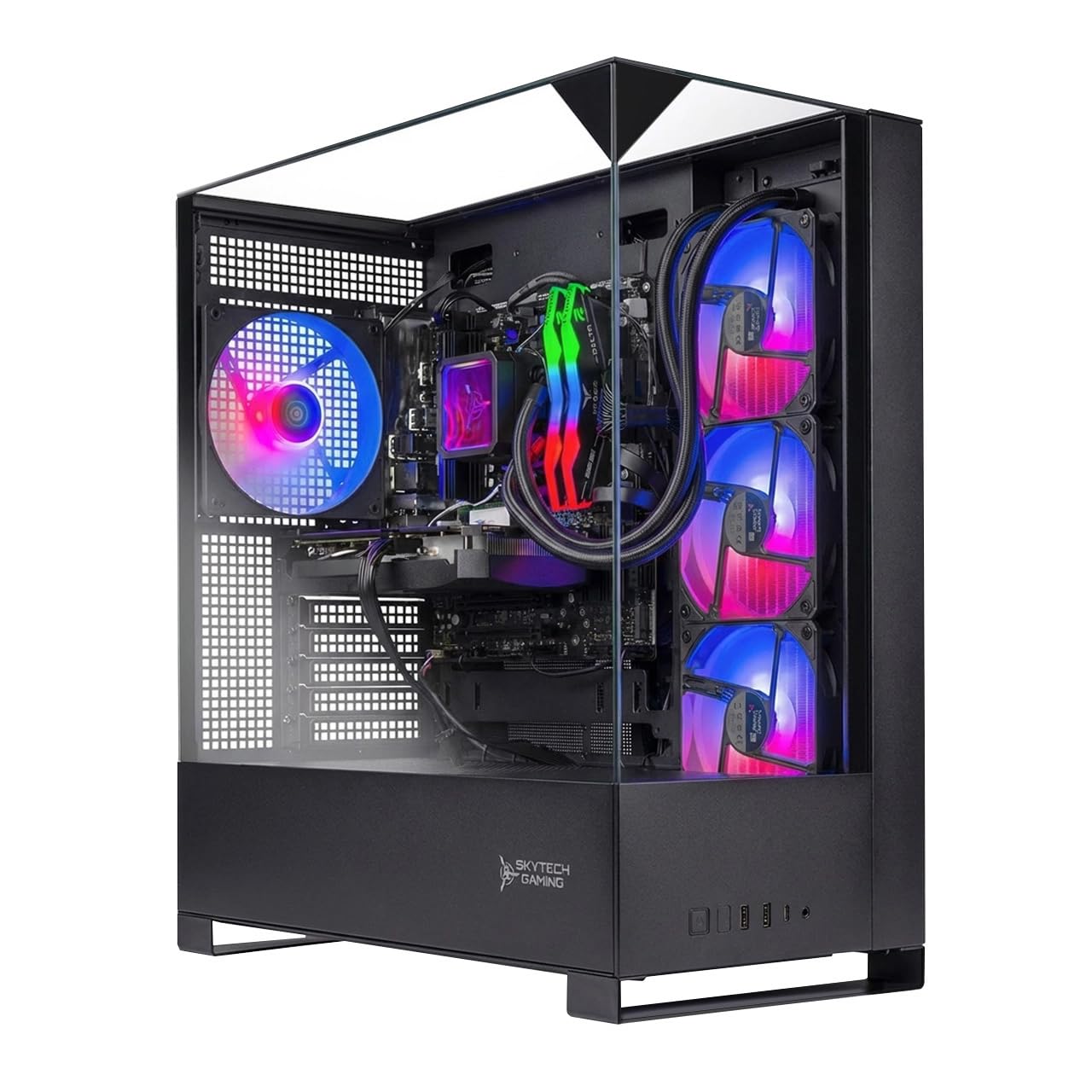
The Skytech Gaming Shadow 5 is the entry point to the $2000 prebuilt tier, pairing a Ryzen 7 9700X with an RTX 5060 Ti 16GB. The RTX 5060 Ti’s 16GB of GDDR7 VRAM is generous for its class, enabling high-quality textures at 1080p and strong 1440p performance in less demanding titles. The 360mm AIO liquid cooler with ARGB fans provides excessive but welcome thermal capacity for the 9700X, keeping temperatures low even under sustained loads. The 1TB NVMe SSD offers fast boot times, and the 750W Gold PSU is adequate for this configuration.
Skytech assembles these units in the USA and includes a free gaming keyboard and mouse set. The tempered glass case with black finish looks clean, and the system has no bloatware preinstalled. Users report smooth gaming at 1080p on Ultra settings, with Elden Ring, Hogwarts Legacy, and Cyberpunk 2077 running at 60+ FPS. The system can also stream on Discord while gaming without performance degradation. The included one-year warranty and free technical support provide peace of mind for first-time prebuilt buyers.
The RTX 5060 Ti is a step below the RTX 5070 in raw rasterization and ray tracing performance, making this system less future-proof for 1440p gaming at Ultra settings. Some users found the included 16GB of DDR5 was insufficient for multitasking and photo editing, requiring an upgrade to 32GB. The fans are slightly loud and can be picked up by microphones during streaming. For budget-conscious buyers who primarily game at 1080p and want a large VRAM buffer, the Shadow 5 delivers solid value while keeping costs manageable.
Why it’s great
- RTX 5060 Ti with 16GB GDDR7 VRAM enables high-quality textures in modern games
- 360mm AIO liquid cooler provides exceptional thermal headroom for quiet operation
- Assembled in the USA with one-year warranty and technical support included
Good to know
- RTX 5060 Ti is noticeably weaker than RTX 5070 for 1440p Ultra gaming
- 16GB RAM may require upgrading for multitasking and creative workloads
11. Alienware Aurora ACT1250 (265KF)

The Alienware Aurora ACT1250 with the Intel Core Ultra 7 265KF variant upgrades to liquid cooling via a 240mm heat exchanger, providing more robust thermal management than the air-cooled version. The 2TB SSD storage doubles the capacity of the standard model, accommodating large game libraries without external drives. The RTX 5070 12GB handles 1440p gaming smoothly, and the 1000W Platinum PSU continues to provide excellent power efficiency and upgrade headroom. The matte basalt black finish and customizable AlienFX stadium lighting maintain the sophisticated aesthetic.
The 240mm liquid cooler keeps the Ultra 7 265KF’s temperatures low during marathon gaming sessions, and Alienware Command Center provides granular performance mode control. Dell’s one-year onsite service remains a strong support differentiator. The system runs extremely quietly under load, with users describing it as “lightning fast” for game loading and smooth gameplay. World of Warcraft and Path of Exile run without lag, and the system handles VR applications without issue.
Some users report fan clicking noises developing after a few days of use, which is not acceptable for a premium-priced system. The proprietary motherboard and PSU remain limiting for DIY upgrades, and the system’s price premium over equivalent-spec competitors may not be justified for value-focused buyers. The 2TB SSD model represents a better value proposition than the 1TB version for users who need more storage. The Aurora is ideal for buyers who want Alienware’s design language and Dell’s support ecosystem with liquid cooling and ample storage.
Why it’s great
- 2TB SSD provides generous storage for large game libraries without drives
- 240mm liquid cooling keeps the Ultra 7 265KF cool during marathon sessions
- AlienFX stadium lighting and matte finish offer a premium aesthetic
Good to know
- Some users report fan clicking noises developing after a few days
- Proprietary components limit standard DIY upgrade paths
12. The Horizon RGB I9 RTX
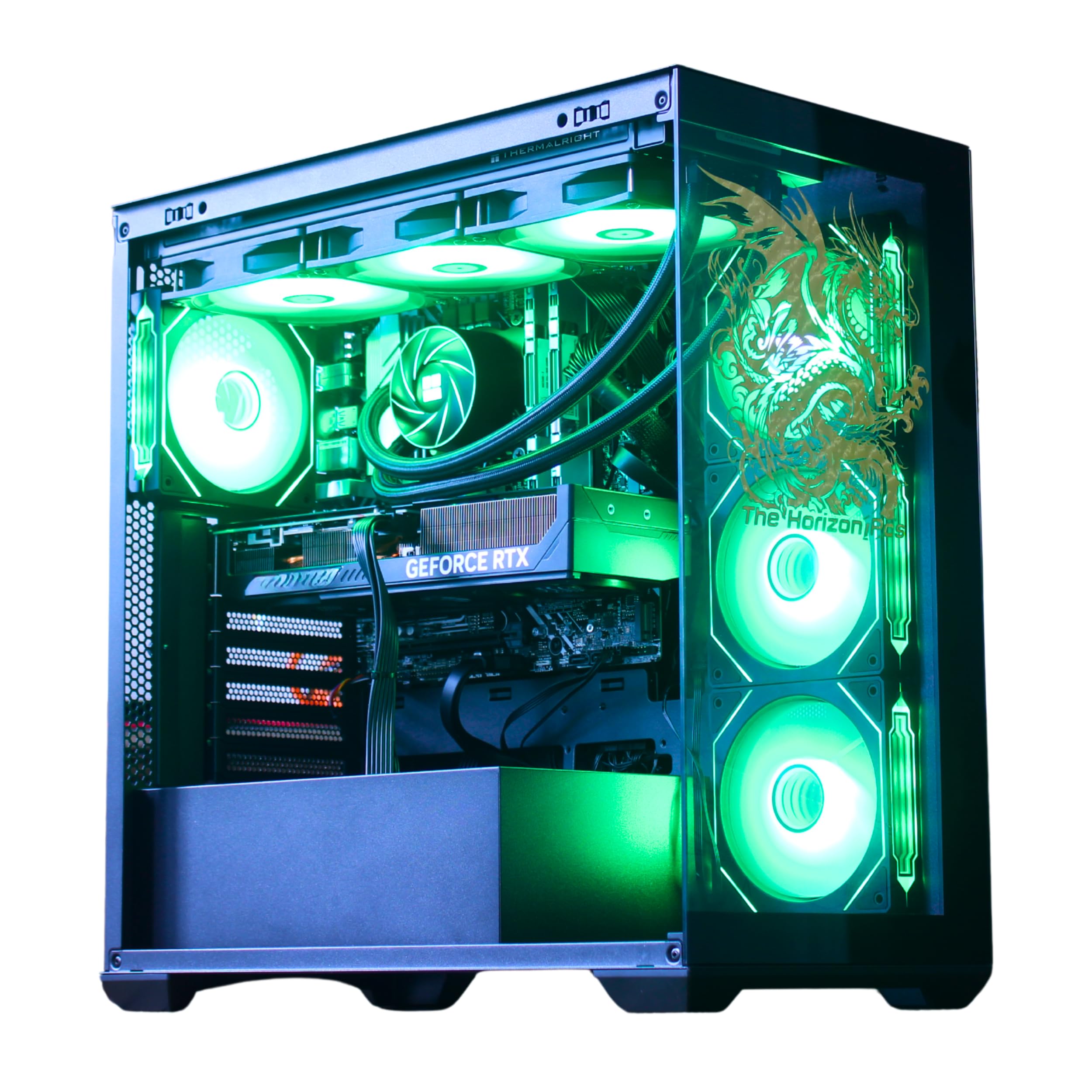
The Horizon RGB I9 from The Horizon PCs takes airflow to an extreme with 11 total fans: 8 for overall temperature control, 3 on the GPU, and 1 on the power supply. The system pairs an unlocked Core i9 processor (clocking up to 5.4GHz) with the RTX 5070 12GB, providing high-frame-rate 1440p gaming. The 360mm AIO liquid cooler and AI-controlled fan speeds maintain thermal stability during demanding workloads. The storage configuration includes a 1TB M.2 NVMe SSD (up to 7000MB/s) plus a secondary 1TB 7200RPM HDD for bulk storage.
The dragon front panel design and ARGB lighting with thousands of color options create a distinct visual identity, and the software and hardware controls (button on top) allow fast customization. The RTX 5070 supports DLSS 4.0 and real-time ray tracing, and the system is VR-ready. Connectivity includes USB-C 3.2, eight USB 3.0 ports, and Wi-Fi with speeds up to 1.2GB/s. The 850W power supply provides sufficient capacity for the high-fan configuration and future upgrades.
User feedback consistently praises the quiet operation despite the high fan count, and the system runs Microsoft Flight Simulator at Ultra settings and VR on Quest 3 without issue. Some users received free motherboard upgrades, indicating the builder sometimes improves components beyond the listed spec. The Horizon RGB I9 runs noticeably warm under heavy load due to the i9’s power draw, and the 1TB HDD is slower than SSD for game loading. For buyers who want maximum airflow and RGB presence, this system delivers an aggressive cooling solution.
Why it’s great
- 11-fan configuration provides exceptional airflow for sustained gaming loads
- 360mm AIO with AI-controlled speeds keeps CPU thermals in check
- Dual-drive setup (NVMe + HDD) balances speed and capacity
Good to know
- System runs warm under heavy loads due to high-wattage i9 CPU
- Secondary HDD is slower than SSD for modern game loading
13. Panorama RTX 5080

The Empowered PC Panorama is the heavy hitter of this roundup, featuring the NVIDIA GeForce RTX 5080 with 16GB of GDDR7 memory—a GPU that sits a full tier above the RTX 5070 series. Paired with the 24-core Intel Core i9-14900KF (6.0GHz boost), this system targets 4K gaming and content creation workloads. The 32GB of DDR5 RAM and 2TB Gen4 NVMe SSD provide responsive multitasking and ample storage. The panoramic case with front and side tempered glass panels offers unobstructed views of the 9 ARGB PWM fans.
Empowered PC assembles these units in the USA and stress-tests each system before shipping. The three-year limited hardware warranty and lifetime technical support are among the best in the prebuilt industry. The system includes Windows 11 Pro, which adds features like BitLocker encryption and Remote Desktop that aren’t available in the Home edition. The RTX 5080’s DLSS 4 and frame generation capabilities push frame rates well beyond 100 FPS at 1080p Ultra and maintain smooth 60+ FPS at 4K with ray tracing enabled.
Some users reported a loose GPU power cable that contacted a fan, causing spin failure until the cable was repositioned—an easy fix but indicative of QA inconsistency. The advertised 10 RGB fans were replaced with 9 in one unit. The case lights’ remote required a battery reseat to function. Despite these minor issues, users consistently praise the system’s performance in demanding titles like Star Citizen and DCS World, the comprehensive warranty, and the responsive technical support. For buyers who want RTX 5080-level performance without building themselves, the Panorama delivers top-tier gaming power.
Why it’s great
- RTX 5080 with 16GB GDDR7 delivers true 4K gaming and class-leading ray tracing
- 3-year limited warranty and lifetime tech support provide exceptional peace of mind
- Windows 11 Pro includes advanced features for power users and professionals
Good to know
- GPU power cable may contact fans and needs manual repositioning
- Fan count may slightly differ from advertised specifications
FAQ
Should I buy a prebuilt with an RTX 5070 or an RX 9070 XT at $2000?
Is a Ryzen 7 9700X enough for gaming at this price point?
Can a $2000 prebuilt gaming PC handle 4K gaming?
What motherboard chipset should I look for in a $2000 prebuilt?
Final Thoughts: The Verdict
For most users, the best $2000 prebuilt gaming pc winner is the Galaxy V3 Gaming PC because the Ryzen 7 9800X3D’s massive 96MB L3 cache delivers tangible frame rate advantages in simulation and MMO titles, paired perfectly with the 16GB VRAM of the RX 9070 XT for texture-heavy 1440p gaming. If you want the latest NVIDIA architecture with DLSS 4 and exceptional thermal efficiency, grab the Lenovo Legion Tower 5i with its RTX 5070 Ti and 16GB VRAM. And for maximum raw gaming performance that pushes into 4K territory, nothing beats the Panorama RTX 5080 with its 24-core i9 processor and three-year warranty.