
Squeezing a secondary display into a cramped desk, a server rack, or a mobile workstation often means compromising on size. Most portable monitors start at 10 to 15 inches, which can overwhelm a tight setup. A seven-inch computer monitor hits the sweet spot: small enough to tuck beside a laptop or mount on a Raspberry Pi case, yet large enough to read system logs, chat windows, or camera feeds without squinting.
I’m Min — the co-founder and writer behind Gadgets Feed. I’ve spent countless hours analyzing the technical specifications and real-world performance of small-format displays, from resolution and touch responsiveness to connectivity and brightness, ensuring this guide cuts through the marketing noise.
Whether you need a touch panel for a DIY smart mirror, a field monitor for your DSLR, or a compact screen for a headless server, this guide delivers the clearest path to the best 7 inch computer monitor for your specific workflow.
How To Choose The Best 7 Inch Computer Monitor
A 7-inch monitor serves a very different purpose than a standard desktop display. Your decision hinges on three distinct pillars: resolution and panel quality, the type of touchscreen (if any), and the connectivity options available. Ignoring any one of these can result in a screen that frustrates rather than assists.
Resolution and Pixel Density
At the 7-inch size, every pixel matters. The most common native resolution is 1024×600, which is acceptable for system monitoring, command-line interfaces, and retro gaming. For reading documents or editing photos, a native 1280×800 or even 1920×1200 panel provides a much sharper image and significantly more desktop real estate. The Eyoyo and FEELWORLD models demonstrate how wide the gap between budget and pro specs can be.
Touchscreen Tech: Capacitive vs. Resistive
Capacitive touchscreens (found on the Hosyond, ELECROW, and ROADOM) support multi-touch gestures and feel just like a modern smartphone. They work flawlessly with Windows, Linux, and most Raspberry Pi operating systems — but are useless if the OS drivers aren’t properly installed. Resistive touchscreens are rarer in this size class and are generally single-touch only, but they can be operated with a gloved hand or stylus.
Connectivity and Mounting Flexibility
Not all 7-inch monitors are plug-and-play. Many rely on a single HDMI input with a separate USB cable for power and touch data. The Pisichen model differentiates itself with two full-featured USB-C ports that support DisplayPort Alt Mode, enabling single-cable operation with modern laptops. The Eyoyo goes even further, offering HDMI, VGA, BNC, and AV inputs, plus image flip for teleprompter use. Always check whether VESA mounting holes are included if you plan to attach the screen to an arm, a rack, or the back of a Raspberry Pi case.
Quick Comparison
On smaller screens, swipe sideways to see the full table.
| Model | Category | Best For | Key Spec | Amazon |
|---|---|---|---|---|
| Hosyond 7″ IPS Touch | Touchscreen | Raspberry Pi & PC secondary display | 1024×600, 5-point capacitive | Amazon |
| ELECROW 7″ Touch | Touchscreen | Plug-and-play Pi & PC touch monitor | 1024×600, 178° viewing angle | Amazon |
| iPistBit 7″ Portable | Portable | Field use & astrophotography | 1024×600, foldable PU case | Amazon |
| Pisichen 7″ 1280×800 | USB-C Monitor | Modern laptop single-cable extension | 1280×800, dual USB-C Alt Mode | Amazon |
| Eyoyo 7″ Multi-Input | Professional | CCTV, teleprompter, industrial use | 400cd/m², HDMI/VGA/BNC/AV | Amazon |
| ROADOM 7″ with Case | Complete Kit | All-in-one Raspberry Pi touchscreen setup | 1024×600, includes 5V/3A adapter | Amazon |
| FEELWORLD T7 Monitor | Field Monitor | Professional DSLR/video assist | 1920×1200, 450cd/m², metal body | Amazon |
In‑Depth Reviews
1. Hosyond 7 Inch IPS LCD Touch Screen Raspberry Pi Monitor

The Hosyond monitor delivers everything a Raspberry Pi enthusiast or PC split-screen user needs from a 7-inch touch display. Its 1024×600 IPS panel offers excellent viewing angles and vivid colors straight out of the box. The five-point capacitive touch works reliably with Windows 10 and 11, as well as Raspberry Pi OS, with minimal driver setup. The inclusion of dedicated PCB adapters for the Pi 3B and 4B means you can attach the screen without a tangle of jumper wires.
Setup is genuinely plug-and-play: connect HDMI, power via micro-USB, and the touch function activates immediately under supported operating systems. The dial switch for brightness and volume is a thoughtful physical control that eliminates software fiddling. Build quality is solid, and the tempered glass panel resists scratches during frequent repositioning. As one digital dashboard builder noted, the colors and refresh rate hold up well for real-time data display.
The onboard stereo speakers are small but acceptable for system alerts and video playback. Some users report a slight blue color cast, though this is adjustable. The lack of a built-in power button means you must rely on your source device to manage power. Overall, this is the most balanced 7-inch computer monitor for general-purpose secondary use.
Why it’s great
- True plug-and-play with Raspberry Pi and Windows
- Physical dial for brightness and volume control
- Tempered glass with responsive 5-point touch
Good to know
- No power button; relies on source device power
- Blue color cast out of the box
- Reflective surface in bright environments
2. FEELWORLD T7 7 Inch IPS 4K HDMI Camera Field Monitor

The FEELWORLD T7 is a professional-grade field monitor that stands apart from every other product on this list. Its native 1920×1200 resolution on a 7-inch panel delivers a pixel density of roughly 323 PPI, making it the sharpest screen here — ideal for critical focus checks in video production. The 450cd/m² brightness, paired with the included sunshade, ensures usable visibility outdoors. The solid aluminum frame offers durability that plastic housings cannot match.
Video assist tools like focus peaking, false color, histogram, and Rec.709 color calibration are standard, making this a genuine tool for cinematographers. The 4K HDMI input and loop-through output allow you to monitor a 4K signal and pass it to an external recorder. The F970 battery plate lets you run the monitor for extended periods with a compatible NP-F battery, though one is not included in the base package.
Seasoned users report the T7 holding up to daily use on ATEM switchers and DSLR rigs for years. The main trade-offs are the absence of custom LUT support and a noticeable delay when reviewing captured footage on the monitor. If your primary need is a sharp, bright, and rugged display for camera work rather than casual computing, the T7 is in a league of its own.
Why it’s great
- Highest resolution (1920×1200) and brightness (450cd/m²) in class
- Professional focus peaking, false color, and histogram tools
- Rugged aluminum body with sunshade for outdoor use
Good to know
- Battery and power adapter not included
- No custom LUT loading capability
- Screen scratches more easily than expected
3. Eyoyo Mini Monitor 7 Inch Small HDMI Monitor
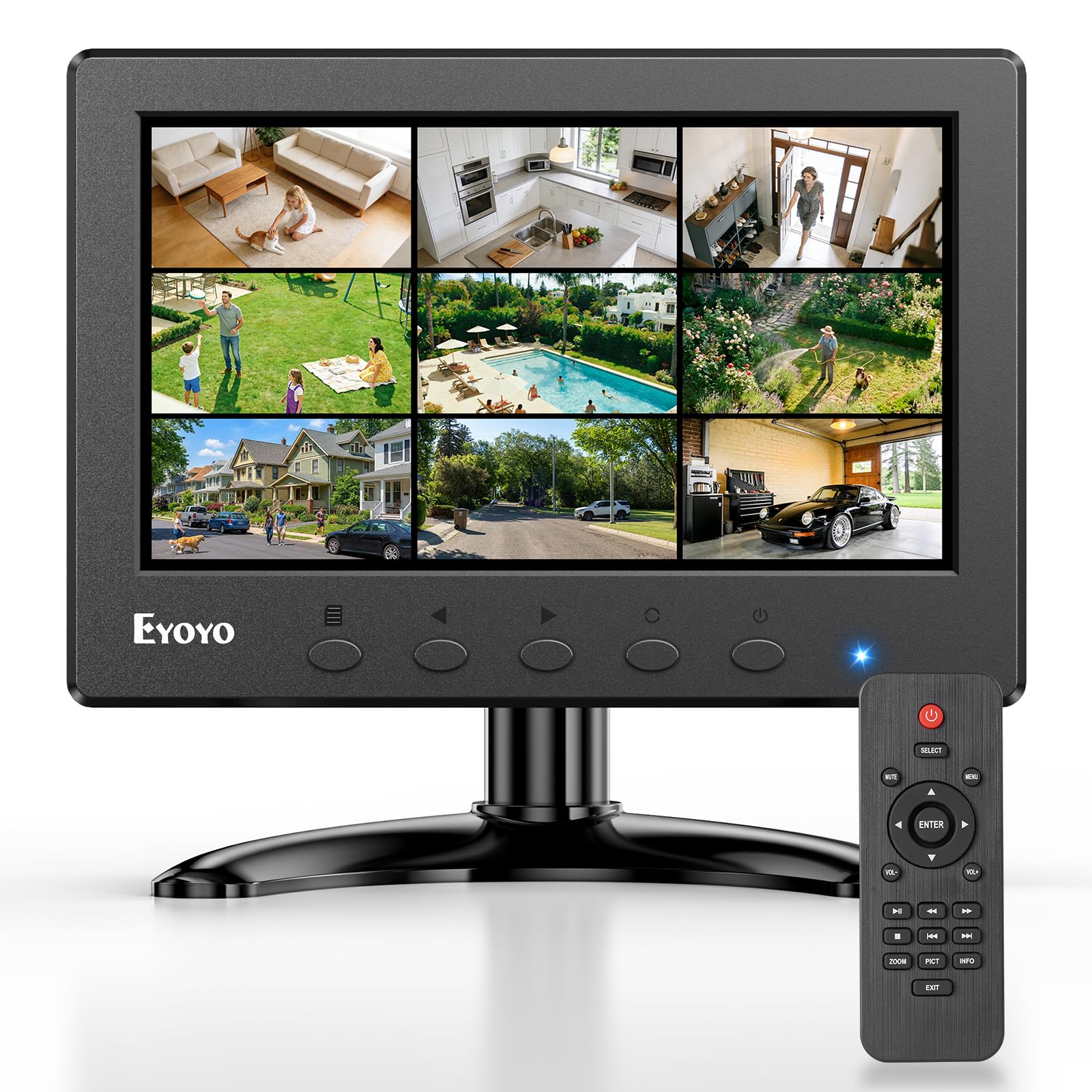
The Eyoyo 7-inch monitor is the connectivity champion of this guide. Beyond the standard HDMI port, it includes VGA, BNC, USB, and AV inputs, making it compatible with legacy CCTV cameras, DVD players, security DVRs, and industrial equipment. The video flips both horizontally and vertically, enabling use as a teleprompter monitor. The included remote control simplifies source switching from a distance.
Brightness peaks at 400cd/m², which is ample for indoor use and acceptable in shaded outdoor environments. The 1024×600 IPS panel provides a clear 16:9 image, and the monitor can accept a 1920×1080 signal downscaled to fit. The dual built-in speakers are functional for surveillance audio or basic system sounds. VESA 75mm mounting holes allow for permanent wall installation, and the standalone stand offers multiple tilt angles.
The main caveat is a limitation on USB playback — it supports USB 2.0 only and requires media files to be in a root folder. A small remote control is included, though some users find the buttons require a firm press. For those who need a single display that talks to cameras, computers, and game consoles alike, the Eyoyo is the most future-proof option.
Why it’s great
- Accepts HDMI, VGA, BNC, AV, and USB inputs
- Image flip for teleprompter or car monitor use
- Bright 400cd/m² IPS panel with remote control
Good to know
- The brightness control adjusts colors, not the backlight
- USB playback is limited to USB 2.0 only
- One VESA mounting hole is shallow near the VGA port
4. Pisichen Small Monitor 7 Inch HD 1280×800
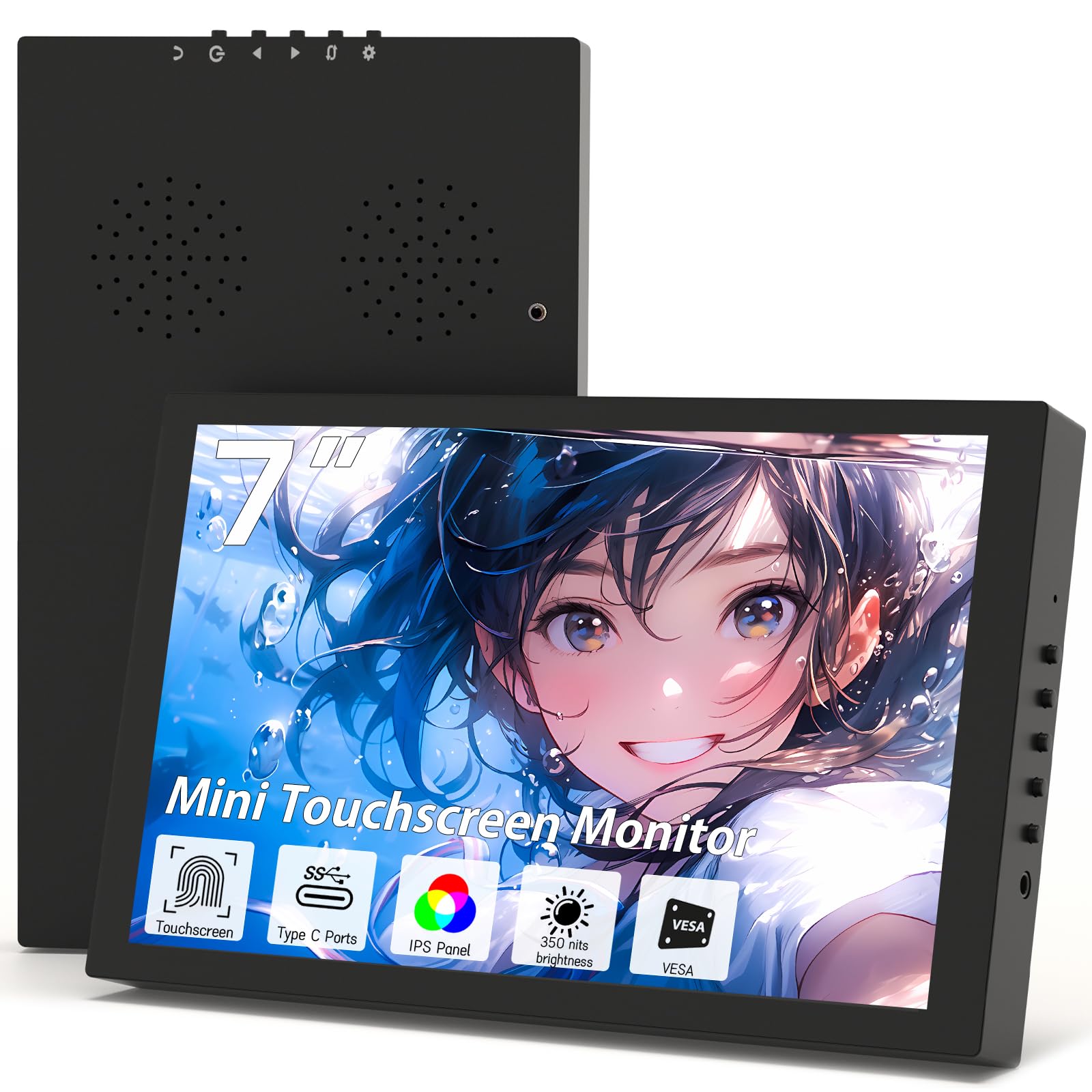
The Pisichen monitor breaks from the 1024×600 pack with a native 1280×800 resolution, offering a 16:10 aspect ratio that provides extra vertical space for reading documents and coding. The 350cd/m² brightness is higher than most budget 7-inch displays, and the 1500:1 contrast ratio delivers noticeably deeper blacks. The frameless design gives it a modern appearance that feels larger than its physical footprint.
The standout feature here is the pair of full-featured USB-C ports with DisplayPort Alt Mode support. When connected to a compatible laptop or smartphone, a single USB-C cable transmits both video and power, eliminating cable clutter. The HDMI port is still available for older devices. The responsive touchscreen works on Windows, Linux, and Android, though some units have reported touch calibration issues that require a firmware update.
Integrated speakers provide clear audio for presentations and casual media consumption. The monitor ships with three auxiliary cables, including USB-C and HDMI. A few users note that the chassis is slightly thicker than competing models, which makes it less ideal for mounting on the back of a Steam Deck. For anyone who prioritizes sharpness and portrait-mode comfort, the Pisichen delivers the best panel in the mid-range tier.
Why it’s great
- Higher native resolution (1280×800) for sharper text
- Dual USB-C ports with single-cable Alt Mode operation
- 1500:1 contrast ratio for deeper blacks
Good to know
- Chassis is thicker and heavier than some alternatives
- Touch support may require firmware updates on some units
- Speakers are oriented vertically, not ideal for landscape
5. ROADOM Touch Screen Monitor with Case

The ROADOM 7-inch monitor arrives as the most comprehensive kit on this list. In addition to the touchscreen, the package includes a protective case, two HDMI cables, a micro-HDMI adapter, multiple USB cables, a GPIO cable, a Raspberry Pi mounting kit, and a 5V/3A power adapter. This reduces the friction of a DIY project to near zero — you unbox, connect, and boot.
The 1024×600 IPS panel is bright at 300cd/m² and supports a rapid 3-5ms touch response, making it a great pairing for Klipper-based 3D printer controllers, OctoPi dashboards, and retro gaming emulators. The dual built-in speakers are a step above most competitors in terms of clarity. The stand provides solid tilt adjustment, and the integrated case design eliminates exposed circuit boards for a cleaner look.
The only friction point is mounting a Raspberry Pi inside a protective case — the supplied screws may not fit through some third-party enclosures. The 1024×600 resolution looks slightly soft when reading small text from a distance, but this is typical for the category. If you want a complete, ready-to-run setup for your Pi, the ROADOM kit saves you both time and money.
Why it’s great
- Comprehensive kit with power adapter, cables, and case included
- Fast 3-5ms touch response for interactive projects
- Clean design with no exposed circuit boards
Good to know
- Mounting a Pi with a protective case requires custom standoffs
- USB-C port does not support video input
- Text can appear soft at native resolution from arm’s length
6. ELECROW 7 Inch Touchscreen Monitor for Raspberry Pi

The ELECROW 7-inch touchscreen has earned a strong reputation in the Raspberry Pi community for being the most predictable performer. The 1024×600 IPS panel delivers uniform colors across a 178° viewing angle with no color shift. The metal frame adds rigidity and dissipates heat better than all-plastic rivals. Five-point capacitive touch is responsive across Windows 10 and 11, as well as most Linux-based SBC operating systems.
Connectivity is straightforward: HDMI for video, USB for touch data and power. No drivers are needed for Windows or mainstream Pi distributions. The dual 2W speakers and 3.5mm headphone jack offer adequate audio for system notifications and basic media playback. The included stand and copper mounting pillars allow for desk or VESA-like attachment, though the stand is not height-adjustable.
One notable point is that touch functionality does not work with Windows 10 out of the box for some users, though the seller acknowledges this and recommends Windows 7 or Linux. The screen works well as an AIDA64 sensor panel, with users praising the easy HDMI-plus-USB setup. If you want a low-hassle screen for Raspberry Pi or PC secondary use, the ELECROW ticks all the essential boxes.
Why it’s great
- Reliable plug-and-play with Raspberry Pi and Windows
- Metal frame for durability and heat dissipation
- Excellent 178° IPS viewing angles
Good to know
- Touch not supported on Windows 10 according to some reports
- Stand has no height adjustment
- Does not scale cleanly to 1920×1080 input
7. iPistBit 7 Inch Portable Monitor
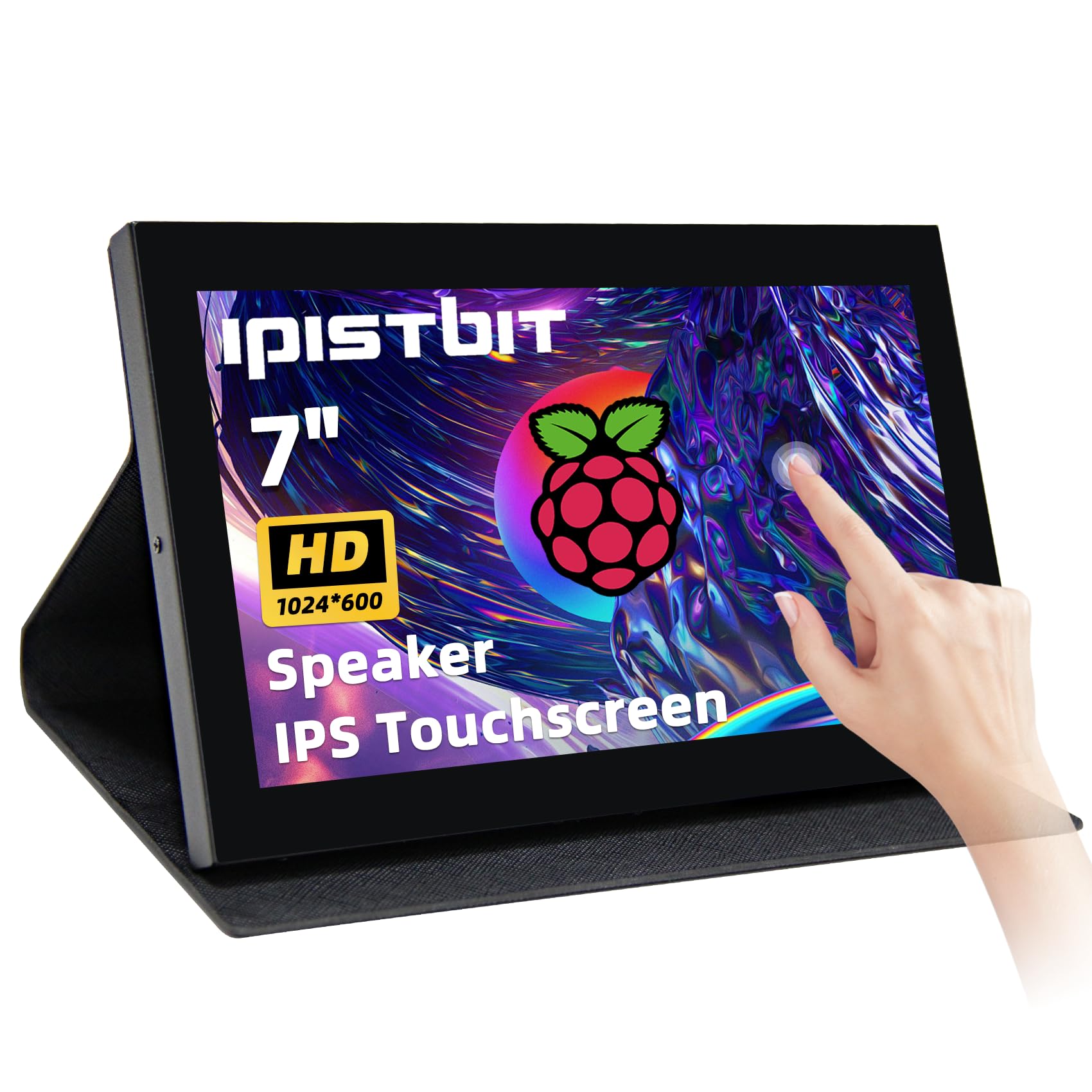
The iPistBit 7-inch monitor offers the most portable form factor in this roundup. The foldable PU case protects the screen during transit and doubles as a stand, making it ideal for field work like astrophotography or server rack maintenance. The 1024×600 IPS panel performs well for its price tier, delivering consistent colors and excellent detail for deep-sky object viewing, as reported by telescope users.
The five-point capacitive touchscreen is responsive with a 3-5ms reaction time and works without drivers on Windows, Linux, and RetroPie. The built-in speakers are passable for basic audio but lack the volume and clarity of the ELECROW or ROADOM units. A mini-HDMI input is the primary video connection, which may require an adapter for standard HDMI cables — one is included in the box.
The ultra-thin design and low weight are genuine advantages, but the trade-off is a lack of VESA mounting holes. The factory stand is attached, not removable, limiting mounting options. The contrast ratio is a standard 1000:1, and the brightness is sufficient for indoor use. For anyone who needs the most portable and affordable 7-inch computer monitor for occasional travel, the iPistBit is the clear choice.
Why it’s great
- Ultra-portable with a foldable PU case for travel
- Responsive 3-5ms capacitive touch screen
- Good color accuracy for field work like astrophotography
Good to know
- Mini-HDMI input requires an adapter for standard cables
- No VESA mounting holes; stand is non-removable
- Internal speakers are quiet and lack bass
FAQ
Can a 7-inch computer monitor replace a standard desktop monitor?
Will a 7-inch monitor work with a Raspberry Pi 5?
How do I get 1920×1080 on a 1024×600 monitor?
Does the touchscreen work with macOS or iOS?
What does the VESA mount specification mean for 7-inch monitors?
Final Thoughts: The Verdict
For most users, the best 7 inch computer monitor winner is the Hosyond 7 Inch IPS Touch because it balances resolution, build quality, touch responsiveness, and value across Raspberry Pi and PC use cases. If you need a high-resolution field monitor for video production, grab the FEELWORLD T7. And for maximum connectivity with CCTV and teleprompter applications, nothing beats the Eyoyo 7 Inch Multi-Input Monitor.