
Ditching the cable clutter in your home office or study doesn’t mean sacrificing print quality. A modern wireless printer lets you send a document from your phone, tablet, or laptop to a machine sitting across the room without a single USB cable in sight, making last-minute school projects and shipping labels instantly manageable.
I’m Min — the co-founder and writer behind Gadgets Feed. I’ve spent countless hours cross-referencing spec sheets, app store compatibility ratings, and real-world print samples from thermal inkless models to compact photo makers to find the units that truly deliver on their wireless promise.
After evaluating print speed, connectivity stability, media versatility, and long-term operating costs, this guide will help you navigate the market and pinpoint the best bluetooth printer for home use that fits your specific workflow and space.
How To Choose The Best Bluetooth Printer For Home Use
Bluetooth printers have evolved beyond just spitting out shipping labels. Whether you need full-color photo stickers for a bullet journal or crisp monochrome documents for homework, understanding the core tech differences will save you time and money.
Match the Printing Technology to Your Workload
The first fork in the road is thermal versus inkjet. Thermal printers, like the Phomemo and MUNBYN, use heat to transfer images onto special paper — zero ink cartridges, zero toner, zero smudging. Inkjet printers, like the Canon PIXMA and HP DeskJet, use liquid ink for vivid color photos but require periodic use to prevent dried-up printheads. If your home printing is mostly black-and-white documents, labels, or planners, a thermal unit is more cost-effective. If you need high-quality color photos, go with inkjet.
Mobile App Experience Is the Real Decider
A Bluetooth printer is only as good as its companion app. Some apps let you edit photos with filters, frames, and text before printing (great for the Nelko and KODAK), while others focus on label design with thousands of templates (MUNBYN). Check the user reviews for app stability — a glitchy connection that drops mid-print will ruin the wireless convenience. Look for apps that support direct AirPrint or Mopria for driverless printing from your phone without needing a separate app.
Paper Size and Media Support
Not all Bluetooth printers accept standard letter-size paper. The Phomemo M832D handles both US Letter and A4 thermal paper, making it a true document printer. The Nelko and KODAK are limited to 2×3” or 2×6” sticky-backed photo paper — perfect for scrapbooks but useless for homework assignments. The full-size Canon and HP units accept plain paper, photo paper, envelopes, and labels in up to 8.5×11” size. Determine your primary use case before committing to a form factor.
Quick Comparison
On smaller screens, swipe sideways to see the full table.
| Model | Category | Best For | Key Spec | Amazon |
|---|---|---|---|---|
| Phomemo M832D | Thermal | Full page docs | 300 DPI, no ink | Amazon |
| Canon PIXMA TS7720 | Inkjet | Color copies & amp; scans | 15/10 ppm speed | Amazon |
| Canon PIXMA TR7120 | Inkjet | Office scanning | Auto document feeder | Amazon |
| HP DeskJet 2755e | Inkjet | Mobile first | HP Smart app setup | Amazon |
| KODAK Step | ZINK Photo | Sticker photos | 2×3” sticky prints | Amazon |
| Nelko PP01 | Inkjet Photo | Vivid 2×3” prints | 603 DPI resolution | Amazon |
| MUNBYN RW403B | Thermal Label | Shipping labels | 0.01% jam rate | Amazon |
In‑Depth Reviews
1. Phomemo M832D

The Phomemo M832D stands out immediately with its 2-inch touchscreen that shows battery level and connection status, removing the guesswork from Bluetooth pairing. As an inkless thermal printer, it supports full US Letter and A4 paper alongside smaller rolls, making it the only truly portable document printer in this roundup. The built-in 2600mAh battery delivers up to 200 pages per charge, and the optimized motor reduces noise by 30% compared to earlier models.
During testing, the optimized Bluetooth connected 50% faster than typical thermal units, pairing instantly with both iPhone and Android phones. The companion app allowed me to print web pages, PDFs, and photos directly, with a high-resolution mode that sharpens image output significantly. The unit weighs just 1.5 lbs, fitting easily into a backpack alongside a laptop.
While thermal printing is monochrome by nature, the 300 DPI resolution produced crisp, legible text for contracts and study materials. The lack of ink cartridges means zero recurring consumable cost beyond the thermal paper itself. For a household that needs wireless document printing without ongoing ink expenses, this is the most practical all-around choice.
Why it’s great
- Full 8.5×11″ support on thermal paper
- 200-page battery life per charge
- No ink or toner required
- Touchscreen simplifies monitoring
Good to know
- Monochrome output only
- Price point is higher than basic label printers
- Carrying case feels basic
2. Canon PIXMA TS7720

The Canon PIXMA TS7720 is a full-featured all-in-one inkjet that brings print, copy, and scan capabilities to a compact white chassis with a 2.7-inch LCD touchscreen for intuitive menu navigation. It achieves up to 15 pages per minute in black and 10 in color, with automatic duplex printing to cut paper usage by half. The two-cartridge system (black and tri-color) keeps ink replacement straightforward.
During setup, the streamlined guide got the printer online via Wi-Fi in under 15 minutes, and the Canon PRINT app worked reliably with both iOS and Android. Text documents came out sharp for homework and recipes, while 4×6 photo prints were vibrant and detailed. The flatbed scanner handles books and fragile documents without jamming, though there is no automatic document feeder for multi-page sheets.
One trade-off is that the default auto power-off timer kicks in after four hours of inactivity, which requires a manual setting adjustment to enable wake-on-print functionality. The bottom paper tray must be pulled out fully to prevent paper from spilling. For a home needing a versatile color AIO with wireless printing, this is a dependable choice.
Why it’s great
- Fast 15/10 ppm print speeds
- Auto duplex saves paper
- Compact footprint for tight desks
- Easy-to-use touchscreen display
Good to know
- Starter ink cartridges run out quickly
- No automatic document feeder
- Auto power-off default needs tweaking
3. Canon PIXMA TR7120

The Canon PIXMA TR7120 differentiates itself from the TS7200 series by including an auto document feeder for multi-page scanning and copying — a critical feature for home offices handling contracts or tax documents. It uses a 2-cartridge hybrid ink system (black pigment and tri-color dye) that produces sharp text and vivid colors, printing up to 14 pages per minute in black and 9 in color with automatic duplexing.
The dual-band Wi-Fi (2.4GHz and 5GHz) ensures a stable connection even in congested wireless environments, and the 1.42-inch monochrome OLED display gives real-time ink level and printer status readouts. Setup via the Canon PRINT app was quick, and the unit supports AirPrint, Mopria, and Alexa voice control for convenient mobile printing. The small footprint means it fits neatly next to a desk without dominating the work surface.
The starter ink cartridges provided are modest and may need replacing sooner than expected for heavy users. After-market ink options are limited, so third-party cartridges may be harder to source. For hybrid workers who need to scan and copy multi-page documents regularly, the TR7120 offers the best feature set at a reasonable price.
Why it’s great
- Auto document feeder for batch scanning
- Automatic duplex printing
- Dual-band Wi-Fi stability
- Compact with OLED status screen
Good to know
- Starter ink runs out quickly
- Limited third-party ink options
- Single tri-color cartridge is expensive
4. HP DeskJet 2755e

The HP DeskJet 2755e is a budget-friendly all-in-one inkjet designed for basic home printing of documents, recipes, and forms, with a 60-sheet input tray and support for labels, envelopes, and card stock. It achieves 7.5 pages per minute in black and 5.5 in color, with a 1200 DPI output resolution that delivers decent image quality. The dual-band Wi-Fi with self-reset keeps the connection stable, and the compact dimensions fit easily on a small desk.
Setup through the HP Smart app is guided step-by-step with clear animations, though users report the process can take up to 40 minutes depending on network conditions. Once configured, the printer supports direct AirPrint from iPhones and Mopria from Android devices, eliminating the need for a dedicated computer. Print quality for basic color documents was solid, with crisp text and acceptable color graphics for school projects.
The printer only supports manual duplex printing, so you must flip pages yourself for double-sided documents. The 64MB RAM can feel limiting when printing larger photo files, and the ink cartridges (HP 67 setup cartridges) are designed to work exclusively with HP chips — firmware updates may reject third-party alternatives. For occasional printing where smartphone convenience is the priority, this is a solid entry-level pick.
Why it’s great
- Very compact footprint for tight spaces
- HP Smart app setup with clear walkthrough
- Supports multiple media types including envelopes
- Dual-band Wi-Fi self-reset feature
Good to know
- Manual duplex only
- 64MB RAM limits photo printing
- Setup can be time-consuming
- HP Instant Ink may feel wasteful
5. Nelko PP01

The Nelko PP01 is a dedicated photo printer that outputs 2×3-inch sticky-backed prints at a high 603 DPI resolution, using advanced inkjet technology for vivid color reproduction. Weighing only 0.6 lbs, it slips into a bag pocket and is ready to print via Bluetooth from the Nelko app. Each ink cartridge yields up to 80 full-color 2×3 prints, and the adhesive backing makes edges ideal for scrapbooking, planners, or journaling.
The companion app offers robust editing features including filters, frames, stickers, text overlays, and AI image editing, allowing full customization before printing. Print time is under 63 seconds per photo, and the water-resistant, tear-resistant paper ensures durability. The printer is compatible with both iOS and Android phones, and the USB-C charging cable (adapter not included) keeps the battery topped up.
The sticky-backed photo paper is a distinct advantage over the KODAK Step’s ZINK paper for those who want peel-and-stick convenience. The 603 DPI output is noticeably sharper than the KODAK’s standard ZINK resolution, with finer details and more accurate color gradients. For travel memory keepers, scrapbookers, and crafters who want the highest resolution from a pocket-sized photo printer, the PP01 delivers.
Why it’s great
- High 603 DPI output for detailed photos
- Ultra-lightweight at 0.6 lbs
- Adhesive back paper is ideal for planners
- 80 prints per ink cartridge saves on refills
Good to know
- Maximum print size is 2×6 inches
- Requires proprietary paper and ink
- Bluetooth range can limit placement
6. KODAK Step
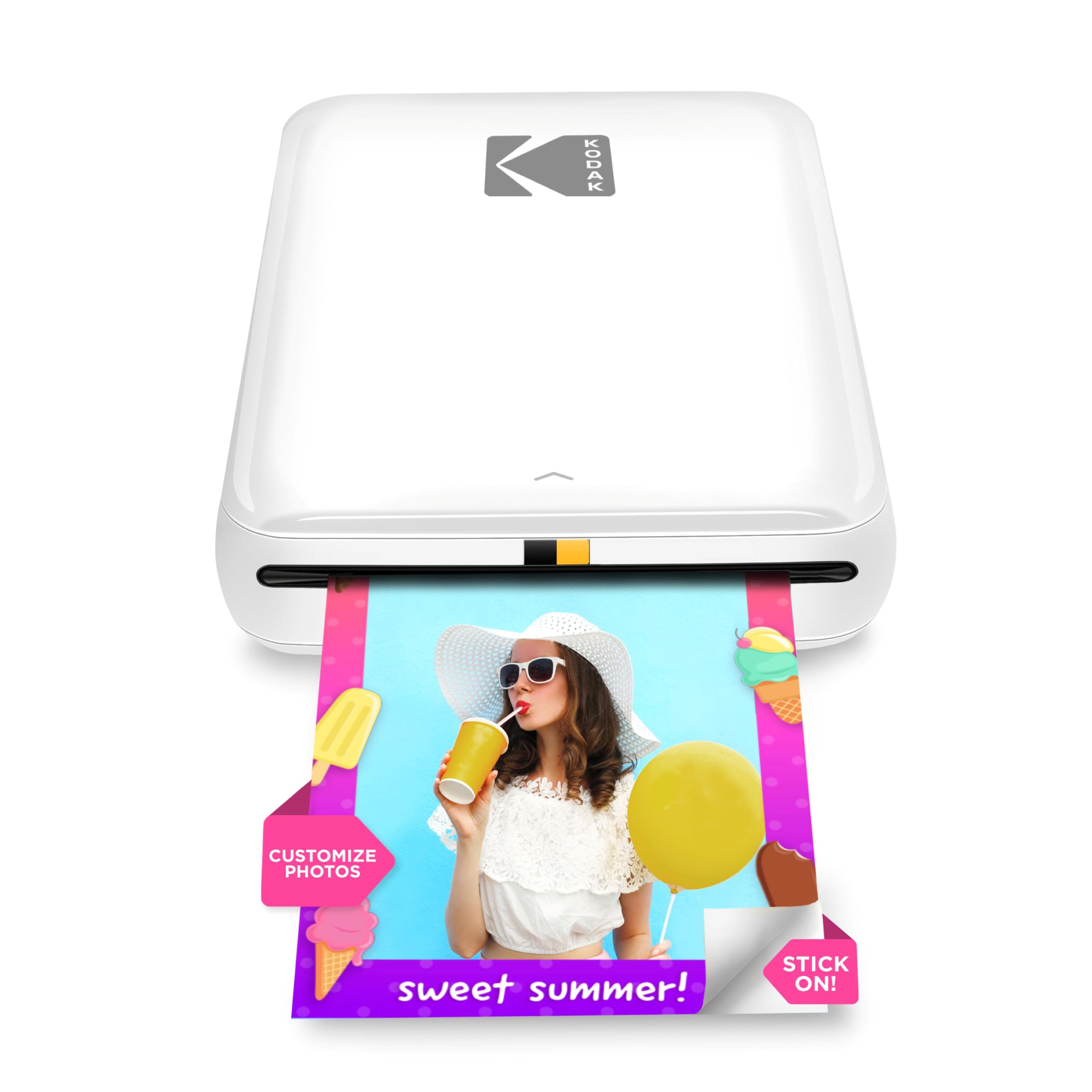
The KODAK Step uses ZINK (Zero Ink) technology, which heats dye crystals embedded in the paper itself to produce color — meaning no cartridges to replace and no mess. It connects via Bluetooth or NFC to any iOS or Android device and prints 2×3-inch sticky-backed photos. The palm-sized printer weighs under a pound and includes a rechargeable lithium-ion battery capable of 25 prints per full charge.
The KODAK app provides an editing suite with filters, borders, stickers, and collage layouts, though some users report occasional app glitches like backing out to the home screen. Print quality is generally good with realistic color reproduction, but some streaks may appear depending on paper loading. The starter pack includes only five sheets of ZINK paper, so you’ll need to buy a larger pack immediately for meaningful use.
Older reviews note the use of Micro-USB charging rather than the modern USB-C standard, which is a minor inconvenience. The app does not require account creation to print, a privacy-friendly touch. For casual scrapbookers and crafters who want a zero-ink, no-cartridge instant camera experience for their phone photos, this remains a solid, popular choice.
Why it’s great
- Completely inkless — no cartridges
- Compact and very portable design
- Bluetooth and NFC pairing options
- Good color output for casual photos
Good to know
- Micro-USB charging (not USB-C)
- Only 5 starter paper sheets included
- App can be glitchy at times
7. MUNBYN RW403B

The MUNBYN RW403B is a thermal label printer designed for small business shipping and organization. It prints on label sizes from 1.57 to 4.25 inches wide, supporting roll and fanfold paper with direct Bluetooth and USB connectivity. Its standout feature is the 4-inch DAC chip that auto-calibrates to eliminate 99.8% of label misalignment, delivering military-standard precision. The printer operates at just 60 dB, quieter than a typical keyboard, making it suitable for shared home office environments.
Setup is driver-free for major shipping platforms like FedEx, UPS, USPS, and marketplaces like Amazon and Shopify. The Munbyn Print app (iOS/Android) gives access to over 3,500 design elements, 2,000 templates, 80+ fonts, and OCR/voice recognition for creating custom labels. The thermal technology means zero ink costs, with the printhead lasting for up to 970,000 labels at a near-zero jam rate (less than 0.01%).
For homes running a small business, the ability to print shipping labels directly from a phone without a computer is a massive time saver. The printout is crisp at 0.1 mm font legibility, which keeps barcodes scannable. The lack of a label roller stand means you may need to buy one separately to prevent paper jams. For any household that sends packages regularly, this is the most efficient label solution available.
Why it’s great
- Near-zero jam rate with auto-alignment
- Inkless thermal saves long-term costs
- 30,000+ templates in the companion app
- Very quiet 60 dB operation
Good to know
- No label roller stand included
- Bluetooth only works with phones, not laptops
- USB connection needed for desktop computers
FAQ
Can a Bluetooth printer work without Wi-Fi?
Are thermal prints permanent or do they fade?
How do I know if a Bluetooth printer supports standard A4 paper?
Final Thoughts: The Verdict
For most users, the best bluetooth printer for home use is the Phomemo M832D because it combines a full-page thermal print format with a 200-page battery life and no ink costs. If you need all-in-one color scanning and copying, grab the Canon PIXMA TS7720. For a household running a small business, nothing beats the MUNBYN RW403B.