
A 4K HDMI video capture card is the critical bridge between your high-resolution source—whether that’s a mirrorless camera, PS5, Xbox Series X, or professional camcorder—and a streaming or recording workflow that doesn’t crush detail. The wrong card introduces latency that breaks your rhythm, compression artifacts that ruin a clean shot, or HDCP handshake failures that leave you staring at a black screen. The right card makes your production look like the source itself.
I’m Min — the co-founder and writer behind Gadgets Feed. I’ve spent hundreds of hours analyzing the technical specifications, real-world firmware behavior, and platform compatibility data behind the current crop of capture cards so you can pick the one that matches your exact resolution target and software pipeline.
After digging through latency tests, codec support, and passthrough capabilities, I’ve built this guide to help you find the best 4k hdmi video capture card for your specific streaming or recording rig.
How To Choose The Best 4K HDMI Video Capture Card
Choosing a capture card isn’t just about the resolution number on the box. You need to consider passthrough behavior, the codec it uses to talk to your PC, and whether it fits your operating system and streaming software without driver headaches.
Passthrough vs. Capture Resolution
A card that captures 4K60 but only passes through 1080p60 makes your gaming monitor look worse than it should. Look for passthrough that matches or exceeds your monitor’s native resolution and refresh rate—4K60 for most users, or 4K144/240 if you’re competitive. The capture resolution can be lower because your audience likely watches at 1080p or 4K30 anyway.
Codec and Format Support
Uncompressed formats like YUY2 and RGB24 deliver the highest quality but require fast USB bandwidth and a strong CPU to encode in real time. Compressed formats like H.264 and H.265 offload encoding to the card or your GPU, reducing system load. If you’re using a mid-range laptop for streaming, prefer a card that supports H.265 capture to save bitrate at 4K.
HDCP Compliance
Many capture cards refuse to accept HDCP-protected signals from Blu-ray players, Apple TV, or some streaming apps. If you plan to capture from a camera or a game console, HDCP is rarely an issue. But if you’re capturing from a set-top box or media player, verify the card either strips HDCP or you have a separate stripper in the chain.
Quick Comparison
On smaller screens, swipe sideways to see the full table.
| Model | Category | Best For | Key Spec | Amazon |
|---|---|---|---|---|
| AVerMedia GC553G2 | Premium | High-refresh passthrough | 4K144 HDR/VRR passthrough | Amazon |
| Elgato 4K Pro | Premium | Internal PCIe, dual-PC studio | 8K60 passthrough / 4K60 capture | Amazon |
| Portta DX20R | Mid-Range | Budget 4K60 with HDR/VRR | 1080p240Hz passthrough | Amazon |
| ASUS TUF CU4K30 | Mid-Range | Durable build, OBS Certified | 4K30 capture / 4K60 HDR passthrough | Amazon |
| RØDE Streamer X | Premium | Streamer with XLR mic | 4K30 capture + XLR preamp | Amazon |
| AVMATRIX VC12-4K | Premium | 24/7 pro & Linux studios | Uncompressed YUY2 4K60 via PCIe | Amazon |
| Magewell USB Capture HDMI Gen 2 | Premium | Mission-critical reliability | FPGA processing, 1080p60 4:4:4 | Amazon |
| ClonerAlliance UHD Pro | Mid-Range | Standalone recording, no PC | 4K30 recording to USB/TF card | Amazon |
| AVMATRIX UC2018 | Budget | SDI+HDMI for conferencing | 1080p60 YUY2 uncompressed | Amazon |
In‑Depth Reviews
1. AVerMedia GC553G2 Live Gamer Ultra 2.1

The AVerMedia GC553G2 is the first mainstream external capture card to bring full HDMI 2.1 passthrough, supporting 4K144 with HDR and VRR. This means your gaming monitor sees the same signal it would directly from a PS5 Pro or Xbox Series X, while you capture 4K60 to your streaming PC. The included USB 3.2 Gen 2 Type-C cable is mandatory—using a slower cable triggers a yellow-light error and no signal.
Setup in OBS is straightforward: the card appears as a standard UVC device, and you can capture 5.1 channel audio plus party chat via the 3.5mm ports. Real-world testing shows the card holds a 5-hour Twitch stream at 4K60 without a single dropped frame, though users report that capturing 144fps footage requires VLC or DaVinci Resolve for playback—OBS defaults to 60fps. The onboard RGB lighting syncs with Windows Dynamic Lighting or AVerMedia’s own tool.
One point of friction: ultrawide resolutions (3440×1440) are hit-or-miss depending on GPU vendor, and Nvidia 4070 owners have reported the card failing to detect the signal. If you don’t game at ultrawide, the GC553G2 is the most future-proof external capture card under the premium tier.
Why it’s great
- True HDMI 2.1 4K144 HDR/VRR passthrough
- Built-in 3.5mm for party chat and 5.1 audio
- No dropped frames in long streaming sessions
Good to know
- Requires USB 3.2 Gen 2 cable (included) or signal fails
- Ultrawide resolution support is inconsistent
- RGB lighting limited to Windows Dynamic Lighting
2. Elgato 4K Pro

The Elgato 4K Pro is an internal PCIe capture card that bypasses USB bottlenecks entirely. It offers an 8K60 passthrough with 4K60 HDR10 capture, making it the only card in this roundup that can handle 8K sources without downscaling the passthrough. The HDMI 2.1 in/out port also supports VRR passthrough, eliminating screen tearing during capture.
Installation is simple—pop it into a PCIe x4, x8, or x16 slot, and the card is recognized immediately by OBS, Streamlabs, and Elgato’s 4K Capture Utility. The software supports Flashback Recording, letting you rewind up to four hours to grab a clip you forgot to save. Users report the card works perfectly with Switch, PS5, and Xbox, and the passthrough lag is imperceptible because the signal goes straight to the monitor without USB re-encoding.
The card is extremely picky about HDMI cables—using a low-quality or overly long cable causes the signal to split into four quadrants or drop entirely. This is a known behavior with HDMI 2.1 bandwidth demands, so budget for a certified Ultra High Speed HDMI cable if you buy this card.
Why it’s great
- 8K60 passthrough with true zero-latency signal
- Flashback Recording for missed moments
- No USB bandwidth competition in a dual-PC setup
Good to know
- HDMI cable quality is critical—will split screen with poor cables
- Internal card requires an open PCIe slot
- May need Windows Explorer reset after long gaming sessions
3. Portta DX20R
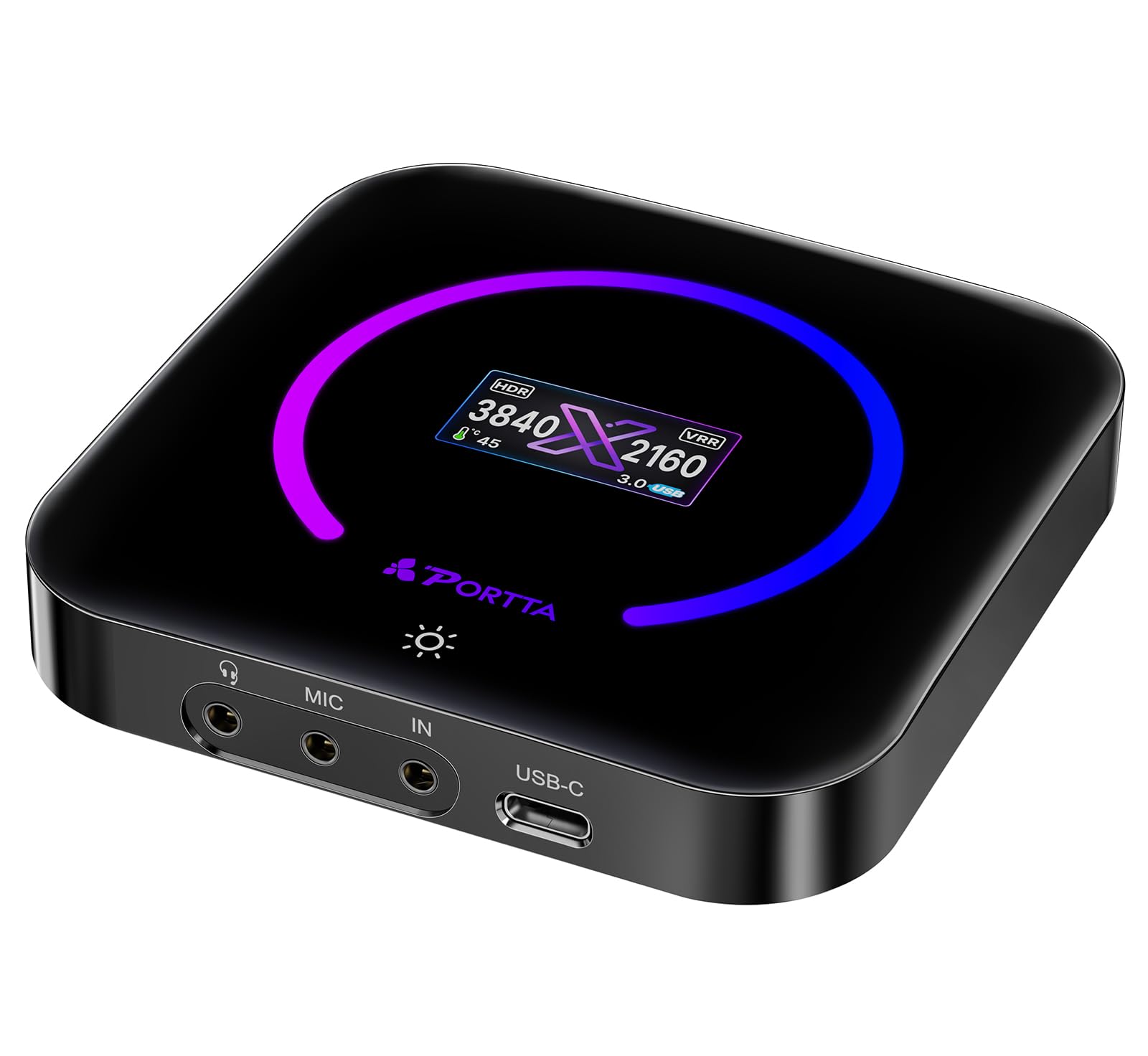
The Portta DX20R delivers a surprisingly complete feature set at a mid-range price point. It captures 4K60 with YUY2 and RGB24 format support, while passing through 1080p240Hz or 2K144Hz—critical for competitive gamers who need high refresh on their monitor while streaming at 4K60. The built-in display shows real-time resolution and signal status, a useful touch for troubleshooting.
Plug-and-play on Windows, macOS, and Linux without drivers. The Portta CapHub utility lets you tweak EDID, VRR modes, and audio mixing, though the factory defaults work well for most OBS setups. Users consistently report zero dropped frames and no audio sync issues when capturing from PS5 or Xbox. The unit runs warm during extended use but stays within safe operating temps.
The main drawback is file size: uncompressed YUY2 at 4K60 generates massive video files, so you need a fast SSD and a USB 3.0 cable (included). Also, the 4K HDR capture is technically supported but requires careful source settings to avoid crushed blacks.
Why it’s great
- High-refresh passthrough (1080p240Hz) for competitive gaming
- YUY2 and RGB24 uncompressed capture
- Built-in status display for quick signal checks
Good to know
- Uncompressed 4K60 creates very large file sizes
- HDR capture needs careful source calibration
- Runs warm during extended sessions
4. ASUS TUF CU4K30

The ASUS TUF CU4K30 is built for durability—its alloy outer shell feels dense and protects the internals from drops and bumps. It captures 4K30 or 1080p120 while passing through 4K60 HDR via USB 3.2 Type-C. This makes it a strong choice for content creators who prioritize a compact, rugged device that can live in a camera bag.
OBS certification means the card appears instantly in the sources list with no driver hunting. The plug-and-play UVC compliance works on Windows and macOS, and the 3.5mm audio jack allows controller and headset connections so your audience hears team chat. Users praise the zero-latency passthrough on PS5 to 4K240Hz panels, though initial setup may require an audio delay fix in OBS settings (about three seconds of offset that is easily corrected).
The captured video is H.264/H.265 encoded, which keeps file sizes manageable but sacrifices some color fidelity compared to uncompressed options. A small percentage of units exhibit intermittent signal drops that require replugging, and the included USB-C adapter is fragile—replace it with a quality cable immediately.
Why it’s great
- Alloy shell offers excellent physical protection
- OBS Certified for immediate driverless setup
- Zero-latency 4K60 HDR passthrough
Good to know
- Capture maxes out at 4K30, not 4K60
- Some units have intermittent signal drop issues
- Included USB-C adapter is low quality
5. RØDE Streamer X

The RØDE Streamer X is a hybrid device that combines a 4K30 video capture card with a professional XLR audio interface. The Neutrik combo input feeds into RØDE’s Revolution Preamp, offering clean gain up to 76dB—enough to drive a Shure SM7b without a Cloudlifter. The passthrough supports 4K60, so your monitor sees the full-resolution source while you capture at 4K30.
Dual USB-C outputs let you connect two computers simultaneously: one for gaming, one for streaming. On-board wireless receiver pairs with RØDE Series IV mics like the Wireless GO II, reducing cable clutter. Early firmware had bugs causing audio dropouts and static noise, but updates (1.1.7 and later) resolved the major issues. The unit currently runs stable in OBS, Logic Pro, and Adobe Audition.
The main trade-off is that the video capture is locked to 4K30, which limits cinematic recording. It also has no on/off switch—you must unplug it or use a powered hub to reset it after idle. The RØDE Unify software is RAM-heavy, so many users avoid it and rely on OBS for mixing.
Why it’s great
- Integrated XLR preamp with high gain for dynamic mics
- Dual USB-C for separate gaming and streaming PCs
- Wireless receiver for RØDE Series IV mics
Good to know
- Video capture limited to 4K30
- No physical power switch—requires unplugging to reset
- Early firmware had audio stability issues (fixed in updates)
6. AVMATRIX VC12-4K
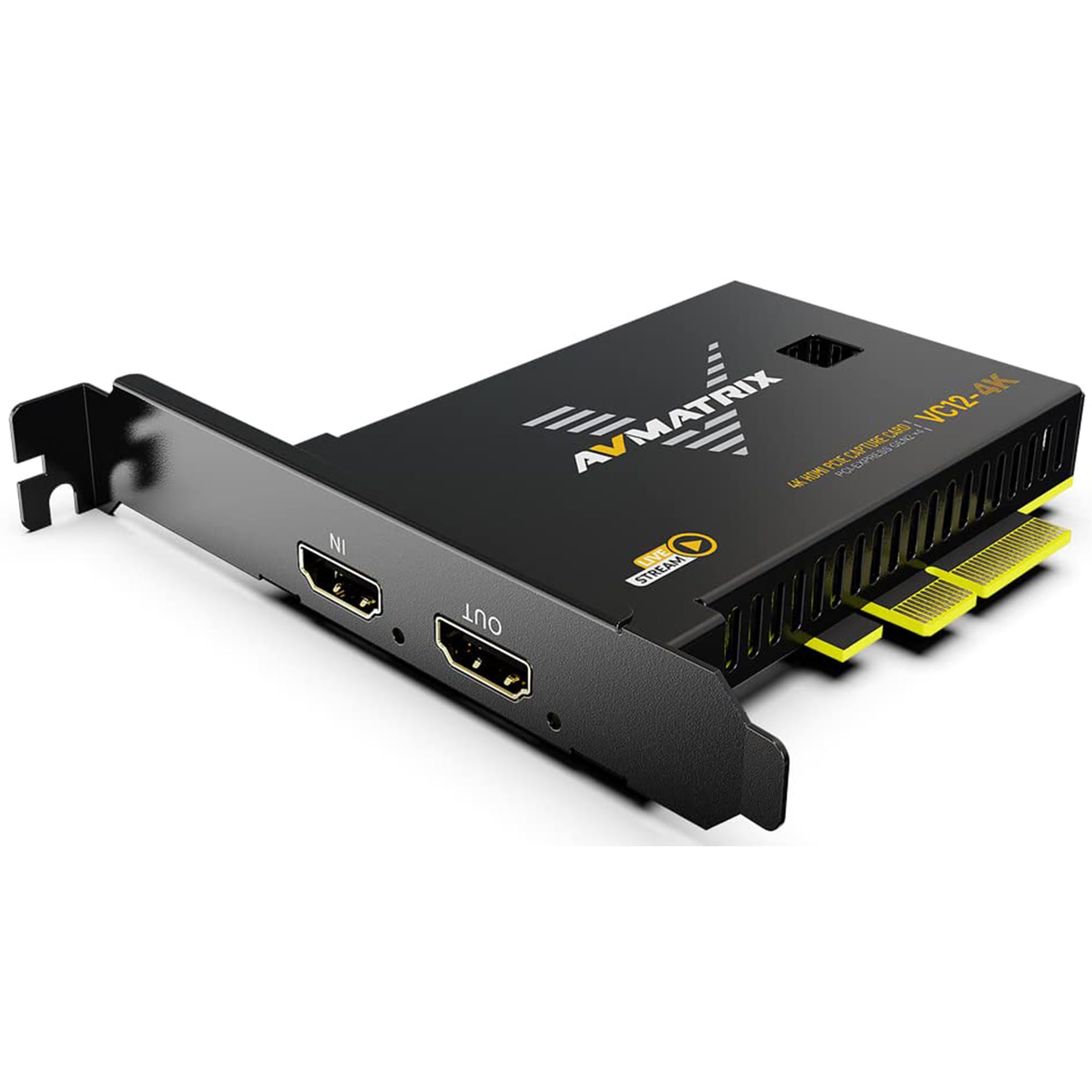
The AVMATRIX VC12-4K is an internal PCIe capture card built for uncompressed 4K60 video. It uses a PCIe 2.0 x4 interface delivering 2.5GB/s bandwidth, ensuring zero compression artifacts and ultra-low latency. The card supports YUY2 at 4K60 directly, which is rare in the sub- internal market—most cards at this price use MJPEG or H.264.
It works instantly on Windows 7/10/11 and Linux via DirectShow and V4L2 protocols—no drivers needed. The HDMI 2.0 loop-out port sends a clean signal to a monitor while capturing, so there’s no blind spot during gameplay or presentation. Multiple cards can run in one PC by setting unique DIP switches to avoid IRQ conflicts, making this a strong choice for multi-camera church or university broadcast setups.
The card runs cool enough for 24/7 operation and has been stress-tested in live sports and medical imaging environments. The only complaint from users is that manufacturer support responsiveness varies—some get quick email replies, others have trouble reaching the team for advanced EDID troubleshooting.
Why it’s great
- Uncompressed YUY2 4K60 via PCIe with no USB overhead
- HDMI loop-out for zero-latency local monitoring
- DIP switch multi-card support for pro studios
Good to know
- Requires an internal PCIe 2.0 x4 slot or higher
- Customer support responsiveness can be inconsistent
- No macOS drivers—Linux and Windows only
7. Magewell USB Capture HDMI Gen 2
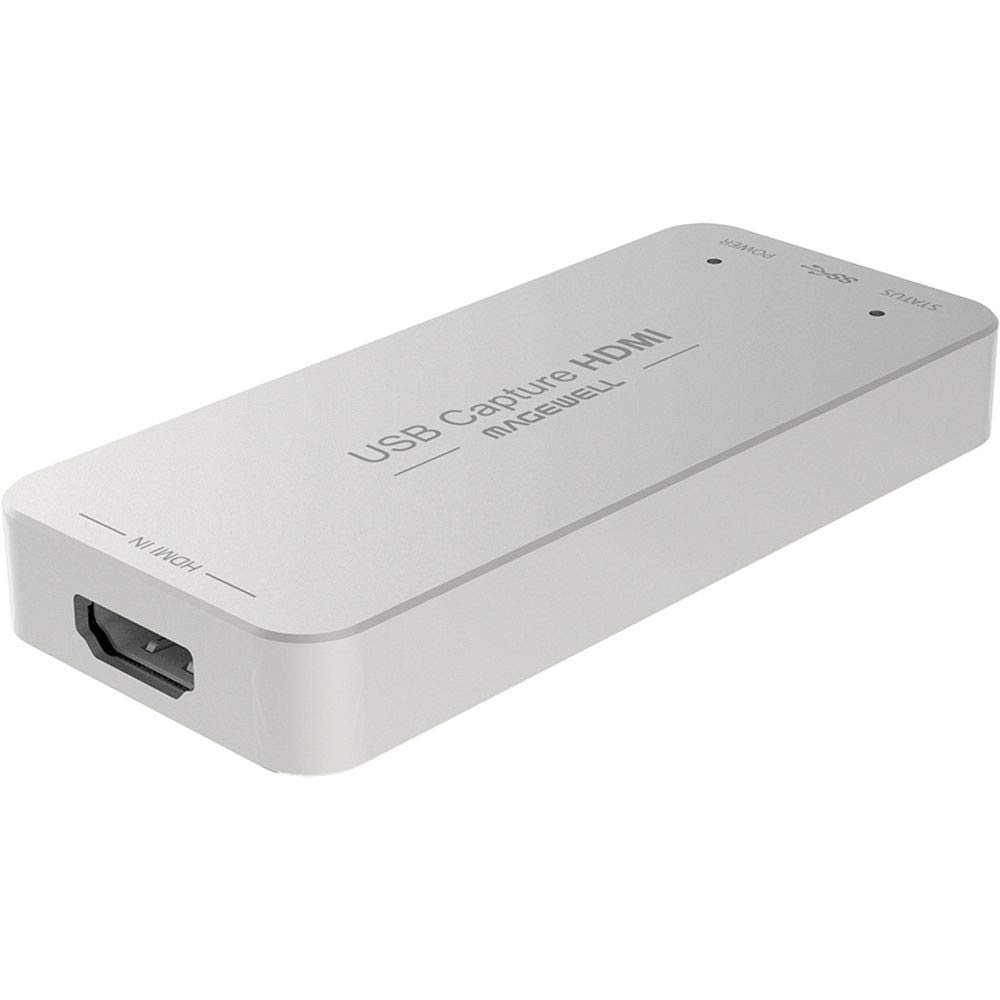
The Magewell USB Capture HDMI Gen 2 is the gold standard for reliability in USB-based capture. Its FPGA handles all video processing—cropping, scaling, de-interlacing, color conversion, and flip/mirror—offloading the host CPU entirely. It supports HDMI input up to 2048×1080 60fps 4:4:4, making it ideal for professional cameras and medical or conference applications where color accuracy is paramount.
Plug-and-play on Windows, macOS, Linux, and Chrome OS via UVC and UAC protocols. The Magewell USB Capture Utility gives you granular control over EDID, resolution, frame rate, and firmware updates. Users running Ubuntu 18.04+ report that the card appears in OBS without any configuration changes, and the hardware deinterlacer handles 1080i sources better than any software solution.
The device runs extremely hot to the touch—this is normal and by design, as the metal case acts as a heatsink. It’s also limited to 1080p capture, not 4K, which disqualifies it for 4K streaming but makes it unmatched for 1080p60 workflows where stability is non-negotiable.
Why it’s great
- FPGA-based processing offloads all video tasks from CPU
- Superior 4:4:4 chroma subsampling for color-critical work
- Bulletproof plug-and-play across Windows, Mac, Linux, Chrome OS
Good to know
- Captures 1080p maximum—no 4K
- Metal case runs very hot (normal for this device)
- No HDMI passthrough port—signal goes only to PC
8. ClonerAlliance UHD Pro
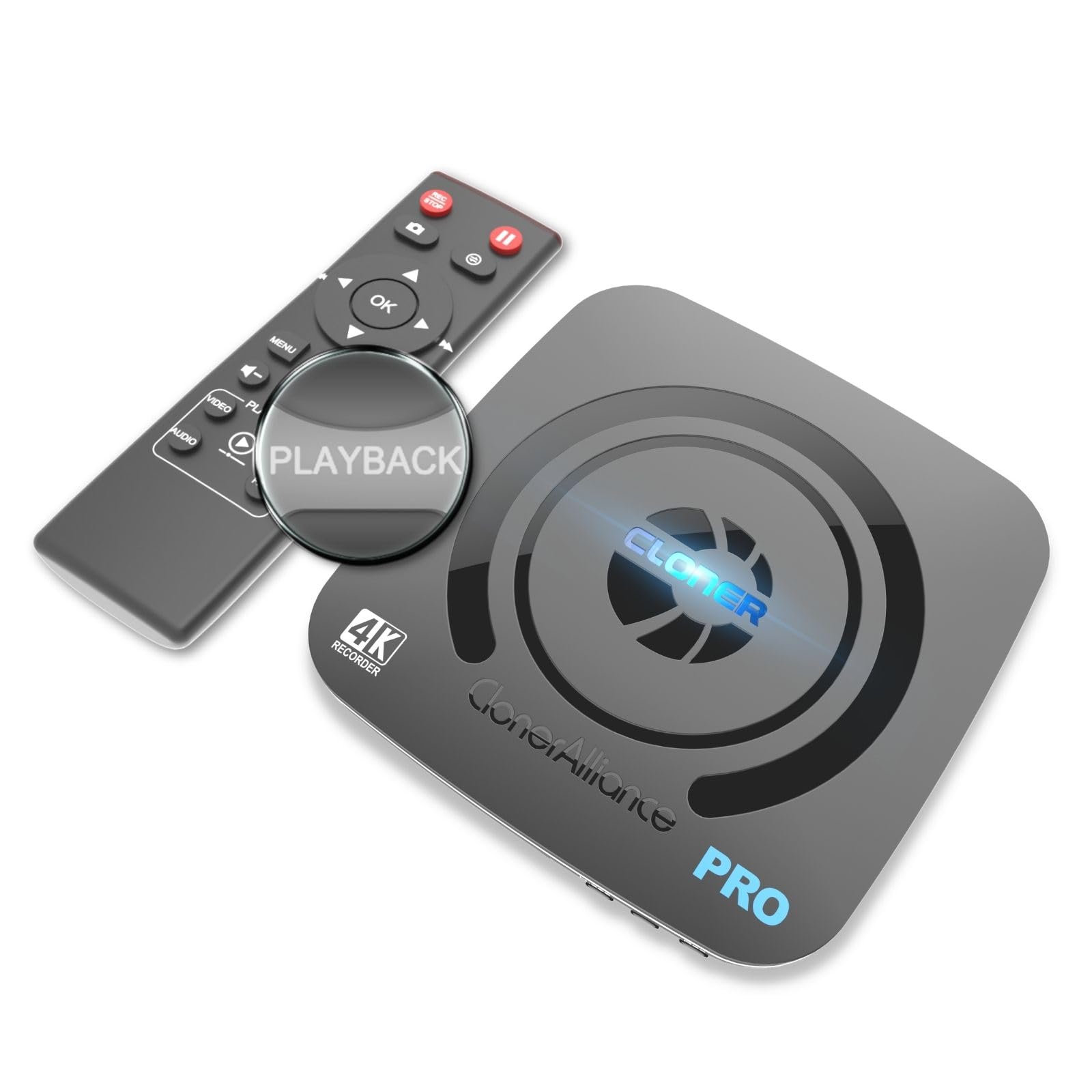
The ClonerAlliance UHD Pro is a standalone 4K video recorder that doesn’t require a PC at all. It records HDMI sources directly to a USB drive or TF card at up to 4K30 using H.264 or H.265 codecs. The 4K60 passthrough means your TV or monitor sees the full-resolution source while the unit captures the feed independently.
It supports pause/resume recording, schedule tasks, and cinematic 24fps capture for a film-like look. The maximum bitrate is 50Mbps, and recorded MP4 files are compatible with exFAT, NTFS, and FAT32 file systems. The included remote control makes it easy to start/stop recording from across the room, great for church services or lecture capture where no operator sits at the recorder.
Two known limitations: the unit is incompatible with HDCP-protected sources (shows black screen), and some users report intermittent white-frame artifacts about twice per hour in H.265 recordings. The remote requires a direct line of sight and close range to function reliably.
Why it’s great
- PC-free standalone recording to USB or SD card
- H.265 codec saves storage space without quality loss
- Schedule recording and pause/resume features
Good to know
- No HDCP support—black screen with protected content
- White-frame artifacts reported in some H.265 recordings
- Remote needs close, direct aim to work
9. AVMATRIX UC2018

The AVMATRIX UC2018 is a dual-input capture card accepting both SDI and HDMI sources, making it uniquely suited for video conferencing, telemedicine, and church livestreams where SDI is common. It captures uncompressed YUY2 video at 1080p60 via USB 3.0 Type-C, ensuring no compression artifacts. The 3.5mm audio line-in port adds professional-grade external audio capture.
Driverless on Windows, macOS, and Linux (kernel 2.6.38+), it works with Zoom, Teams, OBS, and VLC immediately. The automatic input detection switches between SDI and HDMI without manual intervention. Its compact size (92x58x19mm) and wide operating temperature range (-20°C to 60°C) make it suitable for portable or permanent installation in rack-mount setups.
The trade-off is resolution: it maxes out at 1080p60, not 4K. For 4K workflows, you need the VC12-4K from the same brand. Additionally, customer support responsiveness is a recurring concern—some users report difficulty reaching the AVMATRIX support team for troubleshooting dead units.
Why it’s great
- Dual SDI + HDMI input for professional workflows
- Uncompressed YUY2 1080p60 capture
- Driverless on Windows, macOS, and Linux
Good to know
- Limited to 1080p60—no 4K capture
- Customer support response times can be slow
- No built-in passthrough port
FAQ
Can I use a 4K HDMI capture card with a PS5?
What does YUY2 uncompressed capture mean for my storage?
Does a capture card add input lag to my gaming monitor?
Can I record 4K video without a computer using a capture card?
What is HDCP and why does it cause a black screen?
Final Thoughts: The Verdict
For most users, the best 4k hdmi video capture card winner is the AVerMedia GC553G2 because it combines HDMI 2.1 passthrough, low latency, and reliable OBS performance at a reasonable premium. If you want a rugged, compact card for on-the-go streaming, grab the ASUS TUF CU4K30. And for a dual-PC studio or Linux-based production environment, nothing beats the stability of the AVMATRIX VC12-4K.