
A 20‑core CPU sits at the sweet spot of modern desktop computing, offering the raw parallel throughput to crush 4K rendering, compile code in seconds, and run multiple demanding virtual machines without a hiccup—all while delivering gaming frame rates that rival pure gaming chips. The decision cuts deeper than just core count: your choice of memory support, cache architecture, platform longevity, and thermal solution directly determines whether those 20 cores turn into real‑world speed or frustrating throttling.
I’m Min — the co‑founder and writer behind Gadgets Feed. I’ve spent countless hours digging through benchmark databases, poring over stability reports from engineering workstations, and cross‑referencing customer validation data to isolate exactly how each 20‑core contender performs under sustained professional and creative workloads.
The goal of this guide is to cut through the marketing noise and help you land on the absolute best 20 core cpu for your specific workload, platform preference, and budget tier.
How To Choose The Best 20 Core CPU
Selecting a high‑core‑count processor means weighing platform costs, thermal headroom, and the specific type of multithreaded work you do. A chip that excels at Cinebench Render may struggle to maintain boost clocks under all‑core AVX‑512 loads, while a gaming‑focused hybrid design could leave you wanting for consistent all‑core throughput. Below are the critical specs to evaluate.
Core Architecture: Performance vs Efficiency Cores
Modern 20‑core CPUs from Intel use a hybrid P‑core/E‑core topology (8 Performance cores + 12 Efficiency cores in the Core Ultra 7 265K, or 8P+12E in the i7‑14700K). The P‑cores handle latency‑sensitive gaming and single‑threaded tasks at high clocks, while the E‑cores bulk up multithreaded throughput without consuming excessive power. AMD’s current 20‑core‑class chips, like the Ryzen 9 9900X3D, deliver 12 full‑sized Zen 5 cores with simultaneous multithreading, meaning every core is a performance core with access to a massive 140 MB cache. Your choice depends on whether you need the raw all‑core density of Intel’s hybrid approach or the consistent per‑core muscle of AMD’s monolithic design.
Thermal and Power Constraints
A 20‑core CPU pulling 200–350 watts under load demands a capable cooler. Intel’s 14th Gen chips can exceed 250W during all‑core rendering, while the Core Ultra 9 285K (24 cores) demonstrates improved power efficiency at roughly 205W under Cinebench stress. AMD’s X3D chips with 3D V‑Cache run cooler at equivalent loads but can be sensitive to voltage limits. Always budget for a high‑quality 360mm AIO or a flagship dual‑tower air cooler, and verify your motherboard’s VRM can sustain the current draw without thermal throttling.
Quick Comparison
On smaller screens, swipe sideways to see the full table.
| Model | Category | Best For | Key Spec | Amazon |
|---|---|---|---|---|
| Intel Core Ultra 9 285K | Premium | Professional CAD & stable workstation | 24 Cores / 24 Threads | Amazon |
| AMD Ryzen 9 9900X3D | Mid‑Range | Gaming + content creation hybrid | 12 Cores / 24 Threads | Amazon |
| INLAND i7‑14700K + Z790 Bundle | Mid‑Range | All‑round performance on a budget | 20 Cores / 28 Threads | Amazon |
| Micro Center Ultra 7 265K + Z890 Bundle | Mid‑Range | Quiet, efficient AI‑ready build | 20 Cores / 20 Threads | Amazon |
| HP Elite Mini 800 G9 (i9‑14900T) | Premium | Compact business workstation | 24 Cores / 32 Threads | Amazon |
| Dell Pro Tower (Ultra 7 265) | Premium | AI‑boosted business tower | 20 Cores / 20 Threads | Amazon |
| AMD Threadripper PRO 7965WX | Premium | 8K video editing & 3D rendering | 24 Cores / 48 Threads | Amazon |
| Dell Pro Tower (i7‑14700) | Premium | Heavy multitasking for professionals | 20 Cores / 28 Threads | Amazon |
| AMD Threadripper 7970X | Premium | Unreal Engine 5 & mass parallel work | 32 Cores / 64 Threads | Amazon |
| msi PRO DP21 (i3‑13100) | Budget | Basic office & light multitasking | 4 Cores / 8 Threads | Amazon |
| HP 17 Laptop (Ryzen 5 7430U) | Budget | Business laptop with large display | 6 Cores / 12 Threads | Amazon |
In‑Depth Reviews
1. Intel Core Ultra 9 Desktop Processor 285K

The Intel Core Ultra 9 285K redefines the flagship desktop experience with 24 cores (8 P‑cores + 16 E‑cores) and 24 threads, hitting an unlocked 5.7 GHz boost. Early Cinebench 2024 stress tests show the chip sustaining 205W draw while keeping core temperatures between 73–78°C on a 360mm AIO, a meaningful efficiency leap over the previous generation. The integrated Intel UHD Graphics handles display‑out tasks, and PCIe 5.0 support ensures future‑proof GPU and storage bandwidth.
Professional users running SolidWorks, video encoding, or AI model training report rock‑solid stability after 24‑hour burn‑in cycles with the LGA 1851 platform and Intel 800 series chipset. The 40 MB L3 cache reduces latency on repeated geometric calculations, and the memory controller handles four sticks of DDR5 at 4000 MHz without instability—something previous Intel generations struggled with.
Customer feedback consistently highlights the cooler and quieter operation compared to 13th and 14th Gen chips, though a 360mm AIO or Noctua NH‑D15 Gen2 cooler is still recommended for sustained all‑core loads. The Core Ultra 9 285K delivers the most stable, power‑efficient high‑core‑count experience for demanding creative and engineering workflows today.
Why it’s great
- Significantly improved power efficiency over 13th/14th Gen Intel
- Stable memory controller supports high‑speed DDR5 with 4 sticks
- Excellent thermal behavior under sustained multithreaded loads
Good to know
- Requires new Intel 800 series motherboard (LGA 1851)
- No thermal solution included in the box
2. AMD Ryzen 9 9900X3D 12‑Core Processor

The AMD Ryzen 9 9900X3D packs 12 Zen 5 cores with 24 threads and a massive 140 MB of total cache (including 128 MB of 3D V‑Cache), giving it a decisive edge in gaming frame rates and latency‑sensitive professional tasks. At a lower price point than many 20+ core Intel chips, it delivers snappy responsiveness for SolidWorks assemblies, code compilation, and simultaneous game streaming without thermal throttling.
Buyers report excellent compatibility with AM5 motherboards and DDR5 memory kits, with easy installation and no stability quirks. The chip pairs naturally with an AIO or even a high‑end air cooler like the Peerless Assassin 120, keeping temperatures well within spec during gaming sessions. The unlocked multiplier allows for overclocking headroom, though the 3D V‑Cache usually provides enough performance uplift out of the box.
Where the 9900X3D truly shines is in its ability to handle both intensive productivity workloads and the most demanding game titles without compromise. Users note that the 9800X3D may be slightly better for pure gaming, but the 9900X3D offers significantly better multitasking and content creation value, especially when the 9800X3D is hard to find in stock.
Why it’s great
- 140 MB total cache delivers exceptional gaming and productivity latency
- Runs cool with a mid‑range AIO or quality air cooler
- AM5 platform offers long‑term upgrade path
Good to know
- Only 12 physical cores (24 threads) vs Intel’s 20+ core offerings
- 3D V‑Cache can limit extreme overclocking headroom
3. INLAND Micro Center CPU Motherboard Combo – i7‑14700K + MSI Z790
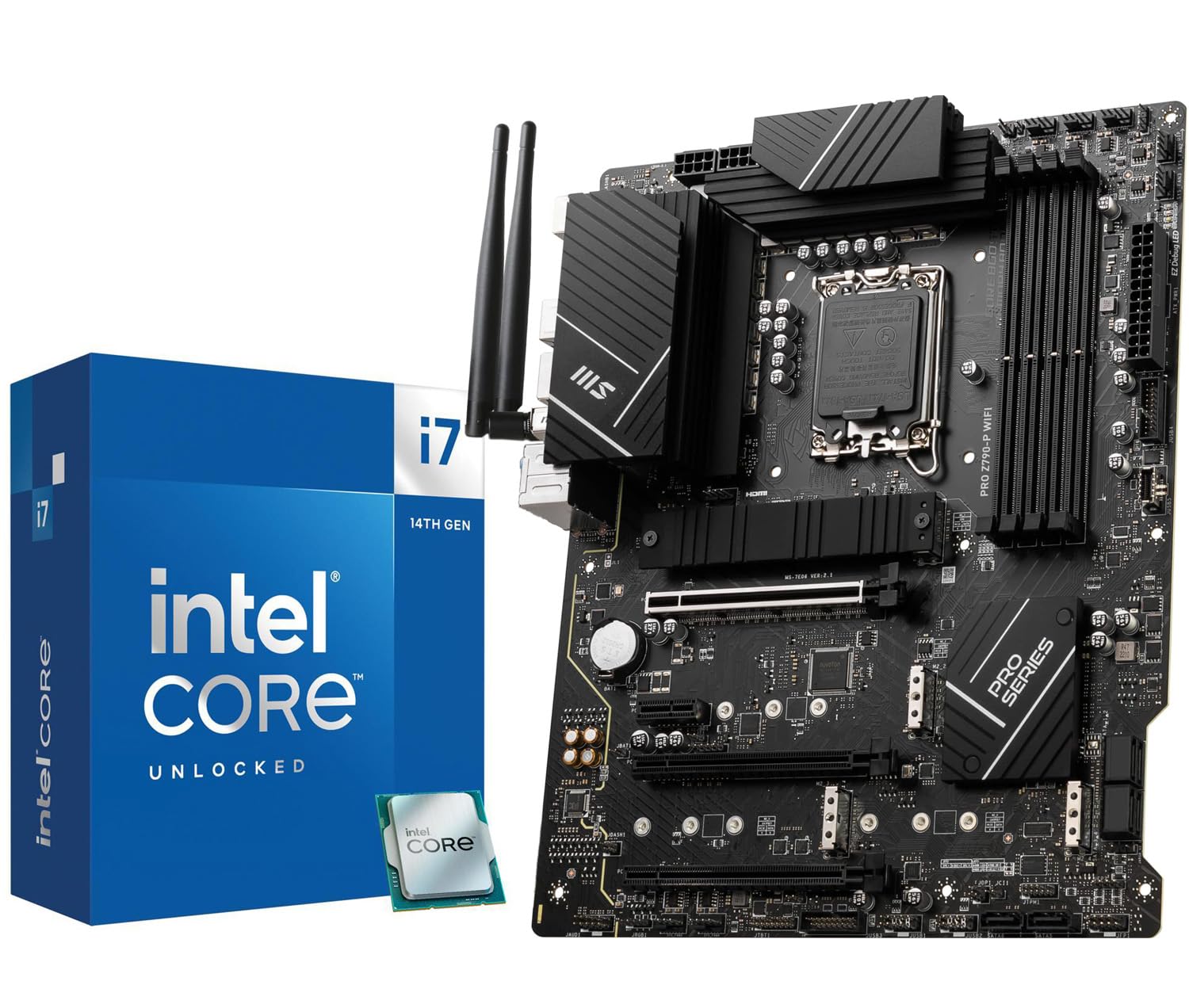
The INLAND bundle combines the Intel Core i7‑14700K—20 cores (8 P‑cores + 12 E‑cores) with 28 threads and a 5.6 GHz boost clock—with the MSI PRO Z790‑P WiFi motherboard, creating an all‑in‑one foundation for a high‑performance desktop. The i7‑14700K features integrated Intel UHD Graphics 770 for light GPU tasks and supports both DDR4 and DDR5 memory, giving builders flexibility on their RAM budget.
The MSI Z790 board brings PCIe 5.0 for the GPU slot, four PCIe 4.0 M.2 slots, and six SATA ports, plus a 14+1+1 55A DrMOS power stage design with extended heatsinks for sustained 200W+ loads. Users report fast boot times, stable memory overclocks up to DDR5‑7000, and straightforward BIOS setup for both gaming and productivity configurations.
Customer feedback is overwhelmingly positive, with buyers noting incredible value compared to purchasing the CPU and board separately. A small number of units have arrived with DOA components, so verify the return policy, but for most builders, this bundle delivers a complete 20‑core powerhouse at a mid‑range total cost.
Why it’s great
- Excellent price for a CPU + motherboard combination
- Four M.2 slots provide massive storage expansion
- Compatible with both DDR4 and DDR5 memory
Good to know
- Some units have arrived with defective CPU or board
- Z790 is a last‑gen chipset (no native Wi‑Fi 7)
4. Micro Center CPU Motherboard Combo – Core Ultra 7 265K + Asus TUF Z890

The Micro Center bundle features Intel’s Core Ultra 7 265K, a 20‑core (8 P‑cores + 12 E‑cores) processor with a 5.5 GHz boost and 36 MB of cache, paired with the Asus TUF Gaming Z890‑Plus WiFi motherboard. The 265K runs cooler and quieter than its predecessors thanks to Intel’s refined hybrid architecture, with users reporting peak gaming temperatures around 52°C on a Dark Rock Pro 5 air cooler.
The TUF Z890 motherboard brings a 16+1+2+1 80A DrMOS VRM, Thunderbolt 4 USB‑C, and built‑in Wi‑Fi 7 for ultra‑low latency networking. The board’s eight‑layer PCB and enlarged VRM heatsinks support sustained all‑core workloads without thermal throttling, making it a solid foundation for AI‑accelerated apps that leverage the NPU built into the Core Ultra silicon.
Buyers upgrading from older platforms describe the install process as straightforward, with excellent BIOS support from Asus and seamless compatibility with DDR5 memory kits rated up to 9066 MHz. The bundle offers a clean upgrade path for professionals who want a modern, power‑efficient 20‑core system with the latest connectivity standards.
Why it’s great
- Very low operating temperatures (52°C under gaming load)
- Wi‑Fi 7 and Thunderbolt 4 provide cutting‑edge connectivity
- High‑quality 80A DrMOS VRM for stable power delivery
Good to know
- Requires DDR5 memory to achieve full performance
- Bundle pricing may fluctuate significantly
5. HP Elite Mini 800 G9 (Intel Core i9‑14900T)
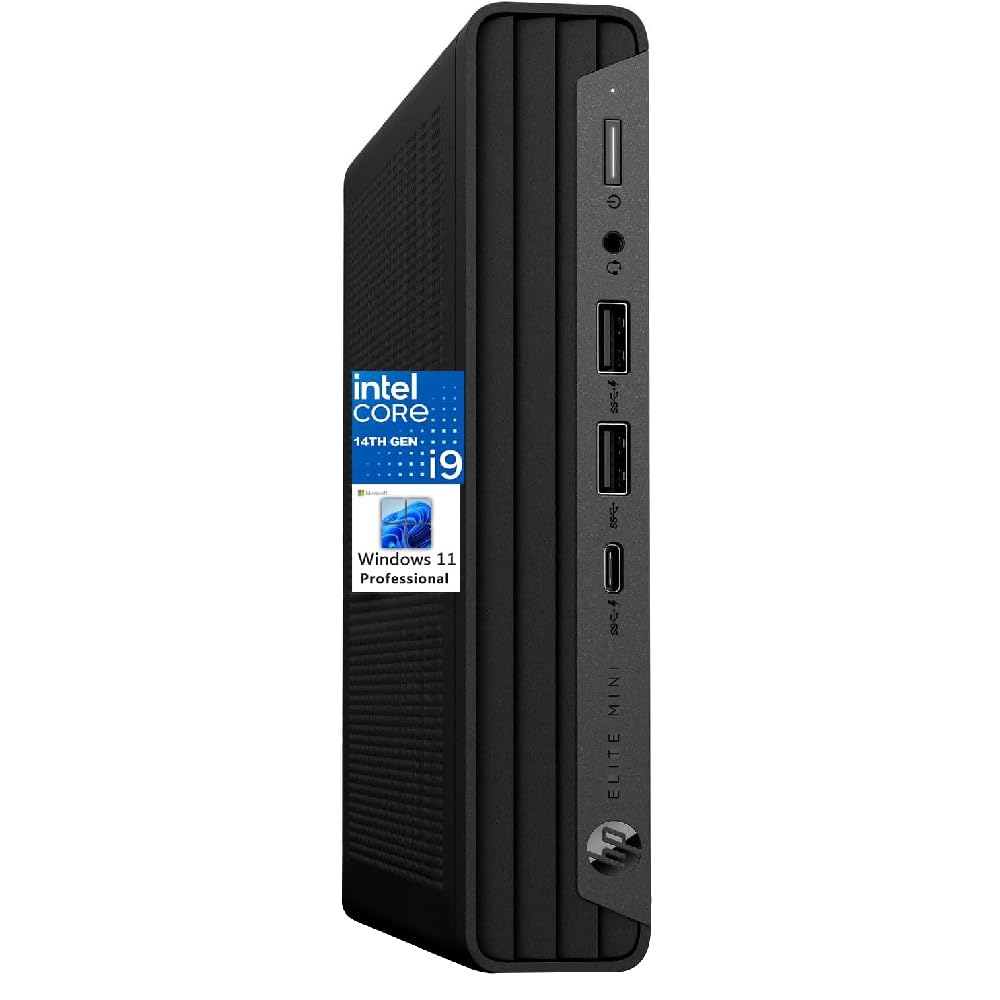
The HP Elite Mini 800 G9 packs a 14th Gen Intel Core i9‑14900T with 24 cores (8 P‑cores + 16 E‑cores) and 32 threads reaching 5.8 GHz boost, all inside a 1‑liter chassis. The 16 GB DDR5 RAM and 1 TB PCIe SSD provide snappy boot and application loading, while integrated Intel UHD Graphics 770 handles dual 4K display output via dual DisplayPort 1.4 and HDMI 2.1.
This mini PC is designed for business environments where desk space is premium—it sits easily behind a monitor or under a desk. Users praise the quiet operation, with the T‑series processor limiting peak power draw so the compact cooling solution remains barely audible even under sustained load. Wi‑Fi 6 and Bluetooth provide wireless connectivity, and the front USB‑C port supports 20 Gbps data transfers.
Customer reviews note that the learning curve for Windows 11 Pro is manageable, though default OneDrive settings can cause local file permission quirks. Some buyers received units with non‑original HP memory or drives, so purchasing from a verified seller is recommended. For enterprise deployments needing a small‑footprint 24‑core powerhouse, the Elite Mini 800 G9 delivers reliable performance.
Why it’s great
- 24 cores in an ultra‑compact 1‑liter chassis
- Very quiet operation ideal for office environments
- Dual DisplayPort 1.4 + HDMI 2.1 for triple monitor setups
Good to know
- Some units shipped with non‑original HP components
- Learning curve for Windows 11 default settings
6. Dell Pro Tower Plus (Intel Core Ultra 7 265)
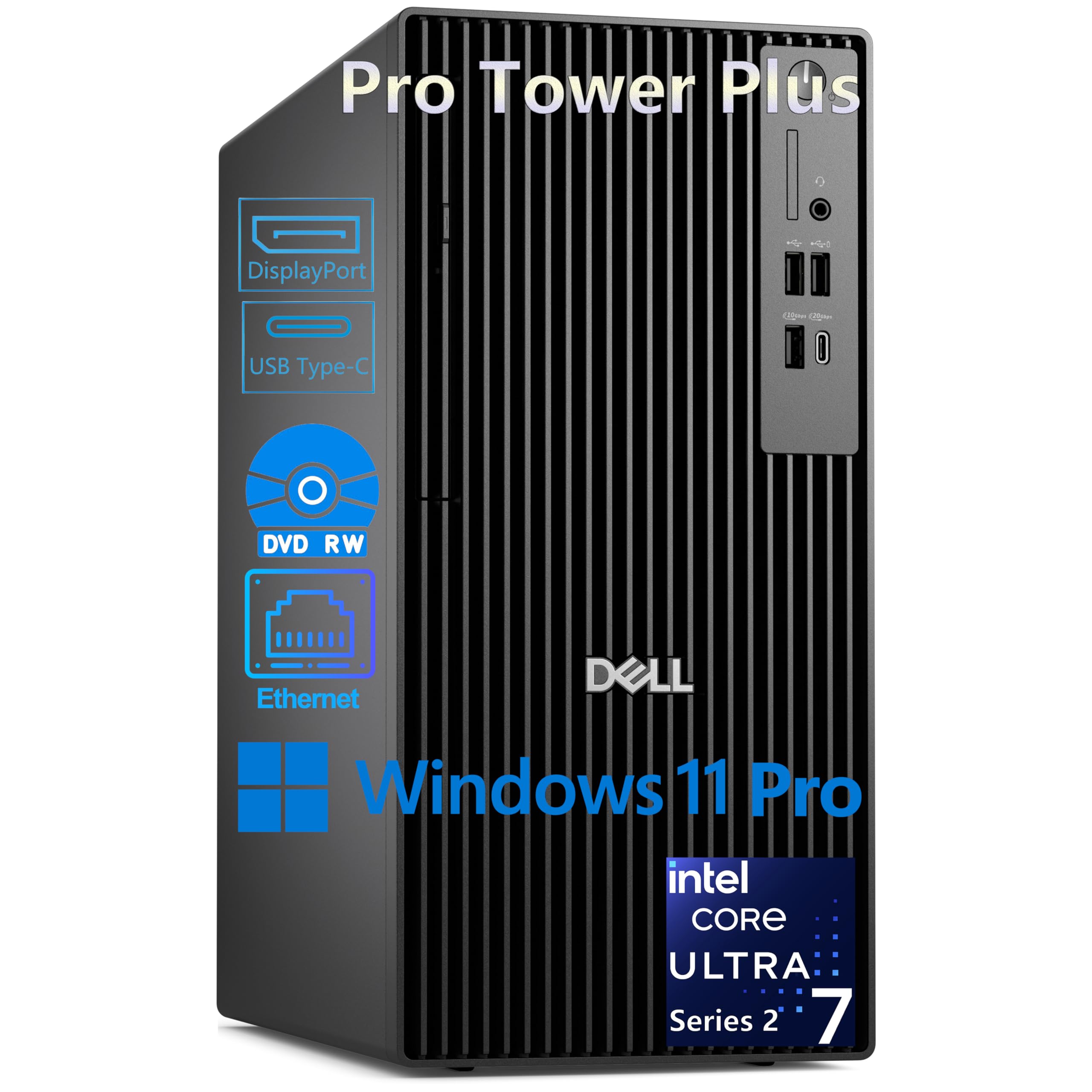
The Dell Pro Tower Plus features the Intel Core Ultra 7 265, a 20‑core (8 P‑cores + 12 E‑cores) processor with a 5.3 GHz boost and a dedicated 13 TOPS NPU for AI acceleration. This tower includes 32 GB of DDR5 RAM and a 2 TB PCIe NVMe SSD, with a DVD‑RW drive for legacy media support, making it suitable for corporate IT fleets that still rely on optical media.
The system drives up to three 4K displays via three DisplayPort 1.4a outputs, ideal for financial dashboards, CAD layouts, or data visualization. Extensive connectivity includes two USB‑C ports (front 20 Gbps, rear 10 Gbps), multiple USB‑A ports, and Gigabit Ethernet—though notably absent is built‑in Wi‑Fi, so plan for a wired connection or a USB Wi‑Fi adapter.
Customer feedback is mixed: many users love the blazing speed improvement over older machines, but some received units with loose display ports or used‑looking components. The Dell warranty and customer service have been responsive to defect complaints. For professionals needing a reliable 20‑core tower with AI offload capabilities and triple‑4K support, this is a strong contender.
Why it’s great
- Built‑in 13 TOPS NPU for AI task acceleration
- Triple 4K display support via DisplayPort
- Large 32 GB DDR5 + 2 TB SSD configuration
Good to know
- No built‑in Wi‑Fi (requires Ethernet or adapter)
- Some units shipped with quality control issues
7. AMD Ryzen Threadripper PRO 7965WX (24‑Core)
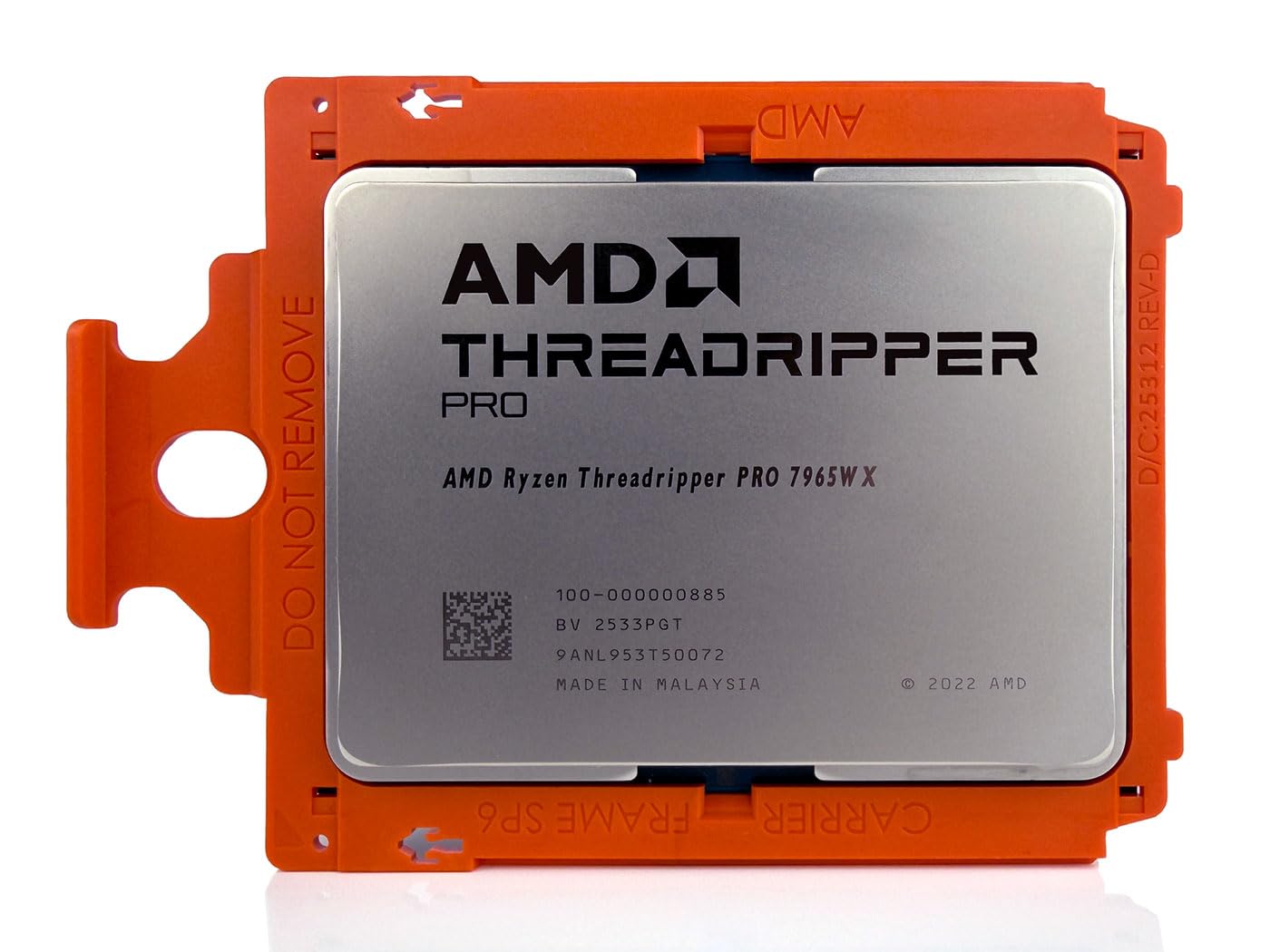
The AMD Threadripper PRO 7965WX brings 24 Zen 4 cores with 48 threads, a 5.3 GHz boost clock, and 128 MB of L3 cache to the workstation market. Built on the sTR5 socket with 128 PCIe 5.0 lanes, this chip is designed for multi‑GPU renders, complex CFD simulations, and 8K video workflows that demand maximum parallel processing and I/O bandwidth.
With support for 8‑channel DDR5 memory up to 2 TB, the 7965WX can handle memory‑intensive datasets without bottlenecking. AMD PRO Technologies add memory encryption and manageability for enterprise deployments. Users report excellent out‑of‑box performance with Unreal Engine 5, SolidWorks, and BIM software, noting that the 128 PCIe lanes eliminate GPU bottlenecks in multi‑card setups.
Customer reviews emphasize that this is a no‑compromise workstation chip, but it requires a matching sTR5 motherboard and a robust cooling solution—typically a 360mm AIO or custom loop. The OEM tray packaging means no retail box, but the Empowered PC 1‑year warranty covers defects. For professionals who need extreme throughput and memory capacity, the 7965WX delivers workstation‑class endurance.
Why it’s great
- 128 PCIe 5.0 lanes for massive multi‑GPU and NVMe arrays
- 8‑channel DDR5 memory support up to 2 TB
- Enterprise‑grade security with AMD PRO Technologies
Good to know
- Requires sTR5 workstation motherboard (expensive platform)
- OEM tray packaging (no retail box)
8. Dell Pro Tower PC (Intel Core i7‑14700, 64 GB RAM)

The Dell Pro Tower with the Intel Core i7‑14700 delivers 20 cores (8 P‑cores + 12 E‑cores) and 28 threads reaching 5.4 GHz boost, paired with a generous 64 GB of DDR5 RAM and a 2 TB PCIe SSD. This configuration is tailor‑made for financial modeling, 4K video editing, and running multiple virtual machines simultaneously without slowdowns.
The tower chassis includes an optical DVD‑RW drive and supports dual 4K displays via HDMI and DisplayPort outputs. Windows 11 Pro provides BitLocker encryption, remote desktop, and Hyper‑V virtualization for enterprise security. Buyers note the quiet fan profile and compact tower footprint, though the lack of built‑in Wi‑Fi may require a USB adapter for cable‑free setups.
Customer experiences are generally positive, with praise for fast boot times and seamless multitasking. Some units arrived with a non‑functional SSD, but Dell’s support team quickly replaced affected systems. The 64 GB RAM capacity makes this tower particularly appealing for power users who want a pre‑built 20‑core workstation without the hassle of DIY assembly.
Why it’s great
- 64 GB DDR5 RAM handles memory‑intensive workloads
- 20 cores provide strong all‑round productivity performance
- Windows 11 Pro with enterprise security features
Good to know
- No built‑in Wi‑Fi
- Some units have had SSD reliability issues
9. AMD Ryzen Threadripper 7970X (32‑Core)
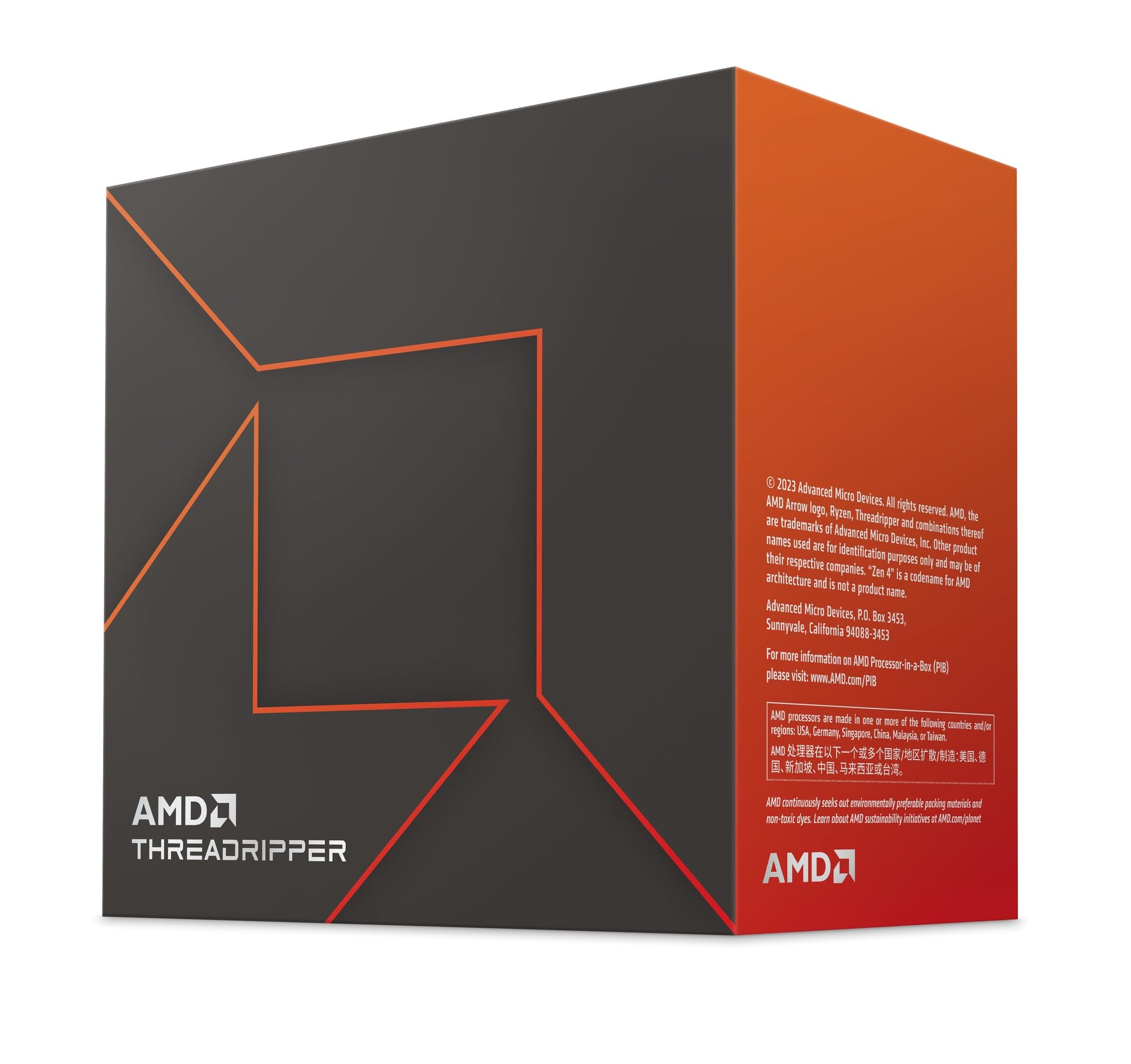
The AMD Threadripper 7970X takes high‑core computing to the next level with 32 Zen 4 cores and 64 threads, a 5.3 GHz boost clock, and a massive 160 MB total cache. With a 350W TDP and unlocked multiplier for automatic overclocking, this chip is built for extreme parallel workloads—Unreal Engine 5 compilation, scientific simulations, and simultaneous multi‑app rendering.
The 7970X supports quad‑channel DDR5 RDIMM memory up to 1 TB and provides 80 usable PCIe lanes for extensive storage and GPU expansion. Users on the Gigabyte Aero TRX50 board report excellent out‑of‑box stability with Kingston Fury DDR5 memory. The Noctua NH‑U14S TR5‑SP6 cooler is a popular air cooling choice, though a 420mm AIO or custom loop is recommended for sustained all‑core loads.
Customer feedback highlights the chip’s raw rendering power, with buyers noting that it handles 8K video exports and complex 3D scenes with ease. The 350W TDP means proper case airflow is non‑negotiable, and the high platform cost (sTR5 motherboard + DDR5 RDIMM) limits this CPU to serious workstation builds. For the ultimate in core density and thread count, the 7970X is a legitimate contender.
Why it’s great
- 32 cores and 64 threads for extreme parallel workloads
- 160 MB cache reduces memory latency in large datasets
- 80 PCIe lanes for extensive expansion
Good to know
- 350W TDP requires high‑end cooling solution
- High platform cost (specialized sTR5 board + RDIMM RAM)
10. msi PRO DP21 Mini Desktop (Intel Core i3‑13100)
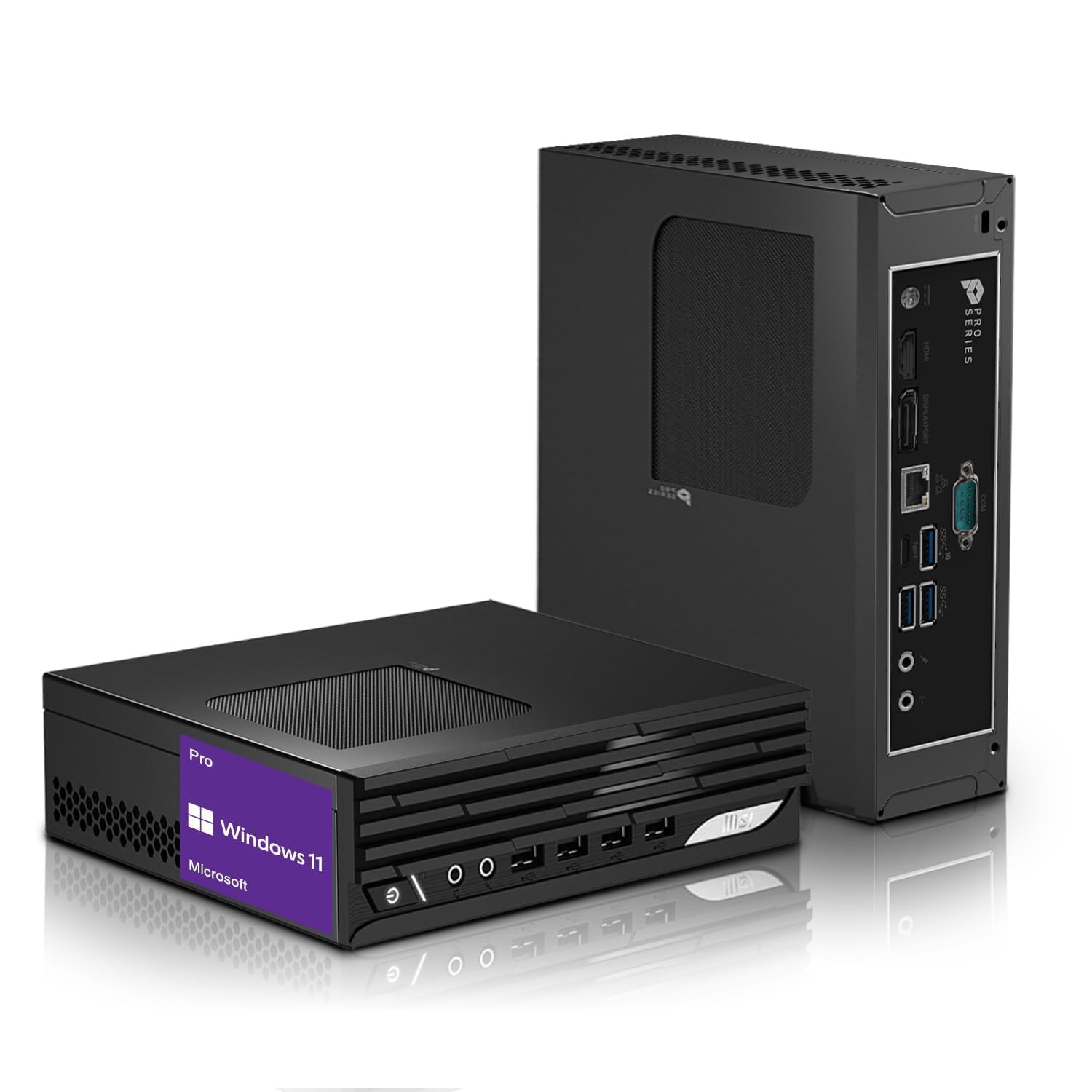
The msi PRO DP21 is a compact mini desktop powered by the Intel Core i3‑13100, featuring 4 cores (8 threads) with a 4.5 GHz turbo boost, 16 GB DDR4 RAM, and a 512 GB PCIe NVMe SSD. While not a 20‑core chip itself, this system offers a small‑form‑factor entry point for users seeking a space‑efficient PC with dual‑4K display support via HDMI and DisplayPort.
The mini PC’s dimensions allow it to fit on a rolling monitor stand or under a desk, making it ideal for home offices or reception desks. Connectivity includes USB‑C, multiple USB‑A ports, Gigabit Ethernet, and Wi‑Fi/Bluetooth for wireless peripherals. The included wired keyboard and mouse provide a ready‑to‑use experience out of the box.
Customer reviews highlight the quiet fan operation and snappy performance for everyday productivity tasks like web browsing, Office applications, and light spreadsheet work. A minority of users experienced system failures after several months, but for a basic office machine at this price tier, the msi PRO DP21 is a reliable, compact option.
Why it’s great
- Ultra‑compact design saves desk space
- Dual 4K display support for productivity
- Ready‑to‑use with included keyboard and mouse
Good to know
- Only 4 cores (not suitable for heavy multithreaded work)
- Limited upgradeability compared to standard towers
11. HP 17 Inch Business Laptop (AMD Ryzen 5 7430U)
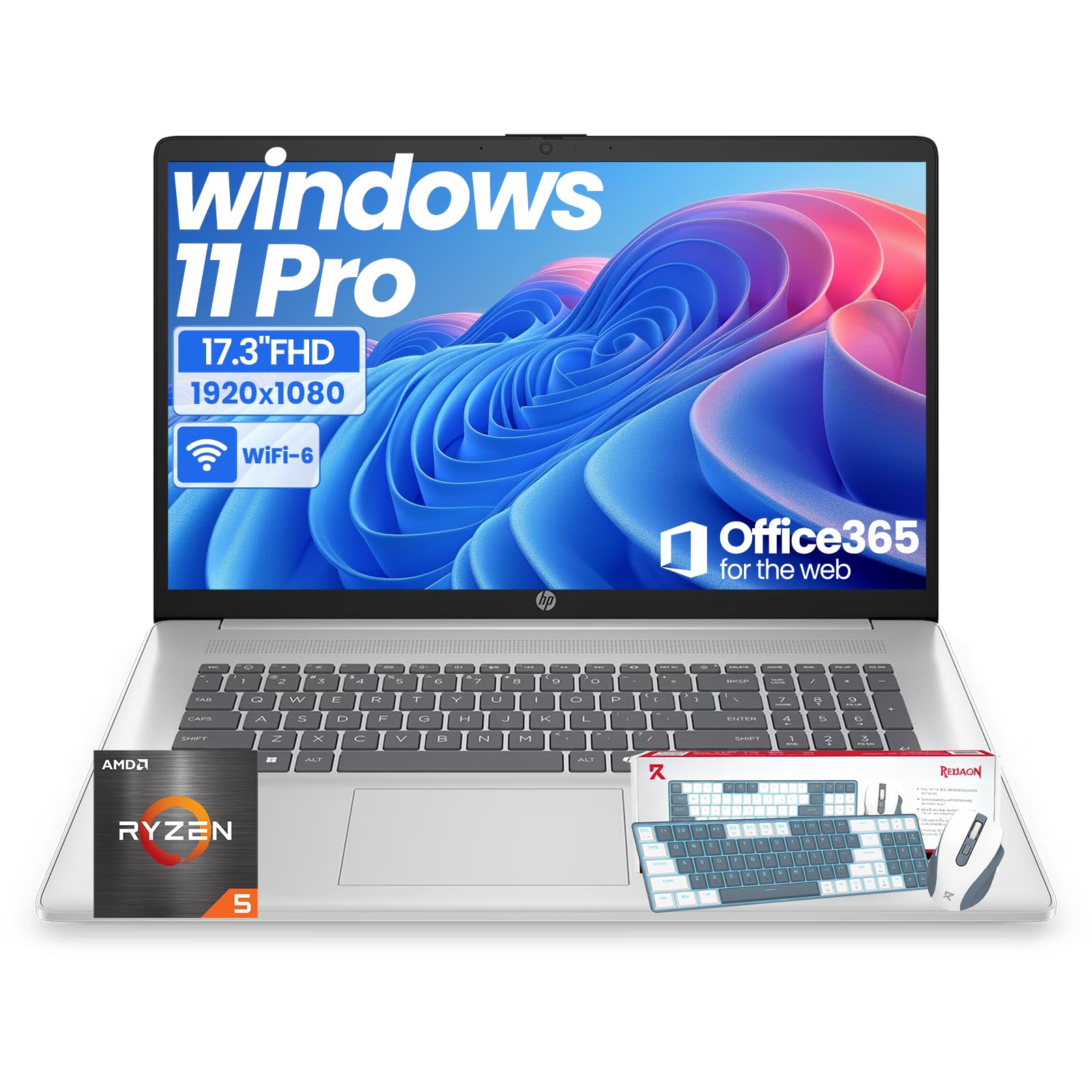
The HP 17 Business Laptop features the AMD Ryzen 5 7430U, a 6‑core (12‑thread) processor with Radeon Graphics, paired with 20 GB DDR4 RAM and a 512 GB SSD. While its core count is far below a 20‑core CPU, this laptop serves a distinct audience: professionals who need a large, anti‑glare 17.3″ FHD IPS display for side‑by‑side spreadsheets and presentations, along with a full numeric keypad.
The Ryzen 5 7430U sips power, enabling long battery life for mobile work, and the laptop ships with Windows 11 Pro and Office 365 for the web, plus a custom backlit wireless keyboard and mouse. Wi‑Fi 6 and Bluetooth 5.4 handle wireless connectivity, while multiple USB‑A and USB‑C ports support peripherals and external displays.
Buyers appreciate the large, easy‑to‑read screen and comfortable typing experience, making it a solid choice for note‑taking, research, and business communication. Performance is adequate for daily office tasks but not for 3D rendering or heavy code compilation. For users who prioritize screen real estate and portability over raw core count, the HP 17 delivers a productive mobile workspace.
Why it’s great
- 17.3″ FHD anti‑glare display reduces eye strain
- Full numeric keypad for data entry professionals
- Includes wireless keyboard and mouse
Good to know
- Only 6 cores (insufficient for demanding parallel workloads)
- Battery life is average for the large display size
FAQ
Do I need a 20‑core CPU for gaming?
Which motherboard chipset works best with a 20‑core Intel CPU?
What cooling is recommended for a 20‑core CPU under full load?
Final Thoughts: The Verdict
For most users, the best 20 core cpu winner is the Intel Core Ultra 9 285K because it combines the highest core count (24 cores) with the best power efficiency and thermal behavior for sustained professional workloads. If you want a blend of gaming and productivity without paying for a workstation platform, grab the AMD Ryzen 9 9900X3D. And for extreme parallel processing with quad‑channel memory and 128 PCIe lanes, nothing beats the AMD Threadripper PRO 7965WX.