
Constantly swapping HDMI cables behind your TV or monitor isn’t just annoying — it wears out ports and wastes time you could spend gaming or watching content. A high-quality 2 In 1 Out HDMI Splitter solves this by letting you connect two sources like a PS5 and Apple TV to a single display, switching between them instantly without unplugging a single wire. The challenge is picking a unit that actually handles 4K@120Hz or 8K without introducing blackouts, lag, or signal degradation.
I’m Min — the co-founder and writer behind Gadgets Feed. I’ve spent hours analyzing the technical specifications, customer feedback, and real-world performance data of the latest HDMI 2.1 and 2.0 switches to separate the reliable performers from the headache-inducing failures.
After parsing hundreds of verified reviews and comparing bandwidth, refresh rate support, and switching reliability, I’ve identified the models that genuinely deliver on their specs. This guide covers the top contenders for the best 2 in 1 out hdmi splitter for every setup and budget.
How To Choose The Best 2 In 1 Out HDMI Splitter
Not all 2 In 1 Out HDMI Splitters are created equal. A cheap unit might work fine for a 1080p Blu-ray player, but it will fail miserably when asked to pass 4K@120Hz with HDR from a gaming console. Here’s what you need to check before buying.
Bandwidth and HDMI Standard
The single most important spec is the HDMI version and bandwidth. Look for HDMI 2.1 with 48Gbps bandwidth if you plan on using a PS5, Xbox Series X, or high-end PC. This guarantees support for 4K@120Hz, 8K@60Hz, VRR, and ALLM. HDMI 2.0 switches max out at 18Gbps and will bottleneck high-frame-rate gaming.
Power Delivery: Passive vs. Active
Many budget-friendly switches are bus-powered, drawing 5V from the HDMI port. This works for short cable runs, but you risk signal drops with longer cables (over 10 feet). Premium switches include a USB power adapter or wall charger, providing consistent power for stable 4K@120Hz and 8K signals. If you’re running cables longer than 6 feet, an active (powered) switch is non-negotiable.
Switching Method: Auto vs. Manual
Auto-switching units detect the last active source and switch automatically. This is convenient but can cause issues if a device stays in a low-power state. Manual switches with a remote or button give you direct control and are more reliable for complex setups like a PC and a console sharing a monitor.
Audio and HDR Passthrough
If you’re using a soundbar or AV receiver, ensure the switch supports Dolby Atmos, DTS-HD Master Audio, and LPCM 7.1. For video, look for HDR10+ and Dolby Vision passthrough. Missing these means you lose the best audio-visual experience from your sources.
Quick Comparison
On smaller screens, swipe sideways to see the full table.
| Model | Category | Best For | Key Spec | Amazon |
|---|---|---|---|---|
| OREI 8K HDMI Switch | Premium | PS5/Xbox gaming with VRR & ALLM | 48Gbps, 4K@165Hz | Amazon |
| StarTech.com 2-Port 8K | Premium | Pro installs with wall mount | 48Gbps, metal housing | Amazon |
| Monoprice Blackbird | Mid-Range | Mixed auto-switch setups | 48Gbps, CEC support | Amazon |
| UGREEN HDMI 2.1 Switch | Mid-Range | Compact desktop PC/gaming | 48Gbps, 4K@240Hz | Amazon |
| llano HDMI 2.1 Switch | Mid-Range | Future-proof 8K @60Hz | 48Gbps, IR remote | Amazon |
| Enbuer 8K HDMI Switch | Entry-Level | Budget 8K compatibility | 48Gbps, 4K@144Hz | Amazon |
| GANA Aluminum Switch | Budget | Basic 1080p/4K@60Hz setups | 18Gbps, no power needed | Amazon |
In‑Depth Reviews
1. OREI 8K HDMI Switch 3 in 1 Out
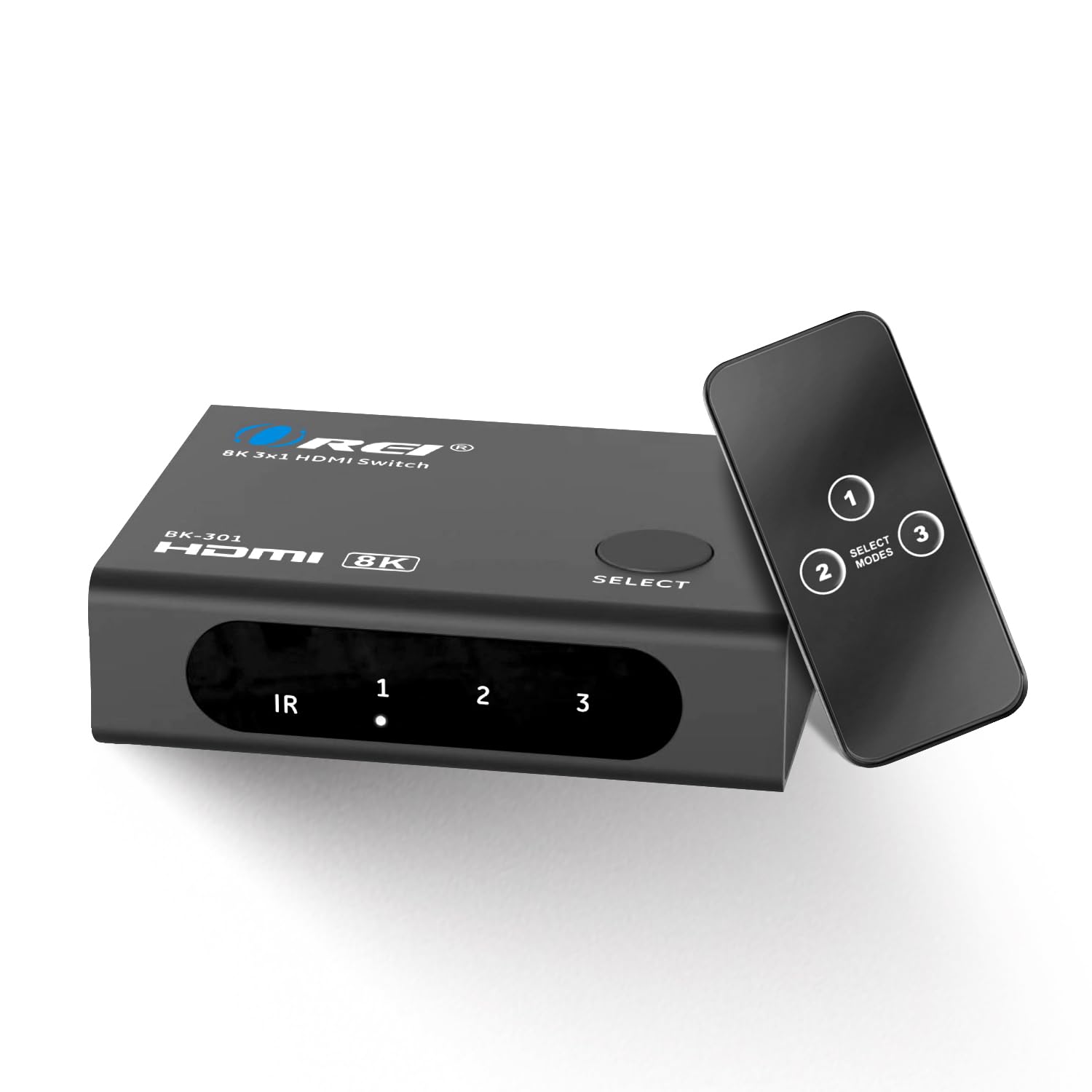
The OREI 8K HDMI Switch is the gold standard for gamers who need every feature the PS5 and Xbox Series X offer. It handles 4K@120Hz with VRR, ALLM, and HDR10+ passthrough flawlessly, and renegotiates the HDMI handshake instantly when switching inputs — a common pain point for lesser switches. Its compact aluminum body includes three input ports and a physical button plus a remote for manual control.
Multiple verified reviews confirm it works perfectly with PS5’s 4K@120Hz and VRR without any blackouts, a feat many cheaper switches fail at. It also supports Dolby Atmos and DTS-HD Master Audio, making it suitable for home theater setups. The included power adapter ensures stable signal delivery even with longer cable runs.
The only drawback is the lack of automatic input switching — you must use the button or remote. However, for the price, it delivers the most reliable 2-in-1-out HDMI 2.1 switching available, making it the top recommendation for high-end gaming setups.
Why it’s great
- Perfect VRR and ALLM passthrough for PS5/Xbox
- Sturdy aluminum build with front-facing LEDs
- Includes remote and power adapter for stable signal
Good to know
- No auto-switching — requires manual button or remote
- 3-port design may be overkill for simple 2-input setups
2. StarTech.com 2-Port 8K HDMI Switch

The StarTech.com is built for professional and permanent installations. Its metal housing, included wall-mount brackets, and rubber feet make it ideal for mounting behind a TV or inside a rack. It supports 8K@60Hz and 4K@144Hz with full HDR10+ and Dolby Vision passthrough, and it includes both an IR remote and a manual button for switching.
StarTech includes a USB wall charger and a USB Micro-B power cable, ensuring clean power delivery — a critical feature for maintaining stable 4K@120Hz signals over longer cable runs. Verified users report it works flawlessly with ultra-widescreen 5120×1440 monitors and solves handshake issues that plagued other switches.
The main complaint is that the included power adapter can be underpowered for some setups; using a dedicated 5V 1A charger resolves this. While it costs more than consumer-grade switches, the build quality and mounting options justify the premium for permanent or professional setups.
Why it’s great
- Professional-grade metal housing with wall-mount brackets
- Supports 8K@60Hz and ultra-widescreen resolutions
- Includes USB wall charger for clean, stable power
Good to know
- Included power adapter may need upgrading for some setups
- Higher price point compared to similar 2-port switches
3. Monoprice Blackbird 2×1 HDMI Switch

The Monoprice Blackbird strikes an exceptional balance between price and performance. It supports 8K@60Hz, 4K@120Hz, and all major HDR formats including Dolby Vision and HDR10+. It also passes LPCM 7.1, Dolby TrueHD, and DTS-HD Master Audio, making it a strong choice for home theater enthusiasts on a budget.
Verified users praise its flawless auto-switching capability, which seamlessly detects active sources without user intervention. It supports CEC (Consumer Electronics Control), allowing you to control the switch with your TV remote in some setups. Many found it works perfectly with Nintendo Switch, Apple TV, and Xbox without needing the USB power cable, though plugging it into a TV USB port adds stability.
Some users reported occasional screen dropouts with Xbox at 4K@120Hz, suggesting it may not be perfectly optimized for every high-bandwidth scenario. For most mixed-use setups combining streaming devices and consoles at 4K@60Hz, it performs exceptionally well and offers great value.
Why it’s great
- Excellent auto-switching and CEC support
- Compact size, often works without external power
- Supports Dolby Vision and all major audio formats
Good to know
- May have intermittent dropouts with Xbox at 4K@120Hz
- Plastic housing is less durable than metal alternatives
4. UGREEN HDMI 2.1 Switch 2 in 1 Out

UGREEN’s HDMI 2.1 switch is built for the performance-oriented user who needs a compact, no-fuss solution. It supports up to 4K@240Hz and 8K@60Hz with 48Gbps bandwidth, along with VRR, FreeSync, and G-Sync compatibility — making it an excellent choice for high-refresh-rate PC gaming via a single monitor.
The unit is remarkably small at 2.7 x 2.7 inches and features two LED indicators that clearly show which input is active. UGREEN includes a power cable, though many users found it works reliably even without it for standard setups. The switch is unidirectional and does not support 1-in-2-out mode, which is typical for this category.
One important limitation is that it does NOT support auto-switching or ARC/eARC. You must press the button to change inputs. Some users also note it requires a high-quality certified HDMI 2.1 cable under 10 feet to achieve 8K@60Hz. For a compact, reliable switch that prioritizes raw bandwidth and refresh rate support, the UGREEN is a solid mid-range pick.
Why it’s great
- Supports up to 4K@240Hz for competitive gaming
- Extremely compact, fits easily behind a monitor
- Works with FreeSync and G-Sync for tear-free gameplay
Good to know
- No auto-switching — manual button press required
- Does not support ARC/eARC for soundbar audio return
5. llano HDMI 2.1 Switch 2 in 1 Out

The llano HDMI 2.1 switch is an excellent choice for users who want full 8K@60Hz and 4K@240Hz support at a mid-range price point. It features three switching methods: automatic source detection, IR remote control, and a manual push button. This flexibility makes it convenient for both casual and advanced users.
Its advanced HDMI 2.1 signal amplification chipset ensures stable transmission even with longer or lower-quality HDMI cables, effectively minimizing screen flickering and signal degradation. Verified users confirm it works flawlessly with Xbox Series X and Switch 2 at 4K@120Hz with VRR, and the auto-switching is reliable when only one device is active at a time.
A few users reported issues with PS5 3D audio requiring a direct TV connection, and the remote requires direct line of sight to function. Additionally, some experienced problems with eARC on Apple TV. For most gaming and streaming setups, however, this switch delivers impressive performance and features for its price tier.
Why it’s great
- Three switching methods: auto, remote, and button
- Signal amplification chipset for stable long-cable runs
- Supports 8K@60Hz and 4K@240Hz with VRR
Good to know
- Remote requires direct line of sight
- Some reported issues with eARC on Apple TV
6. Enbuer 8K HDMI 2.1 Switch 2 in 1 Out
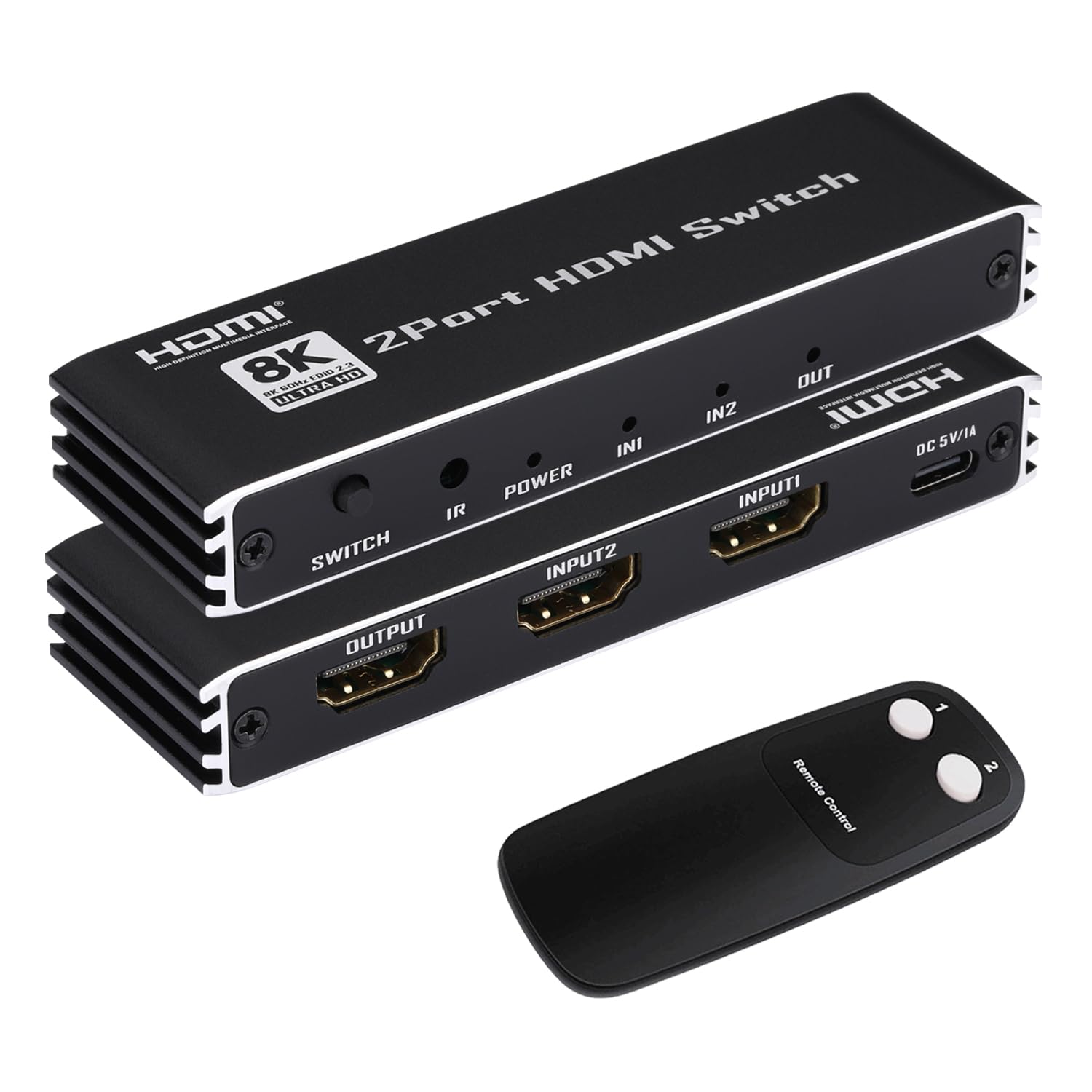
The Enbuer 8K HDMI Switch offers an affordable entry point into HDMI 2.1 switching without sacrificing core performance specs. It supports 8K@60Hz, 4K@144Hz, and 4K@120Hz with 48Gbps bandwidth, and includes both a manual button and an IR remote for switching. Its aluminum alloy construction provides better heat dissipation and durability than plastic alternatives.
Users report that it works well for switching between a Blu-ray player and streaming devices, with straightforward plug-and-play setup. The switch includes a Type-C power cable for optional external power, which can help stabilize the signal for demanding resolutions. Backward compatibility with all previous HDMI standards ensures it works with older devices too.
Some users noted that the switch button is on the back rather than the top, making it slightly less convenient to press manually when the unit is mounted behind a display. There were also isolated reports of needing to unplug and reconnect the power for certain iMac mirroring setups. For the price, the Enbuer delivers reliable 8K and 4K@120Hz switching for budget-conscious buyers.
Why it’s great
- Affordable 8K@60Hz and 4K@144Hz support
- Aluminum alloy housing for durability and heat management
- Includes IR remote and Type-C power cable
Good to know
- Button placement on the back is less convenient
- May require power cycling for some Mac setups
7. GANA Aluminum Bidirectional HDMI Switcher 2 in 1 Out
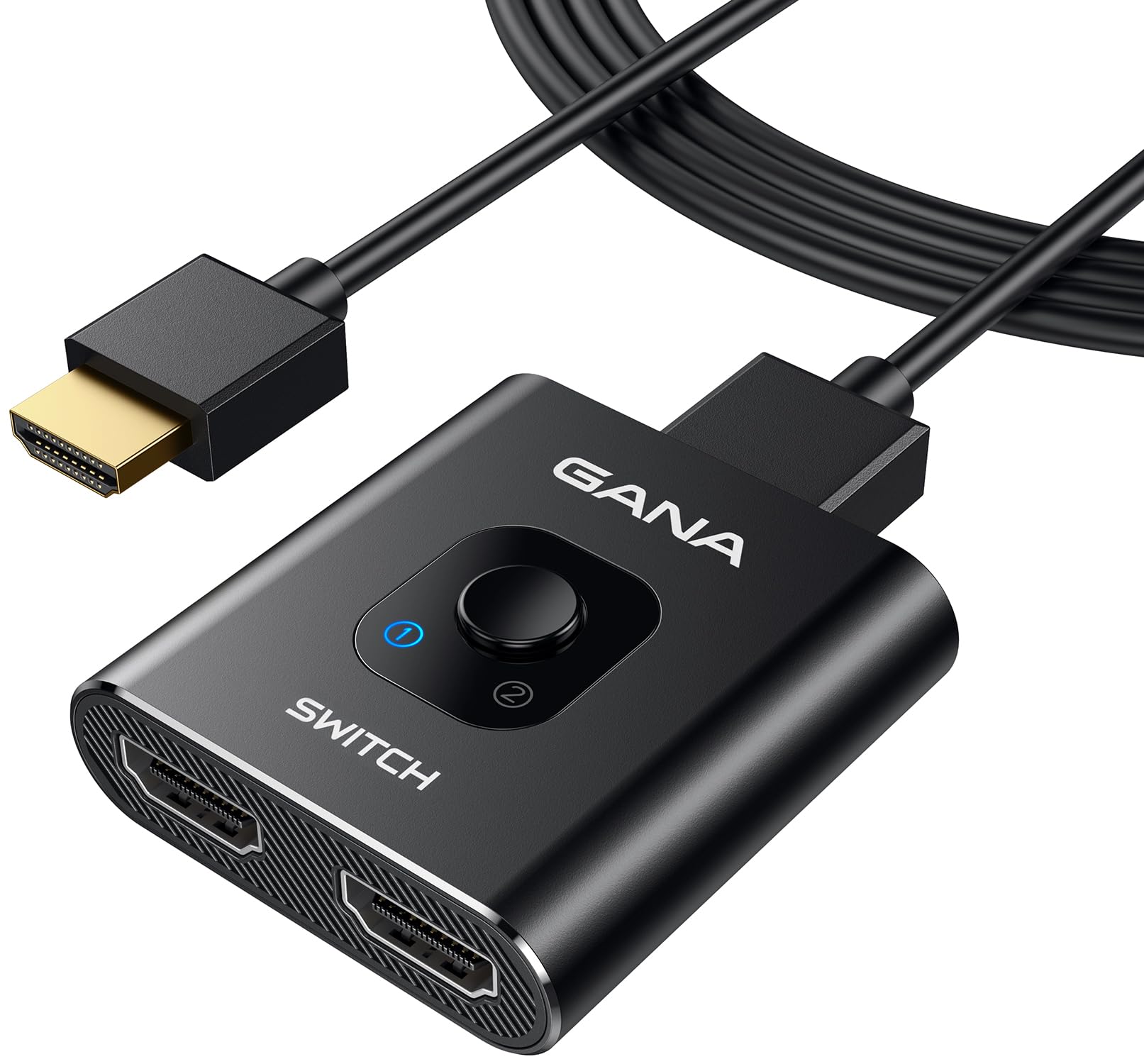
The GANA Aluminum HDMI Switcher is the most budget-friendly option in this guide, and it serves a specific niche well. This is a bidirectional switch that can work as a 2-in-1-out or a 1-in-2-out device, giving you flexibility in how you route signals. It supports 4K@60Hz with 18Gbps bandwidth, which is HDMI 2.0 spec — fine for streaming devices, Blu-ray players, and last-gen consoles.
Its all-aluminum body is surprisingly solid for the price, and the LED indicators clearly show which input is active. The switch is bus-powered, requiring no external power, making it truly plug-and-play. Verified users praise its reliability for basic setups like connecting a Samsung TV to limited ports, or for toggling between a PC and a console on a single monitor.
The main limitation is that it does NOT support HDMI 2.1 features like 4K@120Hz, VRR, or HDR10+. Additionally, some users found it doesn’t work well with long HDMI cables (over 10 feet) as the 5V power draw from the HDMI port isn’t enough to maintain a stable 4K signal over distance. For a simple, low-cost solution for 1080p or 4K@60Hz setups, the GANA is a reliable and affordable choice.
Why it’s great
- Bidirectional — works as 2-in-1-out or 1-in-2-out
- Solid aluminum construction at an entry-level price
- True plug-and-play with no external power required
Good to know
- HDMI 2.0 only — no 4K@120Hz or VRR support
- Signal drops with long HDMI cables due to bus power only
FAQ
Does a 2 In 1 Out HDMI Splitter support 4K@120Hz with VRR?
Can I use this switch to send one source to two displays at the same time?
Why does my HDMI switch cause black screens or flickering?
Will a 2 In 1 Out HDMI Splitter work with Dolby Atmos and Dolby Vision?
Final Thoughts: The Verdict
For most users, the best 2 in 1 out hdmi splitter winner is the OREI 8K HDMI Switch because it delivers flawless VRR, ALLM, and HDR10+ passthrough for modern consoles at a competitive price. If you want professional-grade build quality and wall-mount flexibility, grab the StarTech.com 2-Port 8K Switch. And for a compact, high-refresh-rate solution for PC gaming, nothing beats the UGREEN HDMI 2.1 Switch.