
Your parents’ VHS collection, the N64 you refuse to retire, that box of Hi8 camcorder tapes — they all speak one language: analog RCA. Your brand-new OLED TV, however, only hears HDMI. Bridging that decades-old signal gap without destroying video quality or introducing lag is the exact engineering problem a proper adapter solves.
I’m Min — the co-founder and writer behind Gadgets Feed. I’ve spent countless hours parsing the difference between basic chipset pass-through and genuine upscaling, comparing sampling rates, and cross-referencing user reports on retro console compatibility across dozens of models.
Shopping for the right one is tougher than it looks, so I assembled this guide to the rca to hdmi adapter that actually delivers clean 1080p output without weird artifacts.
How To Choose The Best RCA To HDMI Adapter
Not every box that converts composite signals to HDMI is built the same. Some simply pass through a muddy 480i signal, while others cleanly upscale to 1080p. The choice depends on what you are connecting and how much you care about image integrity.
Sampling Rate and Chipset Quality
The single most important spec nobody talks about is the ADC sampling rate. A basic chip samples at 54MSPS, which works for a quick DVD hookup but introduces softness and color bleed on game consoles. Premium converters use a 10-bit ADC sampling at 162MSPS — this preserves fine detail like text in SNES menus and keeps composite artifacts like dot crawl under control.
Number of Input Ports
If you are hooking up one VCR, a single-port adapter is fine. But retro gamers often connect four or five consoles simultaneously. A 4-port switch with an IR remote eliminates the hassle of crawling behind the TV to unplug and replug RCA cables. The trade-off is additional wiring and a slightly larger box to hide in your entertainment center.
4:3 Aspect Ratio Support
Most cheap converters force a 16:9 widescreen output, which stretches your classic 4:3 game or movie into a distorted mess. Look for a unit with a physical toggle or remote control that lets you preserve the original 4:3 aspect ratio with black bars on the sides. This feature alone separates the decent adapters from the truly useful ones.
Quick Comparison
On smaller screens, swipe sideways to see the full table.
| Model | Category | Best For | Key Spec | Amazon |
|---|---|---|---|---|
| ClearClick AV to HDMI 3.0 | Premium | Image adjustment & S-Video | Remote Control for Hue/Contrast | Amazon |
| OseTub 4 Port | Premium | Multi-console retro setups | 10-bit 162MSPS Sampling | Amazon |
| ZUZONG 4 Port | Premium | Aluminum build durability | Durable Aluminum Enclosure | Amazon |
| BolAAzuL 4 Port | Mid-Range | 4 input sources with remote | IR Remote & Button Switch | Amazon |
| Sedytetoc Dual Port | Mid-Range | Two-device home setups | 4:3/16:9 Aspect Switch | Amazon |
| TIXILINBI Male RCA | Budget | Simple DVD/STB connection | Male RCA Input Connector | Amazon |
| Uzifhdhi RCA to HDMI | Budget | Basic single-device use | 720p/1080p Toggle Switch | Amazon |
In‑Depth Reviews
1. ClearClick AV to HDMI Converter 3.0
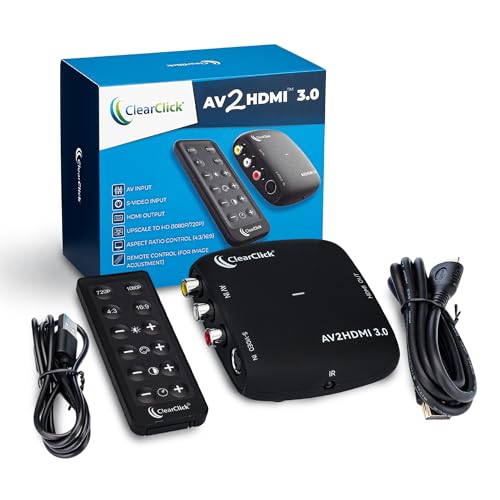
The ClearClick 3.0 stands apart from the crowd because it gives you actual image control via a dedicated remote. You can adjust brightness, contrast, saturation, and hue to compensate for old tape degradation or overly warm console outputs — no other adapter in this roundup offers that granularity.
It supports both standard RCA composite and S-Video inputs, making it the best option for Hi8 camcorders and higher-end VCRs. The upscaler pushes the signal to a crisp 1080p, and the remote lets you choose between preserving the original 4:3 look or stretching to 16:9. It handles both PAL and NTSC formats without issue.
ClearClick backs this with a 2-year warranty and US-based tech support, which is rare at this tier. There is one bad review citing a defective unit, but the overwhelming majority report flawless performance with VCRs, old CD-i players, and retro consoles. If you want the most refined conversion experience, this is it.
Why it’s great
- Full image adjustment (brightness, contrast, saturation, hue) via remote
- S-Video input for higher quality analog sources
- 2-year warranty with US-based support
Good to know
- Some units reported with signal defects
- No 4-port switching available
2. OseTub 4 Port RCA to HDMI Converter

The OseTub is the sweet spot if you have multiple retro consoles or VCRs. Its 10-bit ADC with 162MSPS sampling delivers noticeably cleaner composite-to-HDMI conversion than budget chips, preserving fine text on SNES menus and reducing the rainbow artifacts common with composite video.
Four RCA inputs mean you can keep a Wii, PS2, N64, and a VCR all plugged in simultaneously. The included IR remote lets you switch inputs from the couch, and there is a physical button on the unit for backup. It supports both 4:3 and 16:9 aspect ratios, which is critical for preventing stretched retro games.
The package includes a power adapter, HDMI cable, USB cable, and remote. Users consistently praise the picture quality and ease of use, noting it outperforms cheaper single-port adapters they tried previously. If you are building a dedicated retro station, this is the most practical pick.
Why it’s great
- 4-port switching with IR remote convenience
- Superior 10-bit 162MSPS ADC chipset
- 4:3 and 16:9 aspect ratio toggle
Good to know
- Larger footprint than single-port adapters
- Remote requires line of sight
3. ZUZONG 4 Port RCA to HDMI Converter

The ZUZONG distinguishes itself with a durable aluminum housing that dissipates heat better than plastic enclosures. This matters if you plan to run the converter for long gaming sessions — cheaper units can drift in color accuracy as they heat up. The aluminum chassis stays cool and stable.
It features the same 10-bit 162MSPS sampling core as the OseTub and supports 4:3/16:9 switching via an IR remote. The compact dimensions (6.7 x 3.2 x 0.8 inches) make it easier to tuck into tight entertainment centers. Users report excellent compatibility with N64, SNES, Wii, and PS3 with no perceivable lag on modern displays.
One clear advantage is the inclusion of a proper power adapter in the box — no hunting for a spare phone charger. The unit also handles the PAL and SECAM color standards, making it suitable for international retro collections. For a robust, long-lasting 4-port switch, this is the best-built option.
Why it’s great
- Aluminum enclosure for thermal stability
- Power adapter included in the package
- Compact dimensions for tight setups
Good to know
- Some consoles require a power cycle after outage
- Picture can appear slightly washed out on certain TVs
4. BolAAzuL 4 Port RCA to HDMI Converter
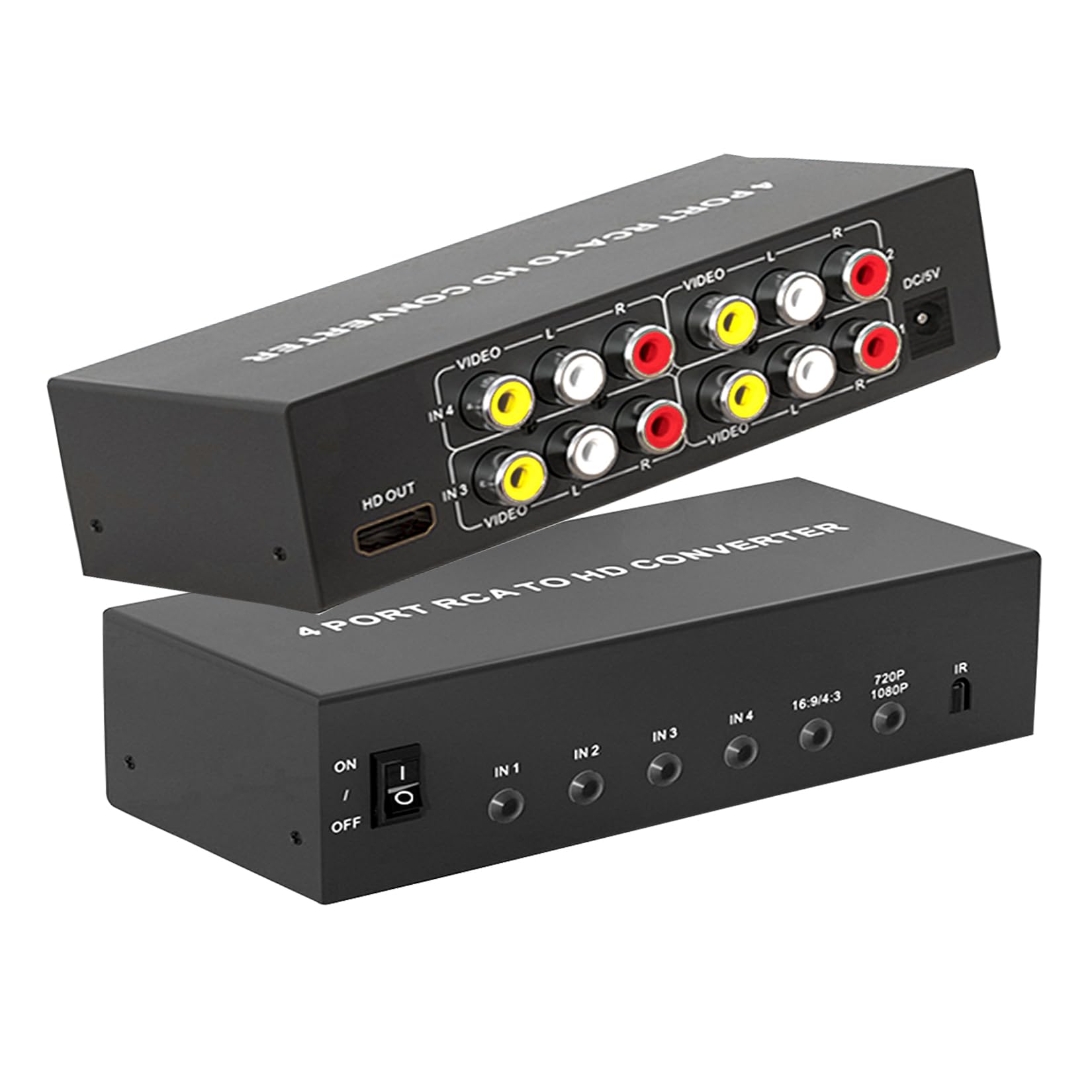
The BolAAzuL 4-port delivers genuine multi-device convenience at a mid-range price point. It handles up to four RCA sources simultaneously — perfect if you need to toggle between a Wii, PS2, VCR, and DVD player without crawling behind the TV. The IR remote works reliably from across the room, and there is a tactile button on the unit itself.
It supports 720p and 1080p output with a physical switch, and the aspect ratio can be toggled between 4:3 and 16:9. A customer specifically noted this adapter produces the clearest Wii picture they had seen compared to two other converters they tested earlier, with noticeably sharper on-screen fonts.
The included power adapter provides stable current, preventing the random blackouts some USB-powered budget units experience. The only catch is the remote requires 2 AAA batteries (not included). For a well-rounded 4-port converter with solid image quality, this is a strong contender.
Why it’s great
- Four RCA inputs for complex setups
- Sharp output specifically noted for Wii gaming
- Stable power adapter prevents dropouts
Good to know
- Remote batteries not included
- Lots of cables can clutter an open cabinet
5. Sedytetoc Dual RCA to HDMI Converter

This dual-port unit is designed for the simple home setup where you just need two RCA devices — say, a VCR and a DVD player — connected to one TV. It includes two female-to-female RCA couplers, so you can connect devices with either male or female RCA outputs without hunting for adapters.
The standout feature here is the dedicated 4:3/16:9 aspect ratio switch, which many cheap adapters omit entirely. Users report it works flawlessly for VHS playback on modern TVs, with one customer using it to let their elderly parents easily switch between VCR and DVD content. The push-button input selection is intuitive enough for non-tech-savvy users.
It ships with all necessary cables, so no extra purchases are required. The only downside is the cable clutter — the VCR and DVD cables plus the power and HDMI wires can look messy in an open cabinet. If you can manage the wiring, this is a slick solution for a two-device retro media station.
Why it’s great
- Two RCA inputs reduce cable swapping
- 4:3/16:9 aspect ratio toggle included
- Comes with female-to-female RCA couplers
Good to know
- Creates noticeable cable clutter
- No IR remote for input switching
6. TIXILINBI Male RCA to HDMI Converter

The TIXILINBI is a straightforward, no-frills converter that gets the job done for basic RCA-to-HDMI tasks. It uses a male RCA connector, meaning it plugs directly into female RCA jacks on a source device like a DVD player or STB — but you will need a female-to-female coupler for consoles that also have male RCA outputs.
It supports 720p and 1080p output via a toggle switch on the unit. Users confirm it works well for VHS-C tapes and DVD combo players, delivering surprisingly clean video quality for an entry-level device. The package includes RCA cables, an HDMI cable, and a USB power cable, so you are ready to go out of the box.
Be aware that the power adapter is not included — you must supply your own 5V/1A USB power brick. This keeps the upfront cost lower, but it is an extra step. If you need a simple, reliable solution for one device and you already have a USB wall charger, this is the most cost-effective way to get your retro content on a modern screen.
Why it’s great
- Complete cable set included (RCA, HDMI, USB)
- Simple plug-and-play operation
- Excellent value for single-device setups
Good to know
- Requires a 5V USB power adapter (not included)
- Male RCA design needs coupler for some consoles
7. Uzifhdhi RCA to HDMI Converter
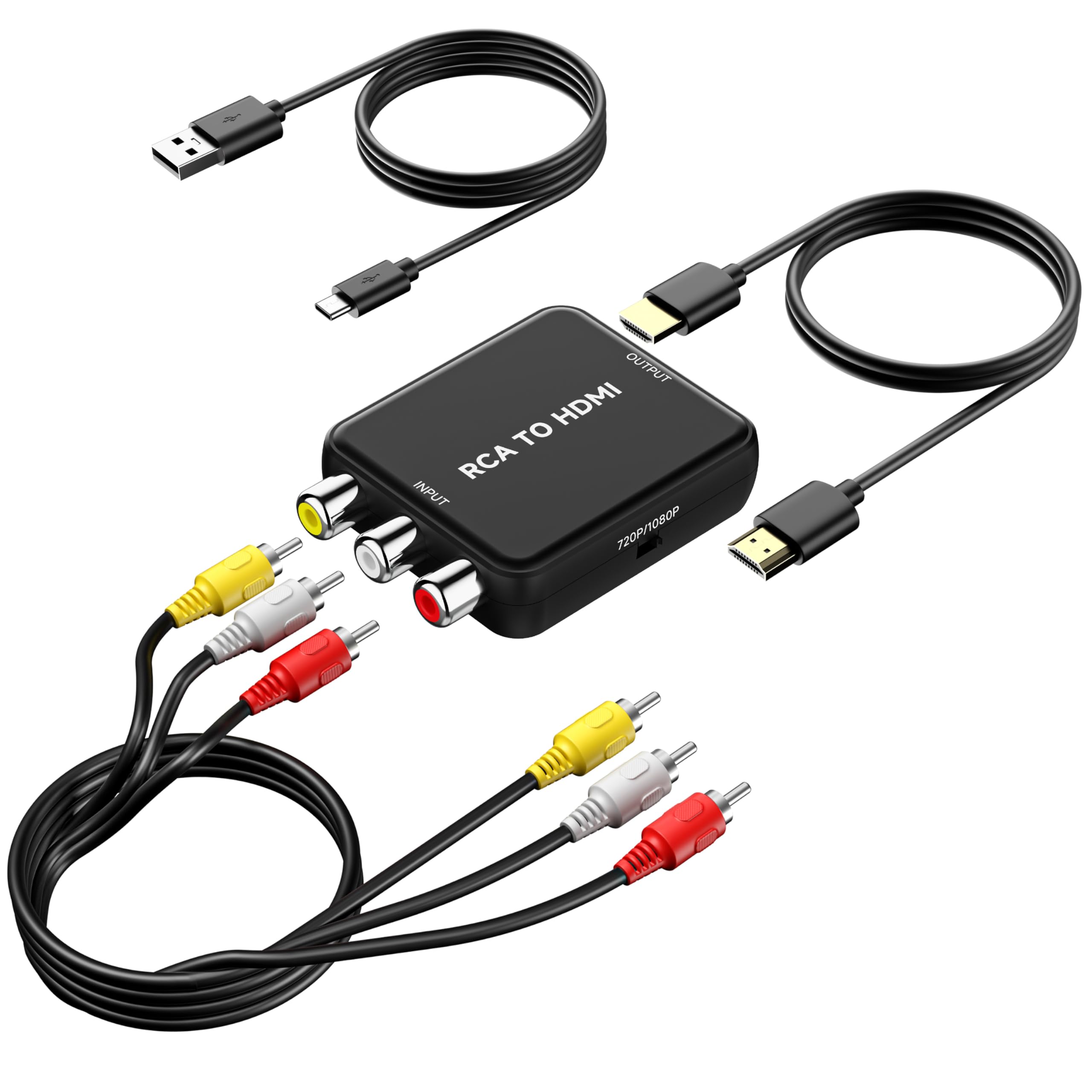
The Uzifhdhi is the most affordable adapter in this guide, designed for the buyer who just needs to check a box: get old composite video onto a modern HDMI display. It supports PAL, NTSC, SECAM, and other regional standards, making it one of the most format-flexible options at this price floor.
It ships with HDMI and RCA cables plus a USB power cable, though you will need to supply your own 5V wall adapter. The toggle on the side lets you select 720p or 1080p output. Users report that it faithfully reproduces 480i signals without lag or artifacts, working perfectly with SNES, N64, GameCube, and VCRs on large OLED panels.
One reviewer specifically praised it as the best way to play retro games on their 77-inch OLED, noting a clear, playable image with no flickering or disconnects. The main catch is the missing power adapter — many buyers are caught off guard. If you are on a tight budget and have a USB charger handy, this is a functional entry point into analog-to-digital conversion.
Why it’s great
- Broad format support (PAL, NTSC, SECAM)
- Clean 480i reproduction on large screens
- Includes HDMI and RCA cables
Good to know
- Power adapter not included
- Single RCA input only
FAQ
Will an RCA to HDMI adapter introduce input lag on retro game consoles?
Can I use an RCA to HDMI converter for both PAL and NTSC sources?
Why does my picture look stretched or distorted after conversion?
Do I need a separate power supply for the converter?
Can I use an RCA to HDMI adapter in reverse (HDMI to RCA)?
Final Thoughts: The Verdict
For most users, the best rca to hdmi adapter is the ClearClick AV to HDMI 3.0 because it offers unmatched image adjustment via its remote and supports S-Video for higher-quality analog sources. If you need to connect multiple retro consoles simultaneously, grab the OseTub 4 Port for its superior 10-bit ADC and convenient IR switching. And for a simple, single-device connection on a budget, nothing beats the straightforward value of the Uzifhdhi.