
A WiFi extender that constantly drops connection or forces you to re-enter passwords every few hours isn’t a solution — it’s another source of frustration. The right extender, however, turns a one-bar corner of your home into a fully usable zone for 4K streaming, Zoom calls, and smart home devices without noticeable lag. The difference comes down to dual-band architecture, antenna design, and whether the unit supports seamless roaming or mesh protocols.
I’m Min — the co-founder and writer behind Gadgets Feed. I’ve spent countless hours analyzing the technical specs, real-world customer feedback, and performance benchmarks of over 70 WiFi extenders to separate the ones that genuinely fix dead zones from those that just advertise big coverage numbers.
This guide breaks down the real performance metrics, setup quirks, and signal reliability of seven top contenders so you can confidently decide whether are wifi extenders good for your specific home layout and internet usage patterns.
How To Choose The Best WiFi Extender
Picking the right extender starts with understanding your home’s layout, the construction of your walls, and the number of devices you need to support simultaneously. A unit that works perfectly in a 1,200 sq. ft. apartment may struggle in a 2,500 sq. ft. home with brick or plaster walls. Here are the critical factors to evaluate.
Dual-Band vs. Tri-Band vs. Mesh
A dual-band extender (2.4 GHz + 5 GHz) handles typical browsing and streaming, but it shares bandwidth between the backhaul connection to your router and the devices connected to it. Tri-band extenders add a dedicated 5 GHz band for the backhaul, which prevents speed halving. Mesh systems like the TP-Link Deco S4 go a step further by using a single network name and seamless roaming, so your device switches between nodes without dropping the connection during a video call or game.
Coverage vs. Construction Reality
Manufacturers often quote theoretical coverage in open air, but drywall, concrete, brick, and metal studs all attenuate signals differently. A unit rated for 12,880 sq. ft. may only cover half that in a home with plaster walls or multiple floors. Look for extender models with high-gain external antennas and beamforming technology, as they focus the signal toward connected devices rather than broadcasting in an unfocused sphere.
Ethernet Ports and Multi-Gig Support
If you plan to connect a gaming console, smart TV, or desktop PC to the extender, at least one Gigabit Ethernet port is essential. Premium extenders now include 2.5 Gbps ports for multi-gig internet connections. This direct wired link bypasses wireless congestion and delivers the lowest possible latency for applications where every millisecond counts.
Quick Comparison
On smaller screens, swipe sideways to see the full table.
| Model | Category | Best For | Key Spec | Amazon |
|---|---|---|---|---|
| TP-Link RE653BE BE10000 | Tri-Band WiFi 7 | Future-proof, heavy streaming & gaming | 10 Gbps total bandwidth, 2.5 GbE port | Amazon |
| TP-Link Deco S4 (3-Pack) | Mesh System | Whole-home seamless coverage | AC1900, up to 5,500 sq. ft., 100 devices | Amazon |
| NETGEAR EXS25 BE4500 | WiFi 7 Extender | Multi-gig wired & wireless boost | 4.5 Gbps, 2.5 GbE, WPA3, smart roaming | Amazon |
| WAVLINK AX1800 Outdoor | Outdoor WiFi 6 | Yard, farm, garage, RV coverage | IP67, 4x 8dBi antennas, PoE, Starlink compatible | Amazon |
| AllTough Dual-Band Extender | Mid-Range Dual-Band | Large home coverage with many devices | 12,880 sq. ft., 108+ devices, tri-mode | Amazon |
| Cyseed WiFi Extender | Budget-Friendly Dual-Band | Affordable dead zone fix for small/medium homes | 10,000 sq. ft., 65+ devices, 4 antennas | Amazon |
| GEYILO 1200Mbps Extender | Entry-Level Dual-Band | Simple setup for single dead zone | 12,880 sq. ft., 105 devices, WPS setup | Amazon |
In‑Depth Reviews
1. TP-Link BE10000 Wi-Fi 7 Range Extender RE653BE

The RE653BE is the most future-proof extender in this lineup, leveraging tri-band WiFi 7 with Multi-Link Operation (MLO) and a dedicated 6 GHz band that reduces interference from legacy networks. Its four high-gain directional antennas with beamforming deliver up to 2,800 sq. ft. of coverage while handling up to 128 devices simultaneously. The 2.5 Gbps Ethernet port ensures wired devices like gaming PCs or NAS boxes can saturate multi-gig internet connections without the bottleneck of a slower port.
Setup via the Tether app took under two minutes using WPS pairing, and the intelligent signal indicator helps you find the optimal placement. In real-world use, the extender completely eliminated a persistent patio dropout that plagued previous extenders, and devices auto-switched between the main router and the RE653BE during walks through the house without dropping a 4K stream. The 6 GHz band stayed solid through two interior walls in a 2,500 sq. ft. home.
The main caveat is that EasyMesh and MLO don’t currently work together in a single configuration — users report that enabling EasyMesh forces MLO bands to separate rather than combining. Additionally, the 2.5 Gbps Ethernet port is a major asset, but it requires a compatible multi-gig modem or router to fully exploit. For anyone planning to upgrade to a WiFi 7 router within the next year, this extender is the smart long-term investment.
Why it’s great
- Tri-band WiFi 7 with 10 Gbps total bandwidth and MLO support
- 2.5 Gbps Ethernet port matches multi-gig internet plans
- Seamless roaming and EasyMesh expandability
- Eliminates dead zones through plaster walls and across floors
Good to know
- EasyMesh and MLO cannot be used simultaneously
- Higher price point than WiFi 6 extenders
- Setup instructions online could be clearer for advanced features
2. TP-Link Deco S4 AC1900 WiFi System (3-Pack)

The Deco S4 isn’t a traditional extender — it’s a three-node mesh system that replaces your router and extenders with a unified network. Each unit communicates with the others using dedicated backhaul, so you never have to switch between multiple SSIDs as you move through your home. In a 4,800 sq. ft. brick home tested by one verified reviewer, the Deco S4 delivered full bars everywhere, including 180 Mbps in the detached garage and 450–550 Mbps near a node.
Setup is entirely app-driven, taking around 12 minutes to deploy all three nodes. The system supports wired Ethernet backhaul if you have cabling in place, which pushes throughput even higher. Parental controls let you create profiles for each family member, setting time limits and blocking inappropriate content. Voice control via Alexa works for guest network toggling.
The main trade-off is that the Deco S4 uses older AC1900 technology rather than WiFi 6 or WiFi 7, so peak single-device speeds cap lower than newer gear. It also lacks a dedicated backhaul band — on tri-band systems, one radio is reserved for node-to-node communication. Some users also noted that the app-centric management can feel limiting, and firmware updates occasionally introduce minor bugs. Still, for homes under 5,500 sq. ft. that prioritize seamless coverage over raw speed, this is an exceptional value.
Why it’s great
- Seamless roaming with one network name across 3 nodes
- Covers large homes up to 5,500 sq. ft. with consistent signal
- App setup is quick and intuitive for non-technical users
- Wired Ethernet backhaul support for maximum throughput
Good to know
- AC1900 is slower than WiFi 6/7 for individual device speeds
- No dedicated backhaul band (shares bandwidth with clients)
- Some advanced features like whitelist are missing
3. NETGEAR WiFi 7 Range Extender EXS25 (BE4500)
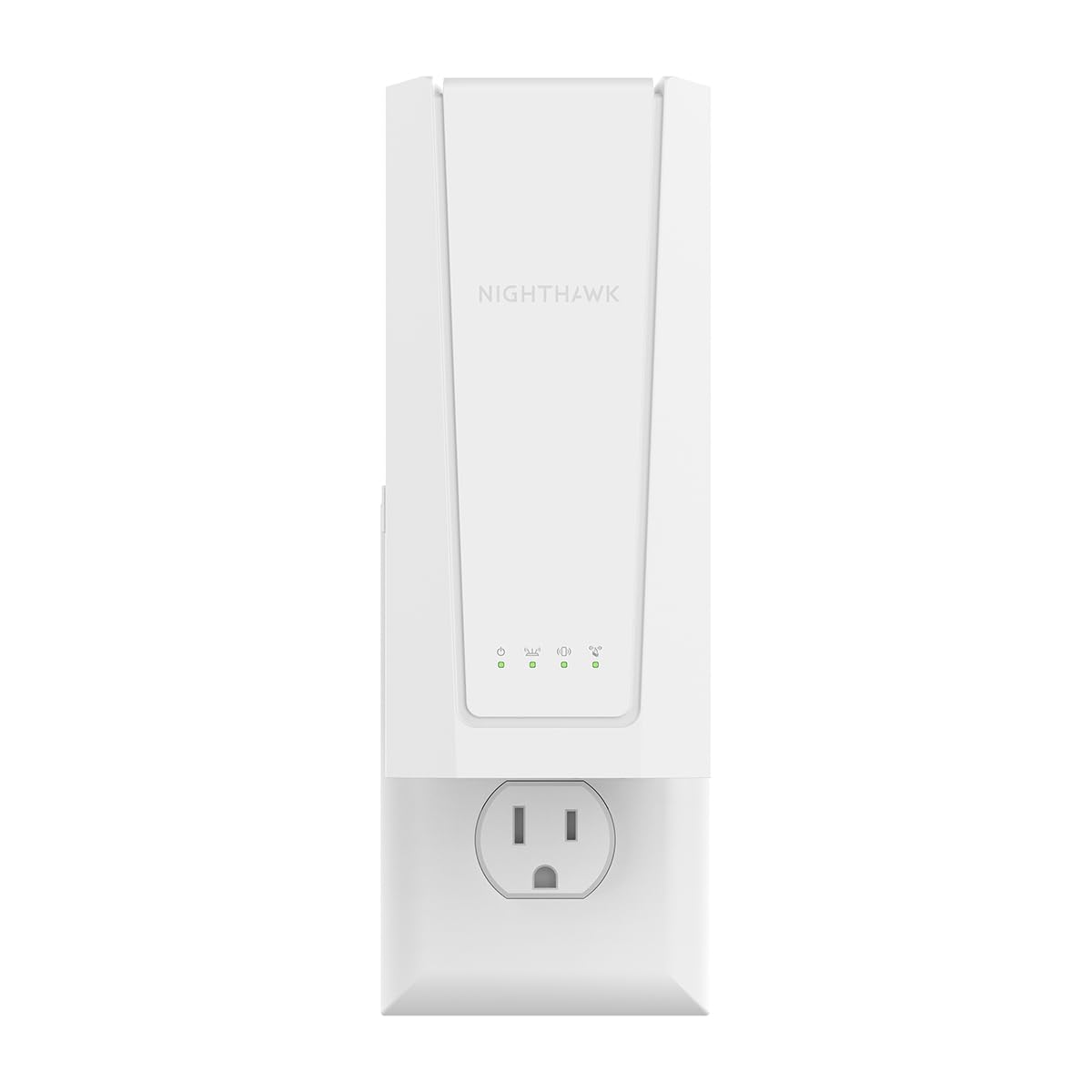
The EXS25 is NETGEAR’s entry into the WiFi 7 extender space, delivering up to 4.5 Gbps of aggregate throughput with dual-band operation. Smart Roaming ensures your device switches seamlessly to the strongest signal without requiring separate SSIDs. The 2.5 Gig Ethernet port is a standout feature, providing multi-gig wired speeds to a connected console or PC — ideal for households with fiber plans above 1 Gbps.
Setup is straightforward via the NETGEAR Nighthawk app or WPS button, and the extender is backward-compatible with any wireless router, though optimized for WiFi 7 routers. In a 2,500 sq. ft. home with plaster walls, the EXS25 brought a strong, stable signal to previously dead areas near the back bedrooms and basement. The app provides clear placement guidance to avoid positioning it too close to the main router where overlap causes interference.
The coverage radius of 1,500 sq. ft. is modest compared to other units in this guide, so it’s best suited for targeting one or two specific dead zones rather than blanketing a whole large home. One experienced reviewer noted that WPS setup worked fastest, even if it’s less secure than manual configuration. Additionally, the WPA3 security protocol is a welcome upgrade for protecting your network, but older IoT devices may not support it and will fall back to WPA2.
Why it’s great
- WiFi 7 speeds up to 4.5 Gbps with smart roaming
- 2.5 Gbps Ethernet port for wired multi-gig performance
- WPA3 security protects your network
- Backward-compatible with all routers, optimized for WiFi 7
Good to know
- Coverage limited to 1,500 sq. ft. per unit
- Setup can be confusing if you choose the wrong procedure
- WPS setup is fastest but less secure than app configuration
4. WAVLINK AX1800 Outdoor WiFi 6 Extender

When your router’s signal needs to reach the detached garage, backyard, or a multi-acre property, the WAVLINK AX1800 is engineered for that job. Its four custom 8dBi fiberglass omnidirectional antennas deliver focused signal distribution that covers up to 3 acres in open air. Verified users report four bars of signal at 600 feet from the source, and full bars across a 2+ acre property with Starlink.
The IP67-rated enclosure is truly weatherproof — it withstands heavy rain, snow, dust, and UV exposure. You can mount it on a pole or wall using the included bracket and self-ratcheting straps. Power over Ethernet (PoE) support means you only need to run one Ethernet cable to the unit, simplifying installation. It supports AP, Repeater, Router, and WISP modes, so it integrates into almost any network topology.
The main caveats are around setup complexity and indoor performance. Some users report needing 5+ resets during initial configuration, and the instruction manual is minimal, requiring some networking knowledge to get the exact mode you want. The 8dBi antennas are great for outdoor reach but terrible for indoor signal — speeds drop drastically once you move inside a building, so plan to use this exclusively for external coverage. It is compatible with Starlink, making it a strong option for rural and off-grid setups.
Why it’s great
- True IP67 weatherproofing for extreme outdoor conditions
- Four 8dBi fiberglass antennas reach over 600 feet in open air
- PoE power supply simplifies cable routing
- Starlink compatible and supports multiple operating modes
Good to know
- Setup can be finicky with multiple resets required
- Instructions are very basic, not for networking novices
- Indoor performance is poor due to high-gain antennas
5. AllTough Dual-Band WiFi Extender (2026 Model)
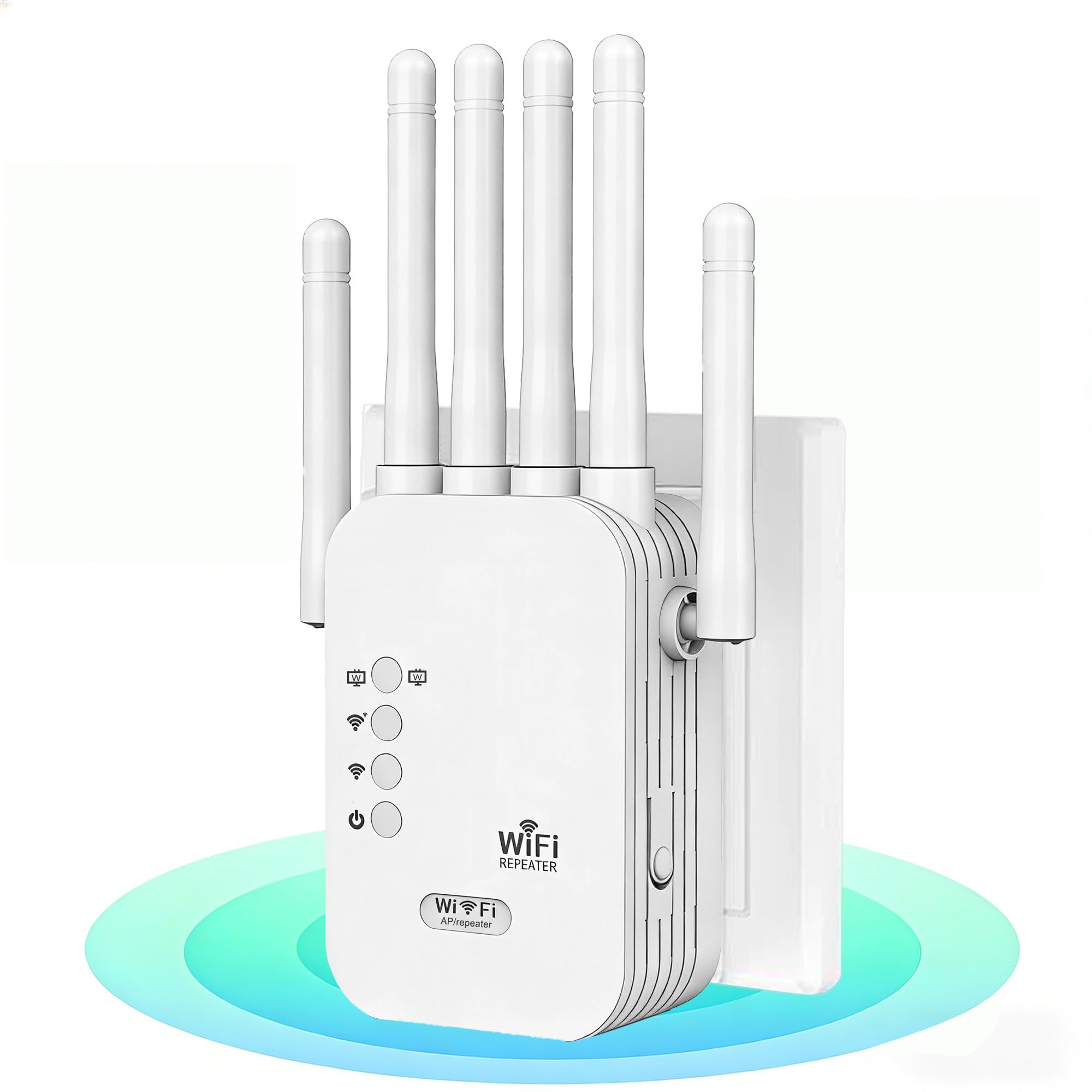
The AllTough extender claims an impressive 12,880 sq. ft. of coverage and support for 108+ devices, making it one of the most ambitious mid-range extenders on paper. Its dual-band hyperspeed technology allocates 300 Mbps on the 2.4 GHz band for IoT and smart home devices and 867 Mbps on the 5 GHz band for 8K streaming and gaming. The tri-mode connectivity (Boost, AP, Bridge) gives you flexibility depending on your network setup.
In real-world use, a verified reviewer who replaced an older TP-Link extender reported jumping from weak signal to five full bars, with Netflix upgrading from 5.1 audio to Dolby Atmos/Vision. The 5 GHz band worked reliably with a computer, receiver, and Sony UHD player, while the 2.4 GHz band handled a firmware update on an LG C5 OLED TV. Setup was completed in minutes via WPS, and the extender maintained stable connections for work-from-home, streaming, and security cameras.
The enterprise bionic encryption module (WEP/WPA/WPA2) is a nice security touch, though it won’t matter to most home users who already rely on their router’s firewall. Some users mentioned that the extender’s speed drops when many devices are actively streaming, which is common with dual-band extenders that lack a dedicated backhaul channel. For the price, it packs an enormous coverage claim and solid real-world performance for large homes.
Why it’s great
- Massive 12,880 sq. ft. coverage claim for large properties
- Tri-mode connectivity (Boost/AP/Bridge) for flexibility
- Dual-band speeds handle streaming and IoT simultaneously
- Enterprise-grade encryption for network security
Good to know
- No dedicated backhaul band — speeds may halve under load
- Coverage varies significantly with wall construction
- Some users experienced speed drops with many active devices
6. Cyseed WiFi Extender Internet Booster
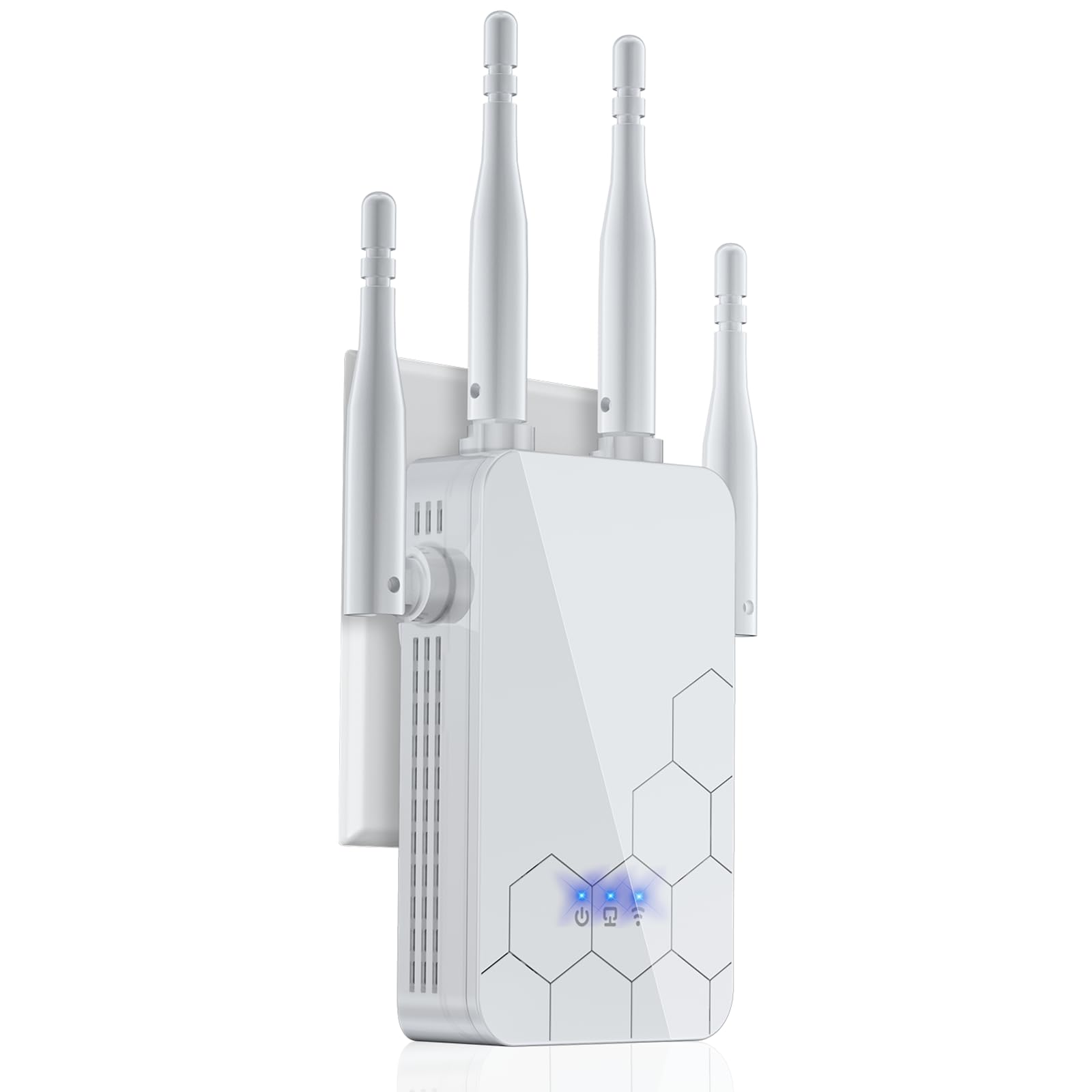
The Cyseed extender targets the budget-conscious buyer who needs to eliminate one or two dead zones without spending much. Its four external antennas deliver 360° coverage up to 10,000 sq. ft., and the smart IC chip handles up to 65+ devices simultaneously. Setup is impressively simple — press the WPS button on your router, press it on the extender, and you’re done in seconds. QR code setup via phone is also available for those who prefer app-based configuration.
A verified reviewer in an auto repair shop used the Cyseed to solve weak WiFi in the downstairs area, with the whole setup taking under five minutes via the phone interface. Another reviewer tested it 300 feet away on a third floor and reported strong signal through multiple walls and doors, outperforming previous extenders they had tried. The unit also maintained signal for outdoor security cameras, which is impressive for its price tier.
The main limitation is the 2.4 GHz-only processor for speed — its 300 Mbps cap means this is best for browsing, emails, and 1080p streaming rather than heavy 4K or gaming. The 5 GHz band is advertised but real-world throughput is noticeably lower than dual-band units with faster processors. It also lacks a dedicated Ethernet port for wired devices, so you cannot connect a gaming console directly. For basic signal boosting in bedrooms, garages, or small offices, it gets the job done affordably.
Why it’s great
- Extremely easy setup via WPS or QR code in under 5 minutes
- Four external antennas provide strong 360° coverage
- Works well for basic browsing, 1080p streaming, and cameras
- Very affordable entry point into WiFi extension
Good to know
- 2.4 GHz band capped at 300 Mbps — not for heavy 4K/gaming
- No Ethernet port for wired device connection
- 5 GHz performance is weaker than higher-end extenders
7. GEYILO 1200Mbps Dual-Band WiFi Extender
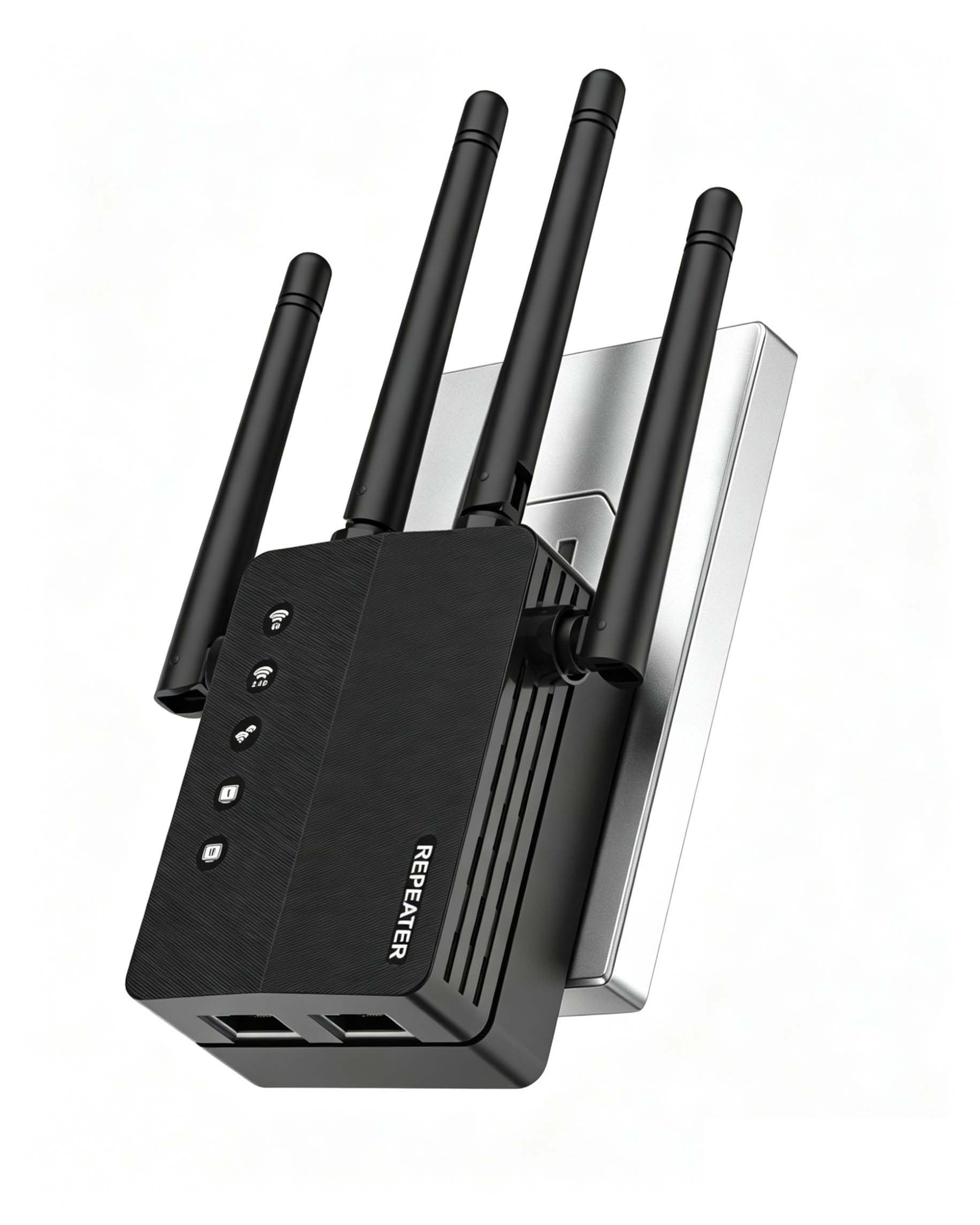
The GEYILO extender offers the same 12,880 sq. ft. coverage claim as the AllTough but at a lower sticker price, making it one of the most aggressively priced dual-band extenders available. It provides 1200 Mbps total throughput (300 Mbps on 2.4 GHz, 867 Mbps on 5 GHz) and supports AP Mode, Repeater mode, and two Ethernet ports for wired connections. The WPS button setup is genuinely one-touch — plug it in, press the button, and within 60 seconds the extender syncs with your router.
Multiple verified reviewers report that it completely eliminated dead zones in back bedrooms, garages, and basements. One reviewer noted that after setup, Zoom calls became stable and streaming stopped buffering. The Ethernet ports allow you to connect a smart TV or desktop PC directly, bypassing wireless congestion. The compact design also means it doesn’t block the second outlet on a duplex wall plate.
The trade-offs are that build quality feels a bit lighter than premium brands, and the long-term reliability is unproven compared to TP-Link or NETGEAR. Some users reported the need for an occasional reboot after extended use, which is common with budget extenders. The security encryption (WPA/WPA2) covers the basics but lacks the WPA3 and advanced firewall features found on higher-tier units. For someone with a single stubborn dead zone who wants a cheap, fast fix, this is a solid pick.
Why it’s great
- Unbeatable value for a dual-band extender with Ethernet ports
- One-tap WPS setup works reliably in under 60 seconds
- Two Ethernet ports enable wired connections for gaming/TVs
- Covers large areas and eliminates single dead zones effectively
Good to know
- Build quality feels less robust than major brands
- May require occasional reboot after extended use
- Lacks WPA3 and advanced security features
FAQ
Do WiFi extenders reduce my internet speed?
What is the difference between a repeater and a mesh system?
Can I use a WiFi extender with a mesh router?
How far should I place the extender from my router?
Final Thoughts: The Verdict
For most users, the are wifi extenders good winner is the TP-Link RE653BE BE10000 because its tri-band WiFi 7 architecture, 2.5 Gbps Ethernet port, and EasyMesh expandability provide a future-proof solution that handles massive device loads without compromising speed. If you want whole-home seamless coverage without SSID switching, grab the TP-Link Deco S4 3-Pack. And for taking internet to the backyard, farm, or detached garage, nothing beats the WAVLINK AX1800 Outdoor with its IP67 weatherproofing and 600-foot range.