
Two monitors side by side on standard stands eat up more than half your desk, creating a cramped workspace that kills productivity and forces a hunched-forward posture. Switching to a dual monitor stand lifts both screens off the surface, frees up real estate for your keyboard and paperwork, and lets you position each display at eye level for a healthier, more efficient setup.
I’m Min — the co-founder and writer behind Gadgets Feed. I’ve spent countless hours analyzing the technical specifications, weight capacities, articulation ranges, and build quality of dozens of monitor arms to identify the models that deliver rock-solid stability without breaking your budget.
Whether you’re a remote worker upgrading a home office or a gamer building a battle station, this guide breaks down the best double monitor stand on amazon to help you match the right mount to your screen size, desk type, and ergonomic needs.
How To Choose The Best Double Monitor Stand On Amazon
Selecting the right dual monitor arm comes down to three critical factors: your monitor’s weight and VESA pattern, your desk’s thickness and material, and the range of motion you need for a comfortable viewing angle. Ignoring any of these can lead to a sagging arm, an impossible installation, or a mount that simply doesn’t fit your screens.
Weight Capacity and VESA Pattern
Every dual monitor stand lists a maximum weight per arm, typically between 18 and 33 pounds. Check your monitor’s weight with its original stand removed — many manufacturers include this spec in the user manual or online product page. You also need to confirm your monitor has VESA mounting holes spaced 75x75mm or 100x100mm, the two most common patterns. If your monitor lacks VESA holes, you may need an adapter plate, but most modern 17- to 43-inch screens support at least one of these standards.
Desk Compatibility and Mounting Style
Most dual monitor stands use a C-clamp that grips the edge of your desk, requiring a flat lip with a thickness ranging from about 0.4 inches to 3.5 inches. Some models also include a grommet mount that passes through a hole in the desk surface, which is ideal for glass tops or desks with a solid back edge. Measure your desk’s thickness and check for crossbeams underneath — if your desk has a metal frame or a lip that blocks the clamp, the grommet option may be your only path.
Articulation and Range of Motion
A good dual monitor arm offers smooth height adjustment, tilt, swivel, and rotation so you can switch between landscape and portrait orientation. Gas-spring arms provide effortless vertical movement with tool-free tension adjustment, while friction-based arms rely on tightening bolts to hold position. Gas springs are generally easier to adjust day-to-day, but friction arms are more affordable and still stable once set. Consider how far you need the arms to extend — longer reach is useful for deep desks, while a shorter extension works better against a wall.
Quick Comparison
On smaller screens, swipe sideways to see the full table.
| Model | Category | Best For | Key Spec | Amazon |
|---|---|---|---|---|
| MOUNTUP (B0F6Y3FKCP) | Premium | Large ultrawide screens up to 43″ | 33 lbs per arm / 43″ max screen | Amazon |
| MOUNTUP Gas Spring (B09Y5TKX3R) | Premium | Smooth gas-spring height adjustment | Gas spring / USB port in base | Amazon |
| QUARX (B0D8B6F8GC) | Premium | All-metal durability and clean aesthetics | Alloy steel & aluminum / 26.4 lbs per arm | Amazon |
| Dell MDA20 | Premium | Dell monitor users wanting OEM integration | Quick-attach / 27″ max screen | Amazon |
| VIVO STAND-TS38C | Mid-Range | Ultrawide monitors and flush-to-wall setups | Telescoping arms / fits 38″ screens | Amazon |
| HUANUO FlowLift (HNDS6) | Mid-Range | Dual C-clamp stability for smaller screens | Dual C-clamp / 13″ to 32″ screens | Amazon |
| HUANUO (HNDS18) | Budget | Budget-friendly entry into dual arm mounting | Aerospace aluminum alloy / 22 lbs per arm | Amazon |
In‑Depth Reviews
1. MOUNTUP Dual Monitor Stand for Max 43 inch Screens
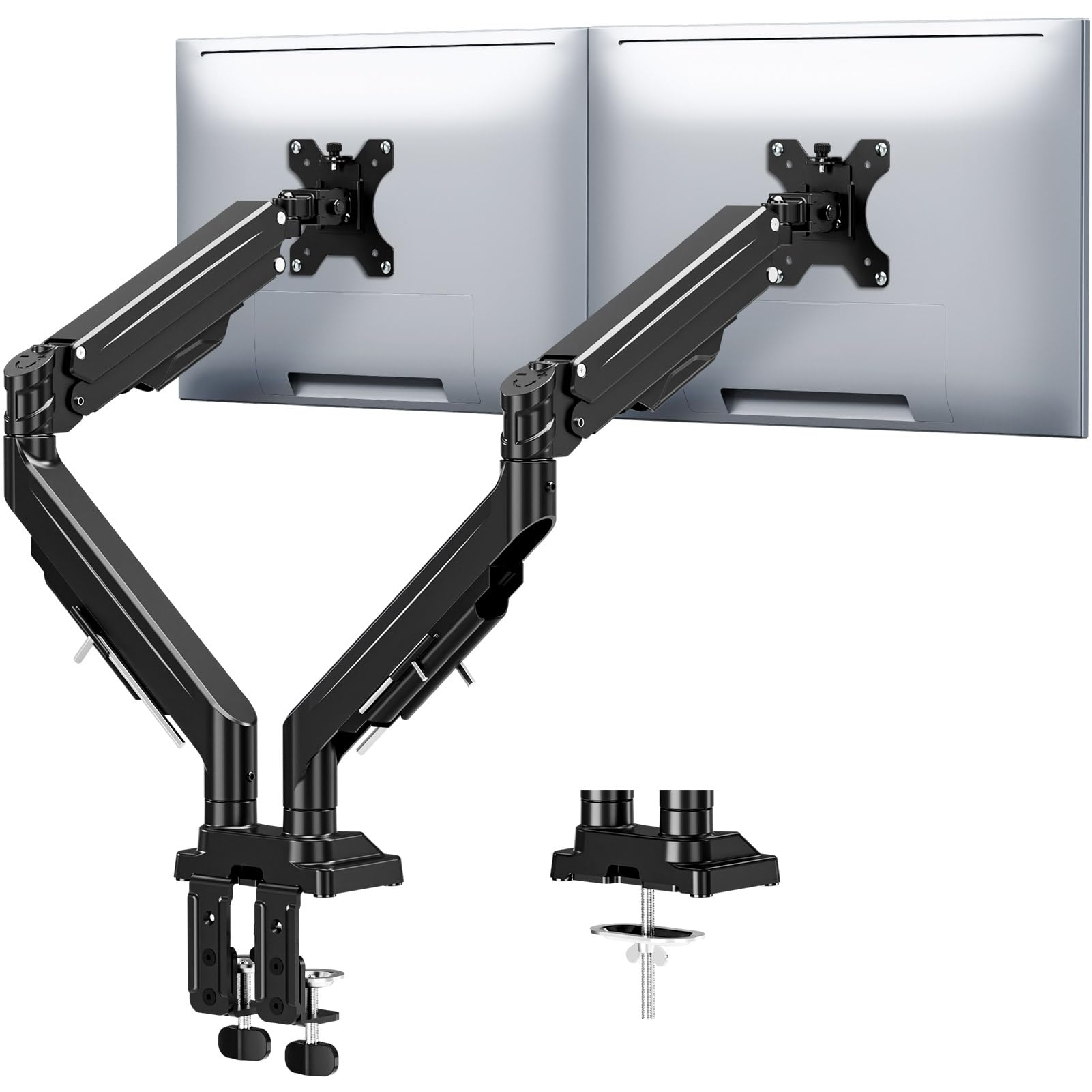
This MOUNTUP stand handles the heaviest pair of monitors in this roundup, supporting up to 33 pounds per arm with screens as large as 43 inches. The reinforced tilt mechanism uses dual locking screws to prevent drooping even when you fully extend the 23.6-inch arm, making it a serious option for oversized ultrawide setups.
The full-motion articulation provides 360° rotation, 180° swivel, and ±30° tilt, with height adjustments up to 22.4 inches. The built-in spring system has been tested for 20,000 cycles, so the smooth movement should hold up over years of daily repositioning. Integrated cable channels keep wires concealed beneath the arms for a cleaner desktop.
Installation is tool-free with both C-clamp and grommet options fitting desk thicknesses from 0.39 to 3.15 inches. The Allen key stores directly on the arm, so future adjustments don’t require hunting for a hex wrench. Backed by a 3-year warranty, this is the most future-proof choice for heavy or oversized monitors.
Why it’s great
- Exceptional 33 lb weight capacity supports the largest consumer monitors
- Anti-sag tilt mechanism with precision limit screws stays locked at full extension
- 20,000-cycle tested gas spring provides reliable height adjustment
Good to know
- Requires two hands to reposition the arms once tightened
- Maximum tilt range of ±30° is narrower than some competitors
2. MOUNTUP Dual Monitor Mount with Gas Spring

The gas-spring mechanism on this MOUNTUP stand makes vertical adjustments effortless — you can raise or lower a monitor with one finger and the arm holds position without tightening bolts. It supports screens from 22 to 39 inches weighing between 4.4 and 33 pounds, covering most ultrawide and standard monitors on the market.
Each arm extends 20.85 inches forward and rises 21.45 inches above the desktop, with 360° rotation, 180° swivel, and a tilt range of +90° to -45°. The quick-release VESA clip lets you swap monitors without unscrewing the plate, which is a nice convenience if you frequently change displays. A detachable USB-A port at the base provides an easy charging spot for phones or peripherals.
Installation uses a C-clamp that works on desks up to 1.77 inches thick, with a grommet option for desks with a hole diameter between 0.4 and 2.4 inches. The gas spring force is readable directly from markings on the arm joint, simplifying tension adjustment. Backed by 3-year support, this stand delivers premium gas-spring performance at a mid-range price point.
Why it’s great
- Smooth gas-spring height adjustment with tool-free tension settings
- Quick-release VESA clip makes monitor swaps fast and easy
- Integrated USB-A port adds convenient desktop charging
Good to know
- C-clamp only fits desks up to 1.77 inches thick
- Requires patience to dial in perfect gas-spring tension
3. QUARX Dual Monitor Mount
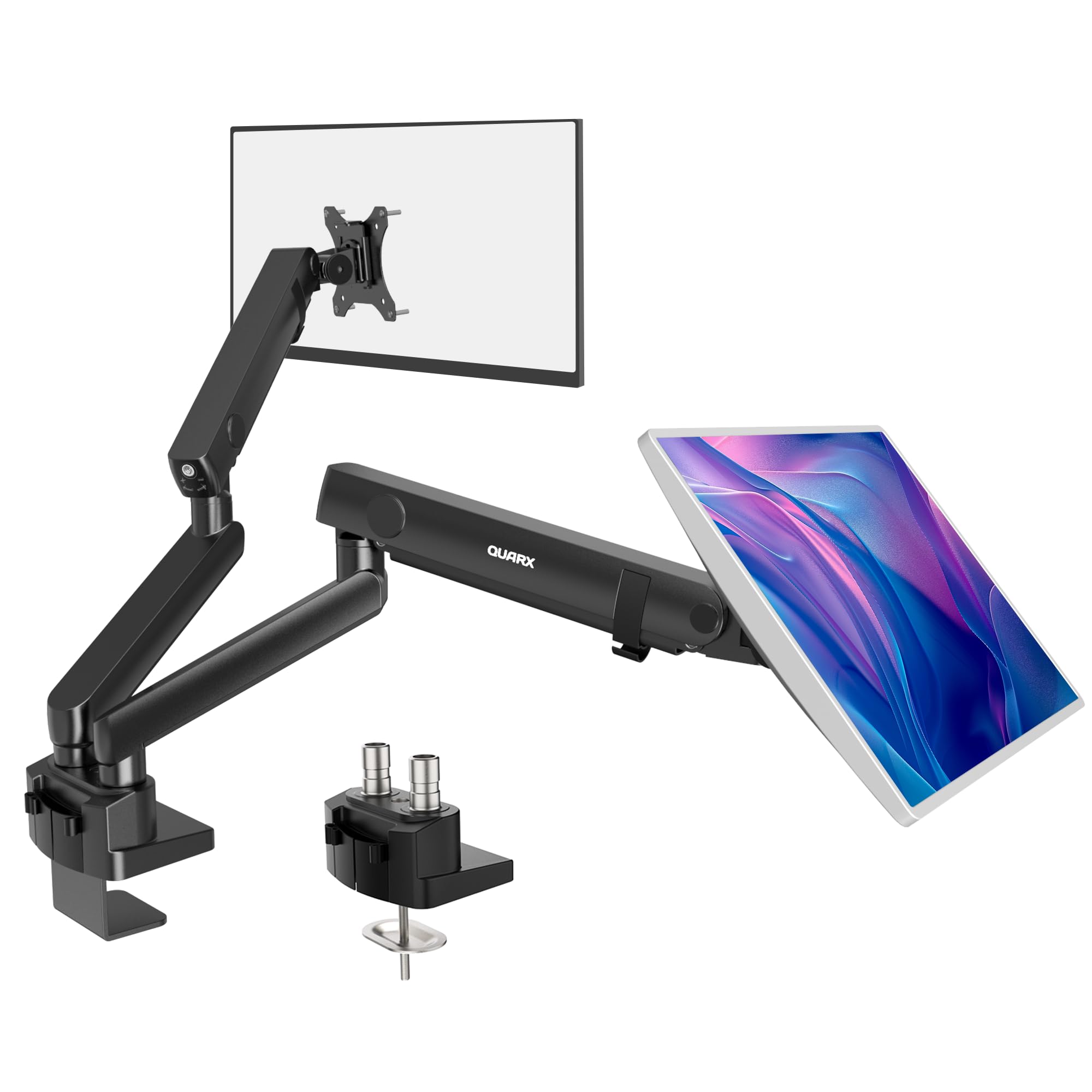
The QUARX stand is built from alloy steel and aluminum, giving it a premium matte-black finish and a weight that inspires confidence. It supports screens from 17 to 35 inches weighing up to 26.4 pounds per arm, with a 6-inch base that keeps the entire structure stable on wood, plastic, metal, and even glass desktops.
Each arm offers 180° swivel, ±45° tilt, and 360° rotation, with an extension of 21.7 inches forward and height adjustment up to 18.1 inches. The tool-less cable management uses secure clips that snap cables into channels along the arms, keeping the underside of your desk tidy. The C-clamp design includes protective rubber pads to prevent marring your desk surface.
Installation takes less than 10 minutes with the included step-by-step manual. The clamp accommodates desk thicknesses from 0.39 to 2 inches, and a grommet mount option is also available. A 180-day warranty covers the stand, and user reviews consistently praise its solid feel and wobble-free performance with large monitors like dual 34-inch ultrawides.
Why it’s great
- All-metal construction with a premium matte-black finish
- Tool-less cable management with secure snap-in clips
- Rubber pads on clamp protect desk surfaces from damage
Good to know
- Needs 1-2 inches of wall clearance for side-by-side monitor placement
- 180-day warranty is shorter than some competitors
4. Dell Dual Monitor Arm MDA20

The Dell MDA20 is the only OEM-branded arm in this list, designed specifically to pair with Dell monitors for a seamless installation. It supports screens from 19 to 27 inches and weighs a substantial 19 pounds itself, reflecting the heavy-duty steel construction that eliminates sagging and drooping even with larger panels attached.
Mounting Dell monitors is exceptionally quick thanks to the proprietary quick-attach clip that snaps directly onto the VESA plate without tools. The arm offers swivel and tilt adjustments with a clean cable management channel that runs along the top of the arm. It supports portrait orientation and stays firmly in position once adjusted, with no drifting over time.
Installation is straightforward with a C-clamp that fits most standard desks, and the arm can be removed just as easily for relocation. While it maxes out at 27 inches — smaller than most third-party arms — users report it handles 32-inch Dell and Alienware monitors flawlessly using an included VESA adapter. This is the best choice for Dell users who prioritize fit, finish, and OEM aesthetics.
Why it’s great
- Dell quick-attach clip makes installation tool-free and instant
- Heavy-duty steel construction eliminates sagging completely
- Clean cable management integrated into the arm design
Good to know
- Maximum screen size is 27 inches (with adapter works for 32-inch)
- Premium price — significantly more expensive than comparable third-party arms
5. VIVO Premium Dual Ultra Wide Monitor Desk Mount STAND-TS38C
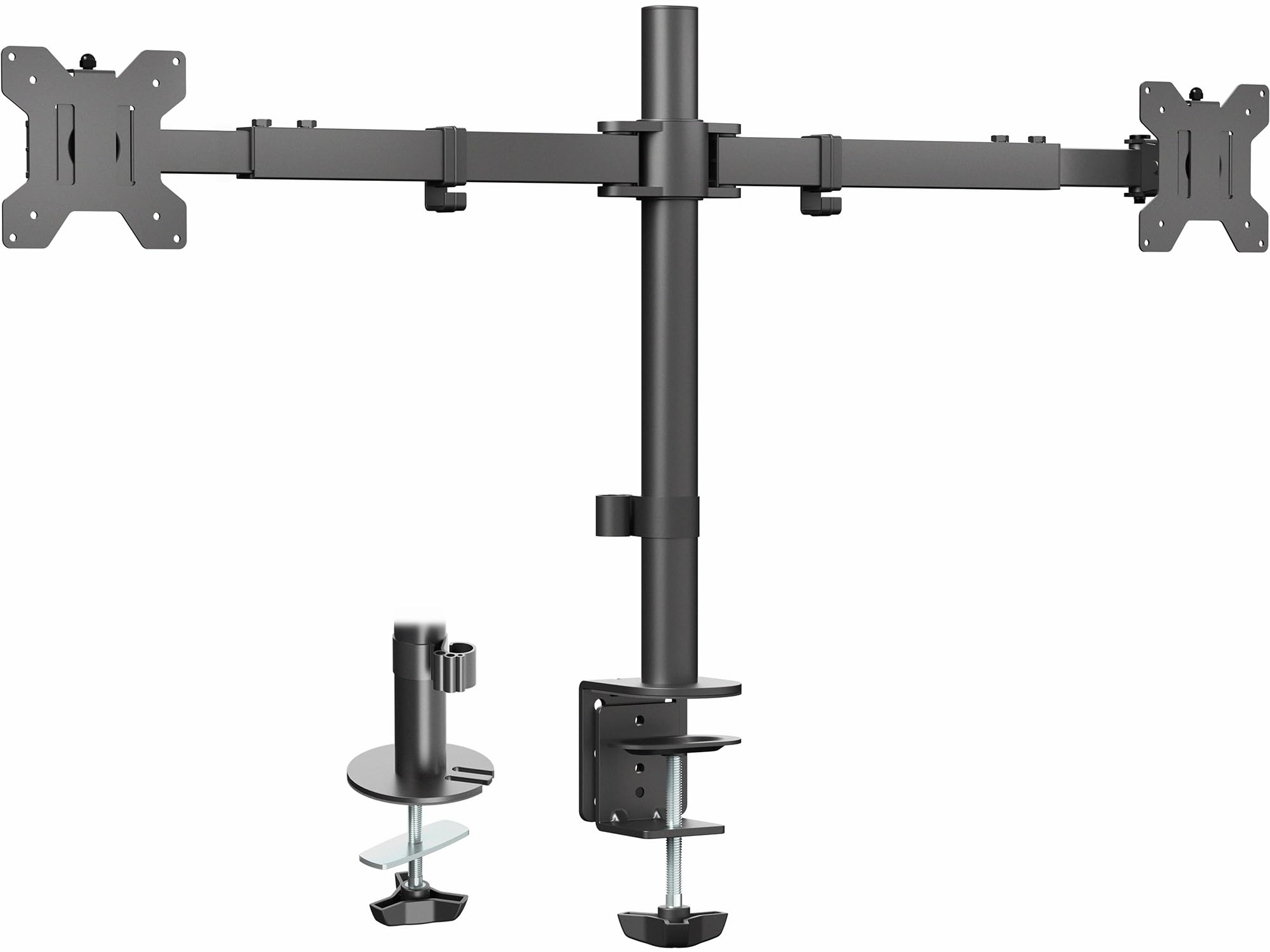
The VIVO STAND-TS38C is built for users with ultrawide monitors, accommodating screens from 27 to 38 inches with a weight capacity of 22 pounds per arm. Its telescoping arms slide into each other for added strength, extending from 24 to 39.5 inches from bracket to bracket while keeping the entire mount flush against the wall behind your desk.
The unique flush setup means nothing extends past the back edge of your desk, making it ideal for rooms where the desk sits against a wall. Articulation includes +90° to -90° tilt, 180° swivel, 360° rotation, and height adjustment along the center pole. The heavy-duty C-clamp and optional grommet mount fit desks up to 3.25 inches thick.
Installation is straightforward with detachable VESA brackets and included hardware. Users report it handles dual 32-inch monitors without sagging, and the telescoping design provides extra stability compared to articulated arms that can wobble. This is the best pick for anyone running large ultrawide screens who wants a low-profile, wall-friendly setup.
Why it’s great
- Telescoping arms provide superior stability for large ultrawide monitors
- Flush-to-wall design keeps the mount from protruding behind the desk
- Fits desks up to 3.25 inches thick with C-clamp or grommet
Good to know
- Perfect alignment requires patience — small adjustments can throw things off
- Minimum screen size is 27 inches, not suitable for smaller monitors
6. HUANUO FlowLift™ Dual Monitor Stand HNDS6

The HUANUO FlowLift uses a dual C-clamp base that provides extra gripping surface to keep the stand locked firmly to your desk. It fits monitors from 13 to 32 inches, weighing between 4.4 and 19.8 pounds per arm, making it suitable for standard office screens and smaller gaming monitors alike.
The full-motion arms offer +85°/-50° tilt, ±90° swivel, and 360° rotation, with height adjustment up to 15.75 inches above the desktop. The tension system is adjustable via bolts, and once set, the arms hold position without sagging. Built-in cable management guides wires along the underside of the arms for a clean look.
Installation is limited to wooden desks with thicknesses from 0.59 to 3.54 inches — glass and plastic desktops are not recommended. The grommet mount option is available as an alternative. With a price that lands in the mid-range tier, this stand delivers a stable, full-motion experience without the premium cost of gas-spring models.
Why it’s great
- Dual C-clamp design offers exceptional grip and stability for heavy use
- Wide 13-32 inch screen compatibility covers most standard monitors
- Built-in cable management keeps wires hidden and organized
Good to know
- Not compatible with glass or plastic desktops — wood only
- Very lightweight monitors (below 4.4 lbs) may not have enough weight for tension to work effectively
7. HUANUO Dual Monitor Mount HNDS18

The HUANUO HNDS18 is the most budget-friendly entry in this guide, but it doesn’t cut corners on build quality. Constructed from aerospace-grade aluminum alloy, it supports monitors from 17 to 32 inches weighing up to 22 pounds per arm — enough for most standard office displays and many gaming monitors.
Articulation includes ±90° swivel, +90°/-35° tilt, and 360° rotation, with arms that extend up to 17.5 inches and raise 17.5 inches above the desktop. The C-clamp fits desks 0.39 to 2.56 inches thick, while the grommet mount works with desks 0.39 to 2.17 inches thick. The included cable management cover keeps wires tucked away behind the arms.
Installation is straightforward with all tools included, and most users report setting it up in about 10 minutes. While the tension system requires manual bolt tightening rather than a gas spring, once adjusted it holds screens firmly without sagging. This is the best pick for anyone building a dual-monitor setup on a tight budget who still wants solid build quality and full motion articulation.
Why it’s great
- Affordable price point without sacrificing aluminum alloy construction
- Supports up to 32-inch monitors with 22 lb capacity per arm
- 10-minute tool-less installation with clear instructions
Good to know
- Friction-based tension requires manual bolt adjustments — no gas spring
- Some users reported need for longer VESA screws on monitors with recessed mounting points
FAQ
Will a dual monitor stand work with a glass desk?
What is the difference between a gas spring and a friction arm?
Can I mount two different sized monitors on the same stand?
How do I know if my desk is thick enough for a C-clamp?
Final Thoughts: The Verdict
For most users, the best double monitor stand on amazon winner is the MOUNTUP Dual Monitor Stand for Max 43 inch Screens because it combines a massive 33-pound-per-arm capacity with anti-sag locking screws and a 3-year warranty, making it the most future-proof choice for heavy and oversized monitors. If you want smooth gas-spring height adjustment and the convenience of a USB port, grab the MOUNTUP Gas Spring. And for a budget-friendly entry that still delivers solid aluminum construction, nothing beats the HUANUO HNDS18.