
A single-fan graphics card in the RTX 5060 class is a deliberate choice. You’re trading the brute-force cooling of triple-axial solutions for a compact, SFF-friendly footprint that slots into cases other cards simply cannot fit. The question is not whether it can game—it can—but whether that single fan can keep the Blackwell architecture’s 8GB of GDDR7 cool under sustained load without screaming like a turbine.
I’m Min — the co-founder and writer behind Gadgets Feed. I’ve spent weeks cross-referencing boost clocks, memory bandwidth figures, cooler designs, and real-world buyer reports to separate the genuinely compact performers from the thermal compromises in this specific single-fan and compact dual-fan RTX 5060 landscape.
Every card here shares a common DNA: they were designed to fit where standard cards cannot. Whether you’re building a living-room HTPC, a LAN rig, or a space-constrained workstation, this guide will help you find the right single fan 5060 graphics card for your exact build constraints.
How To Choose The Best Single Fan 5060 Graphics Card
While the RTX 5060 family is highly efficient, not every compact cooler can handle the 2497 MHz boost clocks that Blackwell silicon can deliver. You must evaluate the specific cooling implementation, VRAM configuration, and physical dimensions as interlocking constraints — not as standalone specs.
Cooler Design and Noise Profile
A single 90mm fan spinning at 3000 RPM moves less air than two fans at 2000 RPM. The best single-fan 5060 cards compensate with larger heatsink fin arrays, copper heatpipes that make direct contact with the GPU die, and smart zero-RPM modes that keep the fan off entirely under light loads. Look for designs that advertise composite heatpipes or precision-machined core pipes.
Memory: GDDR7 Speed vs. VRAM Capacity
The RTX 5060 generation ships with 8GB of GDDR7 on a 128-bit bus. That 28 Gbps memory bandwidth is roughly 30 percent faster than GDDR6 at the same bus width, which directly translates to higher 1% lows in demanding titles. A handful of premium models upgrade to 16GB, but that doubles the price — assess whether your target resolution actually needs more than 8GB. At 1080p ultra, very few current titles exceed 8GB allocation.
Physical Dimensions and PCIe Compatibility
The entire point of a single-fan 5060 is its compactness. Check slot width: most are 2-slot or 2.5-slot designs. Length typically falls between 7 and 9 inches. Verify that your case has adequate clearance for the card’s length and that your power supply has an available 8-pin PCIe connector. Some cards draw power through a single 8-pin; higher-end models may require a 16-pin adapter.
Quick Comparison
On smaller screens, swipe sideways to see the full table.
| Model | Category | Best For | Key Spec | Amazon |
|---|---|---|---|---|
| GIGABYTE RTX 5060 WINDFORCE 8G | Compact Dual-Fan | Best Overall Value | 2497 MHz Boost / 8GB GDDR7 | Amazon |
| PNY RTX 5050 Single Fan | Entry-Level Single Fan | Budget SFF Upgrade | 2317 MHz Boost / 8GB GDDR6 | Amazon |
| PNY RTX 5060 Ti OC Dual Fan | OC Dual-Fan | Higher Boost Clocks | 2692 MHz Boost / 8GB GDDR7 | Amazon |
| MSI RTX 5060 8G Gaming OC | Dual-Fan OC | Overclocking Headroom | 2640 MHz Boost / 8GB GDDR7 | Amazon |
| ZOTAC RTX 5060 Twin Edge OC | Compact Dual-Fan | SFF-Ready Build | 28 Gbps GDDR7 / 8.7″ Length | Amazon |
| PNY RTX 5060 Epic-X ARGB Triple Fan | Triple-Fan ARGB | Aesthetic Builds | 2280 MHz Boost / 8GB GDDR7 | Amazon |
| ASUS Prime RTX 5060 8GB | Premium SFF | High 630 AI TOPS | 2527 MHz Boost / 2.5-Slot | Amazon |
| XFX Swift RX 9060 XT OC | AMD Triple-Fan | 16GB VRAM Value | 3320 MHz Boost / 16GB GDDR6 | Amazon |
| PNY RTX 5060 Ti Epic-X ARGB Triple Fan | Premium Triple-Fan | Maxed 5060 Ti Clocking | 2692 MHz Boost / 8GB GDDR7 | Amazon |
| GIGABYTE RX 9060 XT Gaming OC | AMD Premium | Best 1440p AMD Option | 2700 MHz Boost / 16GB GDDR6 | Amazon |
| MSI RTX 5060 Ti 16G Gaming OC | High-End 16GB | Max VRAM for Creators | 2647 MHz Boost / 16GB GDDR7 | Amazon |
In‑Depth Reviews
1. GIGABYTE GeForce RTX 5060 WINDFORCE 8G

The GIGABYTE WINDFORCE 8G hits the sweet spot for anyone building a compact system that still wants room to breathe. Its dual-fan WINDFORCE cooling system keeps the 2497 MHz boost clock stable under sustained gaming loads, and at 7.83 inches long it fits most SFF cases while outpacing single-fan designs in thermal headroom.
Buyers upgrading from older cards like the RX 580 or GTX 1060 report massive generational leaps at 1080p, with frame rates in the 60-80 fps range on high settings in demanding titles and well over 180 fps in competitive shooters. The card also handled 8K video editing without a hitch in real-world testing, which speaks to the Blackwell encoder’s capabilities.
The only recurring note from users is the 8GB GDDR7 VRAM ceiling. At 1080p ultra, it is rarely a bottleneck today, but those planning a jump to 1440p with heavy texture packs may want to consider the 16GB options later in this list. For its price and size, this is the most balanced compact 5060 on the market.
Why it’s great
- WINDFORCE dual-fan cooler runs quiet even under load
- 2497 MHz boost clock delivers strong 1080p performance
- PCIe 5.0 support ensures compatibility with modern motherboard platforms
Good to know
- 8GB VRAM may limit future 1440p ultra settings
- Not a true single-fan design if you need the absolute smallest footprint
2. PNY NVIDIA GeForce RTX 5050 Single Fan
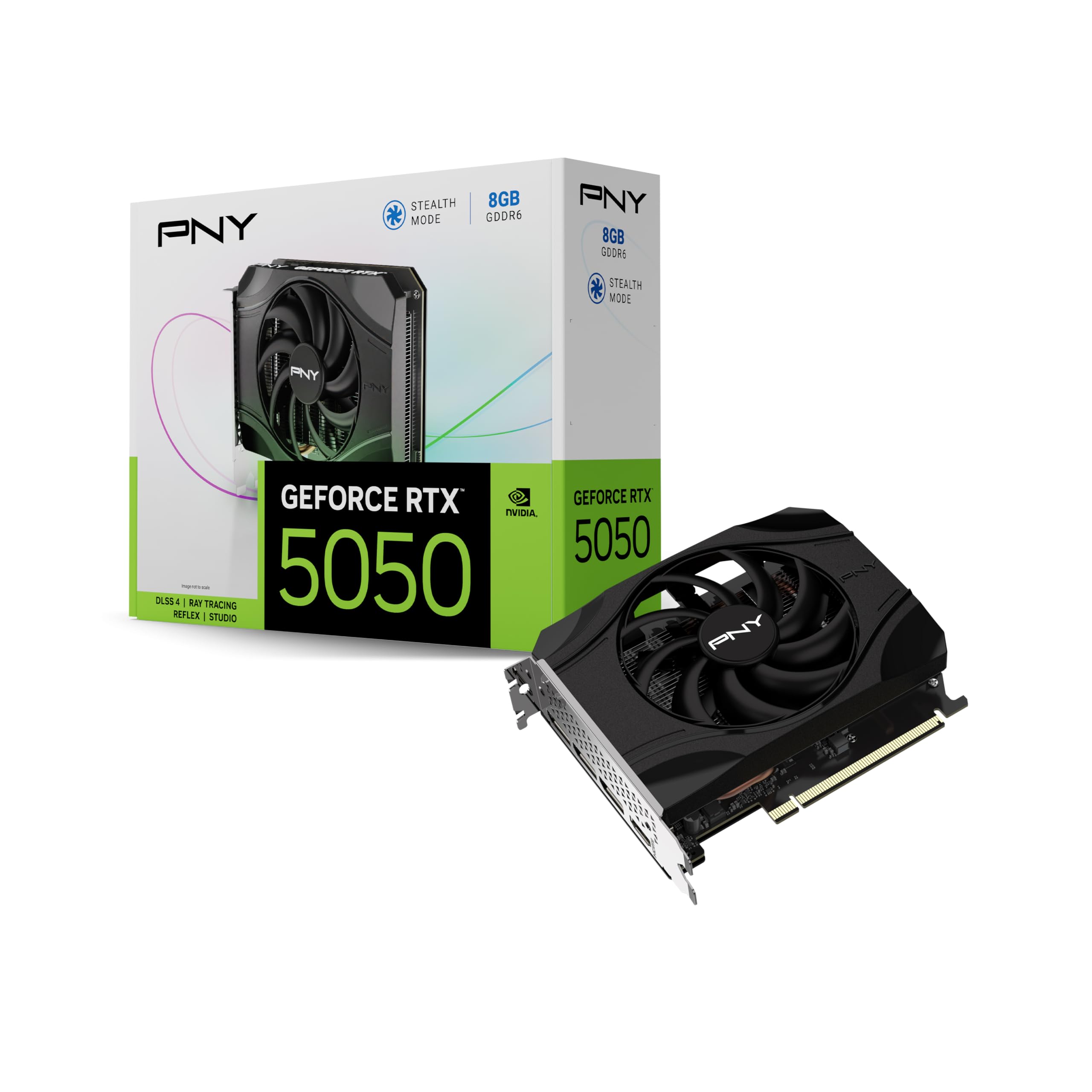
This PNY RTX 5050 is the only true single-fan entry in the list, and it earns its spot by delivering respectable 1080p performance in a genuinely compact form factor. With a 2317 MHz boost clock and 8GB of GDDR6 on a 128-bit bus, it runs cooler and quieter than any multi-fan card could in such a tight chassis.
Real-world usage reports show 60-80 fps on high-demand games with a mix of high and ultra settings, and 180-200 fps in lighter competitive titles. Buyers also praised its extremely low noise profile — the fan often does not spin at all under light desktop or streaming workloads. The single-fan design makes it a trivial drop-in for older workstations and prebuilts with limited internal clearance.
The trade-off is the GDDR6 memory rather than the newer GDDR7 found on the 5060-class cards. This translates to slightly lower memory bandwidth, which may become a factor in texture-heavy scenes at 1440p. For pure 1080p gaming in a space-constrained build, this is the single-fan card to beat.
Why it’s great
- True single-fan design fits the tightest SFF and workstation cases
- Very low noise levels with fanless operation at idle
- Solid 1080p frame rates for the entry-level tier
Good to know
- GDDR6 memory instead of GDDR7 limits memory bandwidth
- 2317 MHz boost clock is lower than RTX 5060 options
3. PNY NVIDIA GeForce RTX 5060 Ti OC Dual Fan
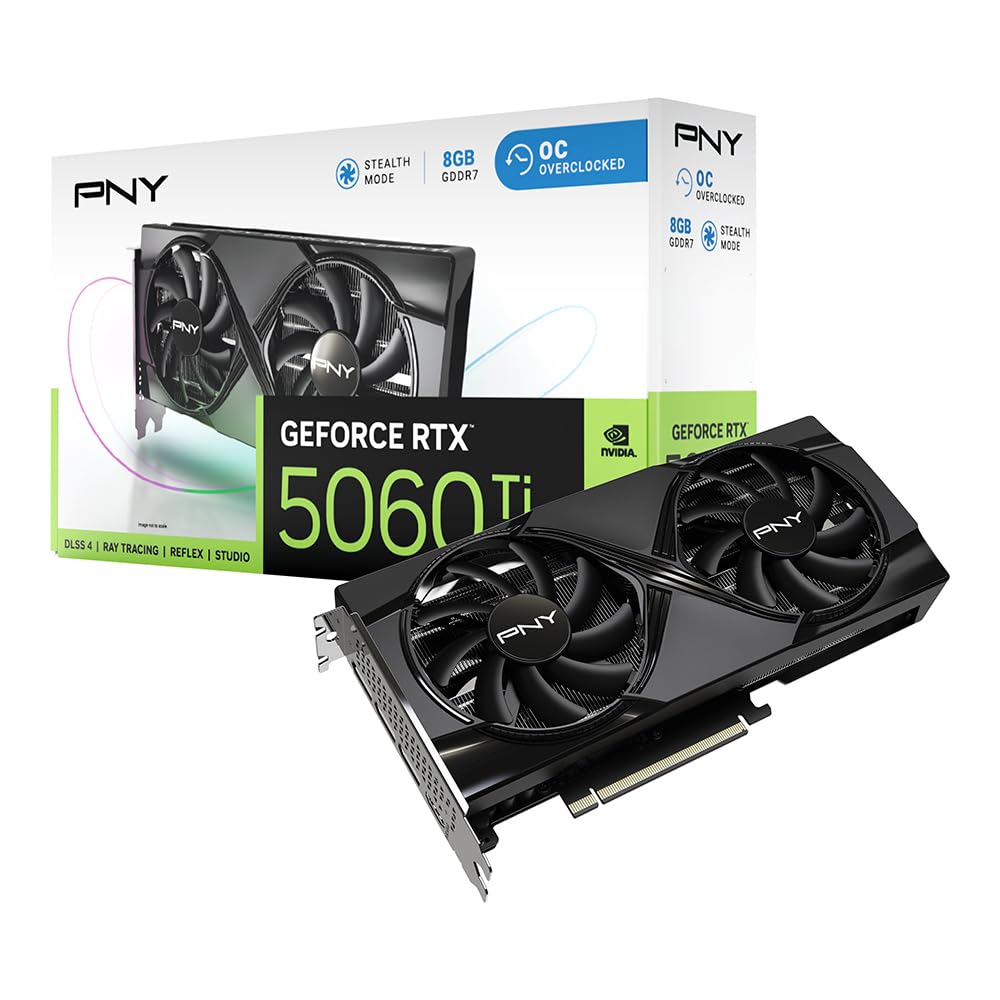
The PNY 5060 Ti OC Dual Fan is essentially the factory-overclocked version of the base 5060, pushing the boost clock all the way to 2692 MHz. That extra frequency headroom translates directly into higher frame rates, particularly in GPU-bound scenarios at 1440p where every megahertz counts.
Buyers report that this card runs remarkably cool in SFF NUC configurations, thanks to PNY’s dual-fan implementation and robust heatsink design. The 8GB GDDR7 memory runs at the standard 128-bit bus width, but the higher clock speed helps mitigate bandwidth limitations in texture-heavy titles. The card is also noted for its non-recessed power plug, which is a tight fit but keeps the overall profile compact.
The main consideration is that the 8GB VRAM is the same capacity as the cheaper base 5060 models. For users who primarily game at 1080p or 1440p with moderate texture settings, the higher clock speed makes this a compelling upgrade. If you need 16GB for creative workloads, the MSI 5060 Ti later in this list is the better target.
Why it’s great
- 2692 MHz boost clock is among the highest in its class
- Runs cool and quiet even in compact NUC enclosures
- Excellent price-to-performance ratio for the 5060 Ti tier
Good to know
- 8GB VRAM limit remains versus 16GB options
- Non-recessed power plug may require careful cable routing
4. MSI Gaming RTX 5060 8G Gaming OC

MSI’s Gaming OC variant of the RTX 5060 brings their TORX Fan 4.0 technology to the compact dual-fan segment. The fan blades work in pairs to concentrate air pressure directly onto the heatsink, which allows the card to maintain its 2640 MHz boost clock without thermal throttling even during extended sessions.
Users upgrading from older hardware report a completely seamless plug-and-play experience with modern motherboards, and the RGB Mystic Light integration adds a visual touch without being overbearing. The card was described as quiet, cool-running, and stable enough to nearly max out its overclocking slider without crashes. That kind of headroom is rare in a sub-10-inch card.
The 8GB VRAM is the same story as the rest — sufficient for 1080p and comfortable 1440p gaming in current titles, but buyers eyeing future-proofing at higher resolutions should look at the 16GB models. For a compact card that overclocks like a larger sibling, this MSI is a top contender.
Why it’s great
- TORX Fan 4.0 delivers excellent focused air pressure for cooling
- Stable overclocking headroom with no crashes reported
- Mystic Light RGB adds customizable aesthetics
Good to know
- 8GB VRAM ceiling for future 1440p/4K gaming
- Slightly larger footprint than true single-fan cards
5. ZOTAC Gaming GeForce RTX 5060 Twin Edge OC

ZOTAC’s Twin Edge OC is explicitly designed for SFF builds, measuring just 8.7 inches long and 1.6 inches wide — a dual-slot card that fits in almost any ITX or micro-ATX case without negotiation. The pair of 90mm BladeLink fans, composite heatpipes, and pass-through airflow design keep the GDDR7 memory and Blackwell core well within thermal limits.
Real-world feedback highlights its efficiency and compactness, with one buyer specifically recommending it for efficient small-form-factor PC builds. The card is best suited for 1080p high-refresh-rate gaming, though it handles 2K gaming respectably. The metal backplate adds structural rigidity without adding bulk.
The 8GB VRAM is adequate for the intended use case, but the card’s small size means it runs warmer than larger dual-fan competitors under sustained heavy loads. The 8-pin PCIe power connector keeps installation simple without requiring adapter cables.
Why it’s great
- Extremely compact at 8.7″ x 1.6″ for true SFF compatibility
- BladeLink dual fans with composite heatpipes for efficient cooling
- 8-pin power connector with no adapter needed
Good to know
- 8GB VRAM limits 4K gaming potential
- Small cooler runs warmer under sustained high loads
6. PNY NVIDIA GeForce RTX 5060 Epic-X ARGB OC Triple Fan

PNY’s Epic-X line brings ARGB lighting to the RTX 5060 in a triple-fan configuration that is technically oversized for this category but still SFF-ready at two slots thick. The three fans keep the 2280 MHz base clock cool with generous headroom, making this one of the quietest options in the entire lineup despite its cooling muscle.
Buyers report 100+ fps on high settings across most games, with one user calling it a “god tier” budget card. The ARGB lighting syncs with motherboard software for a cohesive build aesthetic. The card is small enough for all mid-towers and draws modest power, making it a safe choice for PSUs in the 500W-600W range.
The trade-off is that a triple-fan card is larger than the single-fan or compact dual-fan options. If your case has unrestricted length, the extra fan reduces noise under load. But if you specifically need the smallest possible card, look at the earlier single-fan or compact dual-fan entries.
Why it’s great
- Triple-fan cooling keeps noise very low under load
- ARGB lighting creates a cohesive aesthetic build
- 100+ fps in most games at high settings
Good to know
- Larger than single-fan and compact dual-fan alternatives
- 2280 MHz base clock is lower than some competitors
7. ASUS SFF-Ready Prime NVIDIA GeForce RTX 5060 8GB
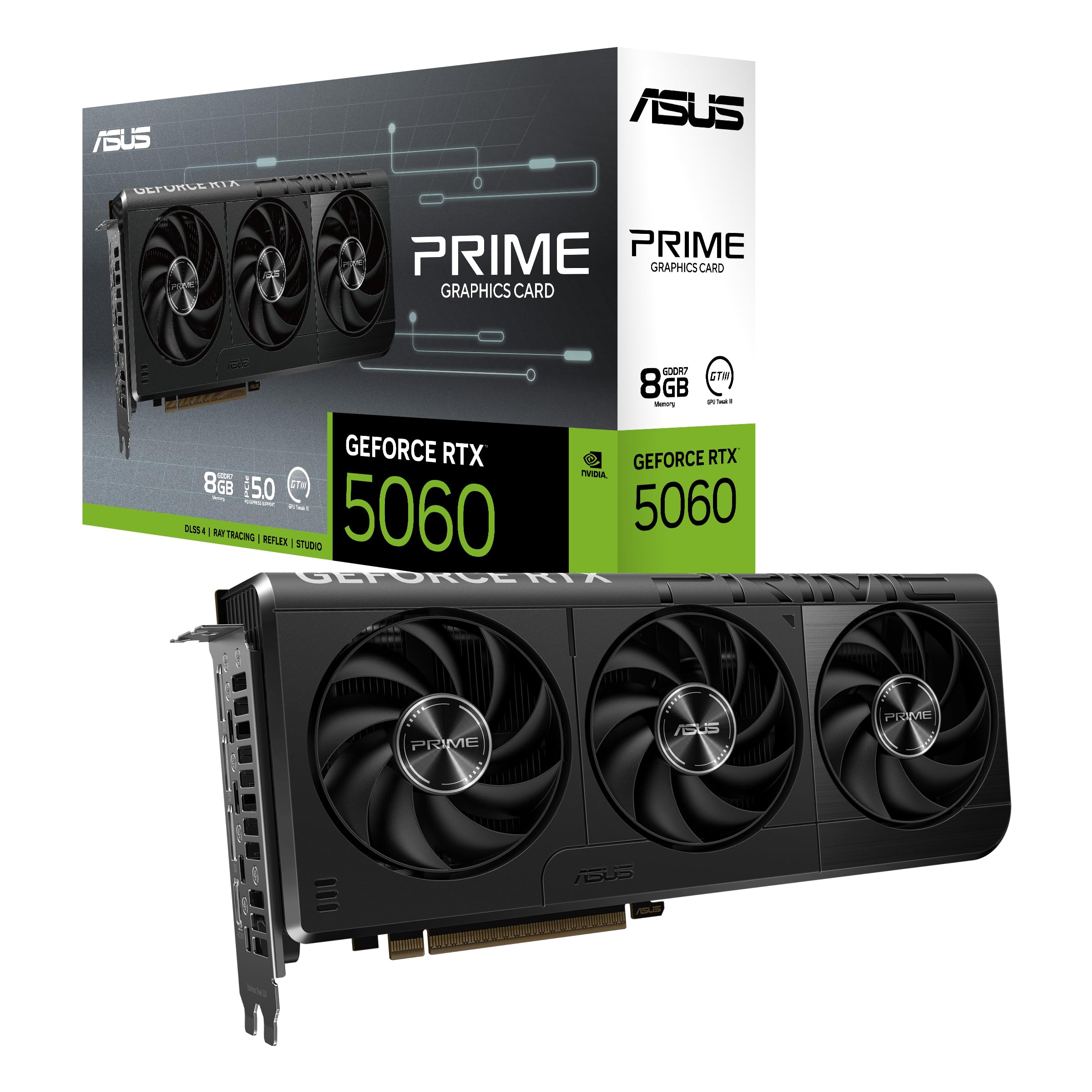
ASUS brings its Prime design philosophy to the RTX 5060 with a focus on AI performance — this card delivers 630 AI TOPS thanks to the fifth-gen Tensor Cores embedded in the Blackwell architecture. The 2.5-slot design with Axial-tech fans and dual BIOS gives builders flexibility between performance and quiet operating modes.
Users upgrading from GTX 2060-class cards report a phenomenal leap in performance and visual quality, with Cyberpunk 2077 running at 220 fps at high/ultra settings with DLSS and ray tracing enabled. The dual BIOS switch allows you to choose between a performance profile that maximizes boost clock (2527 MHz) and a quiet profile that prioritizes acoustics.
The price places this card in the premium tier of the 5060 stack. You are paying for the ASUS build quality, the dual BIOS versatility, and the SFF-Ready certification that guarantees compatibility with enthusiast small-form-factor cases. The 8GB VRAM remains the limiting spec for future 1440p scenarios.
Why it’s great
- 630 AI TOPS for AI-assisted creative and gaming workloads
- Dual BIOS allows switching between performance and quiet modes
- Axial-tech fans with barrier ring for increased downward air pressure
Good to know
- Premium pricing for the 8GB VRAM class
- 2.5-slot design is thicker than pure 2-slot cards
8. XFX Swift AMD Radeon RX 9060 XT OC Triple Fan

XFX’s Swift RX 9060 XT OC is the AMD alternative that trades DLSS for FSR 4 and offers 16GB of GDDR6 at a price that undercuts most 16GB NVIDIA options. The triple-fan SWFT cooling solution keeps the RDNA 4 core cool even at a boost clock of up to 3320 MHz, which is the highest raw clock speed in this entire list.
Users upgrading from the RX 6600 series report massive gains in 1440p gaming, with the card running at just 55°C under full load in tropical ambient temperatures. The 16GB VRAM is the standout feature — it handles texture-heavy mods and high-resolution assets without sweating, and it gives creators more headroom than the 8GB cards. Undervolting reports show the card hitting 3.1+ GHz after tuning.
Ray tracing performance is not as strong as NVIDIA’s Blackwell implementation, and FSR 4 can look blurrier than DLSS 4 in some titles. But for raw rasterization performance and VRAM capacity at this price point, the XFX 9060 XT is a serious contender for space-conscious builders who can fit a triple-fan card.
Why it’s great
- 16GB GDDR6 VRAM handles high-resolution texture workloads
- Extremely high boost clock up to 3320 MHz
- Excellent cooling performance even in hot climates
Good to know
- Ray tracing performance trails NVIDIA Blackwell equivalents
- FSR 4 image quality is not as sharp as DLSS 4 in some titles
9. PNY NVIDIA GeForce RTX 5060 Ti Epic-X ARGB OC Triple Fan

This is the triple-fan, fully loaded version of the PNY 5060 Ti with the same 2692 MHz boost clock as the dual-fan OC variant but with additional thermal headroom from the Epic-X ARGB cooler. The three fans, combined with a large fin stack, keep temperatures in check even when pushing the card to its limits in ray-tracing-heavy scenes.
Buyers note that the card works well as an upgrade for older systems, handling 1440p high settings at 144 fps in many titles. The ARGB lighting adds visual flair, and the dual-slot thickness keeps it compatible with most mid-tower and some SFF cases. The card does not support PCIe 3.0 at all, so verify your motherboard supports PCIe 4.0 or 5.0 before purchasing.
The 8GB VRAM is the same capacity as the non-Ti 5060 cards, which is the primary point of criticism. At this price, the 16GB XFX AMD card is a direct competitor for buyers who prioritize VRAM over ray tracing or DLSS. Choose this card if you want absolute maximum clock speed from the 5060 Ti class with NVIDIA’s feature set.
Why it’s great
- Highest boost clock in the 5060 Ti lineup at 2692 MHz
- Triple-fan cooling provides excellent thermal overhead
- ARGB lighting for aesthetic customization
Good to know
- 8GB VRAM is same capacity as cheaper 5060 cards
- No PCIe 3.0 support — requires PCIe 4.0 or 5.0 motherboard
10. GIGABYTE Radeon RX 9060 XT Gaming OC 16G

GIGABYTE’s RX 9060 XT Gaming OC brings the same WINDFORCE cooling system found on their NVIDIA cards to the AMD RDNA 4 architecture. The Hawk fan blades and server-grade thermal conductive gel keep the 2700 MHz boost clock stable, while 16GB of GDDR6 provides ample VRAM for high-resolution gaming and creative work.
Users describe this card as a beast for 1440p gaming, with smooth frame rates and excellent ray tracing performance for an AMD card when paired with FSR 4. The zero-RPM mode keeps the fans off during light use, and the dual-slot design is sturdy with easy installation. One buyer noted it handles Fortnite at 240 fps and DCS without breaking a sweat.
At this price, the card competes directly with the MSI 5060 Ti 16G. The GIGABYTE offers competitive raw performance and exceptional cooling at a more accessible price point. The trade-off is a slightly less mature ray tracing implementation and the lack of DLSS 4, but the 16GB VRAM makes it a compelling choice for mod-heavy and high-resolution gaming.
Why it’s great
- 16GB GDDR6 VRAM ideal for high-resolution gaming and modding
- WINDFORCE cooling with zero-RPM mode keeps it quiet at idle
- Excellent 1440p performance with stable frame pacing
Good to know
- Ray tracing is not as strong as NVIDIA Blackwell alternatives
- Large physical size requires spacious case
11. MSI GeForce RTX 5060 Ti 16G Gaming OC
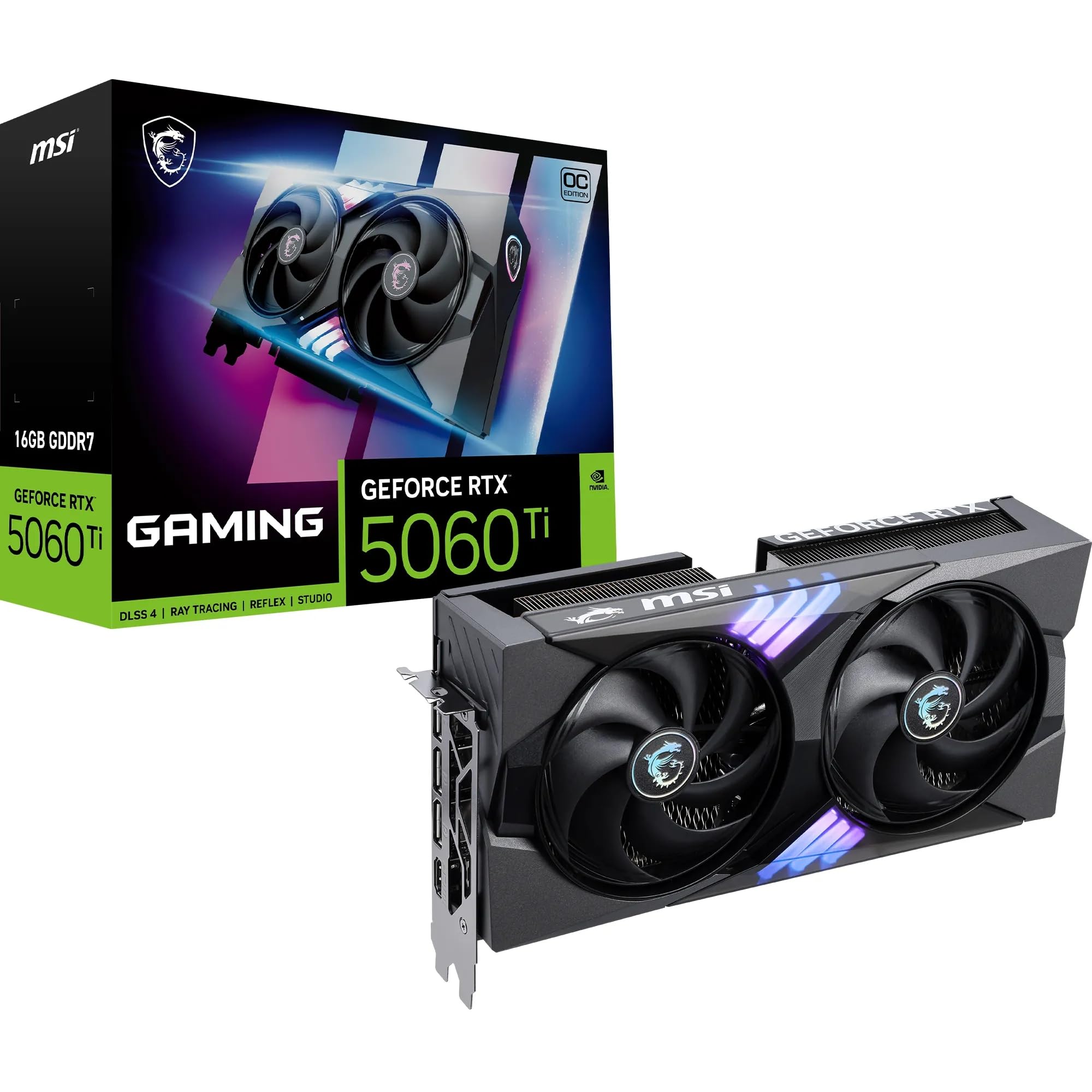
The MSI RTX 5060 Ti 16G Gaming OC is the definitive 16GB option in the 5060 family. It pairs 16GB of GDDR7 memory running at 28 Gbps with the TWIN FROZR 10 cooling system, which combines seven textured Stormforce blades, double ball bearings, and zero-RPM ZERO FROZR mode for silent operation at idle. The boost clock reaches 2647 MHz out of the box.
Users primarily running DaVinci Resolve and other creative applications praise its speed and silence, noting that the 16GB VRAM is what makes it suitable for professional video editing and 3D rendering. The 2.5-slot thickness and 247mm length keep it compact enough for most cases despite the high memory capacity. The metal backplate reinforces the card and aids heat dissipation through its perforated design.
The price is the highest in this list by a significant margin. This card is for the specific buyer who needs 16GB of VRAM with GDDR7 speeds and NVIDIA’s Blackwell feature set — DLSS 4, ray tracing, and NVENC encoding. If you do not need 16GB, the 8GB 5060 Ti options offer comparable gaming performance at a much lower entry point.
Why it’s great
- 16GB GDDR7 memory at 28 Gbps for demanding creative workflows
- TWIN FROZR 10 cooling with zero-RPM mode is extremely quiet
- Compact 2.5-slot design fits most mid-tower cases
Good to know
- Highest price in the 5060 class by a large margin
- 16GB VRAM is overkill for pure 1080p gaming
FAQ
Will a single-fan RTX 5060 thermal throttle under gaming load?
Is 8GB VRAM enough for the RTX 5060 in 2026 and beyond?
Can I use a single-fan 5060 card in a PCIe 3.0 motherboard?
Final Thoughts: The Verdict
For most users, the single fan 5060 graphics card winner is the PNY RTX 5050 Single Fan because it delivers genuine 1080p gaming performance in the smallest physical footprint possible while maintaining low noise levels. If you want the best thermal headroom and overclocking potential in a compact form factor, grab the GIGABYTE RTX 5060 WINDFORCE 8G. And for 16GB VRAM with GDDR7 speeds for creative workloads, nothing beats the MSI RTX 5060 Ti 16G Gaming OC.