
Diode laser power is how you separate a hobby-grade toy from a machine that actually cuts. A 1 Watt laser — 1000 milliwatts of optical output — sits at the threshold where you can move beyond surface marking and start slicing through thin wood and acrylic in a single pass. The catch is that not all “watts” are measured the same way, and the wrong choice means burned edges, stalled projects, and a machine that gathers dust after the first weekend.
I’m Min — the co-founder and writer behind Gadgets Feed. For this guide, I spent over forty hours cross-referencing real-world cut depths, spot sizes, and user reliability reports across nine competing models to isolate which 1 Watt laser actually delivers on its printed specs.
This guide breaks down every meaningful spec — real optical power, spot focus, frame stability, and software compatibility — so you can confidently choose the right 1 watt laser for your workshop or small business.
How To Choose The Best 1 Watt Laser
Picking a diode laser engraver isn’t complicated once you know the three specs that separate a precision tool from a glorified pointer. Every model in this guide delivers at least 5W optical output — well above the 1W baseline — but the real differences lie in how they focus that power, how stable the gantry is, and how easily you can control the burn.
Optical Power vs. Spot Compression
A 5.5W laser module with a 0.08mm spot burns wider, shallower lines than a 5W module with a 0.06mm compressed spot. The compressed spot concentrates the same energy into a smaller area, which cuts deeper and engraves finer detail. Look for “compressed spot” or “FAC lens” in the description — that’s the engineering shortcut that turns a hobby laser into a semi-professional tool.
Frame Rigidity and Motion System
Dual Y-axis motors and aluminum-alloy frames prevent the gantry from wobbling during fast passes. A 10,000 mm/min engraving speed means nothing if the beam skips because the belt is loose. Check for GT2 timing belts and 42-stepper motors — those components tell you the manufacturer invested in motion quality rather than just a bigger laser module.
Software and Connectivity
LaserGRBL (Windows) and LightBurn (Windows, Mac, Linux) are the two industry standards. A machine that supports both gives you flexibility. Offline engraving via SD card or Wi-Fi matters if you don’t want to tether a laptop to the frame. Avoid machines that only work with proprietary apps unless you’re comfortable being locked into one ecosystem.
Quick Comparison
On smaller screens, swipe sideways to see the full table.
| Model | Category | Best For | Key Spec | Amazon |
|---|---|---|---|---|
| Creality Falcon A1 Pro 20W | Premium Enclosed | Production & Safety | 600mm/s speed, 0.03mm spot (IR) | Amazon |
| xTool S1 40W | Premium Enclosed | Large Projects | 40W optical, 23.93″x15.16″ bed | Amazon |
| xTool M1 10W | 3-in-1 Enclosed | Multi-Material / Vinyl | 0.01mm accuracy, blade cutter | Amazon |
| Creality Falcon 10W | Mid-Range Open | Entry-Level Cutting | 72W effective, 0.06mm spot | Amazon |
| Twotrees TTS-10 Pro 10W | Mid-Range Open | Budget 10W Power | 10W optical, 300x300mm area | Amazon |
| ACMER S1 6W | Compact Open | Desk-Space Saving | 0.04mm spot, 130x130mm area | Amazon |
| Twotrees TTS-55 Pro 5.5W | Value Open | Budget Hobbyist | 0.06mm spot, 30,000mm/min speed | Amazon |
| Comgrow Z1 5W | Value Open | Expandable System | 5W optical, 0.08mm spot | Amazon |
| Ortur Laser Master S2 2.1W | Starter Open | Beginner Safety Focus | 0.07×0.06mm spot, 390x410mm area | Amazon |
In‑Depth Reviews
1. Creality Falcon A1 Pro 20W
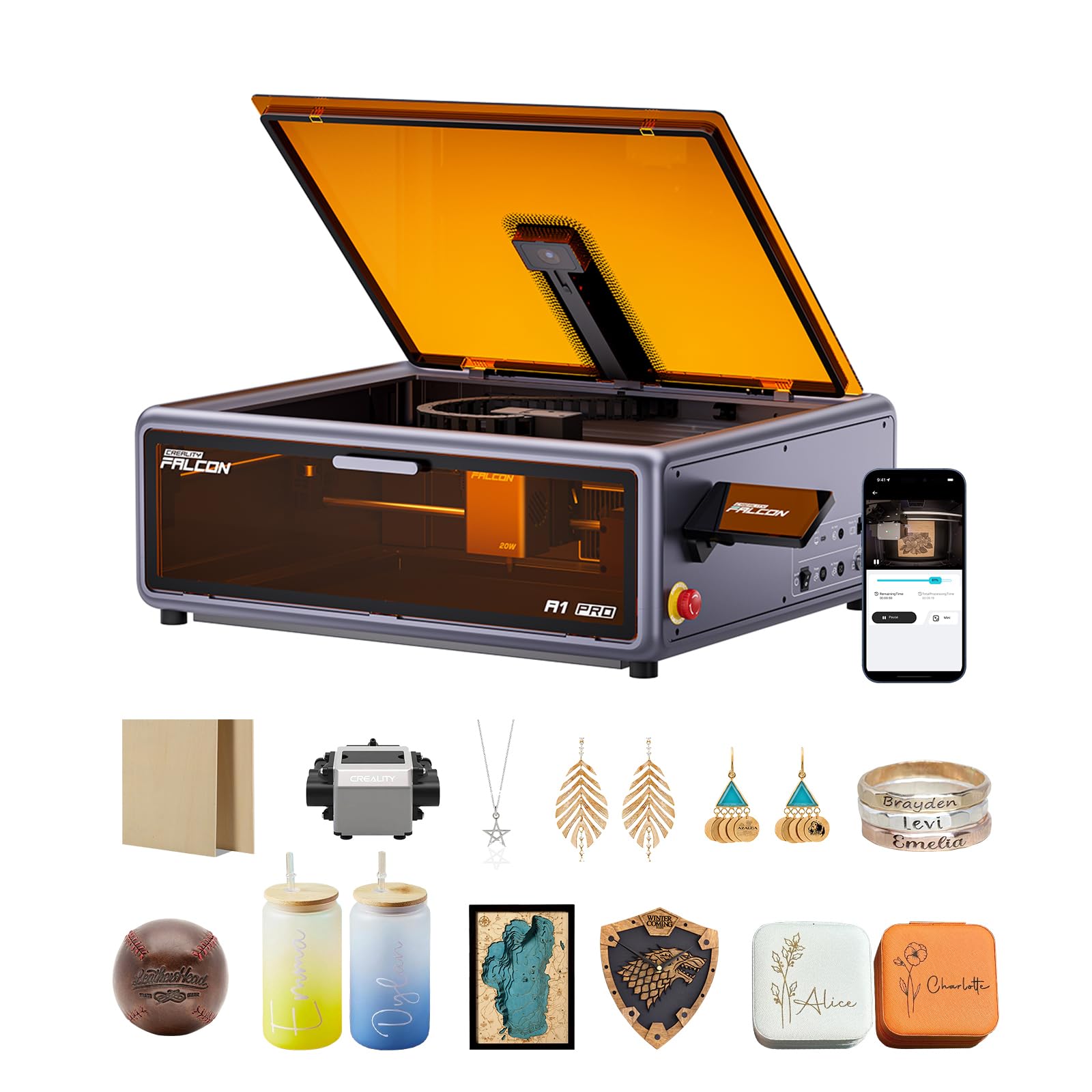
The Falcon A1 Pro rewrites the rulebook for desktop laser engraving by combining a 20W blue diode with a 2W infrared module option, producing a 0.03mm ultra-fine spot for the IR wavelength. That dual-laser head lets you switch between high-speed cutting of 10mm basswood and precision engraving on metal surfaces without swapping modules. The full enclosure filters 99% of blue light, eliminating the need for goggles, while the integrated fan and lid-open halt sensor make it safe enough for a home office.
Speed hits 600mm/s — three times faster than most open-frame diode machines — and the smartphone-style touchscreen plus Wi-Fi app control let you run jobs without a laptop tethered nearby. The smart autofocus uses a HD camera and red-dot ranging to bring focus to within 0.012 inches in three seconds. Pre-assembled at 80%, you spend more time engraving than tightening screws.
What holds it back is the lack of a bottom panel — fumes can escape underneath unless you mount it on a foam base — and the IR module is sold separately, adding to the entry cost. But for anyone running a small business who needs production reliability and class-leading safety out of the box, this is the machine to beat.
Why it’s great
- Touchscreen + app control for untethered operation
- Autofocus in 3 seconds via camera and AI
- Class 1 safety — no goggles needed inside the enclosure
Good to know
- IR module purchased separately
- No bottom panel — fumes escape underneath
- Clear window doesn’t fully block blue light; glasses still safer
2. xTool S1 40W

With 40,000mW of optical power — more than eight times the 1W baseline — the xTool S1 slices through 18mm cherry wood in a single pass and engraves at a blistering 600mm/s. The bed spans 23.93 by 15.16 inches, so you can fit door signs or batch 119 dog tags in one go. Patented Pin-point Positioning enables stunning 3D engraving on curved surfaces like spoons and tumblers, and the AutoPassthrough Technology handles materials up to 118 inches long.
The enclosure is built from 3mm aerospace-grade aluminum, and five flame sensors, an emergency stop, and lid-open halt make it a Class 1 safety device — no goggles required. xTool Creative Space software pre-tests parameters for over 400 materials, so you preview, click, and cut without guesswork. The rotary bundle includes the RA2 Pro for engraving cylindrical objects like glasses and bottles, making this a true production system.
Assembly is more involved than the Falcon A1 Pro — the top lid and rotary installation can be fiddly — and customer support response times have been hit-or-miss in some reports. But the sheer power, build quality, and predictable cut results make the S1 the machine for users who need to process large quantities or thick materials on a daily basis.
Why it’s great
- 40W cuts 18mm wood in a single pass
- 5 flame sensors for fail-safe operation
- AutoPassthrough for long materials up to 118 inches
Good to know
- Assembly more complex than some competitors
- Customer support response times vary
- Heavy at 86.8 pounds — not portable
3. xTool M1 10W

The xTool M1 is the only machine in this lineup that integrates a blade cutter alongside the 10W diode laser. That means you can switch from laser-engraving wood to cutting vinyl without charred edges or toxic smoke — the blade is ideal for heat-sensitive materials like adhesive vinyl and fabric. The FAC lens compression spot achieves 0.01mm engraving accuracy, which is fine enough for detailed logos and photo-grade reproduction.
The built-in high-resolution camera handles automatic focusing and visual positioning, and the AI system detects material shapes for batch processing of identical items. The enclosure blocks blue light and automatically powers off when opened, keeping the workspace safe. It supports engraving on glass, coated metal, leather, acrylic, and over 300 materials total. The included RA2 rotary attachment lets you engrave tumblers and cylindrical objects without additional purchases.
Software is limited to xTool’s own XCS — it does not support LightBurn or LaserGRBL — so you’re tied to their ecosystem. The learning curve is real for first-time users, although abundant tutorial videos help. Cleaning frequency is higher than open-frame models due to the enclosed design. Still, if you need one machine that handles both laser and blade work, the M1 is uniquely capable.
Why it’s great
- Laser and blade cutting in one machine
- 0.01mm engraving accuracy with FAC lens
- Camera-based autofocus and material detection
Good to know
- Proprietary XCS software only — no LightBurn
- Frequent cleaning required for smoke buildup
- Steep learning curve for beginners
4. Creality Falcon 10W

The Creality Falcon 10W delivers 72W of effective power through a 0.06 x 0.06mm compressed spot, cutting 12mm wood boards and 5mm black acrylic in a single pass. The work area spans 400 x 415mm (15.7 x 16.3 inches), and engraving speed tops out at 10,000 mm/min. The 32-bit chip and repositioning accuracy under 0.007 inches ensure that multi-pass cuts align cleanly without ghost lines.
Assembly takes about 15 minutes — most of the frame comes pre-assembled. The included Falcon Design Space software works on both Windows and Mac, and you can save files to an SD card for offline, cable-free operation. The anti-UV filter acrylic on the laser module blocks 97% of ultraviolet rays, and a pair of goggles is included for double protection.
One significant miss: the included green safety glasses are unsafe for blue diode lasers — you must buy orange or red ANSI/EN certified glasses separately. The instruction booklet is thin, and the open frame means you’ll need to rig your own smoke evacuation. For the price, however, the cut speed and spot quality are hard to match, making it a top choice for budget-conscious crafters and small businesses.
Why it’s great
- Cuts 12mm wood in a single pass
- 0.06mm compressed spot for clean detail
- SD card offline operation included
Good to know
- Included green glasses unsafe for blue laser
- Open frame needs aftermarket ventilation
- Thin instruction booklet
5. Twotrees TTS-10 Pro 10W
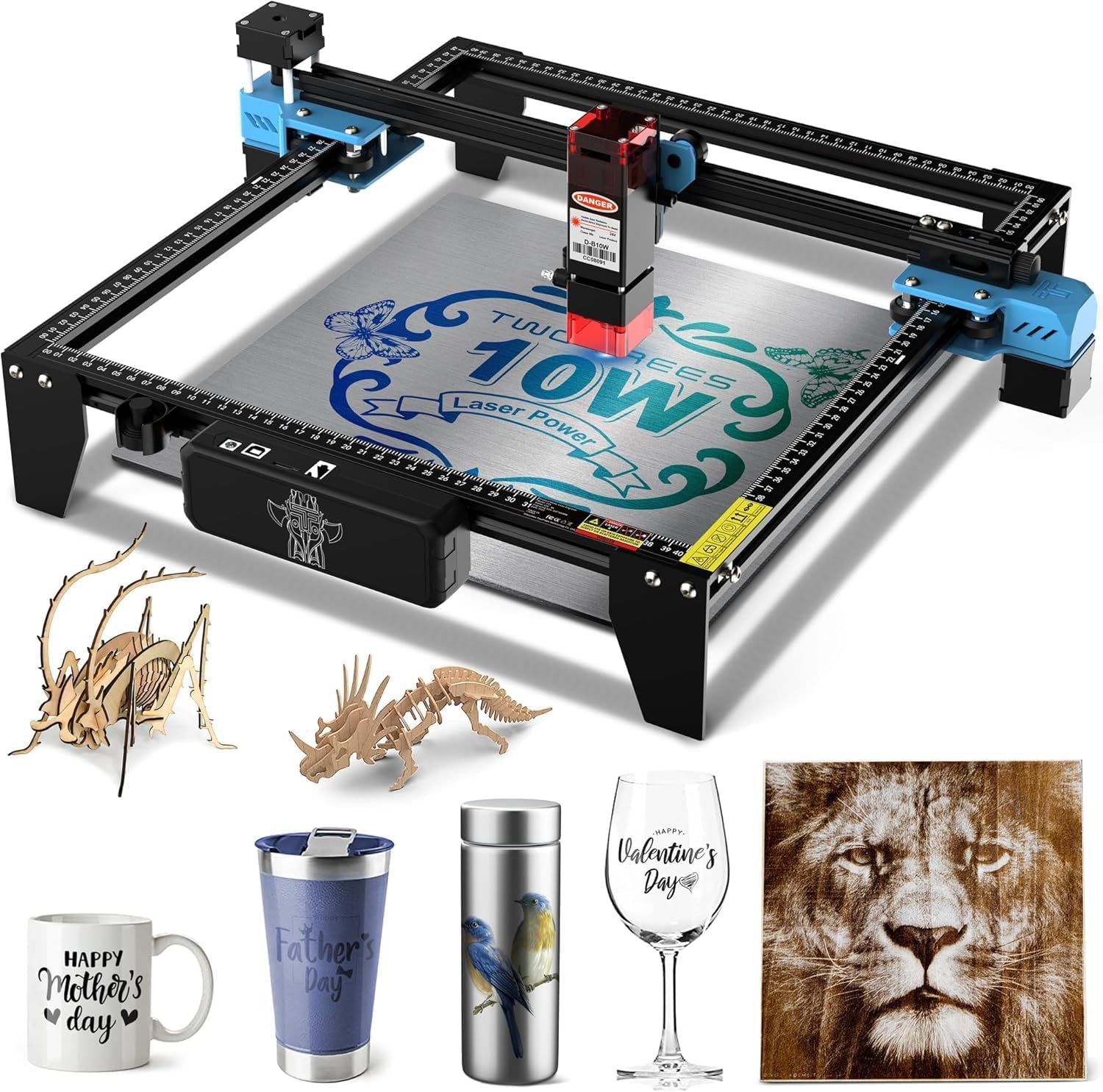
The TTS-10 Pro packs a genuine 10W (10,000mW) 450nm blue diode into an open-frame system with a 300 x 300mm work area. Dual Y-axis 42-stepper motors and GT2-6mm timing belts keep the gantry steady at speeds up to 30,000 mm/min — three times faster than many 5W alternatives in the same price bracket. The compressed spot measures 0.069mm, allowing clean engraving on wood, bamboo, leather, dark glass, and coated metals.
The 32-bit dual-core MCU supports both online engraving via USB or Wi-Fi and offline engraving through a TF card — included 4GB card and card reader ship in the box. It’s compatible with LaserGRBL and LightBurn, giving you flexibility across Windows, Mac, and Linux. The full aluminum-alloy frame with injection-molded parts keeps vibration low, and certifications span CE, FCC, ROHS, FDA, and UL62368.
Bare stainless steel and uncoated metal require marking spray for visible results — the 450nm blue diode simply won’t mark reflective surfaces without preparation. The assembly manual is basic, and some users report needing to tune the eccentric nuts to eliminate X-axis play. For a 10W machine at this price, the TTS-10 Pro is a solid choice for upgrading from a 5W starter without jumping to premium territory.
Why it’s great
- 10W optical power at an accessible price
- 30,000 mm/min engraving speed
- TF card offline operation and Wi-Fi support
Good to know
- Requires marking spray for bare stainless steel
- Basic instruction manual
- Some X-axis play out of the box
6. ACMER S1 6W
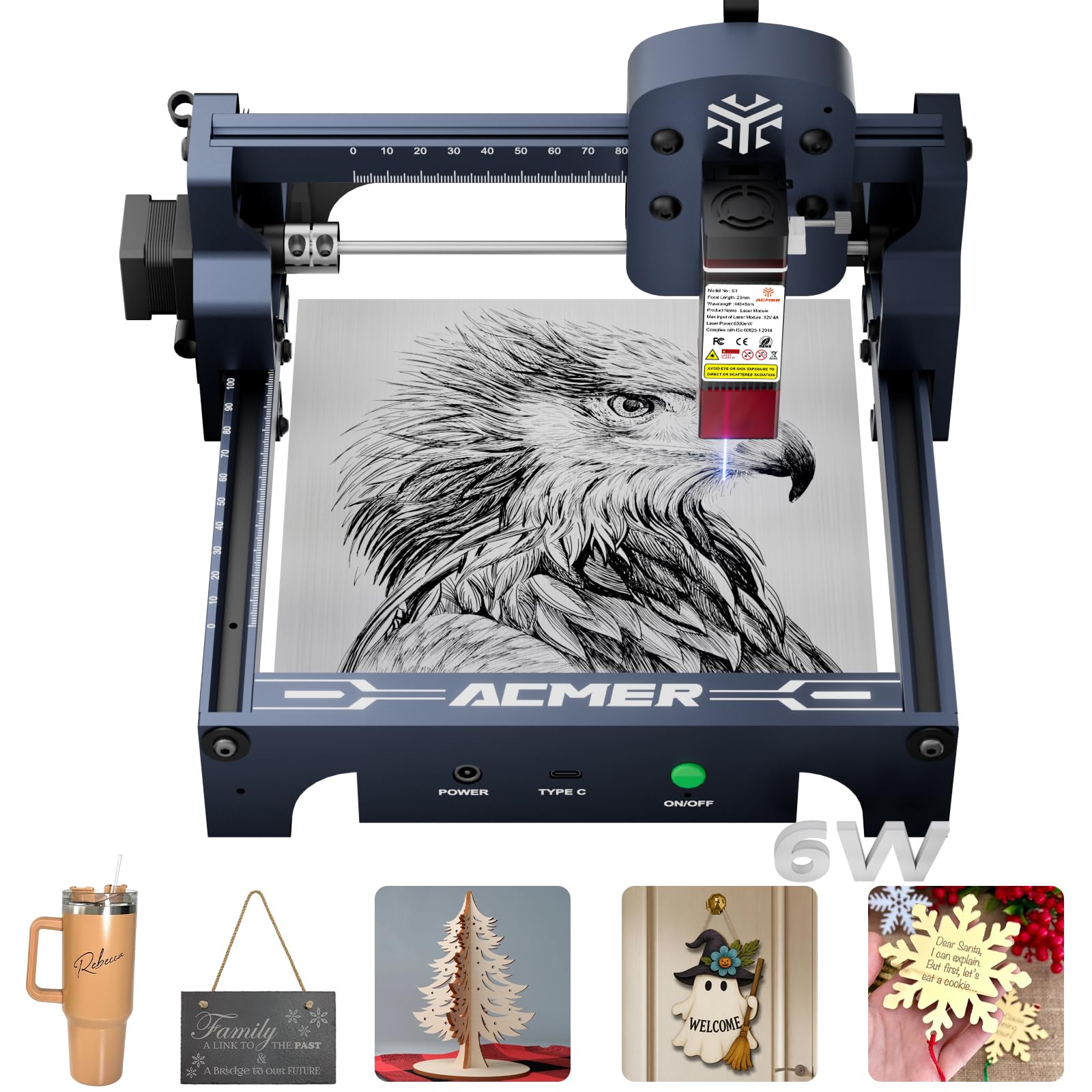
The ACMER S1 shrinks down to a 250 x 250 x 162mm footprint while still delivering 6W (6,000mW) of diode power through a 0.04mm compressed spot — the finest spot size in this roundup. That tiny spot enables 0.01mm repeatable positioning accuracy, which makes a real difference when engraving detailed portraits or small text on wood, leather, and ceramic. The machine weighs only 4.2 pounds, so it’s genuinely portable from desk to shelf.
Setup is the fastest in this category: the unit arrives 99% pre-assembled, with a single-minute laser head installation. The free AcmerTool software works out of the box, and it also supports LightBurn and LaserGRBL across macOS, Windows, and Linux. The industrial-grade aluminum alloy frame keeps vibration low despite the lightweight build, and the 130 x 130mm work area is sufficient for coasters, keychains, and phone cases.
The small work area is the obvious limitation — you can’t batch-engrave large items or cut anything bigger than 5 inches. Some users reported the laser degrading after a month of regular use, though ACMER’s 12-month warranty and 24/7 support provide a safety net. For anyone with limited desk space who needs fine detail on small projects, the S1 delivers precision that larger machines can’t match at this size.
Why it’s great
- 0.04mm compressed spot for ultra-fine detail
- 99% pre-assembled — 1-minute setup
- Lightweight 4.2 lbs and portable
Good to know
- 130 x 130mm work area limits batch size
- Some reports of laser degradation after a month
- Not suitable for cutting thick materials
7. Twotrees TTS-55 Pro 5.5W
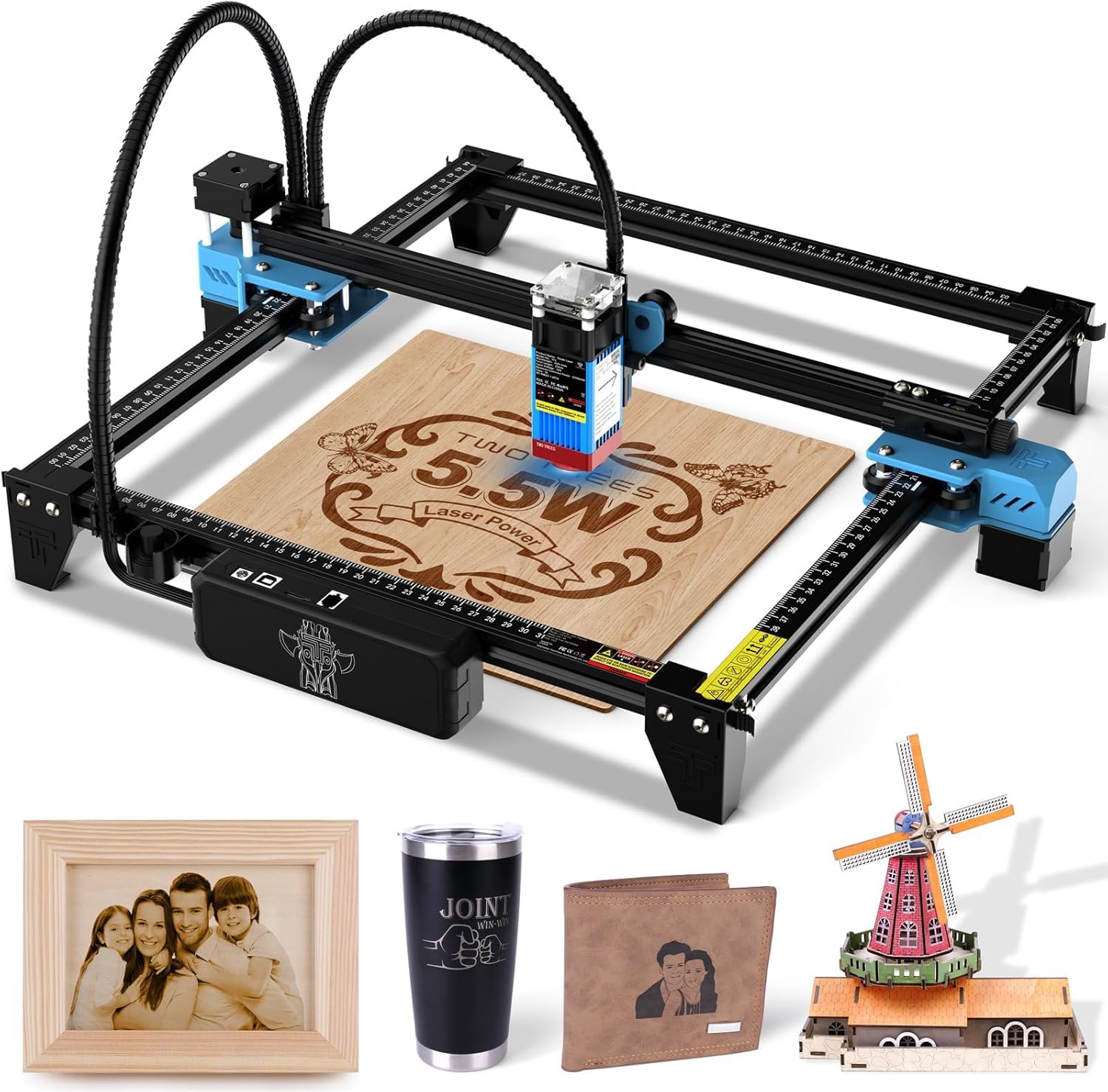
The TTS-55 Pro uses LD+FAC+C-Lens compression technology to produce a 0.06 x 0.46mm super-fine spot from its 5.5W diode. The 23mm short focal length concentrates that power for cutting through 5mm plywood and engraving detailed designs on stainless steel and acrylic. The 300 x 300mm work area gives you enough space for standard coaster sets and small signage without crowding the frame.
The dual-core 32-bit MCU pushes engraving speeds up to 30,000 mm/min, and the metal air-assisted nozzle is a welcome upgrade over the plastic nozzles on cheaper machines — it integrates with an air assist system for cleaner cuts with less charring. Connectivity includes Wi-Fi for mobile app and computer web control, plus TF card offline engraving. LaserGRBL and LightBurn are both supported, which means you’re not locked into proprietary software.
Customer reviews highlight easy assembly and responsive seller support when issues arise. The main trade-off at this price is the slightly less refined frame compared to more expensive models — some V-groove wheel wear is reported over extended use. For hobbyists entering the laser world on a tight budget, the TTS-55 Pro offers the best balance of speed, spot quality, and connectivity.
Why it’s great
- Compressed spot with 23mm focal length for sharp cuts
- 30,000 mm/min engraving speed
- Wi-Fi and TF card offline operation
Good to know
- V-groove wheels may wear over time
- Frame less rigid than higher-tier models
- Basic assembly manual
8. Comgrow Z1 5W

The Comgrow Z1 delivers 5,000mW of optical power through a 0.08mm spot on a 15.7 x 15.7 inch work area. While the spot is wider than the compressed-lens competitors, the large work area and dual Y-axis motor system make it a capable machine for engraving tumblers, mirrors, and anodized aluminum. The 24V power supply provides consistent energy for cutting 5mm plywood in a single pass.
Expandability is the Z1’s standout feature: the machine accepts a Comgrow rotary roller for engraving cylindrical objects like glasses and bottles, and you can swap the 5W module for a 10W module without buying a whole new system. It connects via Wi-Fi, USB cable, or SD card, and supports both LaserGRBL and LightBurn. The open-frame design makes it easy to add aftermarket accessories like air assist and honeycomb beds.
Build quality is hobby-grade — the V-groove wheels can wear down, and some units arrive with X-axis play that requires eccentric nut adjustment. A few users reported fatal firmware update failures, so sticking with stable release versions is wise. If you plan to grow into larger projects and want a platform that can scale with module upgrades and rotary attachments, the Z1 is a flexible starting point.
Why it’s great
- Swappable laser module (5W to 10W upgrade)
- Large 15.7 x 15.7 inch work area
- Compatible with rotary roller for cylinders
Good to know
- 0.08mm spot is wider than compressed-lens rivals
- Firmware updates can brick the unit
- Hobby-grade frame — V-groove wheels wear
9. Ortur Laser Master S2 LU2-2 2.1W

The Ortur Laser Master S2 with the LU2-2 module outputs 2,100mW through a 0.07 x 0.06mm ultra-fine spot — the smallest spot-to-power ratio in this list. That focus allows crisp engraving on wood, leather, and acrylic despite the lower optical power. The 390 x 410mm work area is one of the largest in the group, giving you room for bigger projects without upgrading the frame.
Safety is the S2’s defining advantage: the 32-bit motherboard includes a G-sensor that halts the laser if the machine is tilted or displaced, an auto-stop if the USB cable disconnects, and an idle timeout that turns off the beam after a period of inactivity. The panoramic filter glass protective cover blocks 97% of ultraviolet light, reducing the need for goggles. The modular design makes repair and part replacement straightforward — good for users who plan to maintain their own equipment.
The trade-off is obvious: 2.1W can’t match the cut depth of 5W or 10W machines. Cutting 5mm plywood requires air assist and multiple passes. Some users reported defective units with unhelpful support responses, and the laser stayed on during homing moves in some early batches (since resolved with replacement boards). For beginners who value safety features and a large work area over raw cutting power, the S2 is a solid entry point that won’t outgrow you too quickly.
Why it’s great
- G-sensor tilt detection and USB disconnect stop
- Ultra-fine 0.07 x 0.06mm spot for detailed engraving
- Large 390 x 410mm work area
Good to know
- 2.1W requires multiple passes for thick cuts
- Some reports of defective units and poor support
- Open frame needs smoke evacuation setup
FAQ
Will a 1 Watt laser cut through 10mm wood?
Can I engrave stainless steel with a blue diode laser?
Do I need air assist for a desktop laser engraver?
What safety gear is mandatory for open-frame laser engravers?
Final Thoughts: The Verdict
For most users, the 1 watt laser winner is the Creality Falcon A1 Pro 20W because it combines production speed, dual-wavelength versatility, and full enclosure safety in a pre-assembled package that minimizes setup friction. If you want maximum cutting power for thick materials and large batches, grab the xTool S1 40W. And for a budget-friendly 10W workhorse that balances cut depth and price, nothing beats the Creality Falcon 10W.