
Waiting for a device that genuinely replaces both a tablet for note-taking and a laptop for serious work is a tall order, but the 2024 crop of 2-in-1 machines is finally delivering. The gap between a comfy touchscreen slate and a full, productive keyboard has narrowed to the point where the compromise is finally worth it for most buyers.
I’m Min — the co-founder and writer behind Gadgets Feed. I spend hundreds of hours analyzing spec sheets and poring over user experiences to identify which hybrid machines actually deliver on the promise of seamless laptop-to-tablet transition without the usual drawbacks.
Whether you need a daily driver for college, a creative tool for sketching, or a work machine that travels light, this guide cuts through the marketing to find the absolute best 2-in-1 tablet with keyboard for your specific workflow and budget.
How To Choose The Best 2-In-1 Tablet With Keyboard
Choosing a 2-in-1 requires balancing three competing priorities: raw processing power, screen quality for touch interaction, and the physical keyboard experience. The device must be light enough to hold as a tablet yet robust enough to drive a full desktop OS. Here’s what to look for.
Processor and Performance Tiers
The CPU is the make-or-break spec for a 2-in-1. Entry-level Intel N150 processors (quad-core, up to 3.6 GHz) handle web browsing, Office apps, and streaming without issue but will struggle with heavy multitasking or CAD software. Mid-range machines use Intel Core i3 or i5 (or MediaTek Dimensity 8300) and can manage concurrent apps and light photo editing. Premium models packing Intel Core Ultra 7, Snapdragon X Plus, or Core Ultra 7 155U deliver desktop-class performance for coding, 3D modeling, and video work. Always pair the CPU with at least 8GB of RAM — 4GB units will feel sluggish under Windows 11 today.
Screen Quality and Touch Responsiveness
A 2-in-1’s display does double duty: it’s both a monitor and an input surface. Resolution matters — 1920 x 1200 is the minimum for comfortable reading and multitasking, while 3K (2880 x 1800) or 2K (2000 x 1200) panels offer sharper text and richer colors for creative work. Refresh rate is a hidden spec: 60Hz is standard, but 90Hz or 120Hz panels make scrolling, drawing, and general navigation feel far more fluid. OLED screens like Samsung’s Dynamic AMOLED 2X provide superior contrast and color accuracy over standard IPS LCD panels.
Keyboard Attachment and Build Quality
How the keyboard connects dictates real-world reliability. Magnetic pogo-pin keyboards (common on detachable tablets like Surface Pro and CHUWI) are easy to detach but can have weak magnets that disconnect during lap use. 360° hinge designs (found on the Lenovo Yoga 7i) offer a sturdier base but make the device heavier and harder to use as a pure tablet. The best keyboard for your use case depends on whether you type primarily at a desk or on your lap. Also check key travel (at least 1.3mm is preferable) and backlighting for low-light work.
Quick Comparison
On smaller screens, swipe sideways to see the full table.
| Model | Category | Best For | Key Spec | Amazon |
|---|---|---|---|---|
| HP OmniBook X | Premium | Power users and creative professionals | 3K OLED, Intel Core Ultra 7, 24GB RAM | Amazon |
| Samsung Galaxy Book5 Pro 360 | Premium | Creatives needing S Pen and 120Hz OLED | 3K AMOLED, 120Hz, S Pen, Snapdragon X Elite | Amazon |
| Lenovo Yoga 7i 16″ | Premium | Large-screen multitaskers | 2K IPS, Core Ultra 7, 16GB DDR5, 2TB SSD | Amazon |
| Microsoft Surface Pro (2024) | Premium | Windows ecosystem loyalists | Snapdragon X Plus, 16GB RAM, 13″ 120Hz | Amazon |
| Jumper EZpad V12Pro | Mid-Range | Students on a budget | 2K IPS, Intel Gold 6500Y, 12GB RAM | Amazon |
| BNCF NewBook 11 | Mid-Range | Portable productivity with FHD display | 1920×1200 IPS, N150, 12GB RAM, 512GB | Amazon |
| KOOTIGERS Mini Laptop 8″ | Mid-Range | Ultra-portable travel companion | 8″ touchscreen, N150, 12GB RAM, 512GB | Amazon |
| CHUWI Hi10 X2 | Mid-Range | Budget Windows tablet with Core i3 power | Intel Core i3, 8GB RAM, 256GB SSD | Amazon |
| ADREAMER 10.1″ Win 11 | Budget | Entry-level user needing a full desktop OS | Intel N150, 8GB RAM, 256GB SSD | Amazon |
| Lenovo Idea Tab Pro | Budget | Android tablet with keyboard and stylus | 12.7″ 3K LCD, Dimensity 8300, 8GB RAM | Amazon |
| HP 14 2-in-1 Chromebook | Budget | Chromebook fans needing a touchscreen | Intel N100, 4GB RAM, 64GB, Chrome OS | Amazon |
In‑Depth Reviews
1. HP OmniBook X 14 inch Next Gen AI PC
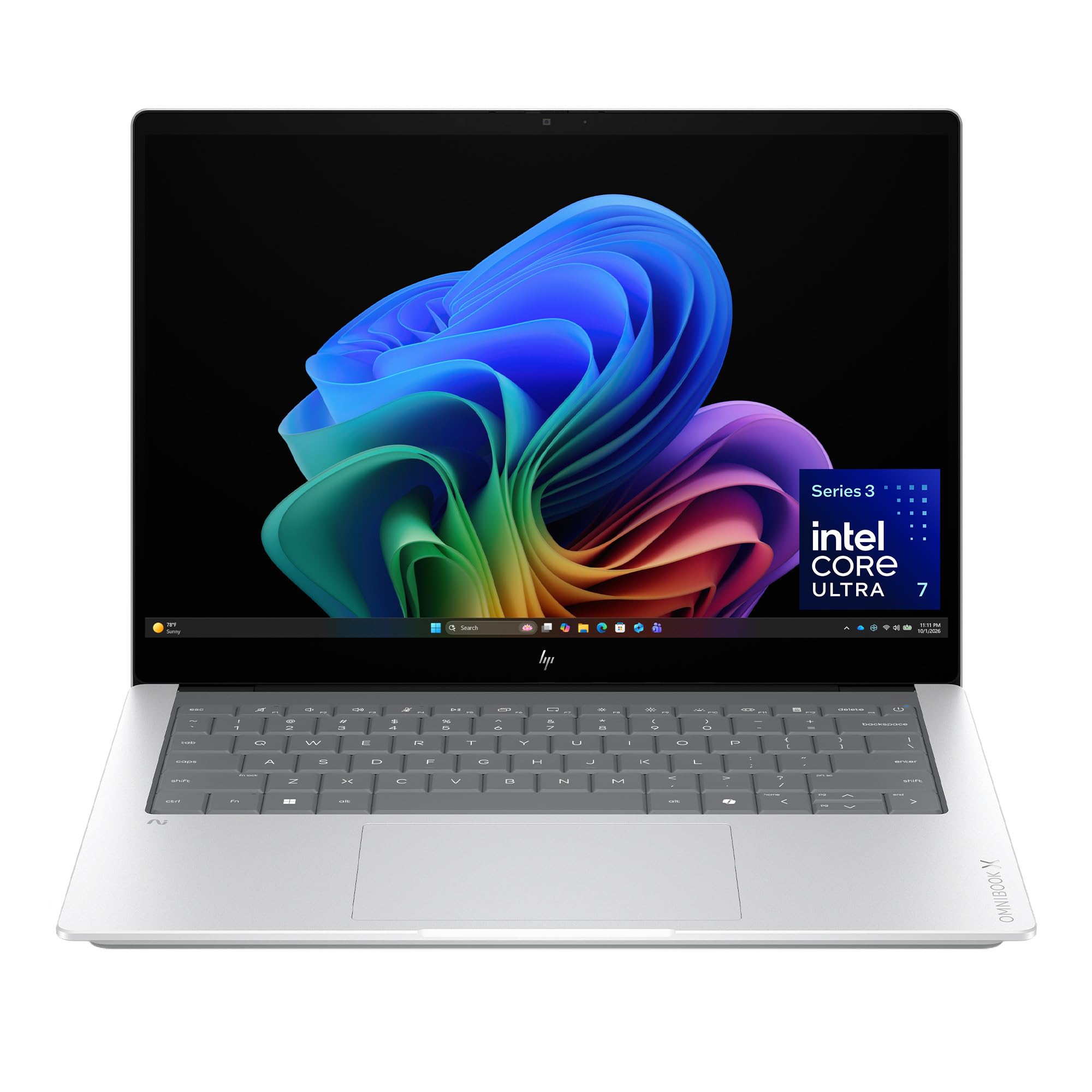
The HP OmniBook X is the most compelling 2-in-1 for power users in 2024, thanks to its 3K OLED touchscreen and Intel Core Ultra 7 processor. This 14-inch machine delivers exceptional contrast and color depth for photo editing and media consumption, while the 24GB of LPDDR5x RAM ensures zero lag when juggling dozens of browser tabs, coding IDEs, and creative software simultaneously.
Battery life is the headline feature here — HP claims up to 27.5 hours of video playback, and real-world mixed use easily clears a full workday. The 1TB PCIe Gen4 NVMe SSD provides lightning-fast boot times and ample storage. The keyboard features great key travel and a responsive trackpad, though the Copilot key placement can cause accidental presses during fast typing.
The OmniBook X is not a true detachable 2-in-1 — it uses a traditional laptop clamshell design with a 360° hinge. This means you get a sturdier typing base and better lap usability, but it’s heavier than a tablet-plus-keyboard combo. If you prioritize raw performance and screen quality over slenderness, this is the machine to beat.
Why it’s great
- Stunning 3K OLED touchscreen with rich blacks and vivid colors
- 24GB RAM handles heavy multitasking and creative software
- Exceptional battery life and fast charging (50% in 30 minutes)
- Lightweight anodized aluminum shell (2.87 lbs)
Good to know
- 360° hinge design, not a detachable tablet keyboard
- Copilot button easily pressed accidentally
- Premium pricing places it above many comparable Windows ultrabooks
2. Samsung Galaxy Book5 Pro 360

The Galaxy Book5 Pro 360 is Samsung’s flagship 2-in-1, and its 16-inch Dynamic AMOLED 2X display with 120Hz refresh rate sets the standard for visual quality in this category. Every swipe, scroll, and S Pen stroke feels incredibly fluid, and the 2880×1800 resolution makes text razor-sharp. The included S Pen with enhanced tilt sensitivity makes this ideal for artists, note-takers, and anyone who marks up documents.
Under the hood, the Intel Core 7 Ultra processor (codename Lunar Lake) delivers strong performance for coding, video editing, and heavy multitasking. Battery life is rated up to 25 hours, though heavy use with the display at high brightness will cut that significantly. The phone Link integration with Samsung phones and Quick Share file transfer are genuine productivity boosters for Samsung ecosystem users.
The keyboard is a weak point — it feels soft and rubbery compared to premium competitors. The 16-inch chassis is also fairly heavy for a device meant to be carried around. Some users report the screen can be fragile, and the machine runs hot under sustained load. Still, for creative professionals who value display quality above all else, this is a compelling package.
Why it’s great
- Best-in-class 3K AMOLED 120Hz touchscreen
- S Pen included with excellent tilt sensitivity for drawing
- Strong performance from Intel Core 7 Ultra processor
- Seamless integration with Samsung phone ecosystem
Good to know
- Keyboard feels soft and rubbery
- Heavy for a 2-in-1, especially in tablet mode
- Runs hot under sustained heavy loads
3. Lenovo Yoga 7i 16″ 2-in-1 Laptop

The Lenovo Yoga 7i provides an exceptional balance of screen real estate and raw power with its 16-inch 2K IPS touchscreen and Intel Core Ultra 7 155U processor. The 360° flip-and-fold design transitions smoothly between laptop, tablet, tent, and stand modes, and Lenovo’s auto-rotation software adjusts app layouts intelligently. The 16GB of DDR5 RAM and massive 2TB PCIe 4.0 SSD mean you’ll never think twice about storage space.
Port selection is generous — you get two USB-A ports, two Thunderbolt 4 ports, HDMI, and a microSD card reader, which is rare in this form factor. The backlit keyboard is comfortable for long typing sessions, and the fingerprint reader makes secure logins effortless. Battery life is solid, easily lasting a full workday with mixed use.
At over 4 pounds, this is not a lightweight device — it’s best suited for users who do most of their work at a desk but occasionally need tablet flexibility. Some users report Lenovo Vantage and Microsoft bloatware are annoying, though they can be uninstalled. For those who need a desktop replacement that also functions as a tablet, the Yoga 7i delivers.
Why it’s great
- Large 16-inch 2K IPS touchscreen with great viewing angles
- Core Ultra 7 155U provides desktop-class performance
- Massive 2TB SSD and 16GB DDR5 RAM
- Excellent port selection with Thunderbolt 4 and HDMI
Good to know
- Heavy — over 4 pounds, not truly portable for tablet use
- Pre-installed Lenovo Vantage and Microsoft bloatware
- 360° hinge is sturdy but adds weight
4. Microsoft Surface Pro (2024)

The 2024 Surface Pro marks Microsoft’s biggest leap forward with its Snapdragon X Plus processor, delivering performance that rivals the MacBook Air M3 in benchmarks. The 13-inch touchscreen display is bright, sharp, and runs at a smooth 120Hz, making it feel instantly responsive. The Qualcomm NPU powers Copilot+ AI features that genuinely enhance productivity, like real-time Live Captions and Windows Studio Effects.
The detachable keyboard (sold separately) has been redesigned with better key travel and a more stable magnetic connection. The unique built-in kickstand provides infinite viewing angles, though it’s not comfortable for lap use. Battery life is rated at 14 hours, and in real-world mixed use, you’ll get through a full workday. The Surface Pro remains the gold standard for form factor — it’s the thinnest and lightest premium 2-in-1 you can buy.
The Snapdragon X ARM architecture means some legacy x86 applications may not work perfectly, though compatibility has improved significantly. The keyboard being sold separately adds to the already high price. Only two USB-C ports (no USB-A or HDMI) means you’ll need dongles. For Windows users who want the ultimate tablet-like experience, the Surface Pro remains a top choice.
Why it’s great
- Excellent 13-inch 120Hz touchscreen display
- Snapdragon X Plus outperforms M3 MacBook Air
- Thinnest and lightest premium 2-in-1 on the market
- 14-hour battery life matches all-day use
Good to know
- Keyboard sold separately, increasing total cost
- Snapdragon ARM processor may have legacy app compatibility issues
- Only two USB-C ports, no USB-A or HDMI
5. Jumper EZpad V12Pro
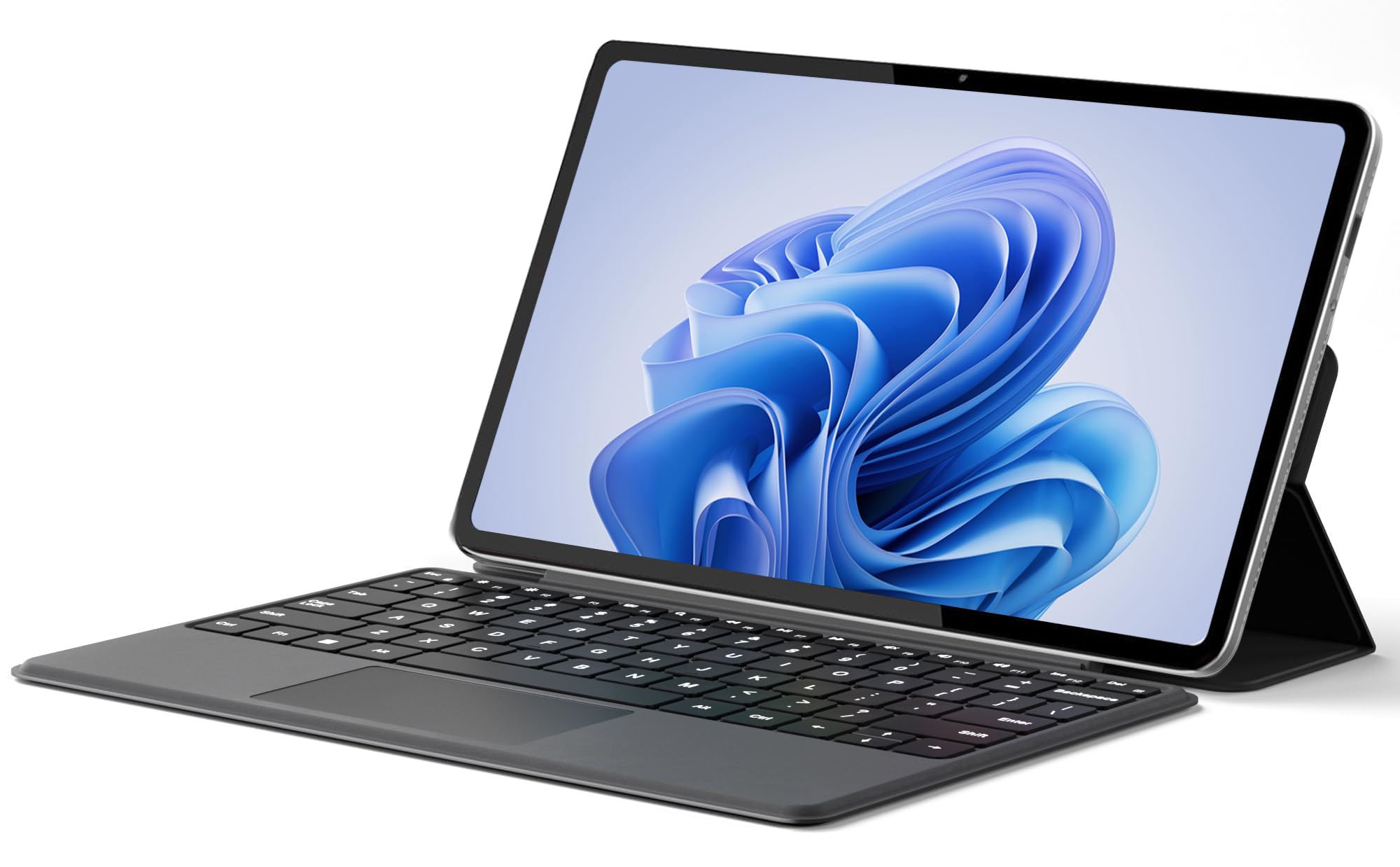
The Jumper EZpad V12Pro punches well above its price point with a 12-inch 2000×1200 IPS touchscreen that delivers vivid colors and sharp details for a budget-friendly device. The Intel Pentium Gold 6500Y processor (dual-core, up to 3.4 GHz) handles daily office tasks, web browsing, and media streaming without major hiccups. The 12GB of RAM is generous for this class and helps keep multiple apps open without reloading.
The detachable magnetic keyboard includes a multi-angle adjustable stand, and the aluminum body feels surprisingly premium at just 0.64 kg. The anti-glare screen coating reduces reflections during outdoor use. The 4300mAh battery provides up to 8 hours of video playback, which is competitive for this price tier. Dual Type-C ports support charging, data transfer, and video output, which is excellent connectivity for the money.
The processor is not designed for heavy multitasking or gaming — expect occasional slowdowns with more than 10+ browser tabs or photo editing. The keyboard keys have shallow travel and lack a dedicated row for function keys. The dual cameras (200W front, 500W rear) are adequate for video calls but nothing more. For students and casual users who prioritize screen quality over raw power, this is a strong contender.
Why it’s great
- Vivid 12-inch 2K IPS touchscreen with anti-glare coating
- Generous 12GB RAM for smooth multitasking
- Premium aluminum construction at 0.64 kg
- Dual Type-C ports with video output support
Good to know
- Pentium Gold 6500Y processor is entry-level for multitasking
- Shallow keyboard keys, no dedicated function row
- Cameras are low resolution, adequate for calls only
6. BNCF NewBook 11

The BNCF NewBook 11 packs a surprising amount of value into an 11-inch form factor. The 1920×1200 IPS In-Cell touchscreen is exceptionally sharp for a device at this price point, and the N150 processor paired with 12GB of DDR5 RAM handles everyday tasks like web browsing, Office apps, and even light gaming with surprising smoothness. The 512GB NVMe SSD ensures fast boot times and ample storage.
Its aluminum chassis weighs just 635g as a tablet, with the magnetic keyboard and kickstand bringing the total to 1106g. The large internal fan and dual-copper heat pipe effectively prevent thermal throttling during sustained workloads. Dual Type-C ports, USB 3.0, and micro HDMI provide solid connectivity options. The 34.2Wh battery provides decent run time for a full day of classes or meetings.
The keyboard quality is a mixed bag — some users report ghosting issues with the keyboard, and the magnetic attachment can be finicky. The 90Hz refresh rate display feels smooth for scrolling but lacks the fluidity of 120Hz panels. Customer support has been criticized for responsiveness. For those who need a lightweight, budget-friendly 2-in-1 with a sharp screen, the NewBook 11 offers good value.
Why it’s great
- Sharp 1920×1200 IPS touchscreen in a compact form factor
- 12GB DDR5 RAM handles multitasking well
- Lightweight aluminum build (635g tablet only)
- Effective cooling system prevents throttling
Good to know
- Keyboard ghosting issues reported by some users
- Magnetic keyboard attachment can be finicky
- Customer support responsiveness could be improved
7. KOOTIGERS Mini Laptop 8″

The KOOTIGERS 8-inch mini laptop is a unique niche product — a full Windows 11 Pro device that fits in a jacket pocket. With the Intel N150 processor, 12GB of LPDDR5 RAM, and a 512GB M.2 SSD, it runs desktop applications like Office, Zoom, and Chrome without the compromises of a tablet OS. The 360° hinge with G-sensor auto-rotation makes switching between laptop and tablet modes seamless.
Portability is the headline: at 1.72 pounds and with a rugged metal casing, it’s built for daily commutes. The fanless design means silent operation, and the battery lasts 4-6 hours under mixed use. The included backlit keyboard is usable for short typing sessions, though the 8-inch layout is cramped for touch typists. The stylus support is a welcome bonus for quick note-taking.
The most significant limitation is the keyboard layout — the non-standard key placement causes frequent typos for anyone accustomed to full-sized keyboards. The 1280×800 resolution display is adequate but not as sharp as larger 2-in-1s. Battery life under heavy use drops to around 4 hours. For travelers who need a true Windows machine in the smallest possible form factor, this is a unique and effective solution.
Why it’s great
- Extremely portable 8-inch form factor, fits in large pockets
- Full Windows 11 Pro OS, runs desktop apps
- Rugged metal casing with fanless silent operation
- Includes stylus, USB hub, and HDMI cable
Good to know
- Non-standard keyboard layout causes frequent typos
- 1280×800 display is less sharp than larger models
- Battery life drops to ~4 hours under heavy use
8. CHUWI Hi10 X2
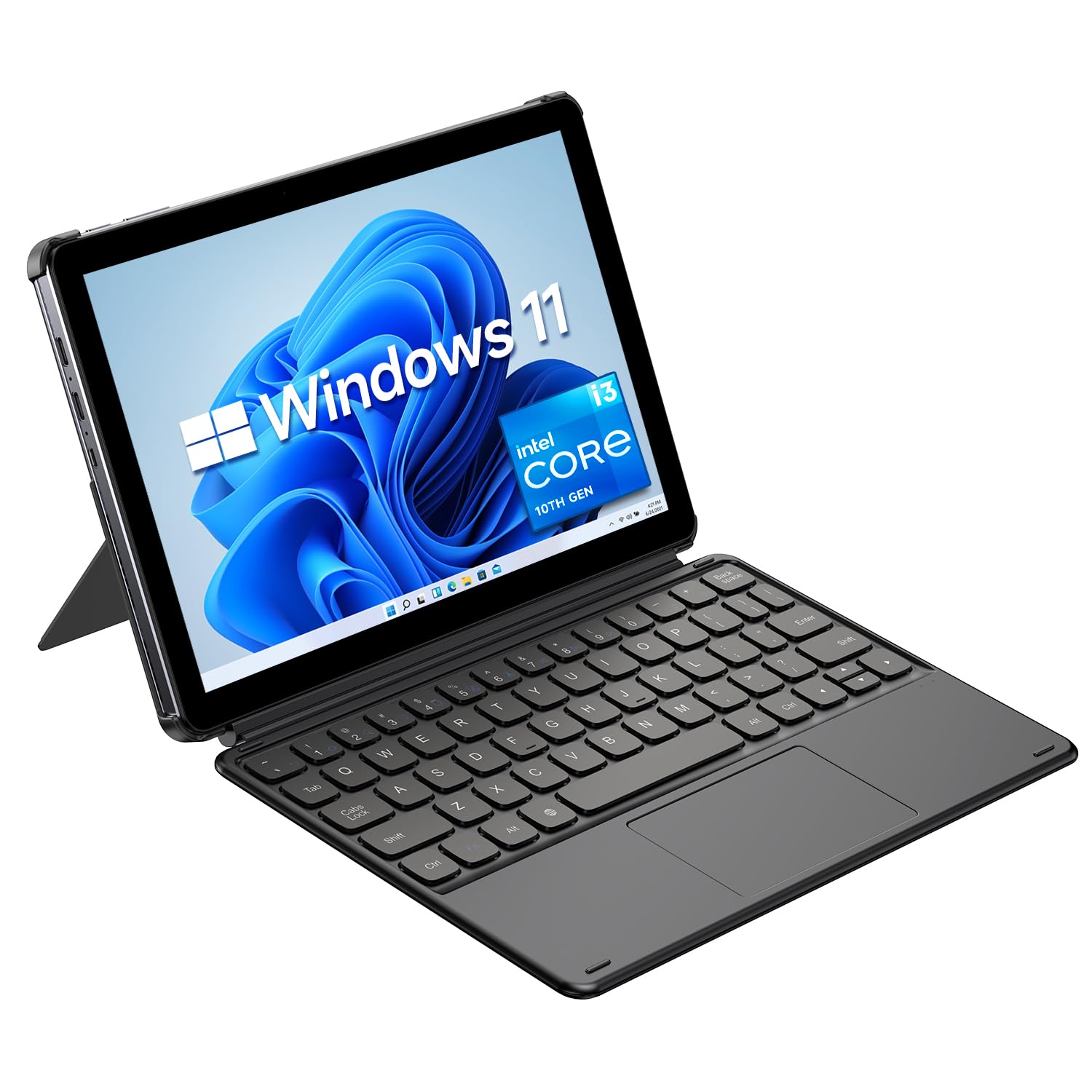
The CHUWI Hi10 X2 stands out in the mid-range segment with its 10th Gen Intel Core i3 processor (up to 3.9 GHz) — a significant step up from the N-series CPUs found in many budget tablets. This processor, combined with 8GB of RAM and a 256GB SSD, provides enough horsepower for serious work like AutoCAD, Excel modeling, and Python programming. Windows 11 runs smoothly with minimal delay.
The 10.1-inch form factor is a sweet spot for portability — weighing only 1.34 pounds with a 10.1mm thin body, it slips easily into any bag. Wi-Fi 6 and Bluetooth 5.3 provide fast, stable wireless connectivity. The magnetic detachable keyboard is decent for the price, though the keys feel plastic-y and the trackpad can be unresponsive at times. The full-featured Type-C port and micro HDMI expand connectivity options nicely.
Battery life is a notable weakness — the 3400mAh battery provides only 5-6 hours of real-world use, which is below average for this category. Some units have arrived with scratched screens out of the box. The 1280×800 resolution display is acceptable for the price but noticeably less sharp than 1920×1200 competitors. The stylus support is functional but not as refined as premium options. For budget-conscious users who need Core-level processing power, this is a compelling choice.
Why it’s great
- 10th Gen Core i3 processor outperforms N-series chips significantly
- Lightweight and ultra-thin form factor (1.34 lbs)
- Wi-Fi 6 and Bluetooth 5.3 for fast connectivity
- Adequate for AutoCAD and programming
Good to know
- Battery life only 5-6 hours
- 1280×800 display is less sharp than competitors
- Some units arrive with scratched screens
- Keyboard feels cheap, trackpad unresponsive at times
9. ADREAMER 10.1″ Win 11 Tablet
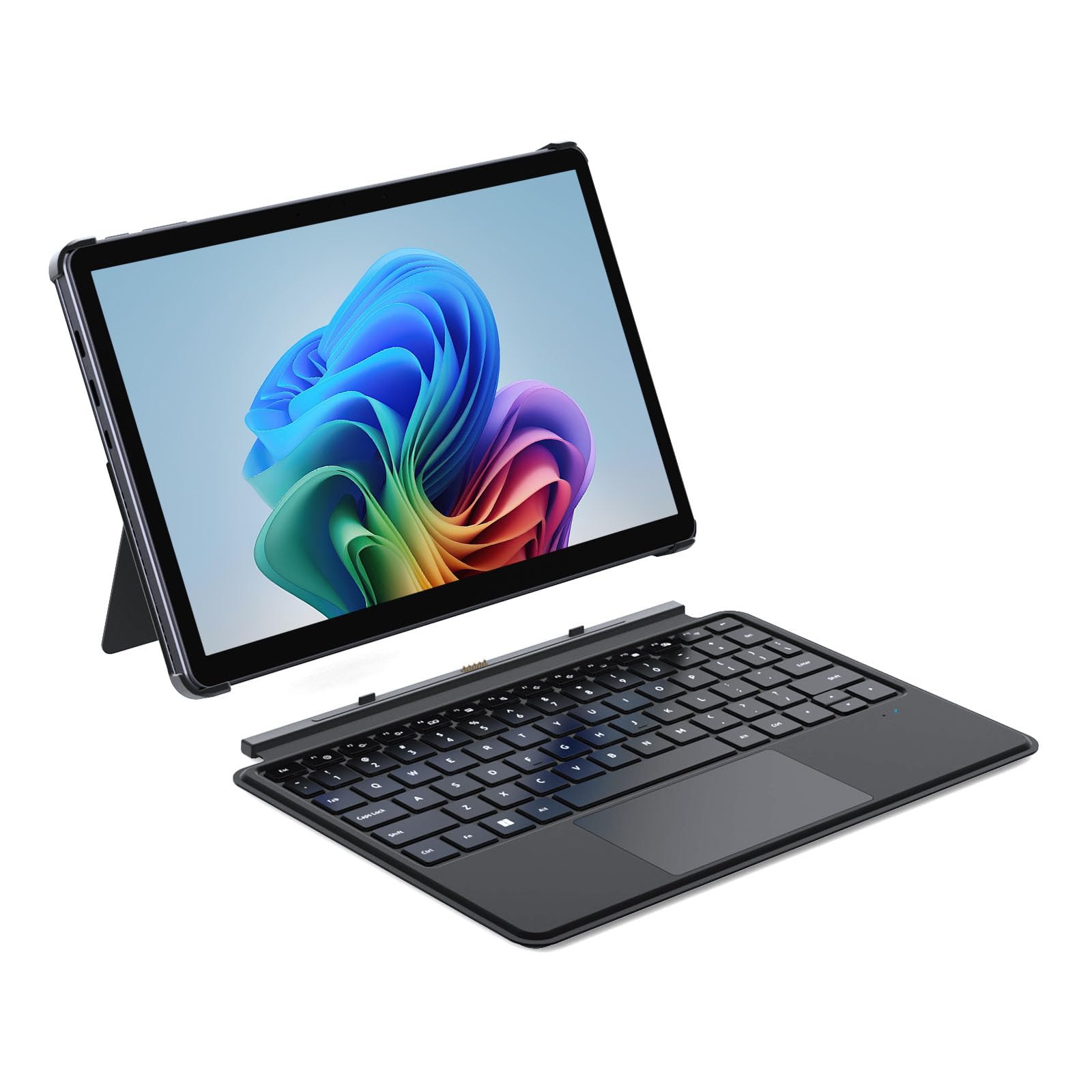
The ADREAMER 10.1-inch tablet is a solid entry point for those who need a full Windows 11 experience on a budget. The 12th Gen Intel N150 processor (quad-core, up to 3.6 GHz) delivers 36% better performance than the older N5095 and handles daily tasks like web browsing, streaming, and Office apps without frustration. The 8GB of LPDDR5 RAM (50% faster than DDR4) helps maintain responsiveness with multiple apps open.
The 10.1-inch HD touchscreen is bright at 300 nits and works well indoors, though the 1280×800 resolution is noticeably less sharp than FHD panels. The included detachable backlit keyboard is a welcome addition at this price point, transforming the tablet into a functional mini-laptop. The 4500mAh battery provides up to 6 hours of use, and 30W PD fast charging gets you back to 100% in about 2 hours.
The keyboard connectors have durability concerns — some users report them breaking within the first week of use. The build quality, while having a nice metal finish, does not feel as robust as more expensive models. The dual cameras (5MP front, 8MP rear) are decent for video calls but not much more. For the price, it offers solid value but requires careful handling and realistic expectations about longevity.
Why it’s great
- Intel N150 processor outperforms older budget N-series chips
- 8GB LPDDR5 RAM is fast for this class
- Includes backlit keyboard at a budget price
- 30W PD fast charging reaches full in 2 hours
Good to know
- Keyboard connectors can break within the first week
- 1280×800 display is not as sharp as FHD
- Battery life ~6 hours under light use
- Build quality feels less robust than premium models
10. Lenovo Idea Tab Pro

The Lenovo Idea Tab Pro takes a different approach to the 2-in-1 concept — it’s an Android tablet that runs on the MediaTek Dimensity 8300 processor with a stunning 12.7-inch 3K LCD display. The 2944×1840 resolution and 90Hz refresh rate make this an excellent device for media consumption, reading, and creative work. The included Tab Pen Plus offers smooth inking with Google’s Circle to Search feature and good palm rejection.
Battery life is a standout feature — the 10,200 mAh battery provides up to 11 hours of video streaming, and the 45W fast charging gets it back up quickly. The quad JBL speakers with Dolby Atmos deliver rich, clear sound. The Google Gemini AI assistant integration is helpful for students researching or studying. The folio case is included, and the tablet supports PC mode for a desktop-like experience.
The biggest disappointment is that the 45W smart charger required for fast charging is sold separately and costs around — using a standard charger results in extremely slow charging. The tablet is also quite heavy, making prolonged one-handed use tiring. The LCD panel is excellent but lacks the deep blacks of OLED. This is an excellent choice for Android ecosystem users who prioritize screen quality and battery life over raw OS compatibility.
Why it’s great
- Stunning 12.7-inch 3K LCD display with 90Hz refresh rate
- Excellent battery life (11 hours video streaming)
- Quad JBL speakers with rich Dolby Atmos sound
- Included Tab Pen Plus with Google Circle to Search
Good to know
- 45W smart charger required for fast charging, sold separately
- Heavy tablet — tiring for prolonged one-handed use
- LCD lacks deep blacks of OLED panels
- Android OS, not Windows — app compatibility differs
11. HP 14 2-in-1 Chromebook

The HP 14 2-in-1 Chromebook is the most affordable entry point into the world of touchscreen convertible laptops. Its 14-inch FHD IPS display is surprisingly sharp for this price tier, and the 360° flip design allows it to function as a standard laptop, tent, stand, or tablet. The Intel N100 processor (quad-core, up to 3.4 GHz) and 4GB of DDR5 RAM are adequate for Chrome OS’s light footprint — web browsing, Google Docs, and streaming all run smoothly.
Build quality is impressive for the price — users describe it as sturdy and lightweight. Battery life is strong, easily lasting through a full school day of classes. The included AC charger covers basic needs. As a Chromebook, it benefits from automatic updates and built-in Google Play access for Android apps. The 64GB of eMMC storage is limited, but cloud-based workflows are the norm for Chrome OS.
The 4GB of RAM is the biggest bottleneck — power users who keep many tabs open will encounter slowdowns. The Chromebook OS is not suitable for those who depend on Windows-specific software for business or creative work. The 720p webcam is basic. For students, light users, or those deeply embedded in the Google ecosystem, this is an unbeatable value proposition.
Why it’s great
- Sharp 14-inch FHD IPS touchscreen at a budget price
- 360° flip design offers versatile modes
- Solid battery life for all-day use
- Light and sturdy build quality
Good to know
- 4GB RAM is limiting for heavy multitasking
- Chrome OS not suitable for Windows-specific software
- 64GB eMMC storage is limited
- 720p webcam is basic
FAQ
What is the difference between a 360° hinge and a detachable keyboard?
Can a 2-in-1 tablet with keyboard replace a laptop for programming?
How much RAM do I really need in a 2-in-1 tablet?
Final Thoughts: The Verdict
For most users, the best 2-in-1 tablet with keyboard winner is the HP OmniBook X because it combines a stunning 3K OLED touchscreen, desktop-class Intel Core Ultra 7 performance, and 24GB of RAM in a lightweight, long-battery-life package that handles both laptop and tablet duties equally well. If you prioritize a vibrant 120Hz AMOLED display and excellent S Pen support for drawing and note-taking, grab the Samsung Galaxy Book5 Pro 360. And for ultra-portable travel where every ounce counts, nothing beats the KOOTIGERS 8-inch Mini Laptop — a full Windows machine that fits in your pocket.