
A standard alarm clock with tiny numbers and cryptic abbreviations can be a daily source of confusion for aging eyes and minds. The challenge of deciphering AM versus PM, remembering what day it is, or managing a complex medication schedule is a real burden. A properly designed clock removes that stress, providing clarity and independence with a glance.
I’m Min — the co-founder and writer behind Gadgets Feed. I’ve spent countless hours analyzing the technical specifications, display technologies, and user interface designs that truly make a difference in assistive living devices to ensure this guide cuts through the noise.
Whether you need a talking clock for the visually impaired or a large display with medication reminders, this guide breaks down the key specs to help you choose the right alarm clock for elderly for your loved one.
How To Choose The Best Alarm Clock For Elderly
Selecting a clock for an elderly user goes beyond just picking the largest numbers you can find. The best models combine high-contrast displays with intuitive interfaces that reduce cognitive load and anxiety. Focus on these core features to find a device that provides genuine daily utility.
Display Readability and Contrast
The primary pain point is legibility from across the room. Look for a screen with a resolution of at least 1024×600 on an 8-inch or larger panel. High contrast is non-negotiable — black text on a white background or bold white digits on a deep black field offer the clearest separation. The clock must also explicitly spell out the day of the week and the full month name, without confusing abbreviations.
Reminders and Alarm Systems
For users managing medications, appointments, or daily hydration, a standard beeping alarm is insufficient. Seek models that allow you to set multiple daily alerts — ideally 6 to 12 or more — with distinct labeling. The best units offer visual icons (like a pill bottle for medication) and optional voice messages to reinforce the reminder’s purpose.
Auto-Dimming and Night-Friendly Modes
A clock that blasts bright light at 3 AM can disrupt sleep patterns. An ideal unit automatically dims to a low, non-glaring level after a set time (usually 8 PM to 7 AM). Some premium models even allow you to turn the display off completely while retaining voice announcement functionality, ensuring total darkness for undisturbed rest.
Ease of Setup and Operation
Complex menus with tiny buttons are a dealbreaker for elderly users. Look for clocks with a simple “set it and forget it” setup. Features like automatic Daylight Saving Time (DST) adjustment and battery backup that retains the correct time after a power outage are crucial for maintaining accuracy without user intervention.
Quick Comparison
On smaller screens, swipe sideways to see the full table.
| Model | Category | Best For | Key Spec | Amazon |
|---|---|---|---|---|
| MASSII 8 Inch | Premium | Most Reminders & Customization | 1280×800 HD, 19 Alarms | Amazon |
| Pastigio 10.1″ | Premium | Best HD Display & Remote | 1280×800 HD, 10.1″ IPS | Amazon |
| Top Life Talking Clock | Premium | Voice Announcement & Portability | 85 dB Voice, Screen Off Mode | Amazon |
| Mitoart 10.1″ | Mid-Range | Voice Time Reporting & Simple UI | Auto Dim 50-250 cd/㎡ | Amazon |
| CAZOKASI 10.1″ | Mid-Range | Triple Display Mode Value | 3 UI Modes, 12 Alarms | Amazon |
| AINFTIME 7 Inch | Mid-Range | Compact Size & Digital Frame | 7 Inch Display, Photo Frame | Amazon |
| American Lifetime 8″ | Entry-Level | Reliable Wood-Finish Classic | Wood Frame, 5 Alarms | Amazon |
In‑Depth Reviews
1. MASSII 8 Inch Extra Large Upgraded Dementia Clock

The MASSII clock is the most feature-rich model in this lineup, making it the top pick for caregivers who need comprehensive scheduling. Its 8-inch 1280×800 HD screen displays bright sun and moon icons to help orient users to the time of day, which is invaluable for those with dementia. The built-in battery backup automatically resets the correct time after a power outage, a critical reliability feature.
You get 19 programmable alarms and over 20 customizable reminders that can be linked to specific days or dates. These reminders display colored image icons (like a glass of water or a pill bottle) and can be paired with voice prompts in a British accent. The included remote control makes it easy to operate the clock from across the room or when wall-mounted.
The auto-dimming function is highly adjustable, cycling through 10 different brightness levels. The screen also cycles through defined phases (Morning, Afternoon, Evening, Night, Predawn) to provide a clear sense of time progression. While the menu setup is a bit archaic and time-consuming, the sheer volume of customization makes this the most powerful tool for managing a complex routine.
Why it’s great
- 19 alarms and 20+ custom reminders with visual icons and voice prompts
- Auto DST adjustment and battery backup that resets time after power loss
- Includes both a remote control and a certified power adapter
Good to know
- Menu navigation is old-school and time-consuming to program
- Voice prompts have a fixed British accent which may not suit everyone
2. Pastigio 10.1” Digital Clock

The Pastigio clock offers the highest-quality screen in this review, featuring a 10.1-inch IPS panel with a 1280×800 resolution. This spec ensures crystal-clear text and wide viewing angles, meaning the display remains perfectly readable from any corner of the room. The bold, oversized digits and the five-phase time orientation (before dawn, morning, afternoon, evening, night) provide absolute day-awareness.
It includes 10 customizable reminders and 6 programmable alarms, each of which can be paired with 1 of 5 soft tones and 5 volume levels. The reminders even display visual icons for essential daily activities like medication and hydration. The clock supports both wall-mounted and desktop installation, and the included remote control is sensitive and reliable for wall-mounted use.
The auto-dimming feature has a smart algorithm that adjusts based on ambient light, plus there are 5 manual levels. It also supports automatic DST adjustment when you set your region. The only notable drawback is that setting variable alarm times can be a hassle, making it less ideal for users whose schedules change daily.
Why it’s great
- Premium 10.1″ IPS display with 1280×800 resolution for wide-angle viewing
- Smart auto-dimming with 5 manual levels and automatic DST updates
- High-quality remote control included for easy wall-mounted operation
Good to know
- Setting alarms for variable times is cumbersome
- Does not include batteries; requires power plug
3. Top Life Talking Clock

The Top Life Talking Clock is a unique specialist designed for users with severe visual or hearing impairments. Instead of relying on a screen, it uses a single button on the top — press it once to hear the time announced in a clear male voice, press again for the day, date, and year. The voice output is adjustable up to a loud 85 dB, making it audible even for the hard of hearing.
Its critical feature for sleep hygiene is the ability to turn off the screen entirely while retaining full audio functionality. This allows the user to check the time by simply pressing the button, without any light pollution. The clock features a large, high-contrast 12/24-hour display that is easy to read when the screen is on, plus a pleasant wake-up chime and snooze function.
It can be powered by AC or 3 AA batteries, and it retains its settings when unplugged. The design is clean and portable, making it perfect for a nightstand in the living room or kitchen. The only minor complaint is that the voice is somewhat verbose, and the red plastic case may clash with some home decors.
Why it’s great
- Single-button operation speaks time and date at up to 85 dB
- Screen-off mode allows for zero light disturbance during sleep
- Dual power (AC or AA battery) with full settings retention
Good to know
- Voice is slightly verbose and cannot be set to a female voice
- Red plastic case may not appeal to all tastes
4. Mitoart 10.1 Inch Dementia Clock
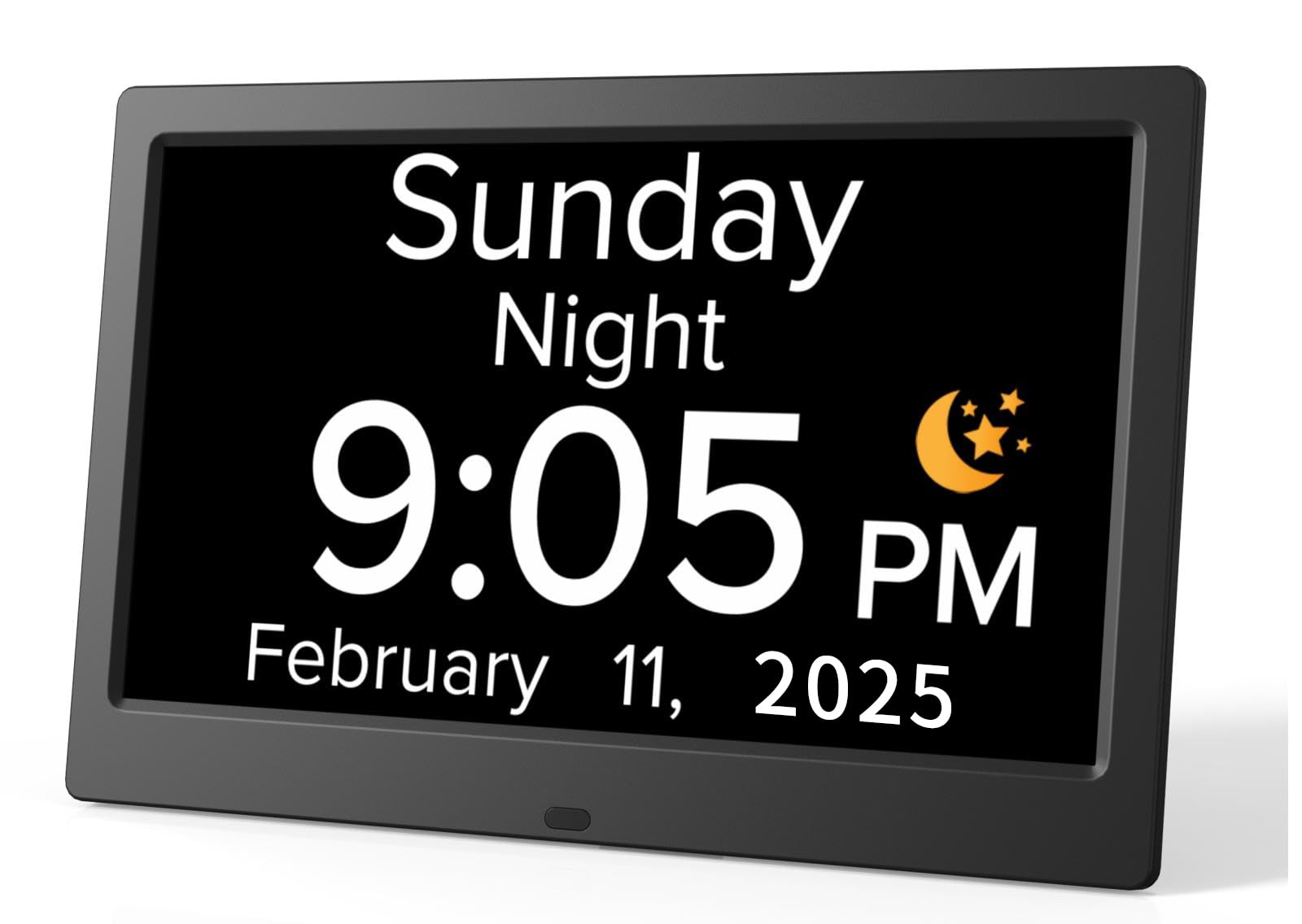
The Mitoart clock bridges the gap between a standard digital display and a talking clock. It features a 10.1-inch screen with bold, non-abbreviated fonts for the week, month, and date. Its standout feature is the “Voice Timing” function — a simple press of the OK button on the back or remote triggers an automatic voice announcement of the current time in one of 9 supported languages.
It supports multiple alarm setups for medication and schedule reminders, and the auto-dimming option is well-calibrated: the screen automatically dims to 50 cd/㎡ at night and brightens to 250 cd/㎡ during the day. This prevents glare while still being visible for those who need a nightlight. The interface is simple and intuitive, with one-click setup that is easy for seniors to navigate.
The display clearly shows AM/PM and the time of day, and the build quality is sturdy for a plastic frame. Users report that it solves the daily problem of forgetting the day or time for dementia patients. However, the voice reporting requires you to physically press a button, so it is not as hands-free as the Top Life model.
Why it’s great
- One-touch voice time reporting in 9 languages
- Auto-dimming with calibrated 50 cd/㎡ night mode
- Simple, intuitive interface designed for zero confusion
Good to know
- Voice function requires pressing a button, not automatic
- Does not have a battery backup for power outages
5. CAZOKASI Extra Large 10.1 Inch Digital Alarm Clock
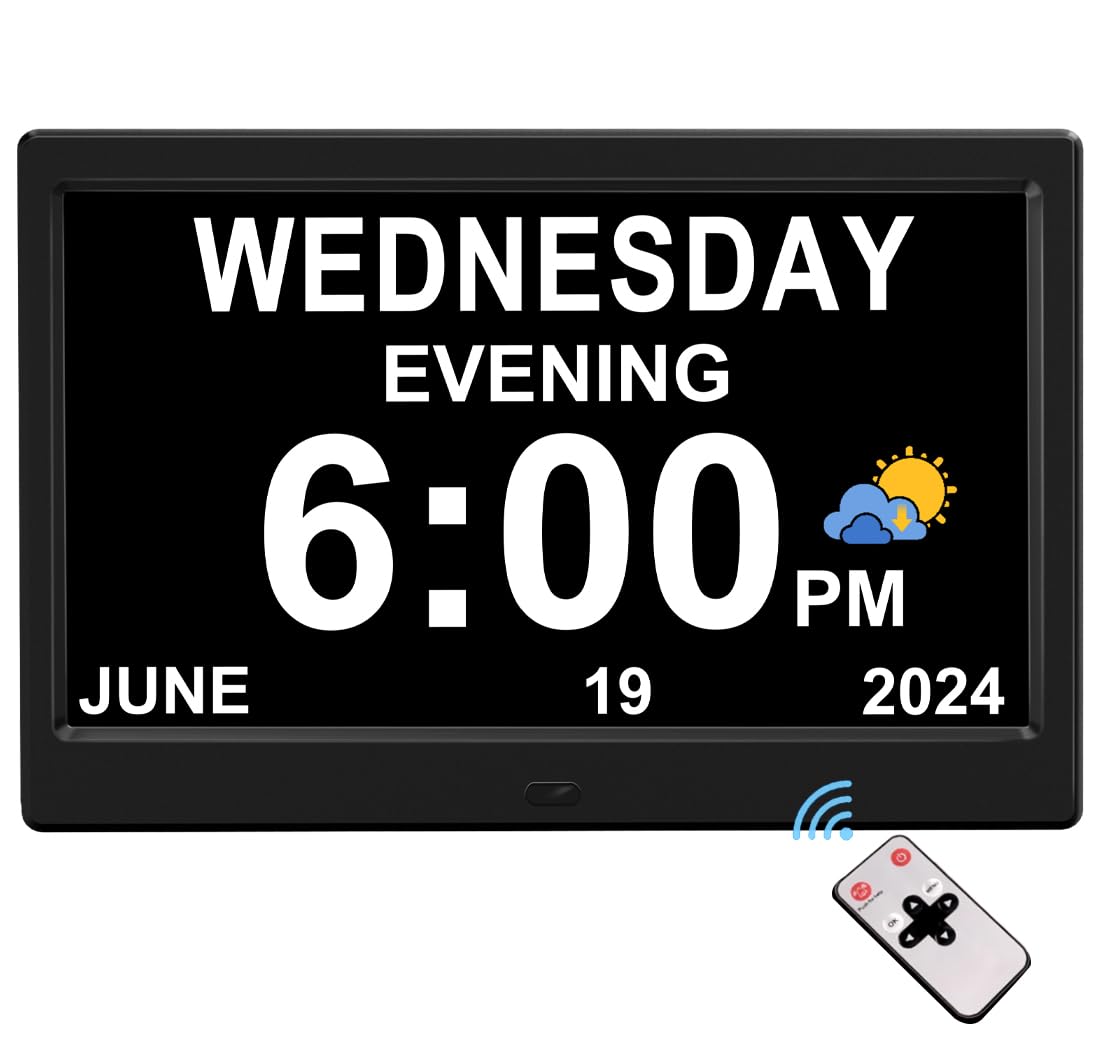
The CAZOKASI clock provides excellent value by offering three distinct user interface modes in one device. The first UI is a dedicated “Elderly” mode with a massive, non-abbreviated font showing time, date, week, month, and year. The second UI is a decorative wall clock aesthetic, and the third is a colorful display for younger users. This flexibility makes it a great option for multi-generational households.
Despite its lower price point, it packs 12 alarms and 3 reminders, covering the full day’s needs for medication, meals, and appointments. The auto-dimming schedule is fixed (bright from 7 AM to 7:59 PM, dim from 8 PM to 6:59 AM), which works well for most users. The display features a high-contrast, wide-angle panel that remains clear even under bright sunlight.
Setup is simple, and the clock retains settings after a power outage without needing batteries. Users consistently praise the oversized, bold display for making it easy to track the day of the week, a common pain point for those with memory issues. The only potential downside is the fixed brightness schedule, which cannot be manually overridden outside these set hours.
Why it’s great
- Three unique UI modes (Elderly, Wall, Colorful) in one unit
- High-contrast display remains readable in direct sunlight
- Power outage memory retention without requiring batteries
Good to know
- Auto-dimming brightness schedule is fixed, not user-adjustable
- Alarm cannot be set for specific days of the week only
6. AINFTIME DST Digital Clock (7 Inch)
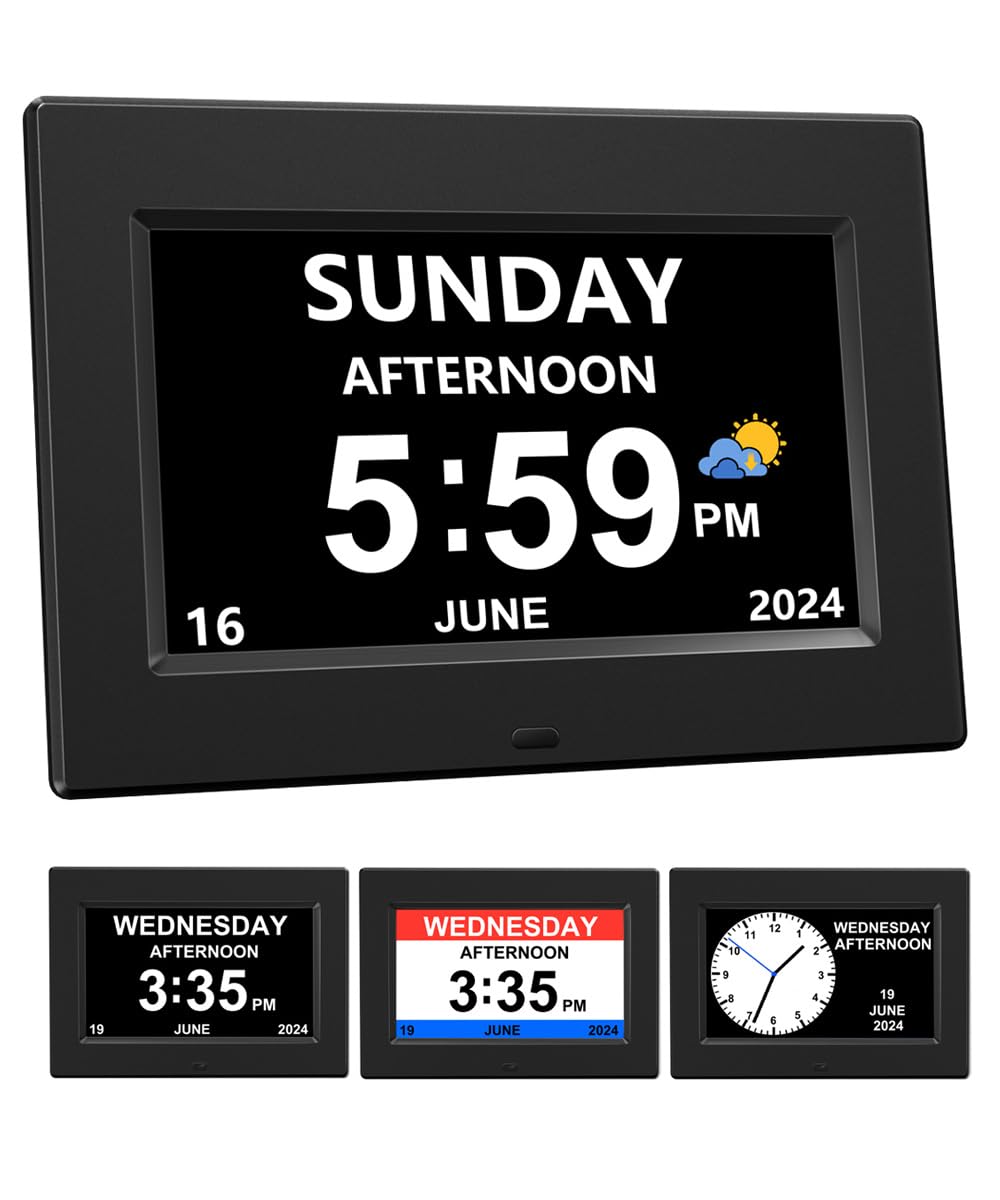
The AINFTIME clock distinguishes itself with a unique bonus feature: a digital photo frame mode that can cycle through cherished memories. While the core clock function is solid with a 7-inch display showing large, non-abbreviated date and time, this extra capability can provide emotional comfort for seniors with dementia. It also offers 12 daily alarm reminders covering medication, meals, and appointments.
The smart brightness feature automatically adjusts the screen: bright from 7 AM to 7:59 PM, and dimmed from 8 PM to 6:59 AM. The soft backlight is designed to be eye-friendly with no blue light. It also supports automatic Daylight Saving Time adjustments for North America, the UK, and the European Union, removing a common source of setup confusion.
This model is slightly smaller (7 inches) than others on this list, making it better suited for a nightstand rather than a wall mount. Note that it does not include a power adapter — you must use a standard 5V/1A USB phone charger. Some users also note that the single hanging hole on the back is poorly positioned, causing the clock to hang crookedly on a wall.
Why it’s great
- Unique digital photo frame mode for memory stimulation
- 12 daily alarms and automatic DST for multiple regions
- No blue light, soft display that is gentle on aging eyes
Good to know
- Power adapter not included; requires a 5V/1A USB charger
- Single wall hanging hole causes the clock to hang crooked
7. American Lifetime Upgraded Day Clock
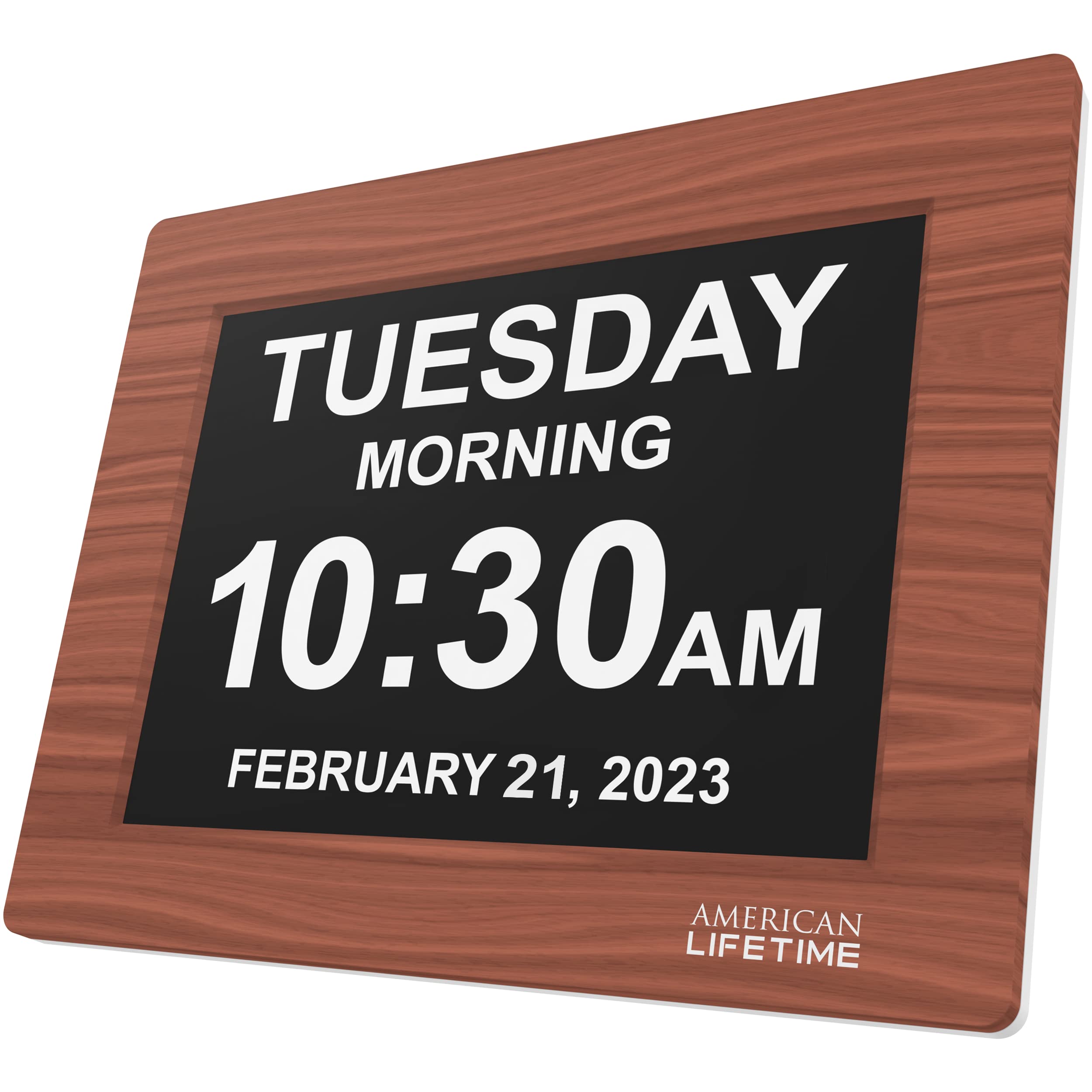
The American Lifetime clock is the only model here with a wood frame, giving it a more traditional, homey aesthetic that blends into a living room or bedroom decor. It features a large, clear display that shows the time, day, date, and year, and crucially, it explicitly labels whether it is “Morning” or “Afternoon” instead of relying on AM/PM, which can be confusing for seniors with cognitive decline.
It offers 5 daily alarm options for medication and appointment reminders, which is sufficient for users who don’t need a complex schedule of 12+ alerts. The auto-dimming feature adjusts brightness to match the ambient room light, ensuring the display never stays too bright at night. The robust construction with durable material is designed to withstand daily use and minor drops.
Setup is simple with an easy-to-read manual, and the unit includes a power adapter. It is a reliable, straightforward device that does the basics exceptionally well. However, with only 5 alarms and no voice announcement or high-resolution screen, it is the most basic option here, best suited for users who just need a simple, clear time-and-day reference.
Why it’s great
- Attractive wood frame that fits in with traditional decor
- Clearly labels “Morning” and “Afternoon” instead of just AM/PM
- Sturdy build quality designed to withstand daily handling
Good to know
- Only 5 alarms compared to 12-19 on competing models
- Lower display resolution than HD competitors
FAQ
What size display is best for an elderly user with poor vision?
Do these clocks require a battery or a power outlet?
Can I set multiple medication reminders on one clock?
Final Thoughts: The Verdict
For most users, the alarm clock for elderly winner is the MASSII 8 Inch Dementia Clock because it offers the most extensive set of alarms and reminders (19) and a high-resolution display. If you want the best visual quality and a reliable remote, grab the Pastigio 10.1″. And for a user who struggles with vision and needs a simple, loud voice announcement without any light, nothing beats the Top Life Talking Clock.