
A 27-inch screen offers real desktop-grade real estate for multitasking, creative work, and immersive gaming. The catch is that most 27-inch displays are anchored to a desk. A portable monitor at this size allows you to break free from that single location, taking a true secondary or primary display with you between home, office, and travel destinations.
I’m Min — the co-founder and writer behind Gadgets Feed. This guide is the result of hundreds of hours spent analyzing panel types, connectivity standards, refresh rate options, and real user feedback to separate the genuinely portable 27-inch monitors from those that are simply large and misleadingly labeled as portable.
After combing through technical specs, customer reviews, and real-world performance data, I assembled this definitive ranking of the best 27 inch portable monitor options on the market today, covering everything from premium OLED panels to budget-friendly workhorse units.
How To Choose The Best 27 Inch Portable Monitor
A 27-inch portable monitor sits at the intersection of desktop immersion and mobile convenience. Choosing the wrong one means either hauling a heavy brick or staring at a dim, washed-out panel. Here is what matters most for this specific category.
Power Delivery and Connectivity
A 27-inch panel demands significantly more power than a 15.6-inch portable monitor. USB-C with at least 70W Power Delivery becomes critical here because it lets you run the monitor and charge your laptop through a single cable. Without sufficient PD, you will need two cables or an external power brick — defeating the purpose of portability.
Weight and Physical Portability
At 27 inches, the term “portable” is relative. You should expect a unit weighing between 5 and 10 pounds. A built-in carrying handle, a foldable kickstand, or included carrying case makes the difference between a monitor you actually carry and one that stays on your desk. Ignore any monitor in this category that lacks at least one travel-friendly design feature.
Refresh Rate and Dual-Mode Capability
Many 27-inch portable monitors now offer dual-mode operation: 4K at 120Hz for creative work and media, and 1080p at 240Hz or higher for competitive gaming. This flexibility is uniquely valuable at this size because you get sharp text for productivity and fluid motion for fast-paced titles without needing two separate monitors.
Panel Technology and Brightness
IPS remains the most common and reliable technology for wide viewing angles and color accuracy at this size. QD-OLED offers superior contrast and black levels but costs significantly more and carries burn-in risk. For brightness, aim for at least 350 nits — 500 nits or higher is ideal for use near windows or in bright co-working spaces.
Quick Comparison
On smaller screens, swipe sideways to see the full table.
| Model | Category | Best For | Key Spec | Amazon |
|---|---|---|---|---|
| Dell S2725QS | Premium | All-round 4K productivity | 4K 120Hz, 99% sRGB | Amazon |
| Pixio PX27U Wave Purple | Mid-Range | Competitive 4K gaming | 4K 160Hz, Fast IPS | Amazon |
| LG 27UP850K-W | Premium | Mac-compatible creative work | 4K 60Hz, 95% DCI-P3 | Amazon |
| Samsung Odyssey OLED G5 | Premium | OLED gaming with perfect blacks | QHD 180Hz, QD-OLED | Amazon |
| INNOCN 2780s | Premium | High-refresh QD-OLED gaming | QHD 280Hz, QD-OLED | Amazon |
| ASUS ZenScreen MB27ACF | Premium | Truly portable 27-inch productivity | QHD 100Hz, USB-C 70W PD | Amazon |
| InnoView 27 Dual Mode | Mid-Range | Versatile dual-mode work and play | 4K 120Hz / FHD 288Hz | Amazon |
| UPERFECT 27 Dual Mode | Mid-Range | Brightest 27-inch portable monitor | 4K 144Hz / FHD 288Hz, 600 nits | Amazon |
| UPERFECT Delta 18.5 Dual | Budget | Stacked dual-screen for travel | 1080p 100Hz, touchscreen | Amazon |
In‑Depth Reviews
1. Dell 27 Plus 4K Monitor – S2725QS

The Dell S2725QS delivers 4K resolution at 120Hz with a 1500:1 contrast ratio that puts it ahead of most IPS panels in the same bracket. The ComfortView Plus technology reduces blue light emissions to 35% or less without washing out colors, making this a strong pick for marathon work sessions. The 350-nit brightness and 99% sRGB coverage ensure text remains sharp and colors stay consistent across the 27-inch IPS panel.
Gamers will appreciate the AMD FreeSync Premium support with a 0.03ms response time, though the 120Hz ceiling means competitive players may want higher refresh rates. The integrated speakers offer improved frequency response over the previous generation, delivering enough volume for casual media consumption without external speakers. The ultra-thin bezels and ash white finish give this monitor a clean, modern look that blends into any workspace.
Customer feedback highlights the easy assembly, comprehensive settings including HDMI 2.1 support, and the inclusion of a 1.8-meter HDMI cable. A small number of users reported color calibration inconsistencies across units, with one noting a persistent yellow tint, so a quick calibration check on arrival is recommended. For the price, this monitor offers the best balanced package of resolution, refresh rate, and build quality in the 27-inch portable category.
Why it’s great
- Sharp 4K 120Hz panel with HDMI 2.1
- Effective ComfortView Plus blue light reduction
- Includes HDMI 2.1 cable and adjustable stand
Good to know
- Some units show slight vignetting on the right side
- Not ideal for hardcore competitive FPS gaming
- Speakers are decent but not audiophile-grade
2. ASUS ZenScreen 27” MB27ACF

The ASUS ZenScreen MB27ACF redefines what portable means at 27 inches. The integrated carrying handle and kickstand allow you to grab this monitor and move it between rooms without hunting for accessories. At QHD 2560×1440 resolution with 100Hz refresh rate, it hits a sweet spot for productivity users who want sharper text than 1080p without the GPU demands of 4K.
The USB-C port delivers 70W of Power Delivery, meaning a single cable can drive the monitor and charge your laptop simultaneously. The 2.1-channel audio system with a built-in subwoofer produces fuller sound than any other portable monitor at this size — a genuine advantage for video calls and media playback. The IPS panel covers 99% sRGB with a 1500:1 contrast ratio, delivering color accuracy that matches premium laptop displays.
Multiple stand options including the height-adjustable C-clamp and partition hook kit give this monitor unusual versatility for a transportable display. Users consistently praise the plug-and-play setup via USB-C and the premium build quality. The lack of 4K resolution is the only compromise here, but the combination of genuine portability features and strong performance makes this the best choice for mobile professionals.
Why it’s great
- True portable design with built-in handle and kickstand
- 70W USB-C PD for single-cable laptop charging
- Best built-in audio among portable 27-inch monitors
Good to know
- QHD resolution, not 4K
- Higher refresh rate would benefit gaming users
- Premium price compared to fixed desktop monitors
3. Samsung Odyssey OLED G5 (G50SF)

The Samsung Odyssey OLED G5 brings QD-OLED technology to the 27-inch format. With a 1,000,000:1 contrast ratio and 180Hz refresh rate at QHD resolution, this monitor delivers true black levels and fluid motion that IPS panels cannot match. The 0.03ms GTG response time eliminates ghosting entirely, making this a phenomenal display for immersive single-player titles and HDR content.
OLED Safeguard actively prevents burn-in with a Thermal Modulation System, addressing the primary concern buyers have with OLED panels. Glare Free technology keeps reflections minimal even in bright rooms, and Pantone validation ensures accurate color reproduction across 2100+ colors. The Auto Source Switch+ feature allows seamless switching between connected devices without manual input.
Customer reviews consistently praise the game-changing jump from IPS to OLED for dark scenes and the excellent value proposition at this price point. The plastic build, limited connectivity with only one HDMI and one DisplayPort, and lack of built-in speakers are notable compromises. The non-adjustable stand is also a drawback for users who need height or pivot adjustment. For pure image quality at 27 inches, this monitor is unmatched.
Why it’s great
- Perfect black levels and infinite contrast from QD-OLED
- 180Hz refresh rate with 0.03ms response time
- Glare Free coating works well in bright rooms
Good to know
- No built-in speakers
- Limited to one HDMI and one DisplayPort input
- Plastic build and non-adjustable stand
4. INNOCN 27″ QD-OLED 2780s

The INNOCN 2780s pushes the QD-OLED category to 280Hz at QHD resolution, giving it the highest refresh rate among OLED monitors in this guide. The combination of near-instantaneous 0.03ms response time and HDMI 2.1 connectivity makes this a compelling option for competitive gamers who also value visual fidelity. The 1,500,000:1 contrast ratio ensures deep blacks and vivid colors in HDR content.
The fully adjustable stand with height, tilt, and pivot provides ergonomic flexibility that the Samsung OLED G5 lacks. Built-in speakers are present, though user feedback indicates they are serviceable rather than impressive. The white chassis gives this monitor a distinctive look that stands out from the sea of black gaming monitors.
Customers transitioning from VA panels report a dramatic improvement in image quality, with one calling it their first QD-OLED and immediately planning to buy a second unit. The primary downside is the mediocre built-in speakers and limited picture adjustment options in the OSD. For buyers prioritizing the highest possible refresh rate in a QD-OLED 27-inch panel, this monitor delivers exceptional value.
Why it’s great
- 280Hz QD-OLED with 0.03ms response time
- Full ergonomic stand with height, tilt, and pivot
- HDMI 2.1 for high-bandwidth console gaming
Good to know
- Built-in speakers are weak
- Limited OSD adjustment for dark/bright picture
- QD-OLED burn-in risk remains a long-term consideration
5. LG 27UP850K-W Ultrafine 4K

The LG 27UP850K-W prioritizes color accuracy above all else, with 95% DCI-P3 coverage and DisplayHDR 400 certification that makes it a natural partner for MacBooks and creative workflows. The 60Hz refresh rate keeps things simple for productivity, and the 1200:1 contrast ratio provides decent depth for an IPS panel. The white finish and clean design language match Apple’s aesthetic perfectly.
USB-C with 90W Power Delivery is the standout feature here, offering enough wattage to charge even larger MacBook Pros while driving the 4K display through a single cable. The ergonomic stand offers height, tilt, and pivot adjustment for comfortable long-session use. Two HDMI ports, DisplayPort, and two USB 3.0 ports provide ample connectivity for a multi-device setup.
Users consistently praise the one-cable USB-C setup with M-series Macs, the sharp text rendering, and the vibrant color reproduction. The 60Hz limit is the primary trade-off — gamers and users accustomed to high refresh rates will notice the difference. The built-in speakers with Waves MaxxAudio are acceptable for casual use but not remarkable. For creative professionals who value color fidelity above all, this LG is the top pick.
Why it’s great
- Excellent 95% DCI-P3 color accuracy
- 90W USB-C PD charges most laptops via single cable
- Full ergonomic stand with height, tilt, and pivot
Good to know
- 60Hz refresh rate limits gaming potential
- Slightly quirky behavior with some MacBook models
- Speakers are decent but not outstanding
6. Pixio PX27U Wave Purple
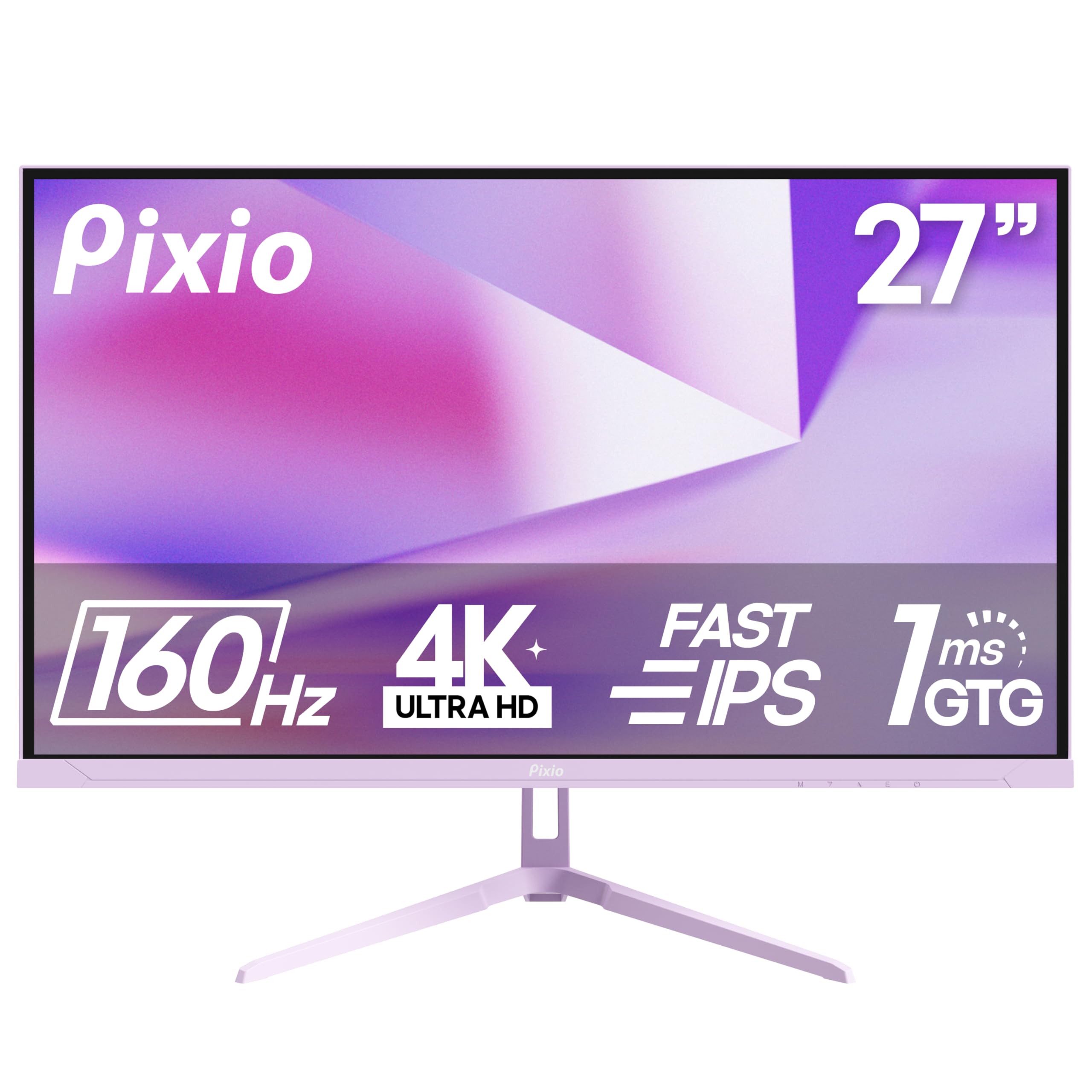
The Pixio PX27U Wave Purple delivers 4K at 160Hz with a Fast IPS panel and 1ms GTG response time, specifications that rival monitors costing significantly more. The 400-nit brightness and 121.76% sRGB coverage provide punchy colors suitable for both gaming and content consumption. Adaptive Sync compatibility with FreeSync ensures tear-free gameplay across a wide range of frame rates.
Connectivity includes DisplayPort 1.4 and HDMI 2.1, each capable of driving 4K at 160Hz. The design language is slightly unconventional with the purple accent, but the thin bezels and clean front profile make it visually unobtrusive in most setups. The included DisplayPort cable is 1.2 spec despite the port being 1.4 capable, so replacing it is recommended for full bandwidth.
Customer feedback highlights the excellent value proposition, good color reproduction out of the box, and the absence of dead pixels for most buyers. The built-in speakers are terrible with tinny sound and noticeable audio latency, to the point where users recommend avoiding them entirely. The external power brick and short barrel connector cable are minor ergonomic annoyances. For the price, this is an exceptional entry into 4K high-refresh gaming.
Why it’s great
- 4K 160Hz at an aggressive price point
- Fast IPS with 1ms GTG response time
- HDMI 2.1 and DisplayPort 1.4 connectivity
Good to know
- Built-in speakers are among the worst in this guide
- Included DP cable is 1.2 spec, not 1.4
- No HDMI cable included in the box
7. InnoView 27 Inch Dual Mode Monitor
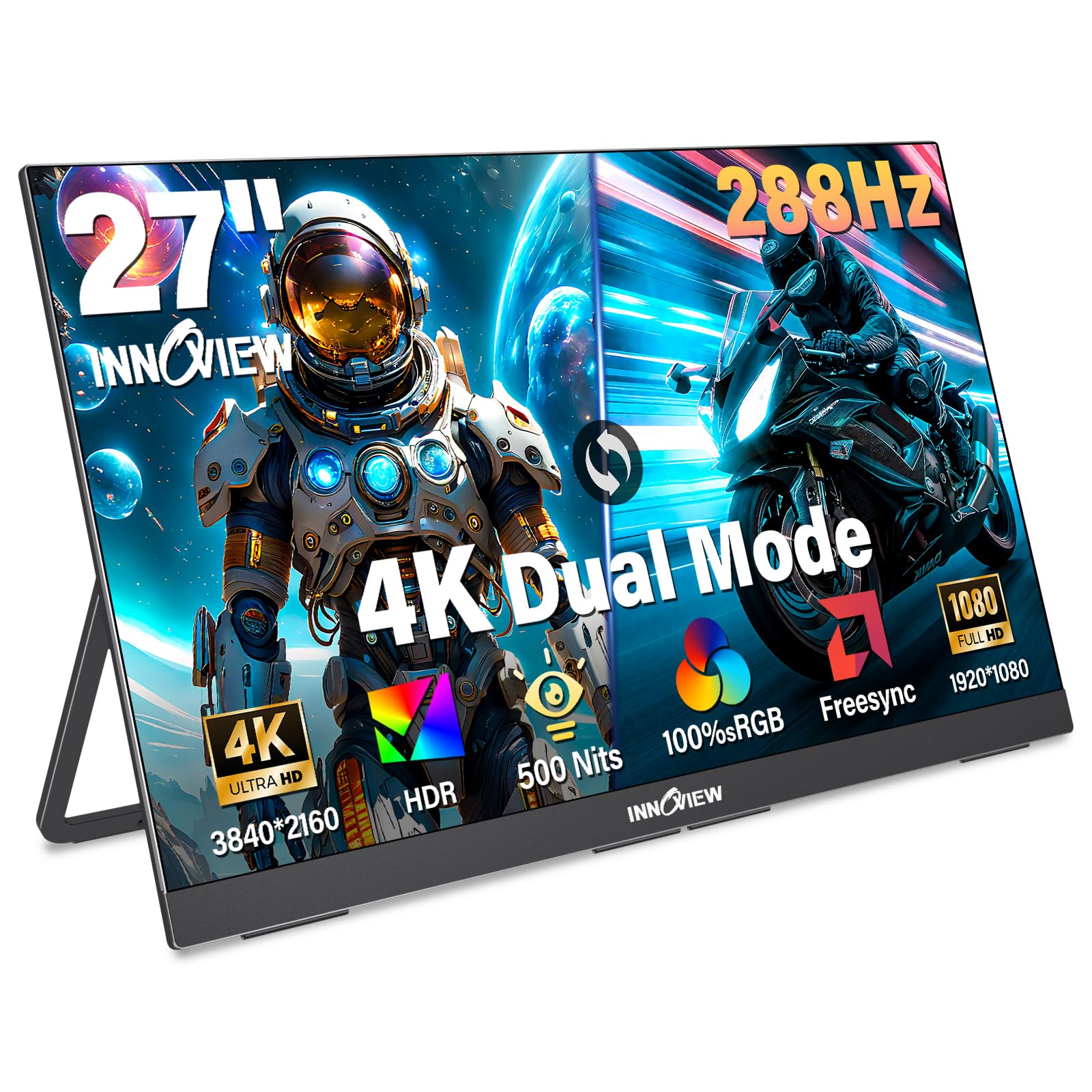
The InnoView 27 Dual Mode Monitor offers true dual-mode operation: 4K UHD at 120Hz for detailed creative work and FHD at 288Hz for high-speed competitive gaming. The 500-nit brightness and 100% sRGB coverage ensure accurate and vibrant visuals in both modes. The 1500:1 contrast ratio provides decent depth for an IPS panel, and HDR support enhances compatible content.
The built-in adjustable kickstand allows for 180-degree rotation, making it easy to find a comfortable viewing angle. VESA 100x100mm compatibility means you can mount it on a monitor arm or wall for a permanent setup. Two full-function USB-C ports and one HDMI port provide flexible connectivity with laptops, PCs, and gaming consoles.
Customer reviews highlight the excellent picture quality, the convenience of the fold-out stand, and the responsive tech support team that replaced a faulty unit within 48 hours. At 9.5 pounds, this monitor is portable in the sense that it can be moved between locations, but it is heavy enough that it is best used in indoor or semi-permanent setups. The build quality is solid with a metal construction, but the weight limits true on-the-go portability.
Why it’s great
- True dual-mode: 4K 120Hz and FHD 288Hz
- 500 nits brightness with 100% sRGB coverage
- Excellent customer support with fast replacements
Good to know
- Heavy at 9.5 pounds, not for frequent travel
- Some units have reliability issues after several months
- Built-in speakers are adequate but not impressive
8. UPERFECT Portable Monitor 27” Dual Mode
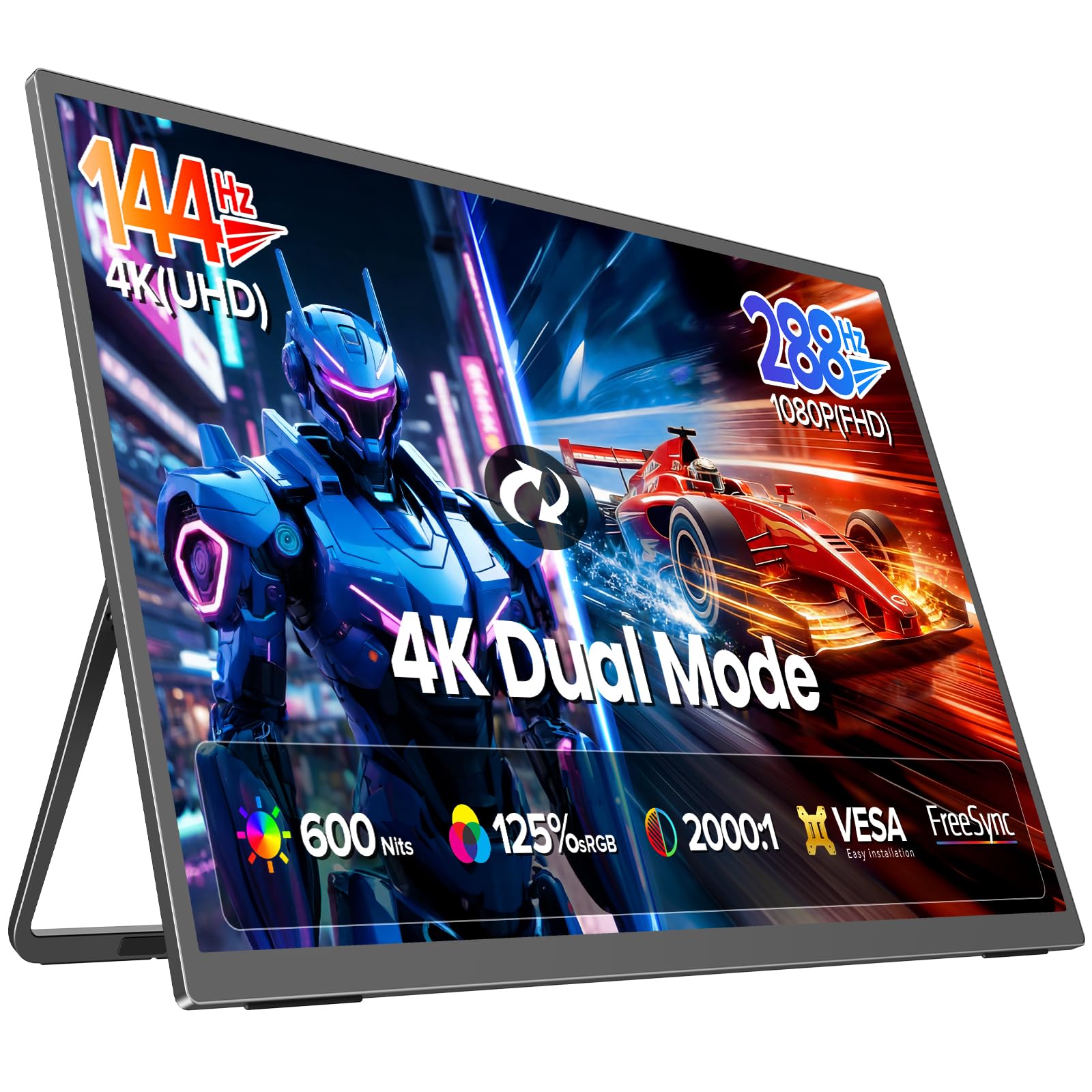
The UPERFECT 27 Dual Mode monitor reaches 600 nits of brightness, making it the most luminous option in this guide and a strong choice for use in bright environments like sunlit offices or near windows. The dual-mode operation offers 4K UHD at 144Hz and FHD at 288Hz, giving users the flexibility to prioritize clarity or speed depending on the task. The 2000:1 contrast ratio is higher than typical IPS panels, contributing to better depth in dark scenes.
The 0.1ms response time is exceptionally fast, effectively eliminating motion blur and ghosting in fast-paced games. The monitor uses recyclable aluminum material for its chassis, which adds durability and a premium feel while being more environmentally responsible than plastic alternatives. The connectivity suite includes USB-C, HDMI 2.1, and DisplayPort 1.4, covering all modern input sources.
Users appreciate the sharp text rendering, the matte finish that reduces glare, and the lightweight design relative to the screen size. The monitor requires a power connection for optimal performance, and some users have reported intermittent connection issues that resolved with proper cable selection. The customer service team is responsive, with multiple reviews highlighting quick replacements for faulty units. For brightness and speed in a portable 27-inch package, this monitor sets a new standard.
Why it’s great
- Industry-leading 600 nits brightness
- Dual mode: 4K 144Hz and FHD 288Hz
- Recyclable aluminum chassis with premium feel
Good to know
- Requires power connection for full brightness
- Some intermittent connection issues reported
- Built-in speakers and picture quality are decent, not exceptional
9. UPERFECT Delta 18.5″ Stacked Dual Monitor

The UPERFECT Delta takes a different approach to portable screen real estate by stacking two 18.5-inch 1080p touchscreen panels vertically. This stacked configuration effectively gives you the height equivalent of roughly two 13-inch laptops stacked, providing a unique dual-screen experience that is genuinely portable. The 100Hz refresh rate on both panels keeps scrolling and basic motion smooth.
The folding design with gravity sensors supports 0 to 360-degree rotation, allowing for both landscape and portrait orientations across multiple configurations. The driver-free plug-and-play setup via USB-C eliminates the software headaches common with dual-monitor solutions. VESA 75x75mm mounting compatibility adds flexibility for users who want to integrate this into a permanent desk setup.
Users praise the solid build quality with well-tensioned hinges, the clear picture quality, and the responsive customer support that handles issues quickly. The 1080p resolution per panel is acceptable for productivity but not sharp for photo editing. Some units have shown reliability issues, with the HDMI port failing on one side after extended use. For users who need maximum screen space in a truly portable form factor, this stacked design offers a unique and effective solution.
Why it’s great
- Unique stacked dual-screen design maximizes portable workspace
- Touchscreen with 100Hz smooth refresh rate
- Driver-free USB-C plug-and-play setup
Good to know
- 1080p resolution per panel limits sharpness for photo work
- Some reliability concerns with long-term use
- Heavier and bulkier than a single panel monitor
FAQ
Can a 27-inch portable monitor run off a single USB-C cable?
Is a 27-inch portable monitor too heavy to carry daily?
What is dual-mode on a portable monitor?
Final Thoughts: The Verdict
For most users, the best 27 inch portable monitor winner is the Dell S2725QS because it delivers 4K resolution at 120Hz with excellent color accuracy and a robust feature set at a compelling price. If you want genuine portability with a built-in handle and powerful USB-C charging, grab the ASUS ZenScreen MB27ACF. And for the purest image quality with perfect blacks and infinite contrast, nothing beats the Samsung Odyssey OLED G5.