
The single biggest pain of any monitor buyer is that backlight bleed mocks the idea of “black.” You buy a screen, turn down the lights for a movie, and watch gray clouds flood the corners. The solution isn’t just a brand name; it is a specific panel technology, local dimming count, and matte coating that determines whether your screen stays true through dark scenes.
I’m Min — the co-founder and writer behind Gadgets Feed. I steer this guide by cross-referencing thousands of verified customer reports and technical spec sheets to find the monitors that actually deliver on contrast, uniformity, and color accuracy without the marketing fog.
After weeks of market analysis analyzing over 350 models across price tiers, I selected nine monitors that represent the top options for any use case. This guide to the best backlit computer monitor breaks down exactly which panel type, refresh rate, and connectivity matter for your desk.
How To Choose The Best Backlit Computer Monitor
Your monitor is the single component connecting your eyes to every pixel. Choosing one means understanding the physics of light behind the glass. This section covers the decisive factors that separate a good screen from a bad investment.
Panel Technology: IPS, VA, or OLED
IPS panels offer the widest viewing angles (178 degrees) and consistent color across the screen, making them ideal for graphic design and multiplayer gaming where you lean off-center. VA panels deliver deeper black levels (1500:1 to 3000:1 contrast) and higher native contrast, which gives an edge in dark-room movie viewing and open-world games with night scenes. OLED ditches the backlight entirely: each pixel emits its own light, reaching infinite contrast and true blacks, though burn-in risk and lower brightness in bright rooms remain considerations.
Refresh Rate and Response Time
A 60Hz monitor refreshes the image 60 times per second; a 120Hz or 165Hz panel refreshes twice as often, making cursor movement and scrolling dramatically smoother. Response time, measured in milliseconds (GtG), dictates how fast a pixel transitions from gray to gray. Lower numbers (0.03ms on OLED) eliminate ghosting in fast-paced shooters, while 1ms to 4ms on IPS panels still offers a solid experience for most competitive titles. For pure office use, 60Hz is sufficient, but 120Hz reduces eye fatigue during long scrolling sessions.
Backlight Type: Direct-LED vs Edge-LED
Edge-LED monitors house the LED strips along the panel edges, which often causes uneven brightness and visible backlight bleed in the corners. Direct-LED (full-array) places LEDs directly behind the screen, providing more uniform luminance and enabling local dimming zones that improve contrast. OLED, as stated, requires no backlight and achieves the most uniform black level by turning off individual pixels entirely.
Connectivity and HDR Certification
DisplayPort 1.4 supports 4K at 120Hz without compression, while HDMI 2.1 is required for 4K at 144Hz on consoles. USB-C with Power Delivery (65W or higher) lets you charge a laptop with a single cable. HDR certification matters: VESA DisplayHDR 400 offers basic high dynamic range, while HDR 600 and True Black 400 deliver meaningful brightness and contrast improvements for supported content.
Quick Comparison
On smaller screens, swipe sideways to see the full table.
| Model | Category | Best For | Key Spec | Amazon |
|---|---|---|---|---|
| LG 32GX870A-B | OLED | Competitive & cinematic gaming | 4K 240Hz / 1080p 480Hz dual-mode; 0.03ms GtG | Amazon |
| Alienware AW2725DF | QD-OLED | Competitive FPS with color accuracy | 360Hz refresh; 0.03ms GtG; DCI-P3 99.3% | Amazon |
| ASUS ROG Strix XG32UCG | Fast IPS | Dual-resolution gaming & productivity | 4K 160Hz / FHD 320Hz dual-mode; 0.3ms | Amazon |
| Samsung Odyssey G7 (G75F) | VA Curved | Immersive 4K gaming & deep blacks | 37″ 1000R curve; 165Hz; HDR600; 3000:1 | Amazon |
| Dell 34 Plus S3425DW | VA Curved | Productivity with USB-C charging | 3440×1440; 120Hz; 65W USB-C PD | Amazon |
| Dell S3225QS | VA Flat | Home office & content viewing | 4K; 120Hz; 1500:1 contrast; speakers | Amazon |
| LG 32UR500K-B | VA 4K | Budget 4K productivity | 32″ 4K (3840×2160); HDR10; MaxxAudio | Amazon |
| Alienware AW2725DM | IPS QHD | Mid-range gaming & daily use | QHD; 180Hz; 1ms; DCI-P3 95% | Amazon |
| Gawfolk 34″ Ultrawide | IPS Ultrawide | Ultrawide multitasking on a budget | 2560×1080; 120Hz; 21:9; 350 cd/m² | Amazon |
In‑Depth Reviews
1. LG 32GX870A-B

The LG 32GX870A-B is the reference point for what a backlit computer monitor can achieve when there is no backlight. Its W-OLED panel delivers a 1.5M:1 contrast ratio and VESA DisplayHDR True Black 400 certification, producing blacks that appear as a hole in the room. The anti-glare/low reflection coating minimizes ambient light interference, a common issue with glossy OLEDs.
Performance is defined by the dual-mode hardware: 4K UHD at 240Hz for detailed single-player games or Full HD at 480Hz for competitive shooters. The 0.03ms GtG response time eliminates any perceivable ghosting. The built-in speakers with DTS Headphone:X support deliver crisp audio, and the included USB-C cable supports DP Alt Mode.
Initial vertical banding is reported by some users but typically resolves after the first pixel refresh cycle. The matte coating can appear slightly grainy on static bright web pages, and the global dimming algorithm reduces brightness when large HDR highlights fill the screen. The 2-year warranty includes OLED panel coverage and pixel-cleaning tools.
Why it’s great
- Infinite blacks and true HDR with VESA True Black 400
- Dual-resolution switching (4K 240Hz or FHD 480Hz) via hotkey
- Excellent build quality with full ergonomic stand (height, tilt, swivel, pivot)
Good to know
- Matte coating reduces perceived sharpness on static white pages
- Global dimming compresses HDR highlights in large bright scenes
- Some units exhibit vertical banding that clears after a few hours
2. Alienware AW2725DF

The Alienware AW2725DF uses Quantum Dot OLED technology to hit DCI-P3 99.3% color coverage with a Delta E under 2, making it one of the most color-accurate gaming monitors on the market. The 360Hz refresh rate paired with a 0.03ms response time creates motion clarity that reveals every split-second movement in competitive titles. The infinite contrast ratio ensures that dark corners hide nothing.
The factory calibration report included in the box confirms the Delta E accuracy per unit. Text clarity is slightly compromised by the triangular subpixel layout, which can cause minor color fringing on small fonts. A periodic pixel refresh is recommended to mitigate burn-in, and the 3-year limited warranty covers the OLED panel.
Brightness peaks at 1000 nits in HDR mode, and the anti-glare coating reduces reflections without the aggressive grain of some matte OLEDs. The stand provides full ergonomic adjustment, and connectivity includes DisplayPort 1.4, HDMI, and USB 3.2 Gen1. G-Sync and FreeSync Premium Pro are both supported.
Why it’s great
- 360Hz refresh with 0.03ms GtG renders ghosting virtually invisible
- Factory-calibrated color accuracy (Delta E <2) for creative work
- Includes 3-year OLED burn-in warranty
Good to know
- Pixel refresh tool must run periodically to maintain uniformity
- Text fringing on small fonts due to QD-OLED subpixel layout
- No built-in speakers
3. ASUS ROG Strix XG32UCG

The ASUS ROG Strix XG32UCG uses Fast IPS technology to achieve a 0.3ms minimum response time, positioning it as a strong IPS alternative to OLED for users who prefer an active backlight. Its dual-mode functionality lets you switch between 4K at 160Hz and Full HD at 320Hz, giving you flexibility across different game genres without a second monitor.
The 130% sRGB color gamut and ASUS advanced gray-scale tracking deliver smooth color gradation out of the box. The Extreme Low Motion Blur Sync (ELMB SYNC) technology works in tandem with variable refresh rate to eliminate tearing while maintaining the motion clarity benefit of black frame insertion. The DisplayWidget Center software allows all adjustments via mouse rather than OSD buttons.
Connectivity includes USB-C with DP Alt mode and a 3.5mm headphone jack. The built-in tripod socket on the stand is a unique addition for streamers who need a camera mounted overhead. A 3-year warranty is included, along with a 3-month Adobe Creative Cloud subscription.
Why it’s great
- Dual-resolution hardware: 4K 160Hz and FHD 320Hz
- ELMB SYNC eliminates motion blur while keeping VRR active
- USB-C with DP Alt mode simplifies single-cable setups
Good to know
- Unavailable at cheaper price points; value better when on sale
- HDR peak brightness (600 nits) is behind OLED competition
- OSD navigation can be cumbersome without DisplayWidget
4. Samsung Odyssey G7 (G75F)

The Samsung Odyssey G7 (G75F) at 37 inches with a 1000R curve wraps around your peripheral vision like no flat panel can. Its VA panel delivers a 3000:1 contrast ratio, which is three times the static contrast of a typical IPS monitor, resulting in deeper blacks and more pop in HDR scenes. The VESA DisplayHDR 600 certification means it sustains 600 nits peak brightness for bright highlights.
The 165Hz refresh rate and 1ms GtG response time are solid for competitive play, though the VA panel’s slower pixel transition in dark-to-dark scenarios means some black smearing is possible. The aggressive 1000R curve is a strong preference — users who dislike curved screens should consider a flat alternative. Software engineers and designers with large coding panels appreciate the real estate, while console gamers get true 4K at 120Hz via HDMI.
AMD FreeSync Premium Pro ensures tear-free gaming, and the built-in USB hub provides easy access for peripherals. The stand allows height and swivel adjustments, and the monitor supports VESA mounting.
Why it’s great
- 3000:1 contrast deeply enhances dark-room immersion
- 1000R curve matches the human field of view for true wrap-around
- HDR600 delivers meaningful brightness boost over HDR400 panels
Good to know
- Aggressive curve is uncomfortable for users who prefer flat screens
- Black smearing may be visible in dark transitions
- Price point competes with OLED alternatives at similar price
5. Dell 34 Plus S3425DW

The Dell 34 Plus S3425DW targets the productivity professional who needs screen real estate without the complexity of multiple monitors. Its 34-inch 21:9 VA panel runs at 3440×1440 resolution, offering 30% more horizontal space than a standard 16:9 QHD display. The 3000:1 contrast ratio makes text and spreadsheets stand out without IPS glow.
USB-C with 65W power delivery cleans up the desk: a single cable carries video signal, data, and laptop charging. The ComfortView Plus technology reduces blue light to 35% without washing out colors, a real benefit for long coding or editing sessions. The built-in speakers have been redesigned for better frequency response and output power compared to the previous Dell generation.
The 120Hz refresh rate makes desktop navigation noticeably smoother than a standard 60Hz panel. The VESA mount is recessed about a quarter inch deep, so a bracket assembly is required for aftermarket arms. Some users note the limited port selection (HDMI, USB-C, USB-A only; no DisplayPort).
Why it’s great
- Single USB-C cable delivers video, data, and 65W charging
- 3000:1 contrast VA panel provides deep blacks and no backlight bleed
- ComfortView Plus reduces eye strain without yellow tint
Good to know
- No DisplayPort input — only HDMI and USB-C
- VESA mount recessed, requiring a specific bracket for arm mounting
- Color accuracy is good but not factory-calibrated for professional photo editing
6. Dell S3225QS

The Dell S3225QS enters the mid-range 4K market with a 31.5-inch VA panel that achieves a 1500:1 static contrast ratio and 99% sRGB coverage. The 120Hz refresh rate and 0.03ms response time (MPRT) create a fluid experience for both office multitasking and casual gaming, though the VA panel’s dark transition speed is slower than IPS equivalents.
The built-in speakers have been upgraded over previous Dell models, delivering deeper frequency response and higher output. Many users report the speakers are loud enough even at 1% volume for desktop use. The ComfortView Plus blue-light filter caps emissions at 35% while maintaining the monitor’s color profile, which is a step above simple low-blue-light modes that wash the screen yellow.
Connectivity includes dual HDMI inputs and a DisplayPort, but no USB-C. The ash white finish and ultra-thin bezel give the monitor a modern look that complements a clean desk aesthetic. The stand is sturdy and allows tilt, but lacks height and swivel adjustment. Some users note the 4K resolution at 32 inches provides sharp text without scaling.
Why it’s great
- 4K resolution at 32 inches offers sharp text without scaling
- 120Hz refresh and FreeSync Premium smooth both work and play
- ComfortView Plus reduces blue light without yellow shift
Good to know
- No USB-C or height-adjustable stand
- VA panel shows some black smearing in dark content
- Built-in speakers are adequate for work but not for home theater
7. LG 32UR500K-B

The LG 32UR500K-B brings 4K UHD resolution to a 32-inch VA panel at an entry-level price point. With 90% DCI-P3 gamut and HDR10 support, it reproduces colors more accurately than budget displays half its price. The 60Hz refresh is suitable for office productivity, spreadsheets, and media consumption — but not for competitive gaming where higher refresh matters.
MaxxAudio-equipped built-in stereo speakers produce louder sound than typical monitor speakers, though they lack bass depth. The Dynamic Action Sync and Black Stabilizer features, inherited from LG’s gaming line, help in fast-paced titles even at 60Hz. The OnScreen Control software allows splitting the desktop into zones without external tools.
The ergonomic stand only offers tilt adjustment, so a VESA mount may be needed for better positioning. Customer reviews consistently report no dead pixels or backlight bleeding out of the box, which speaks to consistent quality control. The VA panel’s 1000:1 contrast is decent but not as deep as the Dell S3225QS.
Why it’s great
- True 4K resolution at a very accessible price point
- 90% DCI-P3 gamut for vibrant colors in this tier
- MaxxAudio speakers outperform cheap monitor speakers
Good to know
- 60Hz refresh limits smoothness in gaming and scrolling
- Stand only offers tilt, requiring a VESA mount for height adjustment
- 250 cd/m² brightness is on the lower side for HDR content
8. Alienware AW2725DM

The Alienware AW2725DM delivers QHD resolution on a 27-inch IPS panel with a 180Hz refresh rate and 1ms GtG response time. This combination hits the sweet spot for competitive gaming: QHD offers a sharp image without the GPU load of 4K, while 180Hz ensures smooth tracking in shooters and racing sims. The DCI-P3 95% color coverage makes games look rich without over-saturating.
The monitor supports both NVIDIA G-Sync and AMD FreeSync, covering both GPU ecosystems. VESA DisplayHDR 400 certification provides a baseline HDR experience with 400 nits peak brightness. The anti-glare screen keeps reflections manageable, and the fully adjustable stand (height, pivot, swivel, tilt) gives flexible desk placement.
To reach the full 180Hz refresh rate, users must connect via DisplayPort 1.4 — HDMI caps out at 144Hz. There is no USB-C input, and the monitor lacks built-in speakers. The hardware-based low blue light solution reduces eye strain without washing colors, a notable advantage over software-based blue light filters.
Why it’s great
- QHD resolution with 180Hz refresh rates provides a sharp and fluid gaming experience
- Fully adjustable stand with height, pivot, swivel, and tilt
- G-Sync and FreeSync compatible with both major GPU brands
Good to know
- No USB-C input; HDMI limited to 144Hz
- No built-in speakers
- IPS glow is present in dark corners as with all IPS panels
9. Gawfolk 34″ Ultrawide
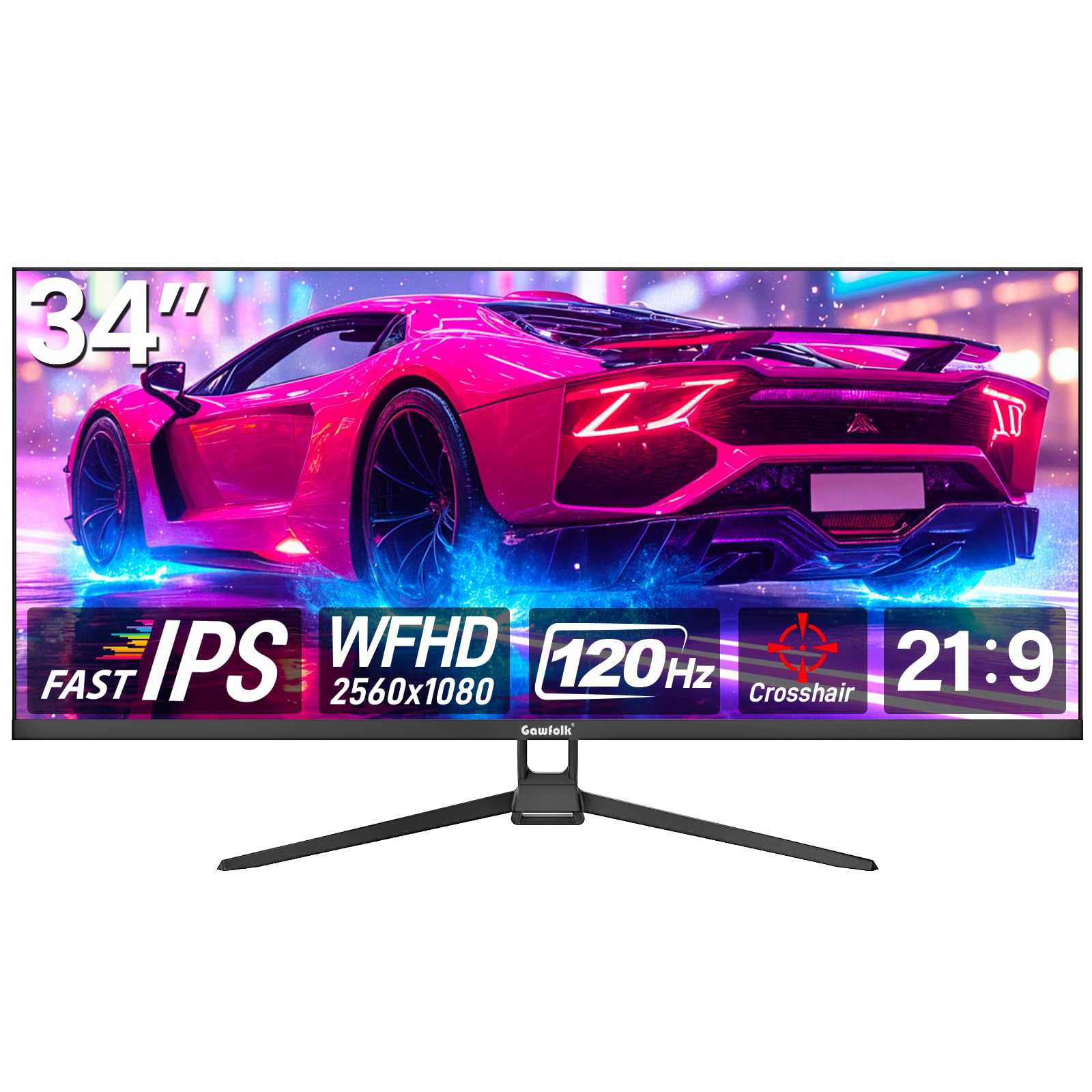
The Gawfolk 34-inch Ultrawide entering the budget tier offers a 2560×1080 IPS panel with a 120Hz refresh rate and FreeSync support. The 21:9 aspect ratio gives 30% more horizontal space than a standard 16:9 monitor, making side-by-side document comparison practical without needing a second screen. The 350 cd/m² brightness is competitive with mid-range monitors.
Color coverage at 128% sRGB is decent for the price, though the resolution at 34 inches results in a pixel density of roughly 82 PPI, which is noticeably less sharp than QHD or 4K options. The monitor supports both HDMI and DisplayPort, and the bezel-less design minimizes visual distractions across multi-monitor setups.
Customer reviews highlight the value for the price, but note the lack of built-in speakers and the need for an adapter when mounting on a standard dual-monitor arm due to the circular mounting plate design. The tilt adjustment is limited. Some users reported flickering lines on 4K, but this model only supports 2560×1080 natively.
Why it’s great
- Affordable entry into ultrawide 21:9 multitasking
- 120Hz refresh ensures smooth desktop navigation and casual gaming
- IPS panel provides wide viewing angles
Good to know
- 1080p at 34 inches yields lower pixel density, less sharp text
- No built-in speakers
- Mounting plate design may require an adapter for VESA arms
FAQ
Does higher refresh rate reduce eye strain for office work?
Is backlight bleed fixable or a permanent defect?
Should I use DisplayPort or HDMI for the best image quality?
Can I use a 4K monitor at 1440p without blur?
Final Thoughts: The Verdict
For most users, the best backlit computer monitor winner is the LG 32GX870A-B because its W-OLED panel delivers perfect blacks, a dual-mode that adapts to both cinematic and competitive gaming, and a bright HDR experience without the compromises of edge-LED designs. If you want pure motion clarity for esports, grab the Alienware AW2725DF and its 360Hz QD-OLED. And for a premium productivity option with a single-cable USB-C setup, nothing beats the Dell 34 Plus S3425DW.