
The jump from an 11-inch or 12.9-inch panel to a 14.6-inch canvas is not an incremental upgrade — it’s a category shift. That extra diagonal real estate transforms split-screen multitasking from a cramped compromise into a genuine dual-window workstation. For digital artists, it means fewer zooms and pans. For professionals reviewing documents or sheet music, it eliminates the need to squint or scroll constantly. The 14.6-inch form factor sits at a sweet spot where portability still exists, but the screen real estate rivals what you’d expect from a laptop display.
I’m Min — the co-founder and writer behind Gadgets Feed. I’ve spent hundreds of hours analyzing processor benchmarks, display color gamut coverage, battery capacity figures, and real-world user experiences across the current slate of large-format tablets to determine which models deliver on the promise of this oversized screen without compromise.
Whether you need a massive OLED canvas for digital illustration, a split-screen productivity hub running Android or Windows, or a premium media consumption device with cinema-grade blacks, finding the right 14.6-inch tablet comes down to matching the display technology and processor muscle to your specific workflow.
How To Choose The Best 14.6-Inch Tablet
Selecting a tablet with a 14.6-inch display requires a shift in priorities. Unlike smaller tablets where portability is king, this size class is chosen for its ability to replace a laptop or a dedicated drawing monitor. You need to weigh display quality, battery endurance, processing power, and the operating system’s ability to handle real multitasking.
Display Technology: AMOLED, Dynamic AMOLED 2X, or LCD
The 14.6-inch form factor is large enough that differences in panel technology become immediately apparent. AMOLED and Dynamic AMOLED 2X panels deliver true blacks and infinite contrast ratios, which is critical for photo editing, watching HDR content, or creating digital art with deep shadows. LCD panels, such as those found on the HOOGEE 15.6-inch model, offer lower cost and solid brightness but lack the per-pixel dimming that makes dark scenes pop. If color-critical work is part of your routine, prioritize a tablet with a high DCI-P3 or Adobe RGB coverage percentage.
Battery Capacity and Sustained Use
A 14.6-inch AMOLED panel draws significantly more power than a 10-inch LCD. Look for a battery capacity of at least 10,000mAh — the Samsung Galaxy Tab S8 Ultra and Tab S10 Ultra pack 11,200mAh cells, while the HOOGEE goes up to 12,000mAh. A tablet in this screen class should deliver at least 8 to 10 hours of mixed usage. Fast charging capability, such as the 30W support on the HOOGEE, also matters because topping off a large battery from empty takes considerably longer with a standard 15W charger.
Processor and RAM for Genuine Multitasking
The whole point of a large-screen tablet is running two apps side by side without lag. A processor like the MediaTek Helio G99 or the Snapdragon 8s Gen 3 paired with 12GB or 16GB of RAM makes split-screen workflows feel fluid. Avoid tablets with only 4GB or 6GB of RAM — they will struggle to keep both a browser with ten tabs and a video streaming app in memory simultaneously. If you plan to use drawing or video editing apps, look for a chipset with a strong GPU, such as the Snapdragon 8s Gen 3 in the Wacom MovinkPad Pro 14.
Portability and Build Weight
A 14.6-inch tablet is inherently less portable than an iPad Mini. The Wacom MovinkPad Pro 14 weighs around 1.6 pounds, while the HUION KAMVAS Pro 24 is a desk-bound 14 pounds. If you need to carry your tablet between rooms or on short commutes, look for a model under 2 pounds with a slim profile. The Samsung Galaxy Tab S8 Ultra and Tab S10 Ultra strike a strong balance between massive screen and manageable carry weight.
Quick Comparison
On smaller screens, swipe sideways to see the full table.
| Model | Category | Best For | Key Spec | Amazon |
|---|---|---|---|---|
| Samsung Tab S8 Ultra (Renewed) | Android | Best Overall Value | 14.6″ AMOLED, 11200mAh | Amazon |
| Samsung Galaxy Tab S10 Ultra (Renewed) | Android | Premium Samsung Experience | 14.6″ AMOLED, 11200mAh | Amazon |
| Wacom MovinkPad Pro 14 | Android Drawing | Digital Art Creation | 14″ OLED 3K, 8192 pressure | Amazon |
| Apple iPad Pro 13-inch (M5) | iPadOS | Pro Creative Workflows | 13″ Ultra Retina XDR, M5 | Amazon |
| Microsoft Surface Pro 11 Bundle | Windows | Full Desktop Replacement | 13″ PixelSense Flow, 16GB | Amazon |
| Samsung Galaxy Tab S11 512GB | Android | Latest AI Features | 11″ AMOLED 2X, 120Hz | Amazon |
| Samsung Galaxy Tab S11 128GB | Android | Lightweight Daily Driver | 11″ AMOLED 2X, 8400mAh | Amazon |
| HOOGEE Large Tablet | Android | Sheet Music & Seniors | 15.6″ FHD, 12000mAh | Amazon |
| Apple iPad Pro 11-inch (M5) | iPadOS | Ultra-Portable Powerhouse | 11″ Ultra Retina XDR, M5 | Amazon |
| Microsoft Surface Pro 11 (2nd Bundle) | Windows | Black Pro Workflow | 13″ PixelSense Flow, 16GB | Amazon |
| HUION KAMVAS Pro 24 | Drawing Monitor | Professional Studio Art | 23.8″ 4K, 16384 pressure | Amazon |
In‑Depth Reviews
1. Samsung Galaxy Tab S8 Ultra 14.6″ (2022) 128GB SM-X900 WiFi – Graphite (Renewed)

The Samsung Galaxy Tab S8 Ultra is the benchmark for the 14.6-inch category, even as a renewed unit. Its 14.6-inch Super AMOLED display delivers a 2960×1848 resolution with a 120Hz refresh rate, making it superb for media consumption, note-taking, and light creative work. The Snapdragon 8 Gen 1 processor coupled with 8GB of RAM (or up to 12GB/16GB depending on configuration) powers through Android multitasking without hesitation. The included S Pen offers a 2.8ms latency, which is excellent for sketching and annotating PDFs.
Users report that renewed units arrive in near-mint condition, often with 100% battery health. The 11,200mAh battery provides genuine all-day use, lasting over 15 hours on mixed Wi-Fi browsing and video playback. The tablet is surprisingly light for its size, though it is large enough to require two hands for secure handling. The Quad speakers tuned by AKG support Dolby Atmos, producing sound that fills a medium-sized room.
At this price point, the Tab S8 Ultra offers the most screen real estate and premium AMOLED quality for the lowest entry cost in this list. The main trade-off is that this is a renewed model, meaning you may receive a unit without the original box or charger. However, the value proposition of a top-tier 14.6-inch AMOLED tablet with S Pen at a fraction of its original retail price is hard to ignore.
Why it’s great
- 14.6-inch 120Hz AMOLED display with stunning contrast
- Included S Pen with low latency for note-taking and sketching
- 11,200mAh battery delivers 15+ hours of use
Good to know
- Renewed unit may come without original accessories or box
- Large form factor requires two hands for safe handling
2. SAMSUNG Galaxy Tab S10 Ultra 14.6” AMOLED Touchscreen, 256GB SSD Tablet (Renewed)
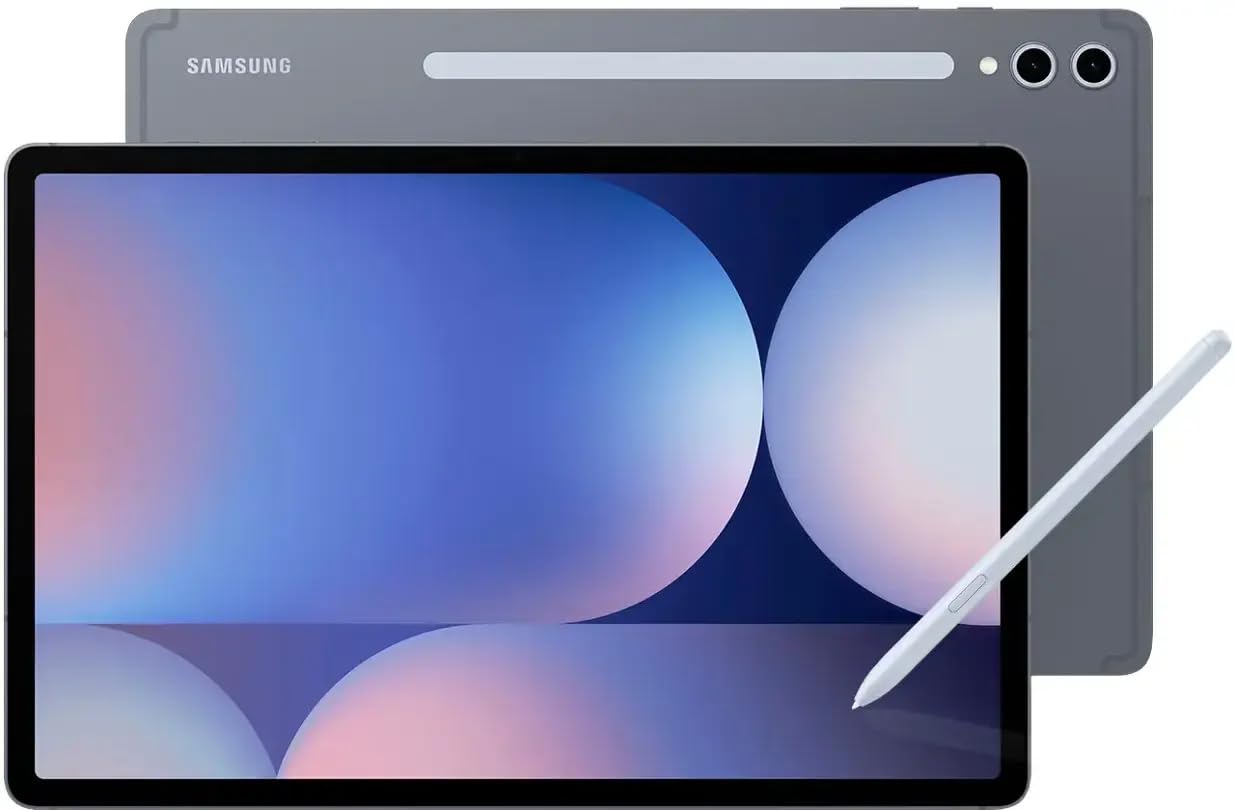
The Galaxy Tab S10 Ultra refines the S8 Ultra formula with a newer MediaTek MT6989 processor and the same 14.6-inch Dynamic AMOLED 2X display running at 2960×1848. The 12GB of RAM ensures that running multiple Samsung DeX windows feels fluid, and the MicroSD expansion slot permits storage up to 1.5TB. The S Pen experience is identical to the Tab S8 Ultra in terms of latency and precision, but the S10 Ultra adds an IP68 dust and water resistance rating, meaning you can use it by the pool or in a dusty workshop without worry.
Battery life remains strong at 16 hours of video playback thanks to the 11,200mAh cell. The 13MP rear camera and 12MP ultra-wide front camera make this tablet functional for document scanning and video calls. The fingerprint reader embedded in the power button is fast and reliable, a better option than face unlock on some competing tablets when wearing masks or glasses.
As a renewed unit, the Tab S10 Ultra represents a significant saving over its original launch price. Buyers report that the tablet feels like new, with only minor cosmetic imperfections. The main advantage over the S8 Ultra is the improved processor and the IP68 certification, which gives you peace of mind in more environments. This is the best choice if you want the latest Samsung large-screen flagship without paying full retail.
Why it’s great
- IP68 dust and water resistance for worry-free outdoor use
- 12GB RAM and MicroSD up to 1.5TB for heavy multitasking
- 16-hour battery life on a massive AMOLED panel
Good to know
- Renewed unit may lack original packaging or charger
- MediaTek processor, not Qualcomm Snapdragon
3. Wacom MovinkPad Pro 14, Android Mobile Drawing Tablet

The Wacom MovinkPad Pro 14 is a purpose-built digital art studio that runs Android 15 natively. It features a 14-inch OLED display with 3K resolution (2880×1800) and 100% coverage of both sRGB and DCI-P3 color gamuts, ensuring your digital paintings and photo edits look accurate. The battery-free Wacom Pro Pen 3 delivers 8,192 pressure levels with a textured glass screen that mimics the feel of real paper, and the Snapdragon 8s Gen 3 processor ensures that heavy brush strokes in Clip Studio Paint or Infinite Painter execute without lag.
This tablet is an all-in-one solution: you do not need a computer to use it. The 12GB of RAM and 256GB internal storage are expandable via microSD, and the USB-C port supports connection to a Windows or Mac computer for use as a pen display. Users praise the matte anti-glare screen for reducing reflections in bright rooms, and the palm rejection works flawlessly during long drawing sessions.
The MovinkPad Pro 14 is the only device on this list that competes directly with desktop drawing monitors in terms of pen accuracy. Its battery life is excellent for a 14-inch OLED, lasting over 8 hours of active drawing. The main limitation is that Android 15, while functional, lacks some professional desktop software like Adobe Photoshop’s full version. However, for independent artists and illustrators who want a portable canvas that requires no tethering, this is the best option.
Why it’s great
- Battery-free Pro Pen 3 with 8,192 pressure levels and paper-like texture
- 14-inch 3K OLED with 100% DCI-P3 for accurate color work
- Standalone Android 15 tablet, no computer required
Good to know
- No headphone jack on the tablet body
- Lacks full desktop software like Photoshop for Windows/Mac
4. Apple iPad Pro 13-inch (M5): Ultra Retina XDR Display, 1TB

The Apple iPad Pro 13-inch with the M5 chip represents the absolute peak of tablet performance. The 13-inch Ultra Retina XDR display uses a tandem OLED design that hits 1600 nits peak brightness for HDR content, with ProMotion’s 120Hz adaptive refresh rate making every scroll feel instant. The M5 chip, with its Neural Accelerators, handles 3D rendering in Shapr3D, multi-track video editing in DaVinci Resolve, and AI-powered photo masking in Lightroom without any thermal throttling.
This model comes with 1TB of internal storage and 16GB of memory, making it the most future-proofed tablet on the list. The new landscape 12MP Center Stage camera is ideal for video conferencing, and the four-speaker audio system produces a wider soundstage than the 15-inch MacBook Air. Face ID remains the fastest biometric unlock method on any tablet.
The downsides are the price — this is a premium investment — and the fact that the Apple Pencil Pro and Magic Keyboard are sold separately, adding significant cost. The 13-inch screen is slightly smaller than 14.6 inches, but the Tandem OLED’s visual quality is so superior that many creative professionals prefer it over larger AMOLED panels. If you work inside the Apple ecosystem and need maximum performance for creative software, this is the definitive choice.
Why it’s great
- M5 chip with Neural Accelerators for pro creative workflows
- Tandem OLED display with 1600 nits peak HDR brightness
- 1TB storage and 16GB RAM for massive project files
Good to know
- Apple Pencil Pro and Magic Keyboard sold separately
- 13-inch display, smaller than true 14.6-inch panels
5. Microsoft Surface Pro 11 Bundle, 13″ Copilot+ PC with Black Pro Keyboard & Slim Pen
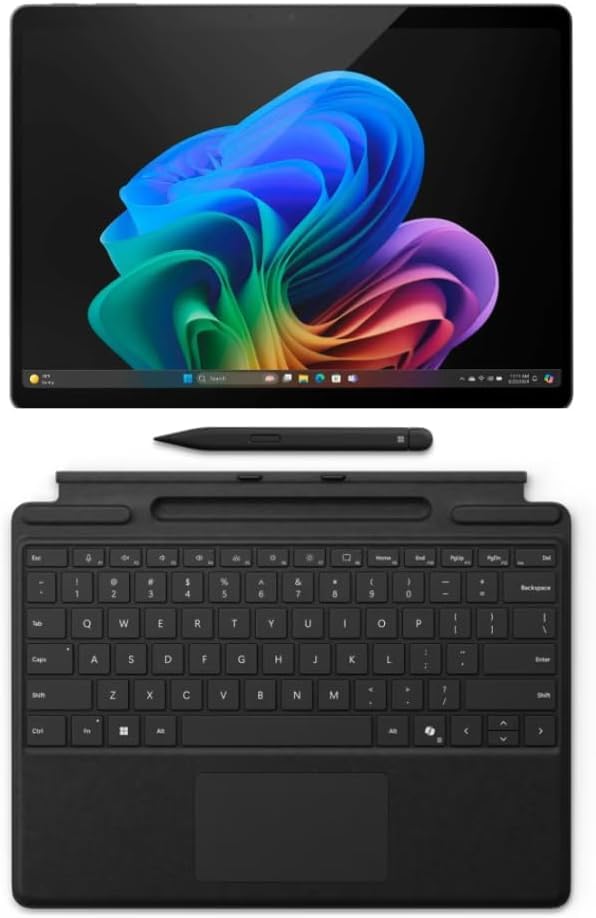
If you need a full Windows desktop operating system in a tablet form factor, the Surface Pro 11 Bundle is the most compelling package. It includes the Pro Keyboard and Slim Pen, making it a complete laptop replacement out of the box. The 13-inch PixelSense Flow display with 2880×1920 resolution and a 120Hz dynamic refresh rate offers sharp text and smooth scrolling. The Snapdragon X Plus processor, with its 45 TOPS NPU, powers Windows 11 Pro and Microsoft Copilot with impressive efficiency.
With 16GB of RAM and a 1TB SSD, this tablet handles standard productivity apps, web browsing, and even light video editing with ease. The Bundle includes the Slim Pen, which stores and charges magnetically in the keyboard cover, so you always have it ready for note-taking or document annotation. Users report that the keyboard feels solid and the trackpad is accurate, making this a true laptop substitute.
The key limitation is ARM architecture compatibility: some older x86 Windows applications may not run correctly. Most modern apps work fine, but niche or legacy software could be problematic. The 13-inch screen is smaller than a true 14.6-inch panel, but the full Windows environment combined with the included keyboard and pen makes this the best choice for users who cannot compromise on desktop software compatibility.
Why it’s great
- Full Windows 11 Pro with Copilot+ AI features
- Bundle includes Pro Keyboard and Slim Pen for laptop replacement
- 120Hz PixelSense Flow display with 2880×1920 resolution
Good to know
- ARM processor may not run legacy x86 Windows apps
- Keyboard cable connection can become intermittent over time
6. Samsung Galaxy Tab S11 512GB WiFi Android Tablet

The Samsung Galaxy Tab S11 is the latest generation of Samsung’s non-Ultra lineup, but its 11-inch Dynamic AMOLED 2X display with a 120Hz refresh rate still delivers an excellent visual experience. The 3nm MediaTek MT6991 processor provides fast app loading and smooth multitasking with 12GB of RAM. Galaxy AI features like Note Assist and Drawing Assist use the local NPU to summarize notes and refine sketches, which is genuinely useful in meetings or creative brainstorming sessions.
This 512GB model offers ample storage for offline media libraries and project files, with expandability via microSD. The 8,400mAh battery provides up to 18 hours of video playback, which is remarkable for an AMOLED screen. The tablet is 5.5mm thin and lightweight, making it far more portable than the 14.6-inch Ultra models while still offering a large canvas for split-screen apps.
The main trade-off is screen size: 11 inches is significantly smaller than 14.6 inches. If you specifically need the massive canvas for sheet music, complex CAD drawings, or true dual-window comfort, the Tab S11 may leave you wanting more. However, for users who prioritize portability and the latest Galaxy AI features without sacrificing AMOLED quality, this is a strong mid-range premium option.
Why it’s great
- Galaxy AI features for note summarization and drawing assist
- 512GB storage with microSD expansion for large media libraries
- 18-hour battery life on a vibrant AMOLED panel
Good to know
- 11-inch screen is significantly smaller than 14.6-inch models
- MediaTek processor, not the latest Snapdragon flagship
7. Samsung Galaxy Tab S11 128GB WiFi Android Tablet

This 128GB version of the Samsung Galaxy Tab S11 shares the same excellent 11-inch Dynamic AMOLED 2X display and IP68 dust/water resistance as its 512GB sibling. The 8,400mAh battery with an 18-hour rated life means you can go multiple days without charging during moderate use. The 3nm MediaTek processor and 12GB of RAM handle standard multitasking — email, web browsing, video streaming — without any hiccups.
The included S Pen and Galaxy AI features remain the same as the higher-storage model. The IP68 rating is genuinely useful: you can use this tablet in the kitchen or by the pool without anxiety. The 5.5mm slim profile and lightweight build make it easy to slip into a bag for daily commutes.
The 128GB storage capacity is adequate for light users who rely on cloud storage, but power users who download movies or work with large local files will need the microSD expansion slot. The 11-inch screen, while excellent, does not offer the same split-screen real estate as a 14.6-inch panel. This tablet is best for someone who wants Samsung’s premium display and software experience in a more portable, affordable package.
Why it’s great
- IP68 resistance for worry-free use in wet or dusty environments
- Excellent 18-hour battery life on an AMOLED screen
- Very slim and lightweight for daily portability
Good to know
- 128GB storage fills quickly for heavy media users
- 11-inch display is much smaller than the 14.6-inch target size
8. HOOGEE Large Tablet Android 14, 15.6 Inch FHD Display, 16GB RAM
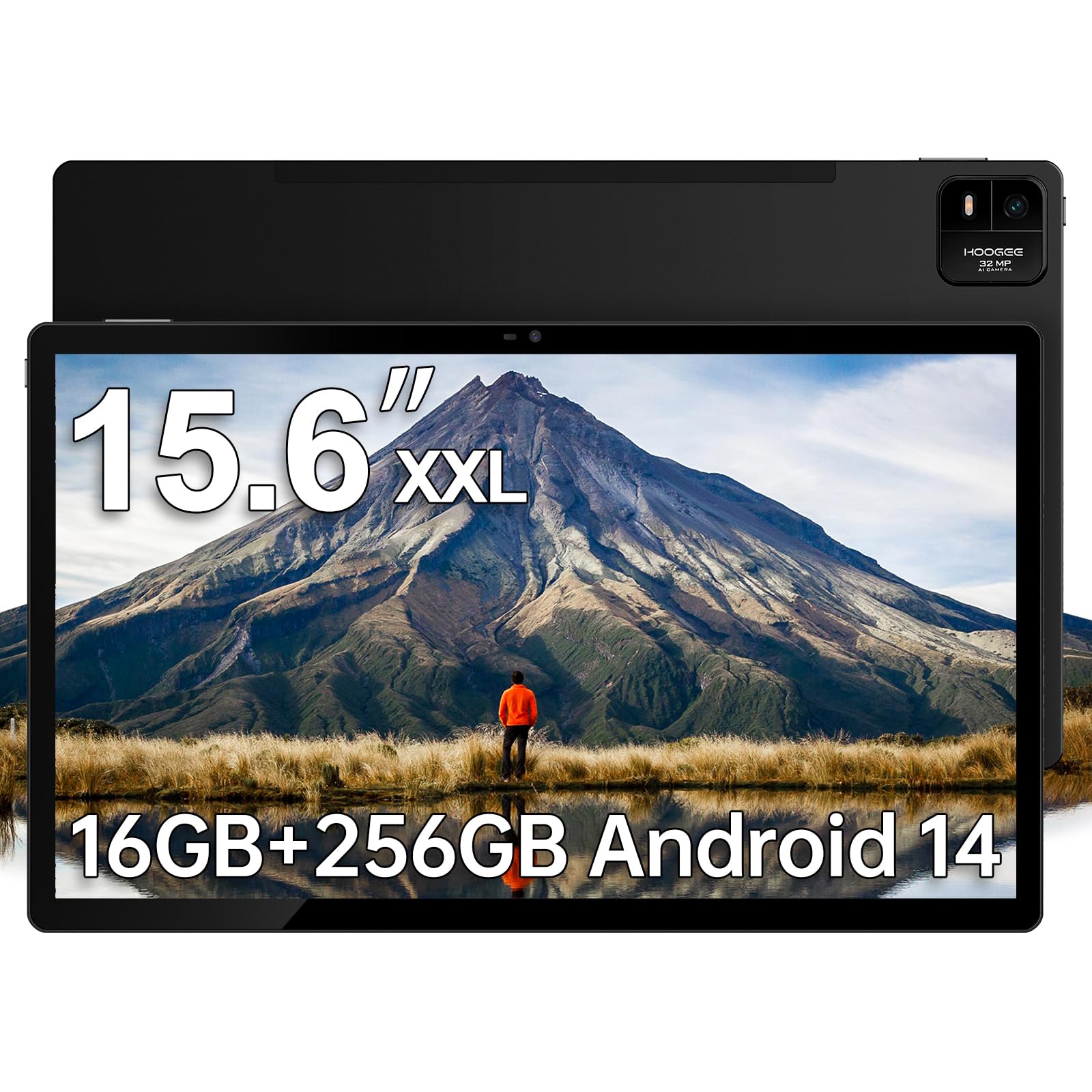
The HOOGEE Large Tablet offers the biggest screen in this roundup at 15.6 inches, with a 1920×1080 FHD IPS LCD panel. It is purpose-built for users who need maximum readable area — sheet music for musicians, large-font interfaces for seniors, or e-newspaper reading. The MediaTek Helio G99 processor and 16GB of RAM (8GB physical + 8GB virtual) provide decent performance for basic multitasking like split-screen document reading and web browsing.
The 12,000mAh battery is the largest capacity on this list, and the 30W fast charging ensures it refills reasonably quickly. The Android 14 interface is clean and includes a built-in diagnostic app for easy tech support. The tablet is designed with large icons and high-contrast menus to aid elderly users, and it supports stylus input, though a pen is not included in the box.
The trade-offs are significant: the LCD panel cannot match the deep blacks and contrast of AMOLED, and the 15.6-inch size makes this tablet less portable. The Helio G99 is adequate for streaming and light apps but will struggle with demanding 3D games or heavy video editing. This is the best option for users whose primary need is a huge, affordable screen for reading, sheet music, and simple browsing, not for creative professionals or gamers.
Why it’s great
- Largest 15.6-inch screen for reading music or newspapers
- 12,000mAh battery with 30W fast charging for all-day use
- User-friendly Android 14 interface for seniors
Good to know
- LCD panel lacks the contrast and vibrancy of AMOLED
- Large and heavy compared to other portable tablets
9. Apple iPad Pro 11-inch (M5): Ultra Retina XDR Display, 2TB
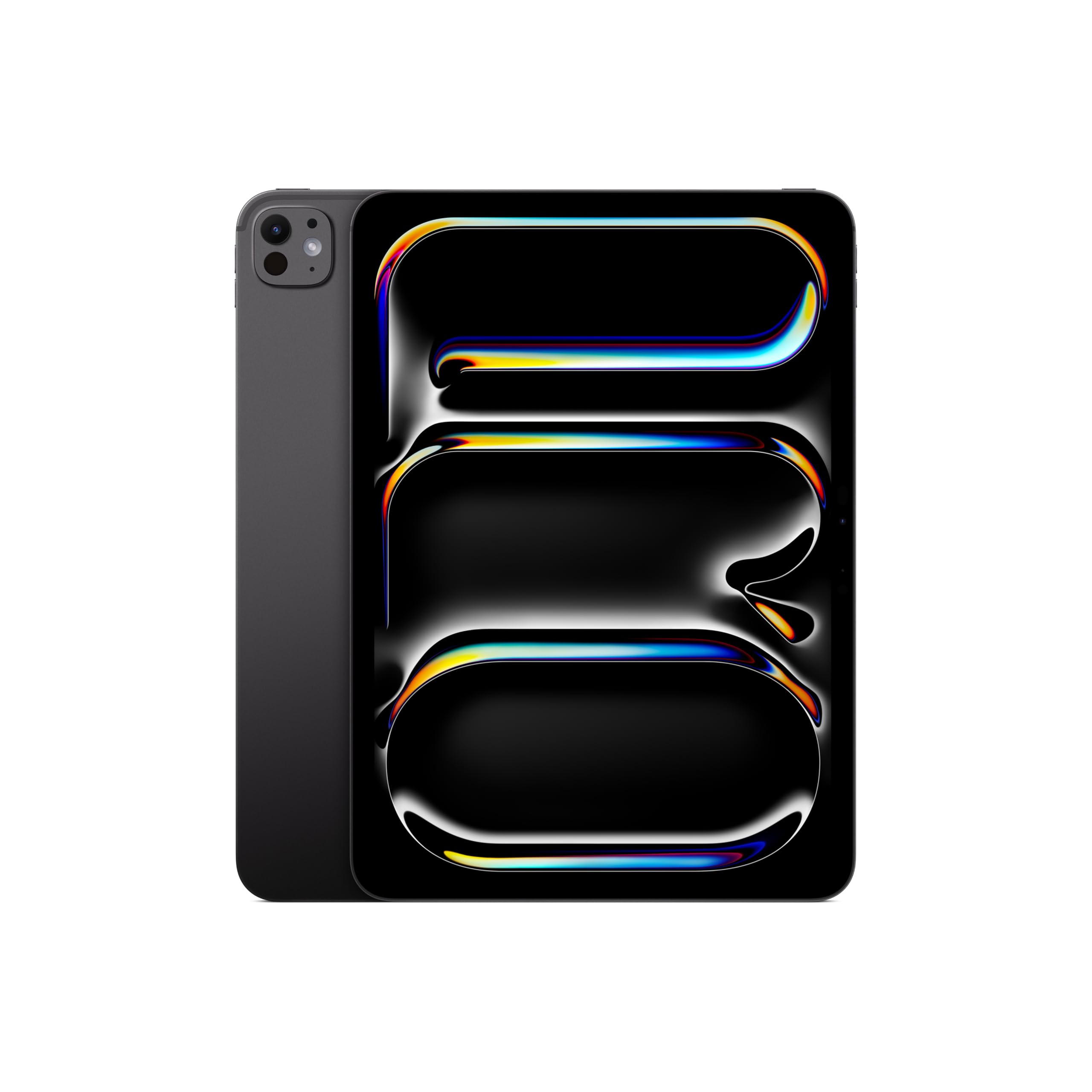
The 11-inch iPad Pro with the M5 chip packs the same incredible performance as its 13-inch sibling into a smaller, lighter chassis weighing just 0.98 pounds. The Ultra Retina XDR display with ProMotion and P3 wide color offers the same stunning visual quality, but on a more maneuverable canvas. The 2TB storage configuration with 16GB of RAM is overkill for most users, but for professionals dealing with massive 3D models, high-resolution video projects, or extensive photo libraries, it provides a future-proofed workstation.
This tablet supports Wi-Fi 7 and has a landscape 12MP Center Stage camera, making it excellent for video calls. The four-speaker audio remains best-in-class for a tablet of this size. Users upgrading from an older iPad Pro note that the M5 chip handles everything from gaming to 8K video editing with no perceptible lag.
The 11-inch screen is significantly smaller than the 14.6-inch target size for this guide. Users who need true split-screen comfort for complex workflows may find the smaller display limiting. This tablet excels for users who want maximum processing power and storage in the most portable premium package possible, and who are willing to sacrifice some screen real estate for one-handed usability.
Why it’s great
- M5 chip with 16GB RAM for extreme performance in any app
- 2TB internal storage for massive local project files
- Ultra-light 0.98 pounds for truly portable pro use
Good to know
- 11-inch display is much smaller than the 14.6-inch target
- Apple Pencil and keyboard sold separately
10. Microsoft Surface Pro 11 Bundle, 13″ Copilot+ PC with Black Pro Keyboard & Slim Pen (Second Bundle)

This second Surface Pro 11 bundle is identical to the first in performance, but it ships with a black tablet and black keyboard configuration. It includes the same Snapdragon X Plus processor, 16GB of RAM, 1TB SSD, and the Pro Keyboard Plus Slim Pen. The 13-inch PixelSense Flow display runs at 2880×1920 with a 120Hz refresh rate, delivering smooth scrolling and sharp text for productivity tasks.
The Windows 11 Pro operating system provides full desktop software compatibility, making it the only true laptop replacement among these tablets. Microsoft Copilot integration automates tasks like summarizing meetings and generating images. The Slim Pen attaches magnetically to the keyboard for storage and charging, ensuring it is always ready for handwritten notes or document markup.
Like the first Surface Pro 11 bundle, the ARM architecture may be a barrier for some specialized software. The keyboard hinge on some units has been reported to develop connectivity issues over time. The 13-inch screen also remains smaller than the 14.6-inch target. This bundle is best for users who need a complete Windows tablet workstation with included accessories and prefer the all-black aesthetic.
Why it’s great
- Full Windows 11 Pro with AI-powered Copilot features
- Included Pro Keyboard and Slim Pen for laptop replacement
- 120Hz 13-inch display with 2880×1920 resolution
Good to know
- ARM architecture may not support older x86 software
- Keyboard connector can become unreliable over months of use
11. HUION KAMVAS Pro 24 (Gen 3) Touch Drawing Tablet with Screen
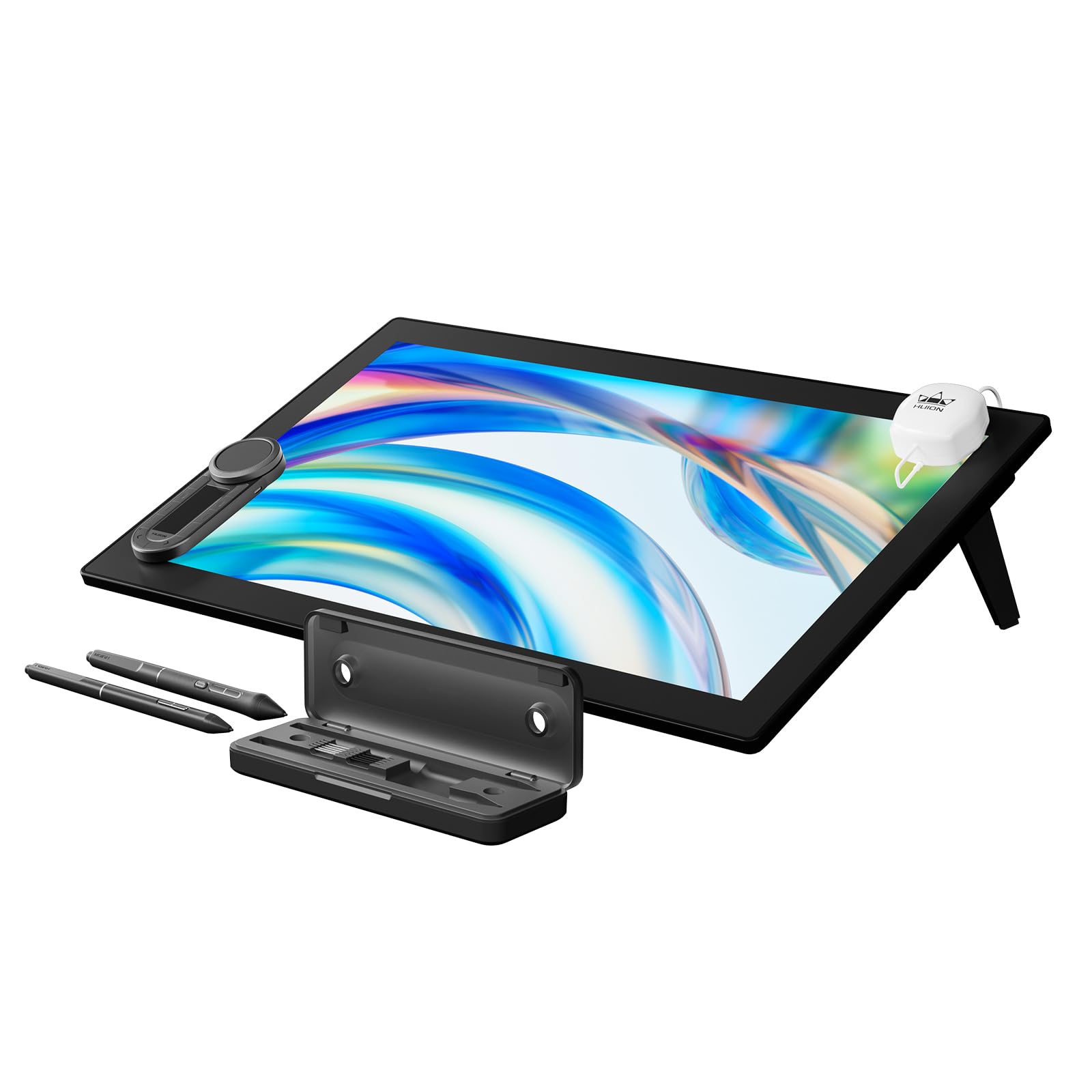
The HUION KAMVAS Pro 24 (Gen 3) is not a portable tablet — it is a professional-grade drawing monitor designed for a permanent desk setup. The 23.8-inch 4K UHD LCD panel covers 99% Adobe RGB and 98% DCI-P3 with factory-calibrated Delta E under 1, making it a reference-grade display for color-critical illustration and photo retouching. The PenTech 4.0 stylus offers 16,384 levels of pressure sensitivity with an activation force of just 2 grams.
This model includes multi-touch support for pinch-zoom and rotate gestures, plus a wireless Express Key remote for custom shortcuts. The all-new Canvas Glass 3.0 nano-etched surface reduces glare without adding graininess, improving display clarity by 14% over the previous generation. The included PW600 and PW600S pens ensure you always have a backup.
The HUION is a monitor — it requires a connection to a computer or Android device via USB-C or HDMI to function. It is also heavy at 14 pounds, ruling out any notion of portability. This is the best choice for professional digital artists and designers who already have a powerful computer and need a large, color-accurate display with exceptional pen precision for studio work. It completely outclasses any standalone tablet for drawing precision.
Why it’s great
- 23.8-inch 4K UHD with 99% Adobe RGB and Delta E under 1
- 16,384 pressure levels with a 2-gram activation force
- Built-in multi-touch and wireless Express Key remote
Good to know
- Requires a separate computer to function — not a standalone tablet
- Very heavy at 14 pounds, strictly a desk-bound device
FAQ
Is a 14.6-inch tablet too big to hold for reading?
Can I use a 14.6-inch tablet for professional digital art?
Does a bigger battery always mean longer runtime on a 14.6-inch tablet?
Which 14.6-inch tablet is best for sheet music?
Can a 14.6-inch Android tablet replace my laptop?
Final Thoughts: The Verdict
For most users, the 14.6-inch tablet winner is the Samsung Galaxy Tab S8 Ultra because it combines a gorgeous 120Hz AMOLED display, S Pen support, and a massive 11,200mAh battery at a price that undercuts the competition. If you want the absolute best panel for creative work with the widest color gamut, grab the Wacom MovinkPad Pro 14. And for a full Windows desktop replacement with included keyboard and pen, nothing beats the Microsoft Surface Pro 11 Bundle.