
Four by six inches is the sweet spot for home photo printing — big enough to frame, small enough to fill an album, and universally sized for scrapbooks. But finding a machine that consistently delivers vibrant, sharp prints without constant paper jams or sky-high ink costs is harder than it looks.
I’m Min — the co-founder and writer behind Gadgets Feed. I’ve spent hundreds of hours comparing dye-sublimation engines, ink cartridge yields, and wireless connectivity protocols to separate the true home keepers from the frustrating paperweights hiding on Amazon shelves.
Whether you need an all-in-one for occasional snapshots or a dedicated dye-sub machine for weekly albums, this guide breaks down the top contenders to help you find the best 4×6 photo printer for home that matches your workflow and budget.
How To Choose The Best 4×6 Photo Printer For Home
Home photo printers fall into two camps: inkjet all-in-ones and dedicated dye-sublimation units. Each has a distinct cost structure, print quality profile, and maintenance rhythm. Understanding the differences before you buy saves you from expensive subscription-style ink traps or disappointing color accuracy.
Print Technology: Dye-Sublimation vs. Inkjet
Dye-sublimation printers heat solid dyes into a gas that bonds to the paper, then seal it with a protective laminate layer. The result is water-resistant, smudge-proof, and fingerprint-proof prints that rival lab quality. Inkjet printers spray liquid ink onto paper, which can soak in or bleed if the media isn’t ideal — but they offer greater paper-size flexibility and lower per-page costs when printing documents.
Yield and Per-Print Cost
For 4×6 home printing, the cartridge yield — how many 4×6 prints you get per cartridge — matters more than the printer’s sticker price. Dye-sub printers typically bundle starter cartridges good for 10-50 prints, while refill packs range from 100 to 180 sheets. Inkjet cartridges vary wildly; some standard cartridges yield fewer than 50 4×6 photos before replacement is needed.
Connectivity and App Quality
Dedicated photo printers rely on companion apps for editing, framing, and print commands. An intuitive app with filters, collage modes, and direct print preview makes or breaks the daily experience. Many dye-sub units create their own WiFi hotspot for a direct connection, bypassing home network instability entirely.
Quick Comparison
On smaller screens, swipe sideways to see the full table.
| Model | Category | Best For | Key Spec | Amazon |
|---|---|---|---|---|
| Canon PIXMA PRO-200S | Professional Inkjet | Enthusiast gallery-quality prints up to 13×19 | 8-color dye-based ink system | Amazon |
| KODAK Dock Premium Plus | Dye-Sub Premium | Archival prints with 4Pass lamination | 120 sheets bundled | Amazon |
| Liene M100 Bundle | Dye-Sub Value | High-volume home printing with 180 sheets | 180 sheets + 5 ink cartridges | Amazon |
| HP Sprocket Studio Plus | Dye-Sub Compact | Instant, dry-to-touch 4×6 prints from phone | Tear-resistant, waterproof paper | Amazon |
| HPRT CP4100 | Dye-Sub Portable | Cost-efficient bundle with 108 sheets | 300 DPI, 256-color gradation | Amazon |
| Polaroid Hi-Print 2nd Gen | Pocket Dye-Sub | Sticky-back 2×3 prints for planners | Bluetooth 5.0, USB-C | Amazon |
| Polaroid Hi-Print Gen 1 Bundle | Pocket Dye-Sub | Travel-friendly pocket prints | Dye-sub cartridge, 40 sheets | Amazon |
| YOTON 4×6 Photo Printer | Dye-Sub Entry | AR video printing feature | Built-in WiFi hotspot | Amazon |
| Canon PIXMA TS7720 | Inkjet All-in-One | Print, copy, scan for home office + photos | Auto duplex, 2.7″ touchscreen | Amazon |
In‑Depth Reviews
1. Canon PIXMA PRO-200S Professional 13″ Wireless Inkjet

The PIXMA PRO-200S sits at the top of the home enthusiast chain with an eight-color dye-based ink system that produces remarkable color depth and gradation on glossy and fine art papers. A bordered 8×10 prints in 53 seconds, and the 3.0-inch color LCD gives you direct control over ink levels and printer status without needing a computer.
Wireless setup can be finicky if you have multiple Canon printers on the same network — a known pain point among owners — but once configured, the PRO-200S delivers gallery-quality output that justifies its larger footprint and 32-pound weight. The ink consumption is reasonable for photo prints, though replacement cartridges carry a premium.
This is not a casual snapshots machine; it’s a dedicated tool for photographers and serious hobbyists who want professional-level 4×6 prints and the flexibility to go up to 13×19 for matted frames.
Why it’s great
- Stunning 8-color dye system with vibrant, accurate color reproduction
- Borderless printing from 3.5×3.5 up to 13×19 inches
- Quiet operation and reasonable ink usage per photo
Good to know
- Setup instructions are sparse and WiFi can conflict with other Canon printers
- Heavy 32-pound chassis is not portable
- No 11×14 paper size support
2. KODAK Dock Premium Plus 4×6 (2022 Edition)

The KODAK Dock Premium Plus uses 4Pass dye-sublimation technology that lays down cyan, magenta, yellow, and a protective laminate layer over each 4×6 print. The result is a fingerprint-proof, water-resistant photo that feels archival. Bundling 120 sheets in the box makes the per-print cost competitive with retail lab prints.
Setup is genuinely fast — users report the printer is ready in under 10 minutes, even for a 94-year-old family member. The Bluetooth connection is stable, and the free Kodak app offers frames, filters, and stickers for personalization. The paper tray feels a bit plastic and fragile, but it holds up with normal use.
A small but frustrating minority report paper jams where the film ribbon tears inside the unit, which cannot be opened for cleaning. If you get a good unit, the print quality exceeds drugstore and big-box photo kiosks for a fraction of the per-print time.
Why it’s great
- Exceptional color accuracy and sharpness, even from lower-resolution phone images
- 120-sheet bundle provides excellent value out of the box
- Laminated prints resist water, smudges, and fingerprints
Good to know
- Film ribbon jams can ruin cartridges and are not user-serviceable
- Paper tray feels less robust than the rest of the build
- Customer support responsiveness can be inconsistent
3. Liene M100 4×6 Photo Printer Bundle

The Liene M100 bundle is a volume player that includes 180 sheets of 4×6 photo paper and five ink cartridges right in the box, giving you the highest per-print value of any dedicated photo printer on this list. It uses thermal dye-sublimation with a final protective layer that guards against water, scratches, and fading.
Connection is handled through a built-in WiFi hotspot — no home internet required — and up to five devices can queue prints simultaneously. Each print takes about 60 seconds, and the accompanying Liene app walks you through any errors step by step. Some users note that printing more than 20 photos in a row can cause the unit to overheat, so batch work needs short breaks.
The M100 is slightly larger than pocket models, placing it as a desktop-friendly home printer that won’t disappear into a backpack. If you plan to print frequently and want the lowest long-term media cost, this bundle is hard to beat.
Why it’s great
- 180 sheets and 5 cartridges included for maximum out-of-box value
- Built-in WiFi hotspot works without home internet
- Protective laminate makes prints water- and scratch-resistant
Good to know
- Overheating after about 20 consecutive prints requires a cool-down break
- Slower than pricier competitors at ~1 minute per print
- Slightly oversized compared to true pocket printers
4. HPRT CP4100 Photo Printer 4×6
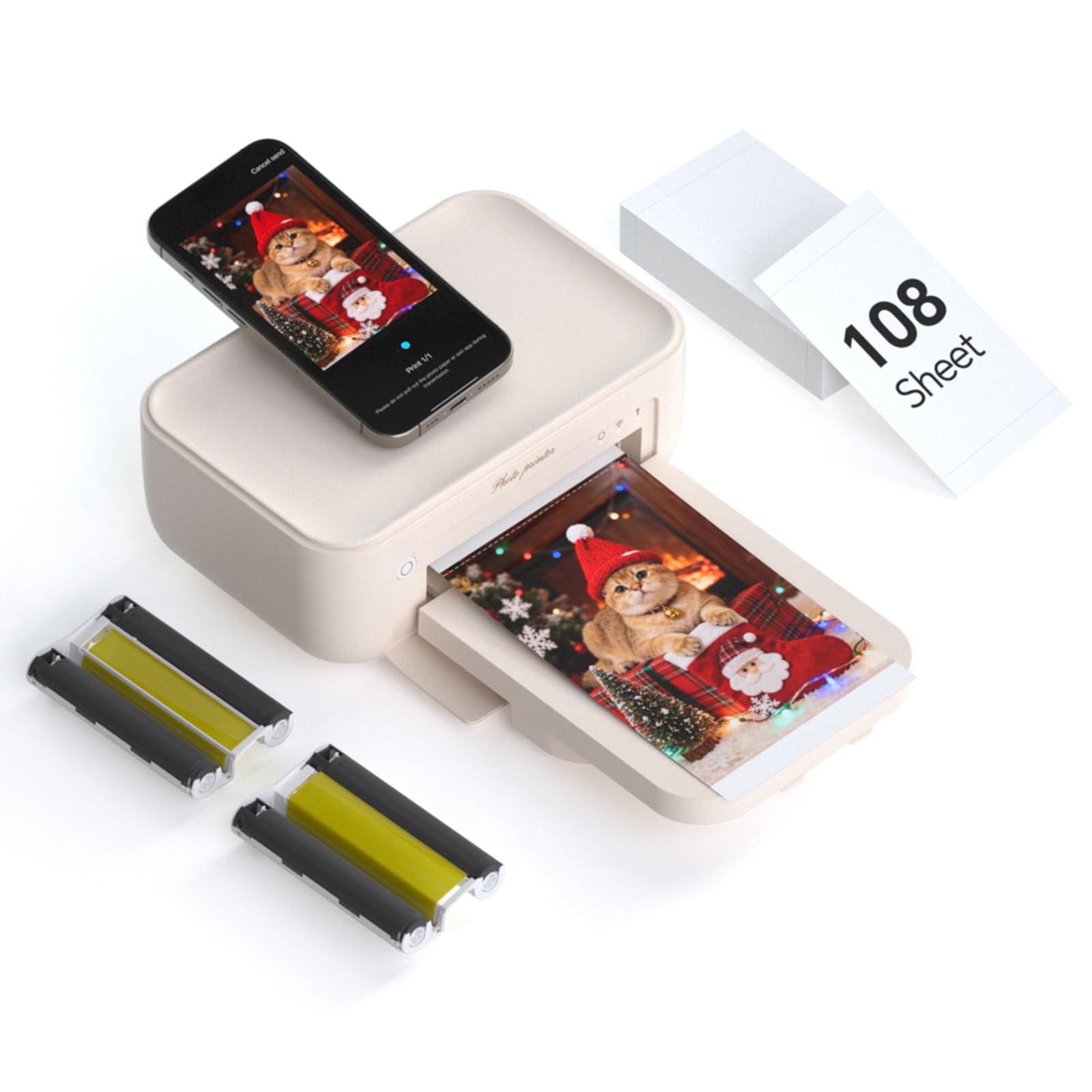
The HPRT CP4100 delivers 300 DPI prints with 256-step color gradation using thermal dye-sublimation, and packs 108 sheets plus two ribbons in the box. Its beige, lightweight chassis (under 2 kg) makes it one of the more portable options that still prints true 4×6 without cropping or scaling compromises.
The Heyphoto app supports AR video printing — you record a 15-second clip, print a still, and the app plays the video when you scan the photo. The app also offers multiple print sizes (6, 5, 3, 2, 1 inch) and a variety of filters and borders. Connection is WiFi-based, and users consistently praise the straightforward setup process.
Print quality is consistently described as “clear, vibrant, and true to color” across both Android and iOS reviews. The included media volume means you can start printing immediately without a separate purchase, making it a strong mid-range contender for regular home album builders.
Why it’s great
- 108 sheets and two ribbons included — print immediately out of the box
- 300 DPI with 256-color gradation produces vivid, accurate photos
- AR video printing adds a fun, shareable dimension
Good to know
- Single-side printing only — no duplex option
- Print speed is modest at roughly 1 ppm
- Ribbon replacement cost adds up over time
5. HP Sprocket Studio Plus 4×6
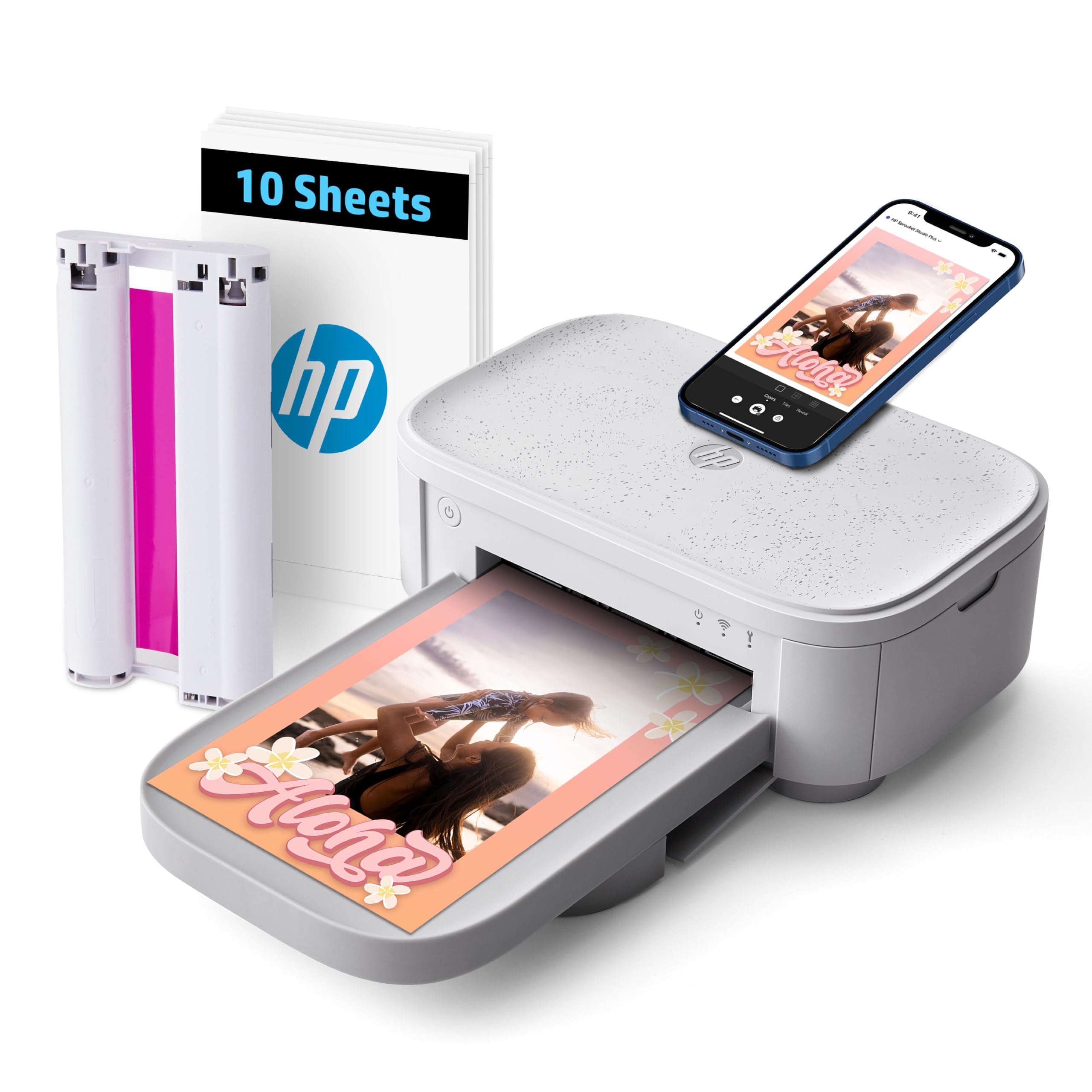
The HP Sprocket Studio Plus is designed for instant gratification: connect via the HP Sprocket app over WiFi, pick your photo, and get a dry-to-the-touch 4×6 print in seconds. The dye-sublimation paper is tear-resistant, smudge-proof, and waterproof, so prints hold up well in albums, frames, or even pocket carry.
The app includes collage, photobooth, and ID photo modes, which expand its utility beyond simple snapshots. However, some users report that the app can lose connection during longer editing sessions, and color accuracy — particularly skin tones — can shift warmer than the original iPhone image. A single cartridge and 10-sheet starter pack are included.
For family events like school parties or holiday gatherings where you want immediate physical prints guests can take home, the Sprocket Studio Plus delivers speed and durability. Just be aware that the per-print cost is on the higher side, and print quality won’t match a lab for fine-art work.
Why it’s great
- Prints are tear-resistant, smudge-proof, and waterproof
- Instant dry-to-touch output — ready immediately
- Versatile app with collage, photobooth, and ID modes
Good to know
- App can be prone to disconnections during editing
- Skin tones and color accuracy may shift warmer than expected
- Higher per-print consumable cost than some competitors
6. Polaroid Hi-Print 2nd Generation + Paper Bundle

The 2nd generation Polaroid Hi-Print improves on the original with USB-C charging and Bluetooth 5.0 for faster, more reliable connections. The bundle includes 40 sheets of 2×3 sticky-back paper, ideal for planners, scrapbooks, or decorating spaces without frames. Each print takes under 50 seconds using dye-sub technology.
The Hi-Print app offers filters, borders, collage layouts (1 to 8 photos), and passport/ID settings — making it genuinely multifunctional despite the small output size. The paper has a self-adhesive backing that works well on notebooks or walls, and users consistently rate print quality as vibrant and crisp.
One missing item: no power adapter is included in the box; the printer charges via USB-C. The 2×3 size is its defining characteristic — it’s perfect for on-the-go sharing but clearly not a replacement for a 4×6 photo album solution. If portability and sticky-back convenience matter more than full 4×6 capability, this is a standout option.
Why it’s great
- Bluetooth 5.0 and USB-C for fast, modern connectivity
- Self-adhesive paper backing is great for planners and walls
- App offers collage, filters, borders, and ID photo modes
Good to know
- No charger included — USB-C cable only
- 2×3 size is not compatible with standard 4×6 albums
- Paper cartridges contain the printing tech, adding to consumable cost
7. Polaroid Hi-Print Gen 1 + Paper Double Pack Bundle

The first-generation Polaroid Hi-Print remains a strong travel companion, producing 2×3 business-card-sized prints with vibrant dye-sub color and a perforated edge for easy trimming. The bundle includes two packs of Hi-Print paper (40 sheets total), so you’re ready to print right after unboxing. Each print completes in under 50 seconds via Bluetooth.
The Polaroid Hi-Print app is intuitive — users report it works seamlessly with iPhone SEs and Android phones, making it a hit for sharing photos during trips. The prints come out crisp and clear with no fuzziness, outperforming older instant camera film in color saturation and sharpness. The sticky-back feature (on newer paper packs) adds utility for notebooks and gift tags.
The major caveat is quality control: some units arrive with cartridge-tearing issues or batteries that drain unexpectedly. A replacement unit typically solves the problem, but the inconsistency is worth noting. For the size and portability, the print quality is genuinely impressive when the hardware works correctly.
Why it’s great
- Compact, lightweight, and genuinely portable for travel
- Vibrant, clear prints with no fuzziness or undersaturation
- Perforated edge for easy trimming and optional sticky back
Good to know
- Quality control issues: some units tear cartridges or lose battery charge
- Small 2×3 size is not for standard frames
- Replacement units are often needed to get a fully functional device
8. YOTON 4×6 Photo Printer

The YOTON photo printer uses dye-sublimation technology to produce vivid, durable 4×6 prints, and it packs a unique feature: AR video printing. You can print a still frame from a 15-second video, and the accompanying app plays the video when you scan the printed photo. The printer creates its own WiFi hotspot for a direct connection.
The main challenge is the setup process. Multiple reviewers report that getting the phone to connect requires a 2.4GHz WiFi network or direct connection to the printer’s hotspot, and the app demands extensive permissions. Once connected, print quality is excellent — comparable to full-size desktop printers. The 54 included sheets and one ribbon get you started.
The build feels lighter and more plastic than premium competitors, which is expected at the entry-level tier. The AR gimmick genuinely impresses at parties or family gatherings, but daily users may find the connectivity hurdles frustrating. If you’re willing to work through the initial setup, the print quality punches above its weight.
Why it’s great
- Print quality is excellent for the price point — vivid and durable
- AR video printing adds a unique, interactive party trick
- Built-in WiFi hotspot eliminates home network dependency
Good to know
- Frustrating setup process requiring specific network conditions
- App demands extensive location and permission access
- Build feels lightweight and plasticky
9. Canon PIXMA TS7720 Wireless All-in-One

The Canon PIXMA TS7720 is the only true all-in-one on this list, offering print, copy, and scan functions plus auto duplexing and a 2.7-inch LCD touchscreen. It prints 15 black-and-white pages per minute and 10 color pages per minute, making it a solid home office companion that also handles 4×6 photos reasonably well for casual use.
Setup isn’t plug-and-play — you’ll need to manually connect to your router, and the default auto power-off after four hours requires changing settings to keep the printer accessible. Photo color vibrancy is decent but less punchy than dedicated dye-sub units, especially with the standard two-cartridge system. The trial ink runs out quickly; many users recommend buying high-yield cartridges immediately.
At the budget end, the TS7720 is a serviceable entry point if you need a multi-function printer for documents and occasional photos. The print quality won’t satisfy album enthusiasts, and the long-term ink cost can add up, but for mixed-use households where photos are a secondary function, it covers all the bases without demanding a premium investment.
Why it’s great
- True all-in-one: print, copy, scan in a compact footprint
- Auto duplex saves paper on document printing
- Easy-to-use 2.7-inch LCD touchscreen interface
Good to know
- Setup requires manual router connection; not plug-and-play
- Photo color is less vibrant than dedicated photo printers
- Standard cartridges run out quickly; high-yield replacements recommended
FAQ
How long do dye-sublimation 4×6 prints actually last?
Can I use generic replacement paper with a branded dye-sub printer?
Why does my photo printer need a protective laminate layer?
Final Thoughts: The Verdict
For most users, the best 4×6 photo printer for home is the KODAK Dock Premium Plus because it balances robust 4Pass lamination, excellent color accuracy, and a generous 120-sheet starter bundle into a straightforward Bluetooth package. If you want an all-in-one for documents plus casual photos, grab the Canon PIXMA TS7720. And for maximizing per-print value with the highest sheet count out of the box, nothing beats the Liene M100 Bundle.