
Finding the right balance between raw graphical power and a realistic price tag is the central challenge for any PC gamer shopping for a portable machine. You need a system that can push high frame rates in modern titles without breaking the bank, and the difference between a good buy and a regrettable one often comes down to specific GPU series, memory configurations, and thermal designs.
I’m Min — the co-founder and writer behind Gadgets Feed. I’ve spent countless hours digging through technical data sheets, benchmarking comparisons, and real user feedback to identify which budget-friendly laptops actually deliver the gaming performance they promise without hidden compromises.
This guide zeroes in on the machines that deliver exceptional gaming value, helping you navigate the landscape of dedicated GPUs, refresh rates, and build quality to find the perfect affordable laptops for gaming that will serve you well for years.
How To Choose The Best Affordable Laptops For Gaming
The most common mistake buyers make is fixating on the processor while ignoring the graphics card. For gaming, the GPU is the primary driver of frame rates, and an entry-level gaming laptop with a dedicated NVIDIA GeForce GTX or RTX GPU will vastly outperform a high-end productivity laptop with integrated graphics. The CPU matters for physics and background tasks, but the GPU defines your gaming experience.
Graphics: The Core of Gaming Performance
The graphics processor is the single most important component. In this price range, you will find options ranging from the older GTX 1650, which handles esports titles well, to the modern RTX 4050, which supports DLSS 3 for dramatically improved performance in newer AAA games. The RTX 4050 represents a significant generational leap, offering better efficiency and support for frame generation technology.
Memory and Storage: Don’t Skimp on the Foundation
8GB of RAM is the absolute minimum for modern gaming, but 16GB is the sweet spot that prevents stuttering and lag in demanding titles. Many budget laptops come with one stick of RAM, leaving a free slot for a simple upgrade. Similarly, a 512GB SSD is the practical standard, as many recent games occupy over 100GB. Ensure the laptop has an extra M.2 slot for easy storage expansion.
Display and Refresh Rate: Smoothness Matters
A 60Hz screen is acceptable, but a 120Hz or 144Hz panel transforms the feel of gameplay, rendering motion much smoother and more responsive. This is especially beneficial in fast-paced shooters and racing games. A Full HD (1920×1080) resolution is standard and perfectly matched to the GPUs in this class, preventing the need to render at higher, performance-crippling resolutions.
Quick Comparison
On smaller screens, swipe sideways to see the full table.
| Model | Category | Best For | Key Spec | Amazon |
|---|---|---|---|---|
| ASUS TUF Gaming F16 | Premium | Military-grade durability | RTX 4050 115W Max TGP | Amazon |
| HP Victus 15 RTX 4050 | Premium | Raw GPU performance | RTX 4050 6GB GDDR6 | Amazon |
| Acer Nitro V (ANV15-52-586Z) | Premium | 165Hz display speed | RTX 4050 194 AI TOPS | Amazon |
| Lenovo LOQ Essential | Mid-Range | Student gaming AI | RTX 4050 + 144Hz | Amazon |
| Acer Nitro V (ANV15-51-51H9) | Mid-Range | 144Hz versatility | RTX 4050 + Thunderbolt 4 | Amazon |
| MSI GF63 Thin | Mid-Range | Thin and portable | RTX 3050 4GB | Amazon |
| HP Victus 15 RTX 3050 | Mid-Range | Everyday entry gaming | RTX 3050 4GB | Amazon |
| Lenovo Gaming Laptop (Ryzen 5) | Mid-Range | High RAM capacity | 24GB DDR5 | Amazon |
| Alienware 16 Aurora | Premium | Top-tier flagship power | RTX 5060 8GB GDDR7 | Amazon |
| ASUS TUF FX505DT | Budget | Ultra low-cost entry point | GTX 1650 4GB | Amazon |
| NIMO N15A | Budget | Light gaming and work | Radeon 680M iGPU | Amazon |
| HP OmniBook 3 | Budget | Productivity + casual games | Snapdragon X + Adreno | Amazon |
| NIMO N177 | Premium | Massive storage plus RAM | Radeon 780M + 64GB RAM | Amazon |
In‑Depth Reviews
1. ASUS TUF Gaming F16

The ASUS TUF Gaming F16 stands as the best all-around choice for gamers seeking a premium experience without crossing into overpriced territory. It packs an NVIDIA GeForce RTX 4050 with a 115W Max TGP, meaning it has more performance headroom than many similarly equipped competitors. The 16-inch FHD+ panel runs at a smooth 144Hz with 100% sRGB coverage and Adaptive-Sync to eliminate screen tearing.
Build quality is a major highlight here, with the laptop meeting the MIL-STD-810H military-grade durability standard. This means it is built to survive drops, vibration, and extreme temperatures, making it ideal for students who haul their rig between classes and dorm rooms. The cooling system relies on Arc Flow Fans, four exhaust vents, and five dedicated heat pipes to keep the RTX 4050 running at peak boost clocks.
The 16GB of DDR5 RAM and 512GB PCIe Gen4 SSD provide a responsive out-of-box experience, and the 16:10 display ratio offers extra vertical screen space for both gaming and productivity. Battery life is limited under load, which is standard for this performance class, so expect to stay near an outlet during extended gaming sessions.
Why it’s great
- Top-tier RTX 4050 with 115W TGP for maximum fps
- Military-grade MIL-STD-810H durability certification
- 144Hz 100% sRGB display with Adaptive-Sync
Good to know
- Fans get loud under sustained gaming load
- Battery life is short when gaming unplugged
2. HP Victus 15 RTX 4050

HP’s Victus line delivers the new-generation RTX 4050 graphics at a price point that is hard to beat. The 6GB of GDDR6 VRAM on the RTX 4050 allows this laptop to handle modern AAA titles at high settings with DLSS 3 frame generation enabled, which can dramatically boost frame rates in supported games. The 13th Gen Intel Core i5-13420H processor handles streaming and multitasking without bottlenecking the GPU.
The 15.6-inch FHD display with a 144Hz refresh rate is a significant upgrade over 60Hz panels, making motion look much smoother in fast-paced shooters and racing games. The 16GB of DDR4 RAM is sufficient for gaming and everyday use, and the 512GB PCIe Gen4 SSD provides fast load times. Users report that the Omen Gaming Hub software offers useful system tuning options.
A running theme is that the screen brightness could be higher for outdoor use, and the all-plastic chassis does not feel as premium as metal alternatives. However, the performance-per-dollar ratio is outstanding, and the thermal solution keeps temperatures manageable for extended gaming marathons. For a pure gaming machine on a budget, this is a formidable contender.
Why it’s great
- Incredible value for RTX 4050 6GB hardware
- 144Hz IPS display for smooth motion clarity
- 16GB DDR4 RAM and fast Gen4 SSD storage
Good to know
- Display is not very bright for outdoor use
- Plastic chassis feels less durable than metal
3. Acer Nitro V (ANV15-52-586Z)

The Acer Nitro V ANV15-52-586Z pushes the refresh rate ceiling to 165Hz, making it the smoothest display in this price bracket. This is a tangible advantage in competitive shooters where higher frame rates react to your inputs more quickly. The core is again a 13th Gen Intel Core i5-13420H paired with an RTX 4050 GPU, and the 8GB of DDR5 RAM is the primary weak point that needs an immediate upgrade to 16GB.
NitroSense software lets you monitor temperatures and adjust fan speeds, and the dual-fan cooling system keeps the RTX 4050 running effectively. The 512GB Gen 4 SSD provides ample space for a few modern titles, and the Wi-Fi 6 and Killer Ethernet E2600 provide stable online connectivity. The Thunderbolt 4 port adds versatility for external displays and fast data transfers.
Several users note that the laptop runs hot and the fans are loud in performance mode, which is expected for a machine pushing high frame rates. The base 8GB RAM configuration is inadequate for modern gaming, but the laptop has two DDR5 slots, making for a simple and affordable upgrade. This is a solid pick if you prioritize the highest possible display refresh rate.
Why it’s great
- Industry-leading 165Hz FHD IPS display
- RTX 4050 with DLSS 3 for modern titles
- Thunderbolt 4 for high-speed peripherals
Good to know
- 8GB RAM is insufficient; requires immediate upgrade
- Fans run loud under gaming load
4. Lenovo LOQ Essential
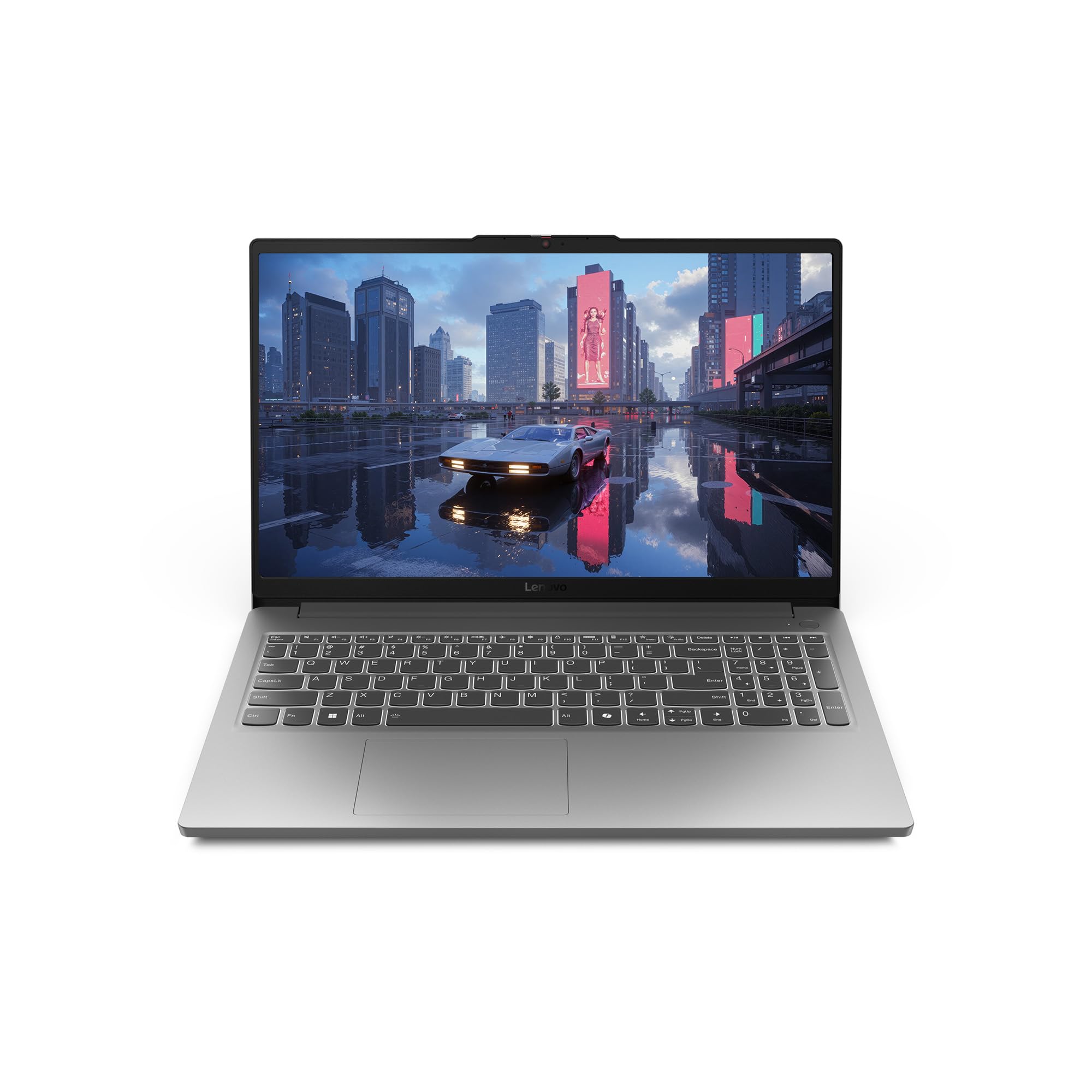
The Lenovo LOQ Essential is specifically positioned as an AI-powered student gaming laptop, and it nails that dual-role proposition. The Intel Core i5-12450HX processor and RTX 4050 GPU are a potent combination for gaming, while the 15.6-inch FHD IPS display with a 144Hz refresh rate and 100% sRGB provides vivid colors for media consumption and creative work. The laptop ships with a 3-month PC Game Pass subscription, offering immediate access to a library of titles.
Lenovo has focused on thermal management with a large 100mm fan featuring 0.15mm blades to maximize airflow. This is crucial for maintaining performance in a chassis that is designed to be lightweight and portable for campus carry. The 1.3mm key travel on the keyboard offers a satisfying typing experience for both gaming and note-taking.
The most significant drawback is the base 8GB of RAM, which will bottleneck the RTX 4050 in demanding games. Users have reported compatibility issues when upgrading memory, so it is worth ensuring you select the right modules. The 512GB storage is also on the smaller side for a gaming library, making the free storage slot critical for future expansion.
Why it’s great
- RTX 4050 with DLSS 3 for high frame rates
- 144Hz 100% sRGB display for gaming and creation
- Lightweight design optimized for student use
Good to know
- 8GB RAM is a bottleneck for modern games
- RAM upgrade compatibility can be tricky
5. Acer Nitro V (ANV15-51-51H9)

This variant of the Acer Nitro V offers a slight shift in specs, pairing the RTX 4050 with a 144Hz display and 8GB of DDR5 RAM. The core gaming experience is very similar to its 165Hz sibling, but the 144Hz panel is still a massive upgrade over standard 60Hz screens and provides excellent value for the price. The Thunderbolt 4 port is a key feature, supporting power delivery, data transfer, and video output through a single cable.
The Nitro V 15 is a proven design with a well-regarded keyboard, a responsive trackpad, and effective dual-fan cooling. It handles demanding games like Hogwarts Legacy at high settings, and the RTX 4050’s 194 AI TOPS provide the headroom for DLSS 3.5 ray reconstruction, enhancing visual fidelity. The 15.6-inch FHD IPS panel offers 82.64% screen-to-body ratio for an immersive view.
The 8GB RAM is again the weakest link, and many users find it necessary to upgrade immediately to 16GB or even 32GB. The laptop does come with significant pre-installed bloatware, which can slow initial setup and requires some time to clean up. The 512GB SSD is also on the smaller side for a dedicated gaming device.
Why it’s great
- RTX 4050 with AI-accelerated DLSS 3.5
- 144Hz IPS display for smooth motion clarity
- Thunderbolt 4 for single-cable docking
Good to know
- 8GB RAM is insufficient for modern game standards
- Significant pre-installed bloatware slows initial boot
6. MSI GF63 Thin

The MSI GF63 Thin is a strong option for those who prioritize portability alongside gaming performance. Its slim profile and relatively light weight make it easy to slip into a backpack for daily carry, while the 144Hz FHD display provides smooth visuals for competitive gaming. The Intel Core i5-11400H and RTX 3050 4GB is a well-matched pairing that handles esports titles like Valorant and Fortnite at high frame rates.
MSI has equipped this model with 16GB of DDR4 RAM, which is the correct amount for modern gaming and avoids the 8GB bottleneck seen in many competitors. The 512GB NVMe SSD provides adequate storage, and the design includes a comfortable keyboard with good feedback. The RTX 3050, while an entry-level ray-tracing GPU, is sufficient for 1080p gaming at medium to high settings.
The thin chassis leads to higher operating temperatures, and the fans run audibly under load. Many users recommend pairing this laptop with a cooling pad to maximize performance and longevity. Battery life is also limited to around 4 hours, typical for a gaming machine in this class, so it is best used plugged in for serious gaming sessions.
Why it’s great
- Thin and light design for maximum portability
- 16GB DDR4 RAM out-of-box, no upgrade needed
- 144Hz FHD display for fluid competitive play
Good to know
- Runs hot due to slim chassis design
- RTX 3050 is entry-level, not for max-settings AAA
7. HP Victus 15 RTX 3050

The earlier-generation HP Victus 15 provides a fantastic entry point into dedicated gaming hardware for a minimal investment. It features an Intel Core i5-12500H processor, which is a 12th Gen Alder Lake chip with strong multi-threaded performance, paired with the NVIDIA GeForce RTX 3050 4GB. This combo handles most modern games at 1080p medium settings without issue, making it a perfect starting point for new PC gamers.
The 144Hz FHD IPS display is a highlight at this price tier, providing buttery-smooth motion that is a step-change from any integrated graphics laptop. The build is mostly plastic, which keeps weight down, and HP has included a fingerprint reader for convenient Windows Hello login. The 8GB of RAM is the primary bottleneck, but the motherboard includes a free slot for a simple upgrade to 16GB.
Users consistently report that the fan noise is noticeable under gaming loads, and the battery life is limited to around 2-3 hours of active use. Some units have reported WiFi issues that require driver updates, and the 512GB SSD will fill up fast with modern titles. This is a budget machine with specific compromises, but it delivers genuine RTX-powered gaming at an accessible price.
Why it’s great
- True RTX 3050 graphics for entry-level gaming
- 144Hz IPS display is excellent for its price class
- Fingerprint reader for easy secure login
Good to know
- 8GB RAM is a limiting factor for modern games
- Battery life is poor at 2-3 hours of use
8. Lenovo Gaming Laptop (Ryzen 5)
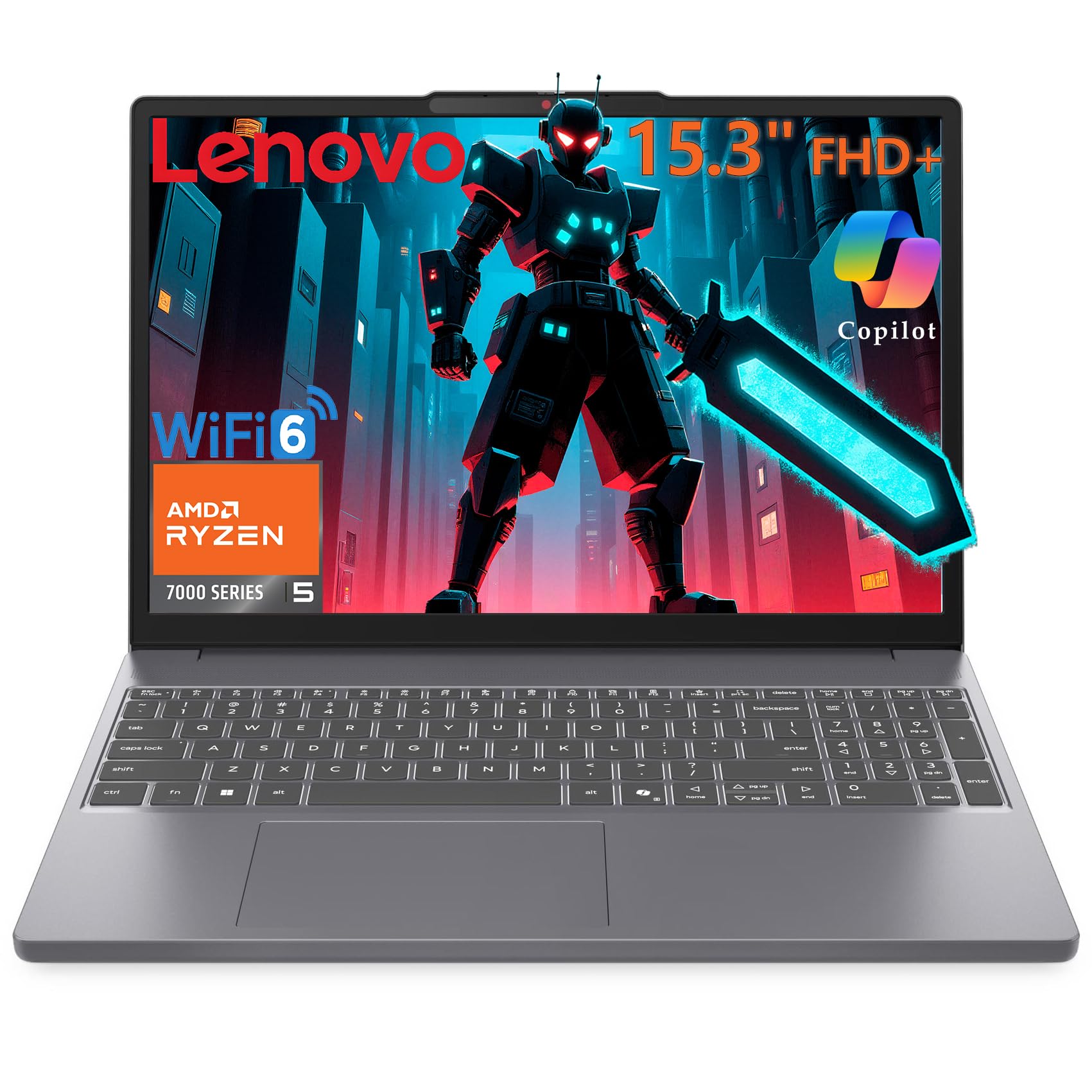
This Lenovo offering flips the script by prioritizing memory and storage capacity over raw GPU power, making it an interesting choice for users who multitask heavily or want to avoid immediate upgrades. The 24GB of DDR5 RAM is an unusual configuration that provides ample headroom for running a game, a browser with dozens of tabs, and streaming software simultaneously. A 1TB PCIe SSD means you can install a substantial library of games from day one.
The AMD Ryzen 5 7535HS processor is a capable six-core chip, but the integrated AMD Radeon 660M graphics are not suitable for demanding modern games. This laptop fills a specific niche: it is an excellent productivity machine that can handle light, less graphics-intensive titles like Sims 4, Minecraft, or older esports games. The 15.3-inch WUXGA IPS display provides sharp text and good color reproduction for work.
If your focus is strictly on AAA gaming, the lack of a powerful dedicated GPU is a dealbreaker. This system is better suited for a student who needs heavy multitasking for research and writing but also enjoys casual simulation games. The build quality is solid, and the inclusion of WiFi 6 and Bluetooth 5.3 keeps connectivity modern.
Why it’s great
- Generous 24GB DDR5 RAM for heavy multitasking
- Large 1TB PCIe SSD storage out-of-box
- WUXGA 16:10 display for productivity
Good to know
- Integrated Radeon 660M is weak for AAA gaming
- Not suitable for modern, demanding game titles
9. Alienware 16 Aurora

The Alienware 16 Aurora represents the absolute pinnacle of gaming performance in this lineup, featuring the next-generation NVIDIA GeForce RTX 5060 with 8GB of GDDR7 memory. This GPU offers a massive leap in raw power, enabling high frame rates at the laptop’s native 2560×1600 WQXGA resolution. The Intel Core 7-240H Series 2 processor and 16GB of DDR5 RAM ensure no bottlenecks for even the most CPU-intensive titles.
Alienware’s new Cryo-Chamber cooling structure is a highlight, designed to channel airflow directly over the hottest components. This thermal engineering supports the high power draw of the RTX 5060 without excessive throttling. The build quality is excellent, with a premium feel and a customizable Alienware command center for tweaking performance profiles and RGB lighting.
The price is significantly higher than the rest of the list, making it a true premium option. The laptop is heavy, and the battery life under gaming load is short, which is expected for a system with this level of performance. It includes a one-year Dell onsite service, providing peace of mind for a major investment in high-end portable gaming.
Why it’s great
- Next-gen RTX 5060 with 8GB GDDR7 memory
- High-resolution 2560×1600 WQXGA display
- Advanced Cryo-Chamber cooling system
Good to know
- Premium price point, not a budget option
- Heavy chassis and short gaming battery life
10. ASUS TUF FX505DT

The ASUS TUF FX505DT is a classic budget gaming warrior that proves you do not need to spend a lot to play. It is powered by the AMD Ryzen 5-3550H processor and the NVIDIA GeForce GTX 1650 4GB, a legendary entry-level GPU that can run Fortnite, Valorant, CS2, and many older AAA titles at 1080p with solid frame rates. The 8GB of DDR4 RAM and 256GB NVMe SSD are minimal but functional for a starter machine.
ASUS engineered this model with dual fans and anti-dust technology to maintain cooling over long periods. The RGB backlit keyboard adds a gaming aesthetic, and the build quality meets the TUF line’s durability standards. Users frequently highlight the fantastic value, with many noting that it outperforms more expensive laptops from other brands in basic gaming tasks.
The GTX 1650 lacks ray tracing and DLSS support, so it will not match the performance of newer RTX GPUs in the latest titles. The 256GB SSD fills up extremely fast with just a couple of modern games. Fans also run loudly under load, but for a truly affordable entry into PC gaming, the FX505DT remains a compelling choice.
Why it’s great
- Incredibly low barrier to entry for PC gaming
- GTX 1650 handles esports and older games well
- Durable build with anti-dust cooling technology
Good to know
- GTX 1650 lacks ray tracing and DLSS support
- 256GB SSD storage is very limited
11. NIMO N15A

The NIMO N15A is a productivity laptop with integrated graphics that can handle light gaming, making it a versatile companion for a student or professional who enjoys casual titles. The AMD Ryzen 7 Pro 6850U with Radeon 680M graphics (RDNA 2 architecture) provides performance comparable to a low-end dedicated GPU, capable of running games like Sims 4, League of Legends, and older titles smoothly. The 32GB of DDR5 RAM is overkill for gaming but excellent for heavy multitasking.
The 15.6-inch FHD display is adequate for work and casual gaming, and the laptop features a comprehensive port selection, including 2x USB-C with PD and DisplayPort, 3x USB-A, and HDMI 2.0. The 100W PD fast charging via the USB-C port is a major convenience, allowing you to use a single charger for both the laptop and a phone. The 53.58Wh battery provides all-day battery life for non-gaming tasks.
This is not a machine for AAA gaming or high-refresh-rate competitive play. The Radeon 680M, while impressive for an integrated GPU, simply cannot match the raw power of a dedicated RTX or GTX GPU. If your primary need is a fast, portable workstation that can also handle casual gaming, this is a smart pick, but pure gamers should look elsewhere.
Why it’s great
- Massive 32GB RAM for heavy multitasking workloads
- Radeon 680M handles light and casual gaming well
- USB-C 100W PD charging for universal use
Good to know
- Integrated GPU is weak for AAA gaming titles
- Not suitable for high-refresh-rate competitive play
12. HP OmniBook 3

The HP OmniBook 3 is a Copilot+ PC powered by the Snapdragon X X1-26-100 processor, marking a shift toward ARM-based Windows laptops. This architecture delivers exceptional battery life, with HP claiming up to 32 hours of video playback, and the Qualcomm Adreno GPU is capable of light gaming and casual titles. The 14-inch 2K IPS display (1920×1200) offers sharp images and accurate colors for productivity and media consumption.
The 16GB of LPDDR5x RAM and 512GB SSD provide a responsive experience for everyday tasks, and the laptop includes Wi-Fi 6E and Bluetooth 5.3 for modern wireless connectivity. The included Otter.ai assistant can record and transcribe meetings, adding value for students and professionals. The design is slim, lightweight, and made from sturdy metal.
Gaming compatibility is the major limitation here. Many game titles do not run natively on ARM architecture, and those that do may suffer from performance issues or require emulation. This laptop is best viewed as an ultra-portable productivity machine with the ability to play some casual games, not as a general-purpose gaming laptop. It excels in battery life and travel-friendliness.
Why it’s great
- Incredibly long battery life for all-day use
- Sharp 2K resolution IPS display
- Lightweight metal build, great for travel
Good to know
- ARM architecture limits game compatibility
- Not suitable for modern PC gaming titles
13. NIMO N177
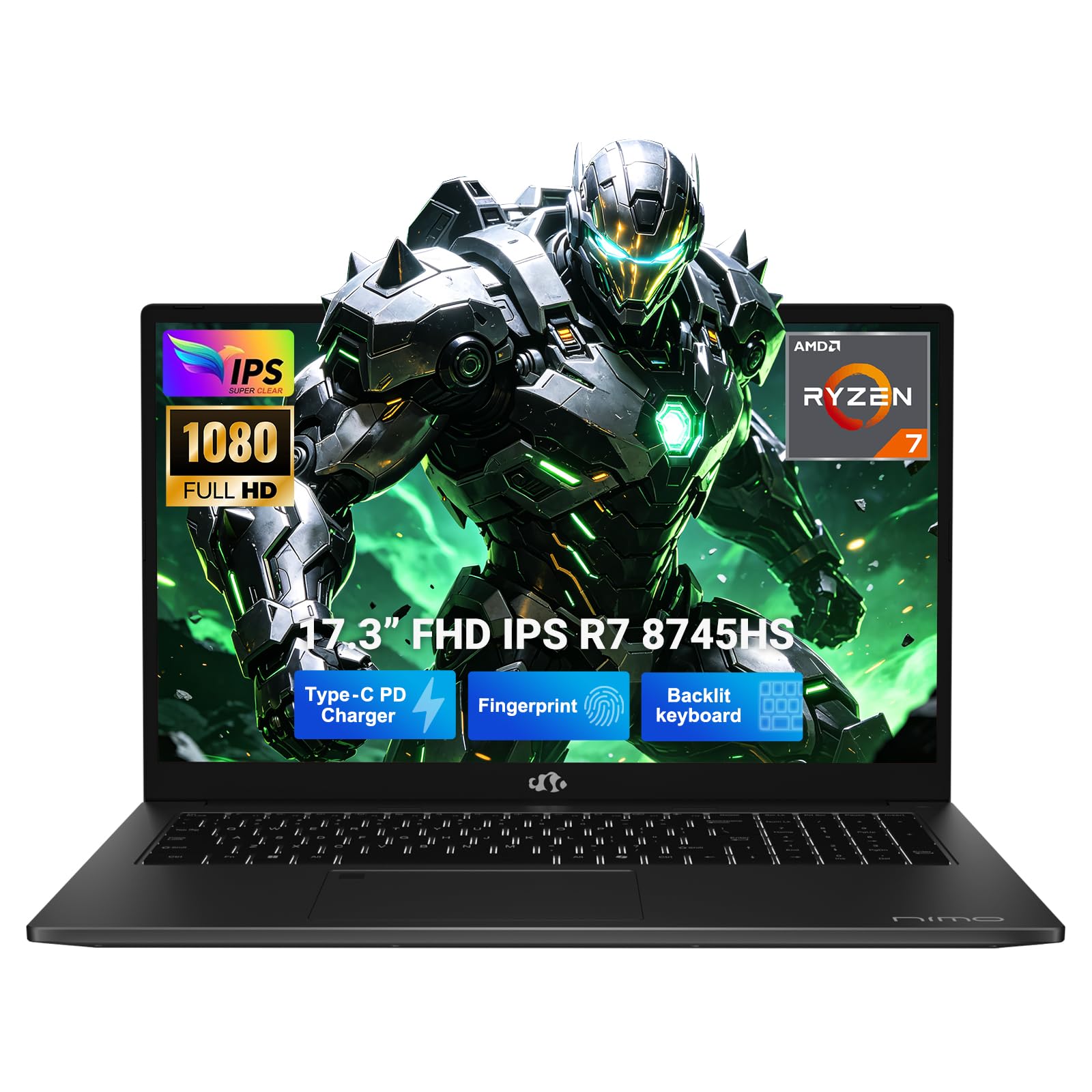
The NIMO N177 targets the content creator who also games, offering an astonishing 64GB of DDR5 RAM and a 2TB PCIe 4.0 SSD. This is a workstation-class configuration that can handle video editing, 3D modeling, running local AI tools, and heavy multitasking without breaking a sweat. The AMD Ryzen 7 8745HS processor and Radeon 780M graphics provide a powerful iGPU that is on par with an entry-level dedicated GPU for gaming at 1080p.
The massive 17.3-inch FHD display is ideal for timeline-based creative work, and the inclusion of a USB4 port allows for future connection to an external GPU dock for vastly improved gaming performance. The laptop features a 100W PD charger, a 58Wh battery, and a 180-degree lay-flat hinge for easy sharing. The fingerprint reader on the touchpad provides fast and secure login via Windows Hello.
For pure gaming, the Radeon 780M iGPU is a bottleneck, and the laptop’s true potential is only unlocked with an eGPU. The keyboard backlight timeout is short, and the speakers are quiet due to their placement. This is a specialist tool for creators who need maximum RAM and storage now, with the option for elite gaming performance later via an external GPU.
Why it’s great
- Enterprise-grade 64GB RAM and 2TB SSD storage
- USB4 port for future external GPU upgrades
- Large 17.3-inch display for productive workflows
Good to know
- Radeon 780M iGPU is the gaming bottleneck
- Speakers are quiet and downward-firing
FAQ
Is 8GB of RAM enough for gaming on an affordable laptop?
Do I need a 144Hz display for gaming?
Which is more important for gaming: CPU or GPU?
Final Thoughts: The Verdict
For most users, the best affordable laptops for gaming is the ASUS TUF Gaming F16 because it combines a high-power RTX 4050, a fantastic 144Hz display, and military-grade durability. If you want the absolute best raw GPU performance for your money, grab the HP Victus 15 RTX 4050. And for maximum portability with 16GB of RAM out of the box, nothing beats the MSI GF63 Thin.