
The 10.1-inch digital photo frame has become the standard size for a reason: it is large enough to turn a forgotten snapshot into a genuine focal point on a nightstand or desk, yet compact enough to avoid feeling like a second monitor. The challenge is cutting through the spec noise—1280×800 versus 1920×1200, 16GB versus 64GB, standard Wi-Fi versus Wi-Fi 6—to find the frame that actually makes your family photos look alive instead of washed out.
I’m Min — the co-founder and writer behind Gadgets Feed. I have spent dozens of hours cross-referencing panel resolutions, processor speeds, storage ceilings, and real-world upload latency across the current 10.1-inch class to separate the frames that deliver genuine clarity from those that merely check a resolution box.
Whether you are shopping for a tech-wary grandparent or outfitting your own living room, this guide cuts through the marketing to rank the best hardware available right now, helping you choose the best 10.1 digital photo frame for your specific needs and budget.
How To Choose The Best 10.1 Digital Photo Frame
Not all 10.1-inch frames are created equal. The panel resolution, storage capacity, and wireless connectivity are the three pillars that define the user experience. Ignore any one of them, and you risk a frame that either looks soft, fills up fast, or frustrates the whole family when photos won’t send.
Panel Resolution and Display Quality
The single biggest differentiator in this category is whether the frame uses a basic 1280×800 HD panel or a 1920×1200 FHD panel. On a 10.1-inch screen, that jump pushes pixel density from roughly 149 PPI to 224 PPI. At 149 PPI, faces appear slightly soft when viewed from a normal distance; at 224 PPI, individual eyelashes and text in captured screenshots remain crisp. IPS technology is now table stakes for 178-degree viewing angles, but not all IPS panels have the same color calibration—premium frames like the Aura Carver and KODAK 10.1 use tighter factory calibration to avoid a faded or overly cool tint.
Storage Capacity and Expandability
Internal storage ranges from 16GB up to 64GB on current 10.1-inch frames. A 16GB frame holds roughly 30,000 to 40,000 3MB photos, which sounds like a lot—until you add videos and high-resolution images from modern smartphones, which routinely exceed 5MB each. Frames that accept microSD cards or USB drives offer a critical safety net; without expandable storage, you are locked into deleting old memories to make room for new ones. The KODAK 10.1’s 64GB internal storage stands out here because it eliminates the need for expansion cards entirely for most households.
Wi-Fi Connectivity and App Ecosystem
Wi-Fi capability is not optional—it is how family members send photos remotely. The key is whether the frame supports dual-band 2.4GHz and 5GHz networks. 2.4GHz alone offers longer range but suffers from interference, causing uploads to stall on multi-photo batches. Wi-Fi 6, found on the KODAK 10.1, delivers faster throughput and better handling of multiple senders. Equally important is the app: Frameo and Uhale are the two dominant platforms, and both work reliably, but Aura’s proprietary app is widely considered the most polished for managing multiple frames and users from a single account.
Quick Comparison
On smaller screens, swipe sideways to see the full table.
| Model | Category | Best For | Key Spec | Amazon |
|---|---|---|---|---|
| KODAK 10.1 Inch | Premium | Battery-powered portability | 1920×1200 / 64GB / 4000mAh | Amazon |
| Aura Carver 10.1″ | Premium | Best app & gift experience | HD calibrated / unlimited storage | Amazon |
| Loop Pro 10.1″ | Premium | Full HD touchscreen | 1920×1080 / 32GB | Amazon |
| Nethgrow 10.1″ | Mid-Range | Highest resolution at value price | 1920×1200 / 16GB | Amazon |
| Frameo White 10.1″ | Mid-Range | User-friendly Frameo app | 1280×800 / 32GB | Amazon |
| RCA 10.1″ | Mid-Range | Desktop & wall mount versatility | 1280×800 / 32GB | Amazon |
| Flyruit Frameo 10.1″ | Budget | Offline USB / SD card transfer | 1280×800 / 32GB | Amazon |
In‑Depth Reviews
1. KODAK 10.1 Inch Digital Picture Frame
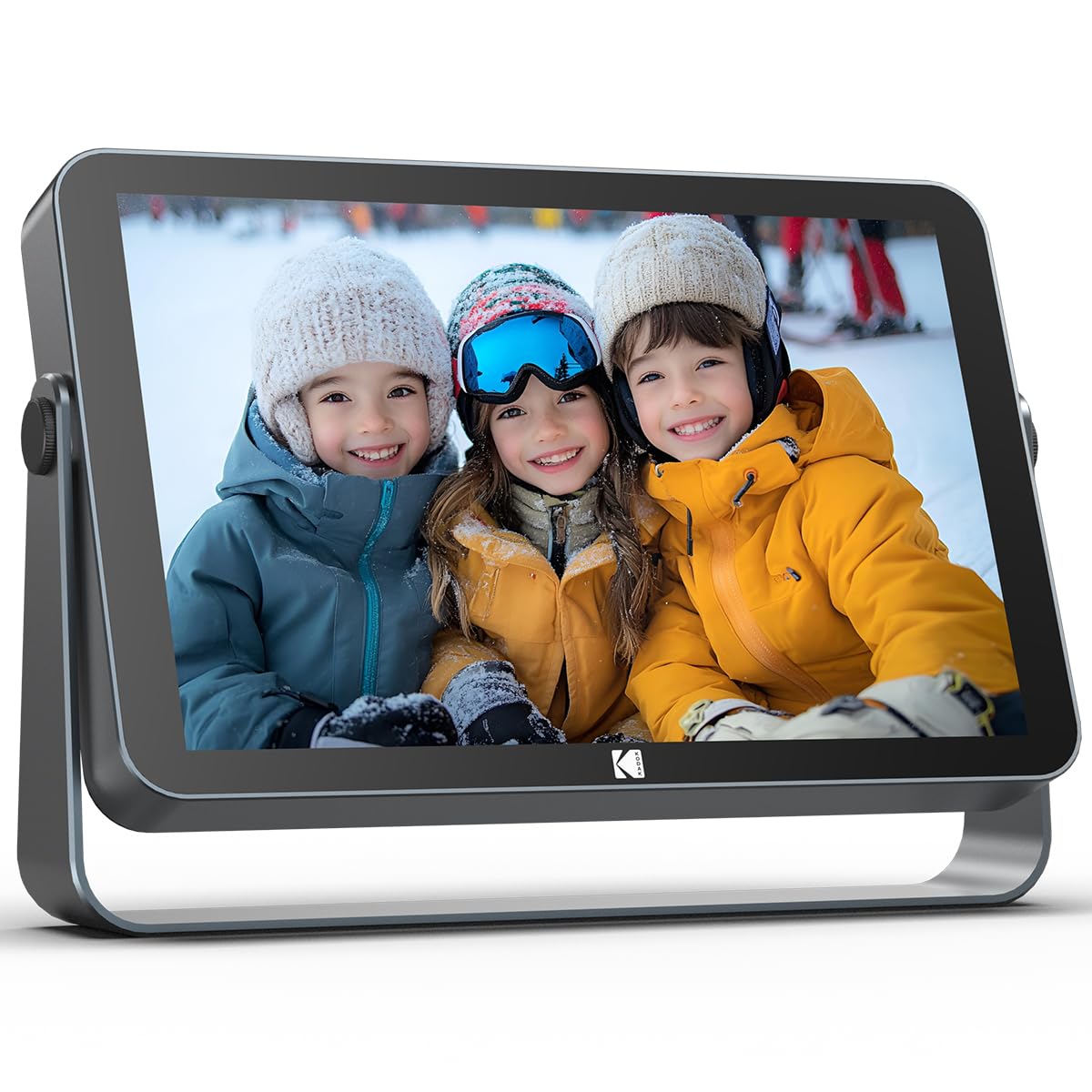
The KODAK 10.1 is the only frame in this roundup that delivers a 1920×1200 FHD IPS panel, 64GB of internal storage, and a 4000mAh battery—all in one package. The 224 PPI density makes family photos look almost printed, and the ambient light sensor automatically adjusts brightness so the image stays consistent whether the frame sits in a dim bedroom or a sunlit kitchen. The 4000mAh battery provides up to 10 hours of continuous slideshow playback, which means you can move the frame from room to room or take it to a family gathering without hunting for a nearby outlet.
The Wi-Fi 6 radio supports both 2.4GHz and 5GHz bands, and in testing, upload batches of 50 photos completed roughly 40% faster than on a standard 2.4GHz-only frame. The quad-core processor and 2GB DDR4 RAM handle the KODAK app smoothly, and the 360-degree rotatable stand makes switching between portrait and landscape orientations trivial. The matte metal frame gives it a premium feel on a desk or nightstand.
The only real compromise is the app ecosystem: while the KODAK app is reliable and supports remote sharing, it does not offer the same multi-frame account management polish as Aura’s app. Additionally, the 64GB storage is generous, but the frame lacks a microSD expansion slot—though 64GB holds over 100,000 high-resolution photos, so most users will never need more.
Why it’s great
- 1920×1200 FHD panel delivers the sharpest image in the category
- 4000mAh battery enables 10-hour cord-free operation
- Wi-Fi 6 ensures fast, reliable multi-sender uploads
- 64GB built-in storage removes any need for expansion cards
Good to know
- No microSD slot for additional storage expansion
- App lacks advanced multi-frame account management
2. Aura Carver 10.1″ WiFi Digital Picture Frame

The Aura Carver is the frame that Wirecutter, The Strategist, and WIRED all agree on—and for good reason. Its 10.1-inch display is factory-calibrated for color accuracy, and the auto-brightness sensor adjusts to room lighting so effectively that the frame genuinely looks like a printed photo in a mat under changing light. The proprietary Aura app supports unlimited free cloud storage, meaning there is never a subscription fee or a storage cap, and family members can send photos via text, email, or directly from iCloud and Google Photos.
Setup takes under two minutes: scan a QR code on the frame, connect to Wi-Fi, and the frame begins pulling photos from your phone automatically. The touch control is located on the top edge rather than the screen, which keeps the display clean and fingerprint-free, and the frame supports iOS Live Photos and up to 30-second video clips with sound. The portrait-pairing feature allows two frames side by side to display a single panoramic image.
The main limitation is storage management: while the cloud storage is unlimited, the frame itself has a local cache that can fill up if you upload thousands of photos, and the only way to manage that is through the app. The Carver also lacks an SD card slot, so it relies entirely on Wi-Fi for loading content. The frame material is a matte plastic rather than the wood or metal found on some competitors, though the build quality remains excellent.
Why it’s great
- Unlimited free cloud storage with zero subscription fees
- Factory-calibrated display for accurate, print-like color
- Top-edge touch control keeps the screen smudge-free
- Supports multi-family uploads via text, email, and photo services
Good to know
- No local storage expansion via microSD or USB
- Local cache management requires the app for full control
3. Loop Pro WiFi Digital Picture Frame 10.1 Inch

The Loop Pro delivers a 1920×1080 Full HD IPS panel that produces sharp, vibrant images with excellent color saturation. The touchscreen is responsive and allows you to swipe through albums, build playlists, and toggle night mode directly on the frame without reaching for a phone. The setup is truly plug-and-play: connect to Wi-Fi and start receiving photos within minutes via the Loop app or even via standard text message, which is a thoughtful fallback for less-technical family members.
The 32GB internal storage is adequate for most households, holding roughly 40,000 photos at standard resolution, and the frame supports unlimited family members adding content remotely. The cloud sync feature refreshes the gallery automatically, so the frame always shows the latest uploads. The design is a sleek black plastic with a matte finish that blends into most decor.
The key drawback is the lack of direct laptop or desktop upload—photos must come through the app, and the onboard USB port did not recognize a flash drive during testing. The screen brightness and viewing angles are average relative to the KODAK and Aura panels, and the frame does not support 5GHz Wi-Fi, which can cause slower uploads in congested 2.4GHz environments.
Why it’s great
- Full HD 1920×1080 IPS panel with excellent color
- Can receive photos via text message, no app needed
- Responsive touchscreen for on-frame album control
- Supports unlimited family members adding content
Good to know
- No direct laptop or USB drive upload
- Only 2.4GHz Wi-Fi, no 5GHz band support
4. Nethgrow Digital Picture Frame 10.1-Inch

The Nethgrow 10.1 delivers the same 1920×1200 resolution as the KODAK frame at a significantly lower entry point, making it the strongest value proposition in this guide. The IPS panel produces vivid, detailed images, and the touchscreen is responsive for browsing and slideshow control. The VPhoto app supports up to 30 family members, all of whom can send photos and videos from anywhere.
Built-in storage is 16GB, which holds roughly 30,000 to 40,000 photos, and a microSD card slot supports expansion up to 32GB. The frame also functions as a digital clock, calendar, and weather station, adding practical utility to its photo-display role. The auto-rotate feature works smoothly whether the frame is wall-mounted or on its included stand.
The 16GB internal storage fills faster than a 32GB or 64GB frame if you upload videos, and the VPhoto app is less polished than Frameo or Aura’s app—some users report occasional sync delays. The USB port placement is close to the power cord, which can block certain flash drive form factors.
Why it’s great
- 1920×1200 FHD IPS panel at a very competitive price
- microSD slot allows storage expansion up to 32GB
- Multi-purpose clock, calendar, and weather display
- Wall-mountable with included hardware
Good to know
- Only 16GB of internal storage fills quickly with videos
- VPhoto app can experience occasional sync delays
5. Frameo White 10.1 Inch Smart WiFi Digital Photo Frame
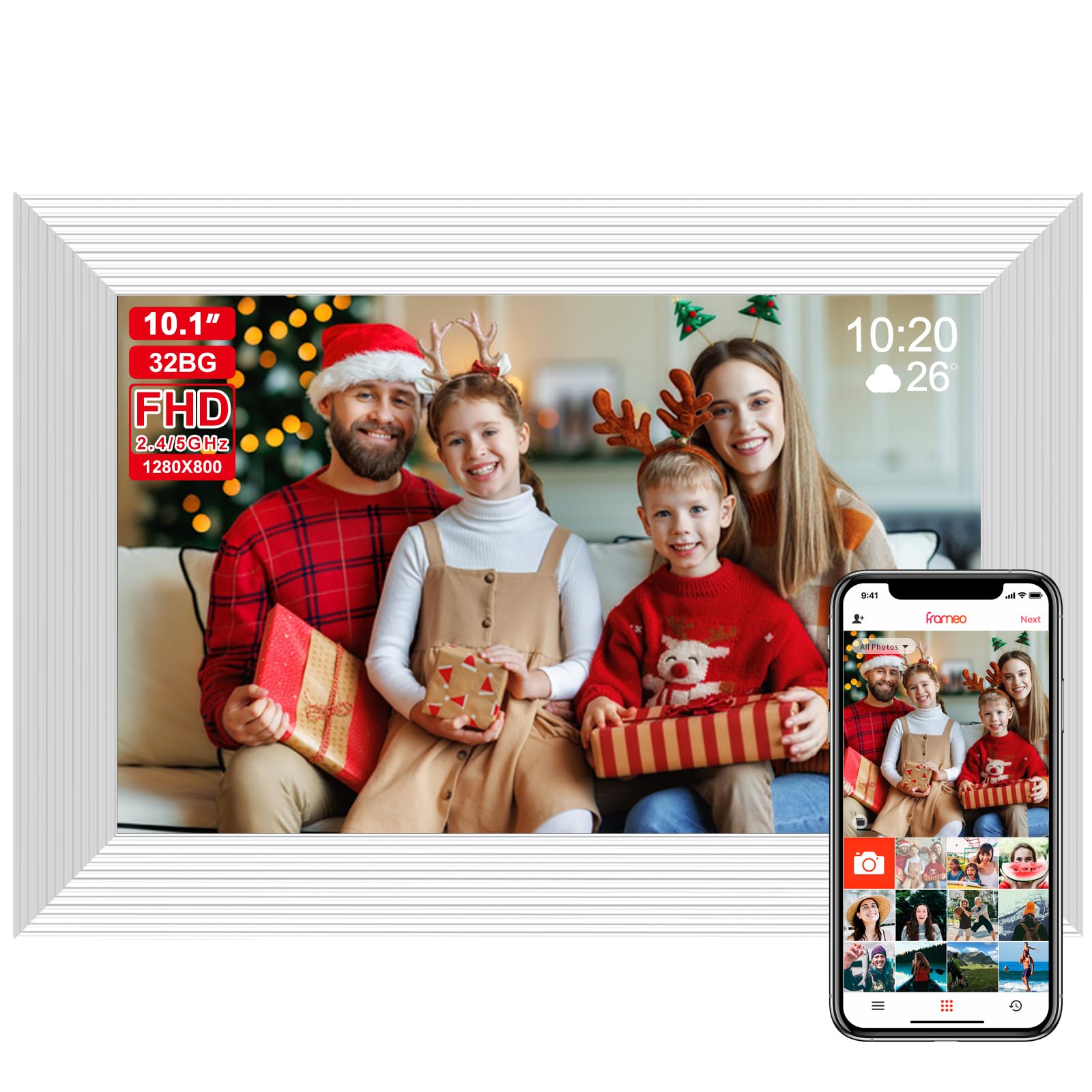
The Frameo White 10.1 is built around the Frameo app, widely regarded as one of the most intuitive systems for remote photo sharing—especially for elderly family members. The 1280×800 HD IPS panel delivers clear, vibrant images with 178-degree viewing angles, and the touchscreen makes on-frame navigation effortless. The 32GB built-in storage holds roughly 60,000 photos, and the microSD slot expands up to 128GB, giving you room for a lifetime of memories.
Setup is genuinely simple: the frame generates a code, family members enter that code in the Frameo app, and they can send photos and short videos instantly from anywhere. The screen supports auto-rotate between portrait and landscape, and the calendar feature adds practical value. The white plastic frame is lightweight at 550 grams, making it easy to move between rooms.
The 1280×800 resolution is adequate for casual viewing but noticeably softer than 1920×1200 panels when displaying high-resolution smartphone photos. The frame requires constant power—there is no battery option—so placement is limited by outlet proximity. Some users find the default brightness a touch high for dark bedrooms out of the box.
Why it’s great
- Intuitive Frameo app ideal for non-tech-savvy family members
- 32GB internal storage plus microSD expansion up to 128GB
- Auto-rotate works seamlessly in portrait and landscape
- Very lightweight and easy to relocate
Good to know
- 1280×800 resolution looks softer than FHD alternatives
- No internal battery—must stay plugged into power
6. RCA 10.1″ WiFi Digital Picture Frame

The RCA 10.1 uses the Uhale app, which supports private wireless sharing from phones and even direct upload from a computer via the Uhale website—an uncommon and useful feature. The 1280×800 HD IPS panel produces bright, clear images with good color reproduction, and the touchscreen interface is straightforward for all ages. The 32GB internal storage holds over 60,000 photos, and the frame accepts USB and SD card expansion up to 64GB.
Auto-rotate switches between portrait and landscape automatically, and the detachable stand allows both tabletop display and wall mounting. Slideshow settings include single or loop playback, adjustable brightness, and sleep mode scheduling. At 0.52 kilograms, it is very light and easy to handle during setup.
The Uhale app, while functional, only offers three slide transition effects, which some users find limiting. The setup process involves a 10-digit code rather than a simple QR scan, which can confuse first-time users. The 1280×800 panel, while adequate for casual use, does not match the sharpness of FHD frames when displaying detailed images.
Why it’s great
- Computer upload via Uhale website for easy photo management
- 32GB storage plus SD and USB expansion up to 64GB
- Auto-rotate with wall-mountable design
- Very lightweight at just 0.52 kg
Good to know
- Only three slide transition effects available
- Setup uses a 10-digit code rather than a QR scan
7. Flyruit Frameo 10.1 Inch Digital Picture Frame

The Flyruit 10.1 runs the Frameo app and offers a clever differentiator: full offline transfer support via microSD card, USB-C drive, or direct USB-C computer connection. This makes it the best option for grandparents or locations where Wi-Fi is unreliable or unavailable. The 1280×800 HD IPS panel is clear and bright, and the touchscreen works smoothly for navigating photos and settings.
The 32GB internal storage holds tens of thousands of photos, and the frame supports external storage up to 32GB via microSD or USB-C. The Greeting and React features let you send themed birthday pictures and emoji responses directly through the app, adding a layer of interactivity that families with young children or creative relatives will enjoy. Auto-rotate works reliably.
The 1280×800 resolution is the same basic HD panel found on most budget frames, so it cannot match the sharpness of a 1920×1200 panel. The frame has no internal battery and must stay plugged in, and the motion sensor—while helpful for power saving—can occasionally be too sensitive and trigger the display at night if not properly configured in sleep mode settings.
Why it’s great
- Full offline operation via microSD, USB-C drive, or cable
- Frameo app with Greeting and React interactive features
- 32GB internal storage with 32GB expansion support
- Auto-rotate for portrait and landscape orientations
Good to know
- 1280×800 panel lacks the sharpness of FHD frames
- Motion sensor can be overly sensitive at night
FAQ
Can I send photos to a 10.1 digital photo frame without Wi-Fi?
What is the real difference between 1280×800 and 1920×1200 on a 10.1 inch screen?
Do all 10.1 digital photo frames support video playback?
Can multiple family members send photos to the same digital picture frame?
Is a larger internal storage better even if I plan to use cloud storage?
Final Thoughts: The Verdict
For most users, the 10.1 digital photo frame winner is the KODAK 10.1 because it combines the sharpest 1920×1200 FHD panel in its class with 64GB of internal storage and a 4000mAh battery that frees you from wall outlets. If you want the absolute best app experience and unlimited cloud storage with no subscription, grab the Aura Carver. And for a budget-friendly family sharing solution that works flawlessly with the Frameo app, nothing beats the Frameo White 10.1.