
A 31-inch monitor sits in a sweet spot that 27-inch screens cannot match for immersive depth and that 34-inch ultrawides sometimes overcomplicate with desk space demands. The panel technology you choose—VA, Fast IPS, or the new wave of QD-OLED and WOLED—radically changes what you get from that diagonal. Response times now dip below 0.1ms, refresh rates hit 240Hz and beyond, and color coverage routinely exceeds 95% of the DCI-P3 gamut. The challenge is matching the right panel to your workload without overspending on flashy specs your GPU cannot drive.
I’m Min — the co-founder and writer behind Gadgets Feed. I’ve spent countless hours dissecting panel roadmaps, refresh-rate timings, and color-accurate sub-pixel layouts to help you make sense of the 31-inch monitor market as it stands right now.
Whether you are after blistering 240Hz OLED motion clarity for competitive shooters or need a color-accurate 4K IPS for photo editing, I’ve curated the best 31 inch monitor options across the widest possible value and performance spectrum.
How To Choose The Best 31 Inch Monitor
Selecting a 31-inch monitor requires weighing panel technology, resolution, refresh rate, and connectivity against your primary use case. A 4K screen at this size offers sharp text and immersive media, but 1440p can be more practical for high-refresh-rate gaming on mid-range GPUs. The wrong pick—like a slow VA panel for competitive FPS titles—will leave you frustrated with ghosting and smearing.
Panel Technology: IPS, VA, or OLED
IPS panels offer wide viewing angles and decent color accuracy but suffer from lower contrast (around 1000:1) and noticeable IPS glow in dark rooms. VA panels improve contrast to 3000:1 or higher, making blacks deeper, but often exhibit slower pixel response times that create dark-level smearing. OLED panels—both QD-OLED and WOLED—deliver near-infinite contrast with per-pixel black levels and sub-1ms response times, though they risk permanent burn-in over years of static desktop use and cannot match the peak brightness of high-end LCDs in a bright room.
Resolution and Refresh Rate Balance
4K (3840 x 2160) at 27–32 inches gives you a crisp pixel density of roughly 140 PPI, ideal for text work, photo editing, and detailed UI layouts. Driving 4K gaming at 120Hz or higher requires a GPU like the RTX 4070 Ti or RX 9070 XT to hit smooth frame rates in demanding titles. 1440p (2560 x 1440) at 32 inches drops the PPI to about 93, which is less sharp for text but makes high-refresh 180Hz or 240Hz gaming achievable on mid-range cards. Choose 4K for productivity and visual fidelity; choose 1440p for maximum frame rate in competitive games.
Connectivity and Ergonomics
USB-C with Power Delivery (90W or higher) is a must if you plan to dock a single laptop—MacBooks in particular benefit from this one-cable setup. HDMI 2.1 bandwidth supports 4K at 120Hz on the latest gaming consoles, while DisplayPort 2.1 future-proofs high-bandwidth desktop connections. A fully adjustable stand with height, tilt, swivel, and pivot eliminates neck strain and lets you position the monitor for your specific desk setup.
Quick Comparison
On smaller screens, swipe sideways to see the full table.
| Model | Category | Best For | Key Spec | Amazon |
|---|---|---|---|---|
| MSI MPG 321URXW | Premium QD-OLED | High-refresh 4K gaming | 240Hz / 0.03ms / QD-OLED | Amazon |
| ASUS ROG Swift PG32UCDMR | Enthusiast OLED | Competitive 4K 240Hz | 240Hz / DP 2.1 / QD-OLED | Amazon |
| LG 32GX850A-B | WOLED Gaming | Glossy 4K dual-mode | 165/330Hz / WOLED | Amazon |
| ASUS ROG Strix XG32UCG | High-End IPS | Versatile 4K 160Hz | 4K 160Hz / FHD 320Hz | Amazon |
| Alienware AW3425DW | Ultrawide OLED | Immersive sim racing | WQHD / 240Hz / QD-OLED | Amazon |
| BenQ MA320U | MacBook Companion | USB-C 90W Mac hub | 4K IPS / P3 / 90W PD | Amazon |
| Dell UltraSharp U3223QE | Professional IPS | Color-accurate office | 4K 60Hz / USB-C Hub | Amazon |
| Samsung Odyssey G50D | Mid-Range Gaming | 180Hz QHD gaming | 180Hz / 1ms / IPS | Amazon |
| Dell S3225QS | Entry 4K | 120Hz 4K console | 4K 120Hz / VA | Amazon |
| LG 34WR55QK-B | Ultrawide Value | Multitasking workspace | WQHD 100Hz / USB-C | Amazon |
| Deco Gear 49″ Curved | Super Ultrawide | Multi-input cockpit | 3840×1080 / 144Hz | Amazon |
In‑Depth Reviews
1. MSI MPG 321URXW QD-OLED

The MSI MPG 321URXW pairs a 31.5-inch QD-OLED panel with a native 240Hz refresh rate and a 0.03ms response time, making it one of the fastest 4K gaming monitors available today. The Quantum Dot layer delivers a 99% DCI-P3 color gamut and a 1,500,000:1 contrast ratio, with VESA DisplayHDR True Black 400 certification ensuring deep, inky blacks and bright highlights up to 1000 nits peak. The graphene heatsink operates fanlessly, which eliminates fan noise entirely and improves long-term panel durability against burn-in.
Connectivity is comprehensive with DisplayPort 1.4a, HDMI 2.1 CEC ports, and a USB Type-C port that delivers 90W of Power Delivery for a single-cable laptop setup. The built-in KVM 1.0 and PiP/PbP modes let you control two input sources from a single keyboard and mouse, which is a serious productivity gain if you run both a work laptop and a gaming PC on the same desk. The 4-way adjustable stand (tilt, swivel, height, pivot) gives you full ergonomic flexibility, and the white chassis is a clean departure from the usual black gaming aesthetic.
The only real drawback is the 1000-nit peak brightness, which applies to small HDR highlights and not full-screen sustained brightness—a limit inherent to OLED technology. Text clarity is improved over earlier QD-OLED panels thanks to an enhanced sub-pixel layout, but it still does not match a premium IPS panel for word processing. If you prioritize uncompromised 4K gaming performance with 240Hz smoothness and perfect black levels, this monitor is the strongest all-around choice in the 31-inch class.
Why it’s great
- 240Hz native 4K QD-OLED with near-instant 0.03ms response
- USB-C 90W Power Delivery doubles as a laptop docking hub
- Fanless graphene heatsink eliminates noise and reduces burn-in risk
Good to know
- Peak 1000-nit brightness only for small HDR highlights, not full screen
- Text clarity still trails premium IPS panels despite sub-pixel improvements
2. ASUS ROG Swift OLED PG32UCDMR
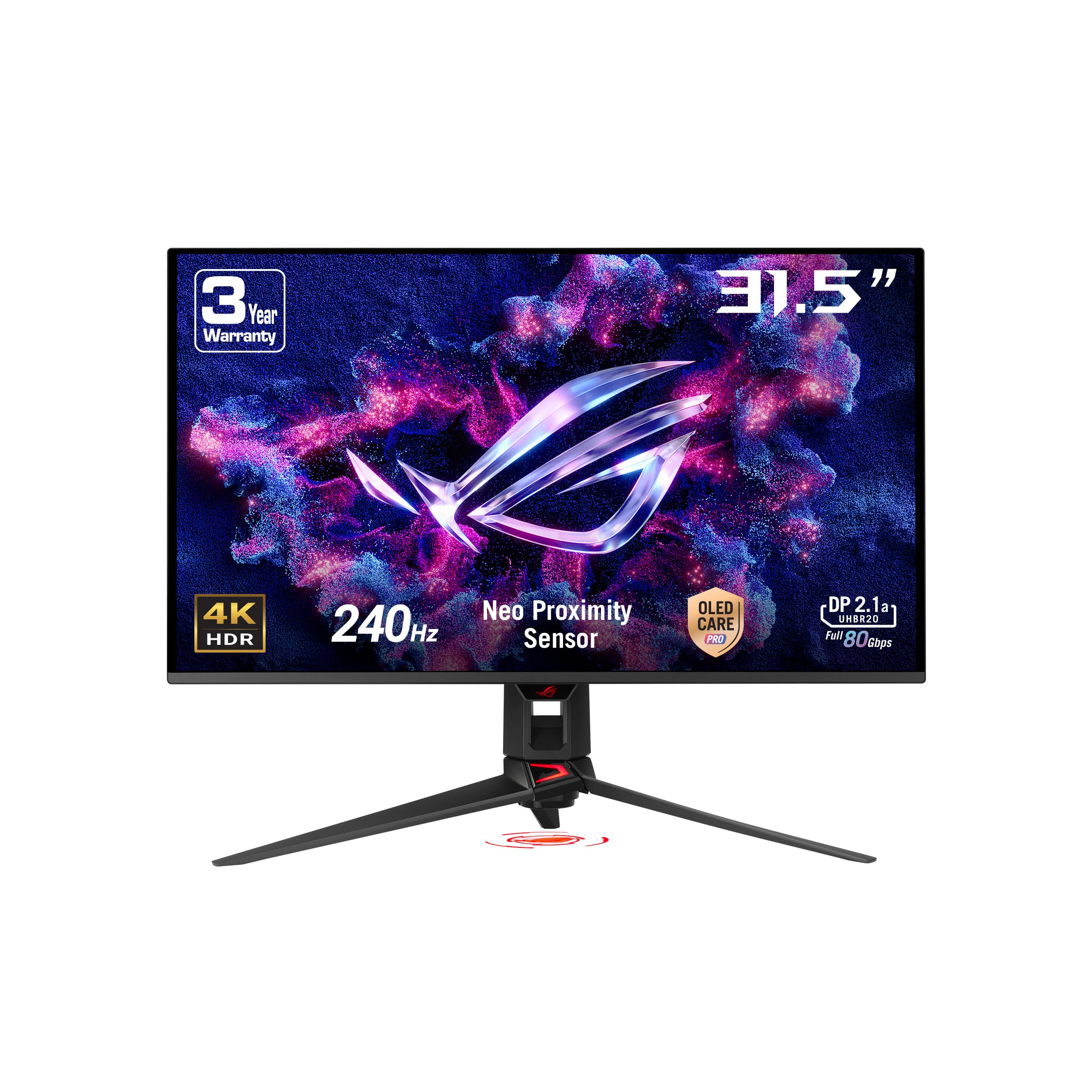
The ASUS ROG Swift PG32UCDMR is a 31.5-inch 4K QD-OLED monitor built for uncompromising gaming and media consumption, featuring a 240Hz refresh rate and a 0.03ms GtG response time. Its DisplayPort 2.1 interface provides enough bandwidth for 4K at 240Hz with full 10-bit color and DSC, future-proofing your setup against the next generation of high-end GPUs. The VESA DisplayHDR True Black 400 certification and 99% DCI-P3 coverage ensure HDR content looks punchy and lifelike, with per-pixel black levels that IPS panels cannot match.
ASUS includes its OLED Care Pro technology with a Neo proximity sensor that automatically dims the screen when you step away, reducing burn-in risk during idle periods. The DisplayWidget Center lets you tweak OLED Care functions and monitor settings with a mouse rather than fiddling with an on-screen joystick. Connectivity includes two HDMI 2.1 ports, DisplayPort 2.1, and a USB-C port with 90W Power Delivery, so you can charge a gaming laptop or MacBook Pro directly from the monitor.
The stand is large and takes up significant desk depth, which is a common complaint among owners who end up switching to a monitor arm for a cleaner setup. The matte anti-glare coating on the QD-OLED panel handles reflections well, but it slightly diffuses highlights compared to glossy panels like the LG 32GX850A. This monitor is for the enthusiast who wants every connectivity advantage and the absolute best motion clarity at 4K, even if it means paying a premium for DP 2.1 and advanced burn-in protection.
Why it’s great
- DisplayPort 2.1 enables 4K 240Hz 10-bit without compression compromises
- Neo proximity sensor for automated OLED Care reduces burn-in risk
- USB-C 90W PD supports high-power laptop charging
Good to know
- Stand is large and consumes substantial desk space
- Matte coating slightly reduces highlight brilliance versus glossy rivals
3. LG 32GX850A-B UltraGear

The LG 32GX850A-B is a 32-inch 4K glossy WOLED gaming monitor that delivers deep blacks and vibrant colors without the sub-pixel purple tint typical of QD-OLED panels. It features a dual-mode capability that lets you switch between 4K at 165Hz and Full HD at 330Hz via a hotkey, a genuine advantage for players who want high-resolution immersion in story-driven titles and then max refresh for competitive shooters. The Micro Lens Array+ technology bumps typical brightness to 275 nits, which is higher than earlier WOLED iterations, and the 1.5M:1 contrast ratio ensures perfect black levels in dim rooms.
NVIDIA G-SYNC Compatible and AMD FreeSync Premium Pro certification guarantee tear-free variable refresh rate operation across a wide range of frame rates. The glossy finish makes colors look punchier and more saturated than matte OLEDs, but it also reflects ambient light more prominently, which can be distracting in brightly lit rooms or workplaces with overhead lighting. The stand supports height, tilt, swivel, and pivot adjustments, providing full ergonomic flexibility for extended sessions.
Some units have been reported with a single green dead pixel or subtle banding in gradient tests, which is a common quality-control variance with WOLED manufacturing. Text clarity is consistent with other OLED panels—fine for gaming and media, but slightly soft for long-form reading compared to a high PPI IPS. This is the best pick if you want the contrast and response of OLED but prefer a glossy surface and want to avoid the extra cost of DP 2.1 and the QD-OLED purple hue.
Why it’s great
- Dual-mode 4K 165Hz / FHD 330Hz switchable via hotkey
- Glossy WOLED eliminates QD-OLED purple tint and boosts vibrancy
- G-SYNC Compatible and FreeSync Premium Pro for tear-free gaming
Good to know
- Glossy finish creates noticeable reflections in bright rooms
- Occasional quality variance with dead pixels reported by some owners
4. ASUS ROG Strix XG32UCG

The ASUS ROG Strix XG32UCG is a 32-inch Fast IPS gaming monitor that offers a versatile dual-mode resolution feature: 4K at 160Hz for demanding single-player titles, and Full HD at 320Hz for ultra-smooth competitive play. The 0.3ms MPRT response time is among the fastest on any IPS panel, and ASUS Extreme Low Motion Blur Sync (ELMB SYNC) allows motion blur reduction to run simultaneously with variable refresh rate, eliminating the ghosting and tearing trade-off that cheaper monitors force you to make. The 95% DCI-P3 color gamut and 100,000,000:1 dynamic contrast ratio provide vibrant, punchy visuals that look excellent in both games and movies.
USB Type-C with DP Alt mode supports a clean single-cable connection to laptops, and the DisplayWidget Center lets you adjust monitor settings using a mouse instead of the on-screen joystick. The built-in tripod socket is a unique addition for mounting a webcam or microphone directly to the monitor, saving desk clutter. The stand provides tilt, swivel, and height adjustments, though the lack of pivot is a minor omission for portrait-mode multitaskers.
The static contrast ratio of 1000:1 is typical for IPS, meaning blacks look grayish in a dark room—this is the panel’s biggest compromise versus OLED competitors. The semi-gloss screen coating strikes a nice balance between reflections and image sharpness, but it still cannot match the deep black levels of the WOLED or QD-OLED options in this list. This monitor is the best value pick for gamers who want high refresh rates at both 4K and FHD without jumping to OLED pricing.
Why it’s great
- Dual mode 4K 160Hz and FHD 320Hz covers both AAA and esports
- ELMB SYNC allows motion blur reduction with VRR enabled simultaneously
- Integrated tripod socket for mounting a webcam directly on the monitor
Good to know
- 1000:1 static contrast makes blacks look gray in dark scenes
- No pivot adjustment for portrait orientation work
5. Alienware AW3425DW

The Alienware AW3425DW is a 34-inch WQHD (3440×1440) QD-OLED curved gaming monitor with a 240Hz refresh rate and a 0.03ms response time, designed for immersive ultrawide gaming with near-instant pixel transitions. The 1800R curve wraps around your peripheral vision, and QD-OLED’s 99.3% DCI-P3 coverage with Delta E<2 accuracy delivers colors that pop without oversaturation. VESA DisplayHDR TrueBlack 400 and the infinite contrast ratio produce shadow details that LCD panels simply cannot reveal, giving you a significant visibility edge in dark game environments.
The adaptive sync support spans NVIDIA G-SYNC Compatible, AMD FreeSync Premium Pro, and VESA AdaptiveSync, ensuring smooth frame delivery regardless of your GPU brand. The build quality is excellent with a sturdy stand that offers height, tilt, and swivel adjustments, plus a sleek black chassis with Alienware’s signature RGB lighting on the back. The included microfiber cloth is a thoughtful touch for cleaning the delicate QD-OLED surface without scratching it.
Text clarity on the 3440×1440 ultrawide resolution at 34 inches is noticeably softer than a 4K 16:9 panel, which can be a dealbreaker if you spend most of your time editing documents or spreadsheets. The QD-OLED coating can also exhibit a faint purple hue on white backgrounds under direct light, though most users stop noticing it after a few days of normal use. This is the ideal monitor for sim racers, flight sim enthusiasts, and anyone who wants an ultrawide field of view with the motion clarity and contrast that only OLED can deliver.
Why it’s great
- QD-OLED delivers infinite contrast and 99.3% DCI-P3 for stunning HDR
- 240Hz refresh with triple adaptive sync certification (NVIDIA, AMD, VESA)
- 1800R curve enhances immersion in racing and flight sims
Good to know
- Text clarity is soft at 3440×1440 compared to native 4K panels
- Purple-tint coating visible on light backgrounds in direct sunlight
6. BenQ MA320U

The BenQ MA320U is a 32-inch 4K IPS monitor specifically tuned for MacBook users, with BenQ’s exclusive Mac Color Match calibration that reproduces the P3 wide color gamut accurately alongside a MacBook’s native display. A single USB-C cable connects the monitor to your MacBook and delivers 90W of power delivery, so you can ditch the laptop charger entirely. The secondary USB-C port provides 15W for charging an iPad or iPhone, and the built-in USB hub with two HDMI ports lets you connect additional peripherals without a separate docking station.
The integrated Mac controls allow you to adjust brightness and volume using your MacBook’s physical keyboard keys, a small quality-of-life feature that eliminates the need to reach for the monitor’s joystick or buttons. The stand offers height, tilt, swivel, and pivot adjustments, making it easy to find a comfortable ergonomic position whether you are coding, writing, or editing photos. The 400-nit brightness is sufficient for most indoor office environments, and the anti-glare coating keeps reflections manageable under overhead lights.
The 60Hz refresh rate feels dated if you are used to 120Hz or higher panels—scrolling through webpages and moving windows around the desktop lacks the fluidity of higher-refresh monitors. There is no built-in camera or microphone, so you will still need a separate webcam for video calls. If you need a one-cable hub for your MacBook with excellent color accuracy and ergonomic adjustability, this is the best option in the mid-range price tier.
Why it’s great
- Mac Color Match calibration ensures P3 gamut matches MacBook display
- USB-C with 90W PD single-cable connects and charges your MacBook
- Keyboard brightness/volume controls integrated with macOS
Good to know
- 60Hz refresh rate feels sluggish compared to high-refresh alternatives
- No built-in webcam or microphone for conferencing
7. Dell UltraSharp U3223QE

The Dell UltraSharp U3223QE is a 31.5-inch 4K IPS monitor built around the IPS Black technology, which improves native contrast from the typical 1000:1 to 2000:1, giving you deeper blacks and better shadow detail without sacrificing IPS viewing angles. It covers 100% sRGB and 98% DCI-P3 out of the box, making it a reliable choice for color-accurate photo editing and professional design work. The USB-C port delivers 90W power delivery and acts as a full docking hub with wired Ethernet, multiple USB-A ports, and a DisplayPort output for daisy-chaining a second monitor.
The stand is sturdy and offers height, tilt, swivel, and pivot adjustments, though it occupies a noticeable footprint on your desk. The built-in KVM lets you switch between two connected computers using a single keyboard and mouse, which is a genuine workflow advantage for anyone juggling a desktop and a laptop. The 450-nit peak brightness is higher than most office monitors, making it usable even near a window with moderate ambient light.
The 60Hz refresh rate is the monitor’s largest weakness for anyone who does any gaming or even light creative work involving animation and motion. The 5ms GtG response time is adequate for desktop work but produces visible trails in fast-moving content. This is the go-to panel for photographers, video editors, and office professionals who need color accuracy and connectivity over high refresh rates, but it is not a gaming monitor.
Why it’s great
- IPS Black technology delivers 2000:1 contrast for deeper blacks
- USB-C hub with 90W PD, Ethernet, and KVM for seamless multi-PC workflow
- Factory-calibrated 100% sRGB and 98% DCI-P3 color coverage
Good to know
- 60Hz refresh rate and 5ms response time limit gaming usability
- Stand takes up significant desk space despite good ergonomics
8. Samsung Odyssey G50D

The Samsung Odyssey G50D is a 32-inch QHD (2560×1440) Fast IPS gaming monitor with a 180Hz refresh rate, a 1ms GtG response time, and VESA DisplayHDR 400 certification. The QHD resolution at 32 inches gives you a pixel density of roughly 93 PPI, which is noticeably softer than 4K for text but makes high-refresh gaming accessible on mid-range graphics cards like the RTX 3060 Ti or RX 7700 XT. The Fast IPS panel delivers wide 178-degree viewing angles and vibrant colors, with 99% sRGB coverage out of the box.
AMD FreeSync and G-Sync compatibility keep frame delivery smooth, preventing tearing in fast-paced shooters and racing games. The stand is fully adjustable with height, tilt, swivel, and pivot, which is rare for a monitor at this price tier. Eye Saver Mode reduces blue light emissions without washing out colors, and the flicker-free backlight minimizes eye strain during long sessions.
The HDR400 implementation is underwhelming—the 350-nit typical brightness and limited local dimming do not produce the punchy highlights you get from higher-tier HDR monitors. The default color calibration out of the box is poor, with oversaturated whites and grayish blacks that require manual adjustment using an ICC profile or hardware calibrator. This is the pick for budget-conscious gamers who want 180Hz QHD smoothness and full ergonomic adjustment without jumping to 4K pricing.
Why it’s great
- 180Hz QHD Fast IPS with 1ms response for smooth mid-range gaming
- Full ergonomic stand with height, tilt, swivel, and pivot adjustment
- G-Sync and FreeSync compatible for tear-free gameplay
Good to know
- Poor default color calibration requires manual ICC profile adjustments
- HDR400 is weak and adds minimal visual benefit in HDR content
9. Dell S3225QS

The Dell S3225QS is a 31.5-inch 4K VA monitor that hits 120Hz via AMD FreeSync Premium, making it one of the most affordable 4K displays with a high refresh rate. The VA panel delivers a 1500:1 contrast ratio, which gives noticeably deeper blacks than typical IPS panels at this price, and the 99% sRGB and 95% DCI-P3 coverage ensures colors look rich and natural. The Dell ComfortView Plus certification reduces harmful blue light to ≤35% without sacrificing the color accuracy you need for work or media consumption.
The built-in speakers are surprisingly capable for a monitor, with deeper bass and wider frequency range than the previous generation of Dell displays. The ash white finish and ultra-thin bezels give the monitor a modern, minimalist look that blends well with white desks and Mac setups. The stand provides tilt and height adjustment, though there is no swivel or pivot for more flexible positioning.
The VA panel’s slow dark-level pixel transitions cause noticeable black smearing in fast-moving content, which is a genuine problem for competitive gaming even though the 120Hz refresh rate handles frame delivery well. The 0.03ms advertised response time applies to the panel’s MPRT specification, not actual GtG transitions, so real-world motion clarity is much closer to standard VA performance. This monitor is best for users who want a large 4K screen for mixed productivity and casual gaming on a tight budget.
Why it’s great
- 4K 120Hz at an entry-level price with FreeSync Premium support
- VA panel with 1500:1 contrast for better black levels than IPS
- Built-in speakers with improved bass response versus older Dell monitors
Good to know
- VA dark-level smearing is noticeable in fast-paced gaming scenes
- No swivel or pivot adjustment on the stand
10. LG 34WR55QK-B

The LG 34WR55QK-B is a 34-inch UltraWide WQHD (3440×1440) curved VA monitor that delivers a 100Hz refresh rate and 5ms response time, providing a spacious 21:9 canvas for multitasking productivity. The 3000:1 contrast ratio from the VA panel produces deep blacks that make reading text and viewing media comfortable, and the 99% sRGB coverage ensures colors are reasonably accurate out of the box. The USB Type-C port supports up to 65W power delivery, which is enough to charge most ultrabooks during a workday without a separate laptop power brick.
The three-side virtually borderless design looks clean on a desk, and the ergonomic stand offers height and tilt adjustments, though swivel and pivot are missing. The OnScreen Control software lets you split the display into customizable zones with a few mouse clicks, and the Picture-by-Picture mode allows you to display content from two separate input sources simultaneously—useful for running a work laptop alongside a desktop PC. Reader Mode reduces blue light for extended reading sessions.
The 100Hz refresh rate is modest by modern gaming standards, and the 5ms response time introduces noticeable ghosting in fast-paced titles, so this is not a monitor for competitive shooters. There are no built-in speakers, which is a surprising omission given the price point. This monitor is best suited for professionals who need an ultrawide productivity workspace with USB-C convenience and are not gaming at a high level.
Why it’s great
- 34-inch 21:9 WQHD VA with 3000:1 contrast for productivity
- USB-C 65W PD charges ultrabooks directly
- Picture-by-Picture mode for dual-source input display
Good to know
- No built-in speakers despite the price premium
- 100Hz and 5ms response limit gaming to casual use only
11. Deco Gear 49″ Curved Monitor
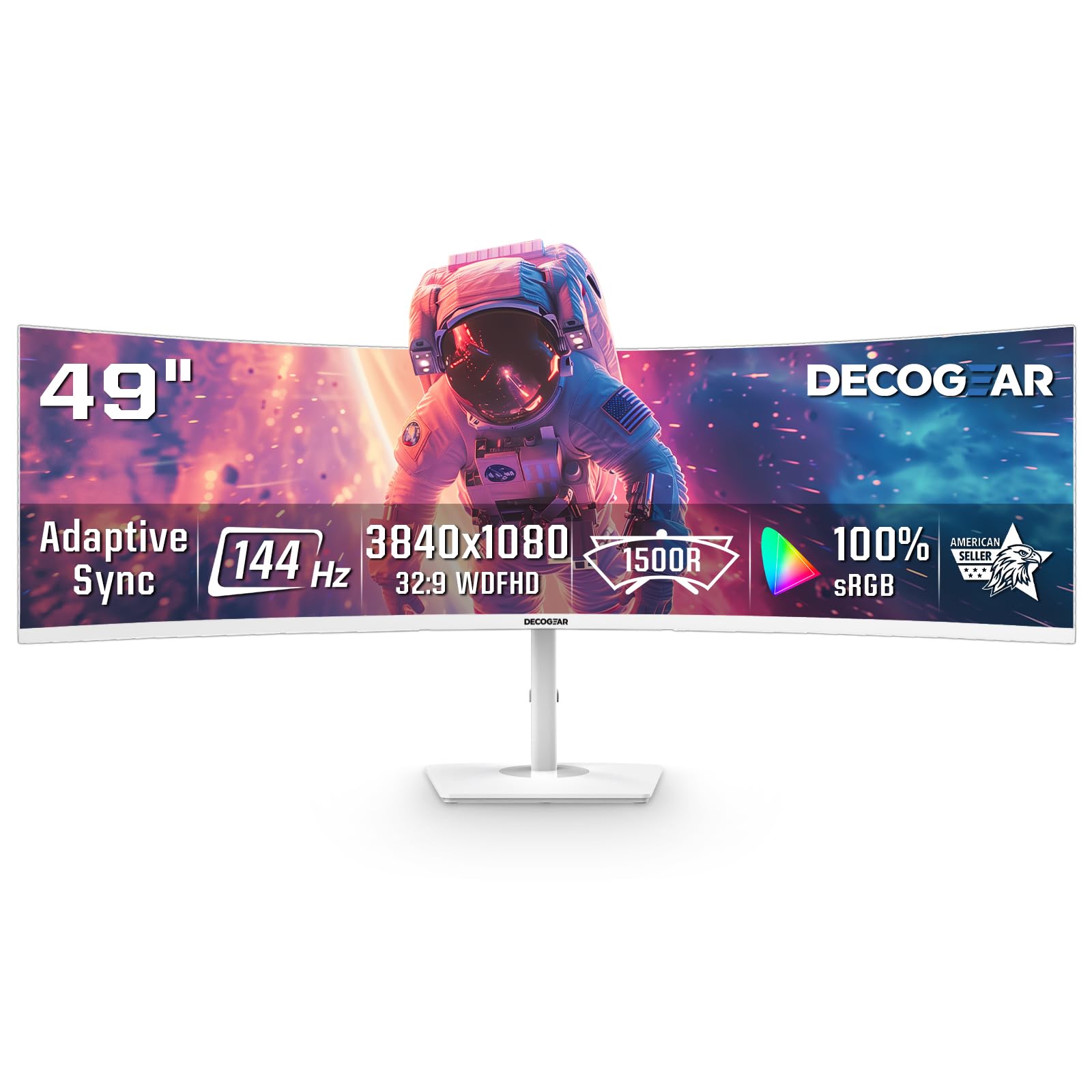
The Deco Gear 49-inch curved monitor uses a 32:9 VA panel with a DFHD resolution of 3840×1080 and a 144Hz refresh rate, effectively replacing two 24-inch monitors side by side without a bezel gap. The 1800R curve wraps around your peripheral vision, and the 3000:1 contrast ratio delivers solid black levels for an LCD panel. Adaptive-Sync and VRR support for PlayStation 5 make it suitable for console gaming, and the 1ms MPRT response time keeps motion reasonably clear during gameplay.
The white chassis and sleek design stand out in a workspace dominated by black monitors, and the PiP/PbP modes let you view multiple inputs at once, which is a genuine productivity gain for streaming, monitoring, or running a work PC alongside a gaming rig. The connectivity suite includes HDMI 2.0 and DisplayPort 1.4, though you will need multiple cables to take full advantage of the ultrawide workspace with different source devices.
The 3840×1080 resolution is equivalent to two 1920×1080 monitors, so the vertical pixel count is relatively low—text and UI elements appear short and squat compared to a true 4K or QHD panel. The stand offers only tilt adjustment, with no height or swivel options, which forces you to get the desk height exactly right or invest in a monitor arm. There have been some reports of dead-on-arrival units, so buying from a retailer with a good return policy is recommended. This monitor works best for users who prioritize horizontal workspace width over vertical resolution and pixel density.
Why it’s great
- 32:9 ultrawide replaces dual 24-inch monitors with no bezel gap
- 144Hz refresh with Adaptive-Sync for console and PC gaming
- Unique white design stands out in any workspace
Good to know
- 3840×1080 resolution provides limited vertical space compared to 4K
- Tilt-only stand limits ergonomic positioning without a monitor arm
- Occasional dead-on-arrival units reported
FAQ
Does a 31-inch monitor need a 4K resolution?
Is OLED better than IPS for a 31-inch monitor?
What GPU do I need to run 4K at 120Hz on a 31-inch monitor?
Can I use a 31-inch monitor for console gaming at 120Hz?
Do I need a monitor arm for a 31-inch monitor?
Final Thoughts: The Verdict
For most users, the best 31 inch monitor winner is the LG 32GX850A-B because it combines a glossy WOLED panel with a dual-mode 4K 165Hz / FHD 330Hz feature set and a fully adjustable stand, offering the most balanced package of contrast, motion clarity, and value in the 31-inch size. If you want the ultimate 240Hz QD-OLED experience with DisplayPort 2.1, grab the ASUS ROG Swift PG32UCDMR. And for a budget-friendly 4K 120Hz option that still looks great for mixed use, nothing beats the Dell S3225QS.