
A printing calculator with paper roll sits on your desk for one reason: you need a reliable, tangible record of every calculation you make. Whether you’re reconciling accounts, preparing tax documents, or tracking inventory, the chase to find a model that prints cleanly, responds quickly, and won’t jam after the first roll ends here.
I’m Min — the co-founder and writer behind Gadgets Feed. I’ve spent weeks analyzing the internals, customer feedback, and real-world performance of the current market lineup to separate the long-term workhorses from the frustrating desk ornaments.
My research centers on ink vs. thermal printing reliability, key-feel consistency, and display longevity across seven top contenders to help you confidently purchase the best adding machine with paper roll for your workflow.
How To Choose The Best Adding Machine With Paper Roll
Picking an adding machine today isn’t just about finding one that prints numbers. You must weigh print technology, power source, key layout, and the correction features that prevent you from starting a long column over. Below are the three decision filters that matter most.
Thermal vs. Ribbon Printing
Thermal printers use heat on special paper — no ink, toner, or ribbons to replace. This lowers your recurring cost and means less maintenance. However, the paper path can be narrower and more prone to jamming if the feed mechanism is cheap. Ribbon-based printers (like the Sharp EL-1801V) produce crisp two-color output with standard paper rolls and are generally more forgiving with paper loading, but you’ll need to replace the ribbon cartridge periodically.
Display Technology: VFD vs. LCD
VFD (Vacuum Fluorescent Display) screens are brighter and more legible from wide angles, especially in low-light rooms. They require AC power and can dim over years of use. LCD displays consume less power and support battery operation, making them viable for portable use, but they lack the same punchy contrast in dim settings. The Casio HR-300RC uses a backlit LCD to bridge this gap.
Check & Correct and Re-Print Functions
A 150-step check function (found on Casio HR-170RC and HR-300RC) stores every keystroke so you can scroll back, correct an entry, and re-print the entire tape without starting from zero. This is a game-changer in audit-heavy roles like bookkeeping or tax prep. Machines without this feature force you to manually verify each line against the paper tape.
Quick Comparison
On smaller screens, swipe sideways to see the full table.
| Model | Category | Best For | Key Spec | Amazon |
|---|---|---|---|---|
| Sharp VX-2652H | Premium | High-speed office tape | 4.8 lines/sec print speed | Amazon |
| Canon MP21DX | Premium | Heavy daily desktop use | 3.5 lines/sec print speed | Amazon |
| Sharp EL-1801V | Mid-Range | Durable ribbon printing | 2.5 lines/sec print speed | Amazon |
| Canon P170-DH-3 | Mid-Range | Currency conversion & small desks | VFD display, 57mm paper | Amazon |
| Casio HR-300RC | Mid-Range | Backlit LCD & 150-step check | Backlit LCD, 150-step memory | Amazon |
| Casio HR-170RC | Mid-Range | Battery + AC flexibility | 2 lines/sec, 2-color | Amazon |
| Amazon Basics P32 | Budget | Budget-friendly thermal print | 6 lines/sec print speed | Amazon |
In‑Depth Reviews
1. Sharp VX-2652H

The Sharp VX-2652H prints at a commanding 4.8 lines per second, making it the fastest tape producer in this lineup. The two-color ribbon output (black for positive, red for negative) combined with the large fluorescent display gives you quick visual confirmation of every entry. Heavy-duty build quality and a quiet motor mean it won’t wander across your desk or distract an open office.
You get dedicated Mark Up, grand total, item count, and two independent 4-key memories that streamline cost-sell-margin workflows. The decimal and rounding switches cover every standard accounting scenario. Long-term users of the older Sharp models report this version maintains the same consistent keyboard layout and durability, needing only a periodic Victor 7010 ribbon replacement.
The VX-2652H runs exclusively on AC power, so it’s tethered to a wall outlet. Its footprint of 14.5 x 9.5 inches requires dedicated desk space. If you need portable battery operation, a smaller model like the Casio HR-170RC fits better. But for a permanent station where speed and readability are non-negotiable, this is the benchmark.
Why it’s great
- Fastest print speed in the group at 4.8 lps
- Durable construction with consistent key feel
- Two-color ribbon output for clear positive/negative differentiation
Good to know
- AC-powered only — no battery option for portability
- Larger footprint requires stable desk space
- Ribbon replacements are an ongoing consumable cost
2. Canon MP21DX

The Canon MP21DX has earned a loyal following among tax professionals and office managers who need a machine that survives daily hammering. Its VFD display is noticeably brighter than LCD screens in low light, and the 3.5-lines-per-second print speed keeps pace with fast data entry without lag. Large, well-spaced keys with a satisfying tactile bump reduce entry errors during long sessions.
Beyond the basics, this unit includes tax calculation, mark-up and mark-down keys, an item counter, and a grand total function. The angled display reduces glare, and the AC adapter means you never worry about dead batteries. Users routinely report a decade of service from a single unit, and the replacement cycle is driven by wear rather than obsolescence.
At 4 pounds, the MP21DX has a solid, planted feel that prevents sliding. It also includes a backup battery slot for memory retention during power interruptions. The main trade-off is that the VFD display draws more power, so you can’t run it on batteries alone. If you want a premium desktop anchor that doesn’t compromise on readability, this Canon justifies its position.
Why it’s great
- Bright VFD display with wide viewing angle
- Heavy, stable chassis stays planted on the desk
- Proven longevity with decade-long user reports
Good to know
- No battery power option — tethered to AC outlet
- 4-pound weight is less portable than smaller models
- VFD may dim slightly over years of continuous use
3. Sharp EL-1801V

The Sharp EL-1801V is a ribbon-based printing calculator that has been a mainstay in small offices for years. Its 12-digit VFD screen is crisp and legible from any angle, and the 2.5-lines-per-second print speed is adequate for individual tax prep and inventory work. The ergonomically shaped keys follow natural finger motion, which helps you type faster without making extra errors.
Color-coded printing in black (positive) and red (negative) makes scanning the tape quick. The standard ribbon and paper rolls are widely available and simple to replace. Users coming from an older Sharp model will find the keyboard layout very familiar, though some note the newer version feels slightly lighter in build than the earlier generation.
This unit requires AC power and lacks a battery backup, so your work halts during a power outage. It also prints slower than the Canon MP21DX or Sharp VX-2652H. If you are a tax preparer or bookkeeper who values a proven, straightforward design and a clear display, the EL-1801V remains a reliable choice at a moderate investment.
Why it’s great
- Well-spaced, ergonomic keys reduce finger fatigue
- Two-color ribbon printing for quick tape scanning
- Bright VFD display visible from wide angles
Good to know
- No battery backup or portable power option
- Print speed is lower than premium competitors
- Build quality feels lighter than earlier EL-1801V versions
4. Canon P170-DH-3
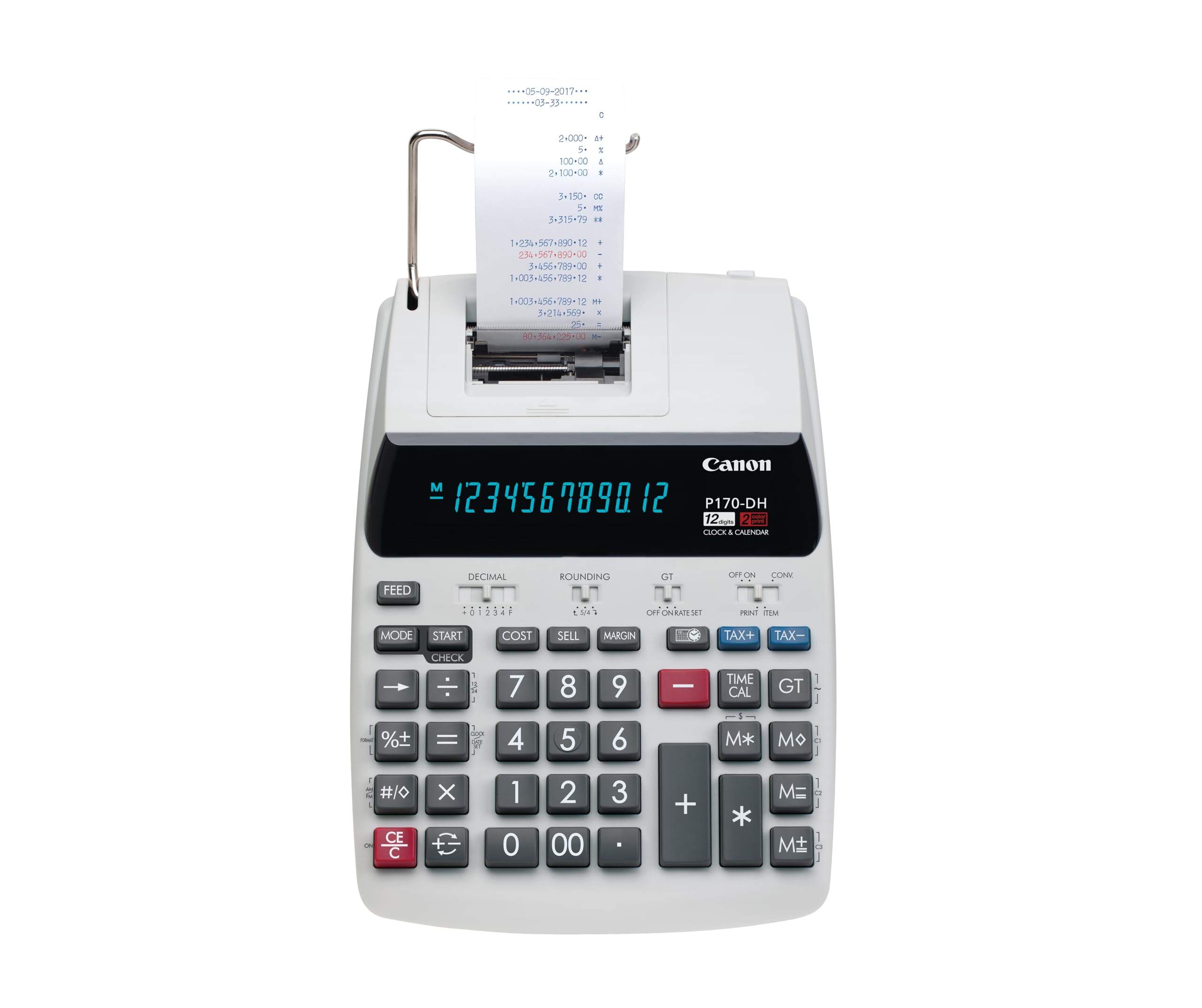
The Canon P170-DH-3 shrinks the footprint to 14.6 x 9.6 inches while retaining a full VFD display and all the essential business functions. It includes dedicated keys for currency conversion, clock and calendar display, and time calculation — features rarely seen on standard adding machines. The Double Check function adds a layer of verification by showing both the entered value and the accumulated total simultaneously.
Users praise the big buttons and the auto power-off feature that conserves the backup CR2032 battery when the machine sits idle. The paper roll is 57mm wide (standard size for this class), and the thermal ink-free ribbon system keeps maintenance low. The previous generation Canon owners find this model nearly identical in feel and layout, making it an easy upgrade path.
The sleep mode disables the always-on clock display, which is a minor annoyance for users who want a permanent desk clock. The unit runs on AC power with a CR2032 backup for memory only. If you need a space-conscious machine with currency conversion and a bright VFD screen, the P170-DH-3 is a savvy mid-range pick.
Why it’s great
- Built-in currency conversion for multi-currency work
- Compact footprint fits smaller desks
- Double Check function reduces verification time
Good to know
- Sleep mode disables the constant clock display
- AC-powered with only a CR2032 for memory backup
- Limited to 57mm paper rolls only
5. Casio HR-300RC

The Casio HR-300RC lifts a common complaint against LCD-based adding machines by including a backlit display that stays readable in both bright offices and dim back rooms. Its 2-color printing (black and red) on standard 2.25-inch paper rolls helps you catch sign errors at a glance. The headline feature is the 150-step check and correct function that stores every keystroke for review and re-print.
Dedicated Cost/Sell/Margin keys and a built-in clock for date/time stamping on each tape make this ideal for CPAs and small business owners who need audit-ready printouts. The key spacing is generous, and users with larger hands report a comfortable typing experience without accidentally brushing neighboring keys. An auto shut-off after 30 minutes preserves the LCD when you step away.
The HR-300RC does not offer a battery power option — it is strictly AC-powered. It also uses a white plastic chassis that may show wear faster than the darker Casio models. For a professional who needs a backlit screen, a robust correction workflow, and clean two-color tapes, this is a smart mid-range investment.
Why it’s great
- Backlit LCD improves visibility in all lighting conditions
- 150-step check and correct avoids starting over
- Date/time stamp on each tape for audit trail
Good to know
- No battery option — AC power only
- White plastic casing shows scuffs more easily
- Sleep mode may interrupt quick return sessions
6. Casio HR-170RC

The Casio HR-170RC is one of the few models in the mid-range that runs on both AC power and AA batteries. This dual-power flexibility is a genuine advantage for users who move between a home office and a co-working space or work in areas with unreliable power. The 2-lines-per-second print speed is slower than premium options, but adequate for personal bookkeeping and small business reconciliation.
The 150-step check function lets you scroll back, identify entry errors, and re-print the corrected tape. Preset tax rate and automatic two decimal place rounding simplify daily calculations. Multiple users report this unit surviving three years of heavy restaurant and retail use without degradation. The plain LCD screen is not backlit, so you’ll want decent ambient light.
Some users found the initial paper loading instructions cryptic, and the check function menu takes a few minutes to learn. The build is primarily plastic, and the key action feels lighter than the premium Sharp offerings. For the price, you get the best power flexibility in this class, a useful correction feature, and genuine long-term durability from a trusted brand.
Why it’s great
- Dual power (AC and AA batteries) for portable use
- 150-step check and correct function included
- Proven reliability over multiple years of daily use
Good to know
- LCD display lacks backlighting
- Print speed is slower than premium competitors
- Paper loading can be finicky at first
7. Amazon Basics P32
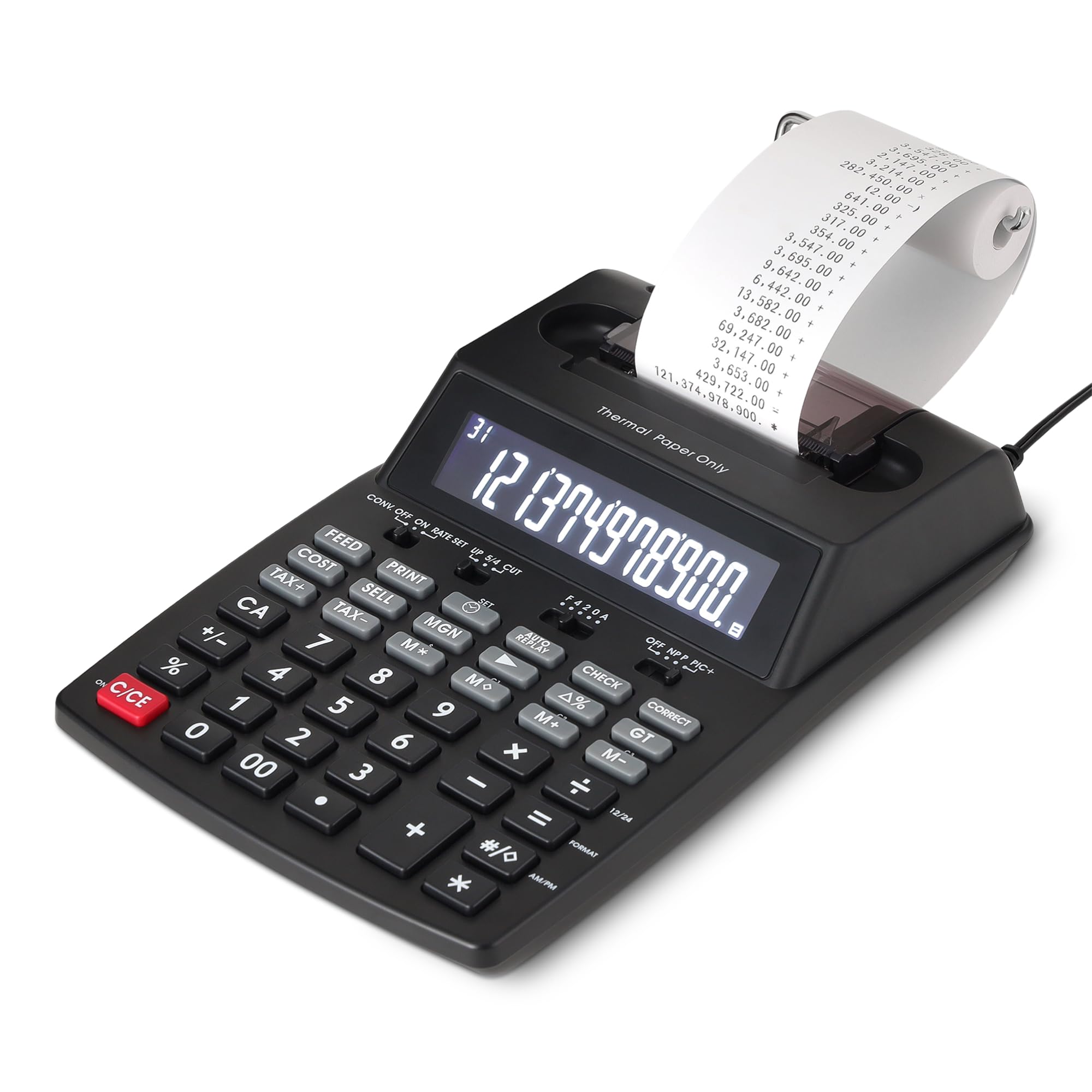
The Amazon Basics P32 delivers a thermal printing engine that runs at a remarkable 6 lines per second — faster than any ribbon-based unit here — while eliminating all ink and toner costs. The 12-digit LCD screen is bright enough for typical desk lighting, and the classic 10-key layout feels familiar out of the box. Cost-Sell-Margin calculation and tax functions are included, so you get real business utility at the lowest entry price.
Thermal printing means no ribbons to change, no ink stains, and lower long-term consumable spending. The paper roll included in the box is a smaller sample, so you’ll want to order standard 2.25-inch thermal rolls before your first session ends. Customers who received units without mechanical defects praise the build quality and easy tape loading for the price.
Several buyers report persistent paper jams caused by a narrow paper path design. The AC adapter is included, but there is no battery option. For occasional use — monthly reconciliations, home inventory — the P32 offers incredible speed and zero ink cost. If you need a reliable daily workhorse for professional accounting, the higher-rated Casio or Canon models are safer bets.
Why it’s great
- Fastest paper print speed at 6 lines per second
- Thermal printing eliminates recurring ink/ribbon costs
- Includes Cost-Sell-Margin and tax calculation keys
Good to know
- Paper jamming reported due to narrow paper path
- No battery option — requires AC outlet
- Included paper roll is small; buy full-size rolls separately
FAQ
Can I use regular calculator paper in a thermal printing adding machine?
What does the 150-step check function do on Casio calculators?
Final Thoughts: The Verdict
For most users, the best adding machine with paper roll winner is the Sharp VX-2652H because its 4.8 lines-per-second print speed and durable two-color ribbon system give you reliable, fast output for daily office work. If you want portable power flexibility and a 150-step correction tool, grab the Casio HR-170RC. And for a compact desk with currency conversion needs, nothing beats the Canon P170-DH-3.