
The $600 laptop segment is where the real battle happens — you get enough performance for demanding school projects, creative work, and even casual gaming, but every dollar spent must deliver a measurable spec improvement. At this price floor, the difference between a smart buy and a mistake comes down to matching the right processor, RAM configuration, and screen quality to your actual workload.
I’m Min — the co-founder and writer behind Gadgets Feed. I’ve analyzed hundreds of hours of benchmark data, customer feedback patterns, and spec-sheet comparisons to separate the genuinely capable machines from the marketing-driven compromises in this specific price band.
After deep research into processor tiers, build quality, and real-world battery performance, this guide breaks down the top contenders for the best $600 laptop category to help you make a confident buying decision.
How To Choose The Best $600 Laptop
The $600 laptop market is crowded with tempting deals, but hidden compromises in display quality, battery chemistry, and processor architecture can undermine your experience. Focus on these three factors to avoid common traps.
Processor Architecture and Cores
At this price, you will encounter both Intel Core i3/i5 and AMD Ryzen 3/5/7 processors, plus the newer Snapdragon X ARM-based chips. Raw core count is not the full story — single-threaded performance and cache size dictate how fast apps open and tabs feel. An AMD Ryzen 7 7730U with 8 cores and 16 threads can outperform a 12th Gen Intel i5 in multithreaded tasks, while an i3-1215U is efficient for office work but struggles under heavy multitasking.
RAM Amount and Upgradeability
Standard configurations at this price offer 8GB or 16GB of RAM. 8GB is the bare minimum for Windows 11 with a few browser tabs open; 16GB is the safe baseline for anyone running Office, Zoom, and multiple Chrome windows simultaneously. Check whether the RAM is soldered (non-upgradeable) or uses standard SO-DIMM slots — upgradeable machines extend the laptop’s usable life by years.
Display Resolution and Panel Type
Most $600 laptops come with 1920×1080 IPS panels, but brightness and color accuracy vary widely. Look for 250 nits or higher brightness and an anti-glare coating if you work near windows. A 120Hz refresh rate display, like the one on the Dell 15 DC15250, provides noticeably smoother scrolling for everyday use even if you are not gaming.
Quick Comparison
On smaller screens, swipe sideways to see the full table.
| Model | Category | Best For | Key Spec | Amazon |
|---|---|---|---|---|
| Lenovo IdeaPad Slim 3X | Premium | AI-powered productivity & battery life | Snapdragon X, 16GB RAM, 60Wh battery | Amazon |
| Acer Aspire Go 15 | Premium | High-performance multitasking | AMD Ryzen 7 7730U, 16GB RAM | Amazon |
| Apple MacBook Neo 13 | Premium | Apple ecosystem & build quality | A18 Pro chip, Liquid Retina display | Amazon |
| HP OmniBook 5 16 | Premium | Ultra-long battery & 2K OLED display | Snapdragon X, 16GB LPDDR5x RAM | Amazon |
| HP 255 G10 | Mid-Range | Large storage & business use | 16GB RAM, 1TB SSD, Windows 11 Pro | Amazon |
| Lenovo V15 | Mid-Range | Business & light gaming | AMD Ryzen 5 5500U, 16GB RAM | Amazon |
| NIMO 15.6 Gaming Laptop | Mid-Range | Entry-level gaming & multitasking | AMD Ryzen 5 6600H, 16GB DDR5 RAM | Amazon |
| KAIGERR i5 Laptop | Mid-Range | Expandable RAM & productivity | Intel i5-12600H, 16GB RAM, 512GB SSD | Amazon |
| ASUS Vivobook 14 | Mid-Range | Compact daily driver | i3-1215U, 16GB RAM, 512GB SSD | Amazon |
| Dell 15 DC15250 | Budget | 120Hz display & everyday tasks | Intel Core 3, 8GB RAM, 512GB SSD | Amazon |
| Auusda 15.6 Laptop | Budget | Maximum RAM & storage on a budget | 32GB RAM, 1TB SSD, Win 11 Pro | Amazon |
In‑Depth Reviews
1. Lenovo IdeaPad Slim 3X

The Lenovo IdeaPad Slim 3X represents the cutting edge of the $600 laptop segment with its Snapdragon X processor and dedicated 45 TOPS NPU for AI acceleration. This is a Copilot+ PC that handles multitasking across 20+ Chrome tabs, Zoom calls, and Office applications simultaneously without thermal throttling — remaining completely cool and silent thanks to the ARM architecture’s efficiency. The 15.3-inch WUXGA 16:10 display gives you noticeably more vertical screen real estate than standard 16:9 panels, making document editing and web browsing more comfortable.
Battery life is the defining feature here — the 60Wh battery paired with the Snapdragon X chip delivers all-day power that genuinely lasts through a full workday plus evening streaming. The metal chassis passes MIL-STD 810H durability testing, and the physical webcam shutter plus fingerprint reader provide concrete privacy advantages over region-lock or software solutions. Setup takes under 30 seconds from opening the lid to being ready, and the included Xbox PC Game Pass trial adds immediate entertainment value.
Where the IdeaPad Slim 3X compromises is in raw GPU performance — Qualcomm Adreno graphics are sufficient for productivity and light photo editing but cannot handle modern AAA gaming or GPU-accelerated video rendering. The storage is user-upgradeable via a free SSD slot, but the RAM is soldered at 16GB, which is ample for current needs but limits future expansion. For anyone needing a fast, long-lasting, AI-enhanced daily driver, this is the most balanced package available at this price.
Why it’s great
- Exceptional battery life with 60Wh capacity and Snapdragon X efficiency
- Snapdragon X processor with 45 TOPS NPU for AI tasks and smooth multitasking
- MIL-STD 810H certified metal chassis for durability
- User-upgradeable SSD slot and physical webcam shutter
Good to know
- Qualcomm Adreno GPU is not suitable for AAA gaming
- RAM is soldered and non-upgradeable
- ARM architecture may have compatibility issues with some x86 software
2. Acer Aspire Go 15

The Acer Aspire Go 15 packs the AMD Ryzen 7 7730U, an 8-core/16-thread processor that trades blows with Intel i7 chips costing significantly more. In real-world use, this translates to effortless handling of intensive multitasking — running Sims 4 with mods, Steam, Cities Skylines, Roblox, and Zoom simultaneously without stutter. The 16GB DDR4 RAM provides ample headroom for dozens of browser tabs and heavy Office documents, while the 512GB PCIe Gen4 SSD delivers snappy boot times under 10 seconds.
The 15.6-inch FHD IPS display with narrow bezels offers solid color reproduction and 1080p clarity, but the real standout is the Acer BluelightShield technology that reduces eye strain during long work sessions. The full-function USB Type-C port supports charging and display output, and the inclusion of Wi-Fi 6 ensures stable wireless connections for remote work. The AcerSense software suite provides intuitive battery and storage management, though some users note the default blue light filter can impart a slight yellow tint that is easily disabled.
One area where the Aspire Go 15 falls short is audio — the onboard speakers are quiet and lack bass, making external speakers or headphones a near-necessity for media consumption. The build is primarily plastic, which keeps weight down but does not match the aluminum feel of more expensive options. For users who prioritize raw CPU performance and multitasking capability above all else in this price bracket, the Ryzen 7 configuration makes this an outstanding value.
Why it’s great
- AMD Ryzen 7 7730U with 8 cores and 16 threads for heavy multitasking
- Full-function USB Type-C with charging and display output
- Wi-Fi 6 and HDMI 2.1 connectivity for modern peripherals
- AcerSense software for easy battery and storage management
Good to know
- Onboard speakers are quiet and lack low-end audio
- Plastic chassis feels less premium than metal alternatives
- Blue light filter default setting may cause yellow tint
3. Apple MacBook Neo 13

The Apple MacBook Neo 13 with the A18 Pro chip brings Apple Intelligence and the Liquid Retina display to the $600 laptop conversation with a 2408-by-1506 resolution and 500 nits peak brightness. This screen outclasses virtually every Windows competitor in this price band for color accuracy, contrast, and brightness, making it ideal for photo editing, media consumption, and text readability. The aluminum unibody chassis is rigid with zero flex, and the 2.71-pound weight makes it one of the most portable options at this screen size.
Battery life reaches up to 16 hours of real-world mixed use, which is competitive with the best ARM-based Windows laptops. The A18 Pro chip handles everyday tasks — web browsing, spreadsheets, video calls, and light creative work — with seamless smoothness, and the integration with Apple Intelligence provides on-device AI summarization and writing tools without sending data to the cloud. The 1080p FaceTime HD camera paired with a dual-mic array delivers clear video calls, and the Spatial Audio speakers provide immersive sound for a laptop this thin.
The clear tradeoff is the 8GB of unified memory and 256GB SSD — both are non-upgradeable and may feel constraining for power users who keep many apps open or store large media libraries. The port selection is limited to two USB-C ports, requiring dongles for HDMI, USB-A, or SD card connectivity. For students and professionals deeply embedded in the Apple ecosystem who value display quality, build refinement, and macOS reliability, the MacBook Neo is a compelling entry point.
Why it’s great
- Stunning Liquid Retina display with 500 nits brightness and wide color gamut
- Rigid aluminum chassis with excellent build quality and low weight
- A18 Pro chip with dedicated Neural Engine for AI tasks
- Up to 16 hours of battery life and excellent 1080p webcam
Good to know
- Only 8GB unified memory and 256GB storage — not upgradeable
- Limited to two USB-C ports; no HDMI, USB-A, or SD card slot
- macOS ecosystem dependency may require adapter purchases for Windows accessories
4. HP OmniBook 5 16

The HP OmniBook 5 16 pushes the boundaries of what a laptop at this price can achieve with its Snapdragon X processor and 2K OLED display. The 1920×1200 OLED panel delivers deep blacks, vibrant colors, and excellent contrast that make SDR content look near-HDR quality, while 300 nits of brightness is sufficient for indoor use. The Snapdragon X X1-26-100 chip, with a Passmark score of 16,309, handles productivity tasks with ease and provides an estimated battery life of up to 34 hours — the longest in this entire roundup.
The 16GB of LPDDR5x RAM ensures snappy performance across multiple applications, and the 512GB PCIe Gen4 NVMe SSD offers fast load times. The HP Fast Charge technology restores 50% battery in roughly 30 minutes, which is exceptionally convenient for users who need quick top-ups between meetings. The HP True Vision 1080p FHD IR camera supports Windows Hello facial recognition for passwordless login, and the physical privacy shutter provides peace of mind during video calls.
Where the OmniBook 5 makes compromises is in port selection — only two USB-C ports and one USB-A port limit peripheral connectivity without a hub, and there is no SD card slot for photographers. The lack of a backlit keyboard is a notable omission for a laptop in this price tier, and the Snapdragon X ARM architecture may cause compatibility hiccups with legacy x86 software. For users whose priority is all-day battery life, a gorgeous OLED display, and a lightweight aluminum build, this is the strongest contender.
Why it’s great
- Outstanding battery life with up to 34 hours of mixed use
- 2K OLED display with excellent contrast and color reproduction
- Snapdragon X processor with strong productivity performance
- HP Fast Charge delivers 50% in 30 minutes
Good to know
- Limited port selection — only 2 USB-C and 1 USB-A ports
- No backlit keyboard or SD card slot
- ARM architecture may cause some x86 software compatibility issues
5. HP 255 G10

The HP 255 G10 offers an impressive 1TB SSD and 16GB of RAM, making it the storage champion of this roundup. The AMD Ryzen 3 7330U processor, while a quad-core chip, delivers performance that beats Intel i5-1135G7 in multithreaded tasks, ensuring smooth operation for office suites, web browsing, and video playback. The 15.6-inch Full HD display provides clear visuals, and the lightweight design makes it easy to carry between home and office.
Windows 11 Pro comes pre-installed, which is a significant value add for business users who need features like Group Policy management, BitLocker encryption, and Remote Desktop. The inclusion of HDMI and USB-C ports provides good connectivity for external displays and peripherals, and the numeric keypad is a welcome addition for data entry work. The battery life is rated at 10 hours, but real-world usage patterns suggest around 6-7 hours for mixed productivity work.
The tradeoffs include Bluetooth 4.2 instead of the newer 5.x standard, which can affect wireless peripheral range and stability. Some users report the fan can become loud under sustained load, and the charger can get warm during fast charging sessions. The keyboard lacks a backlight, which may be inconvenient for late-night work sessions. For users who prioritize massive storage capacity and a professional operating system over peak processor speed, the HP 255 G10 delivers excellent value.
Why it’s great
- 1TB SSD provides enormous storage for files and applications
- 16GB RAM ensures smooth multitasking performance
- Windows 11 Pro includes business-grade security and management features
- Lightweight design with numeric keypad and good port selection
Good to know
- Bluetooth 4.2 is outdated compared to modern 5.x standards
- Fan can be loud under load; charger may get warm
- Keyboard is not backlit; battery life is moderate at best
6. Lenovo V15

The Lenovo V15 is built with business users in mind, featuring the AMD Ryzen 5 5500U with 6 cores and 12 threads that handles office productivity, spreadsheet work, and light photo editing with ease. The 16GB of RAM provides sufficient headroom for running multiple enterprise applications simultaneously, and the 512GB PCIe NVMe SSD ensures fast boot times and quick application loading. The 15.6-inch FHD display offers adequate clarity for document work, though some users note the panel quality is mediocre compared to premium options.
Connectivity is a strong point with HDMI, RJ45 Ethernet, and multiple USB ports including USB Type-C, making it easy to connect to office networks and peripherals without dongles. The numeric keypad is a productivity booster for data entry, and Windows 11 Pro includes the full suite of business management features. The build quality feels sturdy, and the keyboard offers good tactile feedback for extended typing sessions.
Battery life is this laptop’s weakest link — heavy use drains the battery in about 45 minutes, and even power-saving mode only stretches it to roughly 1.25 hours. The display quality is noticeably dimmer and less color-accurate than competitors, making it less suitable for photo or video work without an external monitor. The touchpad placement leans left of center, which can cause accidental clicks during typing. For users who need a reliable business machine that stays plugged in most of the time, the V15 is a solid workhorse.
Why it’s great
- AMD Ryzen 5 5500U with 6 cores for solid multitasking performance
- RJ45 Ethernet port for wired office connectivity
- Numeric keypad and good keyboard feedback for data entry
- Windows 11 Pro with business management features
Good to know
- Battery life is very short — under 2 hours even in power-saving mode
- Display quality is mediocre with dim brightness and poor color accuracy
- Touchpad placement may cause accidental clicks during typing
7. NIMO 15.6 Gaming Laptop
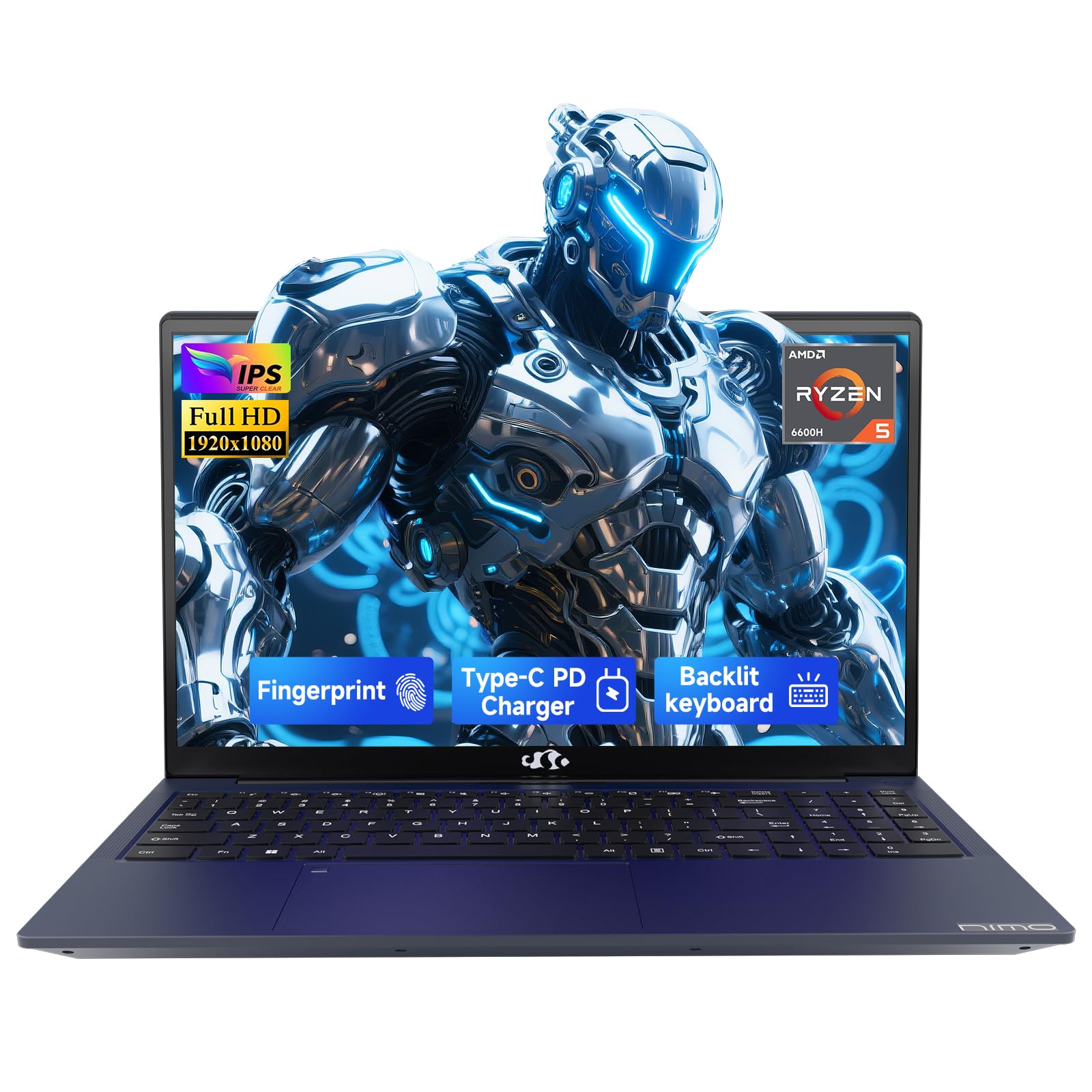
The NIMO 15.6 Gaming Laptop brings the AMD Ryzen 5 6600H processor and 16GB of DDR5 RAM to the table, offering memory bandwidth that outperforms the older DDR4 standard found in most competitors. The AMD Radeon 660M integrated graphics, while not a dedicated GPU, provides stable frame rates for popular esports titles like Fortnite and Rocket League at moderate settings. The 15.6-inch FHD display delivers crisp details, though some users note banding in color gradients and limited color saturation.
The 100W Type-C PD fast charger is a standout feature — it can charge the 53.58Wh battery from empty to full in well under two hours, and the port supports both power delivery and display output over a single cable. The backlit keyboard is useful for low-light gaming sessions, and the fingerprint sensor on the touchpad provides secure one-touch login. The 2-year warranty and 90-day return policy offer significantly better protection than the typical 1-year coverage at this price.
The display quality is the most common criticism — the HD screen suffers from disappointing color banding and limited viewing angles compared to IPS panels on similar laptops. The chassis is predominantly plastic, which feels less premium and may not withstand rough handling over time. The Wi-Fi module is soldered and uses Wi-Fi 5 rather than Wi-Fi 6, which limits wireless upgradeability. For gamers on a tight budget who prioritize CPU and RAM speed over display quality, the NIMO N153 delivers meaningful performance per dollar.
Why it’s great
- AMD Ryzen 5 6600H with 6 cores and 16GB DDR5 RAM for fast performance
- 100W Type-C fast charging with PD and display output
- Backlit keyboard and fingerprint sensor for convenience
- Industry-leading 2-year warranty and 90-day return policy
Good to know
- Display has noticeable color banding and limited saturation
- Plastic chassis feels cheap compared to metal alternatives
- Soldered Wi-Fi 5 module is non-upgradeable
8. KAIGERR i5 Laptop
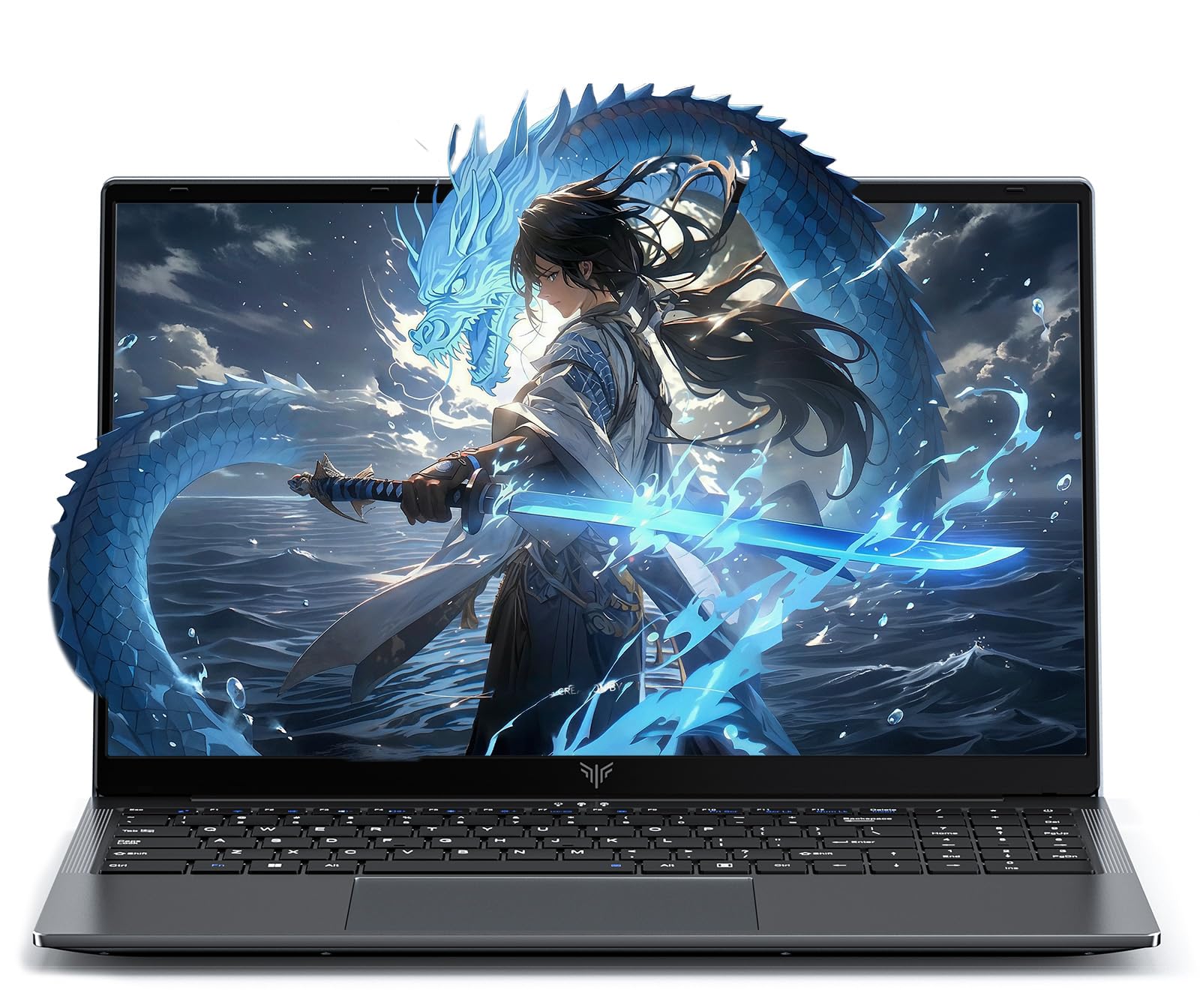
The KAIGERR i5 Laptop is built around the 12th Gen Intel i5-12600H processor with 12 cores and 16 threads, making it one of the most powerful CPUs available at this price point. The Intel Iris Xe graphics provide enough horsepower for photo editing, light video streaming, and older games, though it is not designed for modern AAA titles. The 15.6-inch FHD IPS display offers decent color reproduction, and the 180-degree hinge makes it easy to share content with colleagues during presentations.
What sets this laptop apart is upgradeability: the RAM uses dual SO-DIMM slots expandable up to 64GB at 3200MHz, and the storage uses dual M.2 slots supporting up to 4TB total capacity. This means users can start with the included 16GB RAM and 512GB SSD and upgrade over time as their needs grow. The 1MP webcam includes a physical privacy switch, and the full suite of ports including 3 USB 3.2, HDMI 1.4, and Type-C provides versatile connectivity.
Battery life from the 54.72Wh lithium-polymer battery is adequate for a full workday with moderate use, though heavy workloads will drain it faster. Some customer reports mention reliability concerns with the drive failing within the first month, though this appears to be an outlier experience. The build quality is decent for the price but does not match the aluminum chassis of premium options. For users who plan to keep a laptop for 3-5 years and want the ability to upgrade RAM and storage, the KAIGERR i5 is a future-proof choice.
Why it’s great
- Intel i5-12600H with 12 cores for strong multitasking performance
- Upgradeable RAM up to 64GB and dual M.2 slots for up to 4TB storage
- Physical webcam privacy shutter and 180-degree hinge
- Good port selection with 3 USB 3.2, HDMI, and Type-C
Good to know
- Intel Iris Xe graphics not suitable for modern gaming
- Battery life is average for the category
- Isolated reports of reliability issues with the SSD
9. ASUS Vivobook 14

The ASUS Vivobook 14 differentiates itself through its compact 14-inch form factor, making it the most portable option in this roundup while still offering a full HD IPS display. The Intel i3-1215U processor with 6 cores and 8 threads is 4x faster than older i7 processors in single-threaded tasks, handling Zoom calls, PowerPoint presentations, and statistical software without slowdowns. The 16GB of DDR4 3200MHz RAM ensures smooth multitasking, and the 512GB PCIe NVMe SSD provides fast boot and load times.
The display quality punches above its weight — users report it looks near-4K quality despite being 1080p, with excellent clarity and minimal bloatware out of the box. The keyboard includes a number pad despite the compact size, which is rare for a 14-inch laptop. Wi-Fi 6 connectivity ensures fast wireless speeds, and the port selection includes USB-C, HDMI, and multiple USB-A ports for peripheral connectivity.
Battery life is rated at 10 hours, but real-world usage with mixed tasks yields closer to 6-7 hours. Some users report an unresponsive space bar or erratic touchpad after weeks of use, suggesting quality control can vary between units. The power button is placed near the number pad keys, which can cause accidental presses when typing numbers. For students and travelers who prioritize portability and screen quality over raw CPU muscle, the Vivobook 14 is a smart choice.
Why it’s great
- Compact 14-inch form factor with excellent portability
- Excellent display quality with near-4K clarity
- 16GB RAM and 512GB SSD for smooth daily performance
- Number pad included in a small footprint; minimal bloatware
Good to know
- Quality control issues reported with keyboard and touchpad
- Power button placement near number keys causes accidental presses
- Real-world battery life is closer to 6-7 hours than rated 10 hours
10. Dell 15 DC15250

The Dell 15 DC15250 stands out in the budget segment with its rare 120Hz FHD display, offering noticeably smoother scrolling and cursor movement than the standard 60Hz panels found on most laptops at this price. The Intel Core 3 processor (12th Gen U-series) provides sufficient performance for everyday tasks like web browsing, document editing, and video playback, running Fallout New Vegas at 60 FPS on high quality without issues. The 512GB SSD offers ample storage for most users.
The build quality is solid for the price, with a slim design that includes a separate numeric keypad — a feature that data entry users will appreciate. The lifted hinge design provides an ergonomic typing angle that reduces wrist strain during long sessions. Dell includes 1 Year Onsite Service with the Limited Hardware Warranty, meaning a technician will come to your home or office for covered repairs, which is exceptional support for a budget laptop.
Battery life is a significant weakness — most users report needing to stay plugged in within a few hours of mixed use. The webcam quality is below average, suitable only for basic video calls in good lighting. Some functions are software-restricted rather than hardware-limited, which can be frustrating for power users. For budget-conscious buyers who prioritize screen smoothness and robust warranty support over battery life, the Dell 15 is a compelling entry-level option.
Why it’s great
- 120Hz FHD display for smooth scrolling and cursor movement
- 1 Year Onsite Service included with the warranty
- Numeric keypad and ergonomic hinge design for comfortable typing
- Plenty fast for everyday tasks and older games
Good to know
- Battery life is short — requires frequent charging
- Webcam quality is below average
- Some functions are software-restricted rather than hardware-limited
11. Auusda 15.6 Laptop
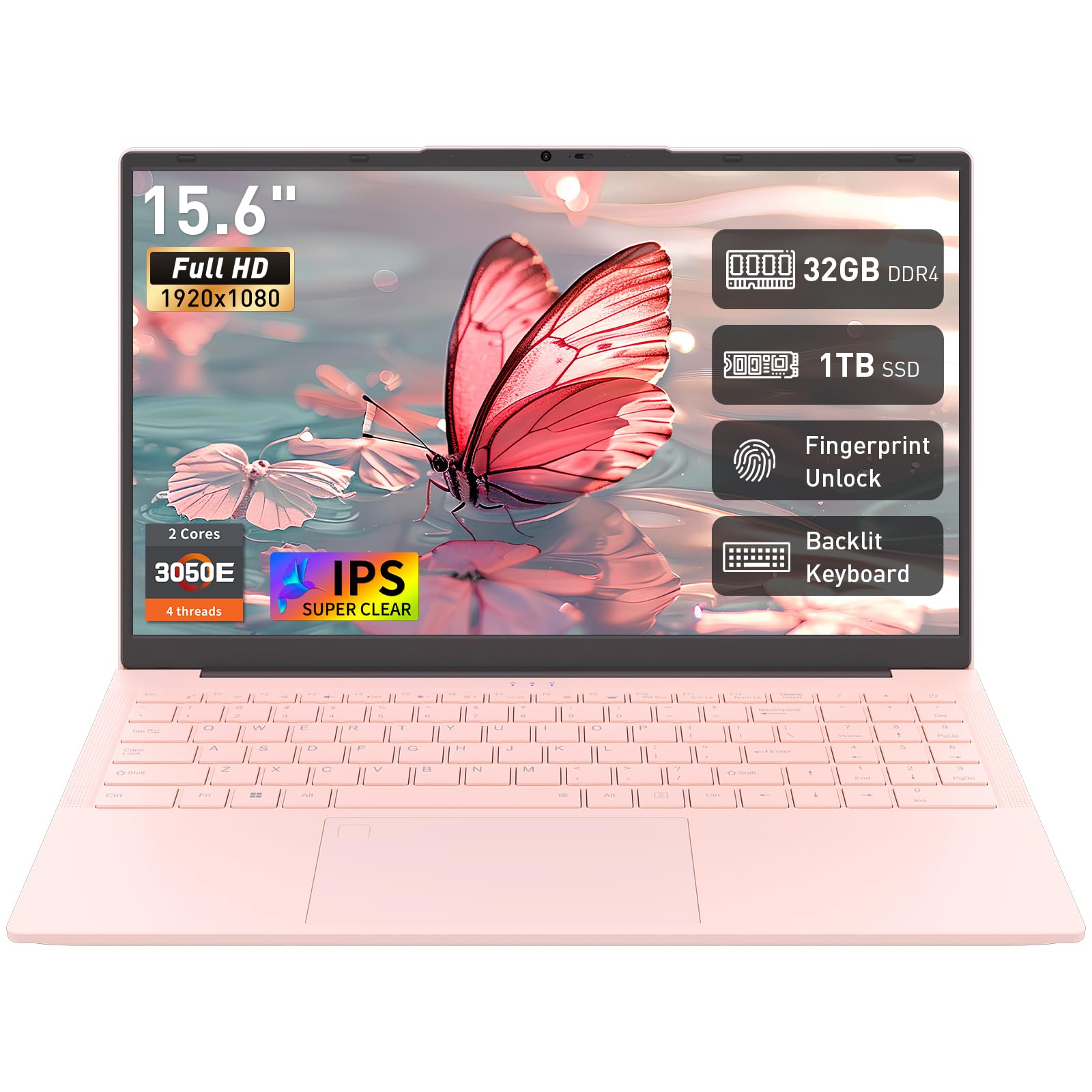
The Auusda 15.6 Laptop delivers an extraordinary 32GB of RAM and a 1TB SSD at a budget-friendly price point, making it the ultimate spec-per-dollar machine in this lineup. The Athlon 3050E dual-core processor is the clear bottleneck — it handles basic multitasking like multiple browser tabs, office documents, and video calls without major slowdowns, but it will struggle with heavy workloads or modern multitasking that benefits from more cores. Win 11 Pro is included, adding business-grade features to an otherwise entry-level package.
The 15.6-inch FHD IPS display provides crisp and vibrant visuals suitable for studying, streaming, and document work. The thin and light design at 3.7 pounds and 0.7 inches makes it genuinely portable, and the pink color option adds aesthetic appeal that larger brands rarely offer at this price. Connectivity is solid with USB 3.0, Type-C, HDMI, and a TF card slot, plus Wi-Fi 5 and Bluetooth 5.0 for wireless connectivity. The fingerprint reader and backlit keyboard are welcome convenience features typically found on more expensive laptops.
The processor is the primary compromise — the Athlon 3050E is a low-power dual-core chip that cannot match the performance of even entry-level Intel Core or AMD Ryzen processors. Battery life is rated at 8 hours standby, but real-world usage delivers significantly less. Some users reported initial issues with WiFi and power that were resolved after contacting customer support. For users whose workload is limited to web browsing, email, document editing, and video streaming, the Auusda offers exceptional value by maximizing RAM and storage on a tight budget.
Why it’s great
- 32GB RAM and 1TB SSD provide massive capacity for multitasking and storage
- Win 11 Pro included with business features
- Fingerprint reader, backlit keyboard, and FHD IPS display
- Thin and portable design at 3.7 pounds and 0.7 inches
Good to know
- Athlon 3050E dual-core processor is a performance bottleneck
- Battery life is significantly shorter than rated in real-world use
- Initial customer support interaction may be needed for some units
FAQ
Can a $600 laptop handle photo editing software like Lightroom or Photoshop?
Is it worth buying a $600 laptop with 8GB of RAM in 2025?
Should I choose an ARM-based laptop like Snapdragon X or an x86 Intel/AMD chip at $600?
How important is a high-refresh-rate display on a $600 laptop?
Final Thoughts: The Verdict
For most users, the best $600 laptop winner is the Lenovo IdeaPad Slim 3X because it combines the Snapdragon X processor’s AI acceleration and exceptional battery life with a MIL-STD 810H certified metal chassis and a 16:10 display that enhances productivity. If you want raw CPU performance for heavy multitasking and light gaming, grab the Acer Aspire Go 15 with its Ryzen 7 processor. And for users who prioritize massive storage and business-grade software out of the box, nothing beats the HP 255 G10 with its 1TB SSD and Windows 11 Pro.