
Mounting a dedicated dashboard to your wall transforms how you interact with your smart home. A tablet running Home Assistant puts every light switch, thermostat, security camera feed, and sensor reading at your fingertips without reaching for your phone. The challenge is finding a screen that stays responsive, looks clean on the wall, and handles the always-on display load without burning in or crashing.
I’m Min — the co-founder and writer behind Gadgets Feed. I’ve spent countless hours digging through processor benchmarks, display panel types, RAM configurations, and wireless standards to find the best slate for a permanent Home Assistant kiosk, evaluating battery management for 24/7 charging and screen quality for glanceability.
Whether you are retrofitting a wall mount or building a custom controller, this guide compares the top panels and picks the single best android tablet for home assistant based on real-world specs and smart home compatibility.
How To Choose The Best Android Tablet For Home Assistant
Selecting a tablet for a permanent Home Assistant dashboard involves different priorities than buying a general-purpose media slate. You need a display that remains crisp after hours of static content, sufficient RAM to keep the Companion app alive, and reliable network hardware that maintains a constant connection to your server.
Display Technology and Burn-In Resistance
An always-on dashboard showing the same navigation bar and sensor cards can cause permanent image retention on OLED panels. IPS LCD screens are far more forgiving for this use case, offering consistent brightness and color without long-term ghosting. Look for 1080p or higher resolution to read room labels and automation triggers at a glance from across the room.
Processor and RAM for Kiosk Stability
The Home Assistant Companion app loads web views and processes real-time updates. An octa-core processor with at least 4 GB of usable RAM keeps the interface snappy and prevents the app from being killed by background memory management. Devices with expandable virtual RAM provide extra headroom for complex dashboards with multiple Lovelace tabs and camera streams.
Quick Comparison
On smaller screens, swipe sideways to see the full table.
| Model | Category | Best For | Key Spec | Amazon |
|---|---|---|---|---|
| Lenovo Idea Tab Pro | Premium | High-res dashboard with pen input | 12.7″ 3K LCD, Dimensity 8300, 8GB RAM | Amazon |
| Xiaomi Pad 7 | Premium | Fluid 144Hz display and fast SoC | 11.2″ 3.2K 144Hz, Snapdragon 7+ Gen 3 | Amazon |
| Samsung Galaxy Tab S11 | Premium | Best AMOLED with S Pen and IP68 | 11″ AMOLED, 12GB RAM, MediaTek processor | Amazon |
| TCL NXTPAPER 14 | Mid-Range | Large anti-glare panel for wall mounts | 14.3″ 2.4K, 10000mAh, 8GB RAM + 8GB extended | Amazon |
| Lenovo Idea Tab Plus | Mid-Range | Bright 2.5K panel with included folio and pen | 12.1″ 2.5K 90Hz, Dimensity 6400, 8GB RAM | Amazon |
| TCL TAB A1 Plus | Mid-Range | Built-in AI tools and Snapdragon processor | 12.2″ 2.4K 120Hz, Snapdragon 4 Gen 2, 6GB RAM | Amazon |
| KTC 25 Inch MEGAPAD | Mid-Range | Oversized portable TV for full-wall dashboards | 25″ 1080P, Android 14, 8GB RAM, 5000mAh | Amazon |
| TECLAST T65 | Budget | Large 13.4″ screen with LTE backup | 13.4″ 1920×1200 120Hz, 8000mAh, 20GB virtual RAM | Amazon |
| TUOHAITIME Tablet | Budget | Entry-level dashboard with accessory bundle | 11″ IPS, Android 16, 4GB RAM, Wi-Fi 6 | Amazon |
In‑Depth Reviews
1. Lenovo Idea Tab Pro

The Lenovo Idea Tab Pro delivers the highest pixel density in this roundup with a 12.7-inch 3K LCD display, making even small Lovelace sensor cards crisp and readable. The MediaTek Dimensity 8300 processor paired with 8 GB of RAM keeps the Home Assistant Companion app alive and rendering complex dashboards without stutter. The massive 10200mAh battery ensures the screen stays on for hours without heat buildup during wall-mounted use.
Wi-Fi 6E support minimizes latency when pulling live camera feeds or toggling devices, and the included Tab Pen Plus is perfect for labeling automations or sketching floor plans directly on the dashboard. The 45W fast charging gets the tablet back to full power quickly after firmware updates or rare downtime. The folio case doubles as a simple stand for countertop placement before permanent mounting.
Some users note the screen is heavy due to the large battery, but for a fixed wall kiosk, this bulk is a non-issue. The package lacks a 45W adapter in the box, so budget for a compatible PD charger if you want fast top-ups. For a dedicated Home Assistant command center, this tablet offers the best balance of resolution, processor headroom, and battery endurance.
Why it’s great
- 3K resolution offers outstanding clarity for dashboard text and icons
- 10200mAh battery supports continuous wall-mount operation
- Wi-Fi 6E ensures low-latency device communication
Good to know
- 45W PD charger sold separately
- Heavy build due to large battery
2. Xiaomi Pad 7
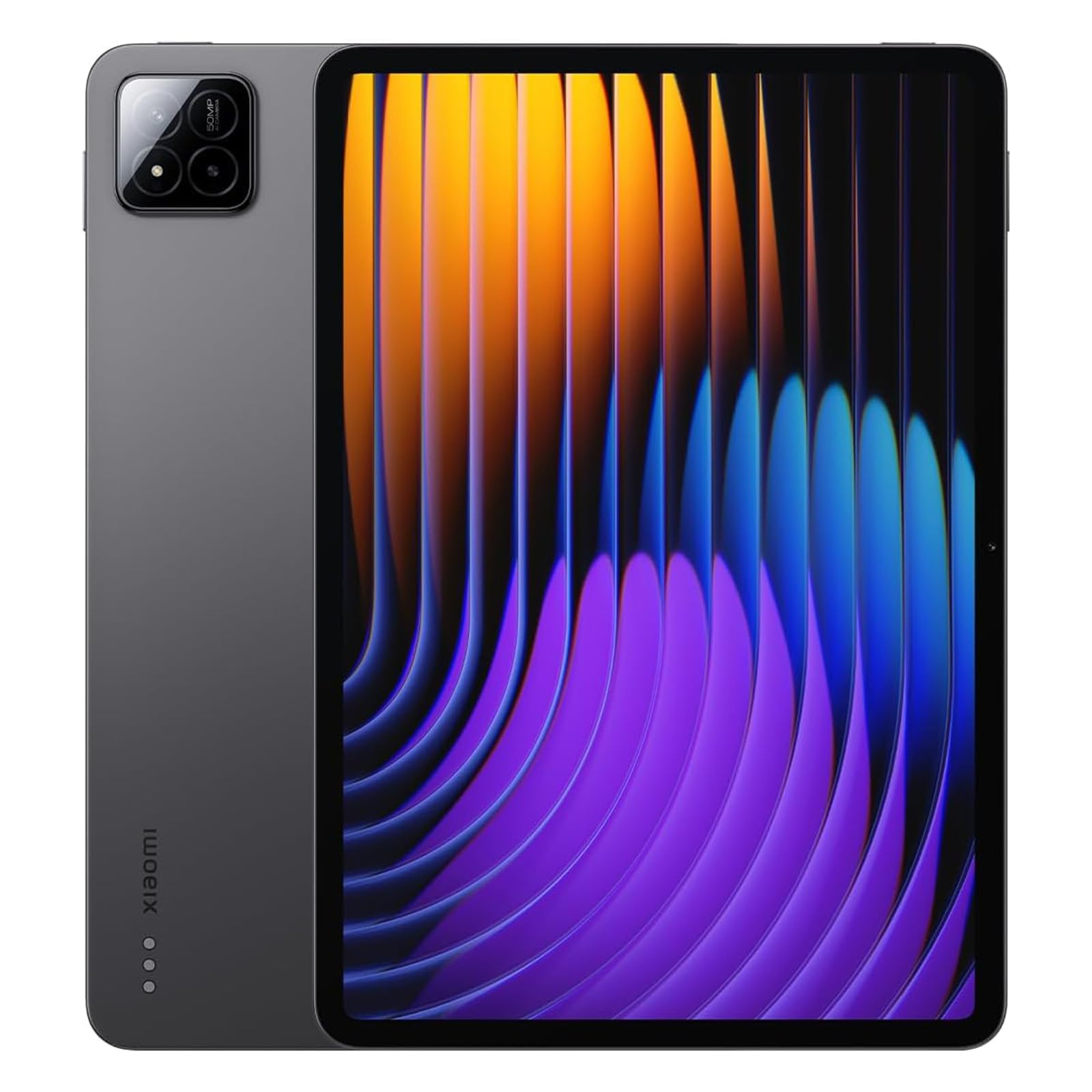
The Xiaomi Pad 7 features an 11.2-inch 3.2K display with a 144Hz refresh rate, delivering buttery-smooth transitions when switching between Home Assistant views and camera streams. The Snapdragon 7+ Gen 3 platform provides flagship-level compute power, ensuring the Companion app runs multiple Lovelace tabs and WebRTC camera feeds simultaneously without a hint of lag. The 8850mAh battery offers full-day operation on a single charge.
Bluetooth 5.4 provides a robust connection to sensors and peripherals, and the 345 PPI pixel density makes every dashboard element razor sharp. The 8 GB of RAM handles kiosk mode reliably without app refreshes. The 3:2 aspect ratio is excellent for portrait-mounted dashboards, showing more vertical room labels and automation controls per view.
This tablet lacks a microSD slot and a SIM card tray, so storage is fixed at 256 GB — more than enough for a dashboard-only device. No charger is included in the box, requiring a separate 45W PD adapter purchase. For users who want the fastest on-screen response and highest resolution for a Home Assistant panel, the Xiaomi Pad 7 is a top contender.
Why it’s great
- 144Hz refresh rate provides ultra-smooth dashboard scrolling
- Snapdragon 7+ Gen 3 delivers exceptional app performance
- 3:2 aspect ratio is ideal for portrait kiosk mode
Good to know
- No microSD expansion or SIM slot
- Charger not included in the package
3. Samsung Galaxy Tab S11

The Samsung Galaxy Tab S11 brings a premium 11-inch Dynamic AMOLED 2X display to the smart home dashboard, offering deep blacks and vibrant colors for your interface. The 12 GB of RAM is the highest in this lineup, ensuring the Home Assistant Companion app never closes during background tasks. The included S Pen supports precision inputs for sketching automation flows or writing quick notes on your control panel.
The IP68 water and dust resistance rating provides protection against kitchen splashes or accidental spills near a mounted station. Battery endurance reaches 18 hours of video playback, translating to a full day of always-on dashboard duty without recharging. The 8400mAh capacity paired with expandable microSD storage up to 1TB allows you to store local camera recordings directly on the tablet.
Owners should be aware that AMOLED panels carry a burn-in risk with static dashboard elements like navigation bars and sensor badges. Enabling screen-saver timers or using a dark mode wallboard can mitigate this. The premium price reflects the build quality, S Pen integration, and Samsung DeX mode, which doubles as a full desktop interface for managing Home Assistant configurations.
Why it’s great
- 12GB RAM and 3nm MediaTek processor offer unrivaled multitasking
- IP68 rating protects against spills and dust
- S Pen enables precise dashboard interaction
Good to know
- AMOLED screen may suffer burn-in from static dashboard elements
- Premium price bracket compared to LCD competitors
4. TCL NXTPAPER 14

The TCL NXTPAPER 14 stands out with a massive 14.3-inch 2.4K display that uses a paper-like anti-glare coating, eliminating reflections that plague glossy screens in brightly lit rooms or near windows. The 10000mAh battery is one of the largest in the group, providing enough runtime for a full day of always-on wall-mounted use. The MediaTek Helio G99 processor combined with 8 GB RAM plus 8 GB of expandable virtual memory ensures the Companion app remains responsive even with a dozen dashboard cards.
The dedicated NXTPAPER Key switches between regular, ink paper, and color paper modes, allowing you to tone down the display to a monochrome e-reader style for night use. Reverse charging lets you top up your phone or smart remote directly from the tablet’s battery. The quad speakers and 200% volume mode are not essential for a kiosk but make media playback loud and clear during setup or troubleshooting.
The 60 Hz refresh rate is lower than the Premium competitors, but for a static dashboard with occasional scrolling, this is perfectly adequate and helps preserve battery life. There is no microSD slot, so you are limited to 256 GB of internal storage. The included flip case doubles as a stand, simplifying initial deployment on a desk before permanent wall mounting.
Why it’s great
- Anti-glare paper-like display eliminates dashboard reflections
- 10000mAh battery lasts all day in always-on mode
- Reverse charging powers peripherals without extra cables
Good to know
- 60Hz refresh rate is fine for static dashboards but not fluid scrolling
- No microSD expansion available
5. Lenovo Idea Tab Plus

The Lenovo Idea Tab Plus features a 12.1-inch 2.5K IPS display with a 90 Hz refresh rate, balancing sharpness and smoothness for a dashboard that feels responsive without draining battery. The MediaTek Dimensity 6400 processor and 8 GB of RAM deliver snappy load times for Home Assistant dashboards, while the 800 nits peak brightness ensures the screen remains readable even in brightly lit living rooms. The included Lenovo Tab Pen and folio case add value for initial configuration and note-taking.
The TÜV Rheinland Low Blue Light certification is important for a device that stays on all day, reducing eye strain during long monitoring sessions. Circle to Search with Google is a handy feature for quickly looking up device specifications or automation examples without leaving the Companion app. The 13-hour battery life for video streaming translates to solid endurance for a permanently plugged-in kiosk.
The 90 Hz refresh rate is a step down from the Xiaomi Pad 7’s 144 Hz, but it is still noticeably smoother than a 60 Hz panel and helps with general UI fluidity. Users who want a bright, sharp display with a respected brand and included accessories will find the Idea Tab Plus a well-rounded choice. The USB-C 2.0 port is adequate for power but slower for data transfers.
Why it’s great
- 2.5K 90Hz display is sharp and smooth for dashboard use
- Quad Dolby Atmos speakers provide clear audio for alerts
- Included pen and folio case reduce initial setup costs
Good to know
- USB-C 2.0 limits data transfer speed
- 90Hz refresh is a middle ground, not top-tier
6. TCL TAB A1 Plus
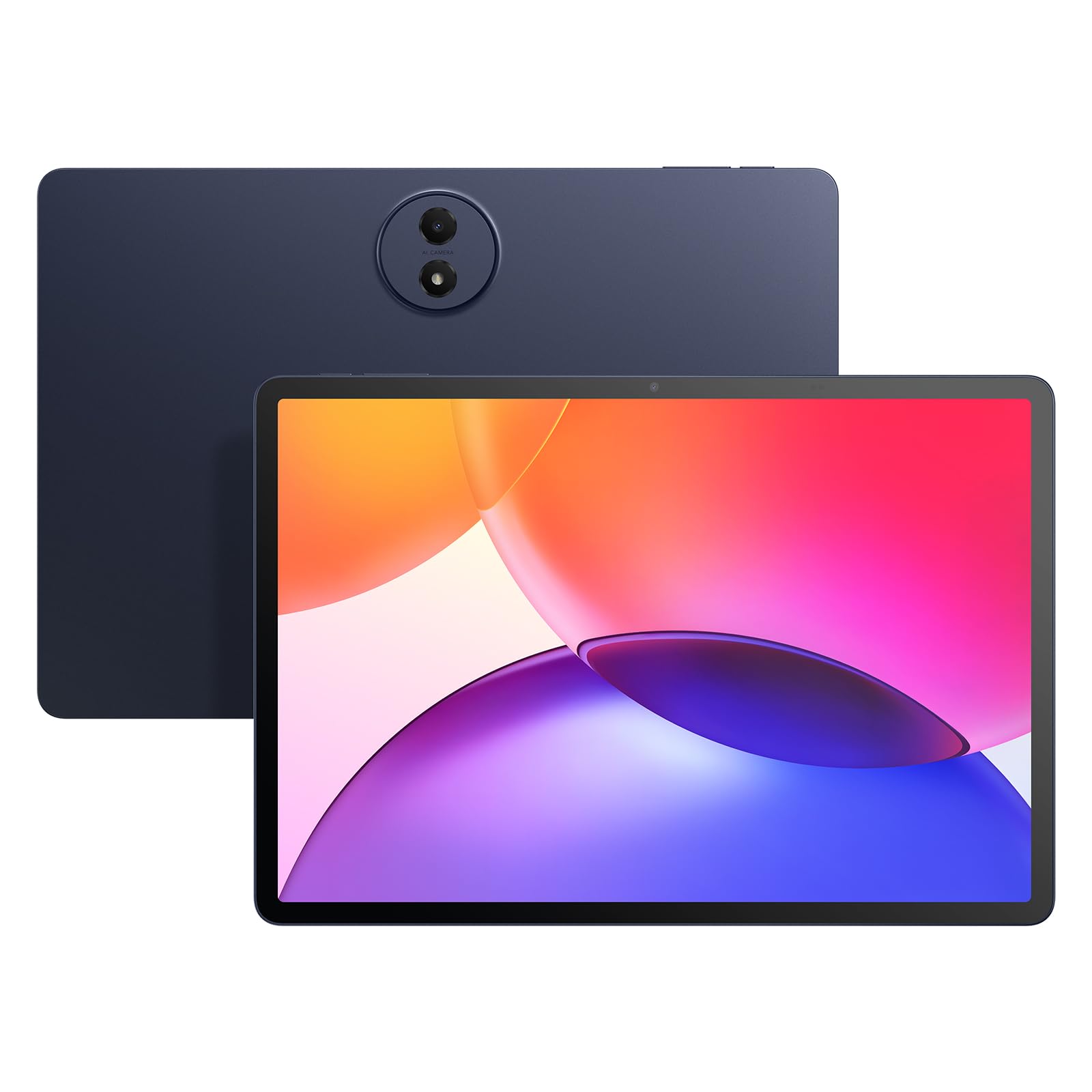
The TCL TAB A1 Plus offers a 12.2-inch 2.4K display with a 120 Hz refresh rate, providing a visually fluid dashboard at a mid-range price point. The Snapdragon 4 Gen 2 chipset with 6 GB of physical RAM and an additional 10 GB of RAM expansion totals 16 GB of usable memory, ensuring the Home Assistant Companion app stays active in kiosk mode. The 8000mAh battery supports a full day of continuous display, and 20W fast charging replenishes the battery quickly during downtime.
The inclusion of Google Gemini AI tools like Circle to Search and Smart Translator might seem extraneous for a dashboard, but they become useful when researching device integrations or translating configuration UI text. The IP54 dust and splash resistance is a welcome feature for a tablet mounted in a workshop or kitchen. The slim 6.7 mm metal unibody design fits flush against wall mounts without protruding awkwardly.
Some user reviews note the lack of a microSD slot, limiting expandable storage to the built-in 128 GB — sufficient for a dashboard but not for storing local camera archives. The auto-brightness sensor can be inconsistent in mixed lighting environments. For buyers seeking a modern, large-screen dashboard with AI extras and a reputable display brand, the TCL TAB A1 Plus represents strong value.
Why it’s great
- 120Hz refresh rate keeps dashboard scrolling fluid
- 16GB total RAM (6+10 virtual) prevents app refreshes
- IP54 splash resistance suits kitchen or workshop mounts
Good to know
- No microSD card slot for storage expansion
- Auto-brightness performs inconsistently in some environments
7. KTC 25 Inch MEGAPAD
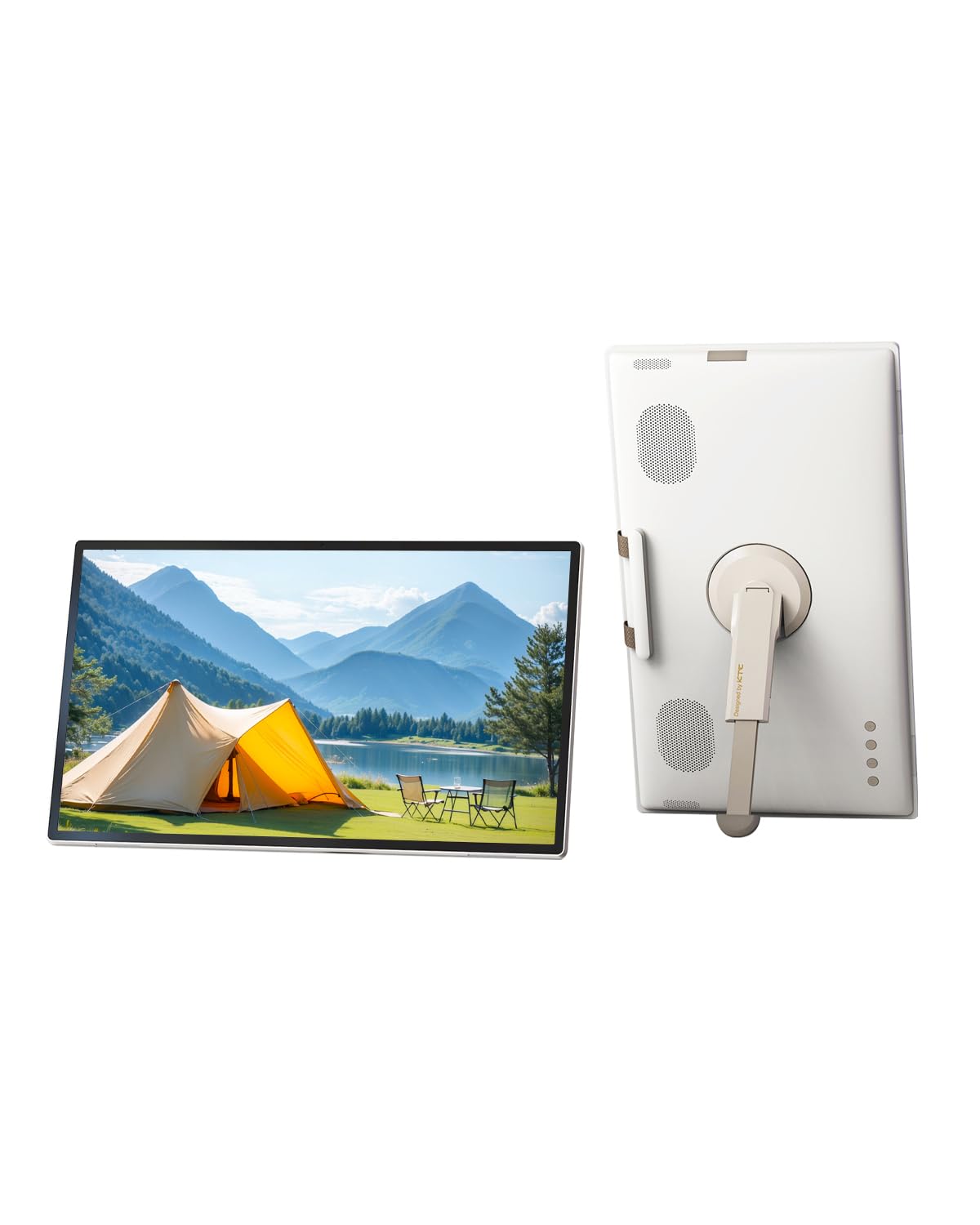
The KTC MEGAPAD is a 25-inch portable TV and tablet hybrid that functions as an oversized Home Assistant dashboard, capable of displaying multiple camera feeds, sensor panels, and automation cards simultaneously without scrolling. The 1080p resolution at this size means lower pixel density than smaller tablets, but for glanceable information from across the room, the trade-off is acceptable. The Qualcomm SM6115 chip paired with 8 GB of RAM keeps the Android 14 interface responsive.
The built-in 5000mAh battery offers limited runtime compared to smaller tablets, but the device is intended to stay plugged in as a wall-mounted or countertop kiosk. The remote control and hidden 8MP camera add convenience for controlling playback and video calls in the same room. The adjustable stand and VESA compatibility simplify permanent mounting in any orientation.
The 1080p panel resolution is the lowest in this lineup, making fine text and small dashboard icons less sharp than on a 2K or 3K display. Some early units reported battery swelling issues, so inspect the unit upon arrival. For users who want a full-room command center display that pairs with Home Assistant, the MEGAPAD provides a unique large-format solution.
Why it’s great
- 25-inch screen shows entire home status at a glance
- Built-in remote and camera add media-center utility
- Adjustable stand and VESA mount simplify installation
Good to know
- 1080p resolution limits fine dashboard text sharpness
- Battery swelling reported in some early units
8. TECLAST T65

The TECLAST T65 is a 13.4-inch tablet that combines a 120 Hz refresh rate with 4G LTE cellular connectivity, allowing your Home Assistant dashboard to remain operational even when your primary Wi-Fi network goes down. The 8000mAh battery supports up to 11 hours of continuous use, and the octa-core processor with up to 20 GB of virtual RAM (8 physical + 12 extended) keeps the Companion app running without hiccups. The 1920×1200 IPS display is sharp enough for most dashboard widgets.
The inclusion of GPS and a 3.5 mm headphone jack adds flexibility for mounting in a car or near a workbench where wired audio is preferred. The 8.5 mm thin profile and 720 g weight make it easy to handle during installation. The dedicated SIM slot supports data-only plans, providing cellular failover for critical automation controls.
The display brightness is around 430 nits, which is adequate for indoor use but may struggle in direct sunlight near a window. The user interface comes with minor bloatware that should be removed before final kiosk deployment. For smart home enthusiasts who need a large, LTE-capable backup dashboard, the TECLAST T65 delivers excellent value.
Why it’s great
- 4G LTE ensures dashboard connectivity during Wi-Fi outages
- 120Hz refresh rate provides smooth scrolling
- Large 13.4-inch display shows extensive dashboard cards
Good to know
- 430 nits brightness may struggle near windows
- Pre-installed bloatware requires removal before deployment
9. TUOHAITIME Tablet
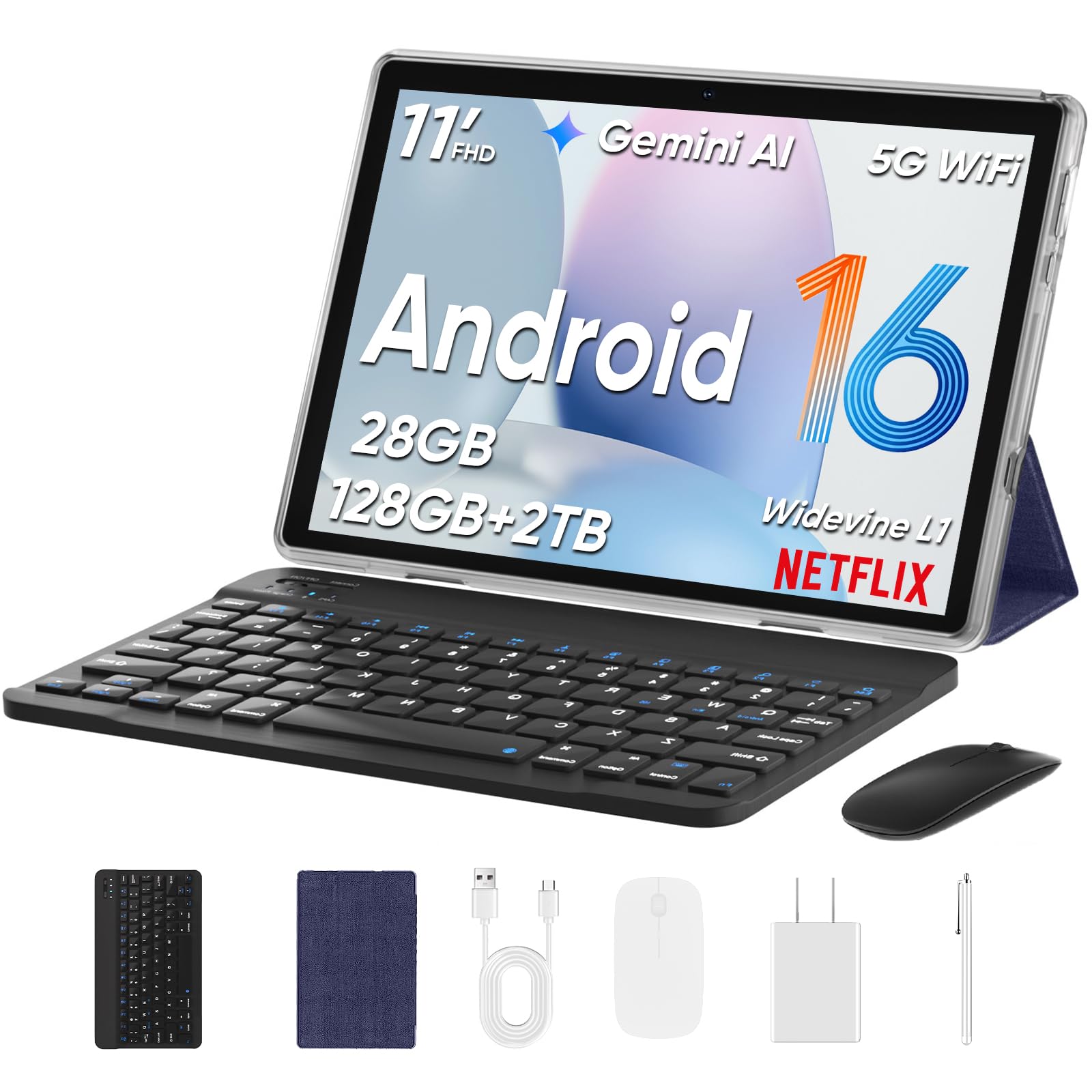
The TUOHAITIME tablet is an 11-inch Android 16 slate that offers a surprising set of features for an entry-level dashboard, including dual-band Wi-Fi 6, an 8000mAh battery, and an octa-core processor. The 4 GB of physical RAM with an additional 24 GB of virtual expansion (labeled as 28 GB) provides enough headroom to run the Home Assistant Companion app reliably for a single-dashboard setup. The bundle includes a keyboard, mouse, stylus, and protective case, making it a complete starter kit.
The Widevine L1 certification allows high-definition streaming from services like Prime Video and Disney+, which is useful if the tablet doubles as a kitchen TV when not displaying controls. Face unlock provides quick access to the dashboard after waking from sleep. The large 11-inch 16:10 aspect ratio fits most standard wall-mount frames.
Build quality and software polish reflect the entry-level price point. Some units reportedly arrive with pre-installed apps that require manual removal, and a small number of user reports mention unexpected system behavior. For the budget-conscious smart home builder seeking a dedicated dashboard with modern connectivity and a large accessory bundle, the TUOHAITIME tablet offers the lowest entry cost.
Why it’s great
- Wi-Fi 6 support provides fast, reliable network connection
- Large 8000mAh battery supports all-day operation
- Accessory bundle (keyboard, mouse, stylus, case) included
Good to know
- Pre-installed software may require manual cleanup
- Build quality reflects entry-level price tier
FAQ
Can I leave my tablet plugged in 24/7 for a Home Assistant dashboard?
What is the minimum RAM I need for a smooth Home Assistant kiosk?
Should I use Wi-Fi or Ethernet for a wall-mounted Home Assistant tablet?
Final Thoughts: The Verdict
For most users, the android tablet for home assistant winner is the Lenovo Idea Tab Pro because its 3K resolution, huge 10200mAh battery, and powerful Dimensity 8300 chipset deliver the smoothest and clearest dashboard experience available. If you want a larger anti-glare screen that fights reflections near bright windows, grab the TCL NXTPAPER 14. And for the absolute fastest display performance with a 144Hz refresh rate, nothing beats the Xiaomi Pad 7.