
The family command center has evolved beyond a paper calendar taped to the fridge. A dedicated touchscreen device now syncs multiple Google, iCloud, and Outlook calendars into one unified view, replacing sticky notes and group chat confusion with a live, color-coded schedule that everyone in the house can actually see and use.
I’m Min — the co-founder and writer behind Gadgets Feed. I’ve spent countless hours analyzing the sync protocols, display resolutions, and chore reward systems that separate a genuinely useful smart calendar from a glorified digital frame.
Whether you need to wrangle school pickups, meal prep, or kids’ chores, finding the right best at home digital calendar comes down to screen size, calendar compatibility, and the quality of the companion app experience.
How To Choose The Best At Home Digital Calendar
Selecting the right digital calendar for your home means evaluating how it handles syncing, how large and clear the display is, and whether the built-in features like chore charts and meal planners actually save you time rather than creating more work.
Calendar Compatibility & Sync Depth
A digital calendar is only useful if it talks to the calendars you already use. The best devices offer two-way sync with Google Calendar, Apple iCloud, and Outlook, meaning changes you make on your phone appear on the screen and vice versa. Check whether the device supports one-way import only or true bidirectional sync.
Screen Size, Resolution & Placement
Screen size directly affects readability from across the kitchen. A 10.1-inch display works for a desk or countertop, while a 15.6-inch or 16-inch model is better for a wall mount where the whole family views it from a distance. Look for an anti-glare HD touchscreen with adjustable brightness and a night mode to avoid a bright glow in darker rooms.
Smart Features Beyond the Calendar
Many digital calendars pull double duty as chore charts, meal planners, and digital photo frames. A built-in reward system with star points or a prize wheel can motivate kids to complete their tasks. Premium models run a full Android OS, giving you access to the Google Play Store for streaming apps, smart home controls, and voice assistants like Google Gemini.
Quick Comparison
On smaller screens, swipe sideways to see the full table.
| Model | Category | Best For | Key Spec | Amazon |
|---|---|---|---|---|
| Apolosign 15.6-inch | Premium | Full Android Dashboard | 15.6-inch Android OS | Amazon |
| Cozyla Calendar Plus 2 | Premium | AI-Powered Scheduling | 15.6-inch Google Play Store | Amazon |
| Anyuse 16″ Smart Digital Calendar | Mid-Range | Large Display & Versatile Mount | 16-inch 4-level font size | Amazon |
| JSUSOU 15.6 Inch | Mid-Range | Fridge Magnetic Mount | 15.6-inch HD fridge mount | Amazon |
| CAZOKASI Smart Digital Calendar | Mid-Range | Senior-Friendly Readability | 10.1-inch bold lettering | Amazon |
| Dragon Touch 10.1 Inch | Budget-Friendly | Value & Chore Rewards | 10.1-inch star reward system | Amazon |
| Aura Carver 10.1″ | Premium | Photo-Centric Display | 10.1-inch calibrated display | Amazon |
In‑Depth Reviews
1. Apolosign 15.6-inch Digital Family Calendar
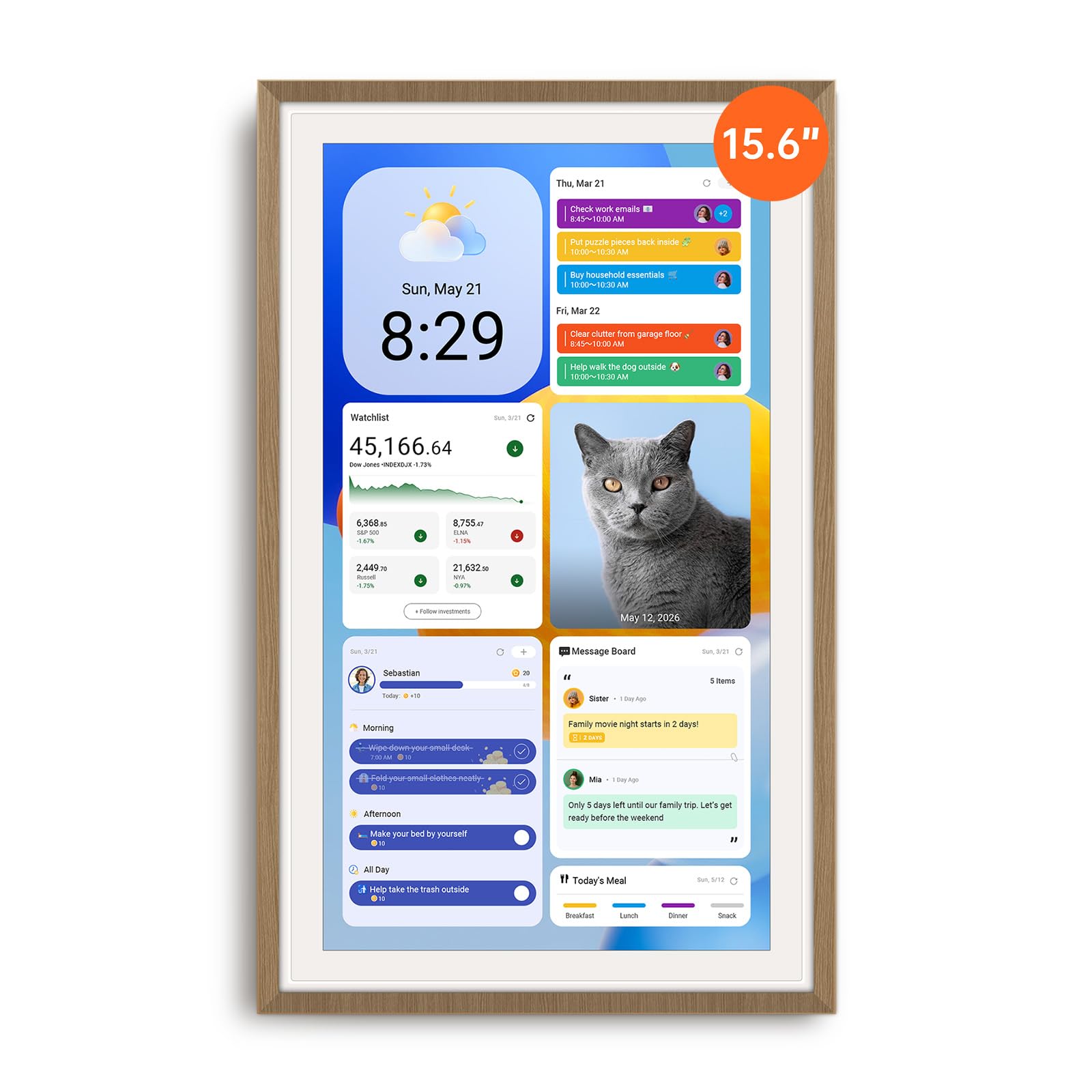
The Apolosign sits at the top because it offers the most complete feature set without a recurring subscription. Its 15.6-inch anti-glare HD touchscreen delivers sharp, color-coded calendar entries that sync bidirectionally with Google, iCloud, and Outlook. The dual-mode interface is its standout trick — a clean Calendar Mode for quick family scheduling and a full Android Mode that unlocks the Google Play Store, giving you access to streaming services, smart home widgets, and the built-in Google Gemini voice assistant.
The chore chart integrates a customizable reward system where kids earn points and spin a prize wheel, which reviews confirm actually drives engagement. Meal planning, grocery lists, and a shared message board live inside the Apolosign Calendar App, and the device includes both a desk stand and wall mount. The unit must stay plugged in, and the power brick is slightly bulky, but the absence of subscription fees combined with this breadth of functionality makes it the clear all-around winner.
Customer feedback highlights how the Android mode transforms the device into an oversized tablet for YouTube and Netflix, making it a true family hub rather than a single-purpose screen. The 2-way calendar sync is reliable, and the active Facebook support community helps with any setup questions. For families wanting a full smart dashboard that grows with their needs, the Apolosign delivers the best balance of premium capability and long-term value.
Why it’s great
- Full Android OS with Google Play Store access
- No subscription fees for calendar sync or smart features
- Built-in Google Gemini voice assistant
Good to know
- Must remain plugged into power; no battery for portable use
- Power adapter is somewhat bulky for wall mounting
2. Cozyla Calendar Plus 2
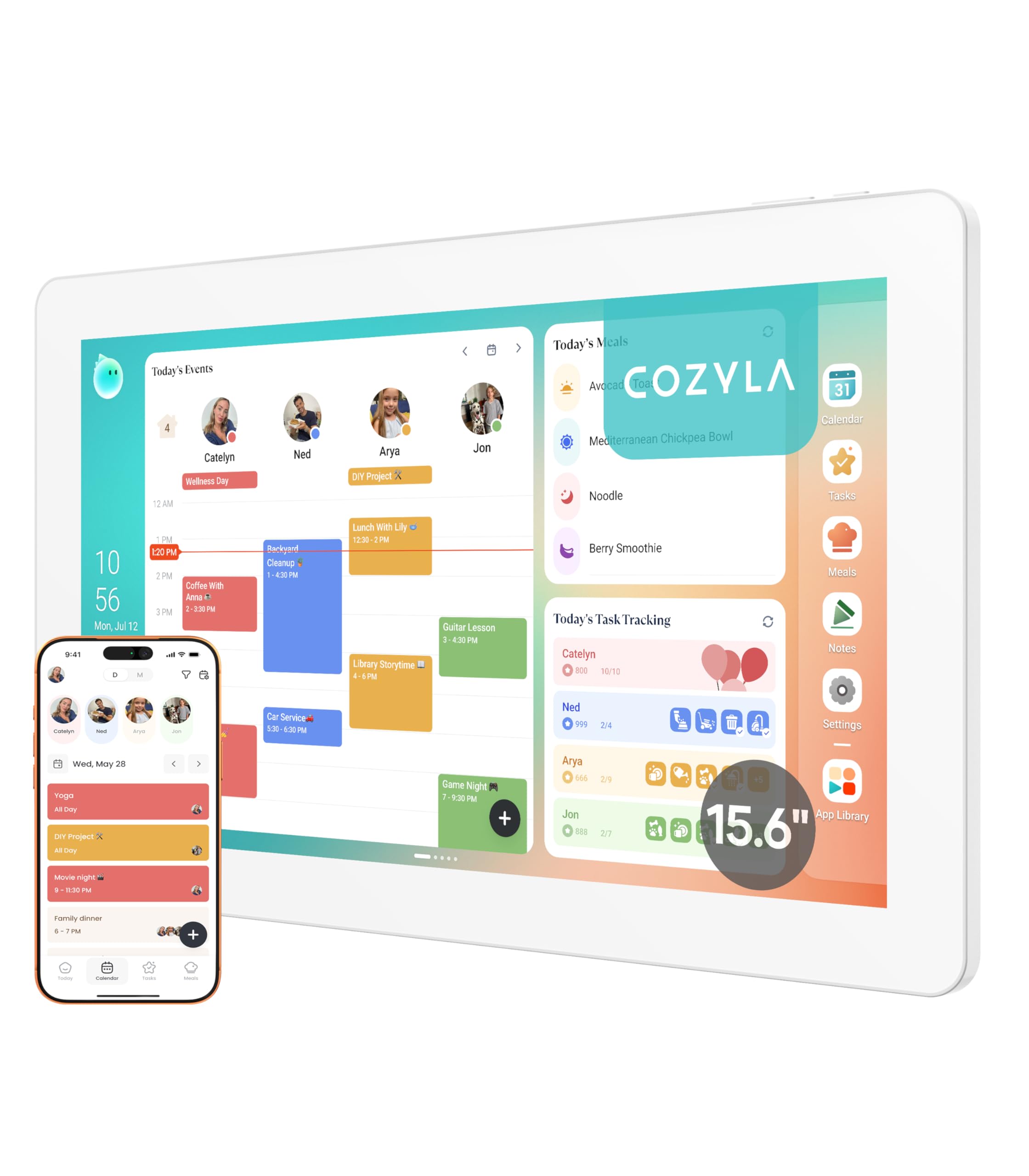
The Cozyla Calendar Plus 2 differentiates itself with AI-powered convenience. The Cozyla AI Assistant lets you use voice commands or scan paper schedules and recipes with your phone to instantly convert them into digital entries, eliminating manual typing. It syncs with Google, Apple, Outlook, and Yahoo calendars and supports real-time sharing via the Cozyla+ companion app, so every family member sees updates instantly on the 15.6-inch touchscreen.
The dashboard is fully customizable with drag-and-drop widgets for calendars, chore charts, meal planners, to-do lists, weather, and media players. The digital chore chart assigns tasks to each family member with unique colors and avatars, and kids earn points for completion. The meal planning module lets you upload recipes or stream video tutorials directly on the screen, and it auto-generates shopping lists from your weekly plan. Reviews note the device runs on a full Android OS, giving access to YouTube, Netflix, and Disney+ via the Google Play Store.
Customer feedback consistently praises the no-subscription model and the responsive customer service team. Families with neurodivergent members report the visual schedules and structured routines significantly reduce daily stress. The device is designed for wall mount and looks clean on the wall, though the screen must stay plugged in. For families who hate data entry and want an AI assistant that handles the grunt work, the Cozyla is a compelling premium choice.
Why it’s great
- AI voice assistant converts paper schedules to digital entries
- Auto-generates shopping lists from meal plans
- Full Android OS with Google Play Store
Good to know
- Premium price point compared to mid-range options
- Requires constant power connection
3. Anyuse 16″ Smart Digital Calendar

The Anyuse 16-inch model brings the largest screen in this roundup at a mid-range price. The 16-inch HD touchscreen supports 4-level font size and brightness adjustments, making it highly readable from across the kitchen or living room. It offers four placement modes — wall, desk, horizontal, and vertical — and comes with free mounting accessories, giving you flexibility to fit it into any space without buying extra hardware.
Calendar sync is robust with two-way sync for Google, iCloud, Outlook, Cozi, Yahoo, and TeamSnap, and it supports bulk filtering of events by family member or category. The chore and reward system lets you assign age-appropriate tasks with color labels and star points that kids can redeem for preset rewards. The built-in meal planner includes a recipe library and the ability to add cooking notes, while the photo frame mode syncs with the Whale Framely App and displays a slideshow with real-time weather and time overlays.
Customer reviews confirm the setup is straightforward and the large screen is a hit with busy families. The QR code invitation system for family members works well, and you can add virtual members for kids who don’t have email accounts. The sleep mode saves power with customizable on/off times. If screen real estate is your top priority and you don’t need a full Android OS, the Anyuse delivers the largest canvas at a sensible price.
Why it’s great
- Largest screen size at 16 inches in this guide
- Four placement modes with included mounting accessories
- Two-way sync with multiple calendar platforms
Good to know
- Limited to the pre-installed calendar app; no Android app store
- Some users report photo size adjustment options are limited
4. JSUSOU 15.6 Inch Digital Smart Calendar
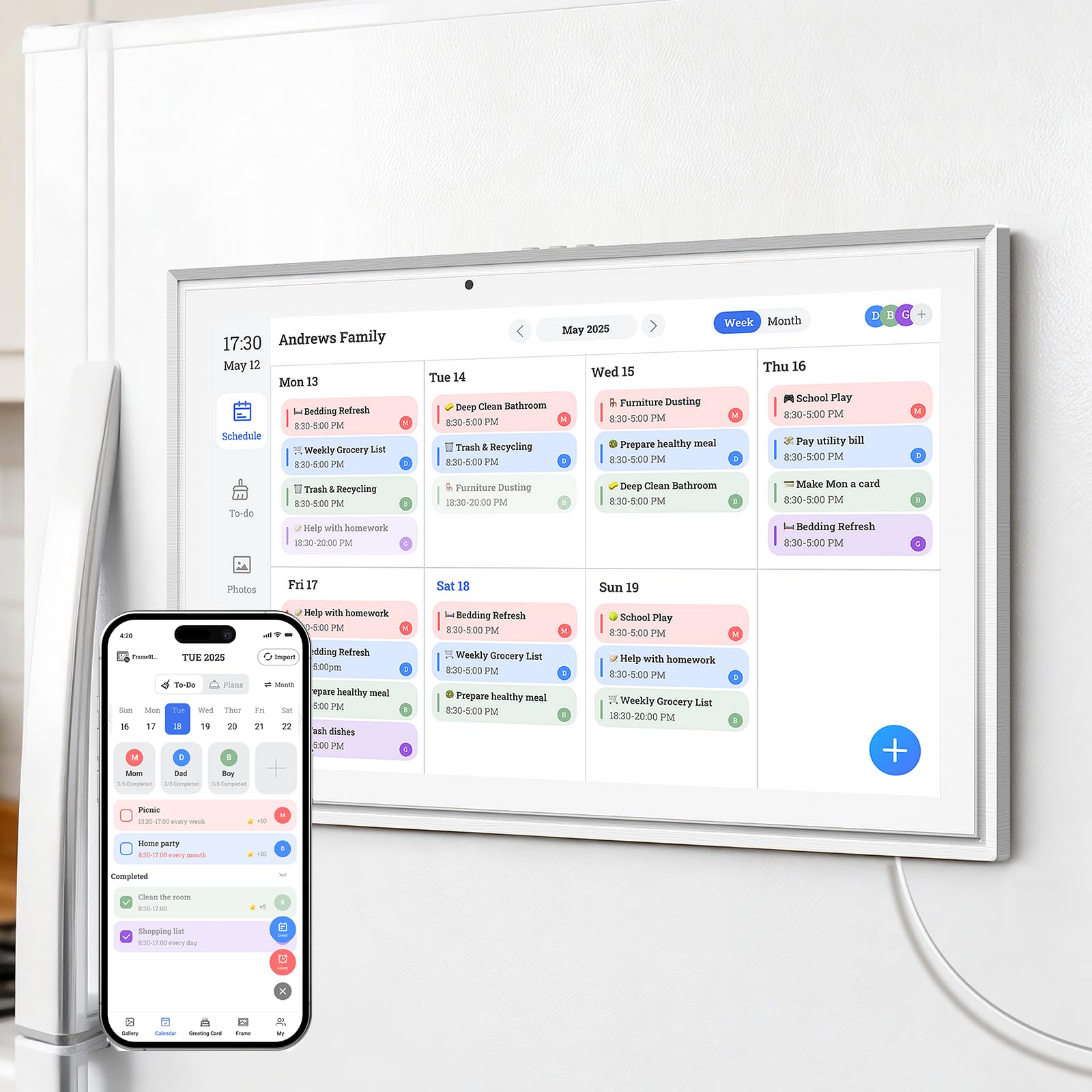
The JSUSOU 15.6-inch model solves a specific placement challenge: mounting directly on the refrigerator. It comes with strong magnets that attach the device to the fridge door, keeping the family schedule at eye level in the busiest room of the house. The HD touchscreen is bright and clear, and it syncs with Google, iCloud, and Outlook calendars with one-click setup, pushing changes from your phone to the screen instantly.
The companion app allows multiple family members to add appointments and photos, and the device functions as a digital photo frame when not in calendar mode. The vinyl cover material and plastic build are durable enough for a high-traffic kitchen, and the unit weighs 2.21 kilograms, giving it a solid feel on the fridge. Customer reviews highlight how easy it is to set up without needing to read a lengthy manual, and the magnetic mount works well on both smooth and textured fridge surfaces.
Some users note the directions are sparse, and connecting a second phone to the calendar can be finicky, but once set up, the sync is reliable. For families who want their digital calendar front and center on the fridge without drilling holes, the JSUSOU offers a practical mounting solution with a large screen that fits naturally into the kitchen workflow.
Why it’s great
- Magnetic fridge mount requires no wall drilling
- Large 15.6-inch HD screen visible from across the kitchen
- One-click calendar sync with major platforms
Good to know
- Setup instructions are minimal and could be clearer
- Adding a second user to the app can be tricky
5. CAZOKASI Smart Digital Calendar
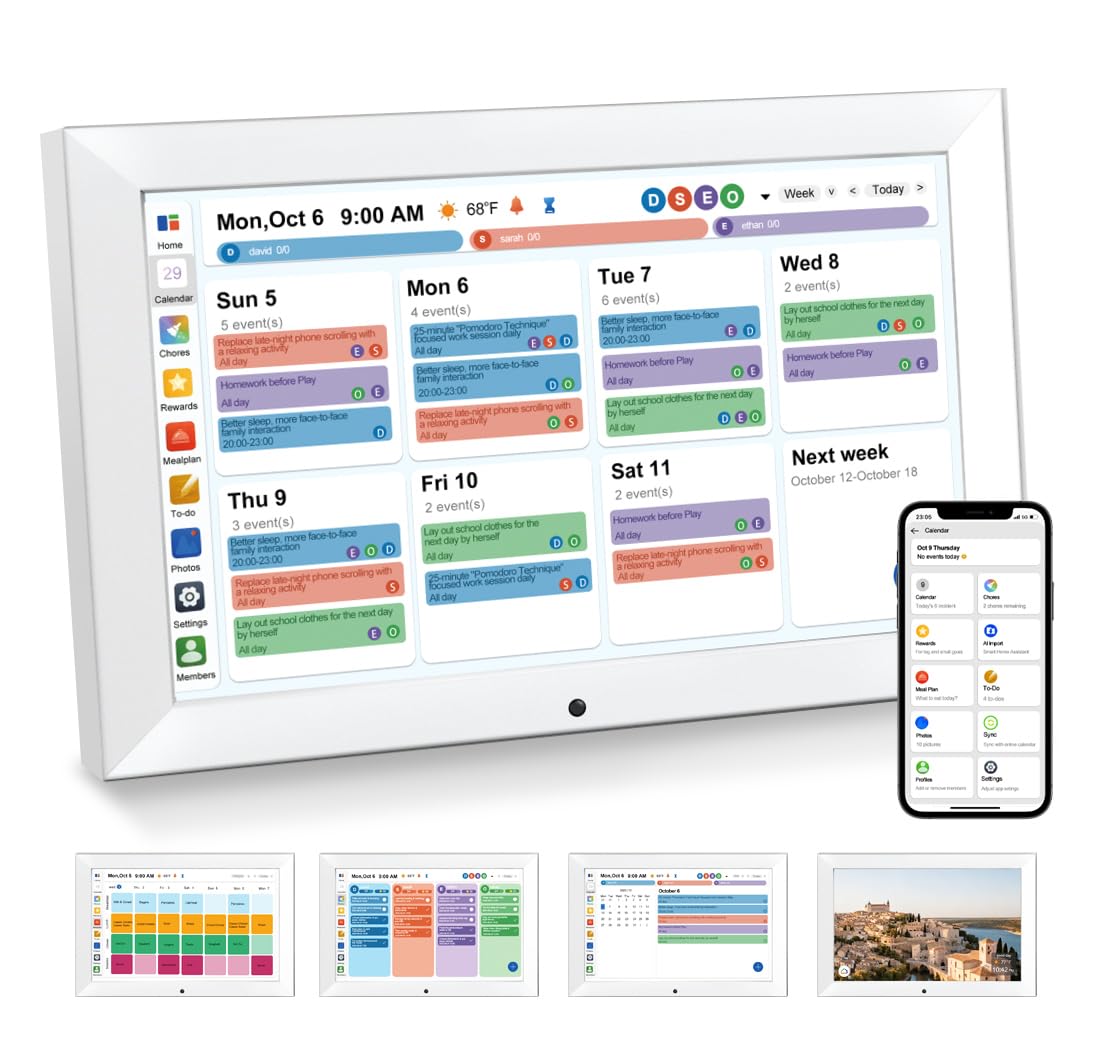
The CAZOKASI focuses on readability above all else. The 10.1-inch HD display uses oversized, bold lettering that shows the day of the week, date, time, and AM/PM designation in a large font that is easy to read from across the room. Multiple customer reviews specifically mention its effectiveness for seniors and individuals with dementia or vision impairments, as the high-contrast display and adjustable brightness reduce eye strain.
It integrates Wi-Fi for calendar sync from your smartphone, allowing you to manage schedules, to-do lists, and meal plans from the companion app. The touchscreen is responsive, and the device includes both a desk stand and wall mount hardware for flexible placement. Features like adjustable brightness, auto-dimming, night mode, and an alarm clock make it suitable for bedside use as well. The unit weighs 0.76 kilograms, making it lightweight and easy to reposition.
The display always shows AM/PM with the time, which some users wish could be removed, but the clarity is the trade-off. The CAZOKASI is not a full Android tablet — it runs a dedicated calendar OS — but for households where readability is the number one priority, this device delivers the most legible interface in the roundup at a mid-range price point.
Why it’s great
- Oversized, bold lettering ideal for seniors and low vision
- Adjustable brightness with auto-dimming and night mode
- Lightweight design with included stand and wall mount
Good to know
- AM/PM designation cannot be removed from the display
- Runs a dedicated OS, not a full Android environment
6. Dragon Touch 10.1 Inch Interactive Touchscreen Family Planner
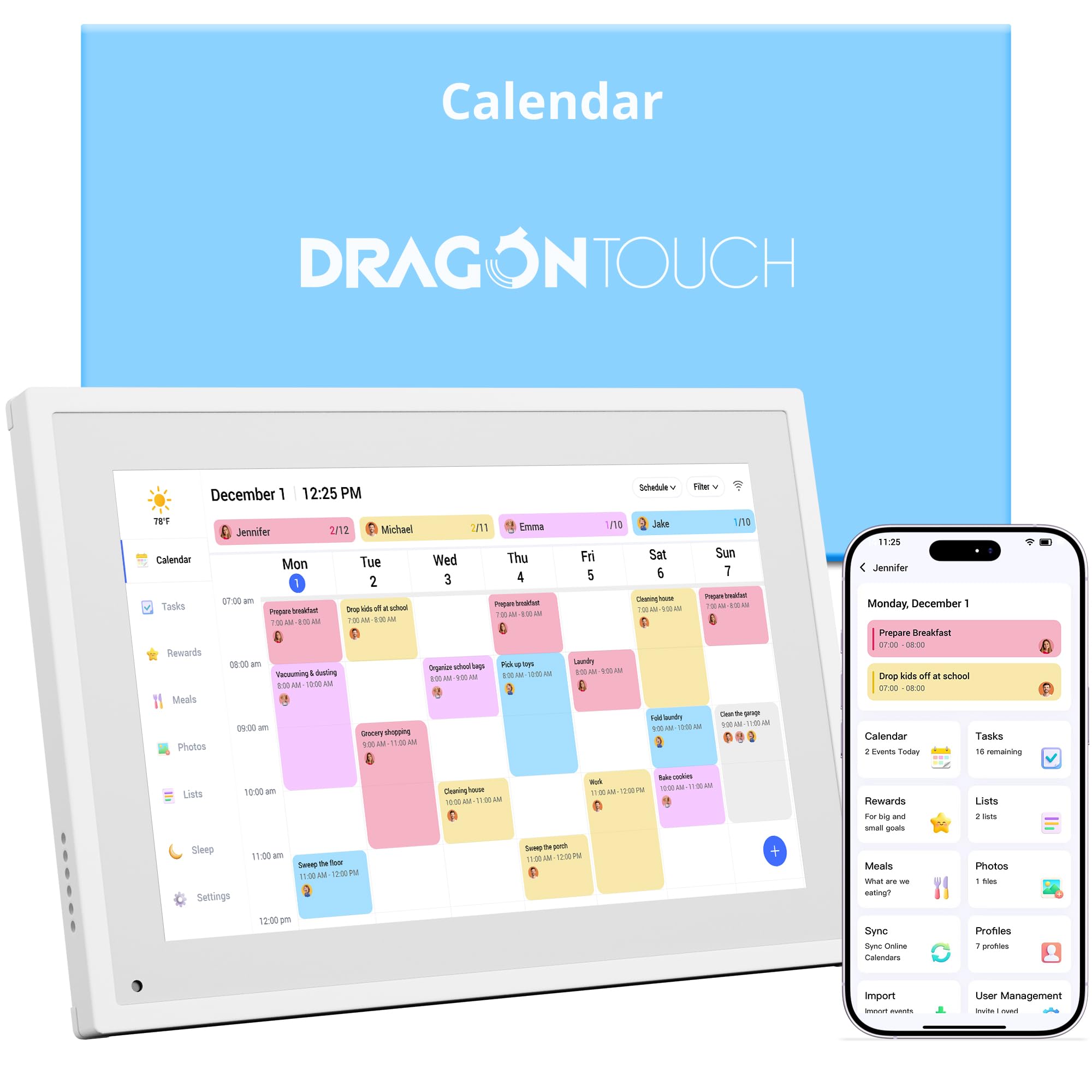
The Dragon Touch proves you don’t need a huge budget to get a capable family calendar. The 10.1-inch touchscreen supports color-coded scheduling for each family member, and the chore chart includes a star reward system with an audible chime that motivates kids to complete tasks. The eCalendar App syncs with iOS and Google calendars and lets you manage schedules, chore charts, meal plans, and grocery lists from your phone remotely.
Setup is straightforward — plug in, connect to Wi-Fi, and link your calendar. The device doubles as a digital picture frame when not in calendar mode, displaying family photos on the clear touchscreen. Customer reviews consistently call out the exceptional value compared to premium brands costing several times more. The 10-inch screen is sufficient for a countertop or desk, and the plastic build feels solid for the price tier.
Some users note that assigning the same task to multiple people requires manual edits per person, and the app can have a slight delay when syncing changes from the phone. The Dragon Touch includes a 2-year manufacturer warranty, which is better than many competitors. If you are testing the waters with a digital calendar or need a second unit for a different room, this budget-friendly option delivers the core features without the high price tag.
Why it’s great
- Excellent price-to-feature ratio for budget-conscious buyers
- Star reward system with chime motivates kids effectively
- Doubles as a digital photo frame when not in use
Good to know
- Same task assignment to multiple people requires manual edits
- App sync can experience a slight delay
7. Aura Carver 10.1″ WiFi Digital Picture Frame

The Aura Carver is the most awarded digital frame in the market, earning top picks from Wirecutter, The Strategist, and WIRED. Its 10.1-inch HD display is factory-calibrated for exceptional color accuracy, saturation, and clarity, with an ambient light sensor that adjusts brightness automatically. While primarily a digital photo frame, it can display calendar information through the Aura app, making it a dual-purpose device for families who prioritize photo quality alongside scheduling.
Setup takes about one minute — connect to Wi-Fi, download the free app, and start adding photos. The Aura offers free unlimited storage with no subscription fees, and friends and family can send photos directly to the frame from anywhere using the app, email, or text. It supports iOS Live Photos and up to 30 seconds of video with sound. The frame itself is designed to be a beautiful home decor piece, arriving in premium gift-ready packaging.
The Carver does not have a full calendar OS like the Apolosign or Cozyla — its strength is in photo sharing with smart scheduling features like adjustable slideshow speed and automatic on/off times. The touch controls are located on the top edge rather than the screen itself, which some users prefer for a cleaner look. For families who want a stunning display that also serves as a minimal calendar hub rather than a full family command center, the Aura Carver is the premium choice.
Why it’s great
- Factory-calibrated HD display with outstanding color accuracy
- Free unlimited storage with easy family sharing via app
- Quick one-minute setup and premium gift-ready packaging
Good to know
- Primarily a photo frame; lacks a built-in calendar OS
- Touch controls are on the top edge, not the screen
FAQ
Do these digital calendars require a monthly subscription?
Can I connect multiple phones or family members to one digital calendar?
Can these devices work without being plugged into power all the time?
How do I sync my existing Google or iCloud calendar to the device?
Can I use these as a regular Android tablet for streaming apps?
Final Thoughts: The Verdict
For most users, the best at home digital calendar winner is the Apolosign 15.6-inch Digital Family Calendar because it combines a full Android OS, no-subscription calendar sync, and a robust chore reward system at a price that undercuts premium competitors. If you want AI-powered convenience with voice-controlled entry and auto-generated shopping lists, grab the Cozyla Calendar Plus 2. And for the largest screen real estate with flexible mounting options at a mid-range price, nothing beats the Anyuse 16″ Smart Digital Calendar.