
Choosing the right laptop for Computer-Aided Design (CAD) is less about brand loyalty and more about matching the GPU, CPU, and display specifications to the specific software you run daily. A machine that handles 2D drafting effortlessly can choke on complex 3D assemblies or real-time rendering, making the processor and graphics card your two most critical decisions.
I’m Min — the co-founder and writer behind Gadgets Feed. I spend my time buried in spec sheets and benchmark databases, cross-referencing GPU compute units, single-core turbo speeds, and ISV certification lists so you don’t have to wade through the noise to find a genuine workstation for your pipeline.
Each model in this guide was selected because it balances raw compute horsepower, color-accurate displays, and professional-grade build quality to define the best available cad laptop that actually earns its place on your desk.
How To Choose The Best CAD Laptop
CAD software like SolidWorks, AutoCAD, and Fusion 360 rely heavily on single-core CPU performance and a dedicated GPU with certified drivers. Focusing on raw core count alone or buying a standard gaming laptop without checking ISV compatibility can lead to driver crashes and poor viewport performance. Here are the three pillars that matter most.
GPU and ISV Certification
An NVIDIA RTX or AMD Radeon Pro GPU with ISV (Independent Software Vendor) certification ensures the drivers are specifically tested and optimized for professional CAD applications. Consumer GeForce cards work but may glitch under heavy wireframe loads or lack the memory bandwidth for large assemblies. Look for laptops with NVIDIA Studio Drivers or official SolidWorks certification if reliability is non-negotiable.
CPU Clock Speed Over Core Count
While rendering can use all available cores, most modeling operations in CAD are single-threaded. A processor with a high turbo boost clock — such as an Intel 14th Gen HX or AMD Ryzen 7040 series — will give you faster viewport rotation and command responses than a chip with double the cores but lower frequency. Check the maximum single-core boost in GHz before buying.
Display Resolution and Color Accuracy
A 1080p panel works for basic drafting, but a 2560×1600 or 4K OLED display with 100% sRGB or DCI-P3 coverage is essential for accurate material visualization and design reviews. High refresh rates (120Hz+) are a bonus for smooth panning, but only after you have confirmed the panel has wide color gamut and high brightness for outdoor or brightly lit environments.
Quick Comparison
On smaller screens, swipe sideways to see the full table.
| Model | Category | Best For | Key Spec | Amazon |
|---|---|---|---|---|
| Lenovo ThinkPad P16s Gen 4 | Mobile Workstation | Color-Critical Modeling | OLED 3.8K Touch | Amazon |
| Alienware 16 Aurora | Performance | High-End Rendering | RTX 5060 8GB GDDR7 | Amazon |
| Dell Precision 3490 | ISV Workstation | Engineer on the Go | 64GB DDR5 RAM | Amazon |
| MSI Katana 15 HX | Gaming/Work Hybrid | Budget 3D Modeling & Renders | RTX 5070 + i9 HX | Amazon |
| ASUS ROG Strix G16 (2025) | Gaming/Work Hybrid | High Refresh Modeling | 165Hz FHD+ Display | Amazon |
| GEEKOM GeekBook X16 Pro | Ultrabook | Portable 2D Drafting | Ultra 9 185H + 32GB | Amazon |
| NIMO 15.6″ Ryzen 7 | Value | Entry-Level CAD Learning | Radeon 780M iGPU | Amazon |
| Dell 14 Plus | Ultrabook | Lightweight AI-Assisted Draftwork | Intel Core Ultra 7 | Amazon |
| Lenovo V-Series V15 | Value | High RAM 2D Drafting | 40GB + 2TB Storage | Amazon |
| MUNBYN IRX16 | Rugged | Field Site CAD Work | 1000 Nits Display | Amazon |
| HP 17.3″ Business | Value | Large-Screen Office Drafting | 64GB DDR4 RAM | Amazon |
| AOC AX15 | Entry | Basic 2D Viewer Work | N95 Processor | Amazon |
| Creality K2 Plus Combo | 3D Printer | Prototype Output (Printer) | 350mm³ Volume | Amazon |
In‑Depth Reviews
1. Lenovo ThinkPad P16s Gen 4
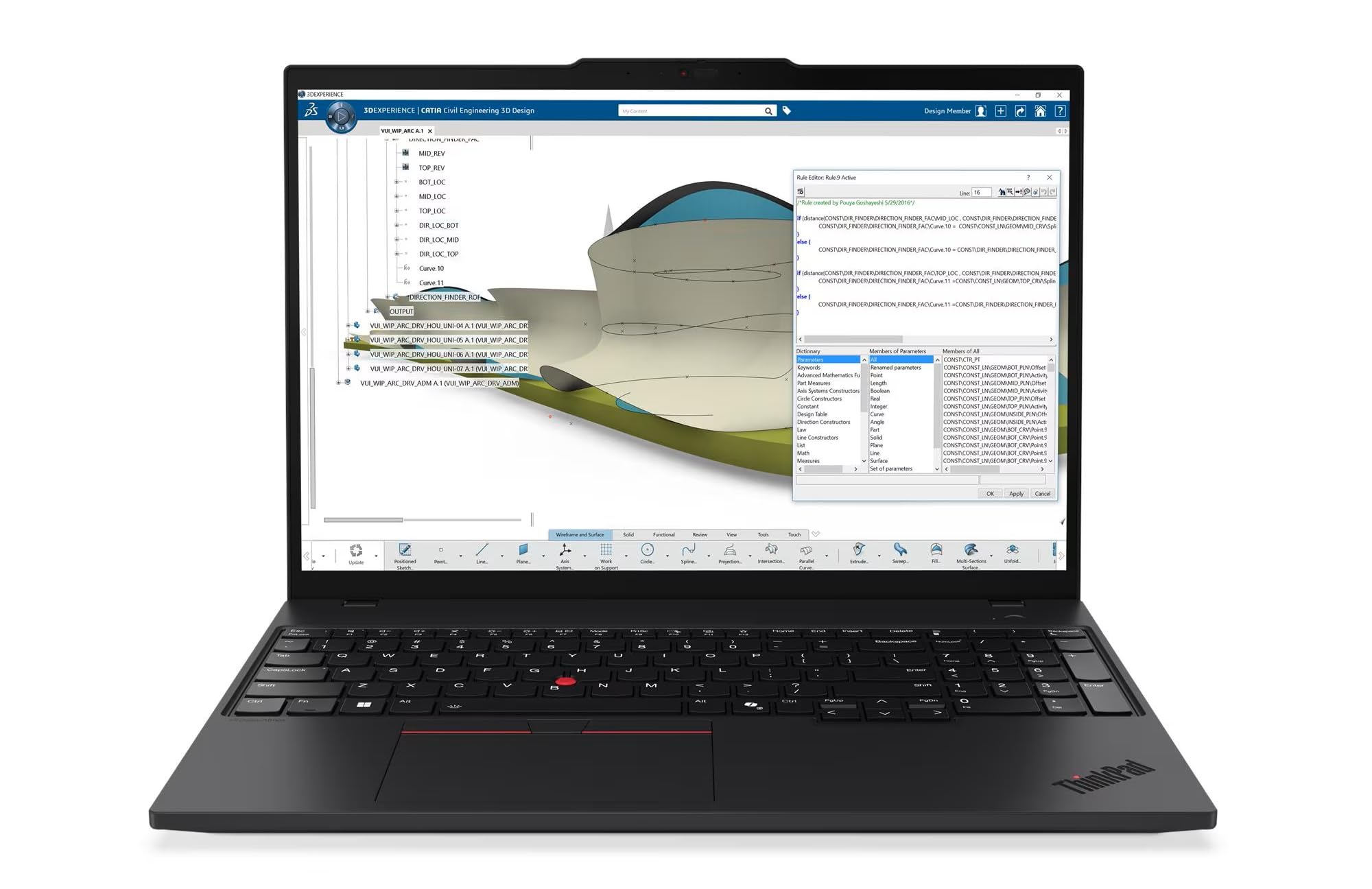
The Lenovo ThinkPad P16s Gen 4 combines an AMD Ryzen AI 7 PRO processor with an OLED 3.8K touchscreen that covers the full DCI-P3 gamut, making it the most color-accurate mobile workstation in this lineup for serious material visualization. The 32GB DDR5-5600MT memory paired with the integrated neural processing unit accelerates AI-assisted tasks in newer CAD suites, while the dual Thunderbolt 4 ports allow daisy-chaining multiple 4K monitors without a docking station.
What sets this machine apart is its MIL-STD-810H validation and ThinkShield security suite, which provide the durability and data protection required in a professional engineering environment. The numeric keypad is a practical addition for entering precise coordinates during drafting sessions, and the 5MP RGB-IR camera ensures sharp video calls during design reviews.
The 1TB SSD offers generous storage for large assembly files and project libraries, though users working with 50+ gigabyte point clouds may want to carry an external drive. Overall, this is the most complete package for a design professional who needs both incredible screen quality and verified workstation-class stability.
Why it’s great
- OLED 3.8K touchscreen with 100% DCI-P3 for precise material rendering
- ISV-ready AMD Ryzen AI PRO processor with dedicated NPU
- MIL-STD-810H certified for durability in demanding field environments
Good to know
- Premium pricing places it beyond entry-level budgets
- 1TB SSD may require expansion for massive project libraries
2. Alienware 16 Aurora

Under the hood, the Alienware 16 Aurora packs an NVIDIA GeForce RTX 5060 with 8GB of GDDR7 VRAM, which delivers the memory bandwidth needed for large 3D assemblies and GPU-accelerated rendering engines like V-Ray and Redshift. The 16-inch WQXGA display at 2560×1600 provides ample screen real estate for tool palettes without sacrificing pixel density for wireframe detail.
The Cryo-Tech cooling system with a vapor chamber keeps the Intel Core 7-240H running at sustained turbo frequencies during long render passes, which prevents thermal throttling that can stall complex simulation runs. The Alienware Command Center also lets you manually adjust fan curves and power limits for specific CAD workloads.
At 16GB of DDR5 RAM, multitasking between SolidWorks, Chrome, and Slack is comfortable, but users handling simulation-heavy workflows with large datasets may want to consider upgrading. The build quality is robust, though the weight makes it less ideal for daily commuting compared to thinner workstations.
Why it’s great
- RTX 5060 8GB GDDR7 GPU delivers excellent rendering performance
- WQXGA 16:10 display provides extra vertical workspace for toolbars
- Advanced vapor chamber cooling sustains high turbo speeds
Good to know
- Heavy chassis reduces portability for frequent travelers
- 16GB RAM may need upgrading for heavy simulation workloads
3. Dell Precision 3490

The Dell Precision 3490 is a genuine mobile workstation with 64GB of DDR5 RAM and a 2TB SSD, making it one of the most memory-capable machines in this guide. The Intel Core Ultra 5 135H processor with 14 cores supports AI acceleration for newer CAD tools, while the Intel integrated graphics handle 2D and light 3D work — though it lacks a discrete GPU for heavy rendering.
Its dual Thunderbolt 4 ports support multiple 4K external monitors at 60Hz, which is a critical feature for multi-monitor drafting setups. The 14-inch FHD display is sharp for its size, but the 1920×1080 resolution means less screen real estate compared to 16-inch WQXGA panels.
Weighing just 3.09 pounds with MIL-STD-810H certification, this workstation is designed for engineers who need to run certified CAD applications on the move without sacrificing durability. The 1080p HDR webcam with a privacy shutter is a thoughtful addition for remote design collaborations and client presentations.
Why it’s great
- 64GB DDR5 RAM handles massive assemblies without swap lag
- Thunderbolt 4 supports dual 4K external displays at 60Hz
- Ultra-light 3.09 lb chassis with MIL-STD-810H durability
Good to know
- Integrated graphics only — not suitable for GPU-intensive 3D rendering
- 14-inch display may feel cramped for complex modeling sessions
4. MSI Katana 15 HX

The MSI Katana 15 HX punches well above its price bracket with an Intel Core i9-14900HX processor and an NVIDIA GeForce RTX 5070 GPU, making it a formidable rendering machine for CAD users who also game or render on the same system. The QHD 165Hz display with 100% DCI-P3 coverage delivers smooth viewport navigation and precise color reproduction for material assignments.
Cooler Boost 5 with dual fans and five heat pipes maintains high boost clocks during extended rendering operations, though the fans become audible under full load. The 32GB of DDR5 memory is sufficient for complex assemblies, and the 1TB NVMe Gen4 SSD offers fast project load times.
Battery life is limited to around two hours under heavy use, so this is best kept near a power outlet. The build is bulkier than a dedicated workstation, but the raw GPU power and color-accurate QHD panel make it an exceptional value proposition for budget-conscious design professionals.
Why it’s great
- RTX 5070 GPU offers excellent ray-tracing rendering performance
- 100% DCI-P3 QHD 165Hz display for smooth and accurate color work
- Powerful i9-14900HX CPU with 24 cores for multi-threaded rendering
Good to know
- Short battery life requires frequent access to power outlets
- Heavy chassis and loud fans under sustained rendering loads
5. ASUS ROG Strix G16 (2025)

The ASUS ROG Strix G16 features an Intel Core i7-14650HX and an RTX 5060 GPU, a combination that handles complex 3D viewport rotations and GPU-accelerated rendering with minimal stutter. The 16-inch FHD+ display with a 165Hz refresh rate and an anti-glare ACR film reduces reflections during long design sessions, and the 16:10 aspect ratio gives you extra vertical pixels for toolbars.
ASUS’s ROG Intelligent Cooling uses a vapor chamber and liquid metal on the CPU, which keeps temperatures low enough to sustain high boost clocks during intensive modeling. The Stealth Mode toggle switches off all RGB lighting, making the laptop acceptable in a professional office environment without the gamer aesthetic.
With 16GB of DDR5-5600MHz memory, it is adequate for most CAD workflows, but users running multiple virtual machines or large assemblies may feel the pinch. The single 1TB Gen4 SSD is fast but may fill quickly with project files and render caches.
Why it’s great
- 165Hz 16:10 anti-glare display reduces eye strain in long sessions
- Vapor chamber and liquid metal cooling for sustained turbo clocks
- Stealth Mode hides RGB for professional office use
Good to know
- 16GB RAM is the minimum for serious CAD multitasking
- Single SSD slot limits internal storage expansion
6. GEEKOM GeekBook X16 Pro

The GEEKOM GeekBook X16 Pro weighs only 2.8 pounds yet houses an Intel Core Ultra 9 185H processor with Intel Arc graphics and a dedicated NPU, making it the most portable option in this guide that can still run 2D CAD and light 3D modeling. The 16-inch 2.5K IPS display covers 100% sRGB at 120Hz, providing excellent color accuracy and smooth scrolling for large drawings.
The magnesium alloy chassis with CNC unibody construction feels premium and resists flex during intensive typing sessions. With 32GB of LPDDR5x RAM and a 2TB SSD, this machine handles multitasking between CAD, spreadsheets, and communication apps without slowdowns. The IceBlade 2.0 dual-fan cooling system keeps the chassis comfortable even under sustained load.
Battery life reaches up to 17 hours on light usage, which is exceptional for a 16-inch laptop and eliminates the need to carry a charger to a full day of meetings or site visits. The trade-off is the integrated Intel Arc graphics, which cannot match a discrete RTX GPU for complex 3D assembly work or GPU rendering.
Why it’s great
- Ultra-light 2.8 lb magnesium alloy chassis for daily portability
- 2.5K 120Hz display with 100% sRGB for accurate 2D drafting
- Up to 17-hour battery life for all-day field work
Good to know
- Integrated Arc graphics not suitable for heavy 3D CAD rendering
- RAM is not upgradeable due to LPDDR5x configuration
7. NIMO 15.6″ Ryzen 7

The NIMO 15.6-inch laptop uses an AMD Ryzen 7 8745HS processor paired with Radeon 780M integrated graphics based on RDNA 3 architecture, which can handle entry-level SolidWorks and Fusion 360 models. The 32GB of DDR5 RAM and 1TB SSD provide ample memory for multitasking and fast project loads at a price point that is hard to beat for students or beginners.
The dual M.2 PCIe 4.0 slots and two DDR5 SO-DIMM slots allow future upgrades, extending the laptop’s lifespan as your CAD projects grow in complexity. The 100W USB-C Power Delivery charging brings the battery from empty to 50% in about 30 minutes, keeping downtime minimal during a busy design day.
The 15.6-inch FHD IPS display is adequate for drafting but lacks the wide color gamut or high resolution needed for professional material visualization. The 180-degree lay-flat hinge is useful for sharing designs in a collaborative meeting setting, though the blue chassis may not suit all corporate environments.
Why it’s great
- Radeon 780M iGPU handles entry-level 3D CAD surprisingly well
- Upgradeable RAM and dual SSD slots for long-term flexibility
- 100W USB-C fast charging gets you back to work quickly
Good to know
- FHD display lacks wide color gamut for serious material work
- No discrete GPU means complex assemblies may lag
8. Dell 14 Plus

The Dell 14 Plus integrates Intel’s Core Ultra 7-258V processor with an NPU specifically designed to accelerate AI tasks within CAD software, such as generative design computations and automated parameter suggestions. The 14-inch 2.5K 16:10 display delivers a pixel-dense workspace for precise 2D drafting and detailed schematic work.
With 32GB of LPDDR5X RAM and a 1TB SSD, this laptop handles concurrent multi-window workflows without hesitation. The aluminum build and military-grade testing ensure it can survive the bumps of a busy office or commute, while the Copilot Key provides quick access to AI assistance features in Windows 11.
The Intel Arc integrated graphics is sufficient for 2D vector work and basic 3D viewport navigation but will struggle with complex rendered assemblies. The lack of a discrete GPU and the soldered RAM also means this is not a future-proof choice for growing CAD workloads.
Why it’s great
- NPU acceleration for AI-assisted drafting and generative design
- Sharp 2.5K 16:10 display provides extra vertical workspace
- Military-grade tested aluminum build for daily reliability
Good to know
- Integrated graphics limit 3D modeling performance
- RAM is soldered and not upgradeable
9. Lenovo V-Series V15

The Lenovo V-Series V15 offers an enormous 40GB of RAM coupled with a 2TB NVMe SSD, making it a storage and memory monster for users who work with massive project archives or run multiple heavy applications simultaneously. The AMD Ryzen 7 7730U processor with integrated Radeon graphics provides enough power for 2D drafting and basic 3D modeling, with eight cores and sixteen threads for efficient multitasking.
The physical numeric keypad, HDMI port, and RJ45 Ethernet jack make this a true productivity machine for desktop-style work, while the 15.6-inch FHD display provides a comfortable canvas for detailed drawings. Windows 11 Pro comes pre-installed, offering advanced networking and security features for business environments.
The V15 is built for function over portability, with a design that feels more utilitarian than premium. The lack of a discrete GPU means complex 3D rendering and real-time material previews will be slower than workstation counterparts, but for the price, the sheer RAM and storage capacity are unmatched.
Why it’s great
- 40GB RAM handles extreme multitasking without slowdowns
- 2TB SSD provides generous storage for large project files
- RJ45 and numeric keypad are convenient for office-style drafting
Good to know
- Integrated Radeon graphics limit 3D rendering capabilities
- Chassis design prioritizes function over premium aesthetics
10. MUNBYN IRX16

The MUNBYN IRX16 is built for CAD professionals who work on construction sites, oil rigs, or any environment where dust, water, and drops are daily hazards. With an IP65 rating and MIL-STD-810H certification, it resists water jets and dust ingress while surviving drops that would destroy a standard laptop. The 1000-nit sunlight-readable display ensures you can see your design files clearly even under direct sun.
Inside, it runs an Intel i5-1235U with 16GB of DDR5 memory and a replaceable 512GB SSD that can be upgraded up to 4TB. The built-in 4G LTE modem keeps you connected when Wi-Fi is unavailable, and the physical camera shutter provides security for confidential project documents. MUNBYN offers a 2-year protection plan for added peace of mind.
The trade-off for this ruggedness is weight and thickness — this is not a slim ultrabook. The i5-1235U is adequate for CAD software like AutoCAD and SolidWorks for mid-sized assemblies, but it will not match the performance of a high-end HX-series processor or a workstation GPU for heavy rendering tasks.
Why it’s great
- IP65 dust and water resistance for harsh work environments
- 1000-nit sunlight-readable display for outdoor field work
- Replaceable SSD and 4G LTE for remote site connectivity
Good to know
- Heavy and bulky compared to standard CAD laptops
- i5-1235U CPU is not suited for heavy 3D rendering
11. HP 17.3″ Business

The HP 17.3-inch Business Laptop offers 64GB of DDR4 RAM and a combined 2.2TB of storage (2TB SSD plus a 256GB docking station), making it a budget-friendly machine for users who need enormous memory capacity for 2D drafting and data-heavy spreadsheets. The large 17.3-inch screen at 1600×900 resolution provides a roomy workspace, though the pixel density is lower than higher-resolution panels.
Powered by a 13th Gen Intel Core i5 with 10 cores and Iris Xe graphics, this laptop handles 2D AutoCAD and Revit work comfortably while allowing you to keep dozens of browser tabs and applications open. The included docking station adds extra USB-A and microSD slots for connecting peripherals used in a design office.
The 1600×900 resolution screen is the weakest link for CAD work — fine text and small details are less sharp than on FHD or QHD panels. Several users have reported overheating under sustained load, so heavy rendering should be approached with caution. The lack of a backlit keyboard is also a notable omission for those working in dim environments.
Why it’s great
- 64GB DDR4 RAM and 2.2TB storage for massive project files
- 17.3-inch display provides generous screen real estate
- Included docking station expands connectivity options
Good to know
- 1600×900 screen lacks sharpness for detailed CAD drawings
- Overheating and no backlit keyboard reported by users
12. AOC AX15

The AOC AX15 is a literal entry-level machine for CAD, powered by an Intel N95 processor with 16GB of DDR4 RAM and a 512GB SSD. This configuration is suitable for viewing CAD files, basic 2D drawing in AutoCAD LT, or running simpler design applications, but it will not handle complex 3D assemblies or rendering workflows. The 15.6-inch FHD IPS display is surprisingly decent for the price point, with a 90% screen-to-body ratio that maximizes the workspace.
The metal shell and 180-degree hinge give it a more premium feel than the price suggests, and the weight of 3.7 pounds is reasonable for daily commuting. Connectivity includes USB-C, HDMI, and a TF card slot, making it usable with standard peripherals.
The N95 processor tops out at 3.4GHz with four cores, which means any significant 3D modeling or multi-tab browser research will result in stutter and lag. This is strictly a budget option for students learning the basics of CAD or for professionals who only need a secondary machine for file viewing and markup work.
Why it’s great
- Budget-friendly price for entry-level CAD learning
- FHD IPS display is better than expected at this price tier
- Metal chassis and 180-degree hinge feel durable for the cost
Good to know
- N95 CPU is too weak for 3D modeling or rendering
- 16GB DDR4 RAM and 512GB storage are entry-level capacities
13. Creality K2 Plus Combo
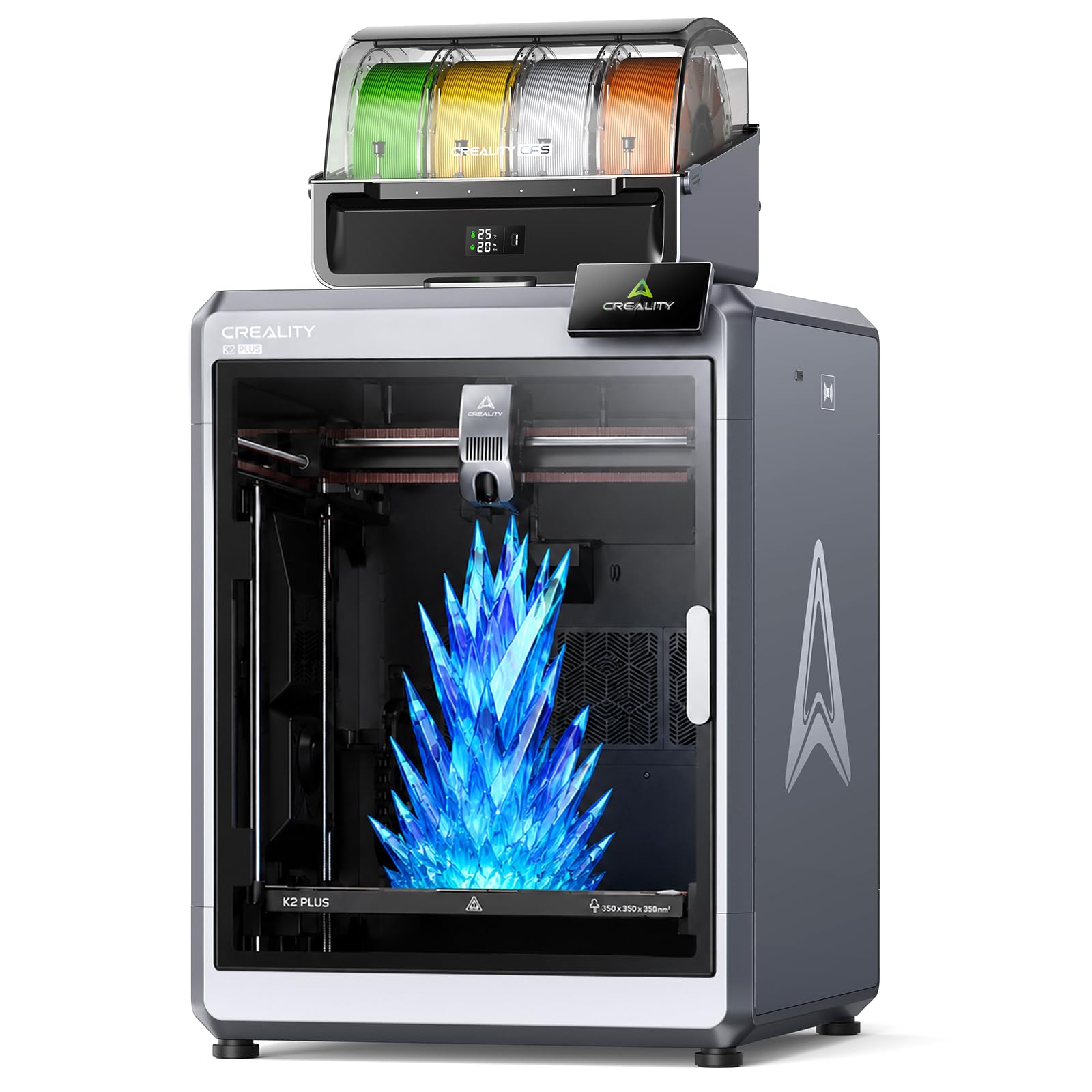
The Creality K2 Plus Combo is not a laptop but a 3D printer that serves as the ideal output partner for a capable CAD machine. With a massive 350x350x350mm build volume and print speeds up to 600mm/s, it can produce large prototype parts directly from your CAD files without scaling down or splitting models. The included Color Filament System enables multi-color printing with up to 16 colors, which is useful for functional prototypes and presentation models.
Dual AI cameras and 18 sensors monitor the print in real time, detecting spaghetti faults and flow inconsistencies to reduce failed prints — a significant time saver when iterating on designs. The heated chamber allows reliable printing with engineering-grade materials like ABS, PETG, and even flexible TPU, expanding the range of functional parts you can test directly from your CAD workstation.
This combination means that once you finalize a design on your CAD laptop, you can send it directly to the K2 Plus for rapid prototyping. The printer is heavy at over 100 pounds and requires dedicated table space, so it is best suited for a design studio or workshop rather than a compact home desk.
Why it’s great
- 350mm³ build volume prints large functional prototypes in one piece
- 600mm/s print speed with AI monitoring reduces iteration time
- Color Filament System supports up to 16 colors for complex models
Good to know
- Extremely heavy — requires dedicated workshop space
- CFS and slicer software still have early-adopter bugs
FAQ
Can I use a gaming laptop for CAD work?
How much RAM do I really need for 3D CAD software?
Final Thoughts: The Verdict
For most users, the cad laptop winner is the Lenovo ThinkPad P16s Gen 4 because its OLED touchscreen, AMD Ryzen AI processor, and ISV-ready build deliver the best balance of color accuracy, raw compute, and professional reliability. If you want maximum rendering power on a tighter budget, grab the MSI Katana 15 HX with its RTX 5070 and QHD 165Hz display. And for engineers who need a portable workstation for the field, nothing beats the MUNBYN IRX16 with its IP65 rating and 1000-nit sunlight-readable display.