
An 11-inch notebook laptop occupies a specific niche: it is small enough to slip into a bag without a second thought, yet large enough for a full day of typing, streaming, and web browsing. The real challenge is finding a model that doesn’t sacrifice performance or battery life for portability.
I’m Min — the co-founder and writer behind Gadgets Feed. I’ve spent countless hours analyzing processor benchmarks, display specifications, and battery tests to separate the genuinely capable compact notebooks from the underpowered compromises.
This guide ranks the top options across budget, mid-range, and premium tiers to help you find the most reliable 11inch notebook laptop for your specific needs — whether it’s for student workloads, on-the-go productivity, or casual entertainment.
How To Choose The Best 11Inch Notebook Laptop
The 11-inch form factor forces trade-offs that larger laptops avoid: keyboard size, thermal management, and port selection all shrink. Knowing which compromises matter — and which don’t — is the difference between a device you’ll love and one you’ll fight daily.
Processor and RAM: The Multitasking Threshold
In an 11-inch notebook, the processor determines how many tabs and apps you can keep open before stuttering appears. Intel’s N150 and N100 provide adequate power for email, Office documents, and streaming at 1080p. MediaTek chips in Chromebooks trade raw speed for extreme battery efficiency. For RAM, 4GB is the bare minimum for Chrome OS, but Windows 11 demands 8GB to avoid lag during basic multitasking.
Storage Type: eMMC vs. SSD
eMMC storage found in budget Chromebooks reads and writes data much slower than a proper SSD. A 32GB or 64GB eMMC drive is fine for cloud-first workflows but will feel sluggish once you install apps or cache offline files. A 128GB or 256GB SSD — ideally NVMe — makes a dramatic difference in boot times, app loading, and overall snappiness.
Display Quality and Touch Functionality
At 11 inches, resolution matters more than screen size. A 1366×768 panel is standard at the budget tier, but 1920×1200 IPS screens deliver noticeably sharper text and better color. Touch support and 2-in-1 hinges add flexibility for note-taking, drawing, or presentation modes, though they increase weight and price.
Quick Comparison
On smaller screens, swipe sideways to see the full table.
| Model | Category | Best For | Key Spec | Amazon |
|---|---|---|---|---|
| CHUWI MiniBook X | Premium 2-in-1 | Mobile productivity & media | Intel N150, 16GB LPDDR5, 512GB SSD | Amazon |
| BNCF NewBook 11 | Detachable 2-in-1 | Tablet-first with laptop mode | Intel N150, 12GB DDR5, 512GB SSD | Amazon |
| Lenovo Chromebook Duet Gen 9 | Chromebook Tablet | Cloud-based school & light work | MediaTek Kompanio 838, 12-hr battery | Amazon |
| KOOTIGERS Mini Laptop 8″ | Ultra-Compact PC | Travel & pocket-friendly Windows | Intel N150, 12GB RAM, 512GB SSD | Amazon |
| Microsoft Surface Laptop Go 2 | Premium Refurbished | Core i5 power in a compact shell | i5-1135G7, 16GB RAM, 256GB SSD | Amazon |
| Lenovo IdeaPad 3 14″ | Mid-Range Classic | Everyday Windows productivity | Intel Core i3-1115G4, 8GB RAM | Amazon |
| Asus BR1102FGA-YS14T | Rugged 2-in-1 | Spill-resistant classroom use | Intel Celeron N100, 128GB SSD | Amazon |
| HP Chromebook 11 | Budget Chromebook | Long battery life for browsing | MediaTek MT8183, 15.45-hr battery | Amazon |
| Xparkin 15.6″ Laptop | Budget Windows | Low-cost student essentials | Intel Celeron N4000, 8GB RAM | Amazon |
In‑Depth Reviews
1. CHUWI MiniBook X
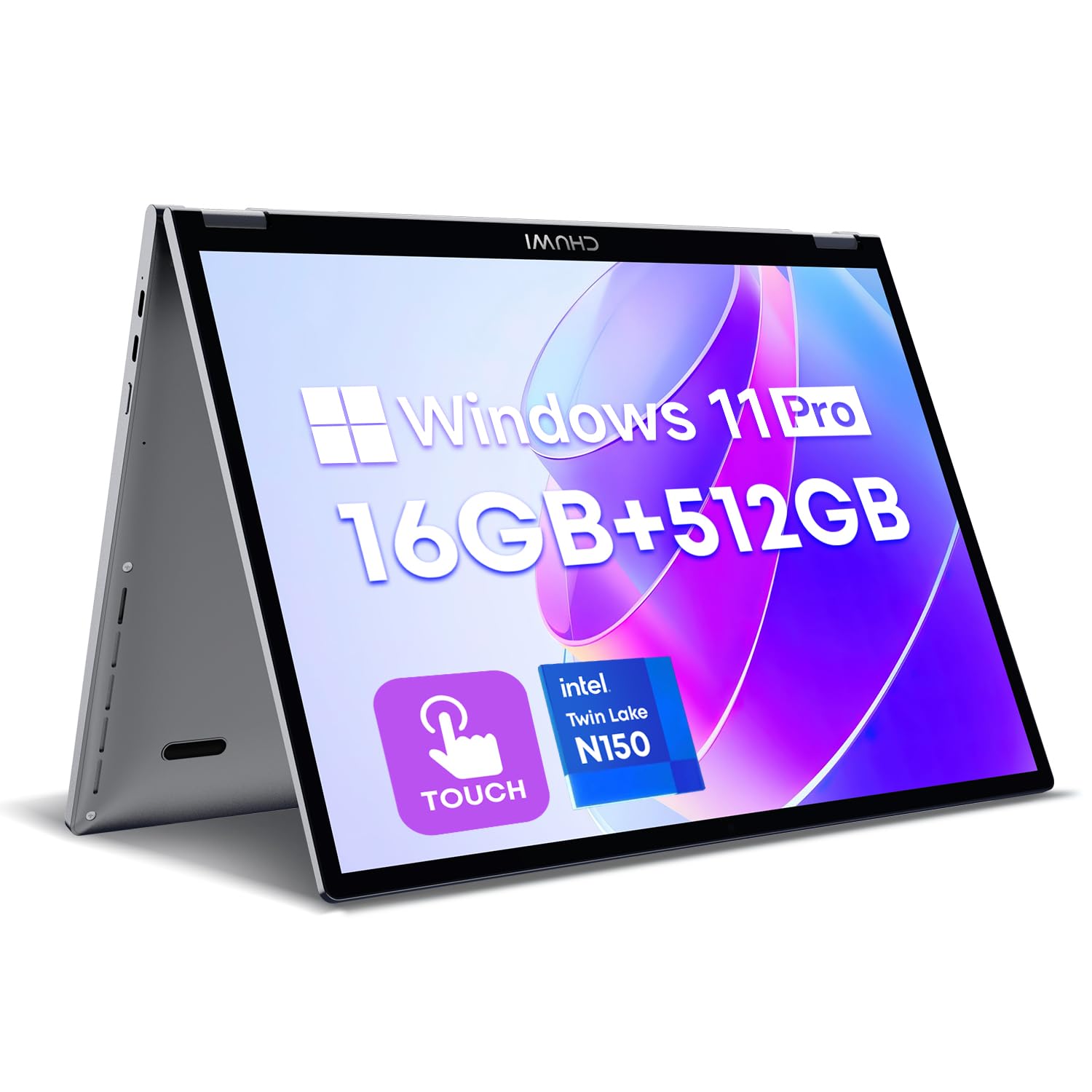
The CHUWI MiniBook X packs a 10.51-inch 1920×1200 IPS touchscreen in a sleek metal body weighing just 1.96 pounds. Its 360-degree hinge transforms it into tent, stand, and tablet modes, while the backlit keyboard maintains comfortable typing despite the compact layout.
Under the hood, the Intel N150 processor paired with 16GB of LPDDR5 RAM and a 512GB NVMe SSD handles a dozen open browser tabs, Microsoft Office, and 1080p streaming without stutters. The 16:10 aspect ratio provides extra vertical space for documents, and the 100% sRGB coverage makes photos and videos look vibrant.
Battery life sits at around six hours of mixed use — slightly below the class leaders, but fast USB-C charging mitigates the limitation. Dual USB-C ports, Wi-Fi 6, and Bluetooth 5.2 ensure modern connectivity, though the small trackpad and heat buildup during extended lap use are noted drawbacks.
Why it’s great
- 16GB LPDDR5 RAM and 512GB NVMe SSD deliver exceptional speed
- 2K IPS touchscreen with 100% sRGB is crisp and color-accurate
- Backlit keyboard and all-metal build feel premium
Good to know
- Battery lasts 5-6 hours, below the 12-hour Chromebook competitors
- Trackpad is small; heat can build on the bottom during extended use
2. BNCF NewBook 11

The BNCF NewBook 11 stands out with its detachable design: a 635-gram tablet that snaps into a magnetic keyboard and kickstand case, weighing 1,106 grams in total. The 11-inch FHD In-Cell touchscreen at 1920×1200 delivers sharp visuals, while dual 5MP and 8MP cameras support video calls and quick photo capture.
Powered by the Intel N150 quad-core processor and 12GB of DDR5 RAM, it handles multitasking with ease. The 512GB NVMe SSD offers fast boot times and ample local storage. Active cooling with a fan and dual-copper heat pipe prevents thermal throttling during extended sessions — a genuine advantage over fanless rivals.
Connectivity is generous for its size: two USB-C ports (one for charging and data), USB 3.0, micro HDMI, a 3.5mm jack, and Wi-Fi 6. The 34.2Wh battery provides all-day endurance for light tasks. Some users report keyboard ghosting issues, and the included documentation can be sparse, but the hardware itself is impressively capable for the price.
Why it’s great
- Detachable tablet design with active cooling prevents throttling
- Full-resolution 1920×1200 IPS display is bright and sharp
- Includes keyboard, kickstand, and dual USB-C ports
Good to know
- Keyboard can exhibit ghosting issues
- Documentation and accessories (HDMI cable) may be missing
3. Lenovo Chromebook Duet Gen 9
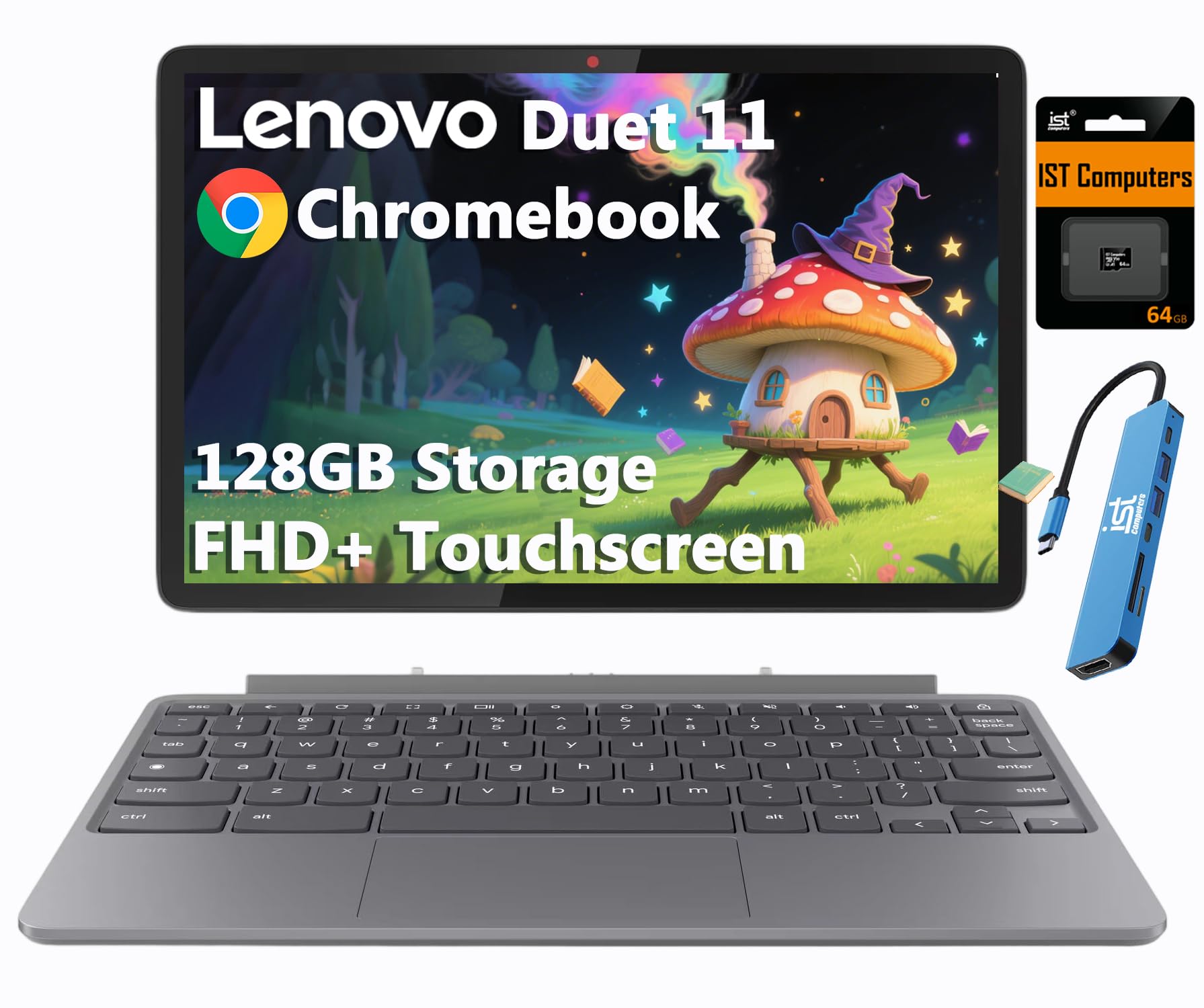
The Lenovo Chromebook Duet Gen 9 is a detachable 2-in-1 that pairs a 10.95-inch WUXGA (1920×1200) IPS touchscreen with a MIL-STD-810H rugged aluminum body. The included folio keyboard and kickstand make it a true laptop replacement, while Corning Gorilla Glass 3 protects against scratches common in daily student use.
Inside, the MediaTek Kompanio 838 octa-core processor (2.6 GHz) with 4GB of RAM is optimized for Chrome OS’s efficiency. The real highlight is battery life: Lenovo rates it at up to 12 hours, and real-world mixed use consistently delivers a full school or workday. An included 64GB SD card expands storage beyond the internal 64GB eMMC.
The dual stereo speakers tuned with Waves MaxxAudio sound fuller than typical tablet speakers, and the 8MP rear camera is useful for document scanning. Wi-Fi 6 and Bluetooth 5.3 keep connections current. The 4GB RAM cap limits complex multitasking, and the Chrome OS app ecosystem still has gaps with some Windows-exclusive software.
Why it’s great
- 12-hour battery life lasts a full school or work day
- Detachable design with Gorilla Glass 3 and MIL-STD-810H durability
- Sharp 1920×1200 IPS touchscreen with 400 nits brightness
Good to know
- 4GB RAM limits heavy multitasking with many open tabs
- Some Android phone apps do not scale well to the screen
4. KOOTIGERS Mini Laptop 8″

The KOOTIGERS Mini Laptop splits the difference between a phone and a full-sized notebook. Its 8-inch 1280×800 touchscreen and 1.72-pound weight make it genuinely pocketable — it fits in large coat pockets and small bags. Despite the tiny footprint, it runs full Windows 11 Pro on an Intel N150 processor.
With 12GB of LPDDR5 RAM and a 512GB NVMe SSD, this mini machine loads applications quickly and handles light multitasking without complaint. The 360-degree hinge and included stylus support handwriting and drawing, while the fanless design keeps operation silent. An Ethernet port is a rare bonus for a device this size.
Battery life averages around 4-6 hours, which is below the class average but expected given the compact chassis. The keyboard layout is cramped — touch typists will struggle — and the touchpad is small. It excels as a secondary travel companion or for kids, not as a primary workstation.
Why it’s great
- Ultra-portable 1.72 lbs with full Windows 11 Pro
- 12GB RAM and 512GB SSD for snappy performance
- Includes stylus, Ethernet port, and USB-C charging
Good to know
- Keyboard is too small for comfortable touch typing
- Battery life averages 4-6 hours in real use
5. Microsoft Surface Laptop Go 2 (Renewed)

The Microsoft Surface Laptop Go 2 brings an 11th-gen Intel Core i5-1135G7 processor and 16GB of RAM to the compact laptop segment — specs typically found in much larger machines. Its 12.4-inch 1536×1024 PixelSense touchscreen offers excellent color accuracy and sharpness, while the platinum aluminum finish feels genuinely premium.
This is a clamshell design, not a 2-in-1, but the keyboard is widely regarded as best-in-class for this size class. The fingerprint power button with Windows Hello makes sign-in instant. At 2.45 pounds, it is light enough for daily commuting, and the Core i5 handles heavier workloads like photo editing and light programming that N-series chips cannot.
Buyers should note this is an Amazon Renewed unit — it has been tested and repackaged rather than brand new. The 128GB SSD is smaller than some competitors, but the 16GB RAM ensures smooth multitasking. Battery life is middling at around 5-7 hours, and the 12.4-inch screen is slightly larger than true 11-inch offerings.
Why it’s great
- Core i5-1135G7 with 16GB RAM outpaces N-series budget chips
- Excellent keyboard feel and premium aluminum build
- Fingerprint power button with Windows Hello
Good to know
- Certified refurbished, not brand new
- Battery life averages 5-7 hours
6. Lenovo IdeaPad 3 14″

The Lenovo IdeaPad 3 is a 14-inch machine, which places it slightly above the strict 11-inch category, but it competes directly on price and performance with smaller notebooks. Its Intel Core i3-1115G4 processor delivers real dual-core power with a 4.1 GHz boost clock — enough for programming, video editing at 1080p, and comfortable multitasking.
The 14-inch Full HD (1920×1080) display with narrow bezels provides significantly more screen real estate than 11-inch panels, making it better for split-window work. Dolby Audio-tuned speakers sound clearer than most budget laptops, and the physical webcam shutter adds privacy without requiring software.
Battery life is rated at 7.5 hours, but real-world use with Wi-Fi on and moderate brightness often yields closer to 5-6 hours. The 128GB SSD fills up quickly with large applications, and some users report the unit struggles to fully shut down, draining the battery overnight. It is an excellent choice for those who want more screen without a premium price.
Why it’s great
- Core i3-1115G4 outperforms N-series chips significantly
- 14-inch Full HD display with narrow bezels
- Physical webcam shutter and Dolby Audio speakers
Good to know
- 128GB SSD is tiny; plan for external storage
- Battery may drain if not fully shut down
7. Asus BR1102FGA-YS14T
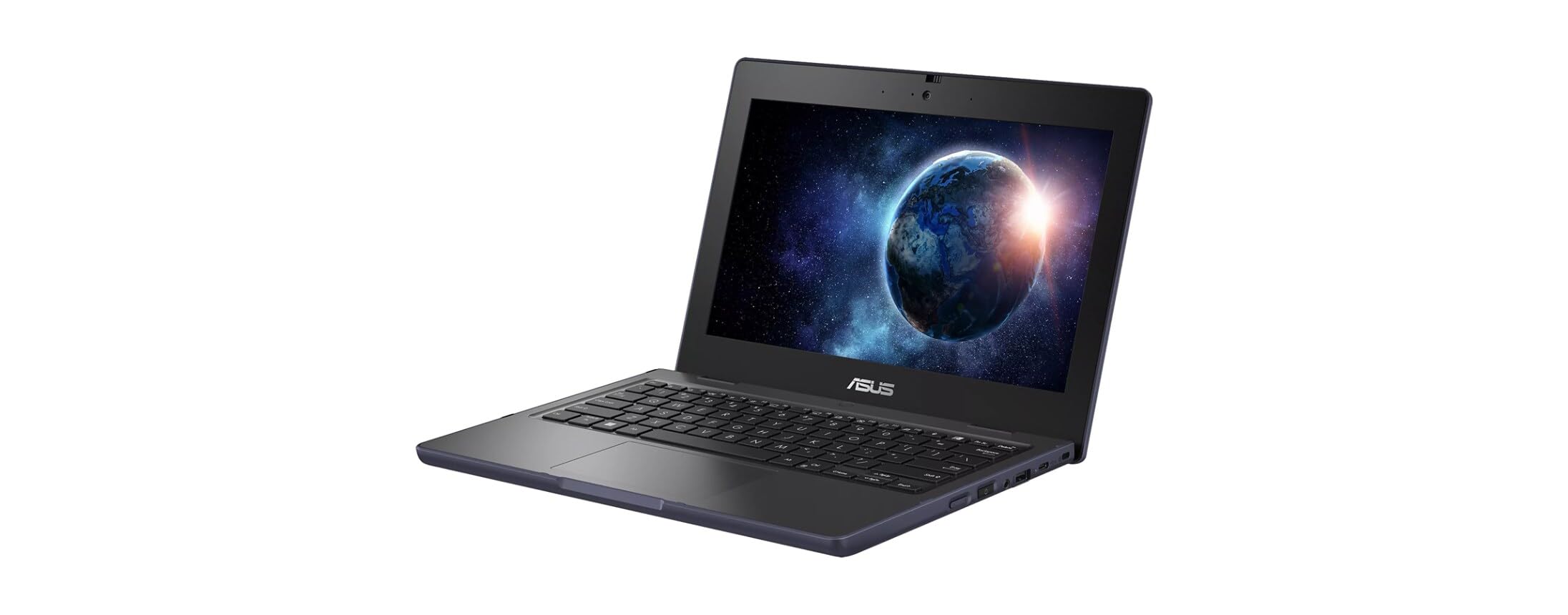
The Asus BR1102FGA-YS14T is built for the school environment: it is MIL-STD-810H rated, spill-resistant, and weighs just three pounds. The 11.6-inch anti-glare touchscreen (1366×768) reduces reflections under harsh classroom lighting, and the 360-degree hinge supports tent, stand, and tablet modes for group work.
The Intel Celeron N100 quad-core processor is paired with 4GB of onboard RAM and a 128GB SSD. This configuration handles web-based learning platforms, Google Classroom, and Office 365 without major issues, though the 4GB RAM cap causes slowdowns when more than 10 browser tabs are open. Windows 11 Pro Education is preloaded.
The reinforced chassis and rubberized edges protect against drops, and the keyboard is designed to survive minor spills. Battery life is a weak point — some users report only 3-4 hours of real use. The 1366×768 display also lacks the sharpness of higher-resolution IPS panels, but the rugged credentials make it a strong choice for younger students.
Why it’s great
- Rugged, spill-resistant build with MIL-STD-810H rating
- Anti-glare touchscreen suitable for classroom lighting
- Includes 360-degree hinge for versatile modes
Good to know
- 4GB RAM limits multitasking with many tabs
- Battery life is short — around 3-4 hours
8. HP Chromebook 11

The HP Chromebook 11 delivers exceptional battery endurance with a 15-hour and 45-minute rated life, making it the longest-lasting device in this roundup. Its MediaTek MT8183 octa-core processor (2.0 GHz) and 4GB of RAM handle web browsing, Google Docs, and YouTube streaming smoothly, with boot times under 5 seconds thanks to Chrome OS’s lightweight design.
The 11.6-inch HD anti-glare display (1366×768) is adequate for indoor use, and the HP True Vision 720p webcam with dual-array microphones delivers clear video calls. The keyboard is full-sized despite the 11-inch footprint, and the 32GB eMMC storage is sufficient for cloud-native workflows but too small for offline app hoarding.
Connectivity includes USB 2.0 Type-A and Type-C ports, plus a headphone jack. Wi-Fi 5 and Bluetooth 4.2 are a generation behind current standards. The Chromebook is not suited for demanding tasks like video editing or gaming, and 4GB of RAM means heavy multitasking will cause slowdowns. It is an excellent secondary device or student starter laptop.
Why it’s great
- 15.45-hour battery life is class-leading
- Fast boot times and smooth Chrome OS experience
- Full-size keyboard and good webcam for video calls
Good to know
- 32GB eMMC storage fills up fast
- Wi-Fi 5 and Bluetooth 4.2 are outdated
9. Xparkin 15.6″ Laptop

The Xparkin 15.6-inch Laptop is the largest screen in this roundup but sits at the lowest price point. Its Intel Celeron N4000 dual-core processor (2.7 GHz boost) with 8GB of DDR4 RAM and a 256GB SSD provides enough power for school portals, email, Word documents, and Zoom calls — exactly the tasks its target student audience needs.
The 15.6-inch Full HD IPS display offers significantly more screen real estate than 11-inch models, making it easier to work on split documents. The aluminum-like finish gives it a more premium appearance than the price suggests, and the numeric keypad alongside the full keyboard is a welcome addition for data entry.
Performance has limits: the N4000 is noticeably slower than Intel N100 or Core i3 processors, especially during startup or when loading multiple applications. Some users report the laptop runs hot under sustained load. The 5,000mAh battery delivers decent life for a large screen, and the port selection (2x USB 3.0, mini HDMI, SD card reader) is generous.
Why it’s great
- Large 15.6-inch Full HD IPS display for the price
- 8GB RAM and 256GB SSD provide adequate storage and memory
- Includes numeric keypad and multiple ports
Good to know
- Celeron N4000 is slow for booting and heavy multitasking
- Can run hot during sustained use
FAQ
Can an 11-inch laptop with a Celeron N4000 run Windows 11 smoothly?
How many years of updates does an 11-inch Chromebook get?
Is 4GB of RAM enough for an 11-inch Windows notebook in 2025?
Final Thoughts: The Verdict
For most users, the best 11inch notebook laptop is the CHUWI MiniBook X because it combines a sharp 2K touchscreen, 16GB of RAM, and a fast 512GB NVMe SSD in a sub-2-pound package. If you want the longest battery life, grab the Lenovo Chromebook Duet Gen 9. And for rugged school environments where spills and drops are inevitable, nothing beats the Asus BR1102FGA-YS14T.