
Finding a 24-inch monitor with a native 2560×1440 resolution is like hunting for a specific tool in a warehouse full of 27-inch and 32-inch screens. The compact 24-inch frame combined with the high pixel density of a QHD panel delivers razor-sharp text and detailed images that standard 1080p screens simply cannot match, making it the ideal sweet spot for productivity, coding, and graphics work where desk space is at a premium.
I’m Min — the co-founder and writer behind Gadgets Feed. I’ve spent countless hours analyzing the technical specifications, pixel densities, port configurations, and real-world performance data of this specific niche to identify the models that truly deliver on the promise of a crisp, high-resolution workspace.
This buying guide breaks down the top contenders to help you find the best 1440p 24-inch monitor for your specific workflow and budget.
How To Choose The Best 1440p 24-Inch Monitor
Selecting a 24-inch QHD monitor requires a clear understanding of your priorities. While the form factor delivers exceptional pixel density, not every model excels in connectivity, ergonomics, or refresh rate. Focus on the features that directly affect your daily experience.
USB-C Power Delivery and Hub Functionality
A monitor with a USB-C port that delivers power and data transforms your desk into a single-cable docking station. Look for at least 60W of power delivery to charge a typical laptop, and confirm the monitor includes additional USB-A ports for peripherals. This feature eliminates the need for a separate dock and reduces cable clutter.
Refresh Rate and Adaptive Sync
While 60Hz is standard for productivity, models offering 75Hz or 100Hz provide noticeably smoother cursor movement and scrolling. Adaptive Sync technologies like AMD FreeSync help eliminate screen tearing during casual gaming. If you work with static documents or code, a standard 60Hz panel is perfectly adequate, but the extra headroom is worth the slight premium.
Ergonomic Adjustability and Panel Quality
With a fixed pixel density of roughly 123 PPI on a 24-inch QHD panel, the ability to adjust height, tilt, and swivel is critical for achieving a comfortable viewing angle. An IPS panel is preferred for its wide 178-degree viewing angles and consistent color reproduction. Check for a 99% sRGB or higher color gamut rating if color accuracy matters for your work.
Quick Comparison
On smaller screens, swipe sideways to see the full table.
| Model | Category | Best For | Key Spec | Amazon |
|---|---|---|---|---|
| Dell P2425D | Mid-Range | Office Productivity | 100Hz Refresh Rate | Amazon |
| Lenovo Q24h-10 | Mid-Range | USB-C Simplicity | 80W USB-C Power Delivery | Amazon |
| ViewSonic VG2455-2K | Mid-Range | Full Ergonomic Setup | 100Hz / 60W USB-C | Amazon |
| Dell P2423DE | Premium | Professional Workstation | USB Hub & G-Sync Compatible | Amazon |
| Samsung S60A | Premium | Design & Eye Care | HDR10 / 1B Colors | Amazon |
| Acer Predator X27U | Premium | High-End Gaming | 240Hz QD-OLED | Amazon |
| Alienware AW2725DF | Premium | Competitive Esports | 360Hz QD-OLED | Amazon |
| ASUS ROG Strix XG27ACDNG | Premium | Best All-Round OLED | 360Hz / Custom Heatsink | Amazon |
| Dell S2725QS | Premium | 4K Productivity / Media | 120Hz 4K IPS | Amazon |
In‑Depth Reviews
1. Dell P2425D
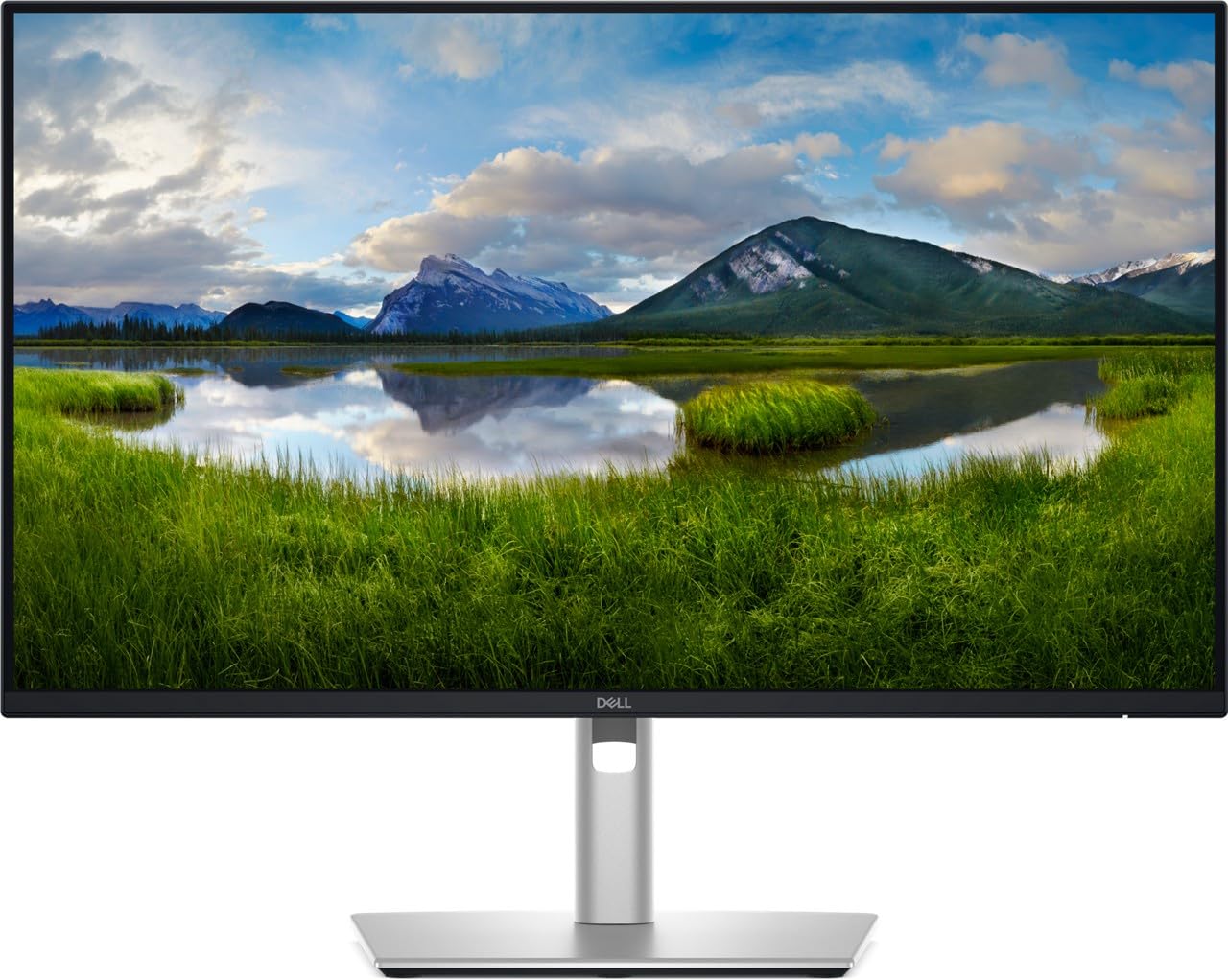
The Dell P2425D strikes an excellent balance between performance and price. It offers a 23.8-inch IPS panel at 2560×1440 with a smooth 100Hz refresh rate, which is a noticeable step up from the standard 60Hz panels found on many productivity monitors. The matte display reduces glare effectively, and the 350 cd/m² brightness keeps the image punchy in well-lit offices.
Connectivity is robust with DisplayPort, HDMI, and USB-C inputs, making it simple to dock a modern laptop with a single cable. The ergonomic stand supports tilt, pivot, and VESA mounting, allowing you to dial in the perfect viewing angle. Customer feedback highlights the crystal-clear image quality and sharp text, though some buyers note missing cables in the box, so check the package contents upon arrival.
For a mid-range monitor that prioritizes clarity and smooth scrolling without pushing into premium pricing, the P2425D delivers exactly what most office workers and developers need. The 100Hz refresh rate makes cursor movement feel fluid, while the IPS panel ensures consistent color from any angle.
Why it’s great
- 100Hz refresh rate for smoother scrolling
- Excellent 2560×1440 resolution on a 23.8-inch panel
- USB-C connectivity for single-cable docking
Good to know
- Some units may arrive without an HDMI cable
- Limited color gamut compared to premium OLED panels
2. Lenovo Q24h-10

The Lenovo Q24h-10 is a compact 23.8-inch QHD monitor that punches well above its price point. The standout feature is the 80W USB-C power delivery, which is enough to charge most laptops including the MacBook Air and many HP business machines. This makes it an excellent choice for a clean, single-cable desk setup where the monitor acts as both display and charging hub.
The 75Hz IPS panel with AMD FreeSync provides a slightly smoother experience than a standard 60Hz display, and the 99% sRGB coverage ensures colors are vibrant and accurate for photo editing and design work. User reviews consistently praise the sharp text rendering and thin bezels, though the integrated 3W speakers are described as mediocre and the stand only offers tilt adjustment.
For budget-conscious buyers who need USB-C charging and a crisp QHD image, the Q24h-10 offers exceptional value. The trade-offs in speaker quality and stand flexibility are reasonable given the price, and the overall build quality feels premium for the segment.
Why it’s great
- 80W USB-C power delivery charges most laptops
- Sharp QHD resolution with 99% sRGB coverage
- Thin bezel design and sturdy build
Good to know
- Speakers are weak and not suitable for media
- Tilt-only stand limits ergonomic adjustments
3. ViewSonic VG2455-2K

The ViewSonic VG2455-2K is designed for users who spend all day at their desk. The 24-inch IPS panel delivers clean 2560×1440 resolution, and the 100Hz refresh rate is a welcome upgrade for reducing eye strain during prolonged scrolling sessions. The most compelling feature is the advanced ergonomic stand, which offers 40-degree tilt, swivel, height adjustment, and pivot for portrait mode, making it easy to find the perfect posture.
USB-C connectivity with 60W power delivery keeps your laptop charged and peripherals connected through the monitor’s built-in USB 3.0 hub. Customer reviews note that the monitor pairs well with MacBooks and ThinkPads, providing a seamless single-cable experience. Some users report an occasional black screen issue requiring a power cycle, and the integrated speakers are described as flat and tinny.
For professionals who prioritize comfort and flexibility, the VG2455-2K is a strong contender. The combination of USB-C charging, a highly adjustable stand, and a smooth 100Hz panel makes it an excellent choice for CAD work, coding, and document editing where screen positioning is critical.
Why it’s great
- Full ergonomic stand with height, swivel, tilt, and pivot
- 60W USB-C power delivery for single-cable convenience
- 100Hz refresh rate for smoother navigation
Good to know
- Some units experience intermittent black screen issues
- Built-in speakers are weak and not recommended for audio
4. Dell P2423DE

The Dell P2423DE is a professional-grade 24-inch WQHD monitor built for demanding office environments. The IPS panel delivers a crisp 2560×1440 resolution with 300 cd/m² brightness and a 1000:1 contrast ratio. Its G-Sync compatibility makes it a versatile choice for users who occasionally game, while the built-in USB hub expands connectivity for multiple peripherals through a single upstream cable.
Customer feedback highlights the monitor’s ease of rotation between portrait and landscape modes, which is ideal for coding or document reviewing on a secondary screen. The Dell display management software is well-regarded for window snapping and multi-monitor setups. Some international reviews mention excellent packaging and no dead pixels, though the monitor lacks the high refresh rates of gaming-focused panels.
For professionals who need a reliable, color-accurate display with robust connectivity and G-Sync support, the P2423DE is a solid investment. The USB hub and flexible ergonomics make it a natural fit for a clean, multi-device workstation.
Why it’s great
- Built-in USB hub for peripheral connectivity
- G-Sync compatible for tear-free casual gaming
- Easy rotation between portrait and landscape
Good to know
- 60Hz refresh rate, not suited for fast-paced gaming
- Premium pricing compared to similar 24-inch QHD models
5. Samsung S60A

The Samsung S60A stands out with its emphasis on visual quality and eye comfort. The 24-inch IPS panel supports HDR10 and covers 1 billion colors, providing rich, accurate tones for graphic design work. The TUV-certified Intelligent Eye Care feature reduces blue light levels and eliminates flicker, which is a significant benefit for users who spend long hours in front of the screen.
Connectivity includes USB-C with power delivery, making it easy to charge a MacBook or laptop while transmitting video. The three-sided borderless design looks modern and creates a seamless multi-monitor setup. Some users note that achieving full 2560×1440 resolution requires a DisplayPort connection, as the HDMI port may be limited to 1080p on certain systems, and the 75Hz refresh rate is only a modest improvement over 60Hz.
For creative professionals who value color vibrancy and reduced eye strain, the Samsung S60A delivers a premium experience. The HDR10 support and wide color gamut make it a great choice for Photoshop and design workflows, though the stand adjustments are limited compared to competitors.
Why it’s great
- HDR10 support with vibrant 1 billion color coverage
- TUV-certified eye care reduces strain during long sessions
- USB-C power delivery for single-cable convenience
Good to know
- HDMI may be limited to 1080p on some devices
- Stand offers limited adjustability compared to competitors
6. Acer Predator X27U

The Acer Predator X27U brings QD-OLED technology to the 26.5-inch format with a stunning WQHD resolution and a 240Hz refresh rate. The quantum dot OLED panel delivers perfect blacks, infinite contrast, and vibrant colors that IPS panels simply cannot match. The 0.03ms response time virtually eliminates motion blur, making this an exceptional monitor for fast-paced shooters and racing games.
AMD FreeSync Premium ensures tear-free gameplay, and the monitor includes both DisplayPort 1.4 and HDMI 2.1 inputs for compatibility with PCs and consoles. Customer reviews praise the absurdly good image quality for the price, though some note that the build quality feels slightly plastic and the brightness could be higher for very bright rooms. The stand arrived cracked for one user, which suggests occasional quality control issues.
For gamers seeking a high-refresh QD-OLED experience at a competitive price, the Predator X27U is a compelling choice. The combination of 240Hz, QD-OLED, and FreeSync Premium offers a level of image fidelity and smoothness that was previously reserved for much more expensive displays.
Why it’s great
- 240Hz QD-OLED delivers perfect blacks and vibrant colors
- 0.03ms response time eliminates motion blur
- HDMI 2.1 for full console compatibility
Good to know
- Build quality feels slightly plastic
- Brightness may be insufficient in very bright rooms
7. Alienware AW2725DF

The Alienware AW2725DF is a 26.7-inch QD-OLED monitor engineered for competitive gaming. With a 360Hz refresh rate and 0.03ms response time, it offers some of the smoothest motion clarity available, giving players a distinct advantage in fast-paced esports titles. The QHD resolution ensures sharp details while keeping GPU demands manageable at high frame rates.
The monitor supports AMD FreeSync Premium Pro and is G-Sync compatible, providing tear-free visuals with both major graphics card brands. The adjustable stand offers height, tilt, swivel, and pivot adjustments, and the design is clean and aggressive. Customer reviews highlight the incredible image quality with deep blacks and vibrant colors, though some note minor text clarity issues common to OLED panels and that the monitor requires periodic pixel refresh to prevent burn-in.
For esports enthusiasts who demand the highest refresh rates and the best image quality, the Alienware AW2725DF is a top-tier choice. The 360Hz QD-OLED panel, combined with comprehensive sync support and a 3-year warranty, makes it a long-term investment in gaming performance.
Why it’s great
- 360Hz refresh rate for ultra-smooth competitive gaming
- DisplayHDR True Black 400 with infinite contrast
- 3-year warranty covers burn-in
Good to know
- Text clarity can be slightly fuzzy on OLED panels
- Requires periodic pixel refresh to prevent burn-in
8. ASUS ROG Strix XG27ACDNG

The ASUS ROG Strix XG27ACDNG is a 26.5-inch QD-OLED gaming monitor that balances performance and image quality exceptionally well. The 360Hz refresh rate and 0.03ms response time deliver silky-smooth motion, while the custom heatsink and advanced airflow design help reduce the risk of burn-in, extending the panel’s lifespan. The monitor is also VESA DisplayHDR 400 True Black compliant with a 99% DCI-P3 gamut.
Connectivity includes two HDMI 2.1 ports, DisplayPort 1.4, and USB 3.2 Gen 1 ports, making it compatible with the latest PCs and consoles. The ASUS OLED Care+ software provides robust burn-in mitigation features, and the 3-year warranty includes burn-in coverage. Customer reviews consistently rate the monitor as having amazing out-of-box colors, negligible input lag, and a sturdy build, though some note that height adjustment is limited.
For users who want a premium OLED experience with the latest burn-in protection and a industry-leading warranty, the XG27ACDNG is the best all-rounder. The combination of 360Hz, vibrant colors, and comprehensive care features makes it suitable for both gaming and content consumption.
Why it’s great
- 360Hz QD-OLED with custom heatsink for burn-in protection
- 3-year warranty includes burn-in coverage
- HDMI 2.1 for full next-gen console support
Good to know
- Height adjustment range is relatively limited
- Pixel cleaning pop-up can be turned off but is useful
9. Dell S2725QS

The Dell S2725QS is a 27-inch 4K monitor that offers an impressive 120Hz refresh rate at a budget-friendly price point. While it steps up to a larger 27-inch form factor, it’s worth considering for users who want the highest resolution and refresh rate combination for productivity and casual gaming. The IPS panel with 99% sRGB and HDR readiness delivers vibrant colors and excellent depth.
The monitor includes improved ComfortView Plus technology that reduces harmful blue light emissions to 35% without sacrificing color accuracy. Customer reviews highlight the affordable price for a 4K 120Hz display, the crisp text, and the comprehensive adjustable stand. Some users note slight vignetting on the right side and noticeable ghosting in competitive games, making it better suited for productivity than esports.
For users who can accommodate a 27-inch screen, the S2725QS offers the best value in 4K with a high refresh rate. The 120Hz panel, free sync support, and adjustable stand make it a versatile choice for mixed-use scenarios involving work, media, and light gaming.
Why it’s great
- 4K resolution with 120Hz refresh rate at a budget-friendly price
- Improved ComfortView Plus for reduced eye strain
- FreeSync Premium for tear-free gaming
Good to know
- Slight vignetting may be noticeable on some units
- Visible ghosting in fast-paced competitive games
FAQ
Is a 24-inch 1440p monitor noticeably sharper than a 24-inch 1080p monitor?
Can a 24-inch 1440p monitor be used for gaming?
Final Thoughts: The Verdict
For most users, the 1440p 24-inch monitor winner is the Dell P2425D because it offers the best balance of a 100Hz IPS panel, USB-C connectivity, and an ergonomic stand at a reasonable price. If you need full ergonomic adjustment and a smooth 100Hz display, grab the ViewSonic VG2455-2K. And for the best value with 80W USB-C power delivery, nothing beats the Lenovo Q24h-10.